
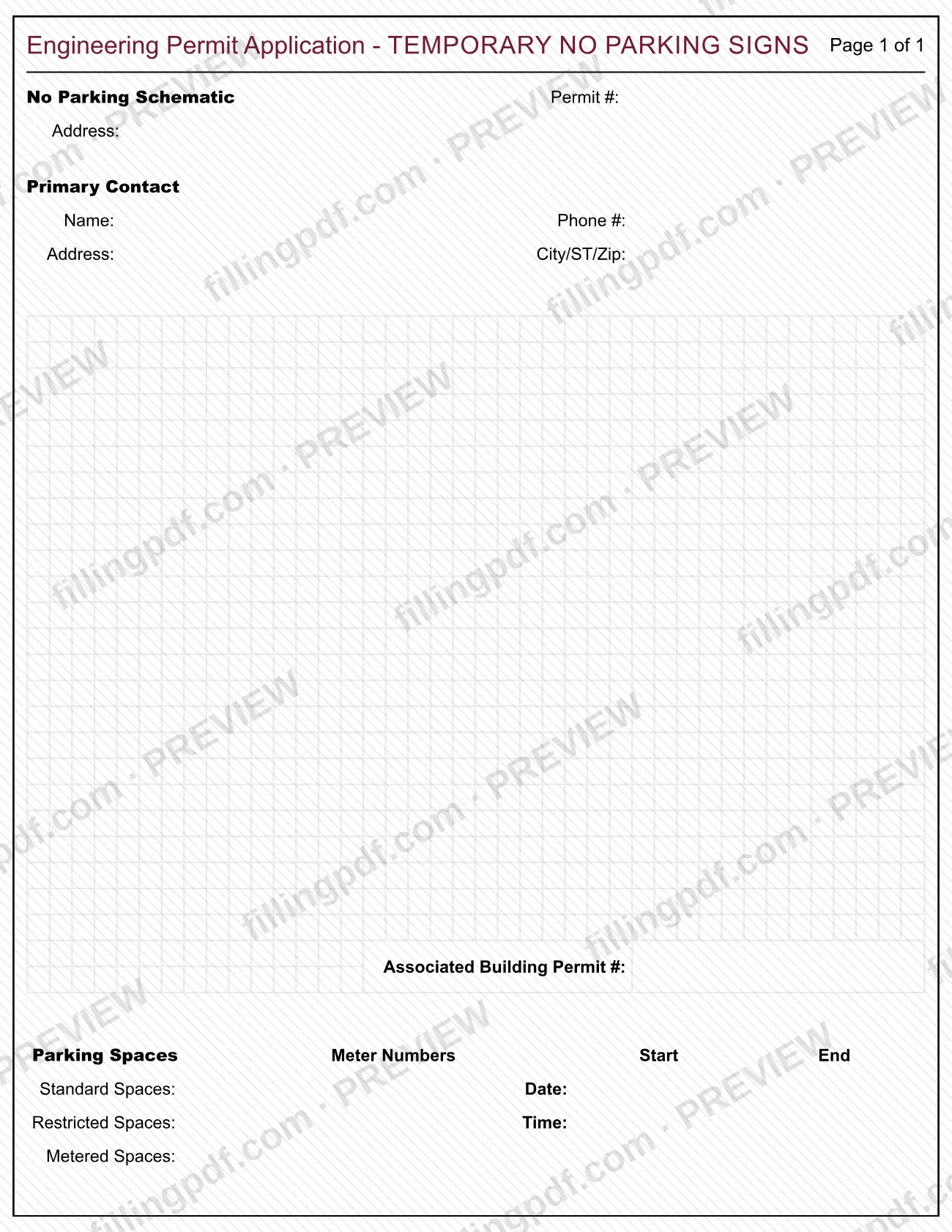
The APPLICATION - TEMPORARY "No Parking" Schematic is the City of Berkeley's one-page Engineering Permit Application for temporary no parking signs, listed under the City of Berkeley Police Department. If you searched for a Berkeley parking permit, this form concerns temporary no parking restrictions on specific parking spaces, with start and end dates and times. On this page you can fill out the form online on FillingPDF and download or print the completed PDF; the original PDF is published by the City of Berkeley at berkeleyca.gov.
Last updated
What is APPLICATION - TEMPORARY "No Parking" Schematic – Berkeley, CA?
The APPLICATION - TEMPORARY "No Parking" Schematic is a City of Berkeley form, printed as an Engineering Permit Application - TEMPORARY NO PARKING SIGNS, used to describe which parking spaces need temporary no parking signs, and when.
The form is one page. It identifies the request by a No Parking Schematic Permit # and the address concerned. A Primary Contact block collects a name, phone number, address, and city, state and ZIP code, plus an Associated Building Permit #.
The core of the form is a Parking Spaces table. It separates Standard Spaces, Restricted Spaces and Metered Spaces, and has a column for Meter Numbers. Next to it, Start and End columns take the date and time of the restriction.
The City of Berkeley lists the form among its permit forms at berkeleyca.gov. It is a schematic request for temporary signage on named spaces; the form itself prints no fee, deadline or instructions, so ask the City of Berkeley about any requirement not shown on the page.
Who needs to file APPLICATION - TEMPORARY "No Parking" Schematic – Berkeley, CA?
The form is for anyone who needs temporary no parking signs placed on parking spaces at an address in Berkeley. Its layout points to applicants who already hold, or are working under, a building permit: it has a line for an Associated Building Permit #. It also has one primary contact, who is the person the city can reach about the request.
You will need to know, before you start:
- the address the signs relate to;
- how many standard, restricted and metered spaces are affected;
- the meter numbers, if metered spaces are included;
- the start and end date and time of the restriction.
The form does not say who may sign for someone else, and it has no signature block. It also sets no eligibility rules or exclusions. If you are unsure whether your situation calls for this application or for a different parking permit, check the City of Berkeley's Permit Forms page at berkeleyca.gov or ask the city.
When to file APPLICATION - TEMPORARY "No Parking" Schematic – Berkeley, CA
Complete the form when you know which spaces need temporary no parking signs and the date and time the restriction should start and end, because the form asks for exactly those entries. If the request is tied to a building permit, have the building permit number ready for the Associated Building Permit # line. No separate due date, lead time or processing time is printed on the form, so ask the City of Berkeley how far ahead of the start date it needs the application.
How to fill out APPLICATION - TEMPORARY "No Parking" Schematic – Berkeley, CA
Enter the permit number and address
Write the No Parking Schematic Permit # if you have been given one, and the Address the temporary no parking signs relate to.
Enter the primary contact name and phone
Under Primary Contact, fill in Name and Phone # for the person the city should reach about the request.
Enter the contact address
Fill in the contact's Address and City/ST/Zip in the Primary Contact block.
Add the associated building permit number
Enter the Associated Building Permit # if the request relates to a building permit.
List the affected parking spaces
In the Parking Spaces table, enter the Standard Spaces, Restricted Spaces and Metered Spaces that need temporary no parking signs.
Enter the meter numbers
Under Meter Numbers, write the number of each meter for the metered spaces you listed.
Set the start date and time
In the Start column, enter the Date and Time when the no parking restriction begins.
Set the end date and time
In the End column, enter the Date and Time when the restriction ends.
Review and download the completed PDF
Check the address, space counts, meter numbers and dates, then download or print the completed PDF from FillingPDF and submit it as described under How to submit.
How to submit APPLICATION - TEMPORARY "No Parking" Schematic – Berkeley, CA
The form prints no mailing address, email, portal or office hours, so it names no submission channel of its own. The City of Berkeley publishes it with its other permit forms at https://berkeleyca.gov/construction-development/permits-design-parameters/permit-types/permit-forms. Confirm with the city where and how to submit the completed application, and whether any fee applies. FillingPDF lets you fill out and download the PDF; submission follows the agency's channels.
Common mistakes to avoid
- Leaving the Primary Contact block incomplete, such as omitting the phone number or the city, state and ZIP code.
- Leaving out the Associated Building Permit # when the request is connected to a building permit.
- Listing Metered Spaces without writing their Meter Numbers in the table.
- Omitting the Start or End date or time, so the restriction period is unclear.
- Entering the Standard, Restricted and Metered Spaces in the wrong rows of the Parking Spaces table.
- Assuming this application covers other parking permits; the form is titled for temporary no parking signs only.
Frequently asked questions
What is the Berkeley Temporary No Parking Schematic application?
It is a one-page City of Berkeley Engineering Permit Application for temporary no parking signs. It records the address, a primary contact, an associated building permit number, the affected parking spaces and meter numbers, and the start and end date and time.
Is this form the same as a Berkeley parking permit?
This form covers temporary no parking signs on specific spaces only, as its title and fields show. For any other kind of parking permit, check the City of Berkeley's Permit Forms page at berkeleyca.gov or ask the city.
What information does the form ask for about parking spaces?
A Parking Spaces table asks for Standard Spaces, Restricted Spaces and Metered Spaces, plus the Meter Numbers. Start and End columns take the date and time of the restriction.
Do I need a building permit number to fill it out?
The form has an Associated Building Permit # line, so enter the number there if your request relates to a building permit. The form does not say what to do if you have none, so ask the City of Berkeley.
Where do I submit the temporary no parking application?
The form prints no address, portal or email. The City of Berkeley publishes it with its permit forms at berkeleyca.gov, so confirm with the city where to send the completed application and whether a fee applies.
Can I fill out the no parking schematic form online?
Yes. You can fill out the PDF online on FillingPDF and download or print it. FillingPDF is an independent service, not connected to the City of Berkeley, and does not file or submit the application.
Ready to fill out APPLICATION - TEMPORARY "No Parking" Schematic – Berkeley, CA?
Fill out APPLICATION - TEMPORARY "No Parking" Schematic – Berkeley, CA now