
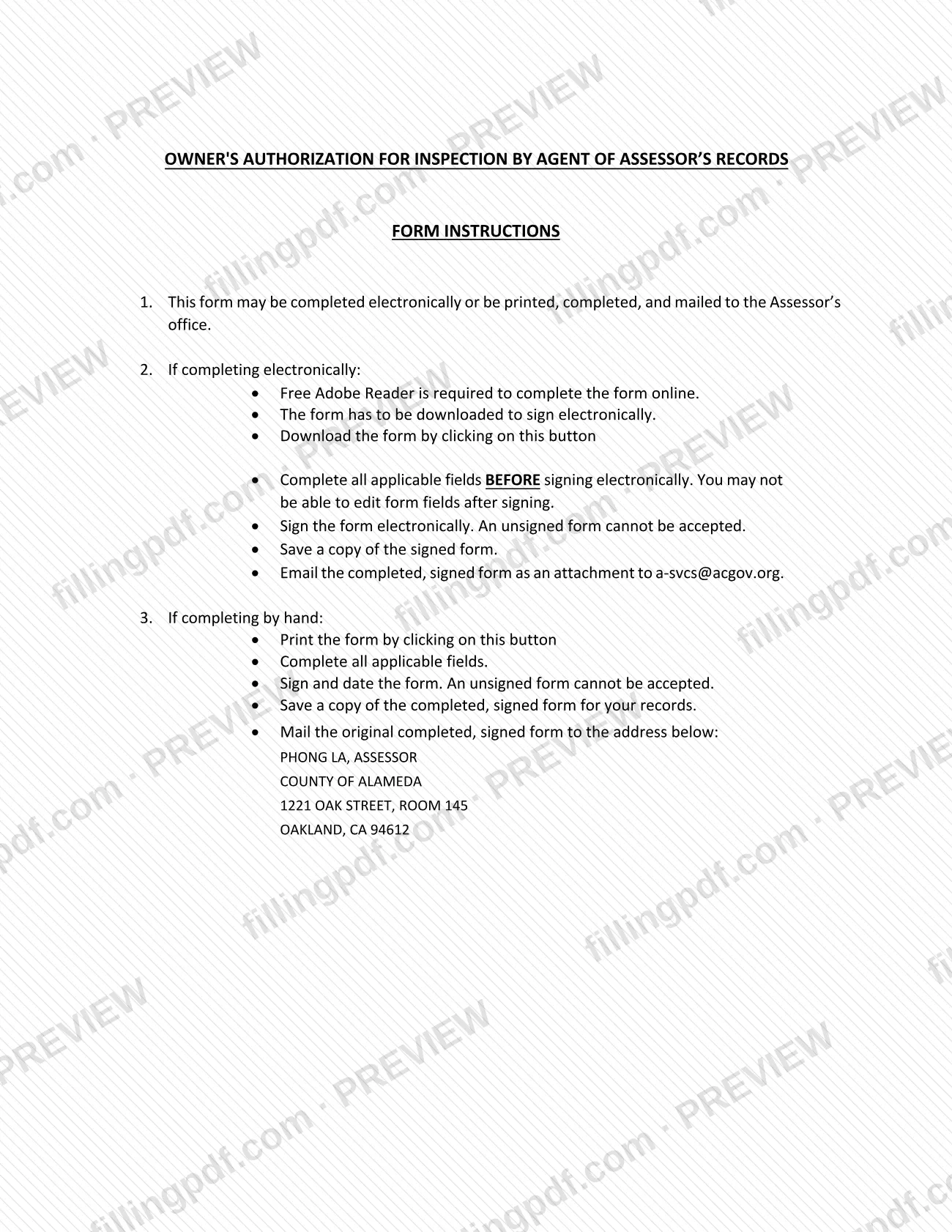
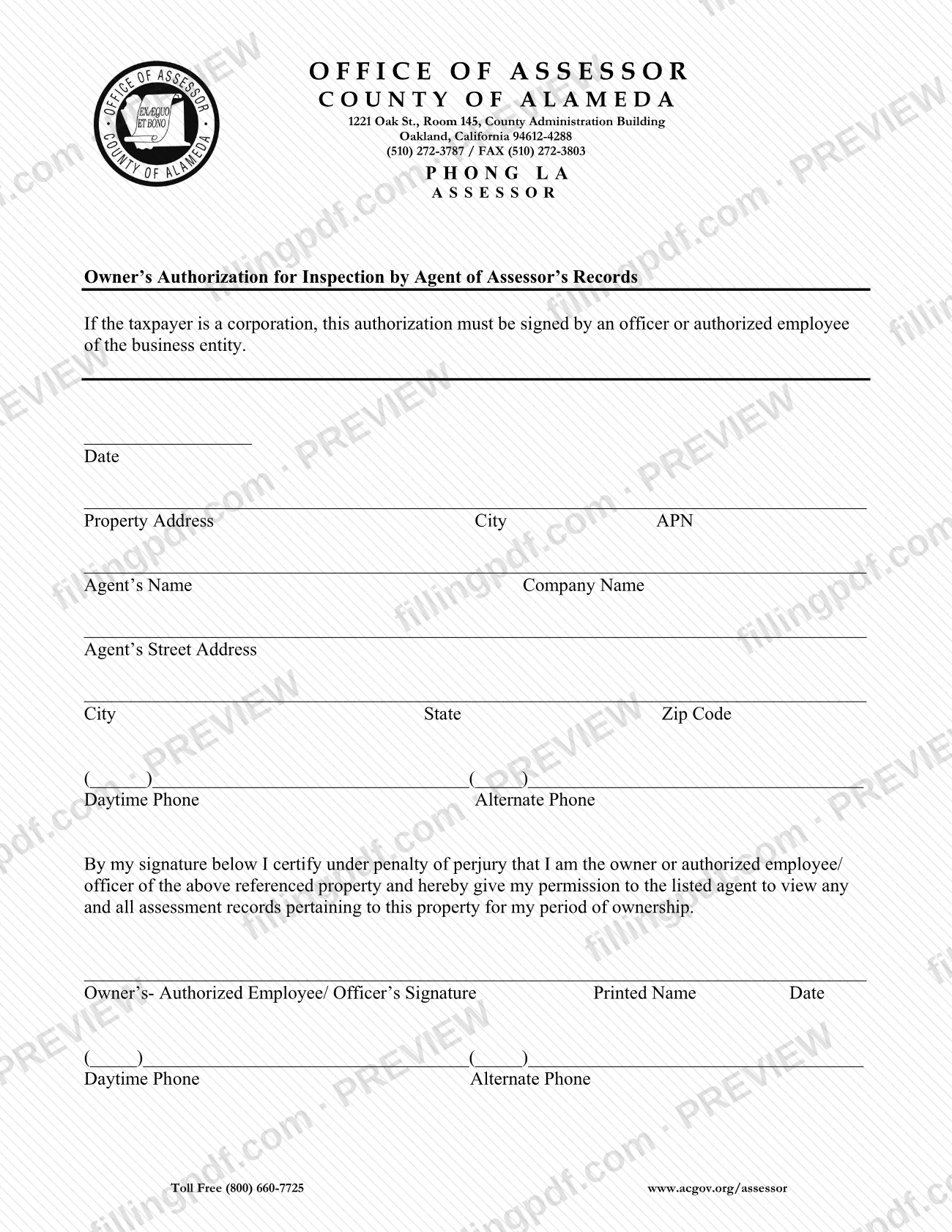
The Owner's Authorization For Inspection By Agent is a form of the Alameda County Assessor's office (printed title: Owner's Authorization for Inspection by Agent of Assessor's Records). It is one of the Alameda County property tax forms, and it records the owner's permission for a named agent to view the assessment records for a property. Owners, and officers or authorized employees of a business owner, use it when someone else needs to look at those records. On FillingPDF you can fill out the form online and download or print the completed PDF; the Assessor receives it only by email or mail, as described below.
Last updated
What is Owner's Authorization For Inspection By Agent – Alameda County, CA?
The Owner's Authorization For Inspection By Agent is the Alameda County Assessor's one-page form with which a property owner gives a listed agent permission to view assessment records for a property. By signing, the owner certifies under penalty of perjury that they are the owner, or an authorized employee or officer, of the property named on the form.
The form identifies three things: the property (address, city and APN), the agent (name, company, street address, city, state, ZIP code and phone numbers) and the person authorizing (signature, printed name, date and phone numbers). The certification text says the permission covers "any and all assessment records pertaining to this property for my period of ownership."
The form is issued by the Office of Assessor, County of Alameda, in Oakland, California. It carries no form number. The Assessor's forms page lists it under its own name, apart from other agent-related items such as Agent Authorization (CAA-F03) and the Bpp Agency Authorization Form, which are separate forms. The instructions printed on the form allow two routes: complete it electronically and email it, or print it, complete it by hand and mail the original.
Who needs to file Owner's Authorization For Inspection By Agent – Alameda County, CA?
The owner of a property in Alameda County who wants a particular agent to be able to view the Assessor's records for that property completes and signs this form. The agent's details go on the form, but the authorizing signature is the owner's.
- Individual owners sign in the owner's signature block and add their printed name and date.
- Corporations and other business entities: if the taxpayer is a corporation, the form says the authorization must be signed by an officer or authorized employee of the business entity.
The wording of the certification limits the authorization to assessment records for the property named on the form and for the signer's period of ownership. The form does not describe any other representative who may sign in the owner's place, so a signer who is not the owner must be an authorized employee or officer. An unsigned form cannot be accepted.
Every California county has its own set of forms, according to the Assessor's forms page. If your property is in another county, contact that county's Assessor's Office.
When to file Owner's Authorization For Inspection By Agent – Alameda County, CA
The form has no due date printed on it. You complete it when you want to give a named agent permission to view the Assessor's records for your property, and it takes effect as a signed authorization once you send it to the Assessor's office.
Fill in every applicable field before you sign. If you sign electronically, the instructions warn that you may not be able to edit the fields afterward. An unsigned form cannot be accepted, so confirm the signature and date are in place before you email or mail it. For questions about timing, call the Alameda County Assessor at (510) 272-3787.
How to fill out Owner's Authorization For Inspection By Agent – Alameda County, CA
Open the form in Adobe Reader
The form instructions say free Adobe Reader is required to complete the PDF online. Complete every applicable field before you sign.
Enter the date
Write the date in the Date line at the top of the authorization.
Identify the property
Enter the Property Address, City and APN (assessor's parcel number) of the property whose records the agent may view.
Enter the agent's name and company
Write the Agent's Name and the Company Name on the next line.
Enter the agent's address
Fill in the agent's street address, then City, State and Zip Code on the following line.
Add the agent's phone numbers
Enter a Daytime Phone and an Alternate Phone in the pair of phone lines that follows the agent's address.
Read the certification
By signing, you certify under penalty of perjury that you are the owner or authorized employee/officer of the property and give the agent permission to view assessment records for your period of ownership.
Sign, print your name and date
In the signature line, enter the owner's or authorized employee/officer's signature, printed name and date. If the taxpayer is a corporation, an officer or authorized employee of the entity must sign.
Add the signer's phone numbers
Enter the Daytime Phone and Alternate Phone for the person signing in the last pair of phone lines.
Review and download the completed PDF
Check that the property, agent and signature details are complete and an unsigned form cannot be accepted. Download or print the completed PDF from FillingPDF, keep a copy and send it as described under How to submit.
How to submit Owner's Authorization For Inspection By Agent – Alameda County, CA
There are two ways to send the form to the Alameda County Assessor: by email after completing it electronically, or by mail after completing it by hand.
- Email: complete the fields first, sign electronically, save a copy of the signed form and email it as an attachment to [email protected]. The form has to be downloaded to be signed electronically, and free Adobe Reader is required to complete it online.
- Mail: print the form, complete it, sign and date it, keep a copy and mail the original to: Phong La, Assessor, County of Alameda, 1221 Oak Street, Room 145, Oakland, CA 94612.
The Assessor's forms page also asks you to write the work unit or topic on the envelope and to give your name or business name, mailing address, parcel number if known and a telephone number; without this information the form may not be processed.
Questions go to the Assessor at (510) 272-3787, toll free (800) 660-7725, or [email protected]. FillingPDF lets you fill out and download the PDF; submission follows the channels above.
Common mistakes to avoid
- Sending the form unsigned; the instructions state that an unsigned form cannot be accepted.
- Signing electronically before completing all applicable fields, after which the fields may no longer be editable.
- Having someone other than an officer or authorized employee sign for a corporation; the form requires one of them to sign.
- Emailing the form without first downloading it to sign it electronically, or without attaching the signed file.
- Mailing a copy instead of the original completed, signed form when you complete it by hand.
- Not keeping a copy of the signed form; the instructions say to save one.
- Leaving out the APN or the agent's details, so the Assessor cannot tell which property and which agent are authorized.
- Mailing the form without the work unit or topic on the envelope that the Assessor's forms page asks for.
Frequently asked questions
What is the Owner's Authorization For Inspection By Agent?
It is an Alameda County Assessor form in which a property owner gives a named agent permission to view the assessment records for a property. The owner certifies under penalty of perjury that they are the owner or an authorized employee or officer.
Who must sign the Owner's Authorization for Inspection by Agent?
The owner signs. If the taxpayer is a corporation, the form says an officer or authorized employee of the business entity must sign. An unsigned form cannot be accepted.
Can I email the Alameda County Assessor authorization form?
Yes. Complete the fields, sign electronically, save a copy and email the signed form as an attachment to [email protected]. You must download the form to sign it electronically, and Adobe Reader is required to complete it online.
Where do I mail the Owner's Authorization for Inspection by Agent?
Mail the original completed, signed form to Phong La, Assessor, County of Alameda, 1221 Oak Street, Room 145, Oakland, CA 94612. The Assessor's forms page also asks you to put the work unit or topic on the envelope.
What records can the agent view under this authorization?
The certification gives the listed agent permission to view any and all assessment records pertaining to the property named on the form, for the signer's period of ownership.
Can I fill out this form online on FillingPDF?
Yes. You can fill out the PDF online on FillingPDF and download or print it. FillingPDF is independent of the Alameda County Assessor and does not send the form; you email or mail it yourself.
Is there a fee or deadline for this form?
The form prints no fee and no due date. For questions about it, contact the Alameda County Assessor at (510) 272-3787 or toll free at (800) 660-7725.
Ready to fill out Owner's Authorization For Inspection By Agent – Alameda County, CA?
Fill out Owner's Authorization For Inspection By Agent – Alameda County, CA now