
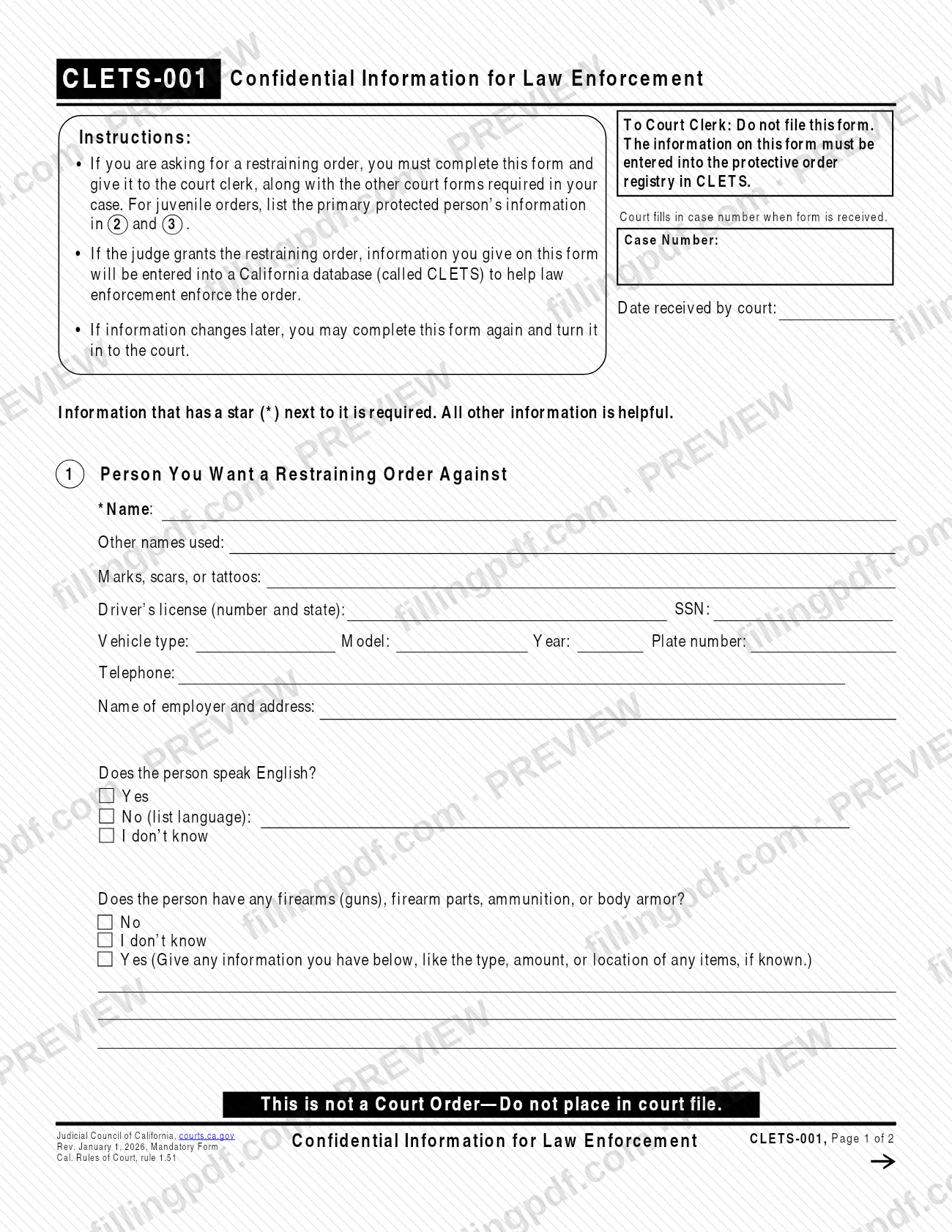
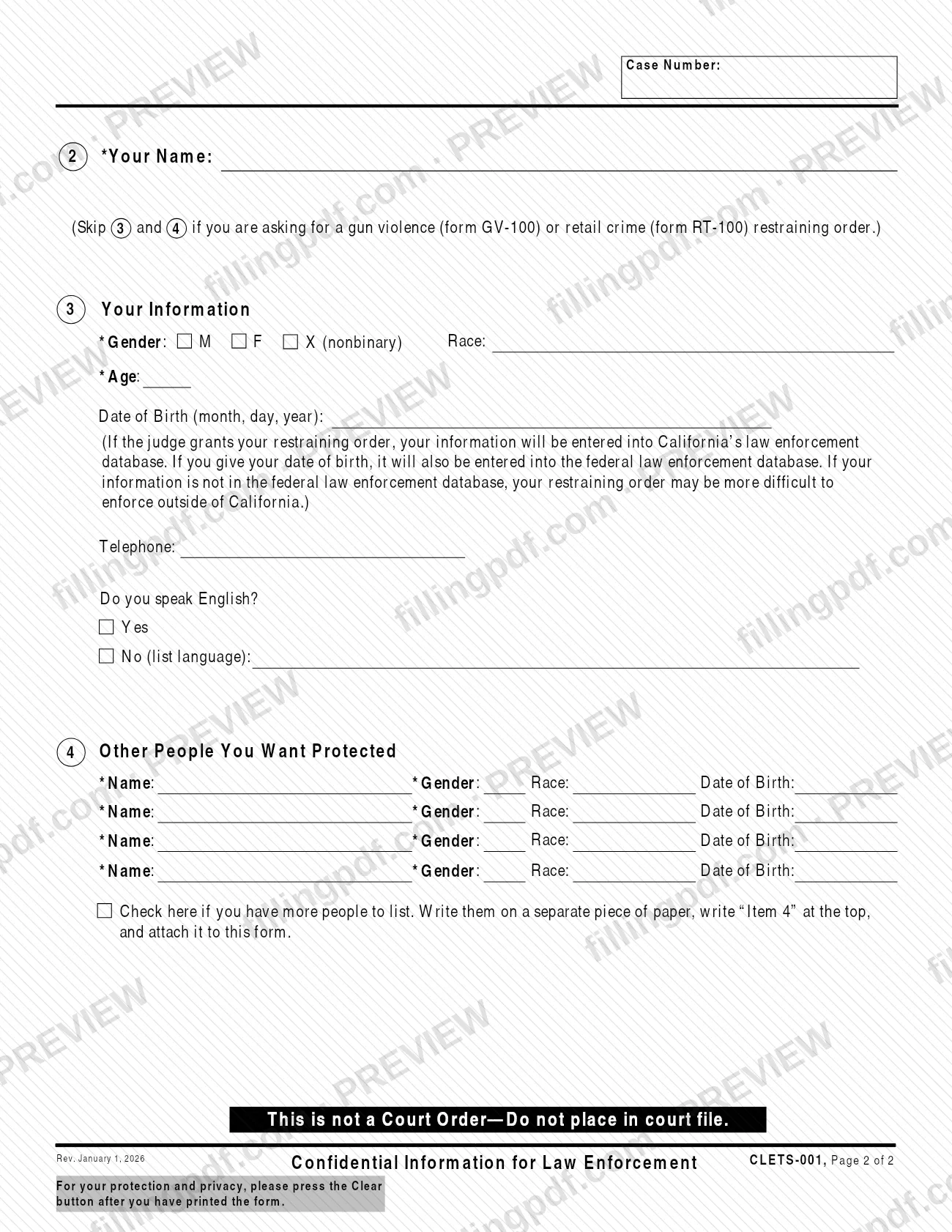
CLETS-001, Confidential Information for Law Enforcement, is a mandatory Judicial Council of California form that you complete when you ask a California court for a restraining order. It tells law enforcement who the restrained person is, who is protected and how to identify them, so the order can be enforced. You give the form to the court clerk with your other court forms; it is not filed in the case. On this page you can fill out the form online on FillingPDF and download or print the completed PDF. The official PDF is published by the Judicial Council at courts.ca.gov.
Last updated
What is CLETS-001?
CLETS-001, Confidential Information for Law Enforcement, is a Judicial Council of California mandatory form on which a person asking for a restraining order gives details about the restrained person, themselves and other protected people so law enforcement can enforce the order.
If the judge grants the restraining order, the information on the form is entered into a California database called CLETS, the registry law enforcement uses to enforce protective orders. If you give a date of birth, it is also entered into the federal law enforcement database. The form warns that if your information is not in the federal database, your restraining order may be more difficult to enforce outside California.
The form has four numbered items:
- Item 1: the person you want a restraining order against.
- Item 2: your name.
- Item 3: your information.
- Item 4: other people you want protected.
A star (*) marks the required entries; everything else is described as helpful. The court fills in the case number and the date received. The form is marked "This is not a Court Order—Do not place in court file," and it cites Cal. Rules of Court, rule 1.51. The Judicial Council's self-help page also offers CLETS-001 in Chinese Simplified, Korean, Spanish, Tagalog and Vietnamese.
Who needs to file CLETS-001?
If you are asking a California court for a restraining order, you must complete this form and give it to the court clerk, along with the other court forms required in your case.
Some conditions change what you fill in:
- If you are asking for a gun violence restraining order (form GV-100) or a retail crime restraining order (form RT-100), skip items 3 and 4.
- For juvenile orders, list the primary protected person's information in items 2 and 3.
- If you want other people protected by the order, list them in item 4. If there are more than four, add a separate sheet.
You may also complete the form again if your information or the restrained person's information changes later, and turn the new version in to the court.
Court clerks are told on the form not to file it, so it is not an alternative to the restraining order request itself. It supplements the other court forms in your case.
When to file CLETS-001
Give CLETS-001 to the court clerk when you ask for a restraining order, together with the other court forms required in your case. The form says it must be completed when you are asking for a restraining order, and the judge's decision comes afterward: the information is entered into CLETS only if the judge grants the order.
If information on the form changes later, you may complete it again and turn it in to the court. The form prints no separate due date. The court fills in the case number and the date it received the form, so you do not enter those.
Documents you need
- The other court forms required in your restraining order case: give them to the court clerk together with CLETS-001.
- A separate sheet of paper marked "Item 4" at the top, only if you have more than four other people to protect and you check the box in item 4.
How to fill out CLETS-001
Leave the court boxes blank
The court fills in the Case Number and the Date received by court when it gets the form. Do not enter them yourself.
Name the restrained person
In item 1, enter the person's name in the starred *Name field. Add any other names used and any marks, scars, or tattoos.
Add identifying details
In item 1, enter what you know: driver's license number and state, SSN, vehicle type, model, year and plate number, telephone, and employer name and address. These are helpful, not required.
Answer the language question
In item 1, check Yes, No (and list the language) or I don't know for whether the person speaks English.
Answer the firearms question
Check No, I don't know or Yes for firearms, firearm parts, ammunition or body armor. If Yes, give the type, amount or location of any items, if known.
Enter your name
In item 2, enter your name in the starred *Your Name field. The form's header repeats the Case Number on page 2.
Complete your information
In item 3, enter your gender (M, F or X (nonbinary)) and age, which are starred, then race, date of birth, telephone and whether you speak English. Skip items 3 and 4 for form GV-100 or RT-100 orders.
Consider the date of birth
The date of birth, if given, is also entered in the federal law enforcement database. Without it, an order may be more difficult to enforce outside California.
List other protected people
In item 4, enter each person's name and gender (starred), race and date of birth, up to four. For more, check the box, write "Item 4" at the top of a separate sheet and attach it.
Review and download the PDF
Check every starred entry, then download or print the completed PDF from FillingPDF and give it to the court clerk as described under How to submit.
How to submit CLETS-001
You give the completed form to the court clerk, in the court where you are asking for the restraining order, with the other court forms required in your case.
- To the court clerk: hand in CLETS-001 along with your other forms. The form says "To Court Clerk: Do not file this form" and "This is not a Court Order—Do not place in court file," because it is kept apart from the court file and used to enter information into the CLETS registry.
- Extra people: if you checked the box in item 4 because you have more people to list, attach a separate sheet marked "Item 4" at the top.
- Later changes: if information changes, complete the form again and turn it in to the court.
The form prints no mailing address, portal or fee, so ask the court clerk about how that court accepts forms. After you print the form, the PDF asks you to press the Clear button, for your protection and privacy. FillingPDF lets you fill out and download the PDF; submission follows the channels above.
Common mistakes to avoid
- Filing the form in the case: the form tells the clerk not to file it and not to place it in the court file.
- Leaving out a starred (*) entry, such as the restrained person's name, your name, your gender and age, or the name and gender of each other protected person.
- Completing items 3 and 4 for a gun violence (GV-100) or retail crime (RT-100) restraining order, when the form says to skip them.
- Listing your own details instead of the primary protected person's in items 2 and 3 for a juvenile order.
- Listing more than four protected people in item 4 without attaching a separate sheet marked "Item 4" and checking the box.
- Not turning in an updated CLETS-001 when information changes later.
- Leaving the date of birth off without knowing the effect: only a date of birth is entered in the federal database, and the order may be harder to enforce outside California without it.
- Not pressing the Clear button after printing, which the form recommends for your protection and privacy.
Frequently asked questions
What is CLETS-001 used for?
CLETS-001 gives law enforcement information to help enforce a restraining order. If the judge grants the order, what you enter is put into the California database called CLETS. The form is a mandatory Judicial Council of California form.
Do I have to file CLETS-001 with the court?
You give it to the court clerk, but it is not filed. The form says "To Court Clerk: Do not file this form" and "Do not place in court file." You hand it in with the other court forms required in your restraining order case.
Who has to complete CLETS-001?
Anyone asking a California court for a restraining order. The form says to complete it and give it to the court clerk with the other court forms for the case. For gun violence (GV-100) or retail crime (RT-100) orders, skip items 3 and 4.
Which information on CLETS-001 is required?
Entries marked with a star (*) are required, including the restrained person's name, your name, your gender and age, and the name and gender of each other protected person. All other information is described as helpful.
What happens to my date of birth on CLETS-001?
If the judge grants the order, your information is entered in California's law enforcement database. A date of birth is also entered in the federal database. Without it, the order may be more difficult to enforce outside California.
Can I update CLETS-001 if something changes?
Yes. If information changes later, you may complete the form again and turn it in to the court. The form does not set a deadline for updates.
What if I need to protect more than four other people?
Check the box under item 4, write the extra people on a separate piece of paper, write "Item 4" at the top and attach it to the form. Item 4 has room for four people.
Can I fill out CLETS-001 online?
You can fill out the PDF online on FillingPDF and download or print it. FillingPDF is independent, does not give the form to the court and is not affiliated with the Judicial Council; you hand the printed form to the court clerk.
Is CLETS-001 available in Spanish?
Yes. The Judicial Council's self-help page offers CLETS-001 in Spanish, plus Chinese Simplified, Korean, Tagalog and Vietnamese. This page covers the English form.
Ready to fill out CLETS-001?
Fill out CLETS-001 now