
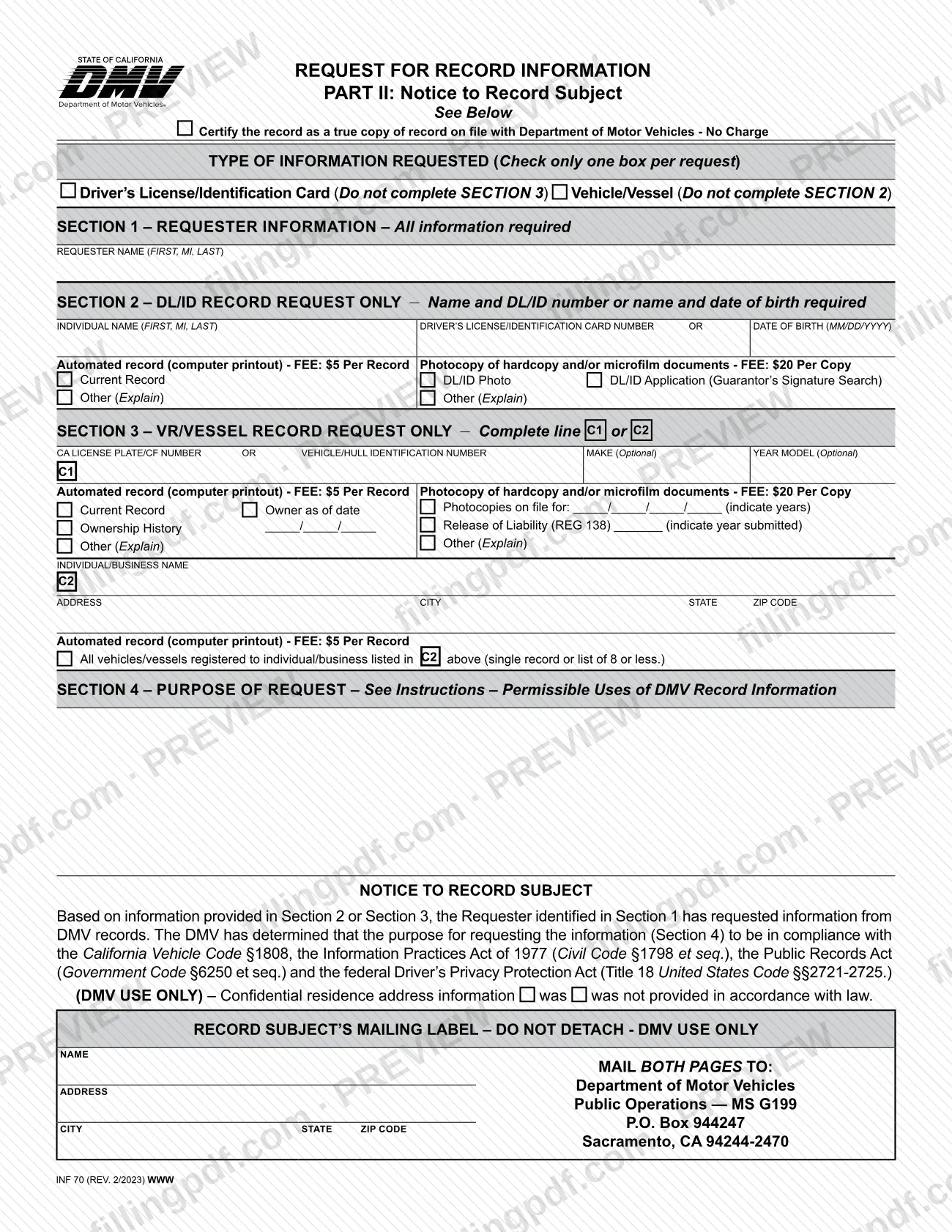
INF 70 is the California Department of Motor Vehicles (DMV) form used to request information from a driver's license/identification card (DL/ID) record or a vehicle/vessel registration (VR) record. It suits requesters who state a permissible use for the information and who are not on one of the DMV's special-purpose request forms. On this page you can fill out the form online on FillingPDF and download or print the completed PDF; the form itself is published by the DMV, and the request is mailed to DMV headquarters in Sacramento.
Last updated
What is INF 70?
Request for Record Information (INF 70) is the California DMV form on which a requester asks for information held in one DL/ID record or one vehicle/vessel registration record, and states the permissible use that justifies the release.
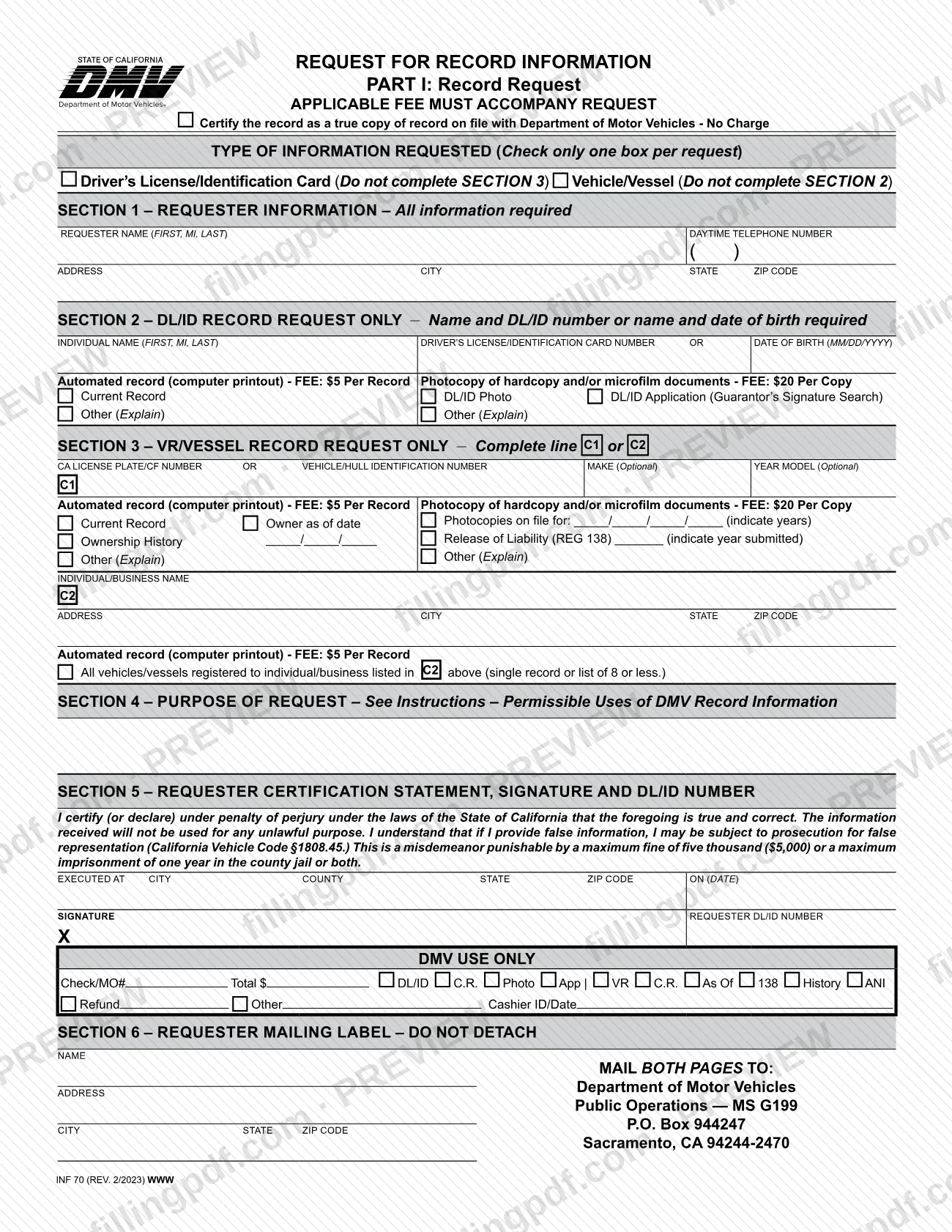
The form has two pages that travel together. Part I is the record request, with six sections: requester information, the DL/ID record requested, the vehicle/vessel record requested, the purpose of the request, the requester's certification and signature, and a return mailing label. Part II is the Notice to Record Subject, because California Vehicle Code (CVC) §1810(b) requires the DMV to give the record subject a copy of the request. Confidential details such as the requester's residence address, telephone number and DL/ID information are not disclosed to the record subject.
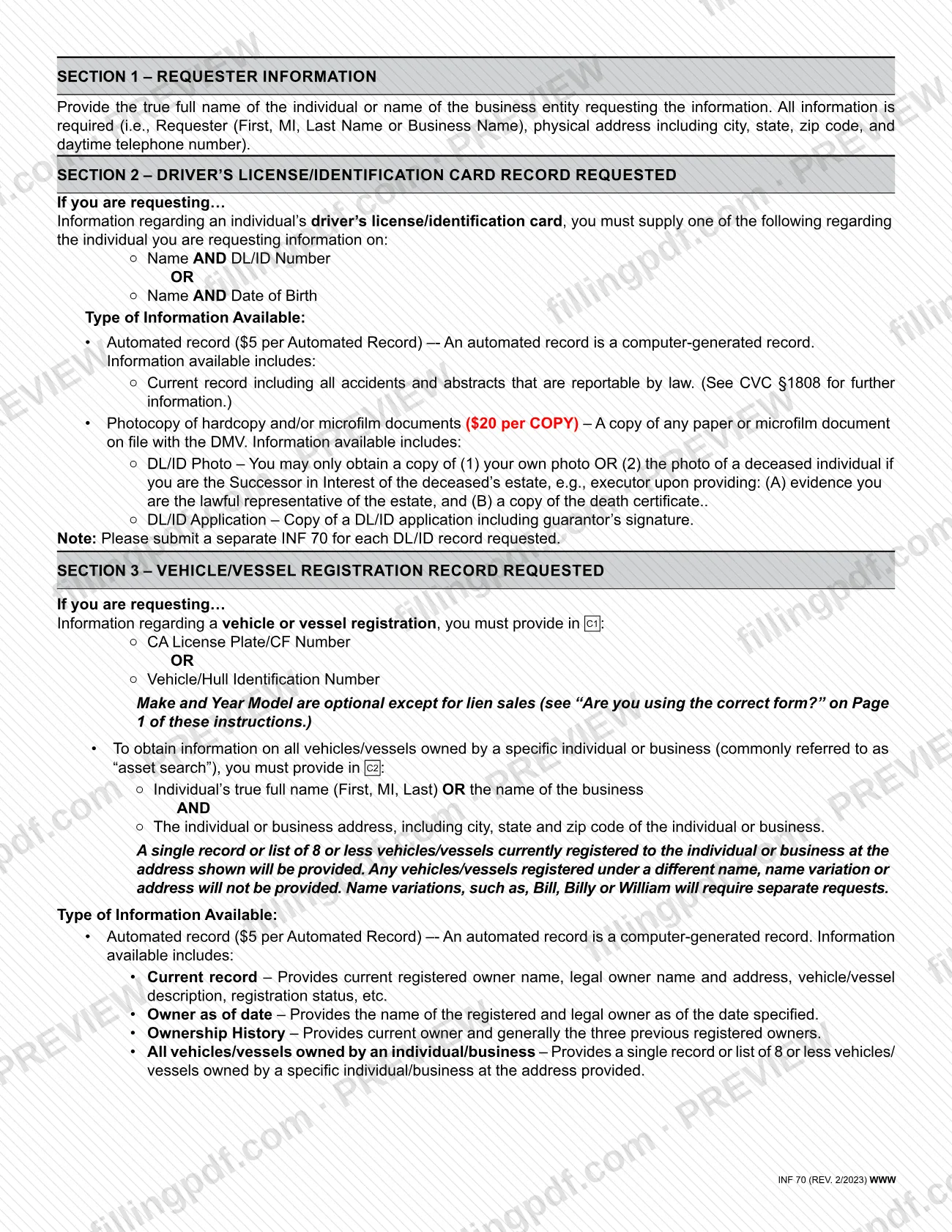
Each form covers one type of information only, DL/ID or vehicle/vessel, and one record. For DL/ID records the DMV offers an automated record or photocopies of hardcopy or microfilm documents, such as a DL/ID photo or application. For vehicle/vessel records it offers a current record, owner as of a date, ownership history, photocopies on file, a Release of Liability (REG 138) copy, or a list of vehicles registered to an individual or business at an address.
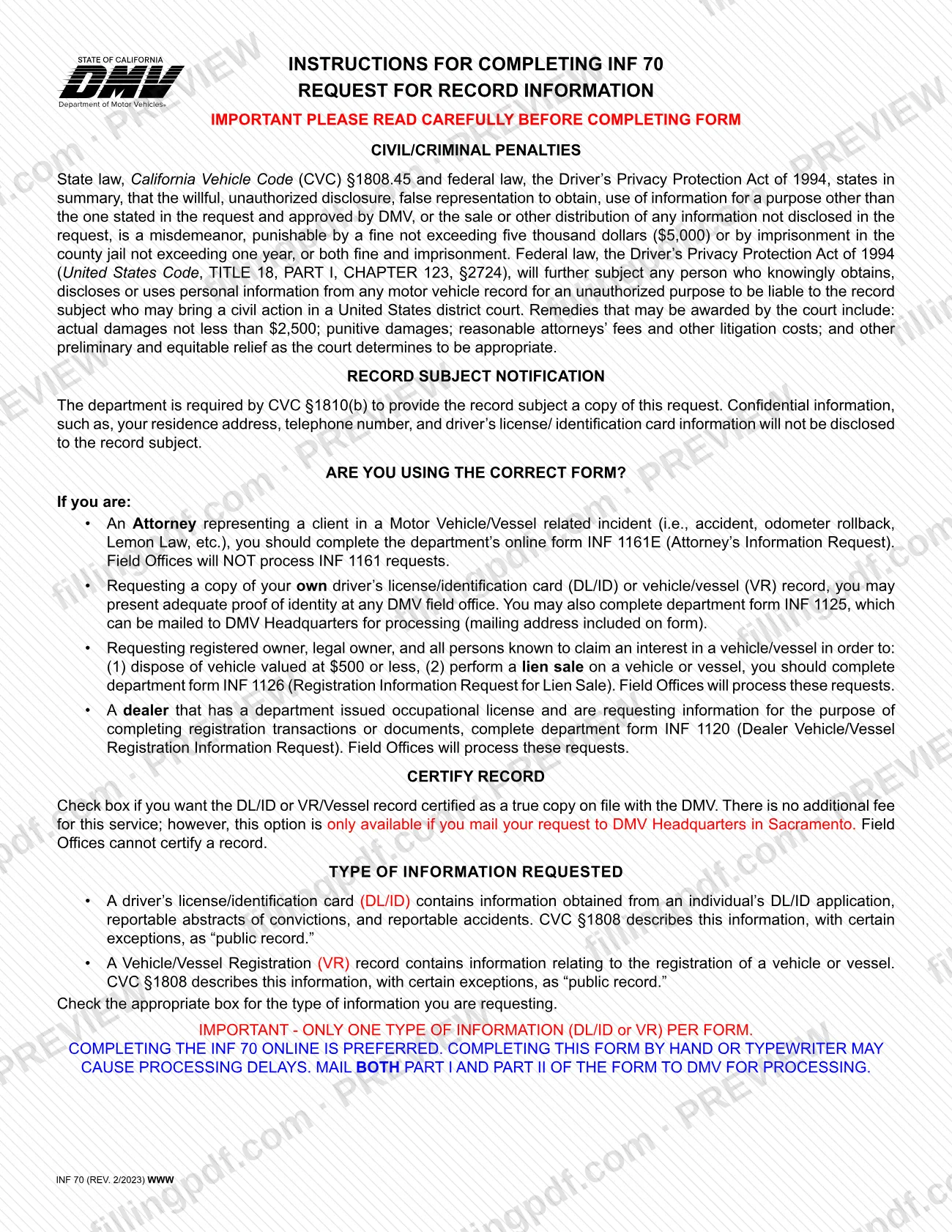
The instructions send other requesters to different forms: attorneys to INF 1161E, people seeking their own record to INF 1125, lien-sale requests to INF 1126, and dealers with an occupational license to INF 1120.
Who needs to file INF 70?
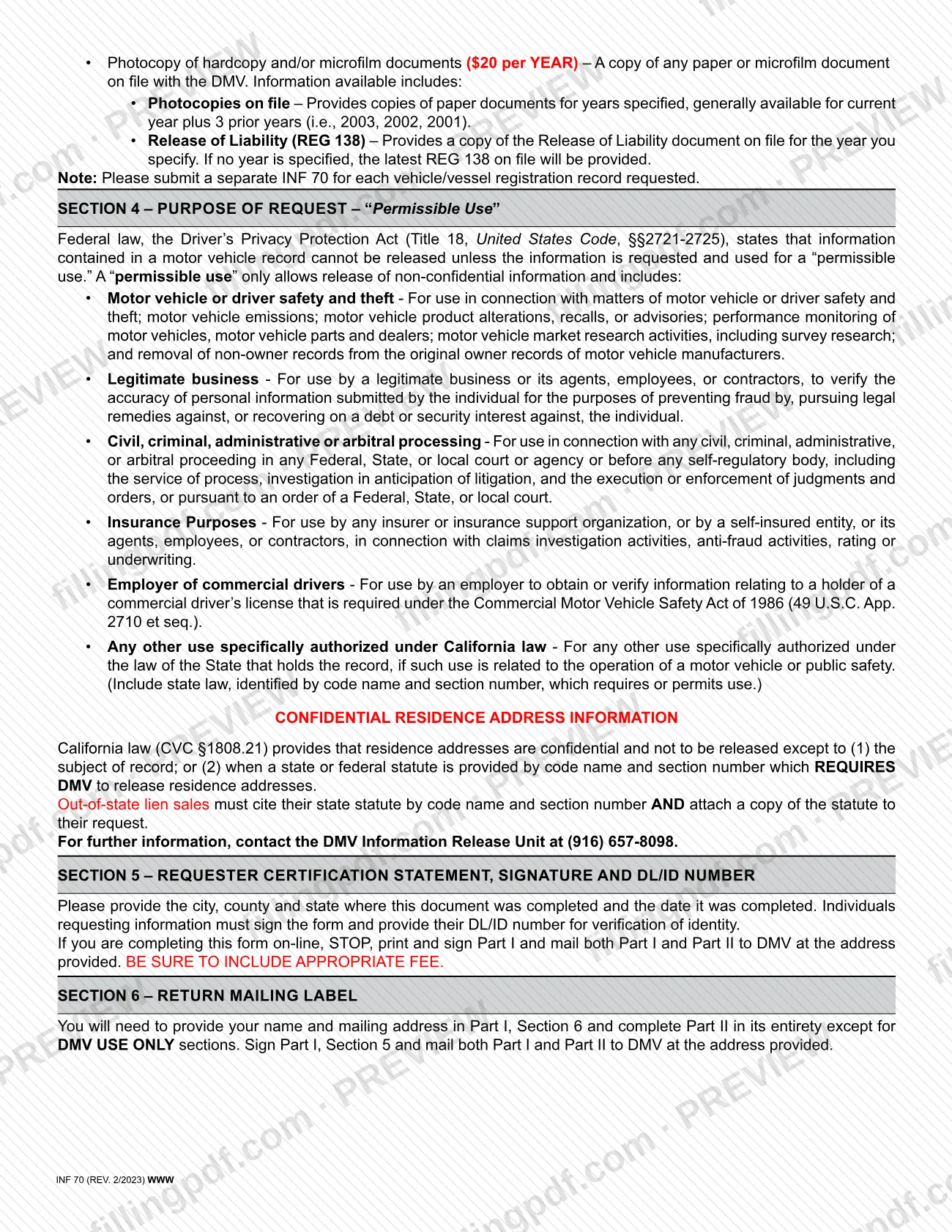
Anyone who needs information from a California DL/ID or vehicle/vessel registration record and can state a permissible use under the federal Driver's Privacy Protection Act (Title 18, United States Code, §§2721-2725) uses INF 70. The permissible uses listed in the instructions include motor vehicle or driver safety and theft matters, legitimate business use to verify information and prevent fraud, civil, criminal, administrative or arbitral proceedings, insurance purposes, employers of commercial drivers, and other uses authorized under California law, which you must cite by code name and section number.
Do not use INF 70 in these cases:
- An attorney representing a client in a motor vehicle or vessel incident completes the online form INF 1161E. Field Offices do not process INF 1161 requests.
- To get a copy of your own DL/ID or vehicle/vessel record, present proof of identity at a DMV field office or use form INF 1125.
- To obtain owner information for a lien sale or to dispose of a vehicle valued at $500 or less, use INF 1126.
- A dealer with a DMV occupational license who needs registration information for transactions uses INF 1120.
Residence addresses are confidential under CVC §1808.21 and are released only to the record subject, or when a cited state or federal statute requires the DMV to release them. The photo of a deceased person can be requested only by the successor in interest of the estate.
When to file INF 70
INF 70 has no due date printed on it: you submit it whenever you need the record and can state your permissible use. The instructions prefer that you complete the form online, because completing it by hand or typewriter may cause processing delays. For vehicle photocopies, the DMV says documents are generally available for the current year plus three prior years. A Release of Liability (REG 138) copy is for the year you specify; if you give no year, the latest one on file is provided. If you need the record certified as a true copy, you must mail the request to DMV headquarters in Sacramento, since field offices cannot certify. The form gives no processing time.
Documents you need
- Applicable fee: the form states it must accompany the request; the amount depends on the type of record and is printed on the form.
- Both pages of the form, Part I (Record Request) and Part II (Notice to Record Subject); both must be mailed to the DMV.
- For a DL/ID photo of a deceased person, requested as successor in interest (for example, executor): evidence that you are the lawful representative of the estate and a copy of the death certificate.
- For a residence address request, or an out-of-state lien sale: the state or federal statute by code name and section number; out-of-state lien sales must also attach a copy of the statute.
How to fill out INF 70
Choose the type of information
At the top of Part I, check only one box: Driver's License/Identification Card or Vehicle/Vessel. Check the certification box if you want the record certified as a true copy; it carries no charge and works only when mailed to DMV headquarters.
Enter requester information
In Section 1, give the true full name of the individual (First, MI, Last) or the business name requesting the information. Add the physical address with city, state and ZIP code, and a daytime telephone number; all of this is required.
Complete Section 2 for DL/ID
Only for a DL/ID request, enter the individual's name and either the DL/ID number or the date of birth (MM/DD/YYYY). Check Current Record, DL/ID Photo, DL/ID Application or Other (Explain) under the automated record or photocopy option.
Complete Section 3, line C1
Only for a vehicle/vessel request, enter the CA license plate/CF number or the vehicle/hull identification number. Make and year model are optional. Check the record you want, such as Current Record, Owner as of date, Ownership History, Photocopies on file (indicate years) or Release of Liability (REG 138).
Use line C2 for an asset search
To find all vehicles or vessels of one individual or business, enter the full name or business name and the address with city, state and ZIP code. Then check the box for all vehicles/vessels registered to that person or business.
State the purpose in Section 4
Write the permissible use that applies to your request. If you rely on another use authorized under California law, include the state law by code name and section number. If you need a residence address, cite the statute that requires the DMV to release it.
Complete the certification in Section 5
Enter the city, county, state and ZIP code where you completed the form, and the date. Sign, and enter your own DL/ID number so the DMV can verify your identity.
Fill in the return mailing label
In Section 6, enter your name and mailing address, which is where the DMV will send the record. Leave every DMV USE ONLY area blank.
Complete Part II
Fill out Part II in its entirety except the DMV USE ONLY sections, repeating the requester, record and purpose information from Part I.
Review, sign and download the PDF
Check that you chose only one type of information and one record, then print and sign Part I, Section 5. Download or print the completed PDF from FillingPDF and mail both parts with the fee as described under How to submit.
How to submit INF 70
You submit INF 70 by mail to DMV headquarters in Sacramento, with the applicable fee.
- By mail: send both pages, Part I and Part II, to: Department of Motor Vehicles, Public Operations — MS G199, P.O. Box 944247, Sacramento, CA 94244-2470. This is the address on the form's return label.
- If you complete the form online: stop after filling it in, print it, sign Part I, and mail both Part I and Part II. Include the appropriate fee.
- Fee: the form states that the applicable fee must accompany the request. Fees differ by type of record and are printed on the form; there is no additional fee to certify a record. Ask the DMV Information Release Unit at (916) 657-8098 if you are unsure what to send.
- Certified records: the certification option is available only when you mail the request to DMV headquarters.
Send a separate INF 70 for each DL/ID record and for each vehicle/vessel record. FillingPDF lets you fill out and download the PDF; submission follows the channels above.
Common mistakes to avoid
- Requesting both DL/ID and vehicle/vessel information on one form; only one type of information is allowed per form.
- Listing several DL/ID or vehicle/vessel records on one INF 70 instead of submitting a separate form for each record.
- Mailing only Part I; both Part I and Part II must go to the DMV.
- Sending the request without the applicable fee, which must accompany it.
- Completing a DL/ID request without name and DL/ID number, or name and date of birth, for the person whose record you want.
- Leaving Section 3 line C1 without a license plate/CF number or vehicle/hull identification number, unless you complete C2 for an asset search.
- Expecting an asset search to catch name variations such as Bill, Billy or William; each variation needs a separate request.
- Printing the online form but not signing Part I, Section 5 or omitting your own DL/ID number there.
- Asking a field office to certify a record; only requests mailed to DMV headquarters can be certified.
Frequently asked questions
What is the INF 70 form?
INF 70, Request for Record Information, is the California DMV form used to request information from a driver's license/identification card record or a vehicle/vessel registration record. You must state a permissible use, and the DMV sends a notice of the request to the record subject.
Can I fill out INF 70 online?
Yes. You can fill out the PDF online on FillingPDF and download or print it. The DMV prefers online completion, but you must still print it, sign Part I and mail both parts to the DMV; FillingPDF does not submit the request.
Where do I mail the INF 70 form?
Mail both Part I and Part II to Department of Motor Vehicles, Public Operations — MS G199, P.O. Box 944247, Sacramento, CA 94244-2470, with the applicable fee. Questions go to the DMV Information Release Unit at (916) 657-8098.
Is there a fee to request records with INF 70?
Yes. The form states that the applicable fee must accompany the request, and it differs for automated records and photocopies. The amounts are printed on the form. Certifying a record as a true copy carries no additional fee.
Can I use INF 70 to get a copy of my own record?
The DMV instructions point you elsewhere: present proof of identity at a DMV field office, or use form INF 1125, which is mailed to DMV headquarters. INF 70 is for requests where you state a permissible use.
Can I request someone's DL/ID photo with INF 70?
Only your own photo, or the photo of a deceased person if you are the successor in interest of the estate, such as the executor. You must provide evidence that you are the lawful representative and a copy of the death certificate.
Can I get a certified record with INF 70?
Yes, by checking the certification box at the top of the form. There is no additional fee, but it is available only if you mail the request to DMV headquarters in Sacramento; field offices cannot certify a record.
How do I find all vehicles owned by a person or business?
Complete line C2 in Section 3 with the individual's full name or the business name and the address. The DMV returns a single record or a list of 8 or fewer vehicles registered at that address; other names or addresses are not included.
Should an attorney use INF 70?
No. An attorney representing a client in a motor vehicle or vessel incident should complete the DMV's online form INF 1161E, Attorney's Information Request. Field offices do not process INF 1161 requests.
Ready to fill out INF 70?
Fill out INF 70 now