
JUD-100 is the Judgment form published by the Judicial Council of California for use in a Superior Court case. It records whether a judgment was entered by default, on stipulation or after a court trial, who it is for and against, and what amount is owed. Attorneys, self-represented parties and court clerks use it in the case it is captioned for. On this page you can fill out the form online on FillingPDF and download or print the completed PDF; the official PDF and revision are published by the Judicial Council at courts.ca.gov.
Last updated
What is JUD-100?
JUD-100, Judgment, is the Judicial Council of California form that sets out a court's or clerk's judgment in a civil case in the Superior Court of California: the basis for the judgment, the parties it favors, the amounts awarded and the signature that enters it.
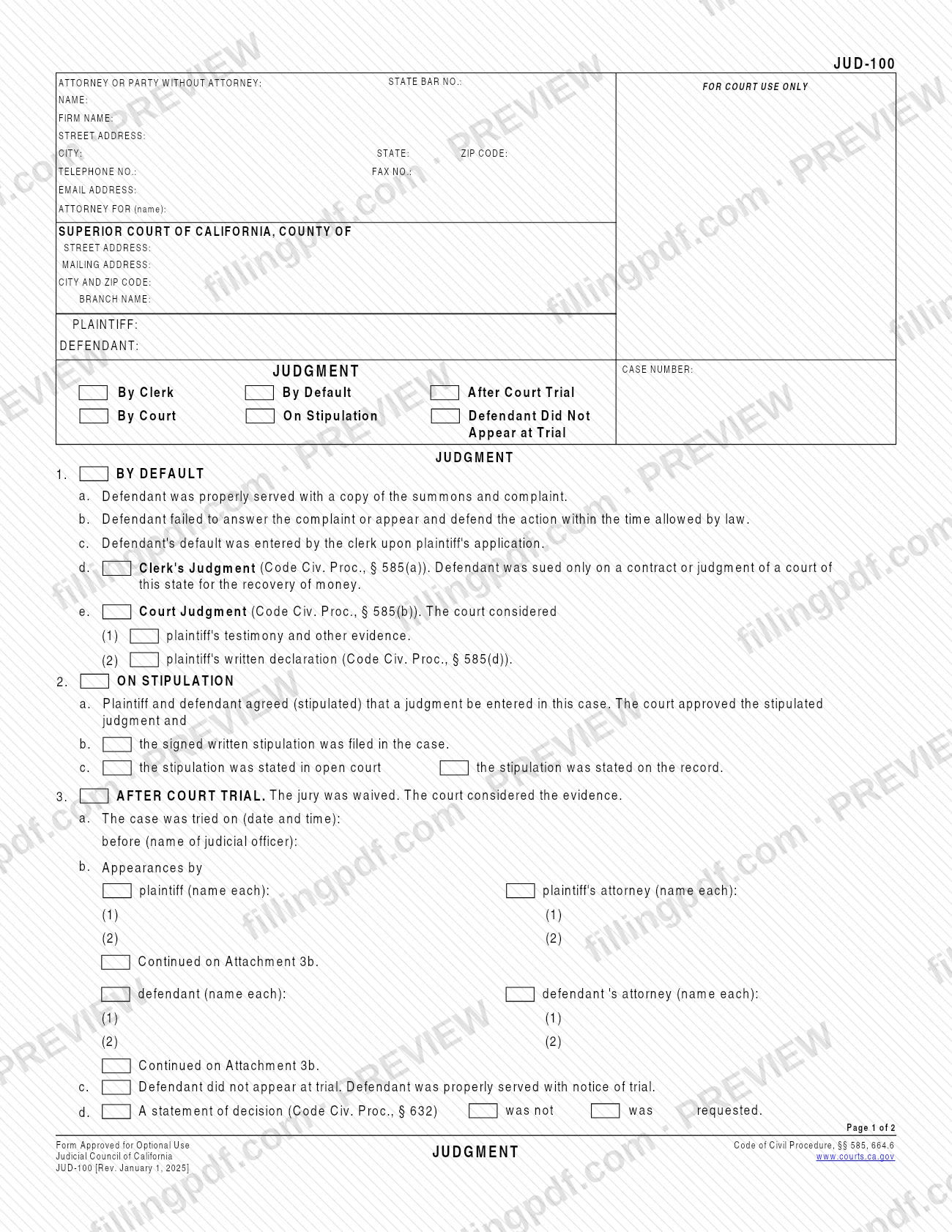
The form is two pages. Page 1 carries the attorney or party information, the court and case caption, and three alternative bases for the judgment:
- Item 1, By Default: the defendant was served, did not answer in time, and default was entered. The judgment is either a Clerk's Judgment under Code Civ. Proc., § 585(a) or a Court Judgment under § 585(b).
- Item 2, On Stipulation: the parties agreed to a judgment and the court approved it (see also Code Civ. Proc., § 664.6).
- Item 3, After Court Trial: the jury was waived and the court considered the evidence.
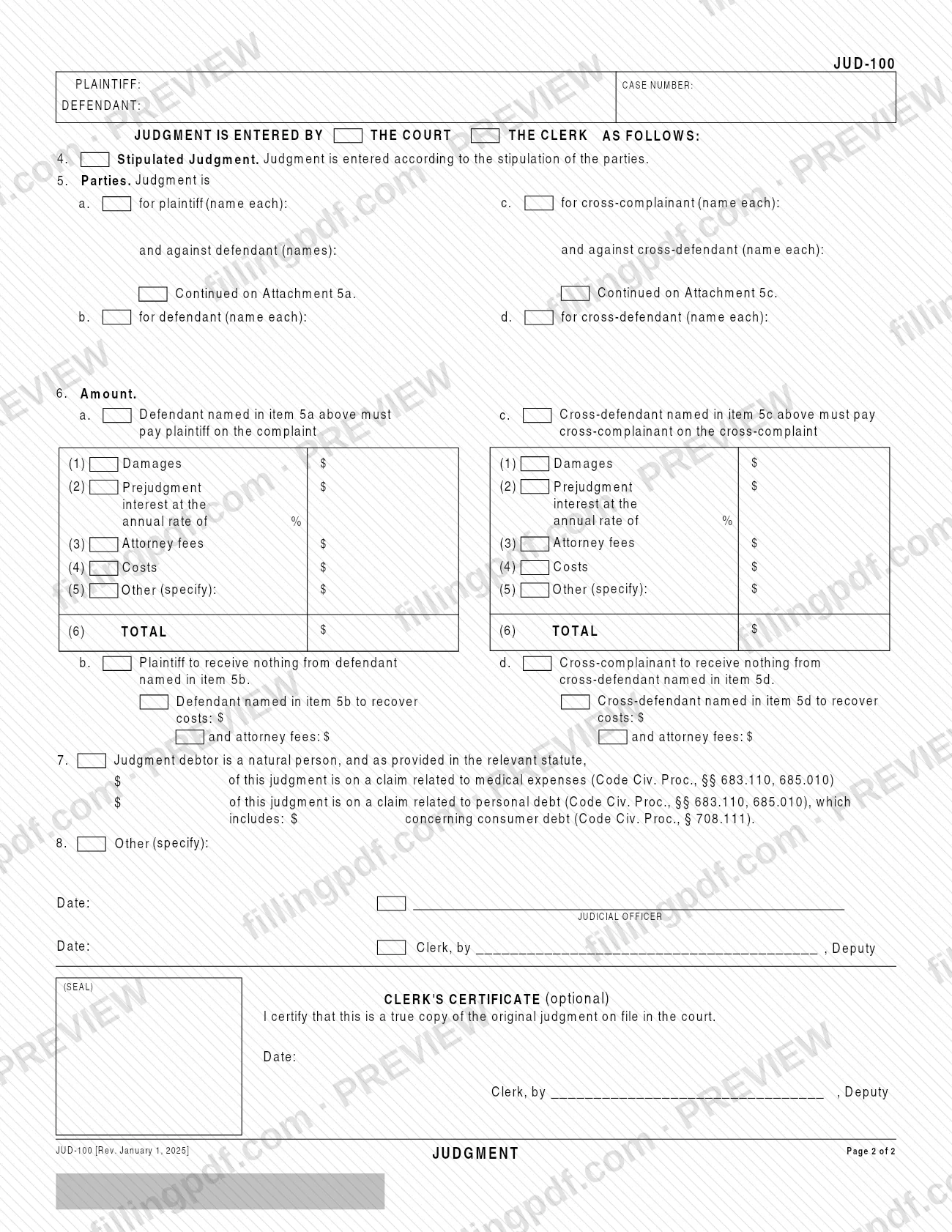
Page 2 states the judgment itself: a stipulated judgment (item 4), the parties for and against (item 5), amounts on the complaint and on any cross-complaint (item 6), the medical-expense and personal-debt breakdown for a natural-person judgment debtor (item 7), other terms (item 8), the judicial officer's or clerk's signature, and an optional clerk's certificate that the copy is a true copy of the original judgment on file.
The form is marked "Form Approved for Optional Use" by the Judicial Council.
Who needs to file JUD-100?
The form is completed by the attorney or the party without an attorney who prepares the judgment in a Superior Court of California case. The top block asks for that person's name, State Bar number, firm, address, telephone, fax and email, and the party the attorney represents. The judicial officer signs when the court enters the judgment; the clerk signs, with the court seal, when the clerk enters it.
Which items apply depends on how the case ended:
- A plaintiff whose defendant was served and did not answer uses item 1. A Clerk's Judgment under item 1d is limited to a defendant sued only on a contract or a judgment of a court of this state for the recovery of money.
- Parties who agreed to a judgment that the court approved use item 2 and item 4.
- Parties whose case was tried by the court without a jury use item 3, including the case where the defendant did not appear at trial.
Item 7 applies only when the judgment debtor is a natural person. Items 5c, 5d and 6c to 6d apply only when there is a cross-complaint. Use of the form is optional, as the Judicial Council notice printed on it states.
When to file JUD-100
JUD-100 is prepared when a case reaches a result that supports a judgment: default has been entered against a defendant, the court has approved a stipulated judgment, or the court has tried the case and considered the evidence. For a Clerk's Judgment, item 1c states that the clerk entered the defendant's default upon the plaintiff's application. For a trial judgment, item 3a asks for the date and time of trial and the name of the judicial officer.
The form prints no deadline of its own. The dates it does ask for are the date and time of trial (item 3a) and the date beside the signature of the judicial officer or clerk. For any timing rule that applies to your case, check with the court that is hearing it.
Documents you need
- Attachment 3b, only if more plaintiffs, defendants or attorneys appeared at trial than fit in the item 3b lines and you check Continued on Attachment 3b.
- Attachment 5a, only if more plaintiffs or defendants are named than fit in item 5a and you check Continued on Attachment 5a.
- Attachment 5c, only if more cross-complainants or cross-defendants are named than fit in item 5c and you check Continued on Attachment 5c.
- The signed written stipulation, only for a judgment on stipulation where you check item 2b; the form states it was filed in the case.
How to fill out JUD-100
Enter attorney or party information
At the top of page 1, enter the attorney or party without attorney: name, State Bar number, firm, street address, city, state, ZIP code, telephone, fax, email and, for an attorney, the party represented under ATTORNEY FOR (name).
Complete the court and case caption
Write the county for SUPERIOR COURT OF CALIFORNIA, COUNTY OF, the court's street and mailing addresses, city and ZIP code, and branch name. Add the PLAINTIFF and DEFENDANT names and the JUDGMENT CASE NUMBER.
Mark how the judgment was entered
In the top box, check By Clerk, By Default, After Court Trial, By Court, On Stipulation or Defendant Did Not Appear at Trial, as applies to your case.
Complete item 1 for a default
Check 1a to 1c as they apply (service, no answer in time, default entered by the clerk). Then check either 1d for a Clerk's Judgment or 1e for a Court Judgment, and under 1e mark (1) testimony and evidence or (2) written declaration.
Complete item 2 for a stipulation
Check 2a, where the court approved the stipulated judgment, and then 2b if the signed written stipulation was filed, or 2c if it was stated in open court or on the record.
Complete item 3 for a court trial
Enter the trial date and time and the judicial officer's name in 3a. In 3b list the appearances for plaintiff and defendant and their attorneys, check 3c if the defendant did not appear, and mark in 3d whether a statement of decision was requested.
Choose court or clerk on page 2
At JUDGMENT IS ENTERED BY THE COURT THE CLERK AS FOLLOWS, mark the one that applies. Repeat the plaintiff, defendant and case number at the top of page 2.
Enter item 4 and the parties in item 5
Check item 4 if judgment is entered according to the parties' stipulation. In item 5 name who the judgment is for and against: plaintiff and defendant in 5a and 5b, cross-complainant and cross-defendant in 5c and 5d. Check the continued boxes if you attach pages.
Complete the amounts in item 6
Under 6a list damages, prejudgment interest and its annual rate, attorney fees, costs and any other amount, then the TOTAL. Use 6c for a cross-complaint, and 6b or 6d where a party receives nothing and the other recovers costs and fees.
Complete item 7 if it applies
If the judgment debtor is a natural person, enter the part of the judgment on a claim related to medical expenses and on a claim related to personal debt, including any part concerning consumer debt.
Add other terms and signatures
Use item 8 for any other terms. The judicial officer or the clerk (by deputy) signs and dates page 2. The clerk's certificate of a true copy is optional.
Review and download the completed PDF
Check that the case number, party names, items checked and totals match the court's record. Download or print the completed PDF from FillingPDF, then clear the form as the printed note advises and follow the court's rules to submit it.
How to submit JUD-100
JUD-100 has no filing channel of its own: the form prints no mailing address, portal, fee or appointment rule. It is captioned for one case in the Superior Court of California, with the county, court address, branch name and case number at the top, so it belongs in that court's case. Ask that court's clerk how it accepts judgment forms.
- Signature: a judicial officer signs and dates the form when the court enters the judgment; the clerk signs, as deputy, when the clerk enters it. The clerk's certificate that the copy is true is optional.
- Attachments: if you use Attachment 3b, 5a or 5c, include those pages with the form.
- Privacy: the form tells you to press the Clear This Form button after printing it.
FillingPDF lets you fill out and download the PDF; submission follows the court's channels.
Common mistakes to avoid
- Checking Clerk's Judgment (item 1d) when the defendant was sued on something other than a contract or a judgment of a court of this state for the recovery of money.
- Leaving the header choice of JUDGMENT IS ENTERED BY THE COURT or THE CLERK unmarked on page 2, so it is unclear who entered the judgment.
- Filling in more than one basis (default, stipulation, court trial) that does not match how the case actually ended.
- Naming parties in item 5 without also marking Continued on Attachment 5a or 5c and attaching the page when the names do not fit.
- Not entering the TOTAL on line (6) of item 6, or entering an amount for the cross-complainant under 6a instead of 6c.
- Completing item 7 when the judgment debtor is not a natural person; the item applies only to a natural person.
- Leaving the date and signature blank for the judicial officer or clerk at the end of page 2.
- Not pressing the Clear This Form button after printing, as the form's privacy note instructs.
Frequently asked questions
What is JUD-100?
JUD-100 is the Judicial Council of California's Judgment form for Superior Court cases. It records that a judgment was entered by default, on stipulation or after a court trial, who it is for and against, and the amounts awarded.
Is the JUD-100 form mandatory?
No. The form is marked "Form Approved for Optional Use" by the Judicial Council of California. Its Code of Civil Procedure references are §§ 585 and 664.6.
What is the difference between a Clerk's Judgment and a Court Judgment on JUD-100?
Both are by default. A Clerk's Judgment (item 1d, Code Civ. Proc., § 585(a)) applies when the defendant was sued only on a contract or a judgment of a court of this state for the recovery of money. A Court Judgment (item 1e, § 585(b)) is where the court considered testimony and evidence or a written declaration.
Who signs JUD-100?
A judicial officer signs and dates the judgment when the court enters it. When the clerk enters it, the clerk signs by a deputy. The attorney or party without attorney is identified at the top but does not sign the judgment on this form.
Can I fill out JUD-100 online?
Yes. You can fill out the JUD-100 PDF online on FillingPDF and download or print it. FillingPDF is an independent service and does not file it with any court; you submit it through the court's own channels.
Where do I file JUD-100?
The form prints no address or portal. It is captioned for the Superior Court of California, county, branch and case number you enter at the top, so it goes into that case. Ask that court's clerk how it accepts judgment forms.
When do I complete item 7 on JUD-100?
Only when the judgment debtor is a natural person. Item 7 asks how much of the judgment is on a claim related to medical expenses and how much is related to personal debt, including any part concerning consumer debt.
What if I have more parties than the form has room for?
Check the Continued on Attachment box and attach the extra page. The form provides Attachment 3b for trial appearances, Attachment 5a for parties in item 5a and Attachment 5c for cross-complainants and cross-defendants.
Ready to fill out JUD-100?
Fill out JUD-100 now