
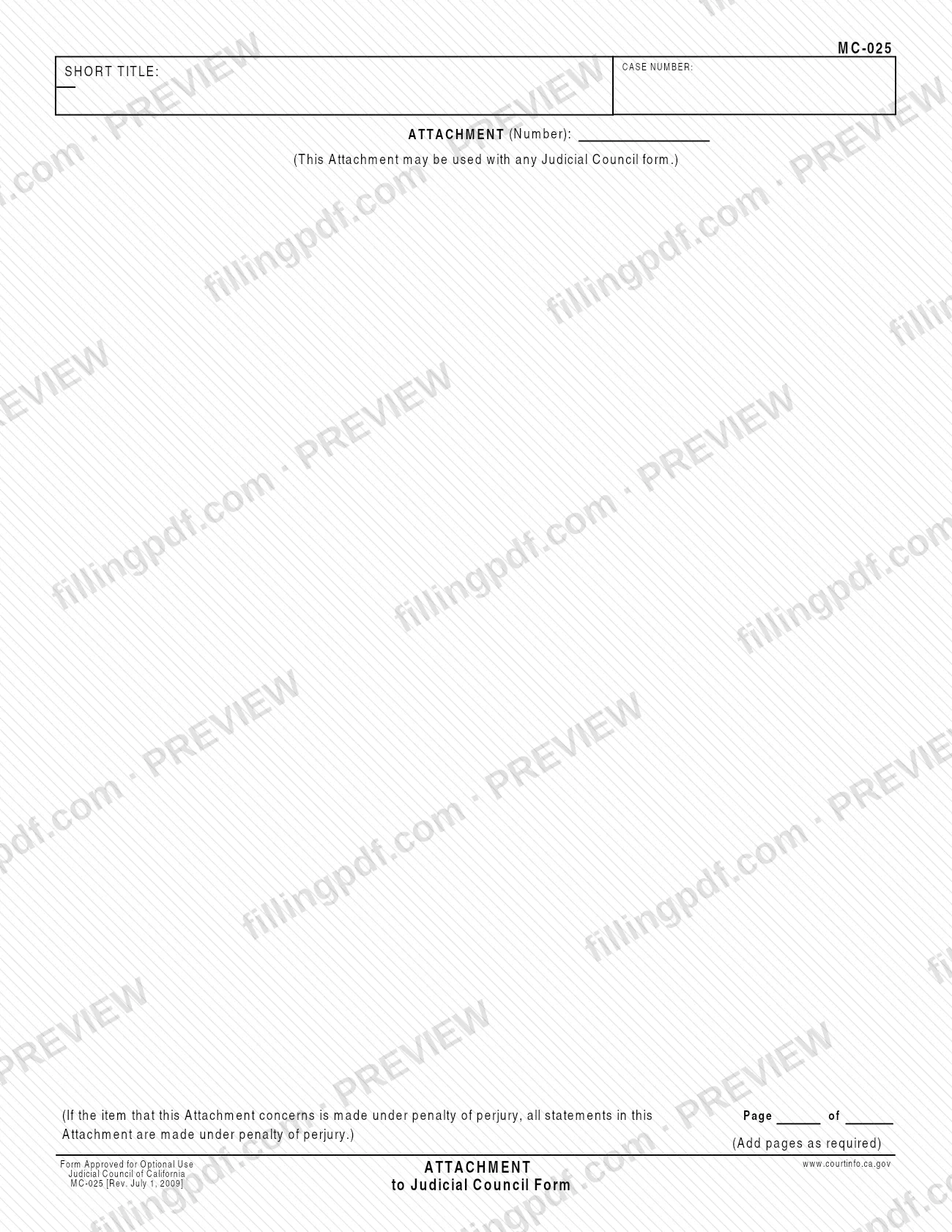
Form MC-025, Attachment to Judicial Council Form, is the Judicial Council of California page that gives you more space when a Judicial Council form does not leave enough room for your answer. The form states that it may be used with any Judicial Council form, and the Judicial Council's self-help page says it is always attached to another form or court paper before it is filed in court. On FillingPDF you can fill out the form online and download or print the completed PDF; the official PDF is published by the Judicial Council at courts.ca.gov.
Last updated
What is MC-025?
Attachment to Judicial Council Form (MC-025) is a continuation page issued by the Judicial Council of California. It gives you more space to complete any Judicial Council form and is always attached to another form or court paper before it is filed in court.
The page is mostly blank writing space. At the top it asks for the CASE NUMBER and the SHORT TITLE of the case, and it has a line for the ATTACHMENT (Number), so the court can tell which attachment belongs to which item. A printed note says the attachment may be used with any Judicial Council form, and another note says that if the item the attachment concerns is made under penalty of perjury, all statements on the page of the attachment are also made under penalty of perjury. The form tells you to add pages as required.
The footer reads "Form Approved for Optional Use" and carries the revision date, Rev. July 1, 2009. The Judicial Council also offers the form in Spanish. MC-025 is a supporting page: it has no purpose of its own and does not produce a permit, license or court order by itself.
Who needs to file MC-025?
Anyone completing a Judicial Council form who runs out of room for an answer can use MC-025 to continue it. The form states that it may be used with any Judicial Council form, so it is not tied to one type of case or one court procedure.
Use it when:
- the answer to an item on another Judicial Council form is longer than the space printed on that form;
- you need to add pages to carry the same item further.
MC-025 is not a stand-alone filing. The Judicial Council's self-help page says it is always attached to another form or court paper before it can be filed in court, so do not file it by itself.
The form has no signature block of its own. It does say that if the item it continues is made under penalty of perjury, every statement on the attachment page is made under penalty of perjury too, so write only what you could stand behind in that way. The form does not describe who may complete it for someone else.
When to file MC-025
Complete MC-025 when the form or court paper you are preparing does not have enough room for an item, and file it together with that form. The form has no due date of its own: it travels with the form it is attached to, so any deadline that applies to that form applies to the package. The Judicial Council's self-help page gives July 1, 2009 as the effective date of this revision. Add more pages whenever the continued text needs them, as the form directs.
Documents you need
- The Judicial Council form or other court paper the attachment continues: MC-025 is always attached to another form or court paper before it can be filed in court.
How to fill out MC-025
Identify the item you are continuing
Decide which item on the Judicial Council form needs more space, and keep that form at hand. MC-025 will be attached to it.
Enter the case number
In the CASE NUMBER box at the top, write the case number exactly as it appears on the form you are attaching this page to.
Enter the short title
In the SHORT TITLE box, write the short title of the case as it appears on the main form.
Number the attachment
On the ATTACHMENT (Number) line, enter the number of this attachment, so the court can tell it apart from any other attachments.
Write your continued answer
In the blank area of the page, write the text that continues the item, and say which item of the main form it relates to. Keep each answer with the item it belongs to.
Check the penalty of perjury note
The form states that if the item you are continuing is made under penalty of perjury, all statements on the page of the attachment are too. Enter only statements you can make on that basis.
Add pages as required
If the text does not fit, complete more copies of the page, as the form says to add pages as required, and number them consistently.
Review, download and clear the form
Check the case number, short title and attachment number on every page, then download or print the completed PDF from FillingPDF. Press Clear This Form afterward so others cannot see what you entered, and attach the pages to the main form.
How to submit MC-025
MC-025 has no filing channel of its own. It is attached to another Judicial Council form or court paper, and the package is filed in court by whatever channel applies to that form.
- Attach it to the main form. The Judicial Council's self-help page says the attachment is always attached to another form or court paper before it can be filed in court.
- Keep the pages together. Each page carries the case number and short title and the attachment number, so the court can match it to the item it continues.
- Follow the main form's instructions. The address, portal, fee rules and any service requirements come from the form you are continuing, not from MC-025.
After you print the form, the PDF asks you to press the Clear This Form button so other people cannot see what you entered. FillingPDF lets you fill out and download the PDF; submission follows the channels above.
Common mistakes to avoid
- Filing MC-025 on its own; the Judicial Council says it is always attached to another form or court paper before it can be filed.
- Leaving the CASE NUMBER or SHORT TITLE blank at the top, so the page cannot be matched to your case.
- Skipping the ATTACHMENT (Number) line when you use more than one attachment with the same filing.
- Writing statements you could not make under penalty of perjury; when the item being continued is made under penalty of perjury, the form says every statement on the attachment is as well.
- Running out of room and squeezing text instead of adding pages; the form says to add pages as required.
- Not pressing Clear This Form after printing, which leaves what you entered visible to other people using the same device.
- Using MC-025 to carry an answer from something other than a Judicial Council form without checking the form's own wording; it is printed for use with a Judicial Council form.
Frequently asked questions
What is MC-025?
MC-025 is the Judicial Council of California's Attachment to Judicial Council Form. It gives you more space to complete any Judicial Council form, and it is always attached to another form or court paper before it is filed in court.
Can I file MC-025 by itself?
No. The Judicial Council's self-help page says the attachment is always attached to another form or court paper before it can be filed in court. It has no filing channel or deadline of its own and follows the form it continues.
Which forms can I use MC-025 with?
The form states that it may be used with any Judicial Council form. Use it when an item on that form needs more room than the printed space allows, and add pages as required.
Does the penalty of perjury apply to my attachment?
It can. The form says that if the item the attachment concerns is made under penalty of perjury, all statements on the page of the attachment are made under penalty of perjury as well. Include only statements you can stand behind.
Can I fill out MC-025 online?
Yes. You can fill out the PDF online on FillingPDF and download or print it. FillingPDF is an independent service and does not file the form with any court; you attach it to your main form and file it through the court's channels.
What do I put in the case number and short title boxes?
Enter the case number and short title exactly as they appear on the Judicial Council form you are attaching the page to. Both boxes are at the top of MC-025, next to the line for the attachment number.
Is there a Spanish version of MC-025?
Yes. The Judicial Council's self-help page offers MC-025 in Spanish alongside the English form. The revision date printed on the English form is Rev. July 1, 2009.
What if my answer needs more than one page?
Add pages as required. The form says so in print, and each page carries the case number, short title and attachment number so the court can keep the pages together with the form they continue.
Ready to fill out MC-025?
Fill out MC-025 now