
Form B-116A, Supplemental Schedule to Form 571-L for Service Station and or Car Wash, is the schedule the Los Angeles County Office of the Assessor uses to collect equipment cost detail from service stations and car washes. It is one of the Los Angeles County property tax forms that travels with the business property statement, Form 571-L, and it must be attached to the corresponding Form 571-L. On this page you can fill out the form online on FillingPDF and download or print the completed PDF; the original PDF is published by the Assessor.
Last updated
What is B-116A?
Form B-116A, Supplemental Schedule to Form 571-L for Service Station and or Car Wash, is the Los Angeles County Office of the Assessor schedule on which a service station or car wash owner reports equipment cost detail, attached to the corresponding Form 571-L.
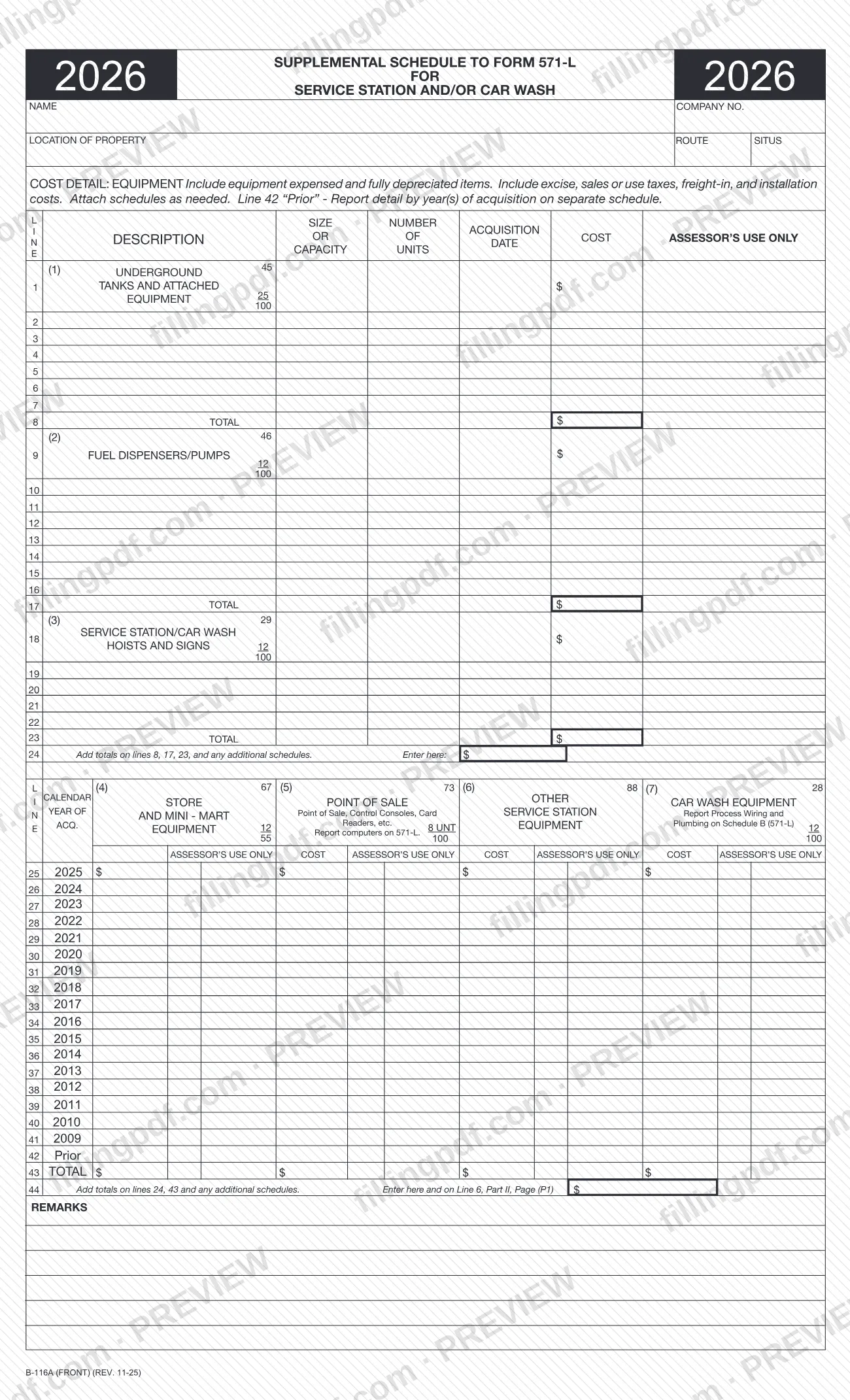
The schedule is built for this one business type. The front page has two blocks. Lines 1 through 24 list equipment in three categories: (1) underground tanks and attached equipment, (2) fuel dispensers/pumps and (3) service station/car wash hoists and signs, each with description, size or capacity, number of units, acquisition date and cost. Lines 25 through 43 report cost by calendar year of acquisition for four categories: (4) point of sale equipment, (5) store and mini-mart equipment, (6) other service station equipment and (7) car wash equipment. Line 44 combines the two blocks. The back page gives the instructions and a space for details of construction on underground tanks.
The Assessor's forms list shows B-116A beside other supplemental schedules to Form 571-L written for specific industries, such as B-113A for bowling centers, B-158A for theaters and B-17 for hotels and motels. B-116A is the one for service stations and car washes. Form 571-L itself appears on the same list as BOE-571-L / ASSR-49, Business Property Statement.
Other costs are reported elsewhere on Form 571-L, as the form explains: office furniture and equipment, non-production computers and tools go on Schedule A, and building or leasehold improvements go on Schedule B.
Who needs to file B-116A?
The schedule is required for owners reporting service station and/or car wash equipment. The instructions on the form say the supplemental schedule is required to be filed for reporting that equipment, and that you are to use this schedule, designed for your specific business, to report the requested information.
- Service station operators and owners who receive a preprinted Form 571-L and must report fuel-related equipment such as underground tanks, dispensers and pumps, hoists and signs.
- Car wash owners reporting car wash equipment, hoists and signs.
- Businesses with store or mini-mart equipment or point of sale equipment at the station.
The form does not use this schedule for everything. Report office furniture and equipment, non-production computers and tools on Schedule A of Form 571-L, and building or leasehold improvements on Schedule B. Car wash process plumbing and car wash process wiring are reported in column 2 of Schedule B. The form's heading for category (7) also says to report computers on Form 571-L. The form does not describe who may sign or file for another person; questions go to the Assessor's office cited on the face of your Form 571-L.
When to file B-116A
Form B-116A is filed with the Form 571-L it supplements, so it is submitted whenever that Form 571-L is submitted; no separate due date is printed on it. The form tells you to attach it to your corresponding Form 571-L and to read all the instructions that accompany Form 571-L before you complete it.
Timing details that come from the schedule itself: the printed edition is marked 2026 and REV. 11-25, and lines 25 through 42 provide a row for each calendar year of acquisition from 2025 back to 2009, plus a "Prior" row. If underground tanks were constructed on after September 7, 1999, the back page asks for the date, total cost and reason for that construction. For any filing deadline, check the Form 571-L package or contact the Assessor's office cited on the face of that form.
Documents you need
- Additional schedules, when the lines on the form are not enough to list your equipment in categories (1), (2) and (3) or the year rows for categories (4) through (7).
- A separate schedule showing detail by year or years of acquisition, for the line 42 "Prior" row.
- A schedule of construction details (date, total cost and reason) for underground tank construction after September 7, 1999, when the space on the back page is not enough.
How to fill out B-116A
Read the Form 571-L instructions first
The schedule asks you to read all instructions accompanying Form 571-L before completing it. Have your preprinted Form 571-L at hand, because several entries must match it.
Enter name and property location
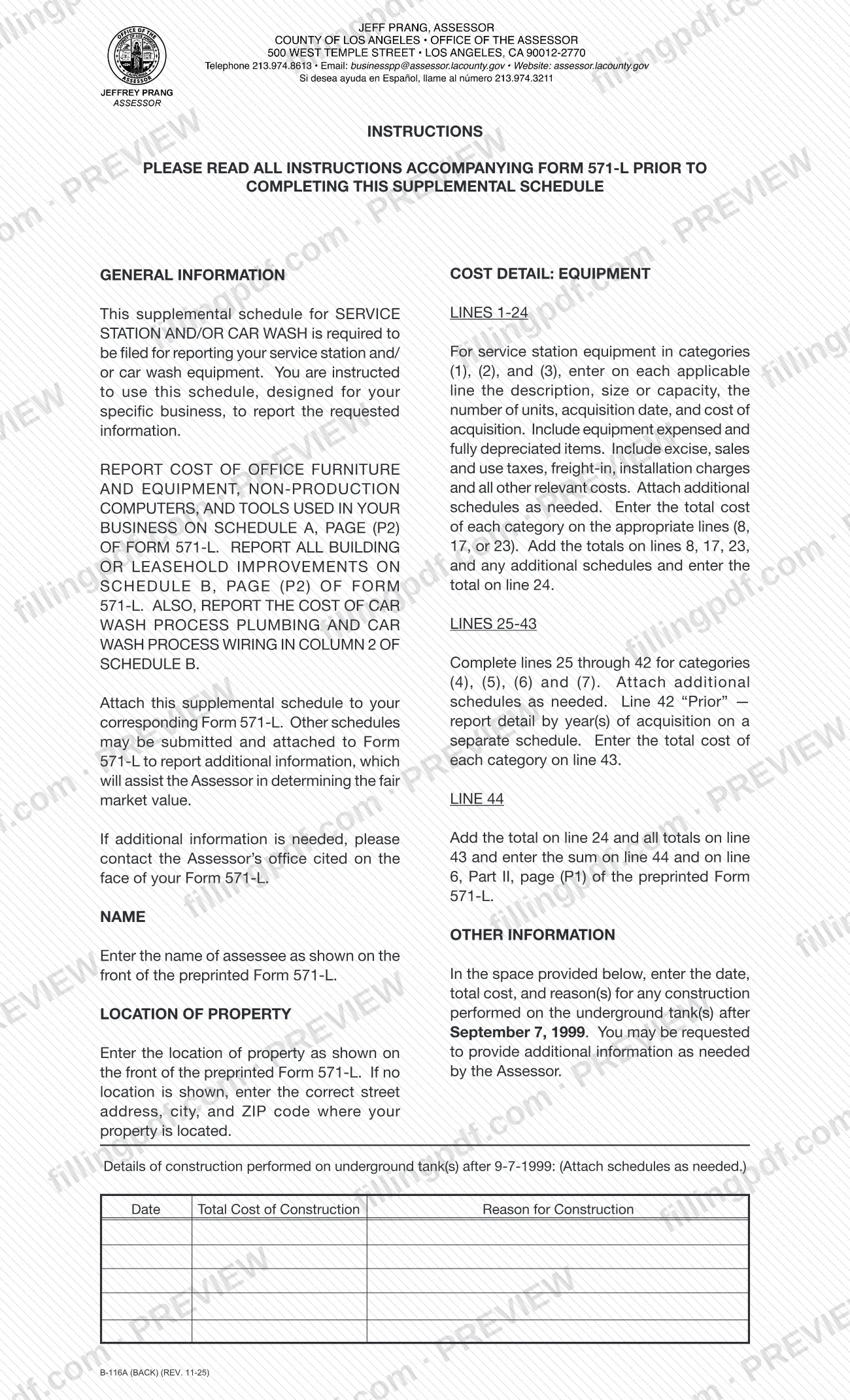
At the top, write the name of the assessee as shown on the front of the preprinted Form 571-L, and the location of the property. If no location is shown there, enter the correct street address, city and ZIP code.
List tanks, pumps, hoists and signs
On lines 1-23, enter for each item the description, size or capacity, number of units, acquisition date and cost. Use lines 1-7 for (1) underground tanks and attached equipment, lines 9-16 for (2) fuel dispensers/pumps and lines 18-22 for (3) hoists and signs.
Include every cost component
Include equipment that was expensed and fully depreciated items, plus excise, sales or use taxes, freight-in, installation charges and other relevant costs. Attach additional schedules if you need more lines.
Total the categories and line 24
Enter the category totals on lines 8, 17 and 23. Add them and the totals of any additional schedules and enter the sum on line 24.
Report cost by year of acquisition
On lines 25-41, enter the cost for each calendar year (2025 back to 2009) in the columns for (4) point of sale, (5) store and mini-mart equipment, (6) other service station equipment and (7) car wash equipment. Report computers on Form 571-L and car wash process wiring and plumbing on Schedule B.
Handle the Prior row
On line 42, "Prior," enter the cost of older acquisitions and report the detail by year or years of acquisition on a separate schedule.
Total line 43 and line 44
Enter the total cost of each category on line 43. Add the totals on lines 24 and 43, and any additional schedules, and enter the result on line 44 and on line 6, Part II, page (P1) of Form 571-L.
Describe underground tank construction
On the back page, enter the date, total cost of construction and reason for construction for any work on underground tanks after 9-7-1999. Attach schedules as needed, and use the Remarks area on the front for any added explanation.
Review and download the PDF
Check that names and location match Form 571-L and that every total adds up. Download or print the completed PDF from FillingPDF and attach it to your Form 571-L as described under How to submit.
How to submit B-116A
Form B-116A has no filing channel of its own: you attach it to your corresponding Form 571-L and submit the two together.
- Attach to Form 571-L. The instructions say to attach this supplemental schedule to your corresponding Form 571-L. Other schedules may also be attached to Form 571-L to give the Assessor more information about fair market value.
- Extra pages. The form says to attach additional schedules as needed, for example when equipment lines run out, for the line 42 "Prior" detail by year of acquisition, and for the underground tank construction details on the back page.
- Where to send it. The schedule prints no address, portal or appointment rule. If you need more information, the instructions tell you to contact the Assessor's office cited on the face of your Form 571-L.
- Carry the total. The sum on line 44 is also entered on line 6, Part II, page (P1) of the preprinted Form 571-L.
FillingPDF lets you fill out and download the PDF; submission follows the channels used for Form 571-L.
Common mistakes to avoid
- Submitting the schedule on its own instead of attaching it to the corresponding Form 571-L.
- Leaving out equipment that was expensed or is fully depreciated; the form says to include those items.
- Reporting cost without excise, sales or use taxes, freight-in and installation charges, which the instructions say to include.
- Entering a total on line 24 that omits the totals on lines 8, 17 and 23 or the totals from any additional schedules.
- Listing detail for the "Prior" row on line 42 on the form instead of on a separate schedule by year of acquisition.
- Reporting office furniture, non-production computers or tools here; they belong on Schedule A of Form 571-L.
- Reporting car wash process plumbing and wiring here; the form says to report them in column 2 of Schedule B of Form 571-L.
- Not carrying the line 44 total to line 6, Part II, page (P1) of Form 571-L.
- Entering a name or property location that differs from the front of the preprinted Form 571-L.
Frequently asked questions
What is Form B-116A?
Form B-116A is the Los Angeles County Office of the Assessor's Supplemental Schedule to Form 571-L for Service Station and or Car Wash. It collects cost detail for tanks, pumps, hoists, signs, point of sale, store and car wash equipment and is attached to your Form 571-L.
Who has to file Form B-116A?
Owners reporting service station and/or car wash equipment. The form says this supplemental schedule is required to be filed for reporting that equipment, and tells you to use it because it is designed for your specific business. It goes with your Form 571-L.
Can I file Form B-116A by itself?
No. The instructions say to attach it to your corresponding Form 571-L, and it prints no separate address or deadline. Its line 44 total is also carried to line 6, Part II, page (P1) of Form 571-L.
What costs belong on lines 1 through 24?
Underground tanks and attached equipment, fuel dispensers/pumps, and hoists and signs. Enter the description, size or capacity, units, acquisition date and cost, including expensed and fully depreciated items, taxes, freight-in and installation charges.
Where do I report computers, furniture and building improvements?
Not on Form B-116A. Office furniture and equipment, non-production computers and tools go on Schedule A of Form 571-L; building and leasehold improvements go on Schedule B. Car wash process plumbing and wiring go in column 2 of Schedule B.
What do I enter on the Prior line?
On line 42, "Prior," report the older acquisitions in the category columns and give the detail by year or years of acquisition on a separate schedule that you attach. The form states this on the front page and in the instructions.
Do I have to report underground tank construction?
The back page asks for the date, total cost and reason for any construction performed on underground tanks after September 7, 1999. The Assessor may request additional information, and you can attach schedules if the space is not enough.
Can I fill out Form B-116A online?
You can fill out the PDF online on FillingPDF and download or print it. FillingPDF is an independent service and does not file the form with the Assessor; you submit it with your Form 571-L through the Assessor's channels.
Ready to fill out B-116A?
Fill out B-116A now