
Form BOE-570-FO-2, Supplementary Schedule to Form 571-L - Aircraft Value Computation, is a schedule to the Business Property Statement that the Los Angeles County Office of the Assessor lists on its forms page, among its Los Angeles County property tax forms. The form says to use it only for aircraft managed within a Fractional Ownership Program. On this page you can fill out the form online on FillingPDF and download or print the completed PDF. The original is published at the Assessor's website.
Last updated
What is BOE-570-FO-2?
Form BOE-570-FO-2, Supplementary Schedule to Form 571-L - Aircraft Value Computation, is a supplementary schedule to the Business Property Statement on which a management company reports a type of aircraft's arrivals and departures at one airport and system wide, so a total factor can be applied to the fleet's taxable value.
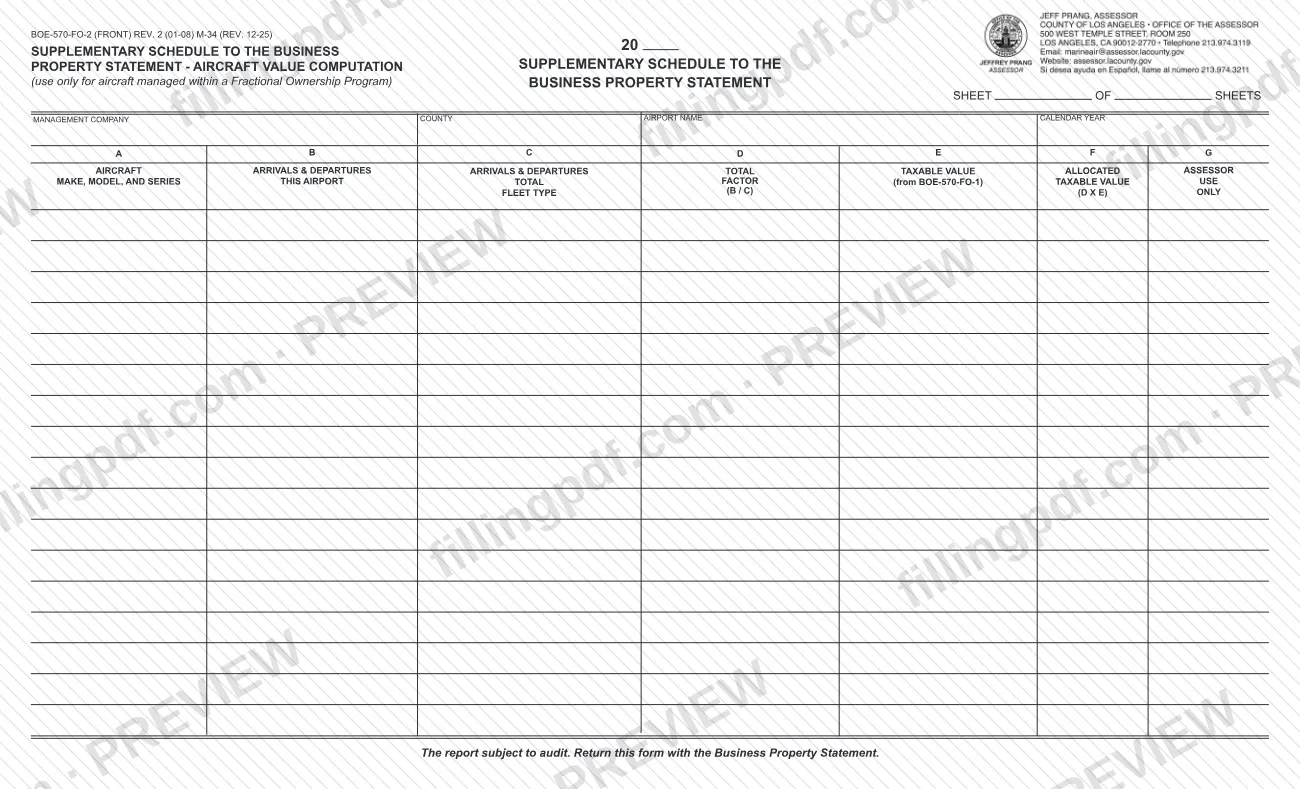
The form is printed as the "Supplementary Schedule to the Business Property Statement - Aircraft Value Computation" and is marked "use only for aircraft managed within a Fractional Ownership Program." Its header asks for the management company, the county, the airport name and the calendar year, and it has a "Sheet ___ of ___ Sheets" line.
The table has seven columns. Column A lists the aircraft make, model, and series (fleet type). Columns B and C hold the arrivals and departures at this airport and total. Column D is the total factor (B / C). Column E is the total taxable value from BOE-570-FO-1, column F is the allocated taxable value (D X E), and column G is for the Assessor's use only.
It draws on a companion schedule, BOE-570-FO-1, Supplementary Schedule to Form 571-L - Aircraft Cost, which the Assessor's forms page also lists. The form states that the report is subject to audit.
Who needs to file BOE-570-FO-2?
The management company of aircraft in a Fractional Ownership Program completes this schedule. The form says to use it only for aircraft managed within such a program, and its header asks for the name of the management company.
- One schedule covers one airport: the header names the airport and the county in which it is located.
- Each row is a fleet type listed by make, model, and series, taken from BOE-570-FO-1.
- If you need more rows, the form has a "Sheet ___ of ___ Sheets" line for numbering additional sheets.
Do not use this schedule for aircraft that are not managed within a Fractional Ownership Program: the form limits its use to those aircraft. The form does not say who may sign or file for the management company, and it has no signature block. For questions about eligibility, contact the Los Angeles County Office of the Assessor.
When to file BOE-570-FO-2
The schedule is returned with the Business Property Statement, so it is submitted whenever that statement is submitted; the form prints no separate due date. The activity it reports is for the prior calendar year: columns B and C ask for total arrivals and departures for the prior calendar year, and the header asks for the calendar year. Check the filing date for the Business Property Statement with the Los Angeles County Office of the Assessor.
Documents you need
- Information from BOE-570-FO-1, Supplementary Schedule to Form 571-L - Aircraft Cost: column A lists aircraft by make, model, and series from it, and column E takes the taxable value from it.
How to fill out BOE-570-FO-2
Complete the general information
Enter the management company, the county in which the airport is located, the airport name and the calendar year, which the instructions describe as the previous calendar year's nonscheduled flight activity. Fill in the sheet number on the "Sheet ___ of ___ Sheets" line.
List aircraft in column A
Under Column A, list each aircraft make, model, and series (fleet type) exactly as it appears on BOE-570-FO-1.
Enter this airport's activity in column B
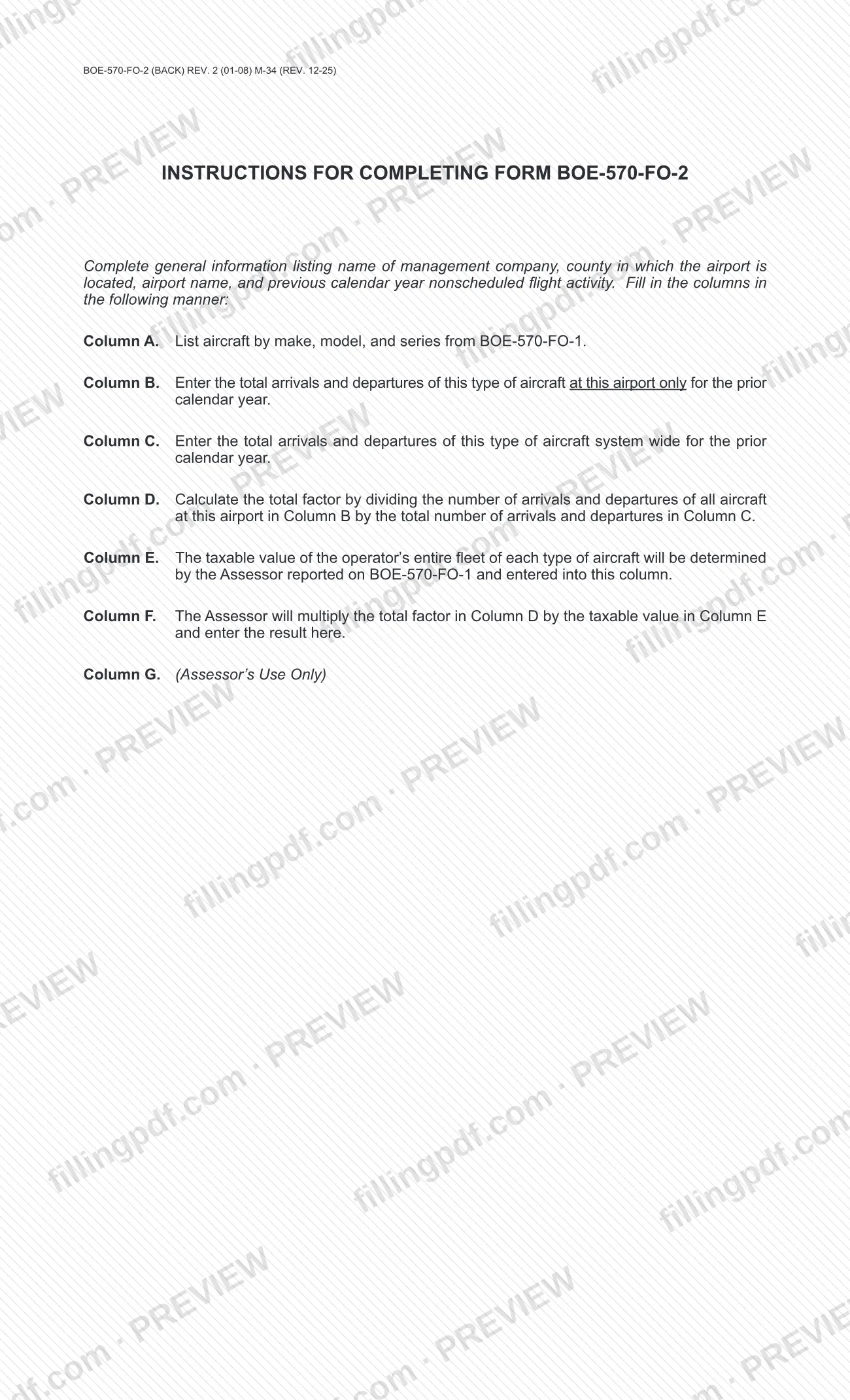
In Column B, enter the total arrivals and departures of this type of aircraft at this airport only for the prior calendar year.
Enter system-wide activity in column C
In Column C, enter the total arrivals and departures of this type of aircraft system wide for the prior calendar year.
Figure the total factor in column D
Column D is the total factor, B / C: divide the arrivals and departures in Column B by the total arrivals and departures in Column C, as the instructions direct.
Enter the taxable value in column E
Column E is the taxable value of the operator's entire fleet of each aircraft type, determined by the Assessor and reported on BOE-570-FO-1, entered into this column.
Leave columns F and G to the Assessor
The Assessor multiplies the total factor in Column D by the taxable value in Column E and enters the result in Column F, the allocated taxable value. Column G is for Assessor's use only.
Review and download the completed PDF
Check the header and each row against BOE-570-FO-1, then download or print the completed PDF from FillingPDF and return it with the Business Property Statement.
How to submit BOE-570-FO-2
The form gives one instruction: return it with the Business Property Statement. It prints no mailing address, portal or appointment rule of its own.
- With the Business Property Statement: attach the completed schedule to the statement and send both through the channel the Assessor gives for that statement.
- Where to find the form: the Los Angeles County Office of the Assessor lists it at https://assessor.lacounty.gov/forms as BOE-570-FO-2, Supplementary Schedule to Form 571-L - Aircraft Value Computation.
The form states that the report is subject to audit. FillingPDF lets you fill out and download the PDF; submission follows the Assessor's channels for the Business Property Statement.
Common mistakes to avoid
- Using the schedule for aircraft that are not managed within a Fractional Ownership Program; the form says to use it only for those aircraft.
- Not returning the form with the Business Property Statement, which the form requires.
- Entering arrivals and departures for the wrong period in columns B and C; the form asks for the prior calendar year only.
- Entering system-wide arrivals and departures in column B; column B is for this airport only, and column C is the system-wide total.
- Listing aircraft in column A that do not match make, model, and series on BOE-570-FO-1.
- Writing in column F or column G; the Assessor multiplies D by E for column F, and column G is for the Assessor's use only.
- Leaving out the management company, county, airport name or calendar year in the header.
Frequently asked questions
What is Form BOE-570-FO-2?
Form BOE-570-FO-2 is the Supplementary Schedule to Form 571-L - Aircraft Value Computation. It is a schedule to the Business Property Statement that is used only for aircraft managed within a Fractional Ownership Program, and it allocates fleet taxable value using a total factor.
Who should use the aircraft value computation schedule?
The management company of aircraft in a Fractional Ownership Program. The form says to use it only for aircraft managed within such a program, and its header asks for the management company, county, airport name and calendar year.
Where do I send Form BOE-570-FO-2?
Return it with the Business Property Statement. The form prints no address or portal of its own, so it goes through the same channel as that statement. The Los Angeles County Office of the Assessor lists the form at https://assessor.lacounty.gov/forms.
How is the total factor in column D calculated?
Column D is B / C. Divide the arrivals and departures of the aircraft type at this airport in Column B by the total arrivals and departures in Column C. The result is then multiplied by the column E taxable value to give column F.
What period does Form BOE-570-FO-2 cover?
The prior calendar year. Columns B and C ask for total arrivals and departures for the prior calendar year, and the header asks for the calendar year.
Who fills in columns F and G?
The Assessor. The instructions say the Assessor multiplies the total factor in Column D by the taxable value in Column E and enters the result in Column F. Column G is marked for Assessor's use only.
Can I fill out Form BOE-570-FO-2 online on FillingPDF?
Yes. You can fill out the PDF online on FillingPDF and download or print it. FillingPDF is an independent service, not affiliated with the Los Angeles County Office of the Assessor, and it does not file the form; you return it with the Business Property Statement.
Is the report on this form subject to audit?
Yes. The form states that the report is subject to audit. Keep records that support the arrivals and departures you enter in columns B and C.
Ready to fill out BOE-570-FO-2?
Fill out BOE-570-FO-2 now