
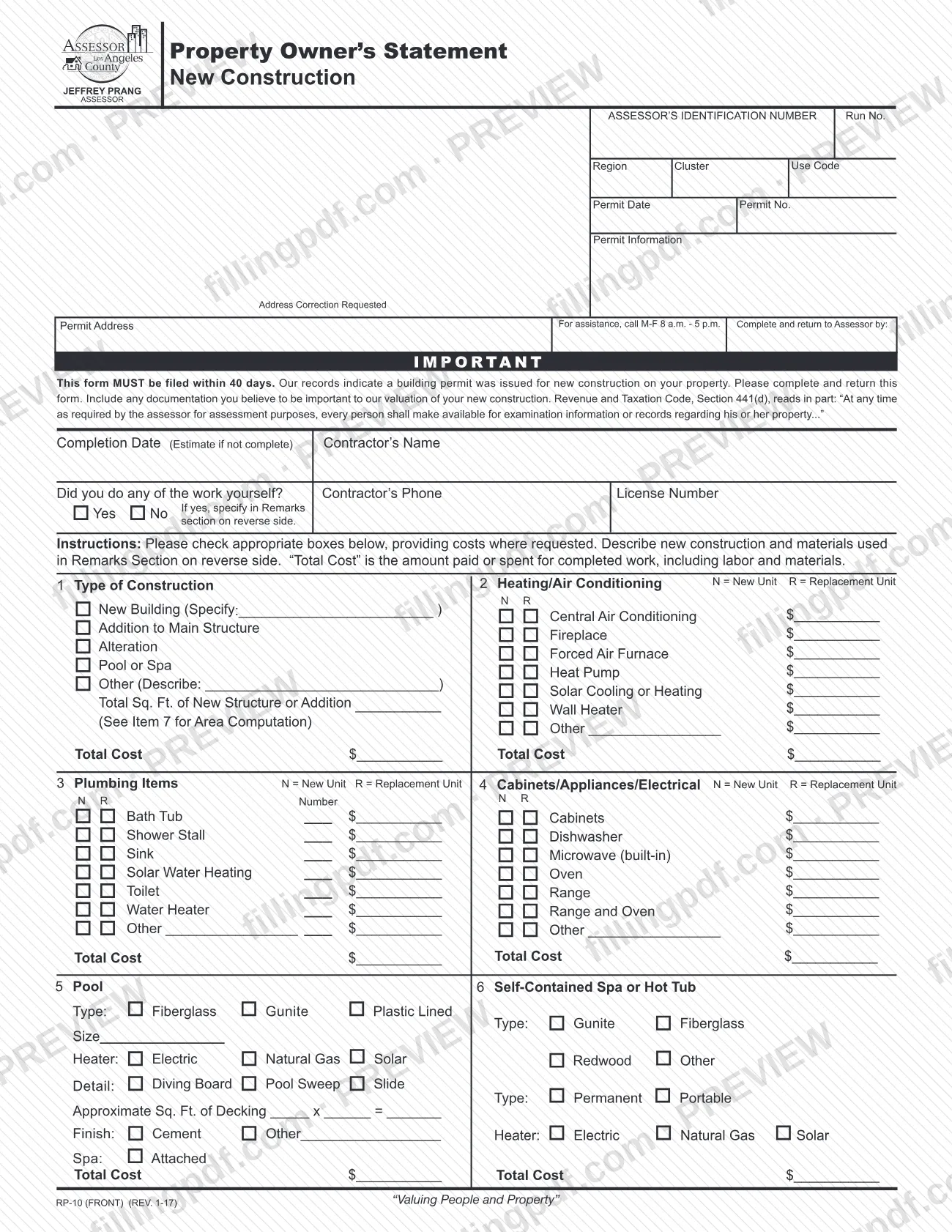
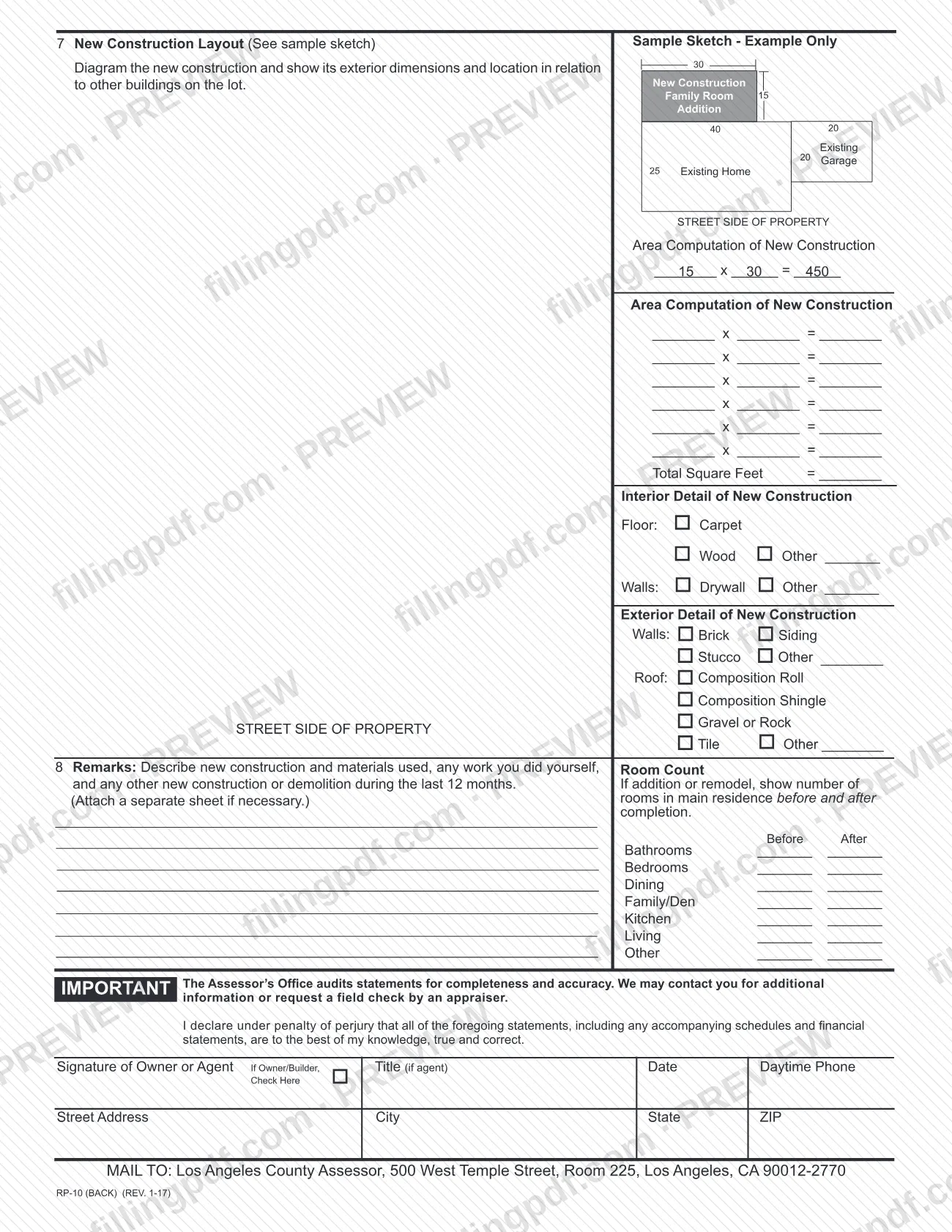
Form RP-10, Property Owner’s Statement New Construction, is the questionnaire the Los Angeles County Office of the Assessor sends when its records show a building permit was issued for new construction on a property. It is one of the Los Angeles County property tax forms the Assessor publishes, and the owner uses it to describe the work, its materials and its cost. On FillingPDF you can fill out the form online and download or print the completed PDF; the original is published by the Assessor, and the completed statement is mailed to the Assessor’s office.
Last updated
What is RP-10?
Form RP-10, Property Owner’s Statement New Construction, is the form the Los Angeles County Office of the Assessor sends to owners of property where a building permit for new construction was issued, asking them to report the work and its cost for valuation.
The front of the form opens with pre-printed permit information: the Assessor’s Identification Number, permit date, permit number and permit address. The owner then reports the completion date (an estimate if the work is not finished), the contractor’s name, phone and license number, and whether the owner did any of the work personally. Eight numbered items follow: the type of construction; heating and air conditioning; plumbing items; cabinets, appliances and electrical; a pool; a self-contained spa or hot tub; a layout sketch with an area computation; and remarks with a before-and-after room count.
The form defines “Total Cost” as the amount paid or spent for completed work, including labor and materials. It cites Revenue and Taxation Code, Section 441(d), under which every person must make information or records about his or her property available for examination when the assessor requires it for assessment purposes. The Assessor’s Office audits these statements for completeness and accuracy.
The Assessor’s forms page also lists a sample version, RP-10 (Sample), and separate new construction exclusion forms such as ASSR-9, New Construction Exclusion Form. RP-10 is the owner’s statement of the construction itself.
Who needs to file RP-10?
Owners of property in Los Angeles County for which the Assessor’s records show a building permit was issued for new construction complete this form. The Assessor mails it with the permit information already printed, and asks the owner to complete and return it.
- Owners. The owner signs the statement.
- Agents. The signature line reads “Signature of Owner or Agent”, with a space for the agent’s title, so an agent may sign for the owner.
- Owner/builders. There is a box to check if you are the owner/builder, and a question on whether you did any of the work yourself; if so, describe that work in the Remarks section.
The work covered includes a new building, an addition to the main structure, an alteration, a pool or spa, or other construction. The form does not describe any exemption from filing for owners who receive it.
When to file RP-10
The form states that it MUST be filed within 40 days, and the front also prints a “Complete and return to Assessor by” date. The triggering event is the Assessor’s record that a building permit was issued for new construction on your property; the pre-printed Permit Date and Permit No. identify that permit.
If the work is not finished when you complete the form, enter an estimated completion date rather than waiting. The form sets no separate renewal or later deadline. After you return it, the Assessor’s Office audits statements for completeness and accuracy, and may contact you for more information or request a field check by an appraiser.
Documents you need
- Any documentation you believe is important to the Assessor’s valuation of your new construction; the form asks you to include it with the statement.
- A separate sheet for Remarks, if needed, when the Remarks section does not have enough room to describe the construction, materials and any work you did yourself.
How to fill out RP-10
Check the pre-printed permit information
Review the Assessor’s Identification Number, permit date, permit number and permit address printed at the top. If the address is wrong, mark the Address Correction Requested box.
Enter completion date and contractor
Give the completion date, estimated if the work is not finished, and the contractor’s name, phone and license number. Check Yes or No for whether you did any of the work yourself, and describe it in Remarks if Yes.
Complete Item 1, Type of Construction
Check New Building (and specify), Addition to Main Structure, Alteration, Pool or Spa, or Other (and describe). Enter the total square feet of a new structure or addition and the Total Cost.
Complete Item 2, Heating/Air Conditioning
For each system installed, check N for a new unit or R for a replacement unit and enter its cost. Enter the Total Cost for the item.
Complete Item 3, Plumbing Items
Mark N or R for each plumbing item, enter the number of units and the cost, and enter the Total Cost.
Complete Item 4, Cabinets and Appliances
Mark N or R for cabinets, dishwasher, built-in microwave, oven, range, range and oven, or other electrical items, with the cost of each. Enter the Total Cost.
Describe a pool or spa
In Item 5, give the pool type, size, heater, details, decking and finish. In Item 6, give the spa or hot tub type, heater and whether it is attached, and enter the Total Cost for each.
Draw the Item 7 layout
Sketch the new construction with its exterior dimensions and its location relative to other buildings on the lot, using the street side of the property as reference. Fill in the area computation and Total Square Feet.
Mark interior and exterior details
Under Item 7, check the floor, wall, exterior wall and roof materials used, writing in “Other” where the options do not fit.
Write Item 8 Remarks and room count
Describe the new construction, materials, any work you did yourself and any other new construction or demolition in the last 12 months. For an addition or remodel, enter the before and after room counts.
Sign, date and add contact details
Sign as owner or agent, give the agent’s title if applicable, check the Owner/Builder box if it applies, and add the date, daytime phone and your address.
Review and download the completed PDF
Check that costs, units and signature are complete and consistent. Download or print the completed PDF from FillingPDF, add any documents or extra sheet, and mail it as described under How to submit.
How to submit RP-10
The form prints one return channel: mail. Send the completed and signed statement to: Los Angeles County Assessor, 500 West Temple Street, Room 225, Los Angeles, CA 90012-2770.
- Include your documents. The form asks you to include any documentation you believe is important to the valuation of your new construction. If the Remarks section is too small, attach a separate sheet.
- Meet the date. Return it by the date printed after “Complete and return to Assessor by”, within the 40 days stated on the form.
- Questions. The form gives a help line for assistance, Monday through Friday, 8 a.m. to 5 p.m.; use the number printed on your copy.
The form names no portal, fax number or in-person drop-off. FillingPDF lets you fill out and download the PDF; submission follows the channels above.
Common mistakes to avoid
- Returning the form after the 40-day filing period stated on it, or after the date printed after “Complete and return to Assessor by”.
- Skipping the Remarks section when you did any of the work yourself; the form says to specify that work in Remarks.
- Entering only the cost of materials as “Total Cost”; the form defines it as the amount paid or spent for completed work, including labor and materials.
- Marking neither N (New Unit) nor R (Replacement Unit) beside heating, plumbing, cabinet, appliance or electrical items.
- Omitting the exterior dimensions or the location in relation to other buildings on the lot in the Item 7 layout diagram.
- Leaving the Item 7 area computation or Total Square Feet blank for a new structure or addition.
- Not giving the before and after room count when the work is an addition or remodel.
- Mailing the signed statement to an address other than 500 West Temple Street, Room 225, Los Angeles, CA 90012-2770.
- Sending the form unsigned; the statement is declared under penalty of perjury and needs the owner’s or agent’s signature and date.
Frequently asked questions
What is Form RP-10 used for?
Form RP-10, Property Owner’s Statement New Construction, is how the Los Angeles County Assessor asks an owner to report new construction after a building permit was issued. It collects the type of work, itemized costs, a layout, materials and room counts for the Assessor’s valuation.
How long do I have to return Form RP-10?
The form says it must be filed within 40 days, and it also prints a “Complete and return to Assessor by” date on the front. Use that printed date for your copy, since the Assessor fills it in for your permit.
Where do I mail Form RP-10?
Mail it to Los Angeles County Assessor, 500 West Temple Street, Room 225, Los Angeles, CA 90012-2770. The form prints no other return channel, such as an online portal or fax number, so use that mailing address.
Can I fill out Form RP-10 online?
You can complete the PDF online on FillingPDF and download or print it. FillingPDF is independent and does not send the form to the Assessor; you mail it to the address printed on the form yourself.
What counts as “Total Cost” on Form RP-10?
Total Cost is the amount paid or spent for completed work, including labor and materials. Enter it for each item where the form asks, and mark whether each unit is new (N) or a replacement (R) where those boxes appear.
What do I do if I did some of the work myself?
Check Yes at “Did you do any of the work yourself?” and describe that work in the Remarks section, Item 8. Owner/builders also check the box beside the signature line.
Do I need to attach documents to Form RP-10?
The form asks you to include any documentation you believe is important to the Assessor’s valuation of your new construction. If Remarks needs more space, attach a separate sheet.
Can someone sign Form RP-10 for me?
Yes, an agent may sign. The signature line reads “Signature of Owner or Agent”, with a space for the agent’s title. The signer declares under penalty of perjury that the statements are true and correct to the best of their knowledge.
What happens after I send Form RP-10?
The Assessor’s Office audits statements for completeness and accuracy. It may contact you for additional information or request a field check by an appraiser.
Ready to fill out RP-10?
Fill out RP-10 now