
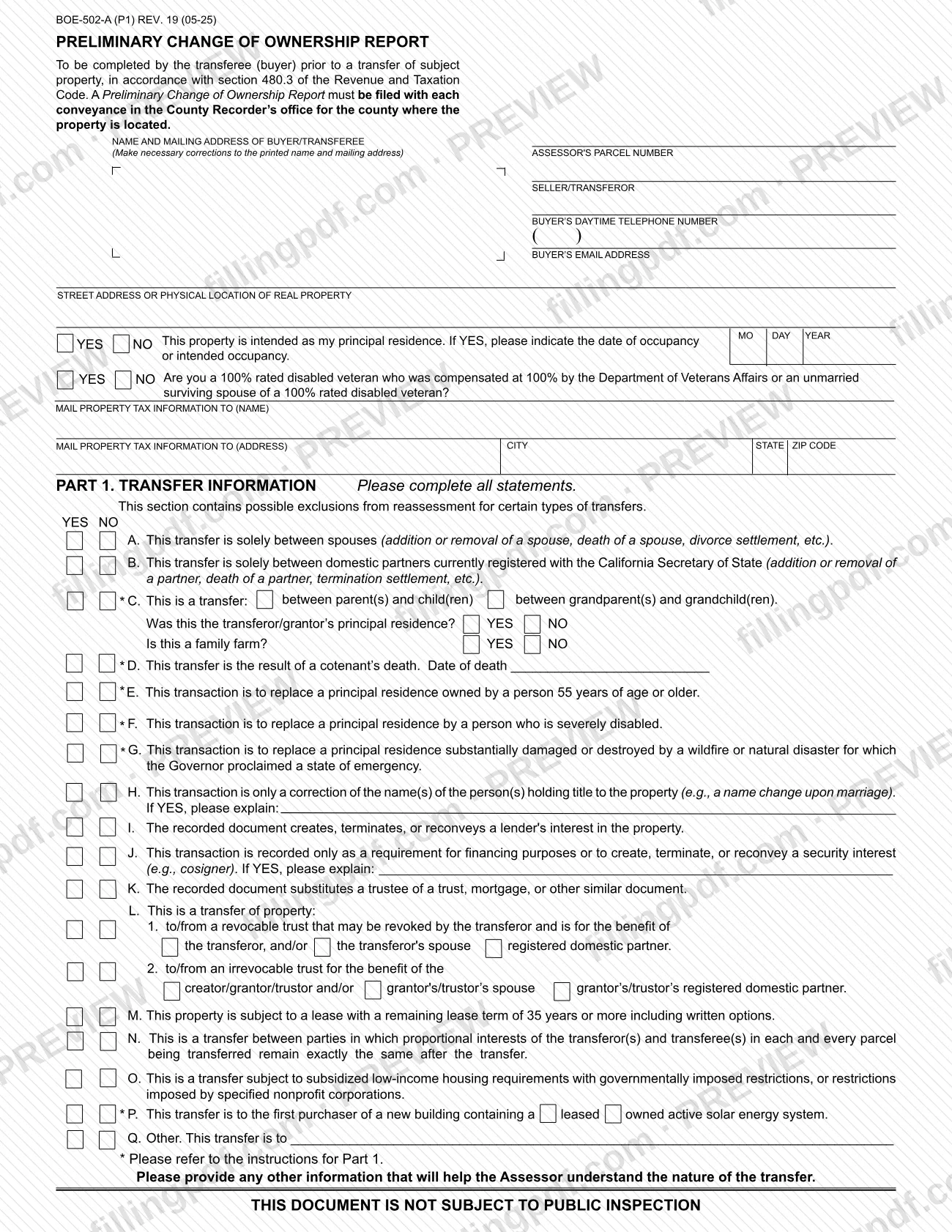
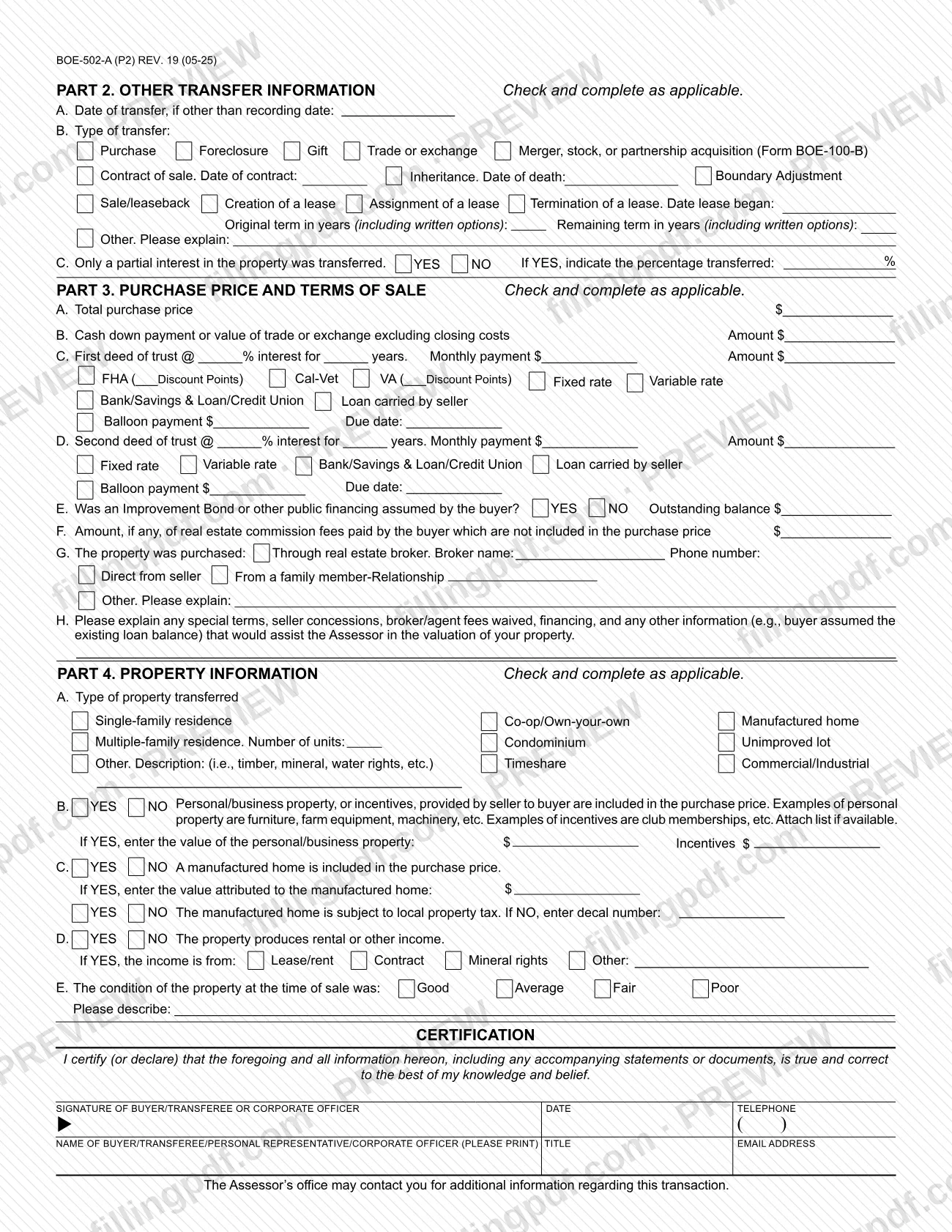
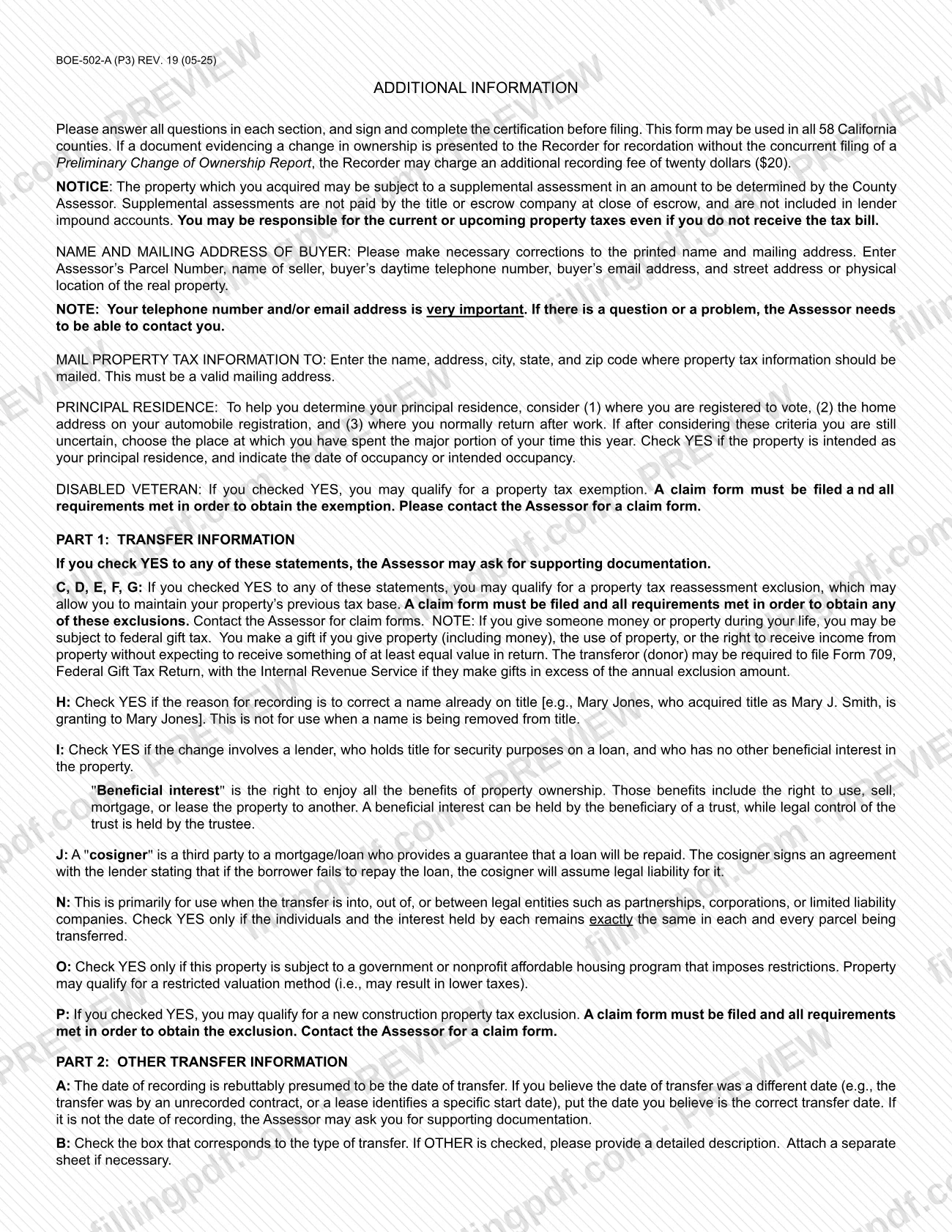
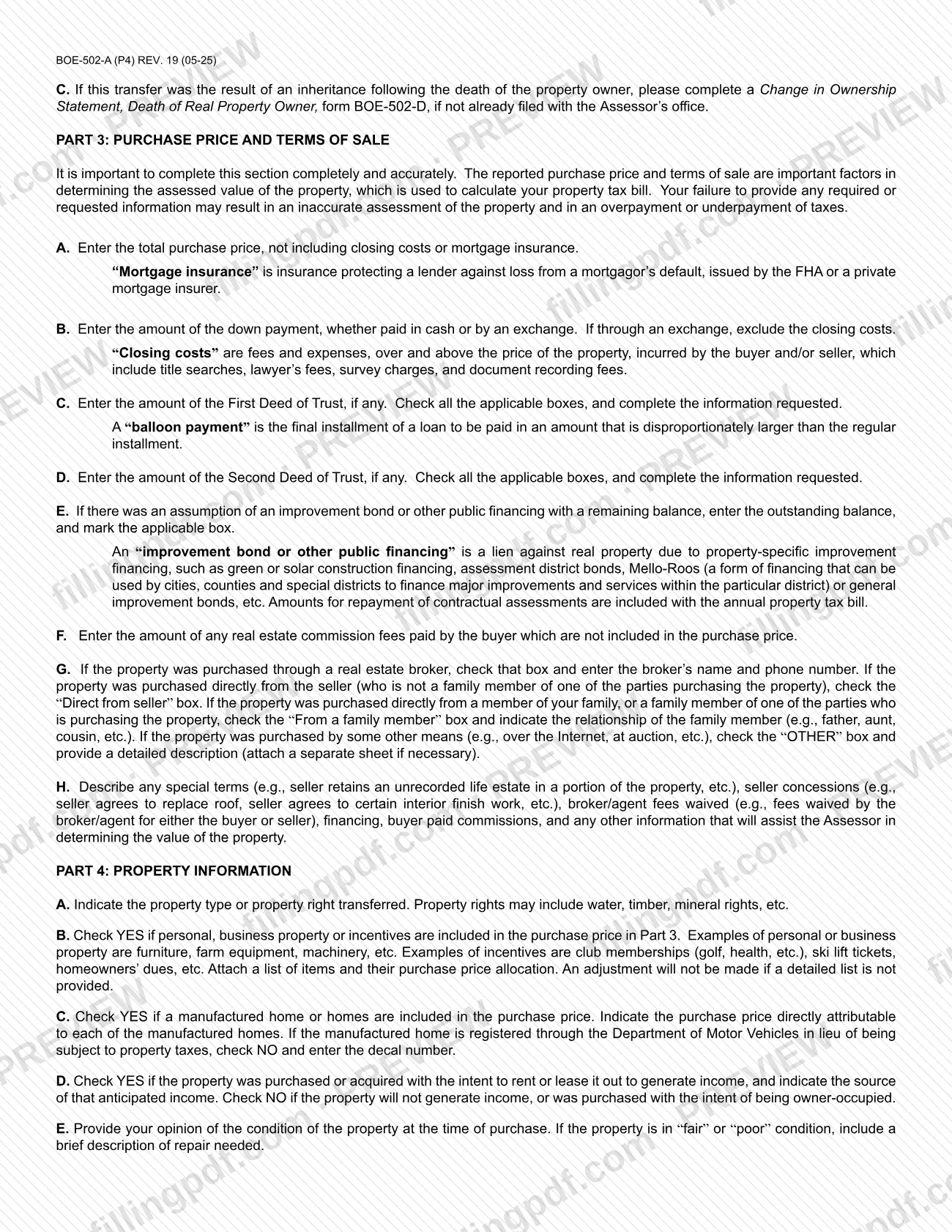
The Preliminary Change of Ownership Report (Form BOE-502-A) is the report a buyer completes when real property changes hands in California; this copy carries the Riverside County Assessor-County Clerk-Recorder header. It is one of the forms that feeds Riverside County property tax assessment after a transfer, because the Assessor uses the price, terms and exclusion answers to value the property. On this page you can fill out the form online on FillingPDF and download or print the completed PDF; the original is published by the county at the official link.
Last updated
What is BOE-502-A?
The Preliminary Change of Ownership Report (Form BOE-502-A) is the report the transferee (buyer) completes before a transfer of real property, in accordance with section 480.3 of the Revenue and Taxation Code, so the County Assessor can decide whether the transfer is a change in ownership.
The form must be filed with each conveyance in the County Recorder's office for the county where the property is located. This copy is issued under the header of the Riverside County Assessor-County Clerk-Recorder, and the form states that it may be used in all 58 California counties.
It has four parts:
- Part 1, Transfer Information: yes/no statements A through Q listing possible exclusions from reassessment, such as transfers between spouses, between parents and children, or into a revocable trust.
- Part 2, Other Transfer Information: the date and type of transfer, and any partial interest.
- Part 3, Purchase Price and Terms of Sale: price, down payment, deeds of trust, assumed bonds, commissions and how the property was bought.
- Part 4, Property Information: property type, personal property, manufactured homes, rental income and condition.
The form says the reported price and terms are important factors in the assessed value used for the property tax bill. It also warns that the property may be subject to a supplemental assessment. For an inheritance, the form refers to a separate form, BOE-502-D, Change in Ownership Statement, Death of Real Property Owner. Each completed report is marked "not subject to public inspection."
Who needs to file BOE-502-A?
The buyer (transferee) of real property completes Form BOE-502-A. The form is signed by the buyer or a corporate officer, and the name line also allows a personal representative or corporate officer to sign for the buyer.
- Buyers acquiring property by purchase, gift, foreclosure, trade or exchange, inheritance, boundary adjustment or a lease transaction use Part 2 to say which type of transfer applies.
- Buyers whose transfer may be excluded from reassessment answer the Part 1 statements. For statements C, D, E, F, G and P, the instructions say a claim form must be filed and all requirements met to obtain the exclusion.
- Buyers who are 100% rated disabled veterans, or unmarried surviving spouses of one, answer the veteran question on page 1; a claim form is needed for any exemption.
- Buyers who inherited property also complete form BOE-502-D, if it has not already been filed with the Assessor.
- Mergers, stock or partnership acquisitions refer to Form BOE-100-B.
The form says it is required with each conveyance recorded in the county where the property is located.
When to file BOE-502-A
Complete the report before the transfer and file it with the conveyance document when it is recorded. The form states it is "to be completed by the transferee (buyer) prior to a transfer" and must be filed with each conveyance in the County Recorder's office.
If a document showing a change in ownership reaches the Recorder without a Preliminary Change of Ownership Report filed at the same time, the Recorder may charge an additional recording fee. Ask the Recorder for the current amount.
The date of recording is presumed to be the date of transfer. If you believe the true transfer date is different, such as an unrecorded contract or a lease with a specific start date, enter that date in Part 2, line A; the Assessor may ask for supporting documents. The form sets no other deadline.
Documents you need
- A list of personal or business property and incentives, with the purchase price allocated to each item, if Part 4, line B is YES; the form says no adjustment is made without a detailed list.
- Supporting documentation for any Part 1 statement answered YES, if the Assessor asks for it.
- A separate sheet with explanations if there is not enough room for Part 2, line B (Other) or Part 3, line G (Other).
- A claim form for a reassessment exclusion if you answered YES to Part 1 statement C, D, E, F or G, or a new construction exclusion claim form for statement P; the Assessor provides them.
- A disabled veteran exemption claim form, if you answered YES to the 100% rated disabled veteran question; obtain it from the Assessor.
- Form BOE-502-D, Change in Ownership Statement, Death of Real Property Owner, if the transfer is an inheritance and it has not already been filed with the Assessor.
- Form BOE-100-B, if the transfer is a merger, stock, or partnership acquisition.
How to fill out BOE-502-A
Enter buyer and property details
At the top, correct the printed buyer name and mailing address, then enter the Assessor's Parcel Number, seller or transferor, buyer's daytime telephone number, buyer's email address and the street address or physical location of the property.
Answer residence and veteran questions
Check YES or NO for principal residence and enter the date of occupancy or intended occupancy (MO DAY YEAR). Then answer the 100% rated disabled veteran question.
Give the tax mailing address
Under Mail Property Tax Information To, enter the name, address, city, state and ZIP code. This must be a valid mailing address.
Complete Part 1 statements
Check YES or NO for statements A through Q. Explain where asked for H and J, enter the date of death for D, and complete the sub-questions under C and L.
Add any explanation of the transfer
Use the space after Part 1 for other information that helps the Assessor understand the nature of the transfer.
Complete Part 2 transfer information
Line A: date of transfer, if other than the recording date. Line B: check the type of transfer and fill in its dates or lease terms. Line C: check YES or NO for a partial interest and enter the percentage.
Report price and financing in Part 3
Enter the total purchase price (line A) and down payment (B), without closing costs. Complete the first and second deed of trust lines C and D, assumed bonds on E, commissions on F and how the property was purchased on G.
Explain special terms
Line H: describe special terms, seller concessions, waived broker or agent fees, financing, or other facts that help the Assessor value the property.
Describe the property in Part 4
Line A: property type. Lines B and C: personal property, incentives and manufactured homes. Line D: rental income. Line E: condition, with a brief description of repairs if fair or poor.
Sign the certification
The buyer or corporate officer signs and dates the certification and enters a telephone number. Print the name, title and email address of the buyer, personal representative or corporate officer.
Review and download the completed PDF
Check that every question is answered and any list or claim forms are ready. Download or print the completed PDF from FillingPDF and file it as described under How to submit.
How to submit BOE-502-A
The form is filed with the County Recorder's office for the county where the property is located, together with the document evidencing the change in ownership. The form names no other channel.
- With the recorded document: present the signed report to the Recorder when the conveyance is submitted for recording. Filing it at the same time avoids the additional recording fee the Recorder may charge.
- Riverside County contact: the form header gives the Assessor-County Clerk-Recorder at PO BOX 751, RIVERSIDE, CA 92502-0751, telephone (951) 955-0400, website www.rivcoacr.org. Contact the office for claim forms for exclusions or the disabled veteran exemption.
Attach any list of personal property or incentives and any separate sheet for explanations, as Parts 2, 3 and 4 direct. FillingPDF lets you fill out and download the PDF; submission follows the channels above.
Common mistakes to avoid
- Presenting the conveyance to the Recorder without filing the report at the same time; the Recorder may then charge an additional recording fee.
- Leaving questions unanswered; the form asks you to answer all questions in each section and complete the certification before filing.
- Using Part 1 line H to remove a name from title; it is only for correcting a name already on title.
- Including closing costs or mortgage insurance in the total purchase price on Part 3, line A.
- Answering YES to Part 1 statement N when the individuals and the interest each holds do not stay exactly the same in every parcel transferred.
- Checking YES on a Part 1 exclusion and assuming it applies automatically; for C, D, E, F, G and P a claim form must be filed and the requirements met.
- Listing personal property or incentives in Part 4, line B without an attached itemized list; no adjustment is made without it.
- Entering a street address or email that is not valid for property tax mail; the mailing address must be a valid one.
Frequently asked questions
What is the Preliminary Change of Ownership Report?
It is Form BOE-502-A, the report a buyer completes before a transfer of real property under section 480.3 of the Revenue and Taxation Code. The Assessor uses it to decide whether the transfer is a change in ownership and to value the property.
Who has to file Form BOE-502-A?
The transferee (buyer) completes it, and it must be filed with each conveyance in the County Recorder's office for the county where the property is located. The buyer or a corporate officer signs the certification.
What happens if I record a deed without the PCOR?
If a document showing a change in ownership is presented to the Recorder without a Preliminary Change of Ownership Report filed at the same time, the Recorder may charge an additional recording fee. Ask the Recorder for the current amount.
Can I use Form BOE-502-A outside Riverside County?
Yes. The form states it may be used in all 58 California counties. File it in the Recorder's office of the county where the property is located; this copy carries the Riverside County Assessor-County Clerk-Recorder header.
Do I need a claim form for a reassessment exclusion?
Yes, for statements C, D, E, F and G of Part 1. The form says a claim form must be filed and all requirements met to maintain your property's previous tax base. Contact the Assessor for claim forms.
What do I file for an inherited property?
Complete Form BOE-502-D, Change in Ownership Statement, Death of Real Property Owner, if it has not already been filed with the Assessor's office. Check Inheritance and enter the date of death in Part 2, line B.
Is the report open to public inspection?
No. The form states that the document is not subject to public inspection. The Assessor's office may contact you for additional information about the transaction, so enter a working telephone number and email address.
Can I fill out Form BOE-502-A online on FillingPDF?
Yes. You can fill out the PDF online on FillingPDF and download or print it. FillingPDF is an independent service and does not file the report; you submit it through the Recorder as described under How to submit.
Ready to fill out BOE-502-A?
Fill out BOE-502-A now