
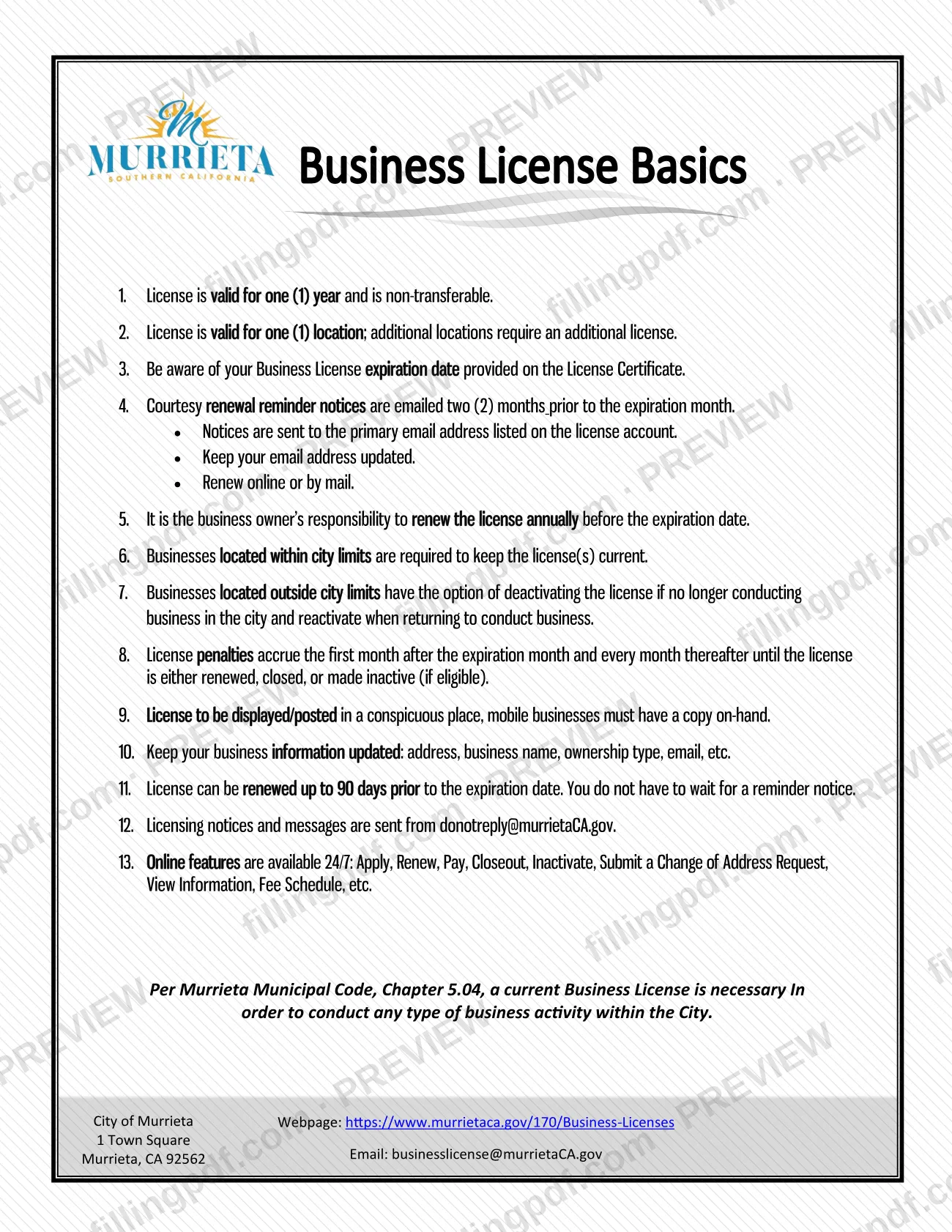
About Your Murrieta Business License is the City of Murrieta Finance Department sheet that sets out what a city business license covers, how long it lasts and how to keep it current. It is one of the Murrieta business license resources a business owner uses after the license is issued, and it points to the city's online services and to Murrieta Municipal Code, Chapter 5.04. On this page you can fill out the form online on FillingPDF and download or print the completed PDF; the original document is published by the city at murrietaca.gov.
Last updated
What is About Your Murrieta Business License – Murrieta, CA?
About Your Murrieta Business License is a one-page information sheet from the City of Murrieta Finance Department that lists the terms of a city business license and the owner's duties for renewing and maintaining it.
The sheet states that a license is valid for one year and is non-transferable, and that it covers one location; additional locations need an additional license. It explains that the city emails courtesy renewal reminders two months before the expiration month, to the primary email address on the license account, and that the owner remains responsible for renewing before the expiration date. It also covers penalties, which accrue from the first month after the expiration month until the license is renewed, closed or made inactive (if eligible), and the duty to display the license in a conspicuous place, with mobile businesses keeping a copy on hand.
The sheet cites Murrieta Municipal Code, Chapter 5.04: a current business license is necessary to conduct any type of business activity within the city. It lists the online features the city offers around the clock (apply, renew, pay, closeout, inactivate, submit a change of address request, view information and see the fee schedule). It is a reference sheet, not an application: the license itself is obtained and renewed through the city's licensing services.
Who needs to file About Your Murrieta Business License – Murrieta, CA?
Every person (1099) or entity planning to engage in business within Murrieta city limits needs a business license, whether or not the business is subject to taxation. The city's page defines "business" as any profession, trade, occupation, gainful activity or kind of professional, commercial or industrial calling, whether or not carried on for profit. This sheet is meant for those license holders.
- Businesses located within city limits must keep the license current.
- Businesses located outside city limits may deactivate the license if they are no longer conducting business in the city, and reactivate it when they return to do business there. The city's page says only businesses outside city limits may inactivate.
- Businesses with more than one location need an additional license for each additional location, since a license is valid for one location.
The sheet puts the responsibility to renew each year on the business owner. It names no other person who may act for the owner.
When to file About Your Murrieta Business License – Murrieta, CA
A Murrieta business license must be renewed every year before the expiration date shown on the License Certificate, because a license is valid for one year. You can renew up to 90 days before the expiration date and do not have to wait for a reminder. The city emails courtesy reminders two months before the expiration month, but the owner is responsible for renewing either way.
Penalties accrue starting the first month after the expiration month and every month after that until the license is renewed, closed or made inactive (if eligible). The city's page says licenses are eligible for online renewal up to 90 days before expiration and up to 12 months after expiration. Under Murrieta Municipal Code, Chapter 5.04, a current license is needed before conducting any business activity in the city.
How to fill out About Your Murrieta Business License – Murrieta, CA
Check the expiration date
Find the expiration date on your License Certificate and note that the license is valid for one year. Plan to renew before it, up to 90 days ahead.
Confirm location and ownership
Confirm the license covers the one location where you operate and that it is not being used for a transfer. Additional locations need an additional license.
Update your business information
Keep your address, business name, ownership type and email current. Make sure the primary email on the license account is correct so the two-month reminder reaches you.
Decide your license status
If your business is within Murrieta city limits, the license must stay current. A business outside city limits may inactivate when it stops doing business in the city and reactivate later.
Renew online or by mail
Renew through the city's online services or by mail before the expiration date. If you have questions, call (951) 461-6042 or email [email protected].
Review and download the PDF
Check any details you enter, then download or print the completed PDF from FillingPDF. Display the license in a conspicuous place; mobile businesses keep a copy on hand.
How to submit About Your Murrieta Business License – Murrieta, CA
This sheet is not filed with the city; it explains how to renew and maintain the license. Renewal is done online or by mail, and the city's online services run 24/7.
- Online: apply, renew, pay a balance, close out or inactivate, search for a business, or submit an update or change of address request through the services listed at https://www.murrietaca.gov/170/Business-Licenses. The city accepts Visa, MasterCard and Discover for secure payments. If your business office is within Murrieta city limits, attach all applicable requirements to your application.
- By mail: the sheet says you can renew by mail but prints no separate mailing instruction. It gives the city's address as 1 Town Square, Murrieta, CA 92562.
- Questions: Business License Main Number (951) 461-6042 during normal business hours, or [email protected].
Licensing notices and messages come from [email protected]. A fee schedule is available online; ask the city for current amounts. FillingPDF lets you fill out and download the PDF; submission follows the channels above.
Common mistakes to avoid
- Letting the license expire while waiting for a reminder; the owner is responsible for renewing before the expiration date, and penalties accrue from the first month after the expiration month.
- Assuming the license can be transferred to a new owner; the sheet says it is non-transferable.
- Using one license for several locations; each additional location requires an additional license.
- Not keeping the primary email address current, so courtesy reminders, sent two months before the expiration month, do not arrive.
- Trying to inactivate a license for a business located within city limits; only businesses outside city limits may inactivate.
- Failing to display the license in a conspicuous place, or a mobile business not carrying a copy.
- Not reporting changes in address, business name, ownership type or email, which the sheet says to keep updated.
- Overlooking the reminder emails because they come from [email protected].
Frequently asked questions
Do I need a Murrieta business license?
Yes, if you engage in business within Murrieta city limits. The city requires every person (1099) or entity to apply for a license, whether or not the business is taxed or run for profit. Murrieta Municipal Code, Chapter 5.04, requires a current license for any business activity in the city.
How long is a Murrieta business license valid?
One year. The license is non-transferable and valid for one location only. The expiration date is printed on your License Certificate, and the owner is responsible for renewing before that date.
How early can I renew my Murrieta business license?
Up to 90 days before the expiration date. You do not have to wait for a reminder notice; the city emails courtesy reminders two months before the expiration month to the primary email on the license account.
What happens if my Murrieta business license expires?
Penalties accrue from the first month after the expiration month and every month after until the license is renewed, closed or made inactive (if eligible). The city's page says online renewal is available up to 12 months after expiration. Ask the city for amounts.
Can I get one license for more than one location?
No. A license is valid for one location, and additional locations require an additional license. The license is also non-transferable, so it cannot be moved to another owner.
Can I inactivate my Murrieta business license?
Only if your business is located outside Murrieta city limits. Such a business may deactivate the license when it no longer conducts business in the city and reactivate it on returning. Businesses within city limits must keep the license current.
Can I renew my Murrieta business license online?
Yes. The city's online services, available 24/7, include renewing, paying a balance and submitting an update or change of address request. Secure payments accept Visa, MasterCard and Discover. The sheet also says you can renew by mail.
Can I fill out About Your Murrieta Business License on FillingPDF?
You can fill out the PDF online on FillingPDF and download or print it. FillingPDF is independent of the City of Murrieta and does not renew licenses or submit anything to the city; renewal follows the city's online and mail channels.
Ready to fill out About Your Murrieta Business License – Murrieta, CA?
Fill out About Your Murrieta Business License – Murrieta, CA now