
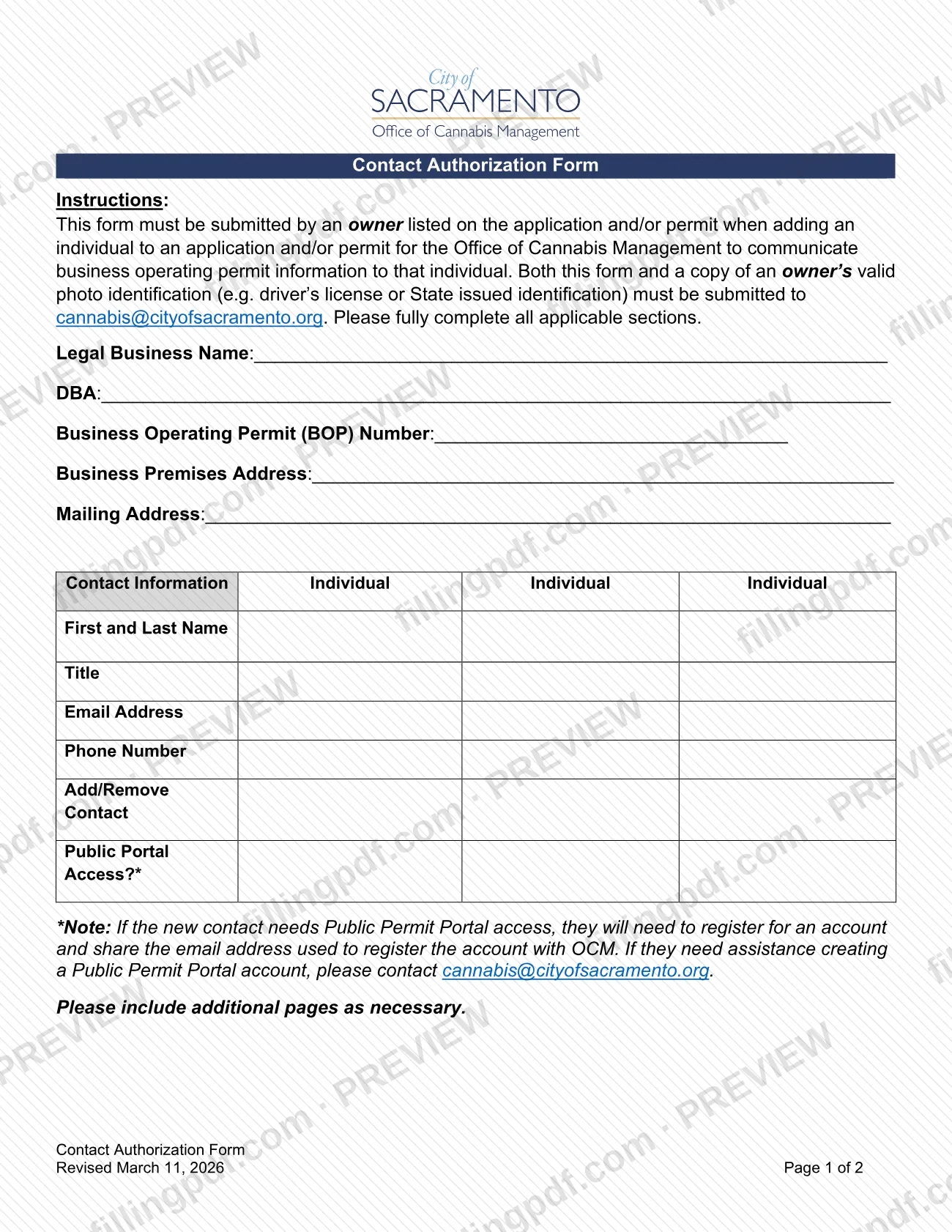
The Contact Authorization Form is a City of Sacramento form, issued through the Finance Department's Office of Cannabis Management (OCM), that an owner submits to add an individual to a cannabis business operating permit application or permit. It lets OCM communicate permit information to that person and can also record public portal access. Only an owner listed on the application or permit may submit it. On this page you can fill out the form online on FillingPDF and download or print the completed PDF; the city publishes the original at cityofsacramento.gov.
Last updated
What is Contact Authorization Form – Sacramento, CA?
The Contact Authorization Form is the City of Sacramento form that an owner of a cannabis business uses to add an individual to, or remove one from, a business operating permit application or permit, so the Office of Cannabis Management (OCM) can communicate permit information to that individual.
The form belongs to the cannabis Business Operating Permit (BOP) process run by OCM, which sits within the City of Sacramento Finance Department. It is not a general Sacramento business license application: it adds contacts to an existing application or permit. The city's Cannabis Forms and Information page lists it as the BOP Contact Authorization Form, alongside other permit-holder forms such as the Legal Business Name and DBA Name Change forms.
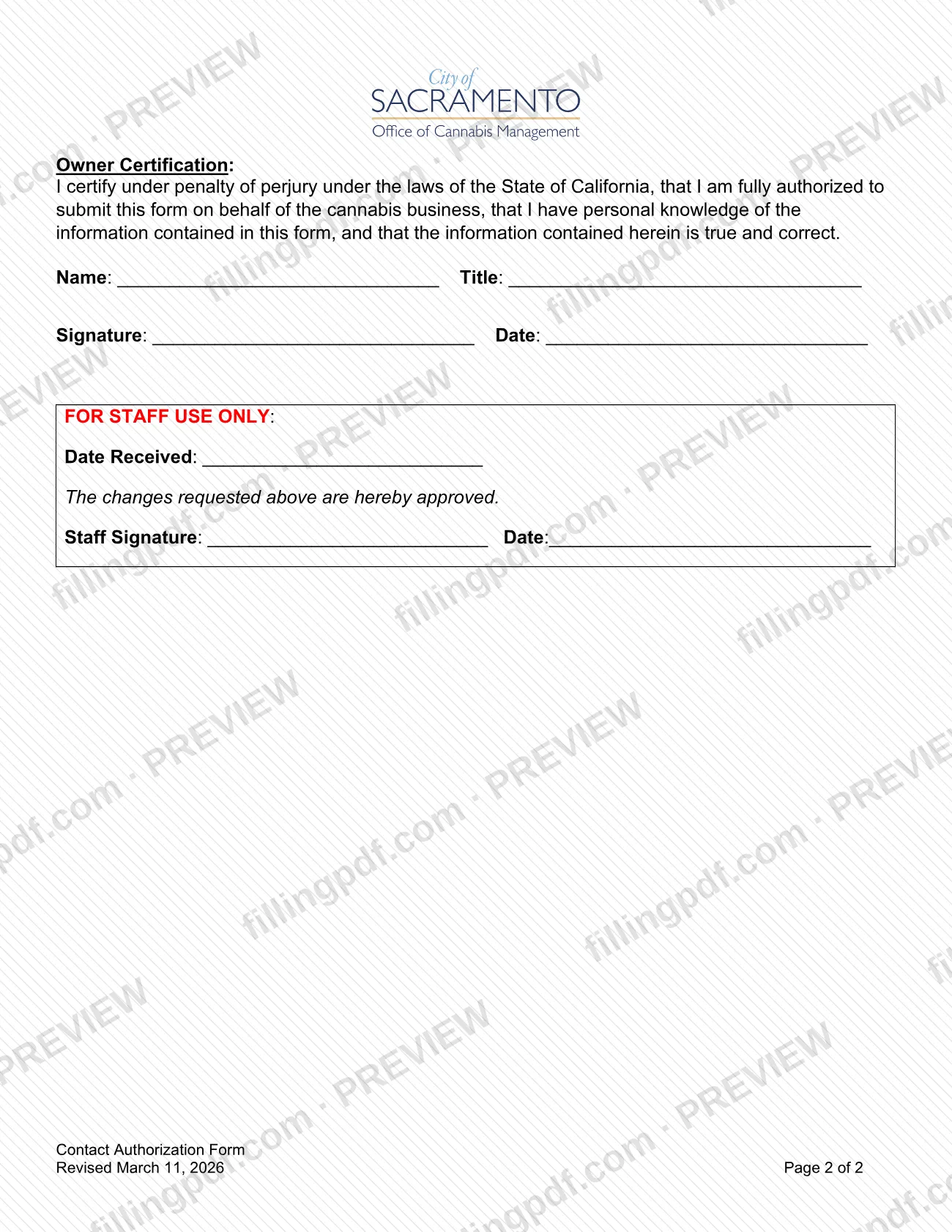
The two-page form is revised March 11, 2026. Page 1 asks for the legal business name, DBA, BOP number, business premises address and mailing address, then a table for up to three individuals: name, title, email, phone, whether the contact is being added or removed, and whether the person needs Public Portal access. Page 2 holds the owner certification, signed under penalty of perjury under California law, and a block marked for staff use only, which OCM completes when it approves the changes.
Who needs to file Contact Authorization Form – Sacramento, CA?
An owner listed on the application and/or permit uses this form when adding an individual to that application or permit so that OCM can communicate business operating permit information to that individual. The form says it must be submitted by such an owner; the individual being added does not submit it.
- Listed owners: complete the form, sign the owner certification and send it with a copy of your valid photo identification.
- Individuals being added: you are named in the table. If you need Public Permit Portal access, you must register for an account and share the email address used to register with OCM.
- Anyone else: people who are not owners listed on the application or permit are not the intended submitters.
By signing, the owner certifies under penalty of perjury under the laws of the State of California that the owner is fully authorized to submit the form on behalf of the cannabis business, has personal knowledge of the information in it, and that it is true and correct. The form does not describe any other person signing for the owner.
When to file Contact Authorization Form – Sacramento, CA
Submit the form whenever an owner listed on the application and/or permit wants to add an individual so that OCM can communicate business operating permit information to that person. No separate due date is printed on it.
The Add/Remove Contact selection lets the same form record a contact being added or removed. If the new contact needs Public Permit Portal access, the person must first register for a portal account and share the registration email address with OCM, so plan for that step before or alongside your submission. If you need to list more individuals than the three columns allow, the form tells you to include additional pages.
Documents you need
- A copy of an owner's valid photo identification, such as a driver's license or State issued identification, sent by email together with the completed form.
- Additional pages listing the extra individuals, only if you need to add or remove more contacts than the three columns on the form hold.
How to fill out Contact Authorization Form – Sacramento, CA
Confirm an owner will submit the form
The form must be submitted by an owner listed on the application and/or permit. Make sure that owner completes and signs it.
Enter the business names
Write the Legal Business Name and the DBA, if the business has one.
Enter the permit number
Fill in the Business Operating Permit (BOP) Number for the permit or application the contacts relate to.
Enter the business addresses
Write the Business Premises Address and the Mailing Address.
List each individual's name and title
In the Contact Information table, enter the First and Last Name for each individual and select a title from the Choose Title menu. The table has three Individual columns; add pages if you need more.
Add email and phone number
Enter the Email Address and Phone Number of each individual. Use the email address the person will register with if they need portal access.
Select add or remove
Under Add/Remove Contact, use Choose Type to show whether each individual is being added or removed.
Set Public Portal access
Under Public Portal Access?, use Choose Access for each individual. A contact who needs Public Permit Portal access must register an account and share the registration email with OCM.
Complete the owner certification
On page 2, the owner enters Name and Title, signs and dates. The certification is made under penalty of perjury under California law.
Review, download and attach ID
Check every section, leave the staff-use block blank, then download or print the completed PDF from FillingPDF. Add a copy of the owner's photo identification and send both as described under How to submit.
How to submit Contact Authorization Form – Sacramento, CA
The form is submitted by email to OCM; the form names no other channel.
- Email: send the completed, signed form and a copy of an owner's valid photo identification (for example a driver's license or State issued identification) to [email protected]. Both items must be submitted together.
- Portal help: if a new contact needs help creating a Public Permit Portal account, the form directs them to the same address, [email protected].
Leave the "For Staff Use Only" block blank: OCM staff record the date received and sign to approve the requested changes. The form states no fee and no mailing address. FillingPDF lets you fill out and download the PDF; submission follows the channels above.
Common mistakes to avoid
- Having someone who is not an owner listed on the application or permit submit the form; the instructions say an owner must submit it.
- Emailing the form without a copy of the owner's valid photo identification; both must be sent to [email protected].
- Leaving the owner certification unsigned or undated, or signing without authority to act for the business, since it is made under penalty of perjury.
- Leaving Choose Type unselected, so the form does not show whether each contact is being added or removed.
- Requesting Public Portal access for a contact who has not registered an account and shared the registration email address with OCM.
- Squeezing more than three individuals into the table instead of attaching additional pages.
- Omitting the Business Operating Permit (BOP) number or the DBA when they apply.
- Filling in the For Staff Use Only block, which OCM staff complete.
Frequently asked questions
What is the Sacramento Contact Authorization Form for?
It lets an owner listed on a cannabis business operating permit application or permit add an individual, or remove one, so the Office of Cannabis Management (OCM) can communicate permit information to that person. The form also records whether the contact gets Public Portal access.
Is the Contact Authorization Form a Sacramento business license application?
No. It is not an application for a license or permit. It is used by owners already named on a cannabis Business Operating Permit application or permit to authorize additional contacts with OCM, which is part of the City of Sacramento Finance Department.
Who has to submit the Contact Authorization Form?
An owner listed on the application and/or permit. The form states it must be submitted by such an owner, who also signs the certification under penalty of perjury that they are fully authorized to act for the cannabis business.
Where do I send the completed Contact Authorization Form?
Email it to [email protected], together with a copy of an owner's valid photo identification, such as a driver's license or State issued identification. The form lists no mailing address or other submission channel.
What do I attach to the Contact Authorization Form?
Attach a copy of an owner's valid photo identification, for example a driver's license or State issued identification. Both the form and the ID copy must go to OCM together. If you list more individuals than fit, add extra pages.
How does a new contact get Public Permit Portal access?
Select the access option on the form for that person. The new contact must then register for a Public Permit Portal account and share the email address used to register with OCM. For help creating the account, write to [email protected].
Can I add more than three people on one form?
Yes. The table has three Individual columns, and the form says to include additional pages as necessary. Keep the added pages with the form when you email it.
Can I fill out the Contact Authorization Form online on FillingPDF?
You can fill out the PDF online on FillingPDF and download or print it. FillingPDF is an independent service, not affiliated with the City of Sacramento, and does not submit the form; you email it to OCM yourself.
Ready to fill out Contact Authorization Form – Sacramento, CA?
Fill out Contact Authorization Form – Sacramento, CA now