
The Change of Information Form (SSS Form 2) is the mail-in card the Selective Service System (SSS) provides for updating the information it holds on a man who is already registered. It is used mainly to report a new mailing address, and it also has a block for a legal name change, a current email and a current phone number. On this page you can fill out the form online on FillingPDF and download or print the completed PDF. The official PDF and the SSS update options are published by the Selective Service System at sss.gov.
Last updated
What is SSS Form 2?
The Change of Information Form, printed as SSS Form 2, is the Selective Service System (SSS) form a registrant uses to update the information on file in his Selective Service record, such as his mailing address, name, email address and phone number.
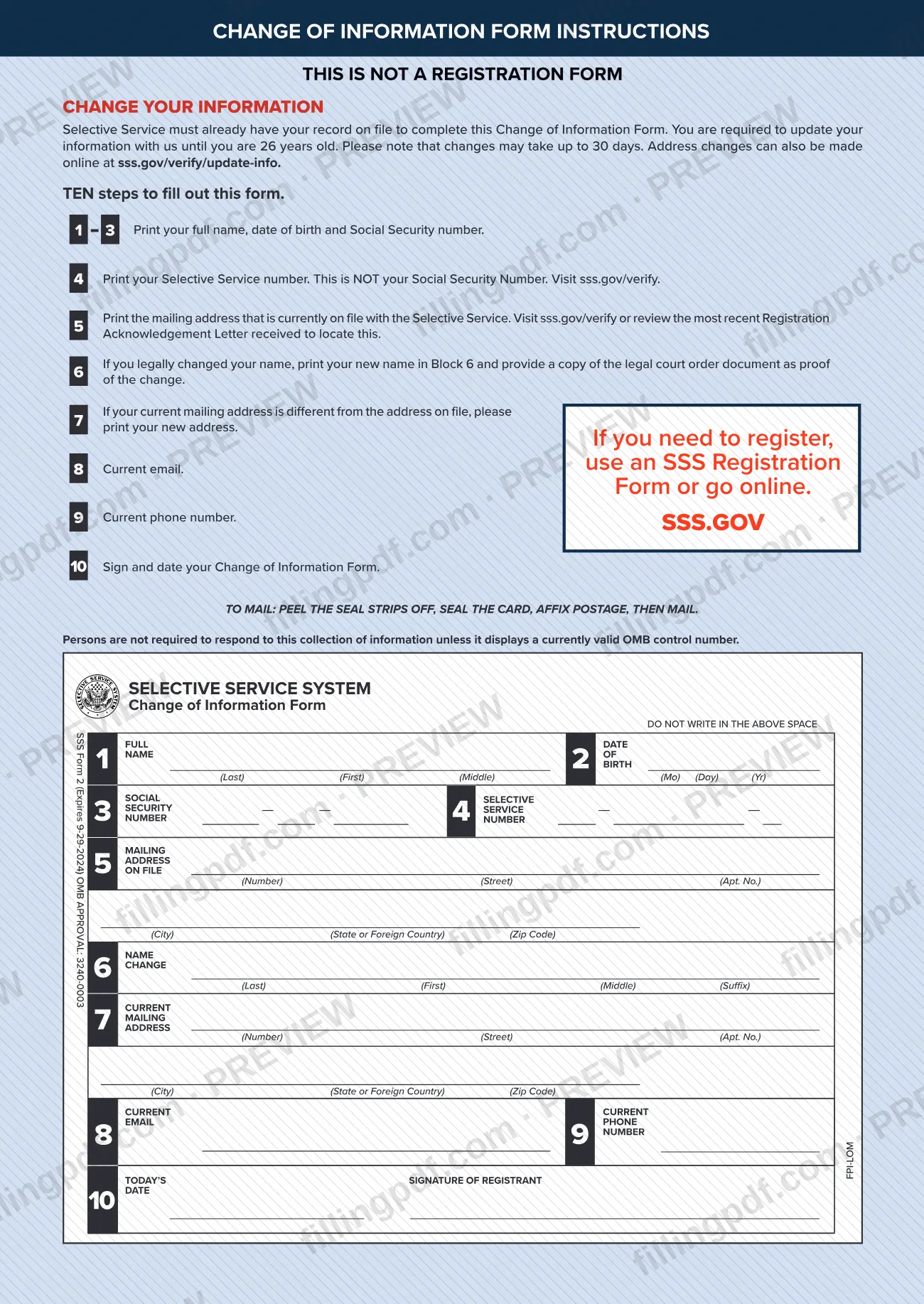
The form is a self-mailing card with ten numbered blocks. Blocks 1 to 4 identify you: full name, date of birth, Social Security number and Selective Service number. Block 5 gives the mailing address currently on file, and block 7 the new one. Block 6 is for a legal name change, and blocks 8 and 9 take a current email and phone number. Block 10 is the signature and date. The card carries OMB approval number 3240-0003.
The form states plainly that it is not a registration form. Selective Service must already have your record on file before you can complete it. If you need to register, the SSS offers SSS Form 1, the Registration Form, for people who have trouble registering online or do not have a Social Security number, and registration can also be done online.
The printed Privacy Act statement explains that the requested information establishes or verifies your registration, and it warns that failing to provide required information may violate the Military Selective Service Act.
Who needs to file SSS Form 2?
Men who are already registered with the Selective Service System and need to update their record use this form. The SSS forms page describes it as the form for a man aged 18 to 25, living in the United States, who registered and has changed his address.
The form says you are required to update your information with Selective Service until you are 26 years old. The SSS update page puts the address rule this way: a man aged 18 through 25 must notify the SSS of an address change within 10 days, up until January 1 of the year he turns 26. Men 26 or older are no longer required to notify the SSS of address changes.
Do not use this form to register. It is not a registration form, and the SSS must already have your record. For registration, use SSS Form 1 or register online.
The SSS update page also lists changes it wants by phone rather than online: correcting a misspelled name, legal name changes and correcting a birth date on file. The form itself has a name change block (block 6) and asks for a copy of the court order.
When to file SSS Form 2
File the form when your information on file changes. For an address change, the SSS update page says a man aged 18 through 25 must notify the Selective Service System within 10 days, and that duty continues until January 1 of the year he turns 26. The form itself says you must keep your information updated until you are 26. It also warns that changes may take up to 30 days to be made. The form has no separate due date printed on it beyond these rules. Men who are 26 or older are no longer required to report address changes.
Documents you need
- A copy of the legal court order document, only if you legally changed your name and are entering the new name in Block 6, as proof of the change.
How to fill out SSS Form 2
Enter your name, birth date and SSN
Blocks 1 to 3: print your full name (Last, First, Middle), your date of birth (Mo, Day, Yr) and your Social Security number.
Print your Selective Service number
Block 4: enter your Selective Service number. This is not your Social Security number; visit sss.gov/verify if you need to find it.
Print the address on file
Block 5: enter the mailing address currently on file with Selective Service, with number, street, apartment number, city, state or foreign country, and ZIP code. Visit sss.gov/verify or check your most recent Registration Acknowledgement Letter to find it.
Add a legal name change
Block 6: only if you legally changed your name, print the new name (Last, First, Middle, Suffix) and provide a copy of the legal court order document as proof.
Enter your new mailing address
Block 7: if your current mailing address differs from the address on file, print the new address in the same format as Block 5.
Give your email and phone number
Block 8: enter your current email. Block 9: enter your current phone number.
Sign and date the form
Block 10: sign as registrant and enter today's date.
Review and download the PDF
Check that Block 4 holds your Selective Service number and that the new address is in Block 7. Download or print the completed PDF from FillingPDF, then seal the card, add postage and mail it as described under How to submit.
How to submit SSS Form 2
You can submit an update by mail, online (address changes) or by phone (other changes).
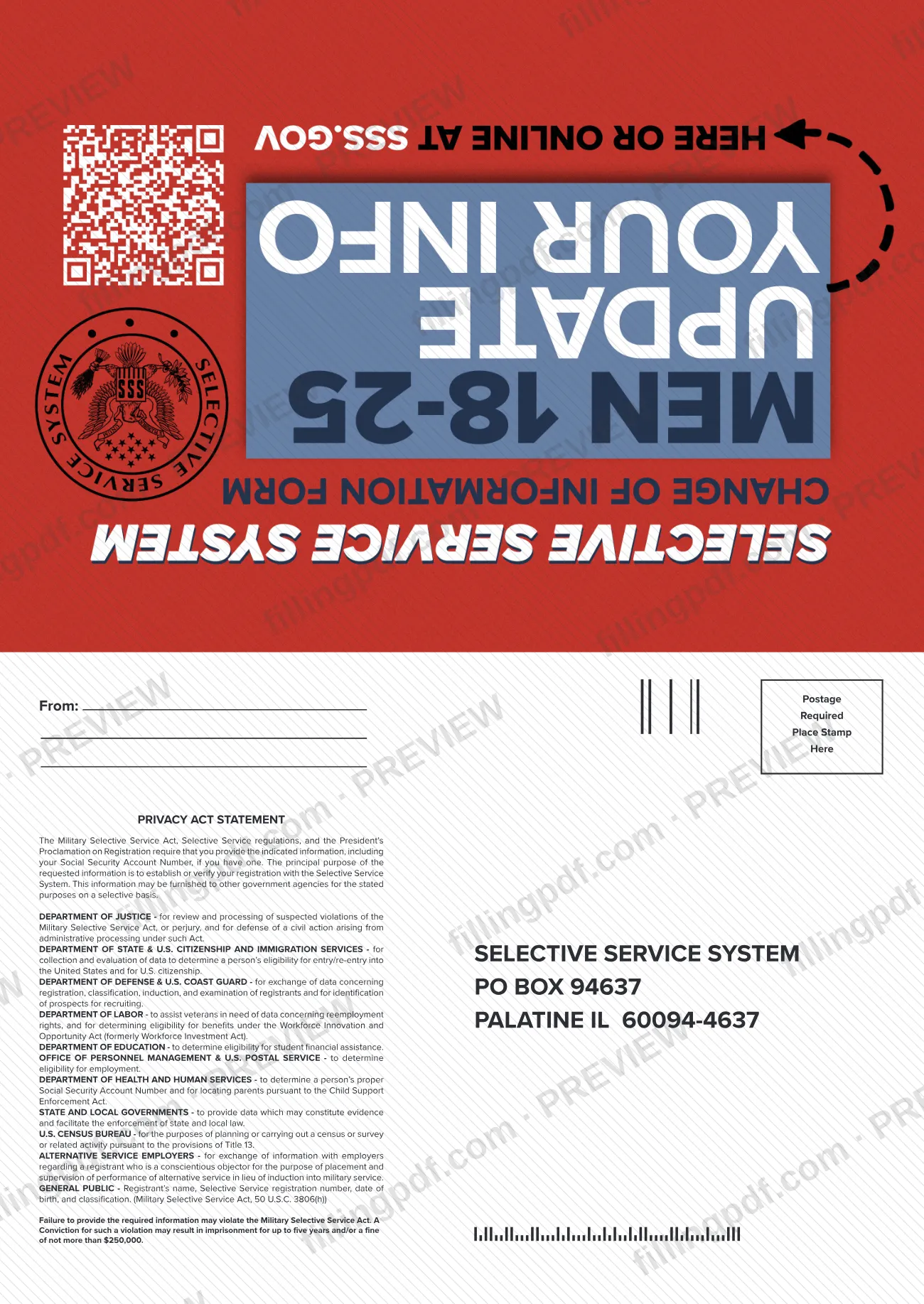
- By mail: Complete SSS Form 2, peel the seal strips off, seal the card, affix postage, then mail it. The card is addressed to Selective Service System, PO Box 94637, Palatine IL 60094-4637. The card is marked for postage, so a stamp is required.
- Online: Address changes can also be made at https://www.sss.gov/verify/update-info/. You will need your Selective Service Number, Social Security Number and date of birth.
- By phone: The SSS asks you to call 888-655-1825 for changes other than an address, such as correcting a misspelled name, legal name changes or correcting a birth date on file.
If you legally changed your name and use the form, provide a copy of the legal court order with it. Allow up to 30 days for changes to be made. FillingPDF lets you fill out and download the PDF; submission follows the channels above.
Common mistakes to avoid
- Using the form to register. It is not a registration form, and Selective Service must already have your record on file; use an SSS Registration Form or register online instead.
- Entering your Social Security number in Block 4. Block 4 is the Selective Service number, which is not your Social Security number and can be found at sss.gov/verify.
- Writing your new address in Block 5. Block 5 is the mailing address currently on file; the new address goes in Block 7.
- Entering a legal name change in Block 6 without a copy of the legal court order document as proof.
- Mailing the card without postage; the form says to affix postage before mailing.
- Leaving Block 10 unsigned or undated; the registrant must sign and date the form.
- Waiting to report an address change. A man aged 18 through 25 must notify the SSS within 10 days, and changes can take up to 30 days to be made.
- Writing in the space marked DO NOT WRITE IN THE ABOVE SPACE.
Frequently asked questions
What is the Change of Information Form (SSS Form 2)?
It is the Selective Service System card used to update a registrant's record: a new mailing address, a legal name change, a current email and a current phone number. Selective Service must already have your record on file, because the form is not a registration form.
Is SSS Form 2 a registration form?
No. The form states that it is not a registration form and that Selective Service must already have your record. To register, use SSS Form 1, the Registration Form, which the SSS offers if you have trouble registering online or have no Social Security number, or register online.
How soon must I report an address change to Selective Service?
Within 10 days, for a man aged 18 through 25, and the duty runs until January 1 of the year he turns 26, according to the SSS update page. Men 26 or older are no longer required to report address changes.
Can I change my address online instead of mailing Form 2?
Yes. The SSS accepts address changes at sss.gov/verify/update-info. You need your Selective Service Number, Social Security Number and date of birth. For other changes, such as a misspelled name or a wrong birth date, the SSS asks you to call 888-655-1825.
Where do I mail the Change of Information Form?
Mail the sealed card with postage to Selective Service System, PO Box 94637, Palatine IL 60094-4637. The form instructs you to peel the seal strips off, seal the card, affix postage and mail it.
How long does it take for the change to be made?
The form says changes may take up to 30 days. It sets no other processing time, so if you need to confirm that your record was updated, you can contact the SSS at 888-655-1825.
How do I report a legal name change?
Print your new name in Block 6 of the form and provide a copy of the legal court order document as proof. The SSS update page also lists legal name changes among the changes it asks you to call about, at 888-655-1825.
Can I fill out the Change of Information Form online on FillingPDF?
Yes. You can fill out the PDF online on FillingPDF and download or print it. FillingPDF is an independent service and does not file or send the form; you mail the card to the Selective Service System yourself.
Ready to fill out SSS Form 2?
Fill out SSS Form 2 now