
The Declaration Of Uniform Designs is the form that City and County of Denver Licensing uses to review the uniforms a private security employer wants its security guards to wear. It asks for the company name, photos or renderings of each design, and a signed oath, and it applies the uniform rules in DRMC 42-135(b). Private security employers use it for a new design and for any later change to an approved one. On this page you can fill out the form online on FillingPDF and download or print the completed PDF; the form and the application process are published by the City and County of Denver.
Last updated
What is Declaration Of Uniform Designs – Denver, CO?
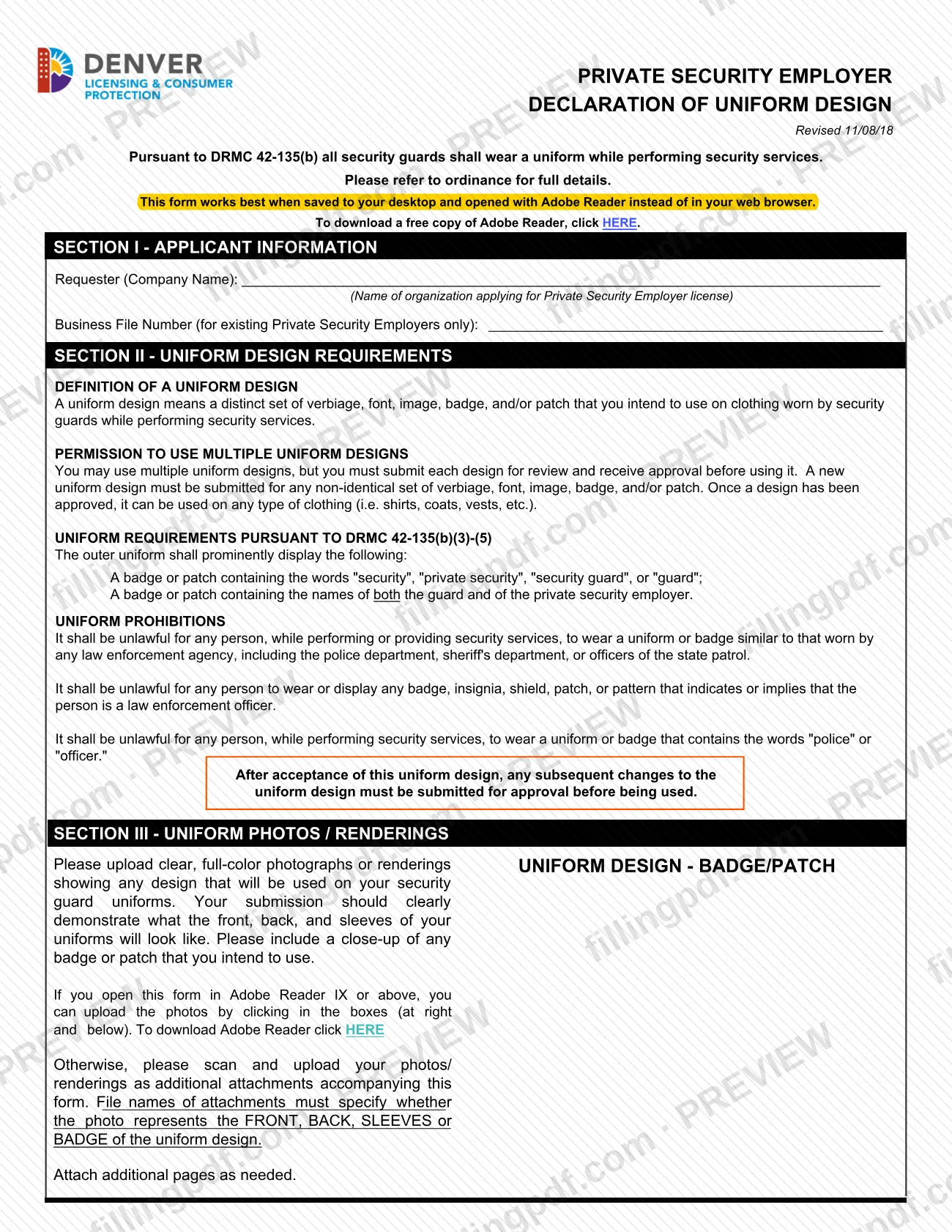
The Declaration Of Uniform Designs is the City and County of Denver Licensing form on which a private security employer submits the uniform design its security guards will wear, with photos or renderings, for review and approval under DRMC 42-135(b). The printed title is "Private Security Employer Declaration of Uniform Design."
The form defines a uniform design as a distinct set of verbiage, font, image, badge, and/or patch intended for clothing worn by security guards while performing security services. An employer may use multiple designs, but each one must be submitted and approved before it is used. Any non-identical set of verbiage, font, image, badge, and/or patch counts as a new design. Once a design is approved, it can be used on any type of clothing, such as shirts, coats or vests.
The outer uniform must prominently display a badge or patch with the word "security", "private security", "security guard" or "guard", and a badge or patch with the names of both the guard and the private security employer. The form also lists prohibitions: no uniform or badge similar to one worn by a law enforcement agency, no badge, insignia, shield, patch or pattern implying that the wearer is a law enforcement officer, and no uniform or badge containing the words "police" or "officer".
On the agency's amendments page, uniform designs fall under the vehicle or uniform change application. The vehicle design side of that application uses a separate request for vehicle endorsement, not this form.
Who needs to file Declaration Of Uniform Designs – Denver, CO?
Private security employers that apply for a Private Security Employer license in Denver, and existing licensed employers that want to add or change a uniform design, complete this form. Section I asks for the company name, which the form describes as the organization applying for the license. Existing employers also enter their Business File Number; that line is for existing Private Security Employers only.
The employer is responsible for the declaration. Section IV is signed by an authorized signer, who also prints a name and title, and declares under penalty of perjury in the second degree that the request and all attachments are true, correct and complete. The signer also acknowledges the employer's duty, and that of its agents and employees, to comply with the Denver Revised Municipal Code, the Colorado Revised Statutes and the Rules Governing Security Guards and Private Security Employers.
The form is about uniforms worn while performing security services. Designs that look like law enforcement uniforms or contain the words "police" or "officer" are prohibited and cannot be approved.
When to file Declaration Of Uniform Designs – Denver, CO
Submit the declaration before you use a new uniform design: the Department of Licensing and Consumer Protection says a vehicle or uniform change application must be filed and approved before any new design is used. The form repeats this for later changes. After a design is accepted, any change to it must be submitted for approval before it is used.
Once a complete application is submitted, the Department tries to do an initial review within seven business days. Review can take longer if the application is incomplete or needs police review, where applicable. If the application is incomplete, the applicant receives a "notice of deficiency" email with 14 days for corrections. You can save and resume an online application within 30 days; after that you start again. Applications not completed within 12 months are closed.
Documents you need
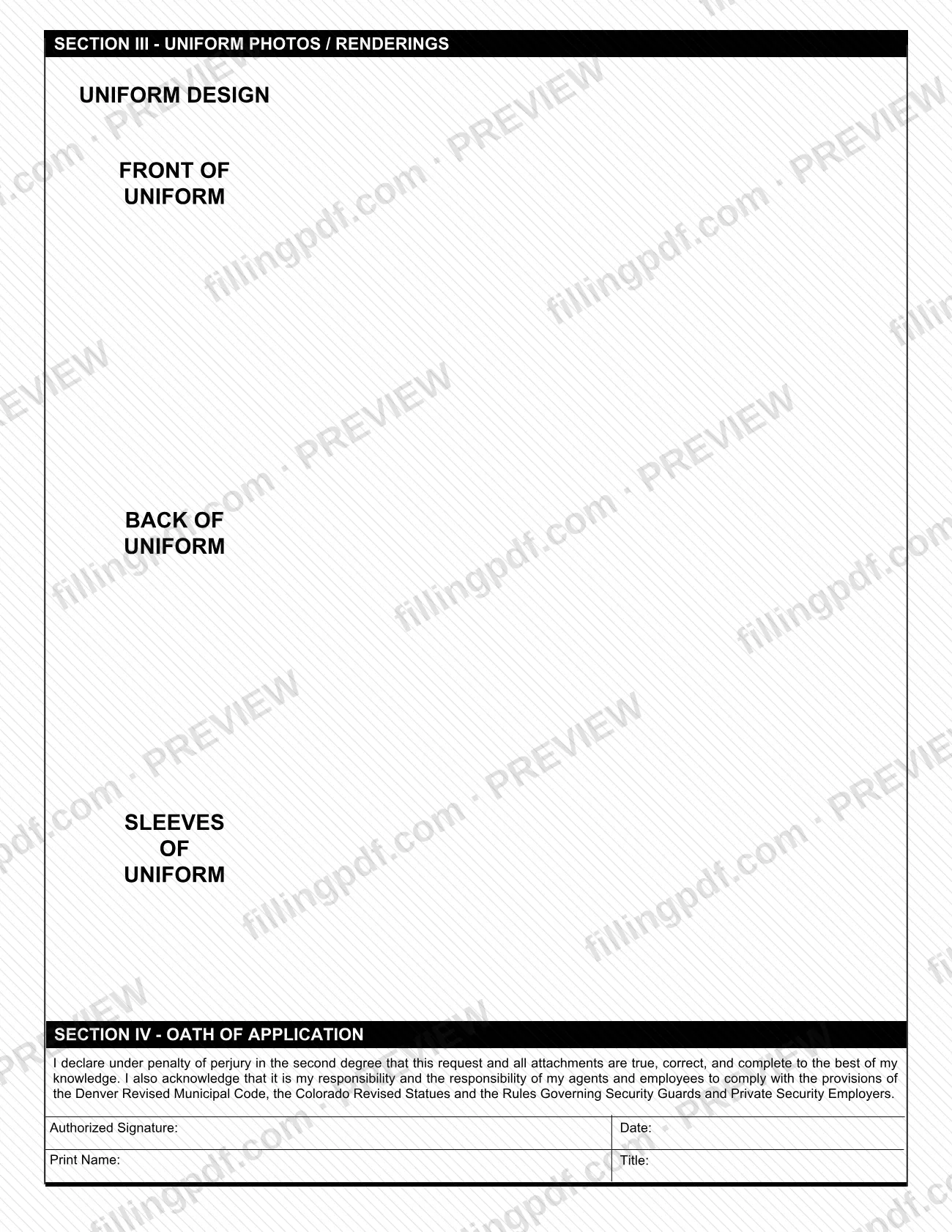
- Clear, full-color photographs or renderings of every design to be used on security guard uniforms, showing the front of the uniform.
- Clear, full-color photographs or renderings showing the back of the uniform.
- Clear, full-color photographs or renderings showing the sleeves of the uniform.
- A close-up of any badge or patch you intend to use, uploaded under the badge/patch box.
- Additional pages for further designs or views, attached as needed; file names must say whether each image shows the FRONT, BACK, SLEEVES or BADGE.
How to fill out Declaration Of Uniform Designs – Denver, CO
Open the form in Adobe Reader
The form says it works best when saved to your desktop and opened with Adobe Reader rather than in a web browser. Review the DRMC 42-135(b) notice at the top.
Enter the company name
Section I, Requester (Company Name): enter the name of the organization applying for the Private Security Employer license.
Add your Business File Number
Enter the Business File Number only if you are an existing Private Security Employer; otherwise leave it for new applicants as the form directs.
Review the uniform rules
Read Section II: the definition of a uniform design, the permission to use multiple designs, the required badge or patch wording and the prohibitions on law enforcement look-alike items and the words "police" or "officer".
Upload the badge or patch image
In Section III, click the Uniform Design - Badge/Patch box to upload a clear, full-color close-up of each badge or patch you intend to use.
Upload front, back and sleeves
Use the Front of Uniform, Back of Uniform and Sleeves of Uniform boxes for clear, full-color photos or renderings. Attach additional pages as needed.
Name attachment files correctly
If you upload photos as separate attachments instead, make each file name say FRONT, BACK, SLEEVES or BADGE, using letters and numbers only, and save them as .pdf or .jpg.
Sign the oath of application
In Section IV, have the authorized person sign, enter the date, and print the name and title. The signer declares the request and attachments are true, correct and complete.
Review and download the completed PDF
Check that every design is shown and every section is complete, then download or print the completed PDF from FillingPDF and submit it as described under How to submit.
How to submit Declaration Of Uniform Designs – Denver, CO
The agency's amendments page describes an online process; the declaration form itself names no mailing address.
- Online: use Denver's Online Permitting and Licensing Center. At the "My Licenses" page, select "Amendment" for the license you want to update, then follow the prompts for the vehicle or uniform change.
- File rules: upload digital files saved only as .pdf or .jpg. Use letters or numbers in file names, with no symbols (such as / ? < > \ : * | " ^) or spaces. All materials must be legible. Incomplete applications are rejected.
- Photos: if you open the form in Adobe Reader IX or above, you can upload photos by clicking the boxes in Section III. Otherwise, scan and upload them as attachments, with file names that say FRONT, BACK, SLEEVES or BADGE.
- Communications: the Department sends all application emails from [email protected]; do not reply to that inbox, which is not monitored.
The Department of Licensing and Consumer Protection is at 201 W. Colfax Ave., Dept. 206, Denver, CO 80202. Office hours are 8 a.m. to 4 p.m. Monday through Thursday and 8 a.m. to noon Friday. FillingPDF lets you fill out and download the PDF; submission follows the channels above.
Common mistakes to avoid
- Using a new or changed uniform design before it has been submitted and approved; the form and the agency both require approval first.
- Treating a slightly different set of verbiage, font, image, badge or patch as the same design; any non-identical set must be submitted as a new design.
- Uploading photos that do not show the front, back and sleeves, or omitting a close-up of the badge or patch.
- Naming image files without FRONT, BACK, SLEEVES or BADGE, or using symbols or spaces in file names.
- Uploading file types other than .pdf or .jpg; the Department cannot accept other file types.
- Designing a badge or patch without the words "security", "private security", "security guard" or "guard", or without both the guard's and the employer's names.
- Including the words "police" or "officer", or a badge, insignia or pattern implying law enforcement, on the uniform.
- Leaving the Section IV oath unsigned, or without the printed name and title; incomplete applications are rejected.
- Entering a Business File Number as a new applicant; that line is for existing Private Security Employers only.
Frequently asked questions
What is the Declaration Of Uniform Designs?
It is the City and County of Denver Licensing form on which a private security employer submits guard uniform designs, with photos or renderings, for approval under DRMC 42-135(b). Each design must be approved before it is used.
Is the Declaration Of Uniform Designs a Denver permit?
No. It is not a building permit. It accompanies a private security employer's request to add or change a uniform design, which the Department of Licensing and Consumer Protection treats as a vehicle or uniform change application on an existing or applied-for license.
Can a private security employer use more than one uniform design?
Yes. You may use multiple designs, but you must submit each one and receive approval before using it. Any non-identical set of verbiage, font, image, badge or patch needs its own submission.
What must a security guard's uniform display?
The outer uniform must prominently show a badge or patch with the word "security", "private security", "security guard" or "guard", plus a badge or patch with the names of both the guard and the private security employer.
Can a security uniform say "police" or "officer"?
No. The form states it is unlawful to wear a uniform or badge containing the words "police" or "officer" while performing security services, or one similar to a law enforcement agency's uniform or implying the wearer is an officer.
What photos do I upload with the declaration?
Clear, full-color photos or renderings of the front, back and sleeves of the uniform, plus a close-up of any badge or patch. If you upload them as attachments, each file name must say FRONT, BACK, SLEEVES or BADGE.
How long does Denver take to review a uniform design?
The Department of Licensing and Consumer Protection tries to complete an initial review of a complete application within seven business days. It can take longer if the application is incomplete or needs police review. Deficiency notices allow 14 days for corrections.
Can I fill out the Declaration Of Uniform Designs online on FillingPDF?
You can fill out the fillable PDF online on FillingPDF and download or print it. FillingPDF is an independent service and does not submit the form to Denver; you file it through the agency's online licensing process.
Ready to fill out Declaration Of Uniform Designs – Denver, CO?
Fill out Declaration Of Uniform Designs – Denver, CO now