
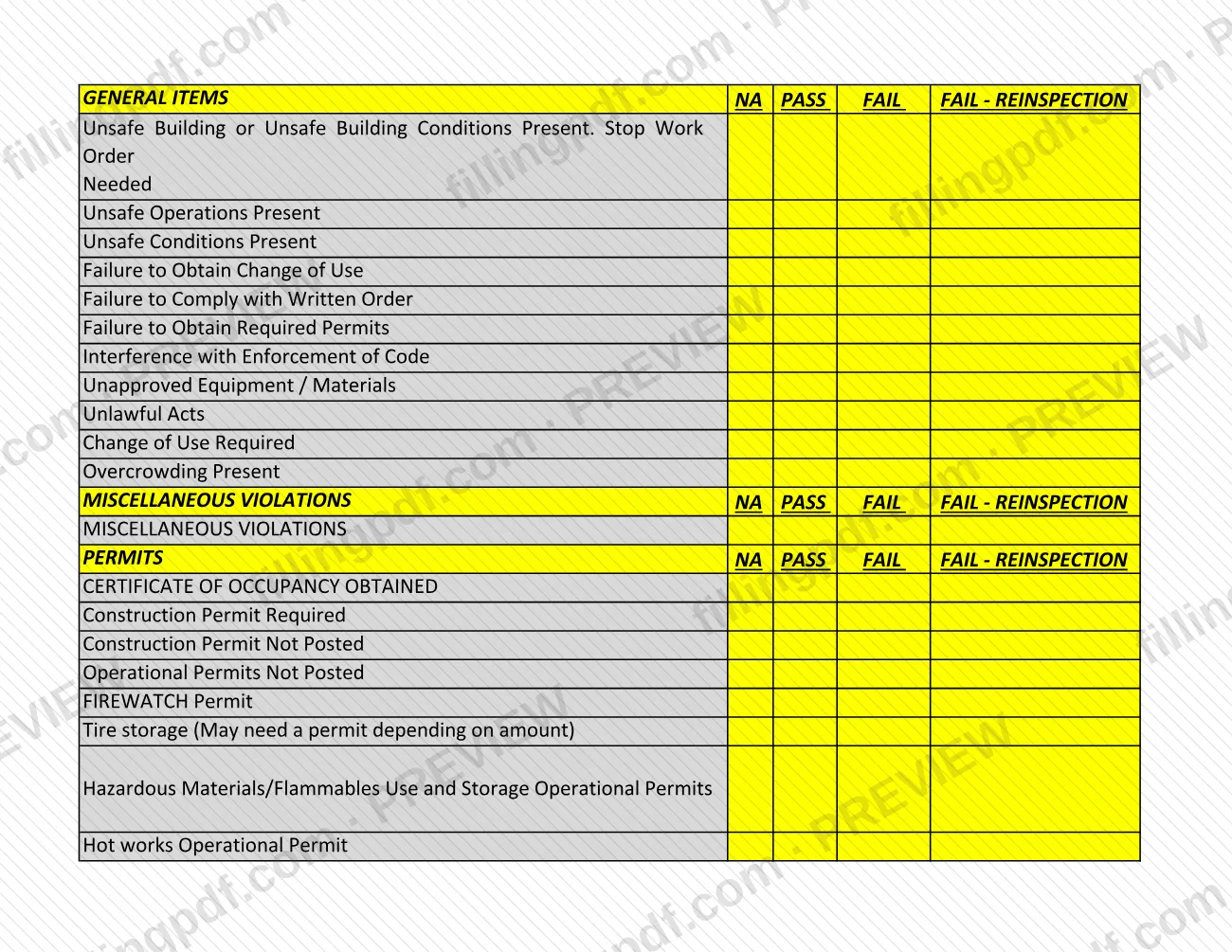
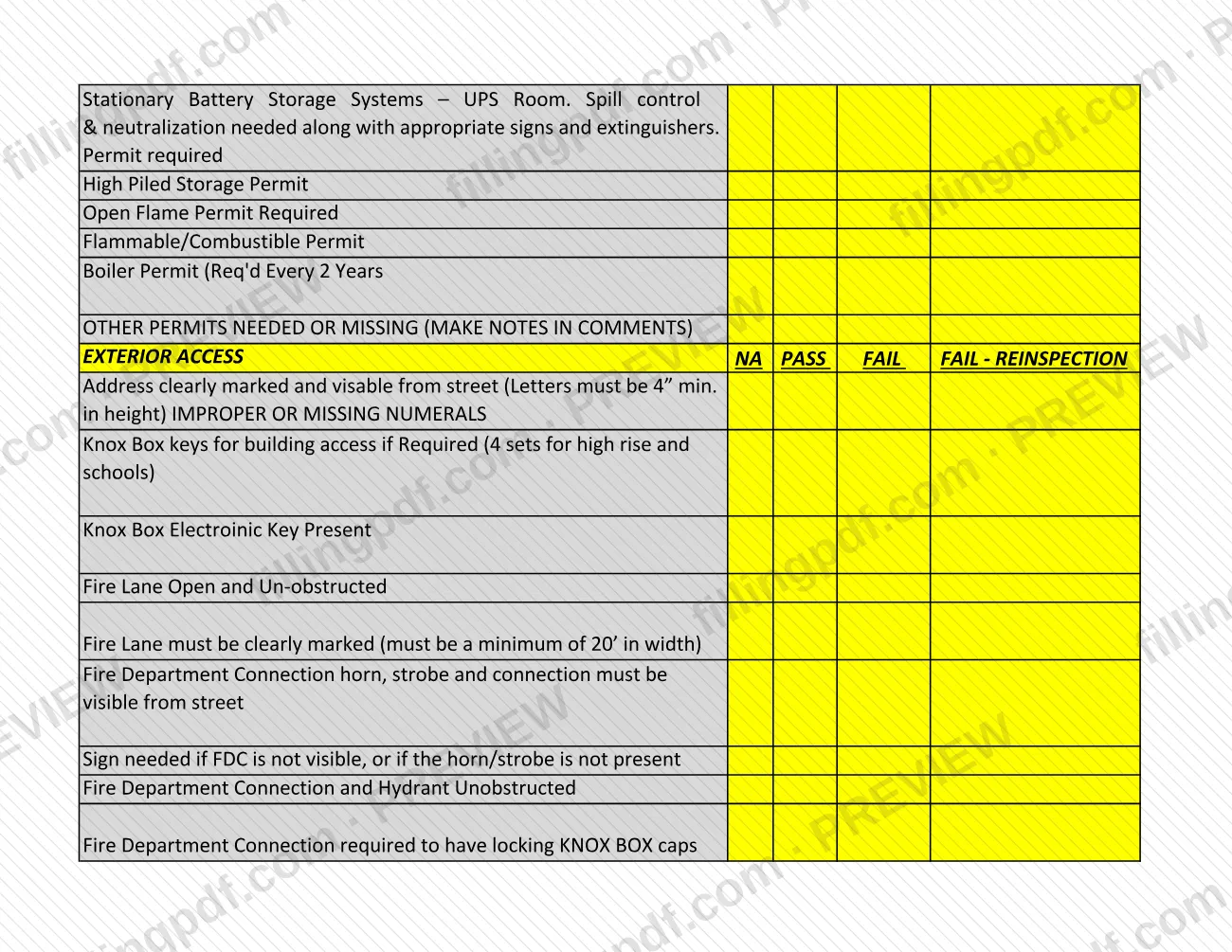
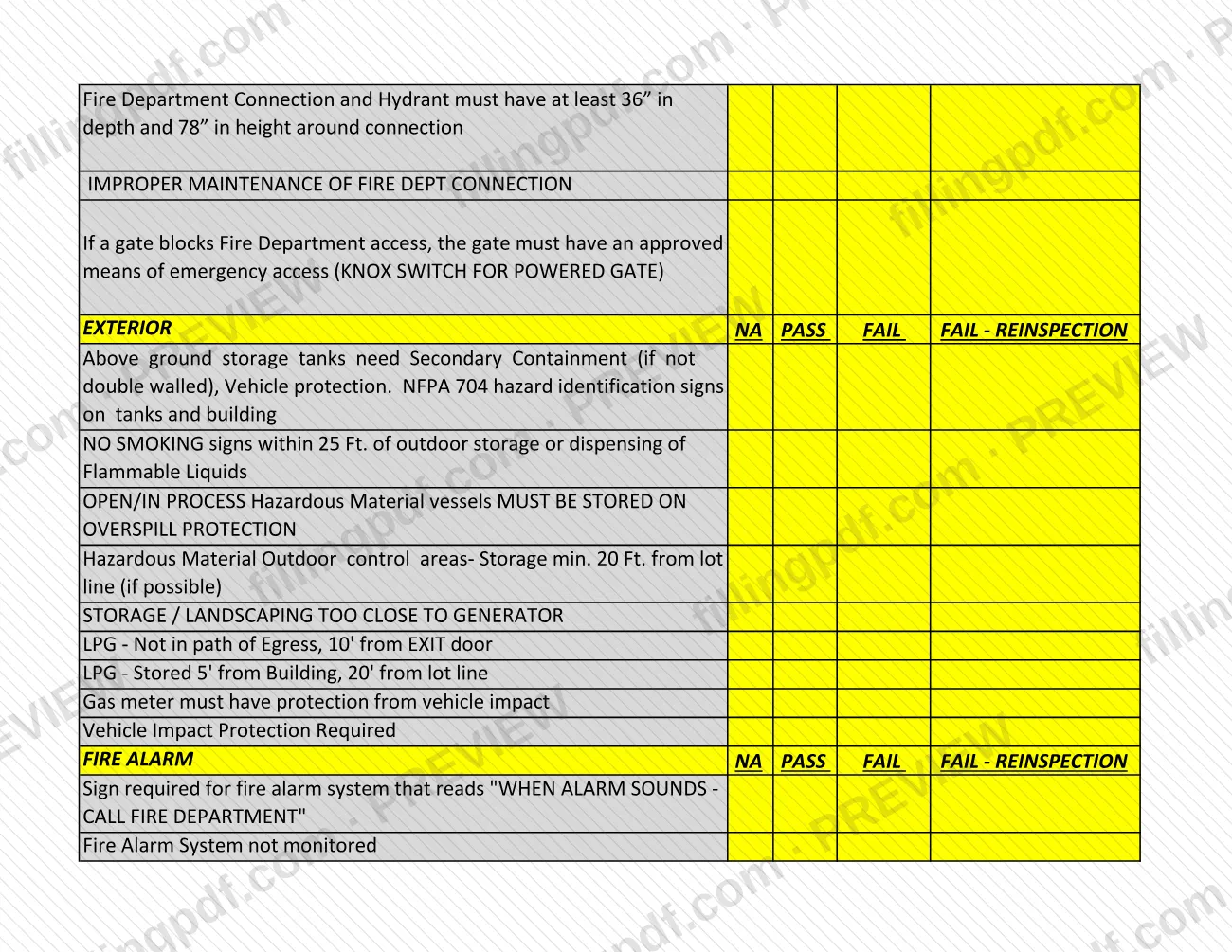
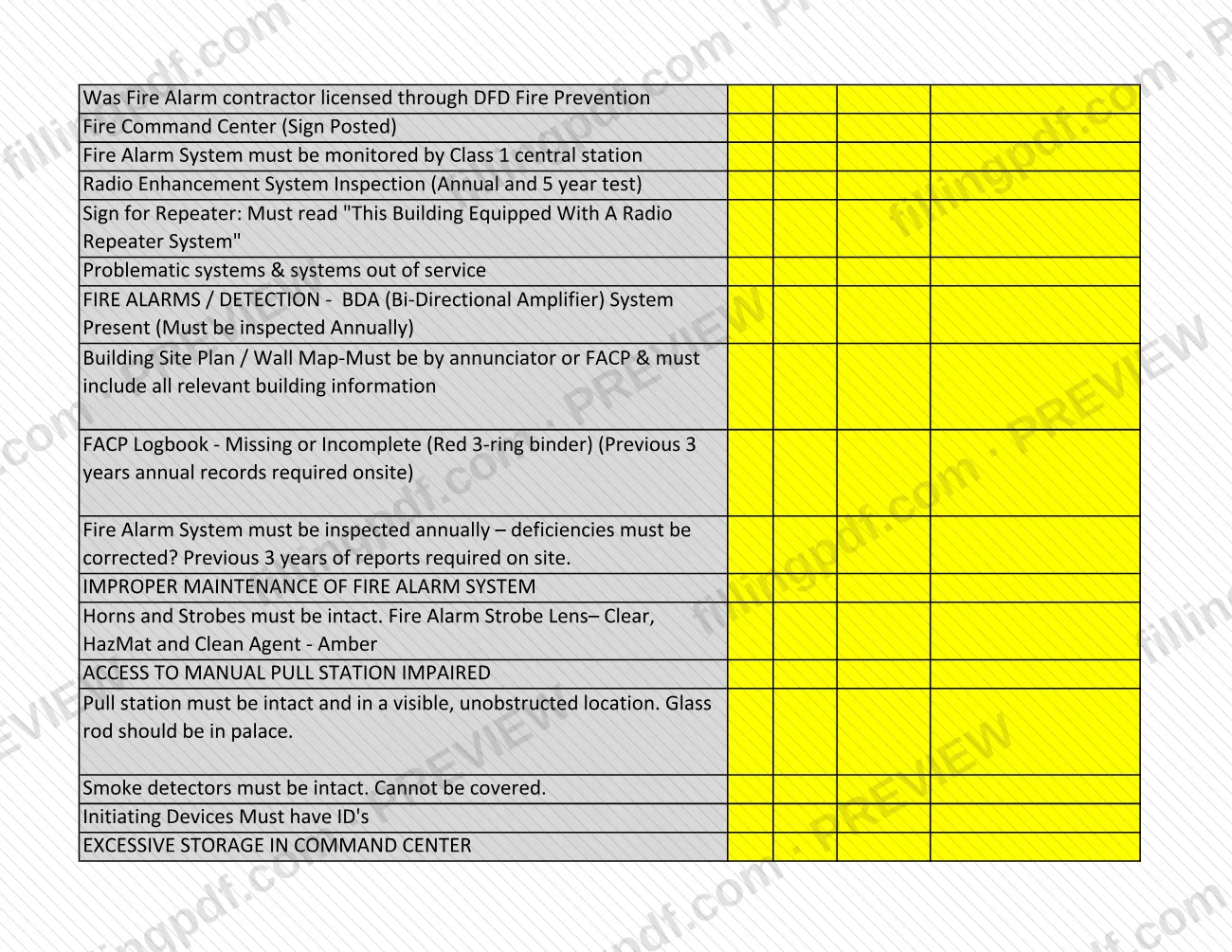
The Inspection Checklist is a multi-section list of fire code items that the City and County of Denver publishes on denvergov.org for fire safety inspections of commercial buildings. Each item is marked NA, PASS, FAIL or FAIL - REINSPECTION, and the PERMITS section also covers items such as the certificate of occupancy, so it helps if you are preparing for a Denver permit inspection. On this page you can fill out the checklist online on FillingPDF and download or print the completed PDF. The original file and the inspection program are published by the City of Denver.
Last updated
What is Inspection Checklist – Denver, CO?
The Inspection Checklist is a PDF list of fire code items that Denver inspectors review during fire safety inspections of commercial buildings, with a PASS, FAIL, FAIL - REINSPECTION or NA mark available for every item.
The Denver Fire Department's Fire Safety Inspections page points to a basic checklist used for inspections and says it is not inclusive of all potential violations. Inspectors enforce the Denver Fire Code and look for any fire code violation, not only the items printed here.
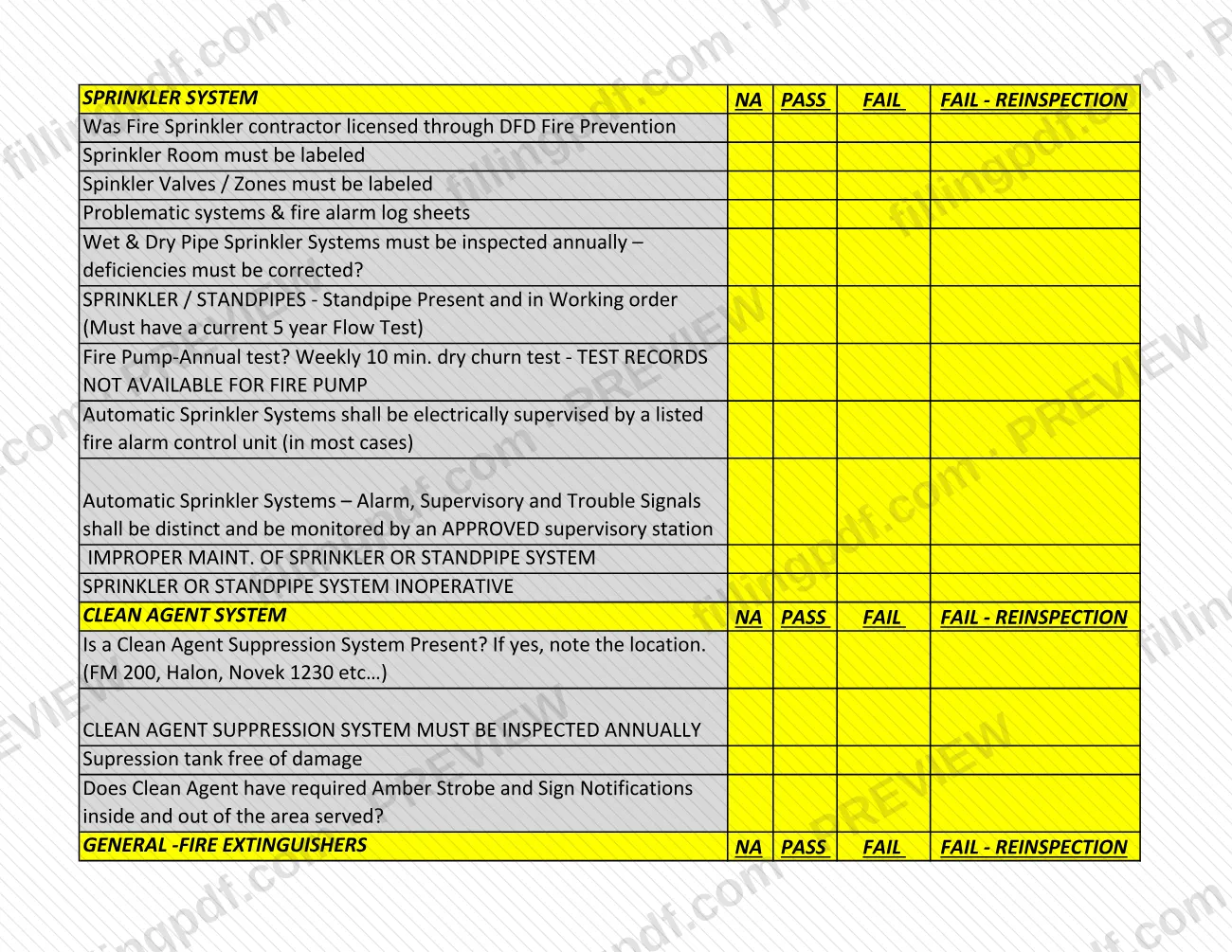
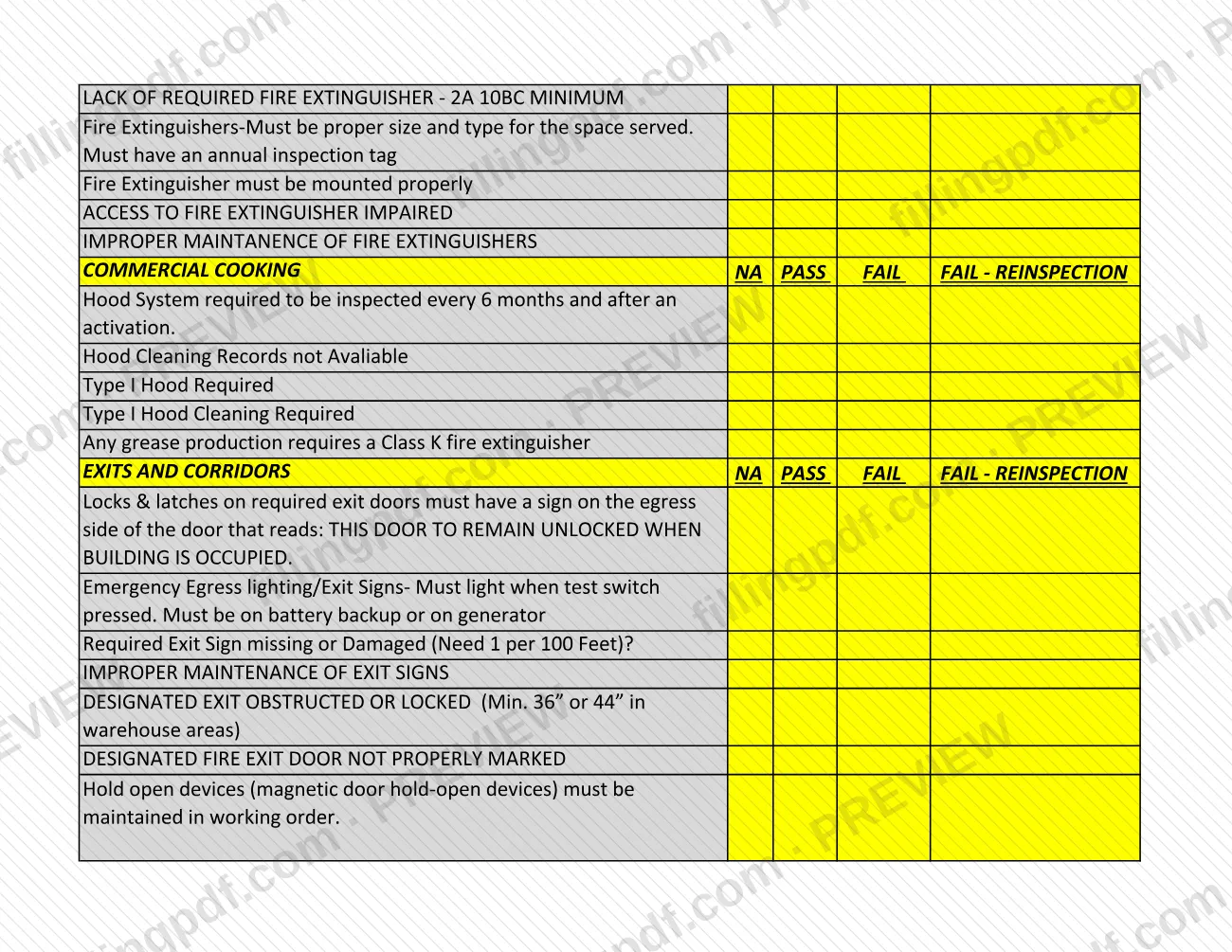
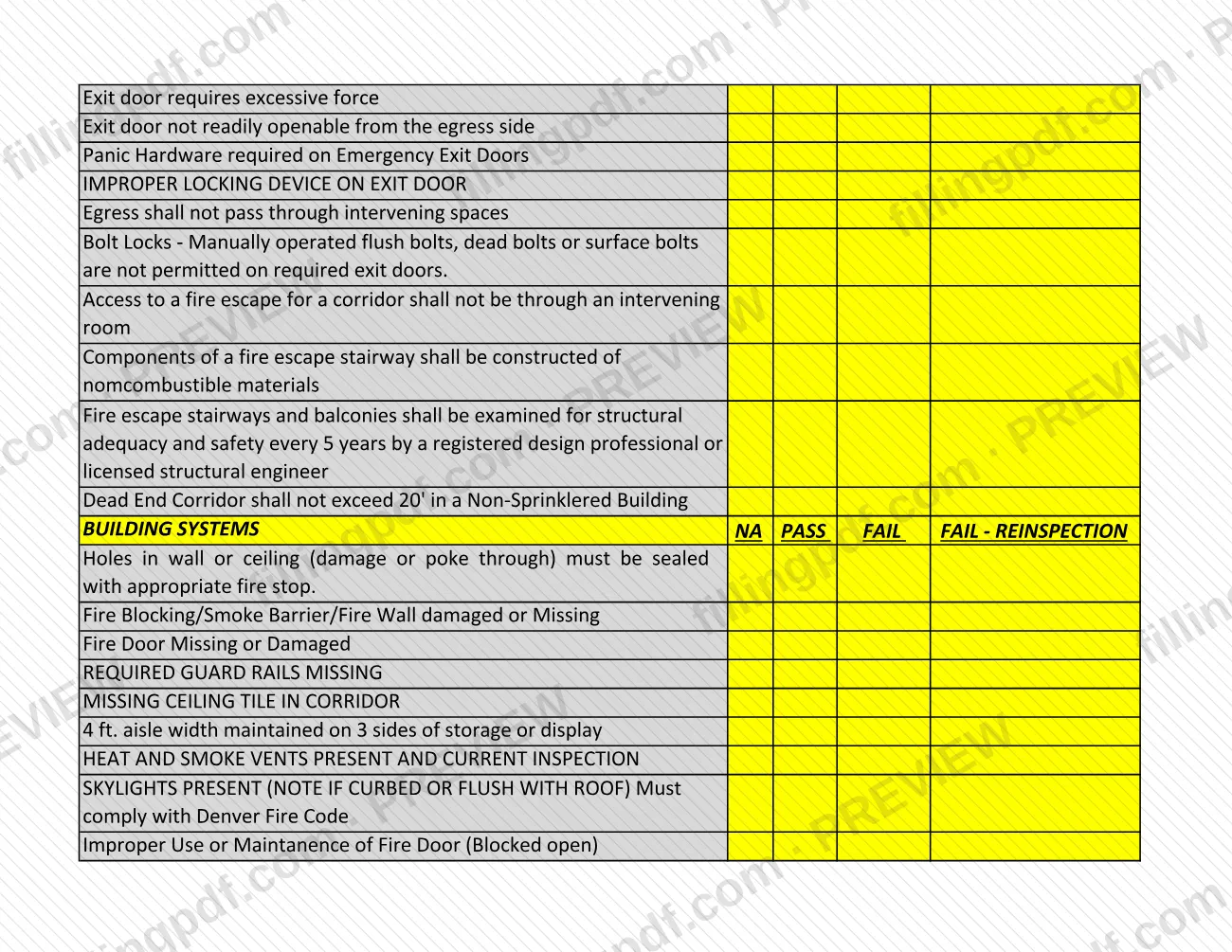
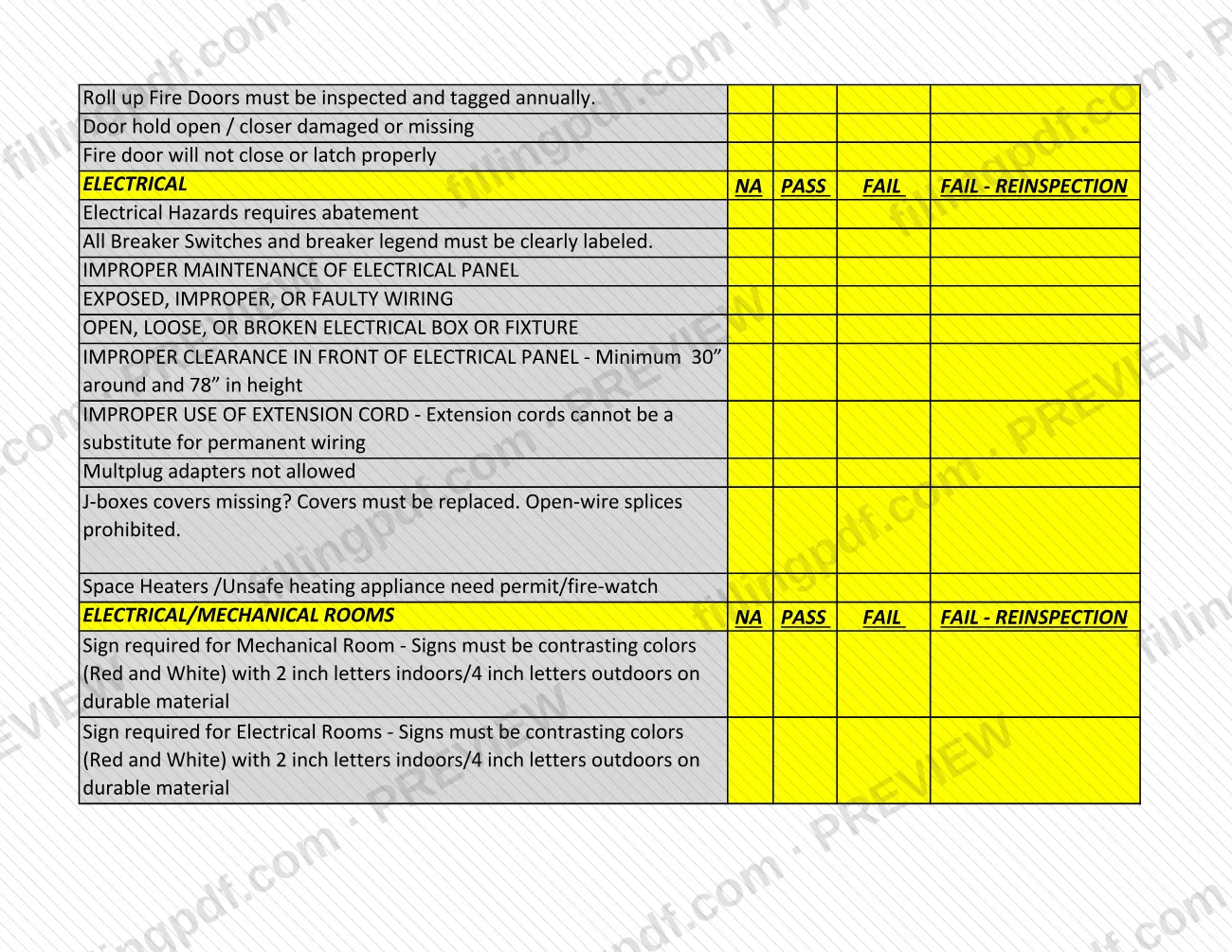
The checklist is organized in sections:
- General items, miscellaneous violations and permits (for example certificate of occupancy, construction permit posting, hot works and high piled storage permits).
- Exterior access, exterior, fire alarm, sprinkler system, clean agent system and fire extinguishers.
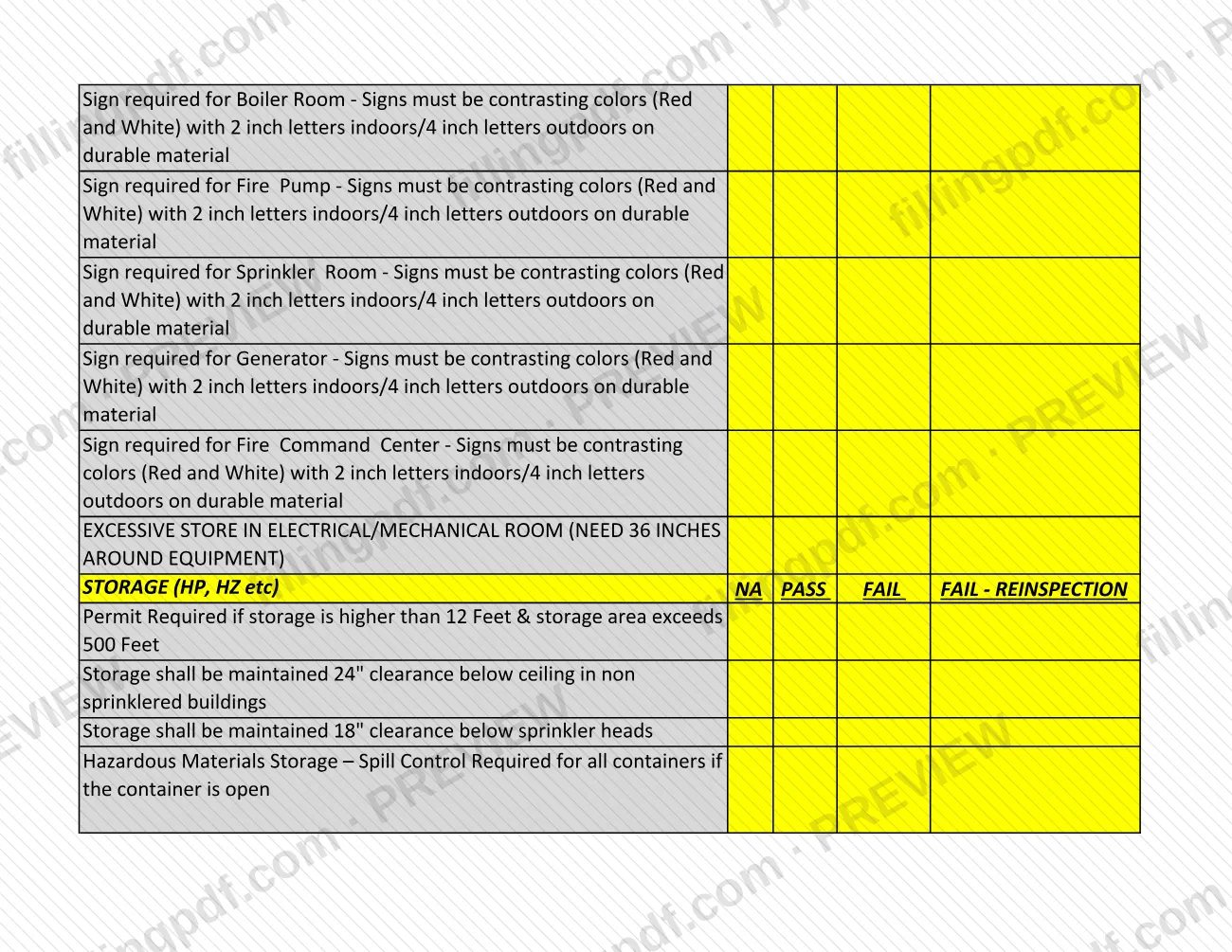
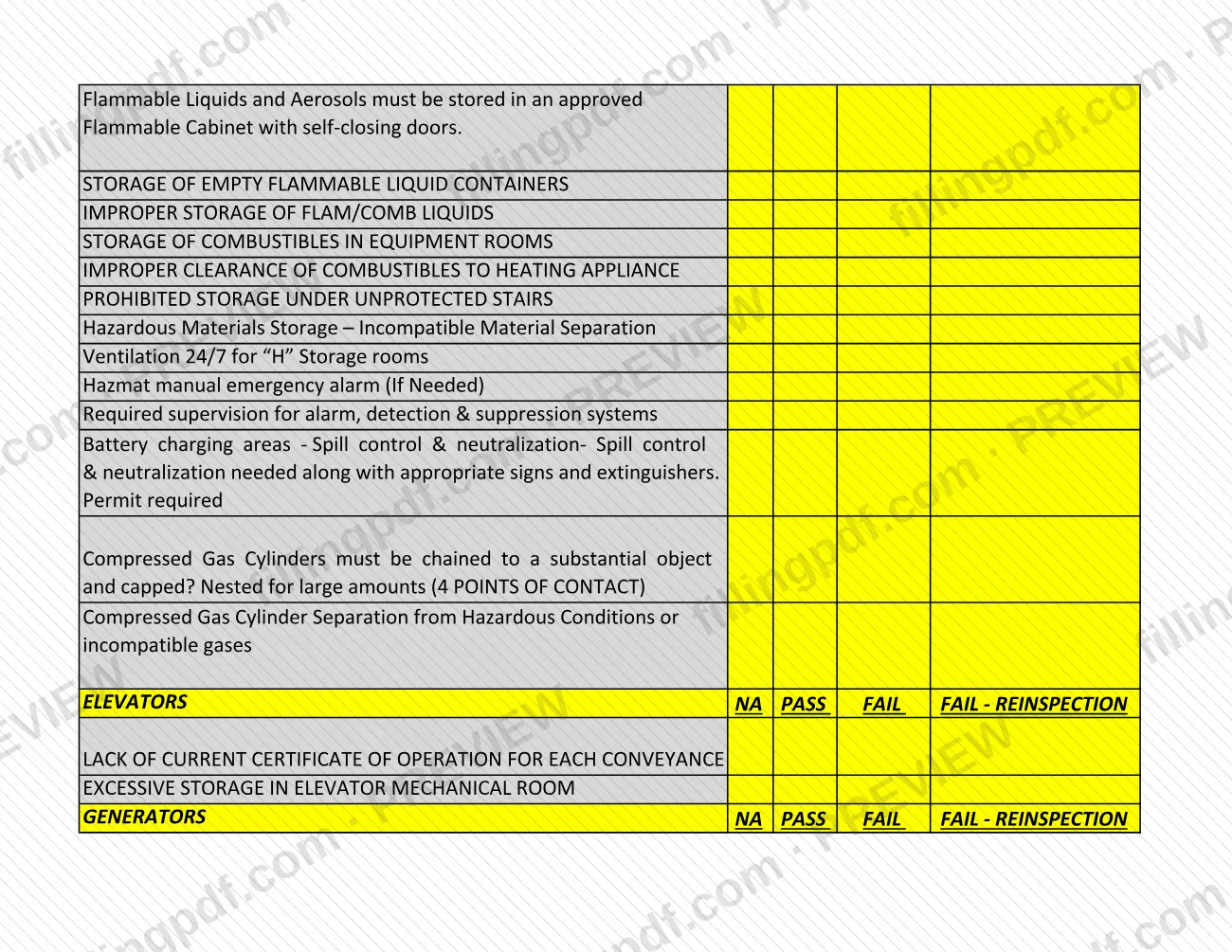
- Commercial cooking, exits and corridors, building systems, electrical, electrical/mechanical rooms, storage, elevators and generators.
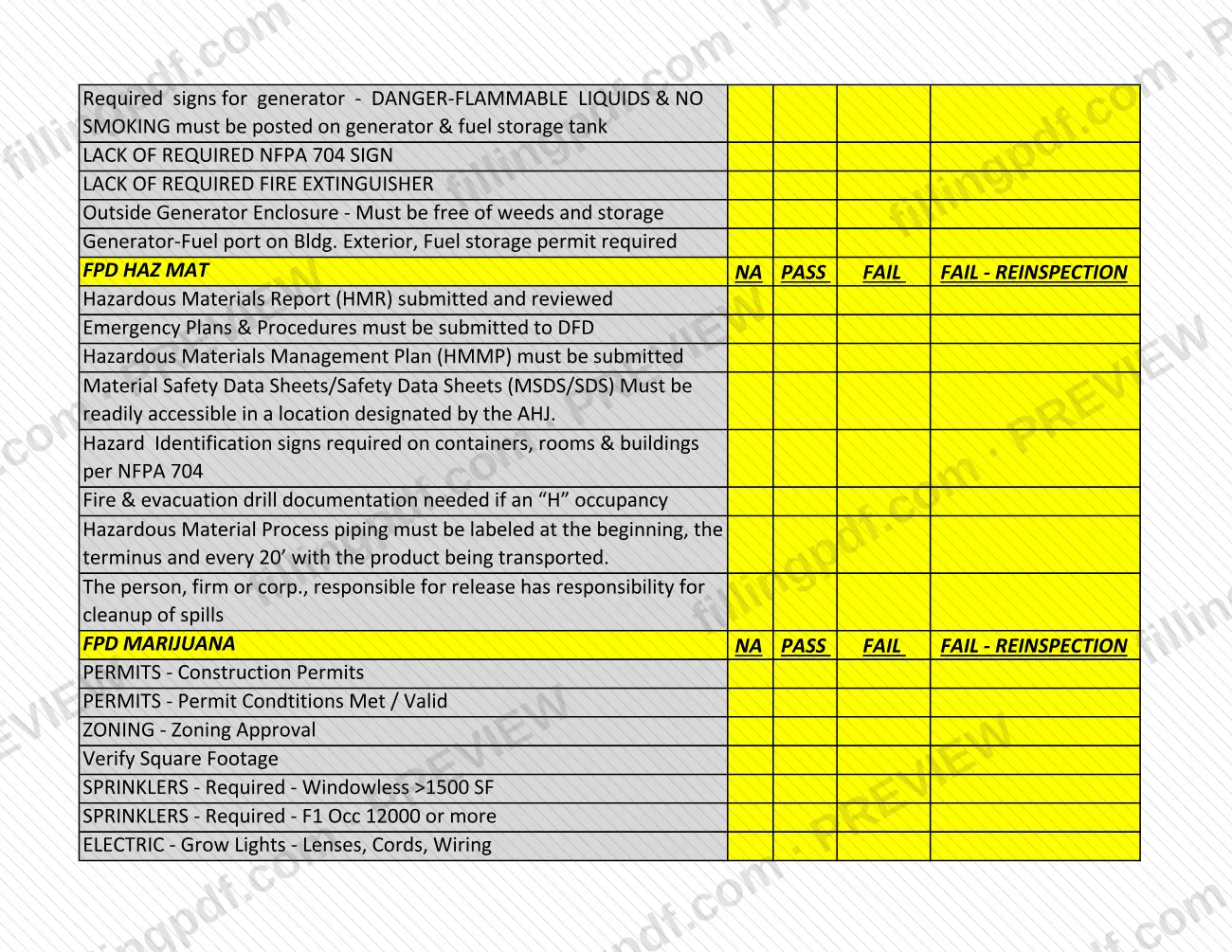
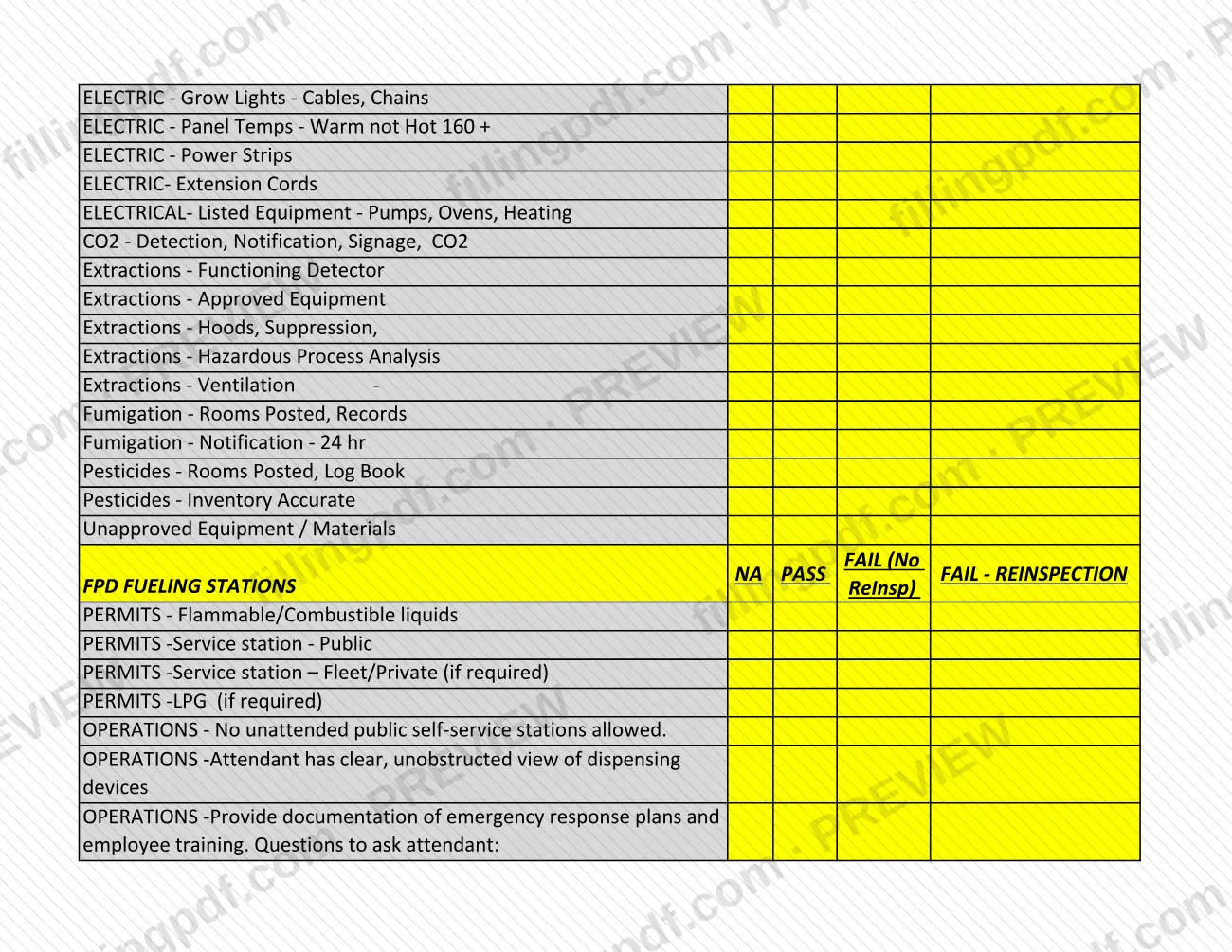
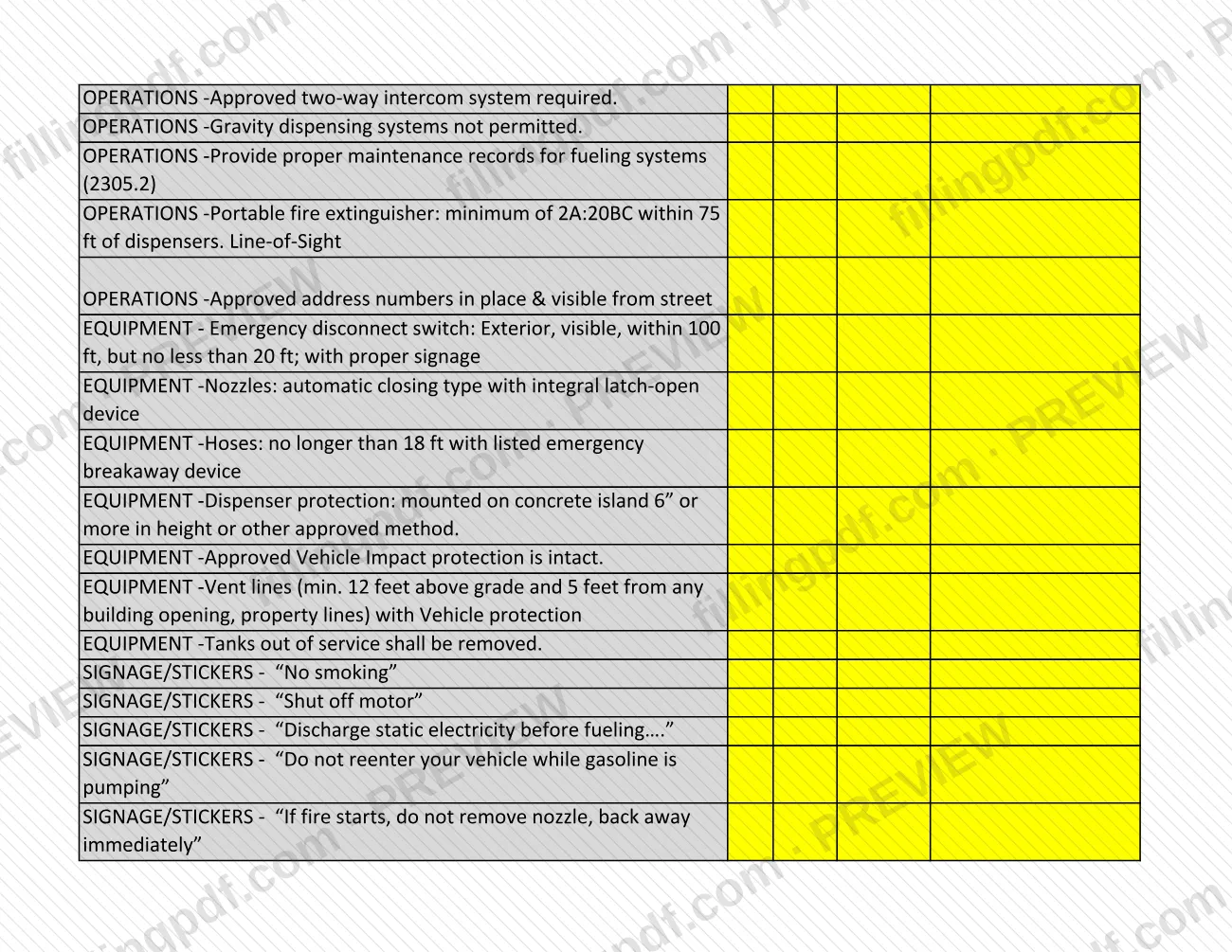
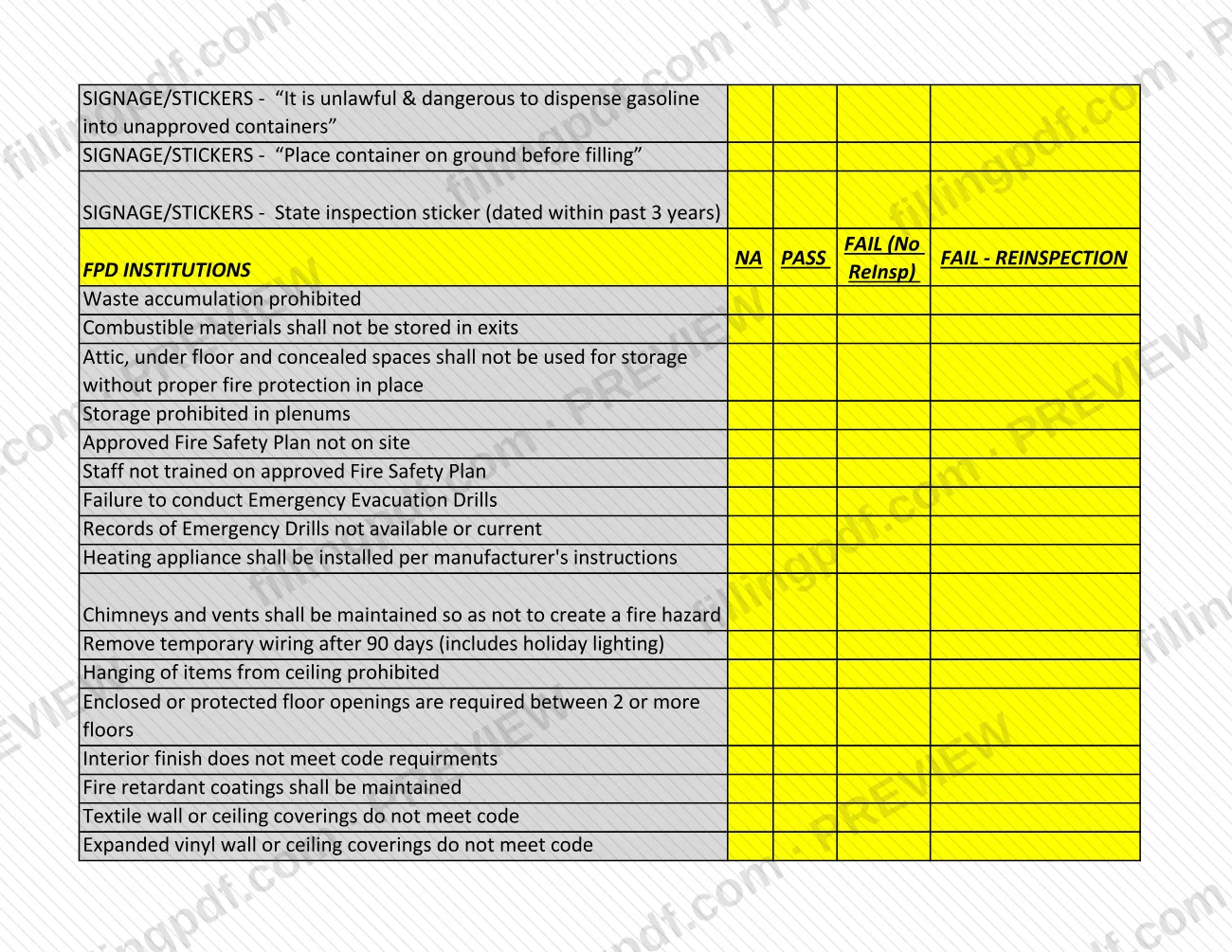
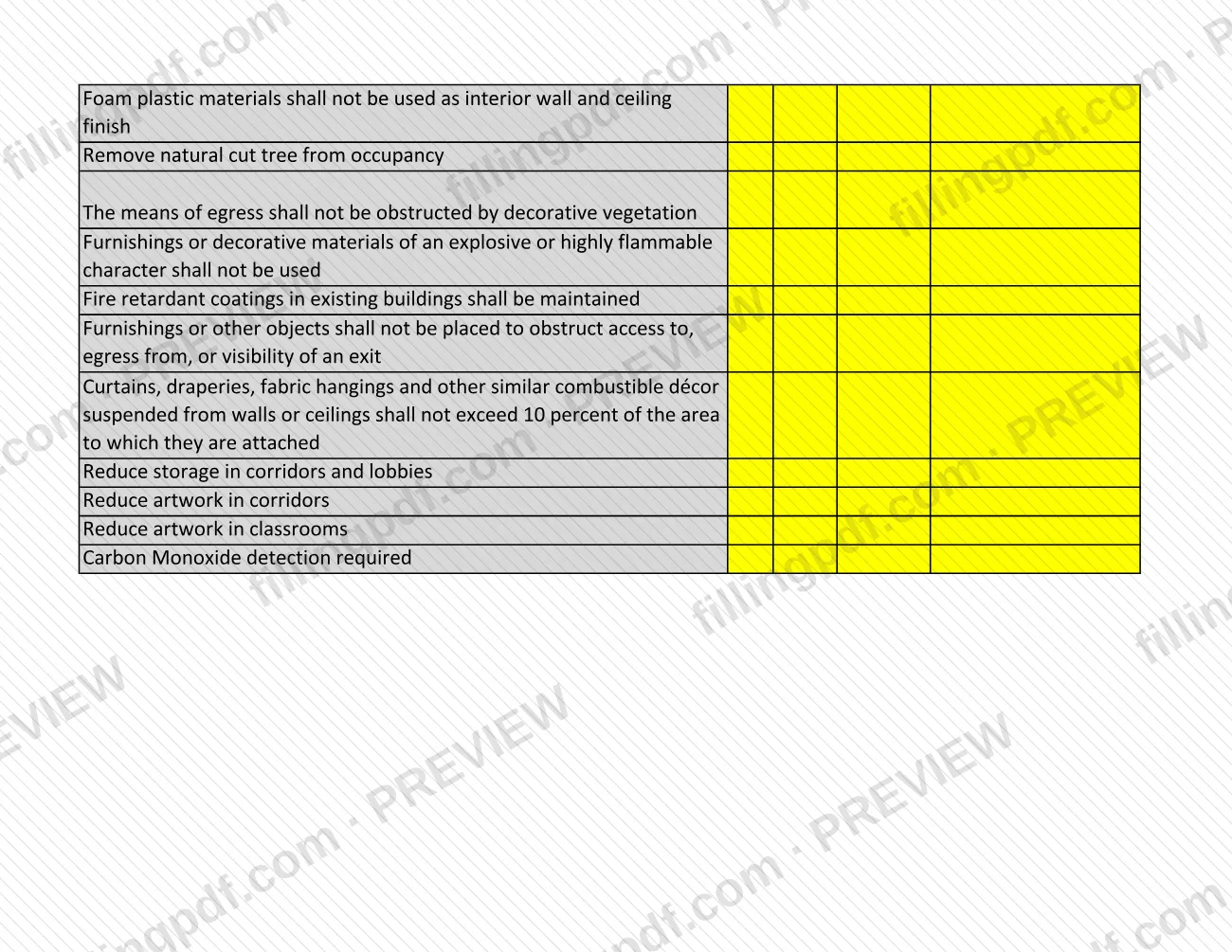
- Specialty sections: FPD Haz Mat, FPD Marijuana, FPD Fueling Stations and FPD Institutions. The last two use a FAIL (No ReInsp) column instead of the reinspection one.
It is a worksheet for preparing for or recording an inspection. It is not a permit application and it does not grant a permit or approval.
Who needs to file Inspection Checklist – Denver, CO?
The main users are owners, managers and operators of commercial occupancies in Denver that the Denver Fire Department inspects: businesses, schools, apartment buildings and institutions. They can use the checklist to review the items an inspection covers before the inspector arrives.
The Fire Safety Inspections page lists occupancies that receive Fire Prevention Inspections because of added hazards: marijuana, flammables, hazmat, institutions, warehouse, high piled and tire storage, assembly, and high rise. The checklist has matching sections for Haz Mat, Marijuana, Fueling Stations and Institutions.
Multi-family residential owners and managers have related duties. Owners or managers of rented multi-family occupancies must test all smoke detectors, carbon monoxide detectors and fire extinguishers in rented units and keep the records for the annual inspection. For owner-occupied condominiums, the owner, manager or homeowners' association president must ask homeowners to test these devices and keep the results.
The page says the list is not inclusive of all potential violations, so passing every printed item does not guarantee a clean inspection.
When to file Inspection Checklist – Denver, CO
There is no filing deadline for the checklist itself. It is used around the inspection, so the triggering event is an inspection of your occupancy.
According to the Denver Fire Department, fire safety inspections occur once per year, and marijuana facilities receive inspections twice per year. Fire Prevention Inspections are conducted by scheduled appointment or unannounced, depending on the type of occupancy. If you are not available, the inspector leaves a notice asking you to contact them.
Some checklist items carry their own timing, such as annual fire alarm and sprinkler inspections, hood system inspections every 6 months and after an activation, and boiler permits required every 2 years. Review the checklist before the inspection, not after it.
Documents you need
- Test records for smoke detectors, carbon monoxide detectors and fire extinguishers in all rented units, kept for the annual inspection, if you own or manage a rented multi-family residential occupancy.
- Test results from homeowners for these devices, if you are the owner, manager or HOA president of a multi-family occupancy of owner-occupied condominiums.
- Fire alarm records: a complete FACP logbook (red 3-ring binder) and the previous 3 years of annual inspection reports on site, where the building has a fire alarm system.
- Hood cleaning records, where the checklist's Commercial Cooking items apply to your kitchen hood system.
- Fire pump test records and fire alarm log sheets, where the Sprinkler System items apply to your building.
- Hazardous Materials Report, Hazardous Materials Management Plan and Safety Data Sheets, where the FPD Haz Mat items apply.
- Fire & evacuation drill documentation for an "H" occupancy, and records of emergency drills and an approved Fire Safety Plan for institutions.
- Fueling stations: maintenance records for fueling systems and documentation of emergency response plans and employee training.
How to fill out Inspection Checklist – Denver, CO
Learn the four marking columns
Each section has the columns NA, PASS, FAIL and FAIL - REINSPECTION. The FPD Fueling Stations and FPD Institutions sections use FAIL (No ReInsp) in place of the reinspection column.
Complete General, Miscellaneous and Permits
Mark the General Items (such as unsafe conditions, change of use or overcrowding), Miscellaneous Violations and the PERMITS items, including Certificate of Occupancy obtained and posted construction or operational permits. Use the comments for other permits needed or missing.
Mark Exterior Access and Exterior
Check address numerals, Knox Box keys, fire lane, Fire Department Connection and hydrant clearance, then tanks, no smoking signs, LPG distances and vehicle impact protection.
Mark fire alarm and suppression items
Work through the Fire Alarm, Sprinkler System and Clean Agent System sections: signs, monitoring, annual inspections, logbooks, labels and strobes.
Mark extinguishers and commercial cooking
Mark the General - Fire Extinguishers items (size, type, tag, mounting, access) and the Commercial Cooking items for hood inspection, hood cleaning records and Class K extinguishers.
Mark exits, building systems and electrical
Cover Exits and Corridors, Building Systems, Electrical and Electrical/Mechanical Rooms, including exit signs, locks, fire doors, panel clearance and required room signs.
Mark storage, elevators and generators
Mark the Storage, Elevators and Generators items such as clearances, flammable cabinets, compressed gas cylinders, certificates of operation and generator signs.
Complete the sections that apply to you
Complete FPD Haz Mat, FPD Marijuana, FPD Fueling Stations or FPD Institutions only if your occupancy falls in that category; mark the others NA.
Review and download the completed PDF
Check that each applicable item has a mark and that open items are noted. Download or print the completed PDF from FillingPDF and keep it with your inspection records.
How to submit Inspection Checklist – Denver, CO
The checklist is not filed with a Denver office. Inspections are arranged through these channels:
- E-permits (fire alarm or sprinkler inspections): in e-permits open the "Development Services" tab, select or search for your permit record, go to "Record Info" > "Inspections" and click "Schedule or Request an Inspection".
- Accela Citizen Access (occupancy inspections): construction contractors request Fire Department occupancy inspections here. Questions go to [email protected].
- Fire safety inspections and general questions: email [email protected]. For business license inspection requests, call 720-913-3409.
An invoice is sent with each inspection report, and re-inspections also receive a report and invoice. Fees are listed in the fee schedule PDFs on the Fire Safety Inspections page; the amount is not stated here. Pay through e-permits, by check payable to Denver Manager of Finance, or online by automatic debit or credit card. Checks can be delivered to 745 West Colfax Ave., Payment Window, Denver, CO 80204 (appointment required, receipt issued) or mailed to P.O. Box 733422, Dallas, TX 75373-3422. Payment questions: (720) 913-3474.
FillingPDF lets you fill out and download the PDF; any scheduling or payment follows the agency's channels above.
Common mistakes to avoid
- Treating the checklist as complete: the Fire Department says it is not inclusive of all potential violations, and inspectors look for any fire code violation.
- Address numerals that are missing or smaller than the 4" minimum height, or not visible from the street.
- Blocking a fire lane, or leaving it unmarked or narrower than the 20' minimum width.
- Storing items within 18" below sprinkler heads, or leaving less than 30" around and 78" in height in front of an electrical panel.
- Leaving a designated exit obstructed or locked; the checklist requires a minimum 36" (44" in warehouse areas) and the agency lists egress pathways of 36" as a common violation.
- Missing, outdated or unavailable records: fire extinguisher inspection tags, the FACP logbook, hood cleaning records or fire pump test records.
- Using extension cords or multiplug adapters as a substitute for permanent wiring, which the checklist does not allow.
- Skipping the fire extinguisher minimum of 2A 10BC, or the Class K extinguisher where there is any grease production.
- Missing Knox Box keys for building access when required, or not keeping them up to date.
Frequently asked questions
What is the Denver inspection checklist used for?
It is a list of fire code items used for Denver fire safety inspections of commercial occupancies, covering permits, exits, alarms, sprinklers, electrical, storage and specialty areas. The Fire Department says it is a basic checklist and is not inclusive of all potential violations.
Do I submit the inspection checklist to Denver?
No filing channel for the checklist is printed on it or on the Fire Safety Inspections page. It is a preparation and recording tool. Inspections themselves are scheduled through e-permits, Accela Citizen Access or the Fire Prevention contacts.
How do I schedule a fire alarm or sprinkler inspection in Denver?
In e-permits, open the "Development Services" tab, select or search for your permit record, go to "Record Info" > "Inspections" and click "Schedule or Request an Inspection", then follow the prompts.
How often are Denver fire safety inspections done?
Once per year for commercial occupancies, and twice per year for marijuana facilities. Fire Prevention Inspections happen by scheduled appointment or unannounced, depending on the occupancy type, and a notice is left if you are unavailable.
How are Denver fire inspection fees paid?
An invoice is sent with the inspection report, and you can pay through e-permits, by check payable to Denver Manager of Finance, or online by automatic debit or credit card. The amount depends on occupancy type and size; see the fee schedule PDFs or call (720) 913-3474.
Is the checklist the same as a Denver permit or building permit?
No. The checklist does not grant or request a permit. Its PERMITS section only records whether items such as a certificate of occupancy, construction permit or operational permits are obtained, posted or missing. Permits are handled through the City of Denver's own channels.
Can I fill out the Denver inspection checklist online?
You can fill out the PDF online on FillingPDF and download or print it. FillingPDF is an independent service, not connected to the City of Denver, and it does not schedule inspections or file the checklist.
Who do I contact about a violation noted in an inspection?
Contact the inspector directly. Contact information is included in the inspection report, which is sent with any violations documented. General inspection questions can go to [email protected].
Ready to fill out Inspection Checklist – Denver, CO?
Fill out Inspection Checklist – Denver, CO now