
The 2025 Combined Group Members’ Schedule is a District of Columbia schedule, published by the DC Office of Tax and Revenue (OTR), that identifies the designated agent and every member of a DC Combined Group subject to the franchise tax. You file it each year that a DC Combined Report is filed, listing each member with its taxpayer identification number and four status answers. On FillingPDF you can fill out the form online and download or print the completed PDF; the OTR publishes the original PDF and the form itself carries no separate filing address.
Last updated
What is 2025 Combined Group Members’ Schedule – Washington, DC?
The Combined Group Members’ Schedule is the District of Columbia Office of Tax and Revenue (OTR) schedule that identifies the designated agent and every member of a DC Combined Group subject to the franchise tax, giving each member's taxpayer identification number and four status answers.
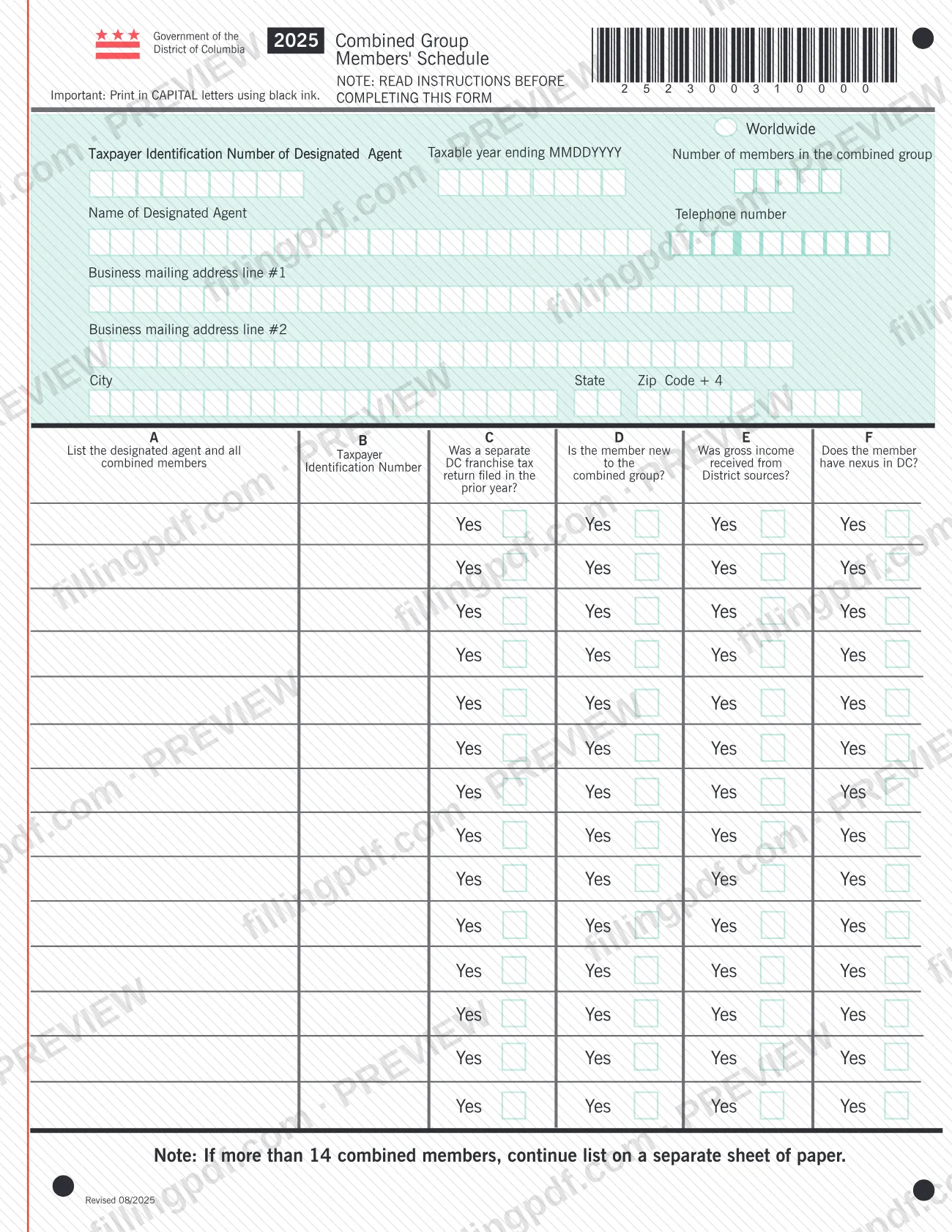
The form instructions say it is necessary to identify each member of the DC Combined Group in this way. The top of the page collects the designated agent's worldwide Taxpayer Identification Number, the taxable year ending date (MMDDYYYY), the number of members in the combined group, and the agent's name, telephone number and business mailing address. The table below it has room for 14 rows. Column A lists the designated agent and all combined members included in the DC Combined Report, and Column B gives each member's Taxpayer Identification Number (TIN). Columns C to F record whether the member filed a separate DC franchise tax return in the prior year, whether it is new to the combined group, whether it received gross income from District sources, and whether it has nexus in DC.
The printed revision is Revised 08/2025, and the form is for the 2025 tax year. It is a franchise tax schedule that accompanies a DC Combined Report; it is not a DC property tax document and does not compute any tax.
Who needs to file 2025 Combined Group Members’ Schedule – Washington, DC?
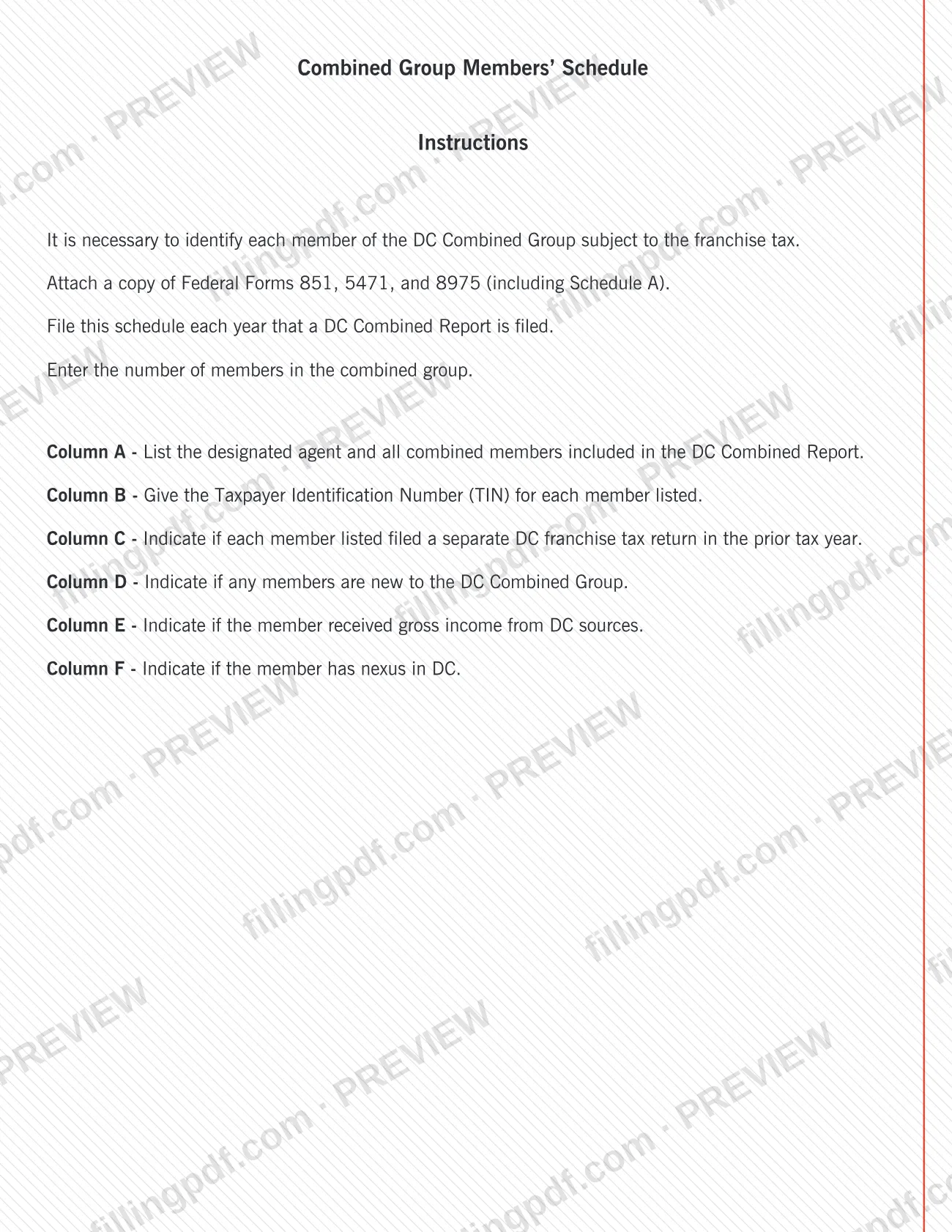
Groups that file a DC Combined Report use this schedule. The instructions state that each member of the DC Combined Group subject to the franchise tax must be identified, and that the designated agent is listed along with all combined members included in the report.
- Designated agent: named at the top of the form with its worldwide Taxpayer Identification Number, telephone number and business mailing address, and listed again in Column A.
- Each combined member: listed with its TIN in Columns A and B, with answers about prior-year separate DC franchise tax returns, new membership in the group, gross income from District sources, and DC nexus.
- Groups with more than 14 members: continue the list on a separate sheet of paper, as the form's note directs.
The form prints no signature block and does not say who may complete it on the group's behalf, so follow the instructions that accompany the DC Combined Report for that question. A taxpayer who is not filing a DC Combined Report has no reason to use this schedule, because the instructions tie it to years in which that report is filed.
When to file 2025 Combined Group Members’ Schedule – Washington, DC
File this schedule each year that a DC Combined Report is filed. The instructions set that as the only trigger, and no separate due date is printed on the form, so it travels with the report for the same tax year.
Enter the taxable year ending date at the top of the form in MMDDYYYY format. Because Column C asks whether each member filed a separate DC franchise tax return in the prior year and Column D asks whether any member is new to the combined group, gather prior-year filing information and the current membership list before you begin. For any deadline that applies to the DC Combined Report itself, check the OTR's instructions for that report.
Documents you need
- Copy of Federal Form 851, attached to the schedule as the instructions direct.
- Copy of Federal Form 5471, attached to the schedule as the instructions direct.
- Copy of the third federal form named in the printed instructions, including its schedule, attached with the other federal forms.
- A separate sheet of paper continuing the list of members, only if the combined group has more than 14 members.
How to fill out 2025 Combined Group Members’ Schedule – Washington, DC
Gather your group information
Read the instructions on the form first. Have the member list, each member's Taxpayer Identification Number and the prior-year DC franchise tax filing history on hand; the form asks for capital letters and black ink if completed by hand.
Enter the designated agent's TIN
In the box for Worldwide Taxpayer Identification Number of Designated Agent, enter the designated agent's number.
Enter the taxable year and member count
Enter the Taxable year ending date as MMDDYYYY, then the Number of members in the combined group.
Enter the designated agent's contact details
Enter the Name of Designated Agent, the Telephone number, and the business mailing address on line #1 and line #2, followed by City, State and Zip Code + 4.
List the agent and members in Column A
Write the designated agent first, then every combined member included in the DC Combined Report, one per row. The form has 14 rows.
Give each TIN in Column B
For each member listed in Column A, enter its Taxpayer Identification Number (TIN) in the same row.
Answer Columns C and D
Column C: indicate whether the member filed a separate DC franchise tax return in the prior year. Column D: indicate whether the member is new to the combined group.
Answer Columns E and F
Column E: indicate whether the member received gross income from District sources. Column F: indicate whether the member has nexus in DC.
Continue the list if needed
If the group has more than 14 members, continue the list on a separate sheet of paper, as the note under the table says.
Review, download and attach
Check that the member count matches the rows and every TIN is present. Download or print the completed PDF from FillingPDF, then attach copies of the federal forms the instructions list and file it with the DC Combined Report as described under How to submit.
How to submit 2025 Combined Group Members’ Schedule – Washington, DC
The Combined Group Members’ Schedule is submitted as part of a DC Combined Report; the form prints no separate mailing address, portal, appointment rule or fee.
- With the DC Combined Report: file the completed schedule each year the report is filed, following the OTR's channels for that report.
- Federal form copies: the instructions say to attach copies of the federal forms listed on the schedule, including the schedule that goes with the last of them.
- Extra members: if the group has more than 14 members, add a separate sheet of paper continuing the list and include it with the schedule.
The OTR publishes the schedule on its page at https://otr.cfo.dc.gov/publication/2025-combined-group-members%E2%80%99-schedule-official. FillingPDF lets you fill out and download the PDF; submission follows the channels above.
Common mistakes to avoid
- Filling the form by hand without printing in CAPITAL letters using black ink, as the top of the form requires.
- Leaving the designated agent out of Column A; the instructions say to list the designated agent and all combined members.
- Listing more than 14 members without a continuation sheet of paper, as the form's note requires.
- Omitting the copies of the federal forms the instructions say to attach to the schedule.
- Entering the taxable year ending date in a format other than MMDDYYYY.
- Skipping the Taxpayer Identification Number in Column B for a member listed in Column A.
- Mixing up Column C (separate DC franchise tax return in the prior year) with Column D (member new to the combined group).
- Filing the schedule in a year when no DC Combined Report is filed, or leaving it out in a year when one is.
Frequently asked questions
What is the Combined Group Members’ Schedule?
It is the OTR schedule that identifies the designated agent and each member of a DC Combined Group subject to the franchise tax. It lists each member's TIN and records prior-year separate filing, new membership, District-source gross income and DC nexus.
Is this a DC property tax form?
No. It is a franchise tax schedule for combined groups that file a DC Combined Report. It does not deal with real property or compute tax; it only identifies the group's members and their status.
When do I have to file the Combined Group Members’ Schedule?
Each year that a DC Combined Report is filed. The instructions give no other trigger and the form prints no separate due date, so it goes in with the report for the same tax year.
What do I attach to the Combined Group Members’ Schedule?
The instructions say to attach copies of the federal forms listed on the schedule, Forms 851 and 5471 and a third form, including its schedule. If the group has more than 14 members, also attach a separate sheet continuing the member list.
What if my combined group has more than 14 members?
Continue the list on a separate sheet of paper. The form has room for 14 rows and a note under the table directs you to use an extra sheet for additional members.
What do columns C through F ask?
Column C asks whether the member filed a separate DC franchise tax return in the prior year, D whether it is new to the combined group, E whether it received gross income from District sources, and F whether it has nexus in DC.
Can I fill out the Combined Group Members’ Schedule online?
Yes. You can fill out the PDF online on FillingPDF and download or print it. FillingPDF is an independent service and does not file the schedule with the OTR; you submit it with your DC Combined Report through the OTR's channels.
Ready to fill out 2025 Combined Group Members’ Schedule – Washington, DC?
Fill out 2025 Combined Group Members’ Schedule – Washington, DC now