
The 2025 Instructions for Low-Income Housing Tax Credit Allocation and Certification are the booklet the DC Office of Tax and Revenue (OTR) publishes for the District of Columbia Low-Income Housing Tax Credit (DC LIHTC). It explains how building owners certify an eligible project on Form D-8609 and how credit holders view, transfer and claim the credit through MyTax.DC.gov. On this page you can fill out the form online on FillingPDF and download or print the completed PDF; the booklet and the D-8609 are published by OTR at the official link below.
Last updated
What is D-8609?
The 2025 Instructions for Low-Income Housing Tax Credit Allocation and Certification are the Office of Tax and Revenue (OTR) booklet that explains how to view available District of Columbia Low-Income Housing Tax Credit (DC LIHTC), report transfers, sales, assignments and allocations of credit, and claim it. It ends with a blank Form D-8609.
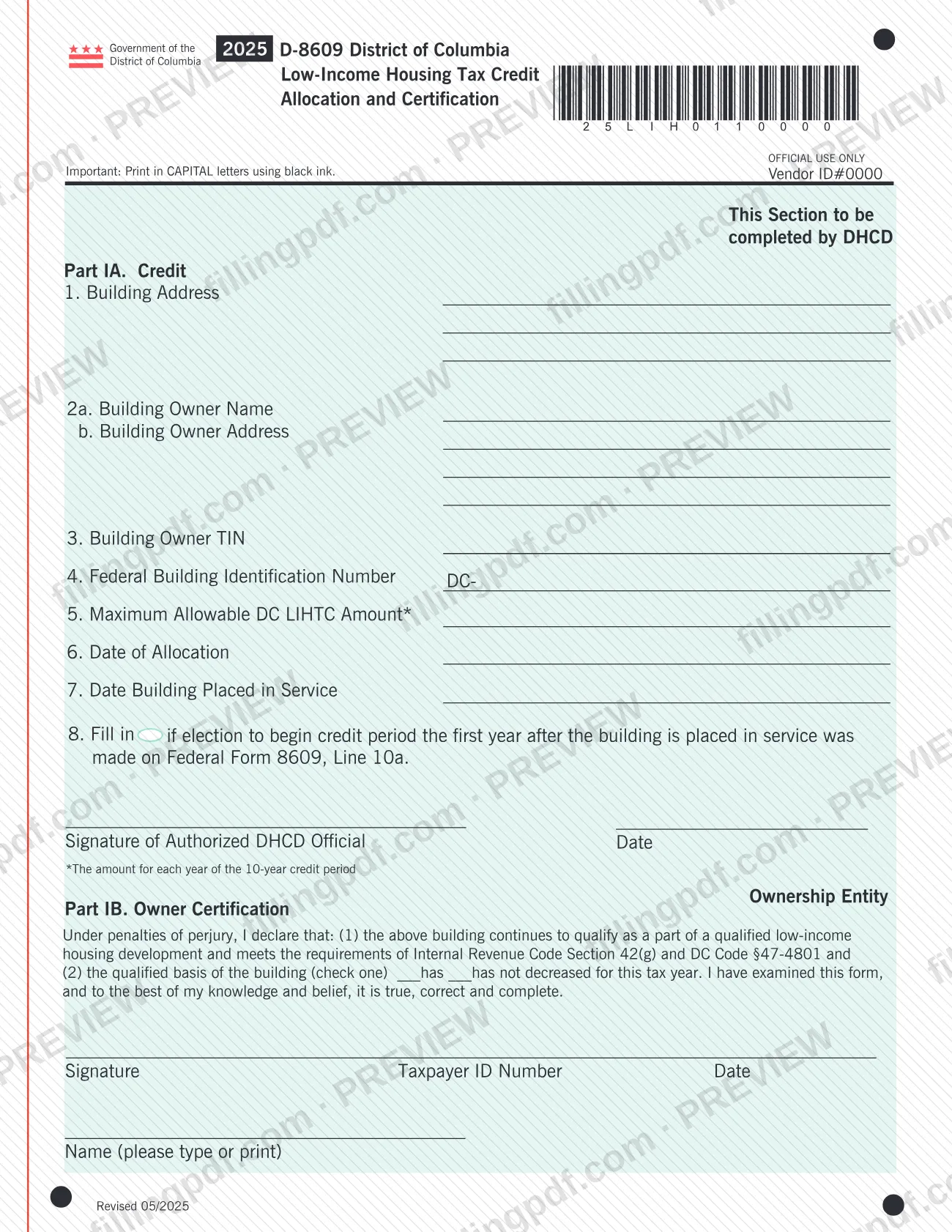
Form D-8609, District of Columbia Low-Income Housing Tax Credit Allocation and Certification, is the form the building owner of an eligible project completes and has signed by an authorized official of the Department of Housing and Community Development (DHCD). The booklet says a blank D-8609 is at the end of the booklet and in the District of Columbia Individual and Business Income tax booklets.
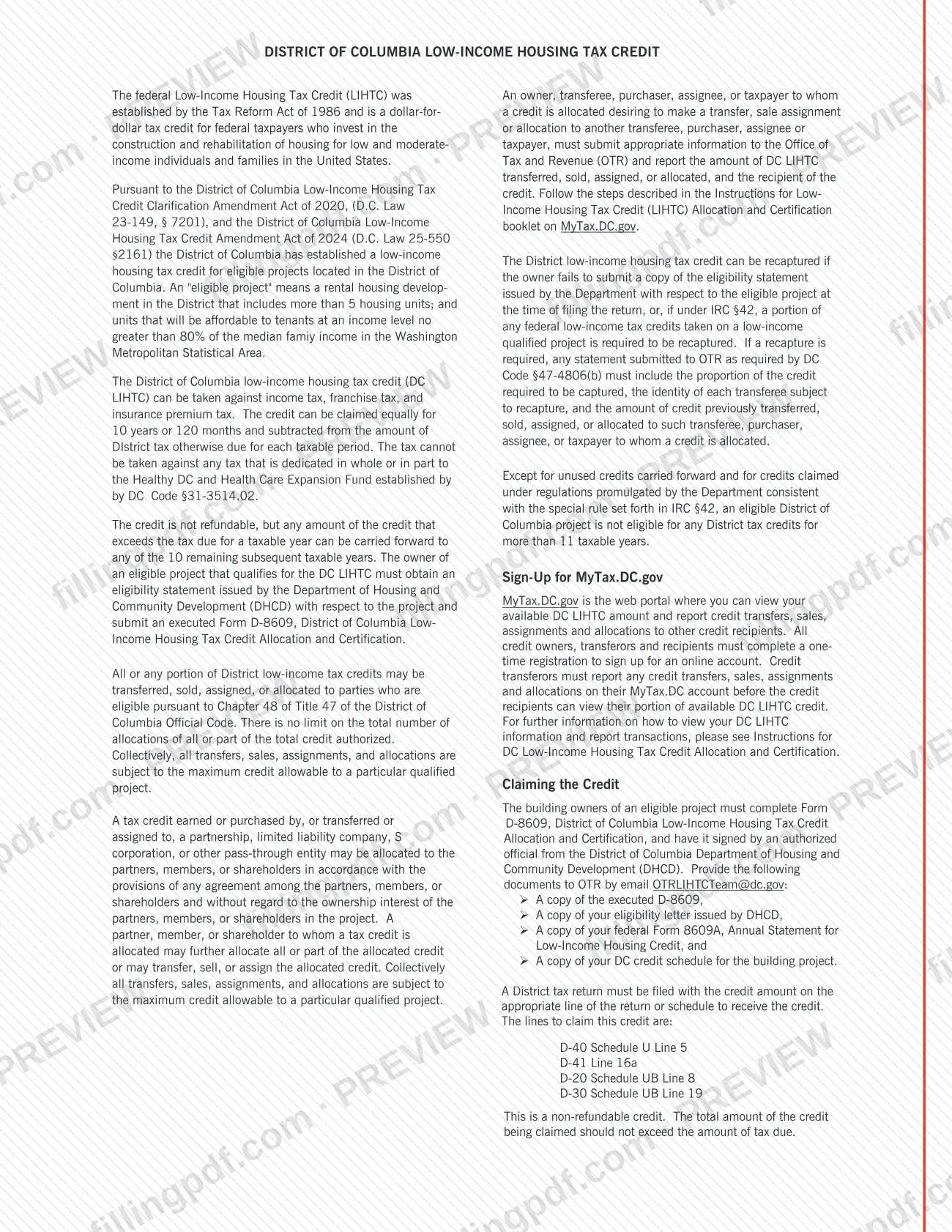
The DC LIHTC can be taken against income tax, franchise tax and insurance premium tax. It can be claimed equally over 10 years or 120 months, and it is not refundable: any amount above the tax due for a year can be carried forward to any of the 10 remaining subsequent taxable years. The instructions define an eligible project as a rental housing development in the District with more than 5 housing units, including units affordable to tenants at an income level no greater than 80% of the median family income in the Washington Metropolitan Statistical Area.
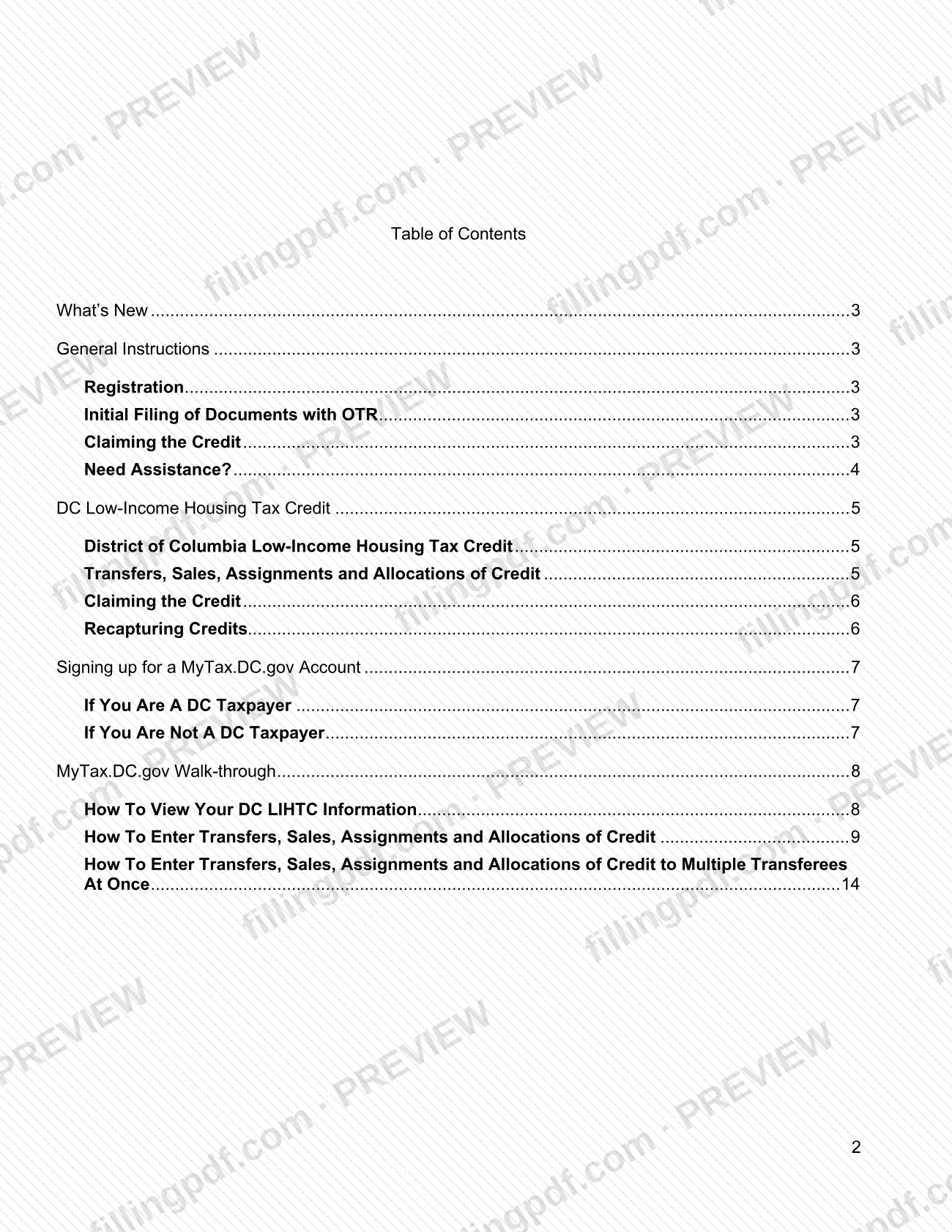
The booklet also covers registration with OTR, the MyTax.DC.gov walk-through, the Bulk Transfer function added in 2025, and the recapture rules.
Who needs to file D-8609?
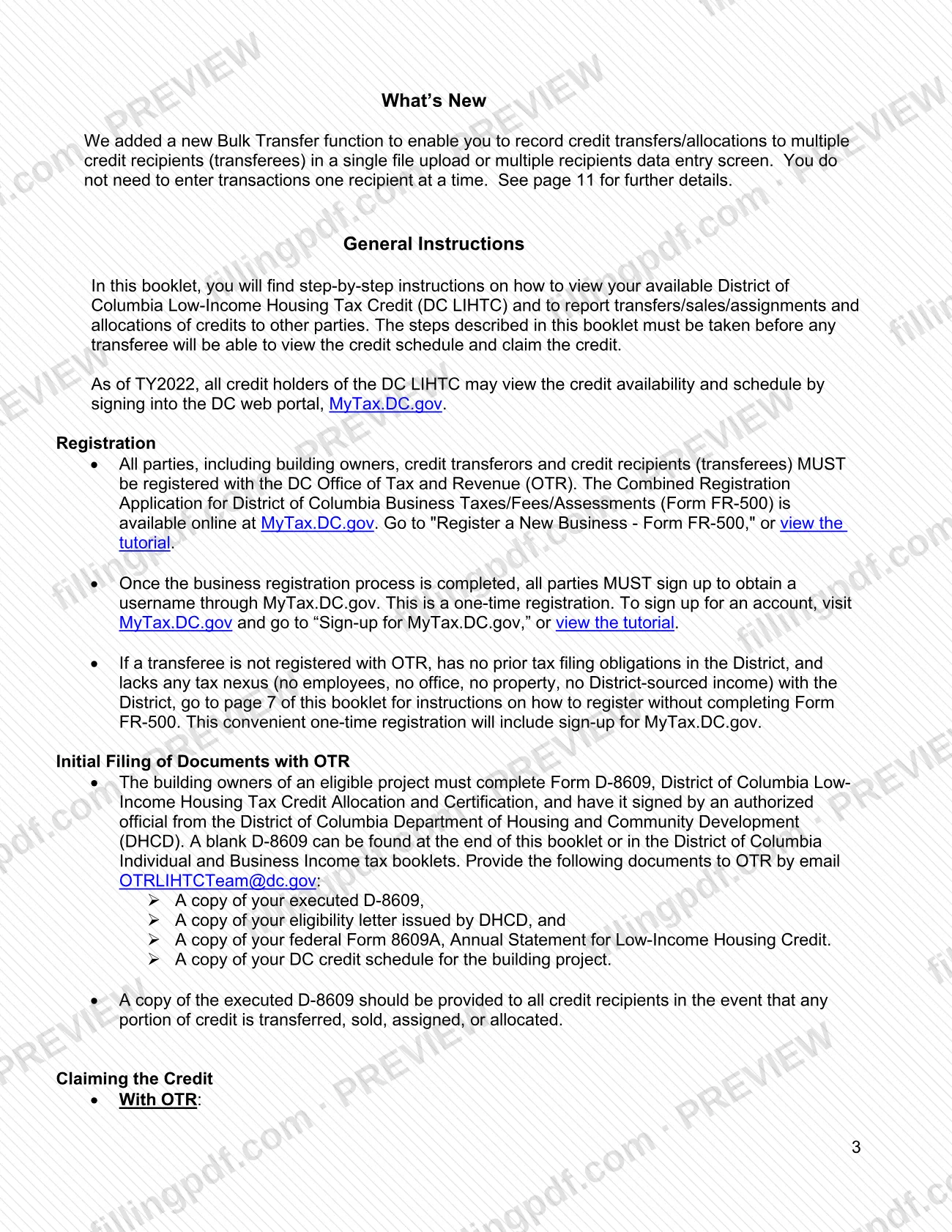
The main group is the building owners of an eligible DC LIHTC project, who complete Form D-8609, have it signed by an authorized DHCD official, and give OTR the documents listed in the booklet.
Others who use the booklet:
- Credit transferors (owners or holders who transfer, sell, assign or allocate all or part of the credit). They must report each transaction to OTR on MyTax.DC.gov; no transferee can view the credit schedule or claim the credit until they do.
- Credit recipients (transferees), who must be registered with OTR and have a MyTax.DC.gov username before they can see and claim their credit.
- Partners, members or shareholders of a partnership, limited liability company, S corporation or other pass-through entity that received credit, which may allocate it under the entity's agreement.
- Insurance companies that use the credit against insurance premium tax filed with the DC Department of Insurance, Securities and Banking (DISB).
Recipients with no DC tax nexus, no prior filing obligations and no registration with OTR can use the Nonresident LIHTC Recipient sign-up instead of Form FR-500. The booklet gives no rule for representatives signing for an owner.
When to file D-8609
The booklet sets no single due date. The triggering events are these: the building owner completes Form D-8609 and sends the first set of documents to OTR when the project's credit is established, and each transfer, sale, assignment or allocation of credit is reported when it happens.
No credit may be claimed on a District tax return for a given year until the appropriate information has been submitted to OTR. Before filing, log in to MyTax.DC.gov and check the available DC LIHTC amount; claiming more than the amount shown may result in denial of the credit for that year.
A District tax return must be filed with the credit amount on the proper line to receive the credit. The credit period is 10 years or 120 months, and a project cannot qualify for DC LIHTC for more than 11 taxable years, with exceptions the booklet names. Recapture rules differ for credits awarded before October 1, 2025 and on or after that date.
Documents you need
- A copy of the executed Form D-8609, signed by an authorized DHCD official, sent by email to OTR by the building owner.
- A copy of the eligibility letter issued by DHCD for the project, sent to OTR with the D-8609.
- A copy of federal Form 8609A, Annual Statement for Low-Income Housing Credit, sent to OTR with the D-8609.
- A copy of the DC credit schedule for the building project, sent to OTR with the other documents.
- A copy of the executed D-8609 for each credit recipient, when any portion of the credit is transferred, sold, assigned or allocated.
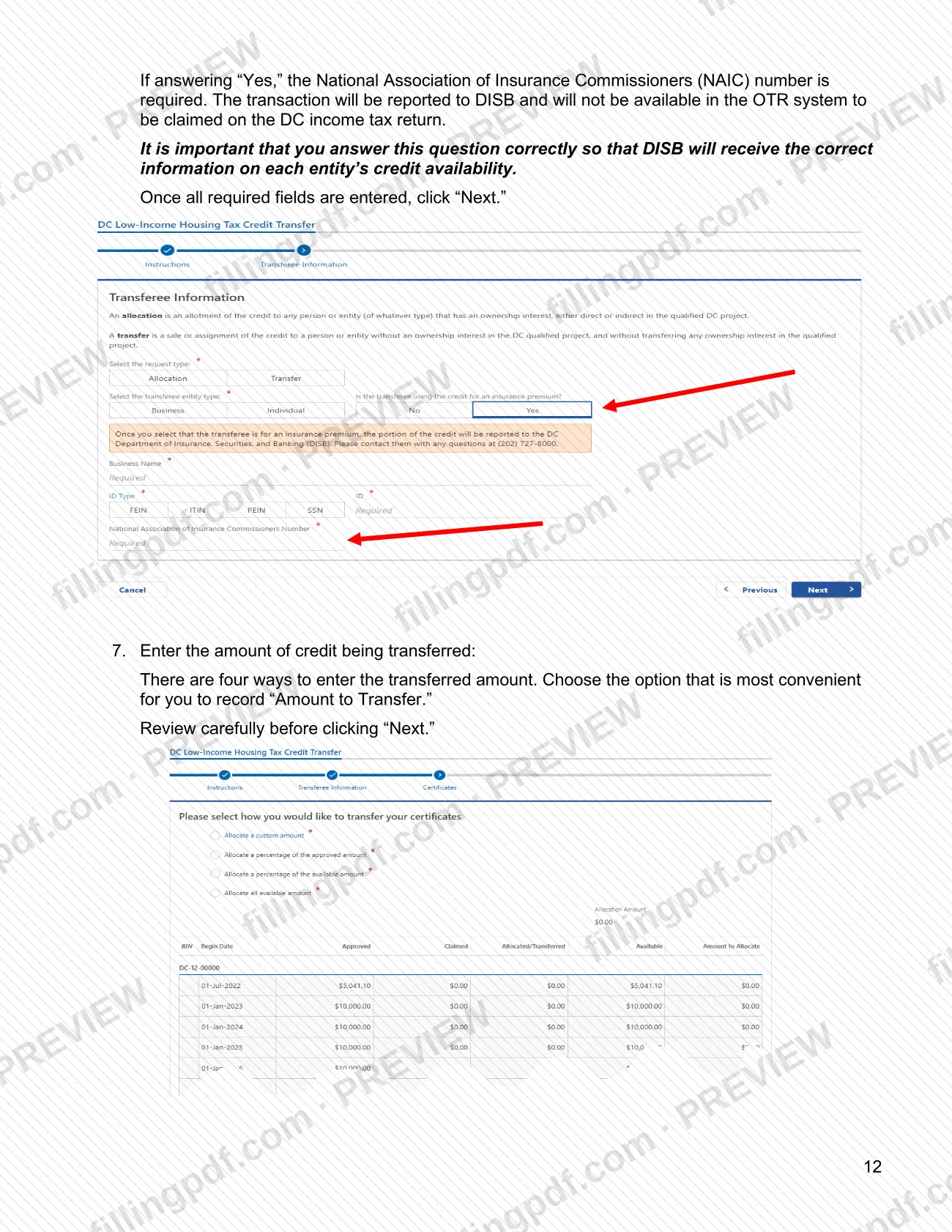
- For a transfer entered on MyTax.DC.gov: the transferee's taxpayer ID number (FEIN or SSN) and name exactly as registered with OTR.
- The transferee's NAIC number, only if the recipient will use the credit for insurance premium tax filed with DISB.
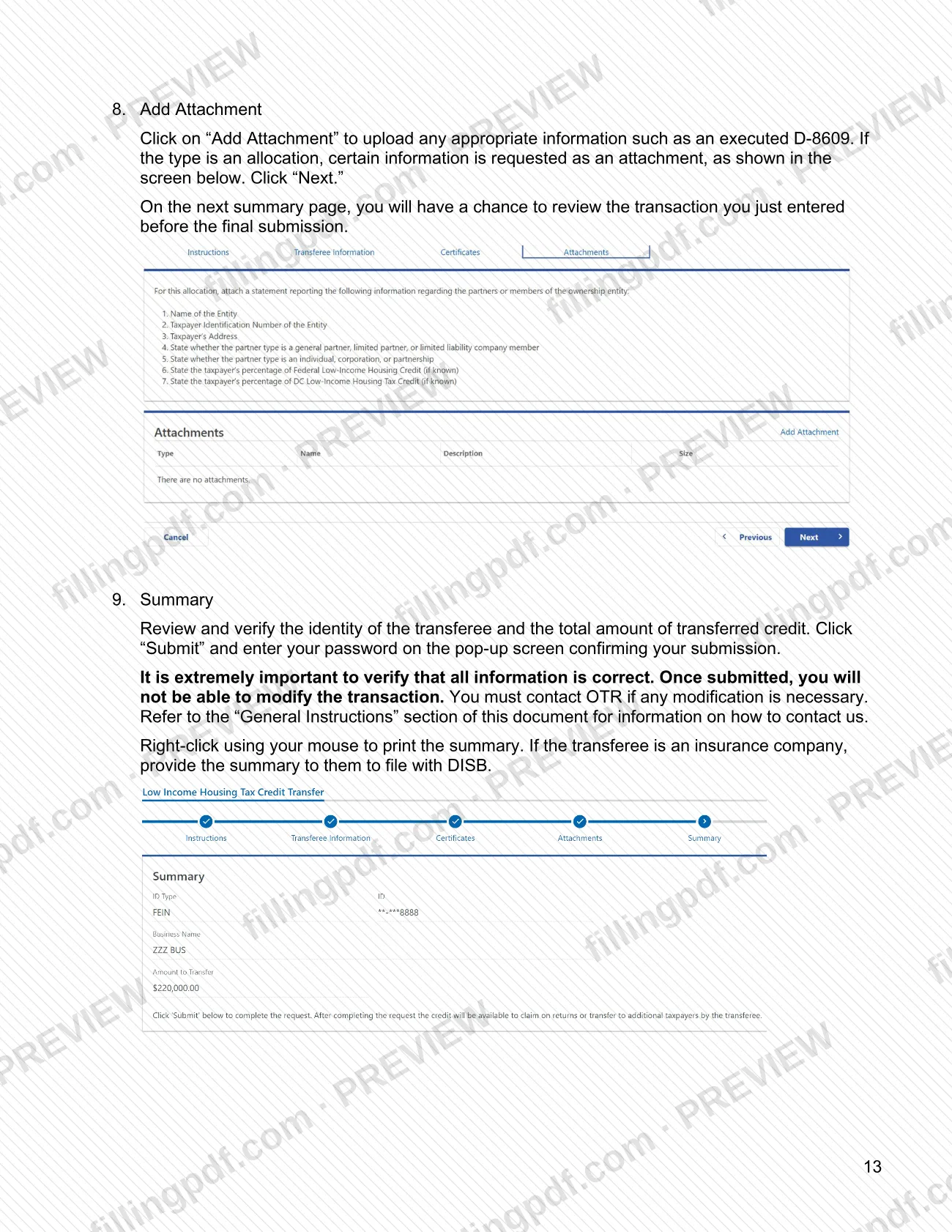
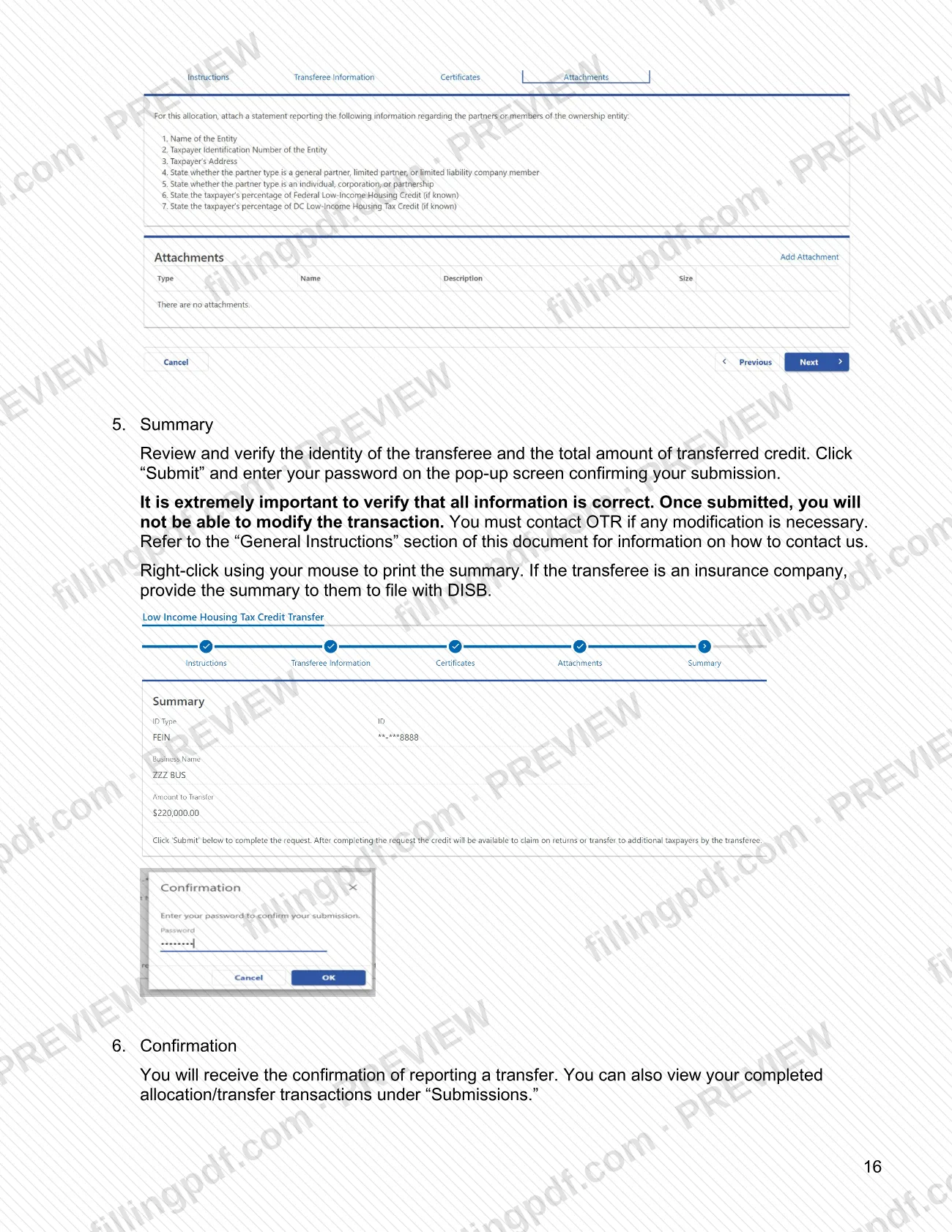
- Documentation supporting the transfer, uploaded with "Add Attachment"; an allocation asks for certain information as an attachment.
- For insurance premium tax: documentation supporting your credit amount, attached to the return filed with DISB.
How to fill out D-8609
Gather the project documents
Before completing Form D-8609, have the DHCD eligibility letter, federal Form 8609A and the DC credit schedule for the building project. OTR asks for copies of these with the executed form.
Enter the building address
On line 1, enter the building address as it appears for the eligible project.
Enter the building owner details
On line 2a enter the building owner name and on line 2b the building owner address. On line 3 enter the building owner's taxpayer identification number (TIN).
Enter the federal building number
On line 4, enter the Federal Building Identification Number (BIN) for the project. The booklet notes that BINs start with DC in capital letters.
Enter the maximum allowable credit
On line 5, enter the maximum allowable DC LIHTC amount for the building, as shown in your credit schedule.
Enter the allocation and service dates
On line 6 enter the date of allocation, and on line 7 the date the building was placed in service.
Mark the credit period election
On line 8, check the box only if the election to begin the credit period the first year after the building is placed in service was made on the federal Form 8609, line 10a.
Enter the amount for each credit year
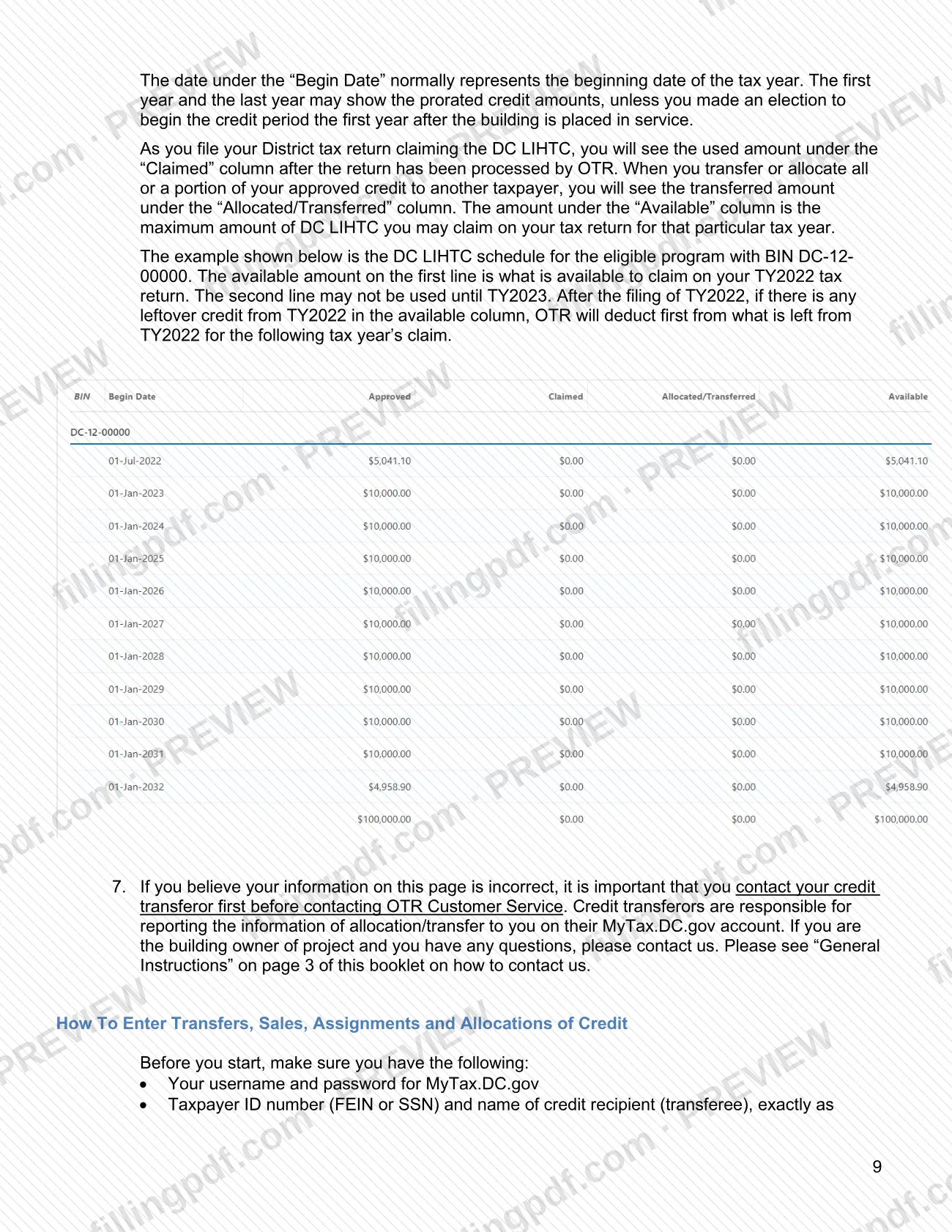
Enter the credit amount for each year of the 10-year credit period in the table on the form.
Obtain the DHCD official's signature
An authorized official of the Department of Housing and Community Development must sign the form in the section for the DHCD official. The booklet says the owner has the form signed by that official.
Complete the owner's declaration
Check whether the qualified basis of the building has or has not decreased for this tax year. Then sign, enter your taxpayer ID number, the date and your printed name.
Review and download the completed PDF
Check every line against your DHCD eligibility letter and federal Form 8609A. Download or print the completed PDF from FillingPDF, then send the documents as described under How to submit.
How to submit D-8609
There are three channels: email to OTR for the owner's initial documents, the MyTax.DC.gov portal for transfers, and the tax return that claims the credit.
- Email: send a copy of the executed D-8609, the DHCD eligibility letter, federal Form 8609A and the DC credit schedule for the building project to [email protected]. Give a copy of the executed D-8609 to every credit recipient.
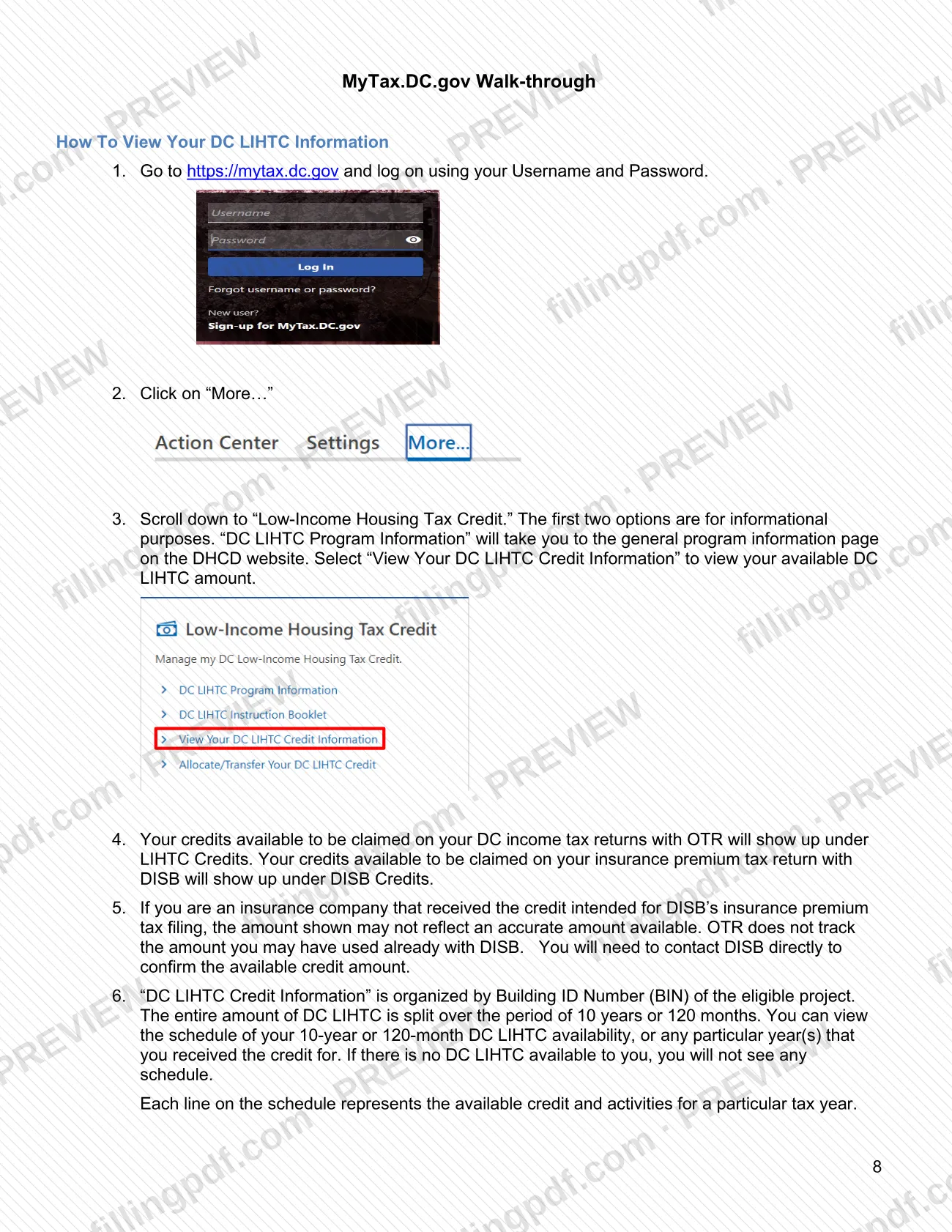
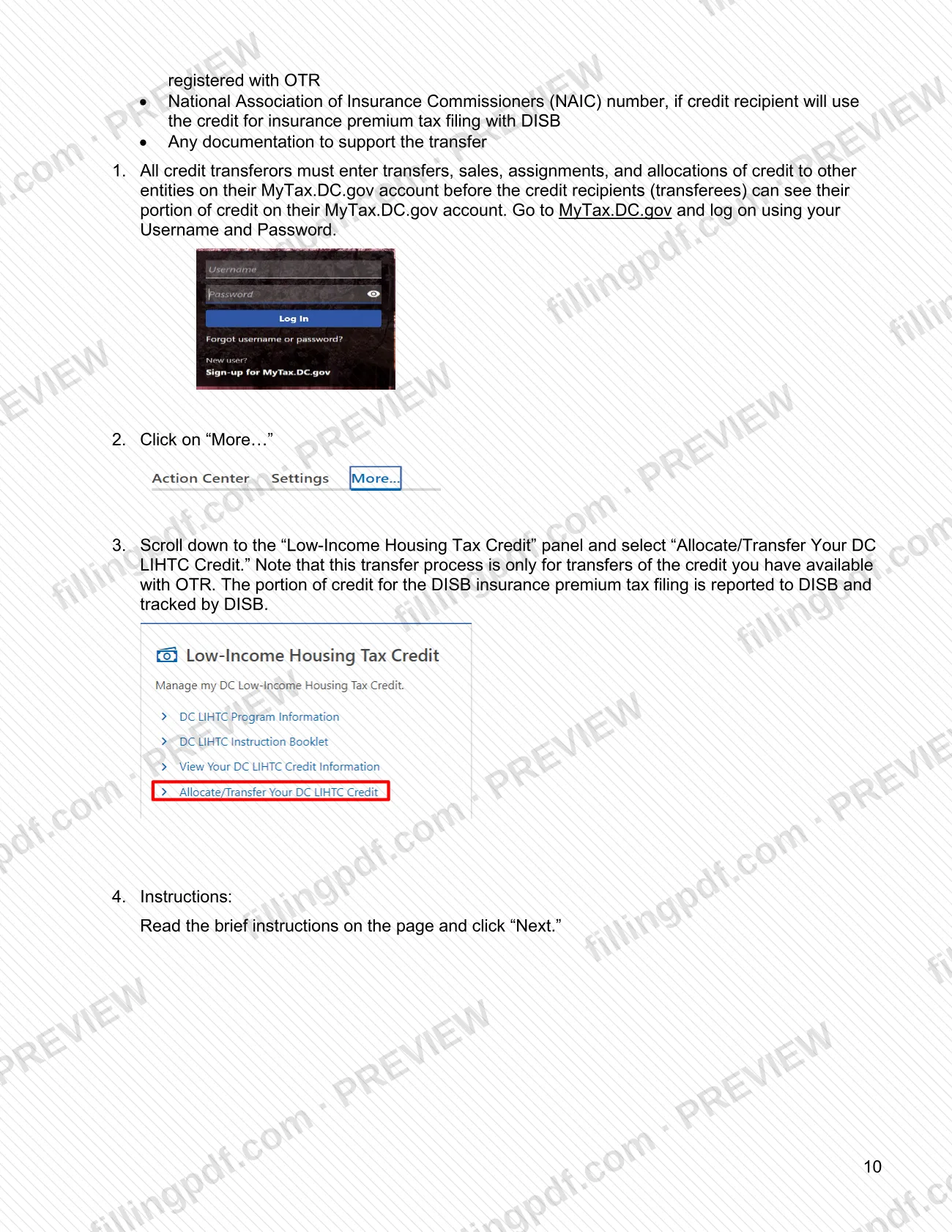
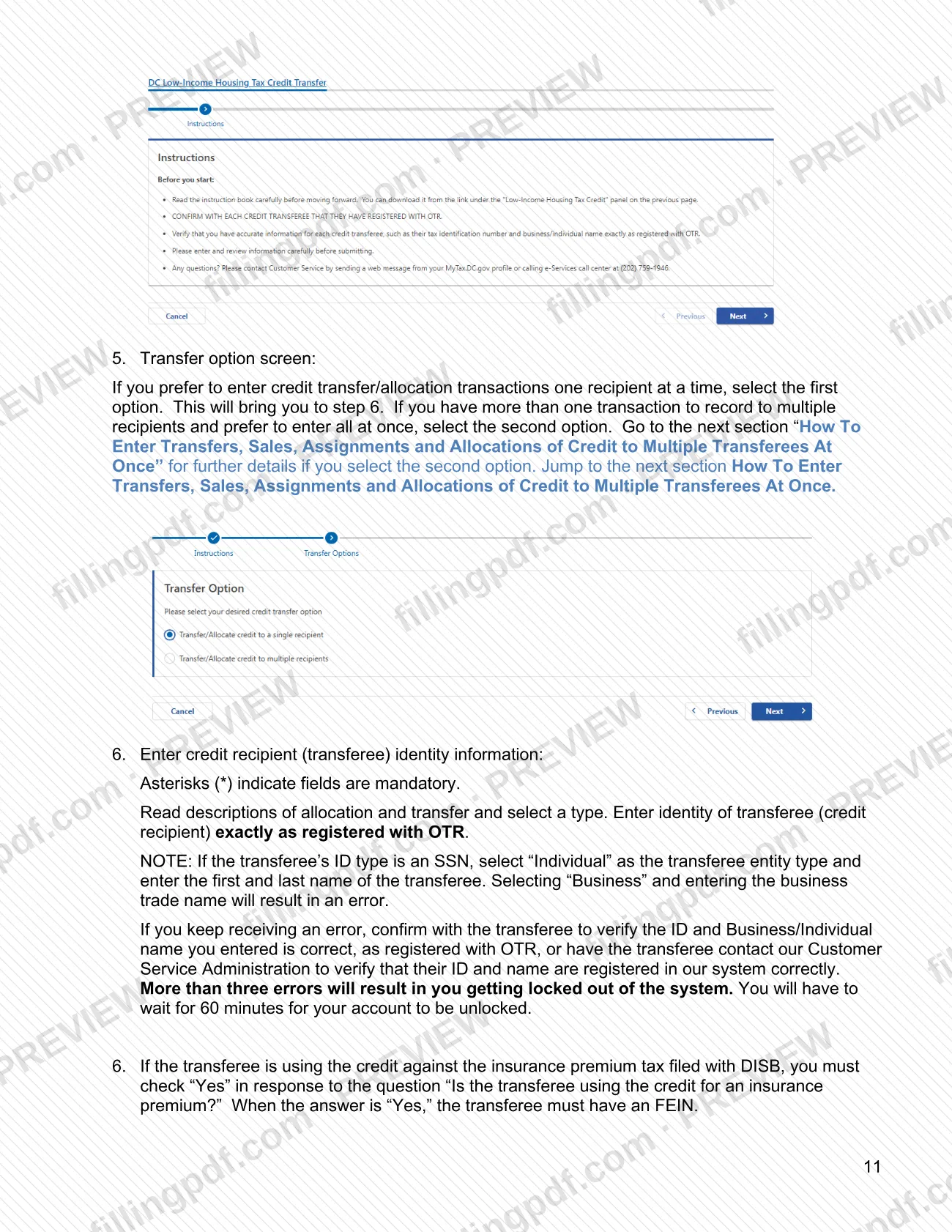
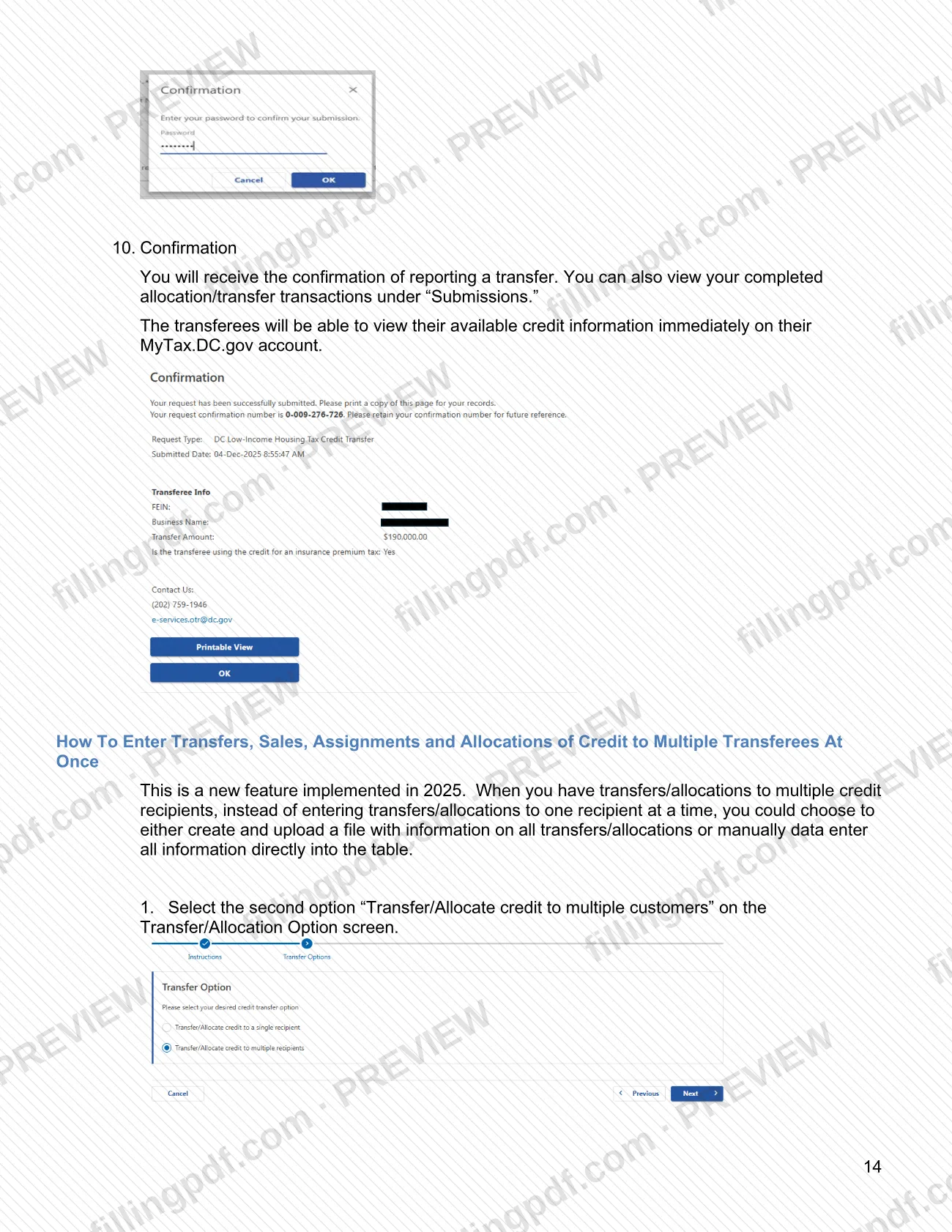
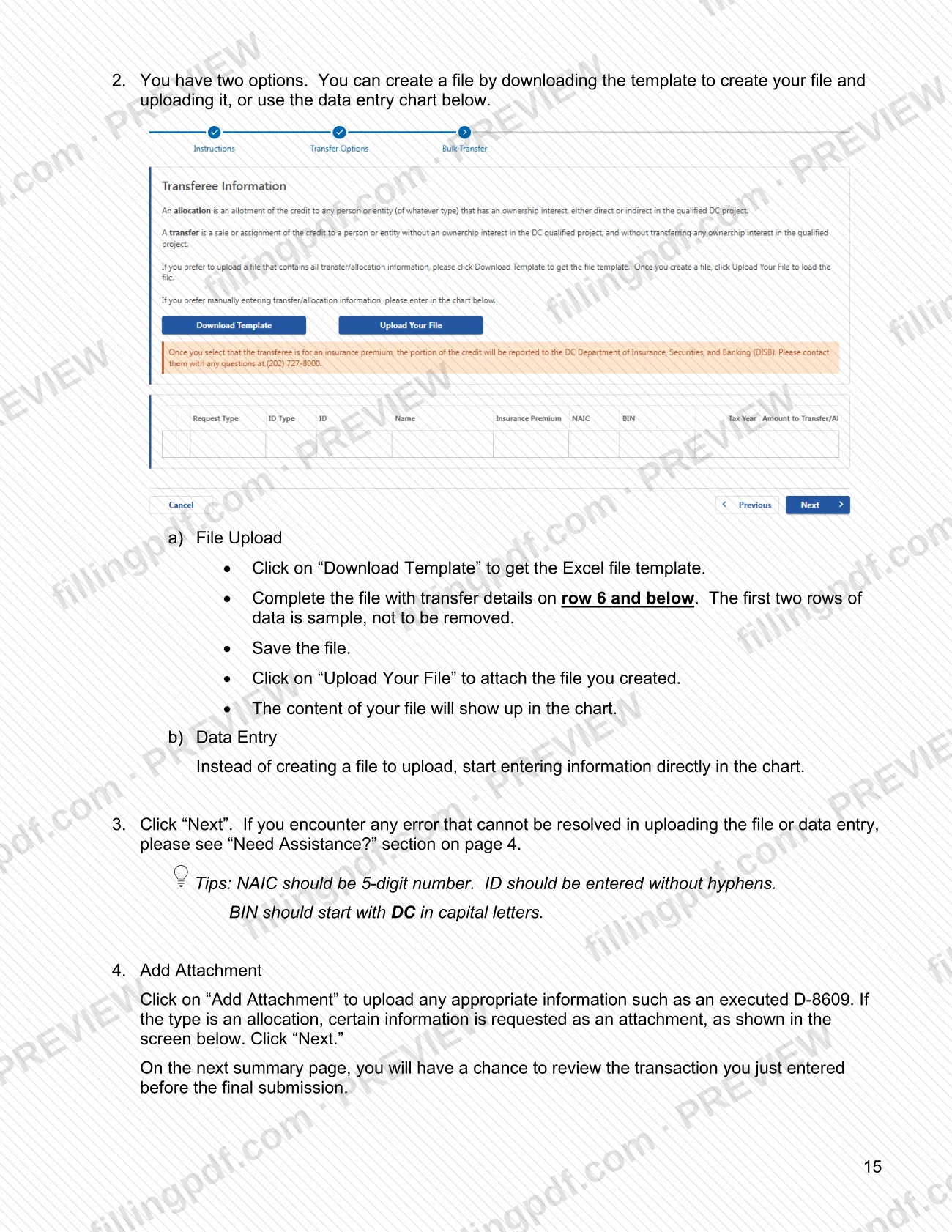
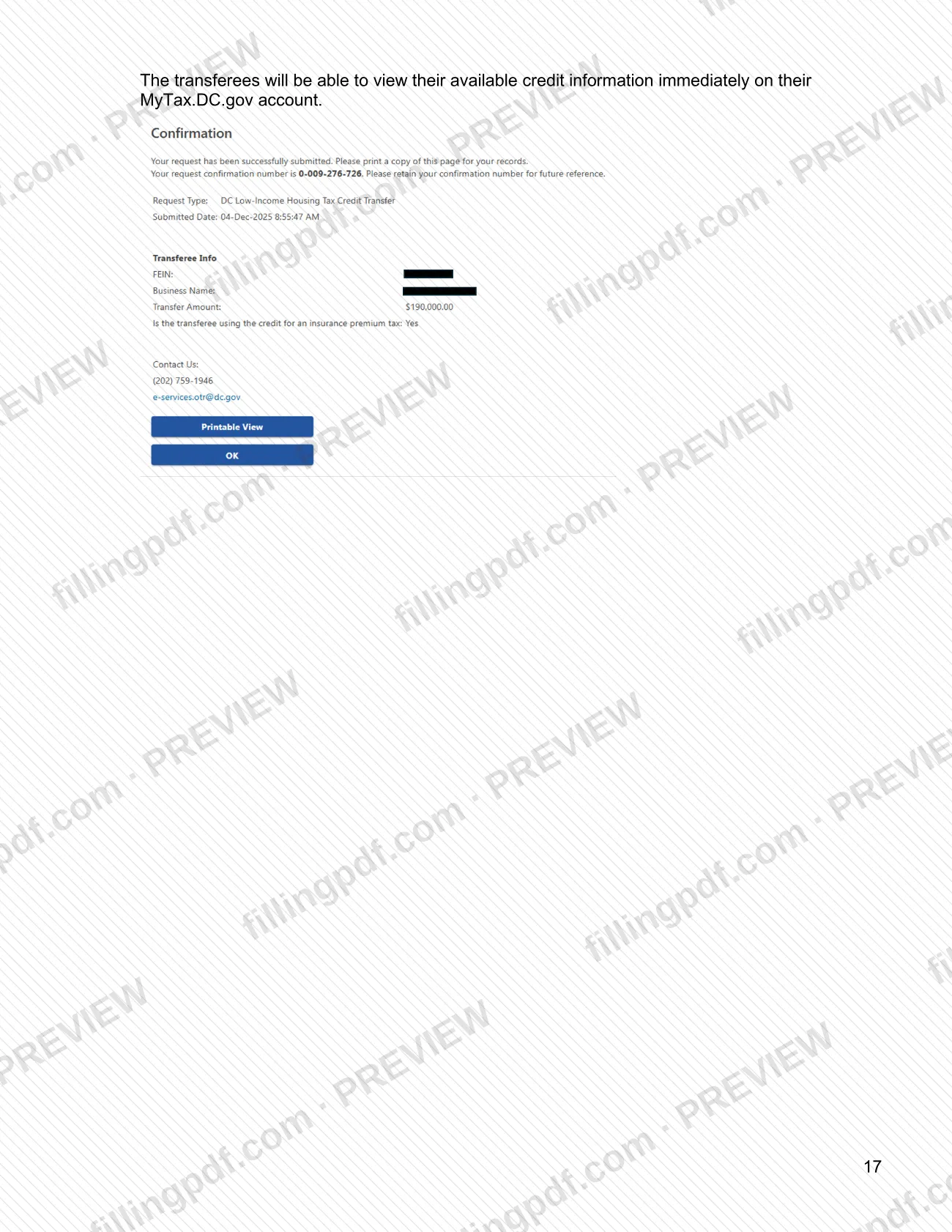
- MyTax.DC.gov: log in at https://mytax.dc.gov, click "More…", then select "Allocate/Transfer Your DC LIHTC Credit". You can enter one recipient at a time or use the Bulk Transfer option with the Excel template or the data entry chart. Review the summary before you click "Submit"; a submitted transaction cannot be modified, and changes go through OTR.
- Tax return: enter the credit on D-40 Schedule U Line 5, D-41 Line 16, D-20 Schedule UB Line 8 or D-30 Schedule UB Line 19.
- DISB: for insurance premium tax, attach documentation supporting the credit amount to the return filed with DISB.
Questions: OTR Customer Service Administration, (202) 727-4TAX (4829), 9:00 a.m. to 4:00 p.m., Monday through Friday; [email protected]; or a web message in MyTax. FillingPDF lets you fill out and download the PDF; submission follows the channels above.
Common mistakes to avoid
- Claiming the credit on a District tax return before the information has been submitted to OTR; the booklet says no credit may be claimed until then.
- Claiming more than the available amount shown on your MyTax.DC.gov account, which may lead to denial of the credit for the year.
- Selecting "Business" and entering a trade name when the transferee's ID type is an SSN; choose "Individual" and enter the first and last name.
- Entering a transferee name or ID that differs from the OTR registration; more than three errors lock you out of the system for 60 minutes.
- Answering the insurance premium question incorrectly: "Yes" requires an FEIN and the NAIC number, and sends the credit to DISB instead of the OTR system.
- Clicking "Submit" on a transfer without checking the transferee and amount; the transaction cannot be modified afterward.
- Removing the first two sample rows of the bulk template or starting your data above row 6.
- Entering an NAIC number that is not 5 digits, an ID with hyphens, or a BIN that does not start with DC in capital letters.
- Not giving credit recipients a copy of the executed D-8609.
Frequently asked questions
What is Form D-8609 for the DC LIHTC?
Form D-8609, District of Columbia Low-Income Housing Tax Credit Allocation and Certification, is completed by the building owner of an eligible project and signed by an authorized DHCD official. A copy of the executed form goes to OTR and to any credit recipient.
Does the DC LIHTC apply to DC property tax?
The instructions do not list property tax. They say the DC LIHTC can be taken against income tax, franchise tax and insurance premium tax. It is claimed on D-40 Schedule U, D-41, D-20 Schedule UB or D-30 Schedule UB, or on the insurance premium tax return filed with DISB.
Where do I send the executed D-8609 to OTR?
Email it to [email protected] with a copy of your DHCD eligibility letter, federal Form 8609A and the DC credit schedule for the building project. The booklet names no mailing address for these documents.
Do credit recipients have to register with OTR?
Yes. All parties, including building owners, transferors and transferees, must be registered with OTR and sign up for a MyTax.DC.gov username. Recipients with no DC nexus can register as a Nonresident LIHTC Recipient without completing Form FR-500.
Is the DC LIHTC refundable?
No. The credit is non-refundable. Any amount above the tax due for a taxable year can be carried forward to any of the 10 remaining subsequent taxable years, and the total claimed should not exceed the tax due.
How do I transfer DC LIHTC to several recipients at once?
Use the Bulk Transfer option in MyTax.DC.gov: choose "Transfer/Allocate credit to multiple customers", then upload the Excel template or type into the data entry chart. Fill the template from row 6 down and leave the first two sample rows in place.
Can I change a transfer after I submit it?
No. Once submitted, a transaction cannot be modified in MyTax.DC.gov. You must contact OTR if a change is needed, so check the transferee identity and amount on the summary page before you click "Submit".
Can I fill out Form D-8609 online on FillingPDF?
Yes. You can fill out the D-8609 online on FillingPDF and download or print the PDF. FillingPDF is independent of OTR and does not file or transmit anything; you send the documents to OTR by email and report transfers on MyTax.DC.gov.
Ready to fill out D-8609?
Fill out D-8609 now