
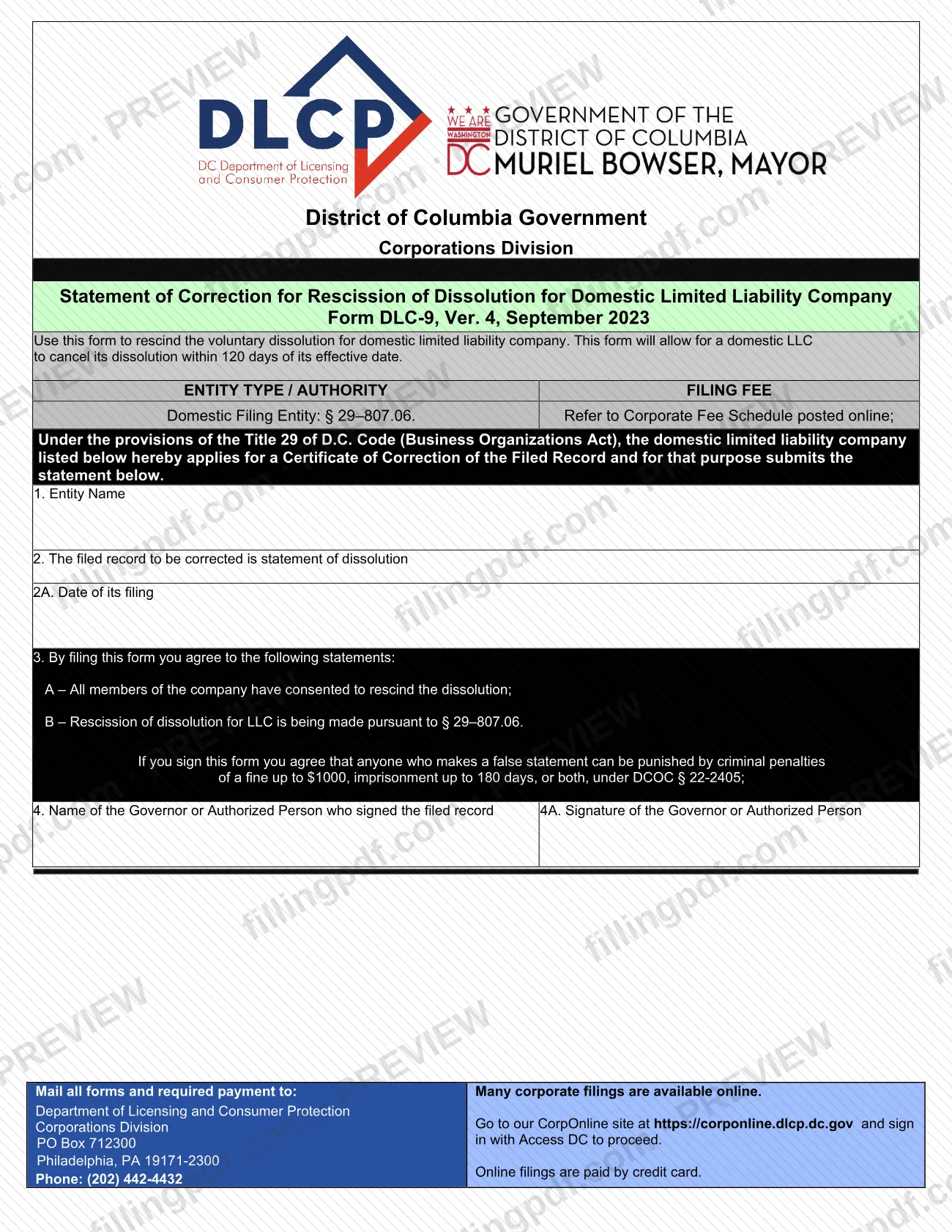
Form DLC-9, the Statement of Correction for Rescission of Dissolution for Domestic Limited Liability Company, is a District of Columbia Corporations Division form issued through the Department of Licensing and Consumer Protection (DLCP). A domestic LLC uses it to cancel its voluntary dissolution within 120 days of the dissolution's effective date. On this page you can fill out the form online on FillingPDF and download or print the completed PDF; the original form is published by the DLCP at the official source link.
Last updated
What is DLC-9?
DLC-9 Statement of Correction for Rescission of Dissolution for Domestic LLC is the District of Columbia form a domestic limited liability company uses to rescind its voluntary dissolution, cancelling the dissolution within 120 days of its effective date.
The form is issued by the Corporations Division of the DC Department of Licensing and Consumer Protection (DLCP). Under it, the LLC applies for a Certificate of Correction of the Filed Record under Title 29 of the D.C. Code (Business Organizations Act). The entity type and authority printed on the form are Domestic Filing Entity and § 29–807.06.
The filed record being corrected is always a statement of dissolution, which is already named in item 2. You enter the entity name, the date that statement was filed, and the name and signature of the Governor or Authorized Person who signed it. By filing, you confirm two statements: that all members of the company have consented to rescind the dissolution, and that the rescission is made under § 29–807.06.
A filing fee applies; the form refers you to the Corporate Fee Schedule posted online rather than printing an amount.
Who needs to file DLC-9?
A domestic limited liability company that has voluntarily dissolved and now wants to undo that dissolution uses Form DLC-9. The form is limited to this situation: it corrects a filed statement of dissolution for a domestic LLC, and it is available only within 120 days of the dissolution's effective date.
Conditions printed on the form:
- All members of the company must have consented to rescind the dissolution. Filing the form is your agreement that this is true.
- The form is signed by the Governor or Authorized Person who signed the filed record (the statement of dissolution), whose name goes in item 4.
- The signer agrees that anyone who makes a false statement can face criminal penalties, including a fine and imprisonment, under DCOC § 22-2405.
The form's entity type is Domestic Filing Entity. It does not describe a version for other kinds of entities, so use the DLCP Corporations Division's other forms for those.
When to file DLC-9
File Form DLC-9 within 120 days of the effective date of the LLC's voluntary dissolution. The form states that it allows a domestic LLC to cancel its dissolution only within that period.
The 120 days run from the effective date of the dissolution, not from the date you decide to rescind, so check the effective date of the statement of dissolution before you start. Item 2A asks for the date that statement was filed. The form prints no separate processing time.
How to fill out DLC-9
Confirm you are within 120 days
Check the effective date of your LLC's voluntary dissolution. The form can cancel the dissolution only within 120 days of that date.
Enter the entity name
In item 1, enter the name of the domestic limited liability company exactly as it appears in the filed record.
Review the filed record to be corrected
Item 2 states that the filed record to be corrected is a statement of dissolution. No other record type is offered, so there is nothing to select.
Enter the filing date
In item 2A, enter the date the statement of dissolution was filed.
Read the agreements in item 3
By filing, you state that all members have consented to rescind the dissolution (3A) and that the rescission is made under § 29–807.06 (3B). Read the false-statement penalty notice before you sign.
Enter the signer's name
In item 4, enter the name of the Governor or Authorized Person who signed the filed record.
Sign in item 4A
The Governor or Authorized Person signs in item 4A.
Review, download and prepare payment
Check each entry, then download or print the completed PDF from FillingPDF. Look up the filing fee in the Corporate Fee Schedule and submit through one of the channels described under How to submit.
How to submit DLC-9
You can submit Form DLC-9 by mail, or online through the DLCP's CorpOnline site when the filing is available there.
- By mail: send the completed form and the required payment to Department of Licensing and Consumer Protection, Corporations Division, PO Box 712300, Philadelphia, PA 19171-2300.
- Online: the form notes that many corporate filings are available online at https://corponline.dlcp.dc.gov; sign in with Access DC to proceed. Online filings are paid by credit card.
A filing fee applies. The form tells you to refer to the Corporate Fee Schedule posted online for the amount; it does not print one. For questions, the form lists the Corporations Division phone number, (202) 442-4432.
FillingPDF lets you fill out and download the PDF; submission follows the DLCP channels above.
Common mistakes to avoid
- Filing after the 120-day window; the form allows an LLC to cancel its dissolution only within 120 days of its effective date.
- Signing without the consent of all members; item 3A states that all members have consented to rescind the dissolution.
- Entering the wrong date in item 2A instead of the date the statement of dissolution was filed.
- Having someone other than the Governor or Authorized Person who signed the filed record sign in item 4A.
- Mailing the form without the required payment; the form says to mail all forms and required payment together.
- Sending the mailing to a DC street address instead of the Corporations Division, PO Box 712300, Philadelphia, PA 19171-2300.
- Assuming the filing is free; the form refers you to the Corporate Fee Schedule posted online.
- Making a false statement on the form, which the form says can bring criminal penalties under DCOC § 22-2405.
Frequently asked questions
What is Form DLC-9 used for?
Form DLC-9 is the DC Corporations Division's Statement of Correction for Rescission of Dissolution for Domestic Limited Liability Company. A domestic LLC uses it to cancel its voluntary dissolution and applies for a Certificate of Correction of the Filed Record.
How long do I have to rescind an LLC dissolution in DC?
120 days from the effective date of the dissolution. The form says it allows a domestic LLC to cancel its dissolution within that period, so check the effective date of the statement of dissolution before you file.
Who signs Form DLC-9?
The Governor or Authorized Person who signed the filed record, meaning the statement of dissolution. Enter that person's name in item 4 and have them sign in item 4A.
Do all LLC members have to agree to rescind the dissolution?
Yes. Item 3A states that all members of the company have consented to rescind the dissolution, and by filing the form you agree to that statement. A false statement can bring criminal penalties under DCOC § 22-2405.
Is there a fee to file Form DLC-9?
Yes, a filing fee applies. The form tells you to refer to the Corporate Fee Schedule posted online for the amount. Mailed filings go with the required payment; online filings are paid by credit card.
Where do I mail Form DLC-9?
Mail the form and payment to Department of Licensing and Consumer Protection, Corporations Division, PO Box 712300, Philadelphia, PA 19171-2300. The form lists (202) 442-4432 as the phone number for questions.
Can I file Form DLC-9 online?
The form says many corporate filings are available on the DLCP's CorpOnline site at https://corponline.dlcp.dc.gov, where you sign in with Access DC and pay by credit card. Check CorpOnline to confirm this filing is offered there.
Can I fill out Form DLC-9 online on FillingPDF?
Yes. You can fill out the fillable PDF on FillingPDF and download or print it. FillingPDF is an independent service and does not file the form with the DLCP; you submit it by mail or through CorpOnline.
Ready to fill out DLC-9?
Fill out DLC-9 now