
A motion to vacate default judgment is how a defendant or respondent in a Domestic Relations case asks the Family Court of the Superior Court of the District of Columbia to cancel a default or default judgment entered against them. The form is revised 04/2021 and carries the DC Bar Pro Bono Center credit line. On this page you can fill out the form online on FillingPDF and download or print the completed PDF; the original PDF is published by DC Courts at the official link.
Last updated
What is Motion to Vacate Default Judgment – District of Columbia?
The Motion to Vacate Default Judgment is a Family Court form of the Superior Court of the District of Columbia, Domestic Relations Branch, that a defendant or respondent uses to ask the court to set aside a default or default judgment entered against them.
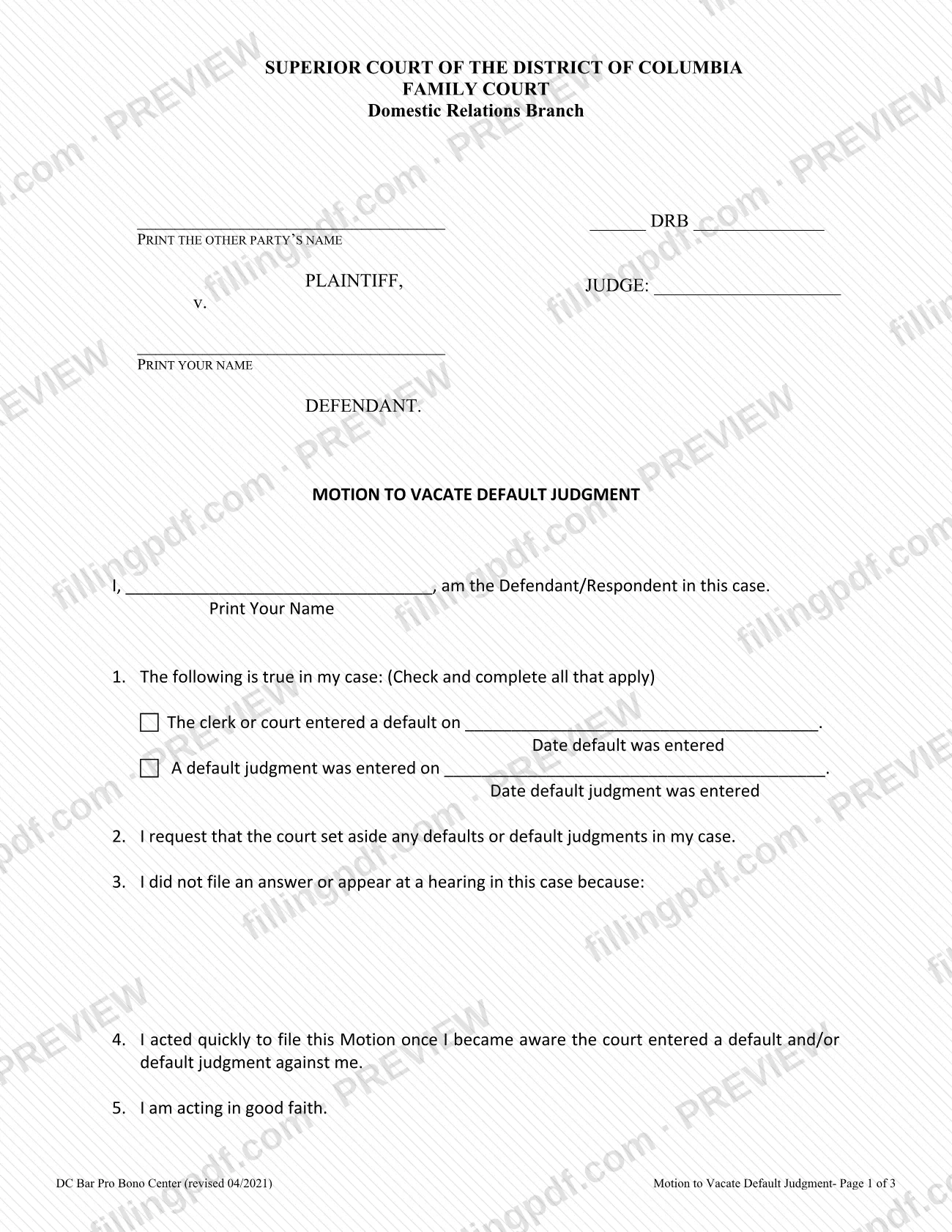
The DC Courts forms page describes it as the form you use to ask the court to cancel a default or default judgment entered against you. The form is three pages. Page 1 identifies the case and states what happened: a default entered on a date, a default judgment entered on a date, or both. It then asks you to explain why you did not file an answer or appear at a hearing, and states that you acted quickly, are acting in good faith and that the other side suffers no prejudice. It also says you have defenses and that your written Answer is attached.
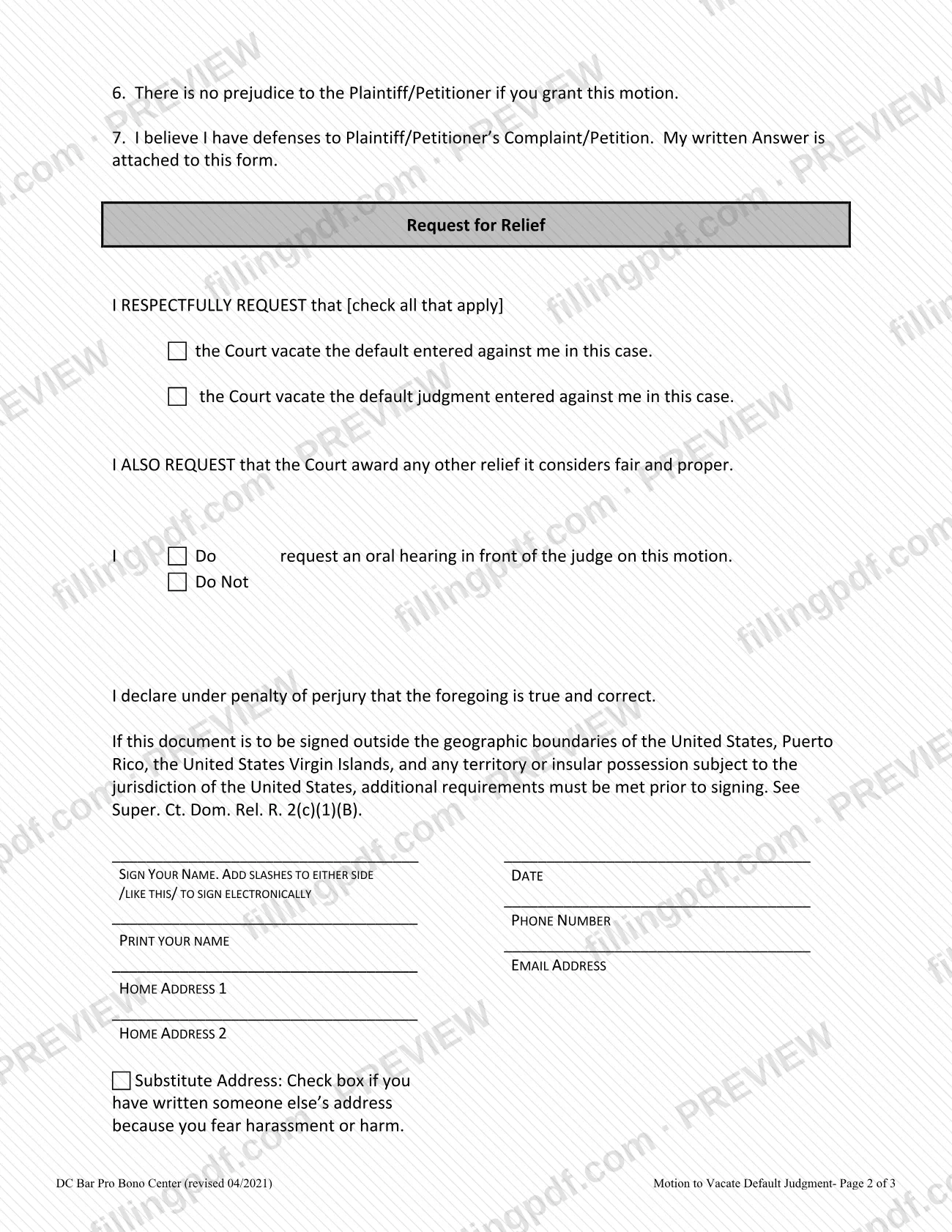
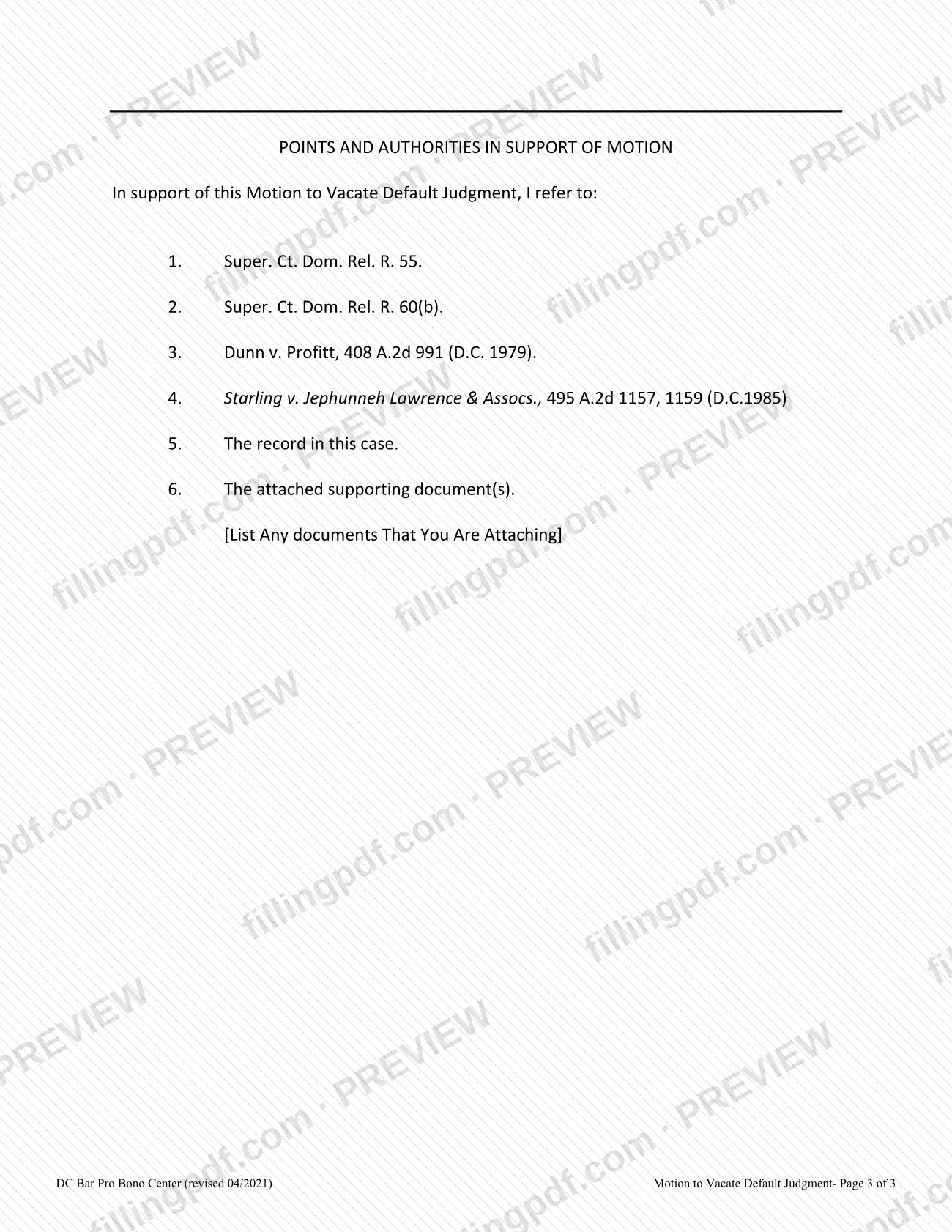
Page 2 holds the Request for Relief, the choice to request or not request an oral hearing, a declaration under penalty of perjury and the signature block. Page 3 is the Points and Authorities in Support of Motion, which cites Super. Ct. Dom. Rel. R. 55, R. 60(b), two D.C. cases and the record in your case, and lists the documents you attach.
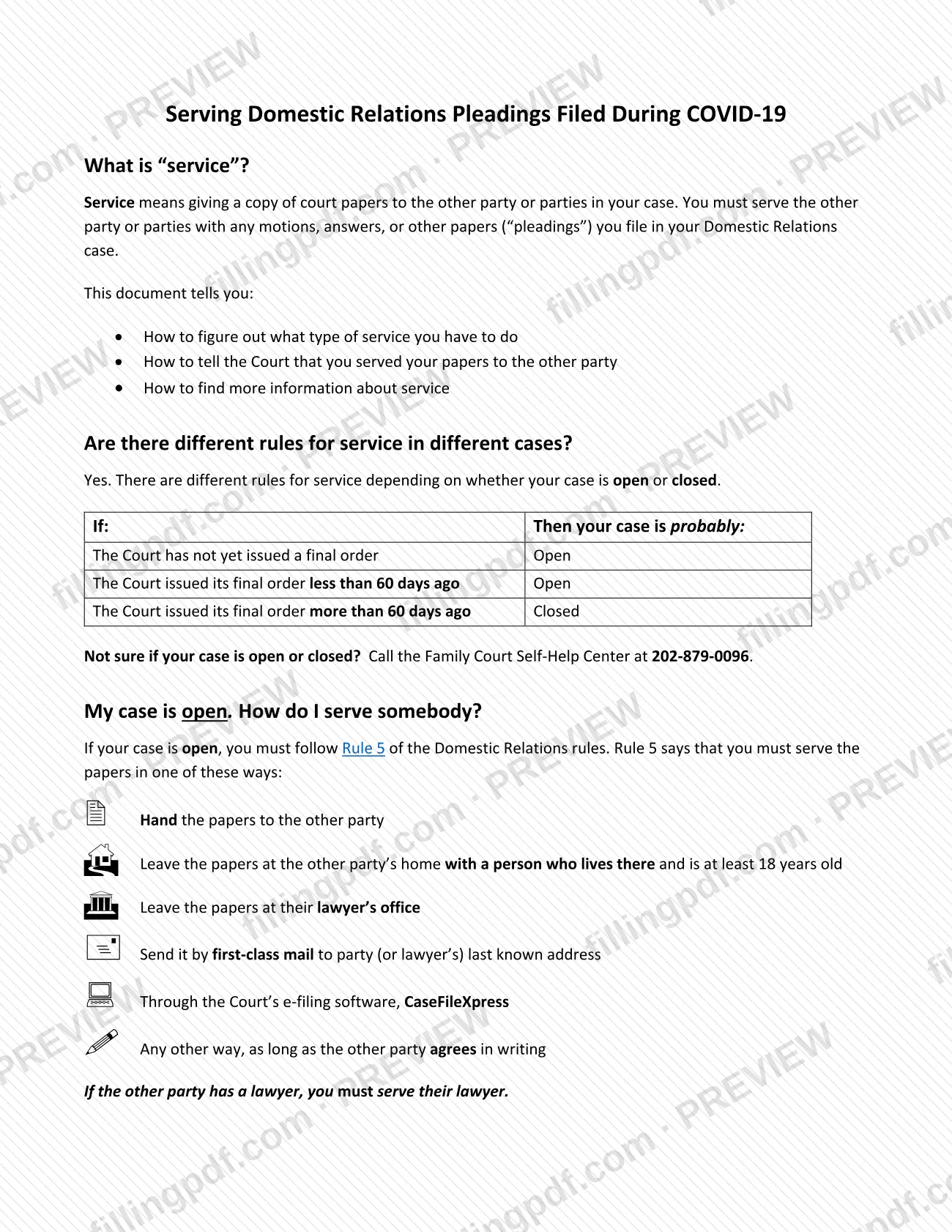
A separate DC Courts handout, attached to the form, explains how to serve the motion on the other party.
Who needs to file Motion to Vacate Default Judgment – District of Columbia?
The Defendant/Respondent in a Domestic Relations case in the Family Court of the Superior Court of the District of Columbia uses this motion when the clerk or court has entered a default, a default judgment, or both against them. The form begins "I, ___, am the Defendant/Respondent in this case," so it is written for the party against whom the default was entered, not for the Plaintiff/Petitioner.
It fits you if you did not file an answer or appear at a hearing, can explain why, and have defenses to the Complaint/Petition. The form says your written Answer is attached to it.
If you sign outside the United States, Puerto Rico, the U.S. Virgin Islands or another territory or insular possession subject to U.S. jurisdiction, additional requirements must be met before you sign; the form cites Super. Ct. Dom. Rel. R. 2(c)(1)(B).
If you are unsure how to proceed, the DC Courts service handout names the Family Court Self-Help Center at 202-879-0096, which can explain the process and help you complete the legal papers.
When to file Motion to Vacate Default Judgment – District of Columbia
File the motion after a default or default judgment has been entered against you, and do it quickly. Paragraph 4 of the form states that you acted quickly to file once you became aware the court entered a default and/or default judgment, so delay can undercut your own statement. The form prints no separate deadline.
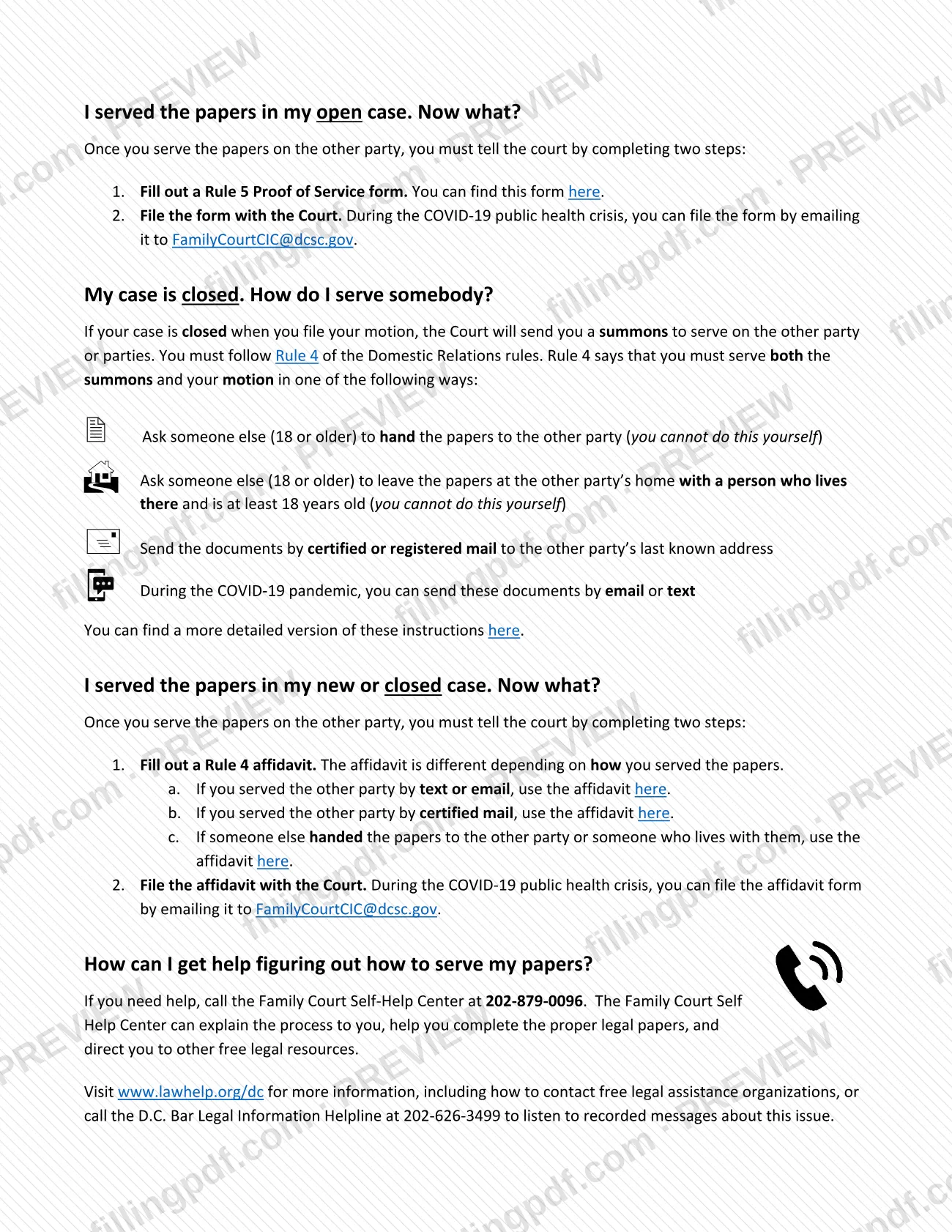
How you serve the motion depends on whether your case is open or closed, according to the DC Courts service handout. Your case is probably open if the Court has not yet issued a final order or issued it less than 60 days ago. It is probably closed if the final order was issued more than 60 days ago. If you are not sure, call the Family Court Self-Help Center at 202-879-0096.
Documents you need
- Your written Answer to the Plaintiff/Petitioner's Complaint/Petition: paragraph 7 of the form says it is attached.
- Any supporting documents you rely on: list each one at the bottom of page 3 under Points and Authorities, where the form says to list any documents you are attaching.
- Rule 5 Proof of Service form, filed after serving the motion, if your case is open.
- Rule 4 affidavit, filed after serving the motion, if your case is closed; the affidavit differs depending on service by text or email, certified mail, or hand delivery by another person.
How to fill out Motion to Vacate Default Judgment – District of Columbia
Complete the case caption
At the top, print the other party's name in the Plaintiff line, enter the case number in the DRB blank, and add the judge's name. Print your own name on the Defendant line.
Print your name in the opening line
In "I, ___, am the Defendant/Respondent in this case," print your name.
Check the default and judgment dates
Under item 1, check and complete all that apply: the date a default was entered by the clerk or court, and the date a default judgment was entered.
Explain why you did not respond
In item 3, write why you did not file an answer or appear at a hearing in this case. Items 2 and 4 to 7 are pre-printed statements: set aside defaults, acted quickly, good faith, no prejudice, and defenses with your Answer attached.
Select the relief you request
Under Request for Relief, check the box to vacate the default, the box to vacate the default judgment, or both.
Choose whether you want a hearing
Select Do or Do Not for an oral hearing in front of the judge on this motion.
Sign and date the motion
Sign your name, adding slashes on either side (/LIKE THIS/) to sign electronically, and enter the date. Check the extra requirements first if you sign outside the United States or its territories.
Add your contact details
Print your name, phone number, email address and home address on the lines provided. Check the Substitute Address box only if you wrote someone else's address because you fear harassment or harm.
List your attachments on page 3
Under Points and Authorities, list at the bottom each document you attach in support of the motion. Item 5 refers to the record in your case and item 6 to the attached supporting documents.
Review, download and prepare to serve
Check every entry and the attached Answer, then download or print the completed PDF from FillingPDF. Serve it as described under How to submit.
How to submit Motion to Vacate Default Judgment – District of Columbia
The form itself prints no filing address or portal, so confirm where to file with DC Courts or the Family Court Self-Help Center at 202-879-0096. What the attached service handout does state concerns serving the other party and proving that you did.
- Open case (Rule 5): serve the papers by handing them to the other party, leaving them at the other party's home with a person who lives there and is at least 18, leaving them at their lawyer's office, sending them by first-class mail to the last known address, using the Court's e-filing software CaseFileXpress, or any other way the other party agrees to in writing. If the other party has a lawyer, serve the lawyer. Then complete a Rule 5 Proof of Service form and file it; during the COVID-19 public health crisis it could be emailed to [email protected].
- Closed case (Rule 4): the Court sends you a summons. Serve the summons and your motion through someone 18 or older (not yourself) who hands them over or leaves them at the other party's home, or by certified or registered mail to the last known address; during the pandemic, email or text was also allowed. Then file the Rule 4 affidavit that matches your method.
FillingPDF lets you fill out and download the PDF; submission follows the channels above.
Common mistakes to avoid
- Leaving the box under item 1 unchecked, or checking a box without entering the date the default or default judgment was entered.
- Leaving item 3 blank instead of explaining why you did not file an answer or appear at a hearing.
- Filing the motion without attaching your written Answer, which paragraph 7 says is attached.
- Not checking which relief you request: the default, the default judgment, or both.
- Failing to mark whether you do or do not want an oral hearing in front of the judge.
- Signing without adding slashes on either side of your typed name when signing electronically, such as /Your Name/.
- Signing outside the United States or its territories without meeting the extra requirements cited in Super. Ct. Dom. Rel. R. 2(c)(1)(B).
- Serving the papers yourself in a closed case by hand delivery; Rule 4 says someone else, 18 or older, must do that.
- Skipping the proof of service: after serving, you must file a Rule 5 Proof of Service form (open case) or a Rule 4 affidavit (closed case).
Frequently asked questions
What is a motion to vacate default judgment in DC Family Court?
It is the form a Defendant/Respondent in a Domestic Relations case uses to ask the Superior Court of the District of Columbia to cancel a default or default judgment entered against them. DC Courts describes it as the form for asking the court to cancel that default or judgment.
Who can file the Motion to Vacate Default Judgment?
The Defendant/Respondent, meaning the person against whom the clerk or court entered the default or default judgment. The form opens with "I am the Defendant/Respondent in this case," so the Plaintiff/Petitioner does not use it.
Do I have to attach an Answer to the motion?
Yes. Paragraph 7 states that you have defenses to the Complaint/Petition and that your written Answer is attached to the form. List any other supporting documents at the bottom of page 3.
Can I sign the motion electronically?
Yes. The signature block says to sign your name with slashes on either side, like /this/, to sign electronically. If you sign outside the United States or its territories, extra requirements in Super. Ct. Dom. Rel. R. 2(c)(1)(B) must be met first.
Do I have to serve the other party after filing the motion?
Yes. The DC Courts handout says you must serve the other party with any motion. In an open case follow Rule 5 and file a Rule 5 Proof of Service form; in a closed case follow Rule 4 with the Court's summons and file a Rule 4 affidavit.
How do I know if my case is open or closed?
Your case is probably open if the Court has not issued a final order or issued it less than 60 days ago, and probably closed if the final order came more than 60 days ago. If you are unsure, call the Family Court Self-Help Center at 202-879-0096.
Can I fill out the motion to vacate default judgment online?
You can fill out the PDF online on FillingPDF and download or print it. FillingPDF is an independent service and does not file the motion or serve the other party; you do that through the channels DC Courts describes.
Where can I get help completing this motion?
The Family Court Self-Help Center at 202-879-0096 can explain the process and help you complete the legal papers. The handout also lists www.lawhelp.org/dc and the D.C. Bar Legal Information Helpline at 202-626-3499.
Ready to fill out Motion to Vacate Default Judgment – District of Columbia?
Fill out Motion to Vacate Default Judgment – District of Columbia now