
Application - Trade, printed on the form as the Trade Permit Application, is the City of Cape Coral Building Division form a contractor completes to obtain a permit for stand-alone electrical, plumbing, roofing and A/C work. It is one of the Cape Coral permit applications published in the city's Permit Document Center, and the city lists it with A/C change-outs, electrical miscellaneous, generators, solar reinstalls, pool heaters and roofing. On this page you can fill out the form online on FillingPDF and download or print the completed PDF; the form and its companion documents are published by the city.
Last updated
What is Application - Trade – Cape Coral, FL?
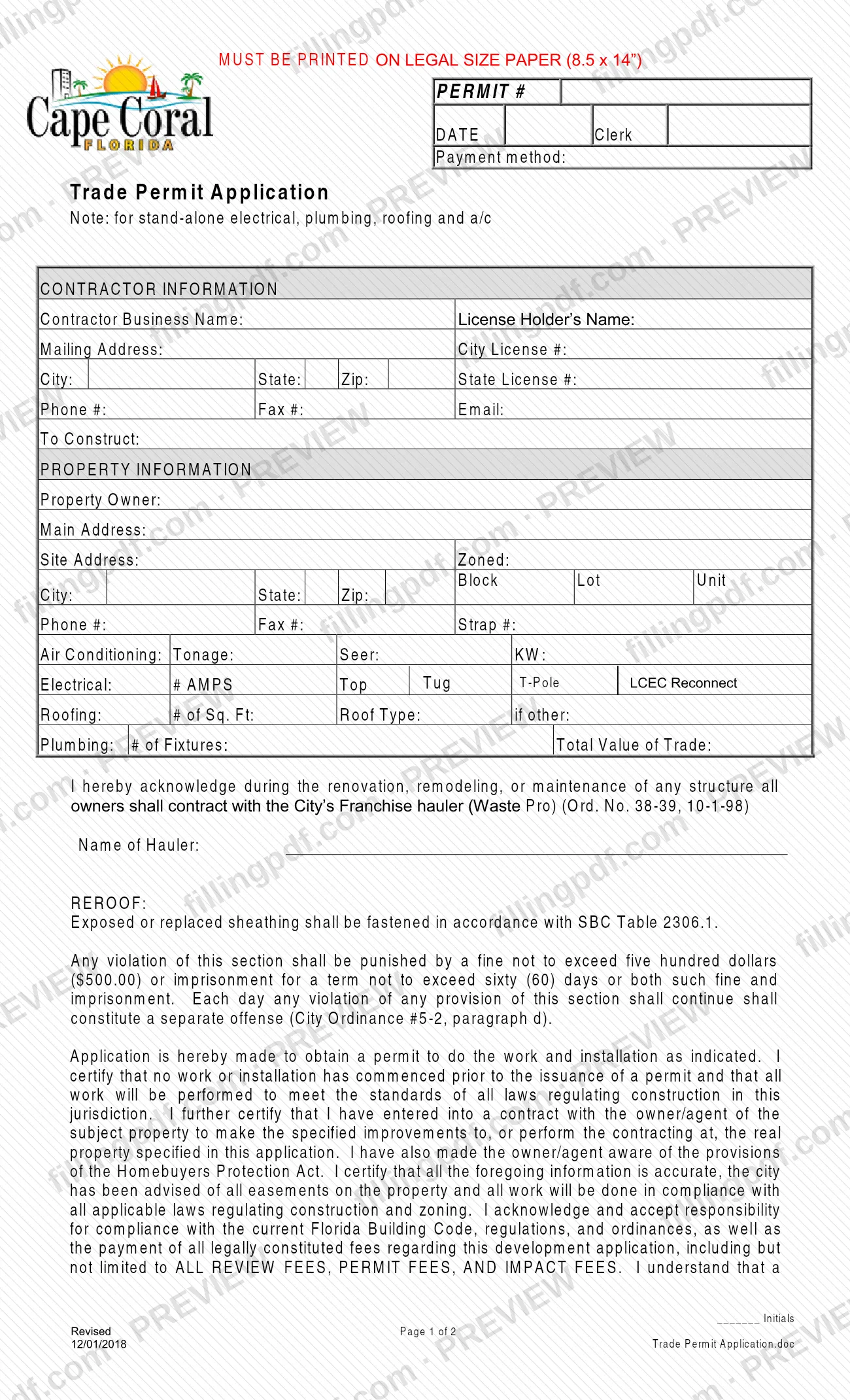
Application - Trade, titled Trade Permit Application on the form itself, is the City of Cape Coral Building Division application used to request a permit for stand-alone electrical, plumbing, roofing and A/C work on a property in Cape Coral, Florida.
The two-page form must be printed on legal size paper (8.5 x 14"). It collects the contractor's business name, license holder, City and State license numbers and contact details, the property owner and site address, and the trade details: A/C tonnage, SEER and KW; electrical amps and the Top Tug, T-Pole and LCEC Reconnect options; roofing square footage and roof type; plumbing fixture count; and the total value of the trade work.
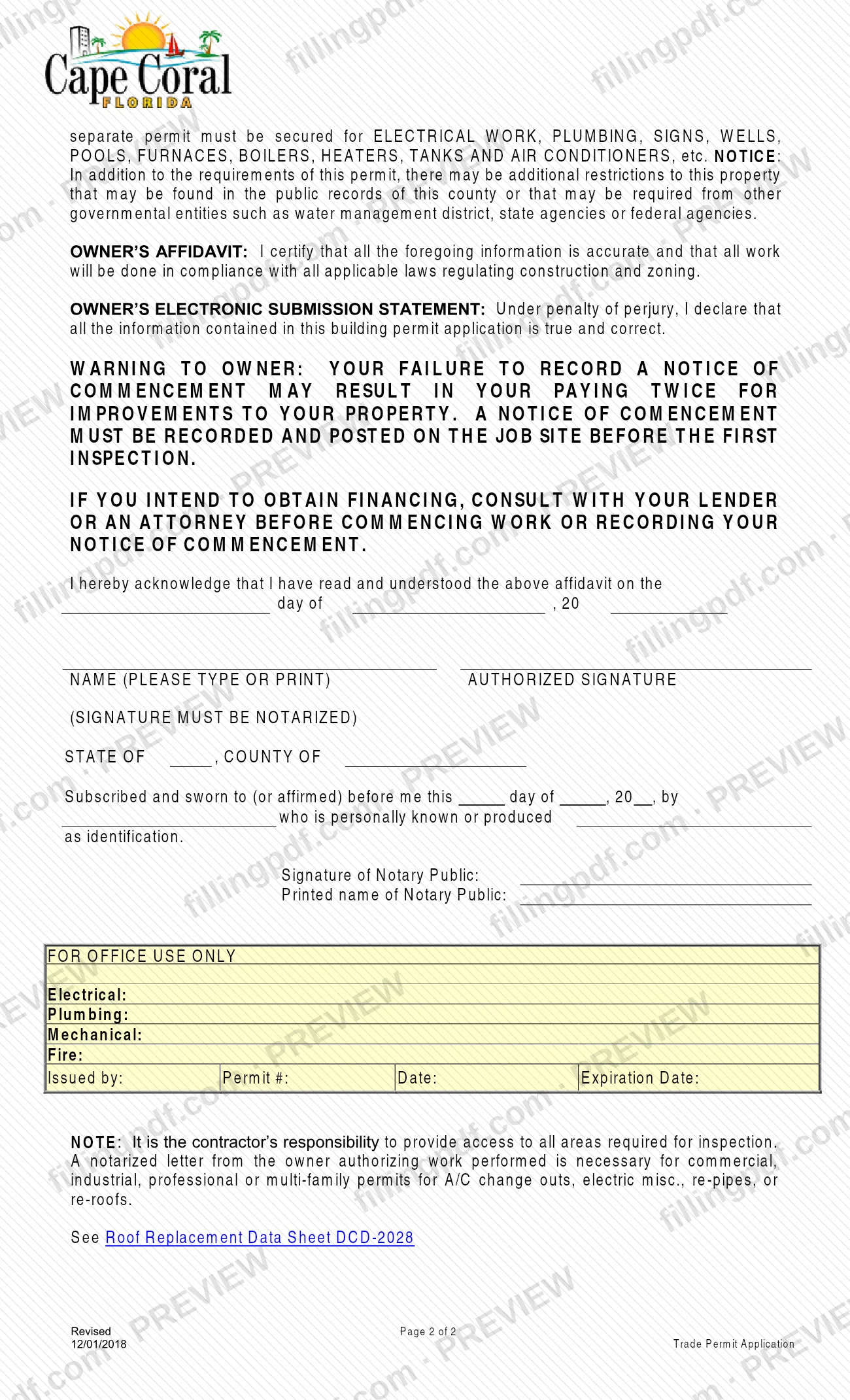
It also carries several acknowledgements. The owner acknowledges the requirement to contract with the city's franchise hauler (Waste Pro) during renovation, remodeling or maintenance. A reroof note covers sheathing. The contractor certifies that no work has started before the permit is issued and that the owner was made aware of the Homebuyers Protection Act. The owner's affidavit must be signed before a notary. A FOR OFFICE USE ONLY block records the electrical, plumbing, mechanical and fire entries, who issued the permit, the permit number, the date and the expiration date.
The Permit Document Center lists other applications for different work, such as Application - Miscellaneous, Application - Addition/Remodel, Application - Marine Improvement, Application - Pool and Application - Enclosure/Fence. Application - Trade is the one the city pairs with the trade categories above.
Who needs to file Application - Trade – Cape Coral, FL?
The main group is the licensed contractor who is asking the City of Cape Coral for a permit for stand-alone electrical, plumbing, roofing or A/C work. The form states that the contractor has a contract with the owner or agent of the property and holds a City license and a State license, both of which the form asks for.
The property owner also takes part. The owner's affidavit, with a notarized signature, sits on the second page, and the owner's name, address and contact details are part of the property information.
On the city's Permit Document Center, Application - Trade appears under A/C change-out (including solar), Electrical Miscellaneous, Generator / Transfer Switch, Photovoltaic Solar (where the city says to use it for residential reinstalls only), Pool Heater and Roofing.
For commercial, industrial, professional or multi-family permits for A/C change-outs, electric miscellaneous work, re-pipes or re-roofs, the form says a notarized letter from the owner authorizing the work is also necessary.
The form does not cover other trades or structures: it states that a separate permit must be secured for electrical work, plumbing, signs, wells, pools, furnaces, boilers, heaters, tanks and air conditioners.
When to file Application - Trade – Cape Coral, FL
Complete the application before any work starts: in the certification the contractor states that no work or installation has commenced prior to the issuance of a permit. The form prints no separate due date.
The form's warning to the owner adds a second timing rule: a Notice of Commencement must be recorded and posted on the job site before the first inspection. The city's Permit Document Center lists the Notice of Commencement with each trade category and attaches a project-value threshold to it, so check the threshold shown for your category.
The city completes the permit number, date and expiration date in the FOR OFFICE USE ONLY block when it issues the permit. The form sets no processing time.
Documents you need
- Owner's affidavit signed by the owner, with the signature notarized and the notary block completed (state, county, date, identification and notary name); it is part of this form.
- Notarized letter from the owner authorizing the work, for commercial, industrial, professional or multi-family permits for A/C change-outs, electric miscellaneous work, re-pipes or re-roofs.
- Roof Replacement Data Sheet DCD-2028, which the form tells you to see for roofing work.
- Notice of Commencement, recorded and posted on the job site before the first inspection; the Permit Document Center lists it for each trade category with a project-value threshold.
- Duct Certification, which the city lists as mandatory when installing a new duct system or modifying an existing one, for A/C work.
- HVAC Data Sheet, which the city lists with the A/C change-out documents.
How to fill out Application - Trade – Cape Coral, FL
Plan for legal size paper
The form says it must be printed on legal size paper (8.5 x 14"). Set your printer for that size when you print the completed PDF.
Enter contractor information
Under CONTRACTOR INFORMATION, enter the Contractor Business Name, License Holder's Name, Mailing Address, City License #, City, State, Zip, State License #, Phone #, Fax # and Email. Describe the work on the To Construct line.
Enter the property information
Enter the Property Owner, Main Address, Site Address and Zoned, then Block, Lot and Unit, City, State, Zip, Phone #, Fax # and Strap #.
Fill the trade details that apply
For A/C, enter Tonage, Seer and KW. For electrical, enter # AMPS and the Top Tug, T-Pole or LCEC Reconnect option if it applies. For roofing, enter # of Sq. Ft, Roof Type and the type if other. For plumbing, enter # of Fixtures. Complete only the lines for your trade.
Enter the total value of the trade
Enter the Total Value of Trade on the line beside the Plumbing details.
Complete the hauler acknowledgement
Enter the Name of Hauler under the statement that owners contract with the City's franchise hauler (Waste Pro) during renovation, remodeling or maintenance. Read the REROOF sheathing note if your work is a reroof.
Initial the contractor certification
Read the application and certification paragraph, which covers no work before permit issuance, the contract with the owner, fees and the separate-permit statement, and enter the contractor's initials on the line provided.
Complete the owner's affidavit
The owner reads the affidavit and the notice about recording a Notice of Commencement, enters the date, then prints their name and signs the AUTHORIZED SIGNATURE line.
Have the signature notarized
Fill in the State of and County of lines, the day, month and year, and the name of the person who is personally known or produced identification. The notary completes the notary signature and printed name.
Leave the office block blank, then download
Do not fill in the FOR OFFICE USE ONLY block, which is for the city. Review every entry, then download or print the completed PDF from FillingPDF and collect any required attachments listed under Required documents.
How to submit Application - Trade – Cape Coral, FL
The form names no mailing address, portal or appointment process of its own. The application is made to the City of Cape Coral Building Division, and the city publishes the form with its related guidelines in the Permit Document Center at https://www.capecoral.gov/departments/development_services/permitting_services_division/permit_document_center.php.
Before you submit, check that:
- the form is printed on legal size paper (8.5 x 14") if you submit it on paper;
- the contractor's initials and the owner's notarized signature are in place;
- any notarized owner letter, Notice of Commencement or data sheet that applies to your work is ready.
The form says the applicant accepts responsibility for all review fees, permit fees and impact fees, and it has a payment method line. It prints no amounts, so ask the Building Division for the current fees and the payment methods it accepts. The form includes an owner's electronic submission statement but does not describe an online channel; confirm with the Building Division how it accepts applications. FillingPDF lets you fill out and download the PDF; submission follows the city's channels.
Common mistakes to avoid
- Starting work before the permit is issued; the contractor certifies on the form that no work or installation has commenced prior to issuance.
- Submitting the owner's affidavit without a notarized signature; the form says the signature must be notarized.
- Printing the form on letter-size paper when it says it must be printed on legal size paper (8.5 x 14").
- Leaving off the notarized owner letter for commercial, industrial, professional or multi-family A/C change-outs, electric miscellaneous work, re-pipes or re-roofs.
- Skipping the contractor's initials line in the certification block, or leaving the name of the hauler blank in the Waste Pro acknowledgement.
- Not recording and posting the Notice of Commencement before the first inspection, after the form's warning that the owner may pay twice for improvements.
- Expecting this permit to cover other work; the form says a separate permit is needed for electrical work, plumbing, signs, wells, pools, furnaces, boilers, heaters, tanks and air conditioners.
- Not providing access to all areas required for inspection, which the form makes the contractor's responsibility.
Frequently asked questions
What is the Cape Coral Application - Trade used for?
It is the City of Cape Coral Building Division's Trade Permit Application for stand-alone electrical, plumbing, roofing and A/C work. The contractor completes it with the owner's affidavit to request the permit; the city issues the permit and records its number and expiration date in the office block.
Where can I find a Cape Coral permit application?
The city publishes permit applications, guidelines and affidavits in its Permit Document Center on the Development Services Permitting Services Division site. Application - Trade is listed under A/C change-out, electrical miscellaneous, generator, solar reinstall, pool heater and roofing.
Does the owner's signature on the Trade Permit Application have to be notarized?
Yes. The owner's affidavit block says the authorized signature must be notarized, and it includes the notary section with the state, county, date, identification and the notary's signature and printed name.
Do I need an owner's letter for a commercial A/C change-out or re-roof?
Yes, for commercial, industrial, professional or multi-family permits. The form says a notarized letter from the owner authorizing the work is necessary for A/C change-outs, electric miscellaneous work, re-pipes or re-roofs.
Can I fill out the Cape Coral trade permit application online?
You can fill out the PDF online on FillingPDF and download or print it. FillingPDF is an independent service and does not file the application; you submit it through the City of Cape Coral Building Division's channels. Print it on legal size paper if you submit it on paper.
Is there a fee for a Cape Coral trade permit?
Fees apply. The form says you accept responsibility for review fees, permit fees and impact fees, but it prints no amounts. Ask the City of Cape Coral Building Division for the current fees and how to pay them.
Do I need a Notice of Commencement with this application?
The form warns the owner that a Notice of Commencement must be recorded and posted on the job site before the first inspection. The Permit Document Center lists the Notice of Commencement for each trade category with a project-value threshold, so check the one for your work.
Does one Trade Permit Application cover all trades on a job?
No. The form says a separate permit must be secured for electrical work, plumbing, signs, wells, pools, furnaces, boilers, heaters, tanks and air conditioners. Use the applications the city lists for other types of work, such as Application - Miscellaneous.
Ready to fill out Application - Trade – Cape Coral, FL?
Fill out Application - Trade – Cape Coral, FL now