
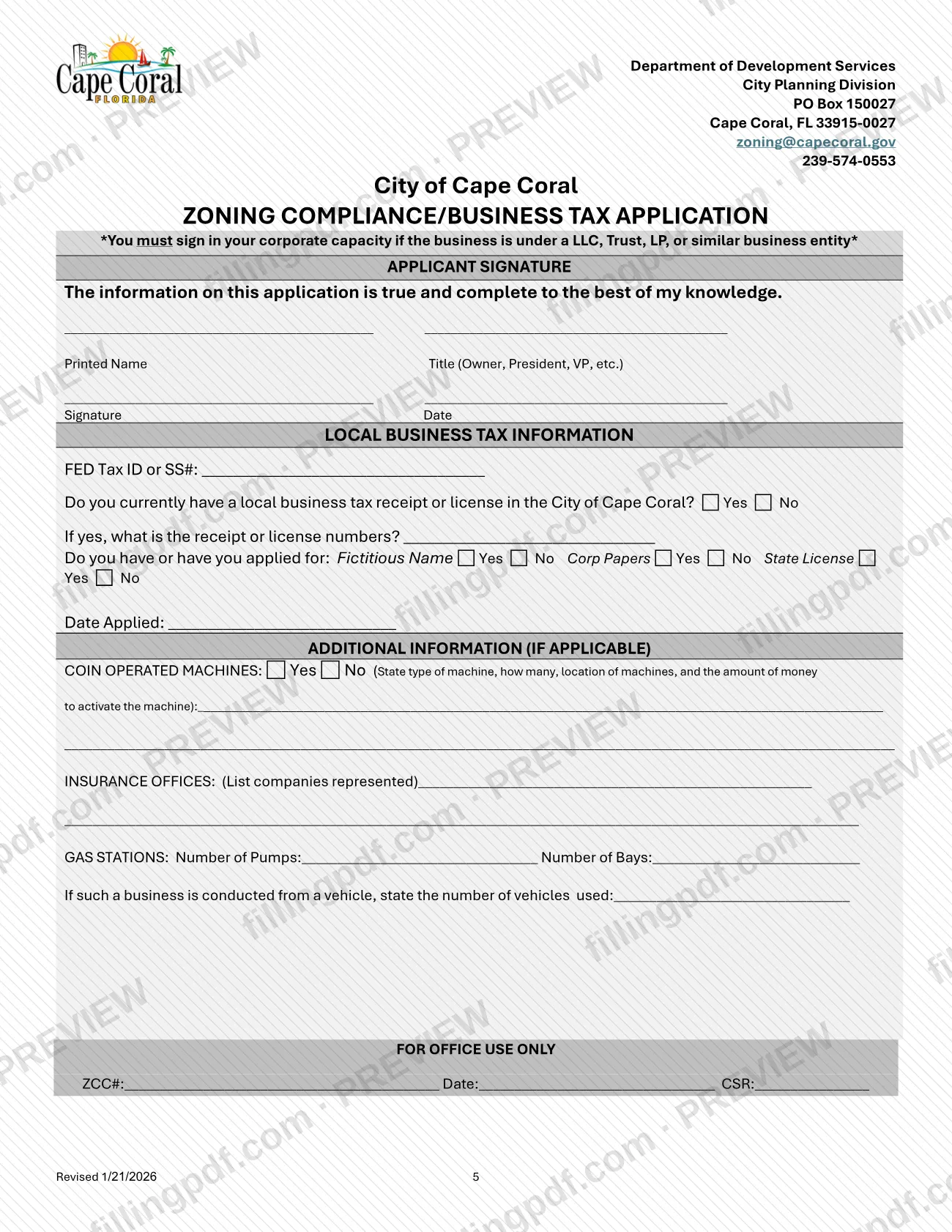
The Commercial Location Zoning Compliance Application is the City of Cape Coral form, printed as the Zoning Compliance/Business Tax Application, that a business files with the city's Planning Division to confirm a commercial space is zoned for its use. It sits alongside the other Cape Coral permit and zoning documents the Planning Division publishes, and it is a step before the Business Tax Receipt process. On this page you can fill out the form online on FillingPDF and download or print the completed PDF; the city publishes the original at capecoral.gov.
Last updated
What is Commercial Location Zoning Compliance Application – Cape Coral, FL?
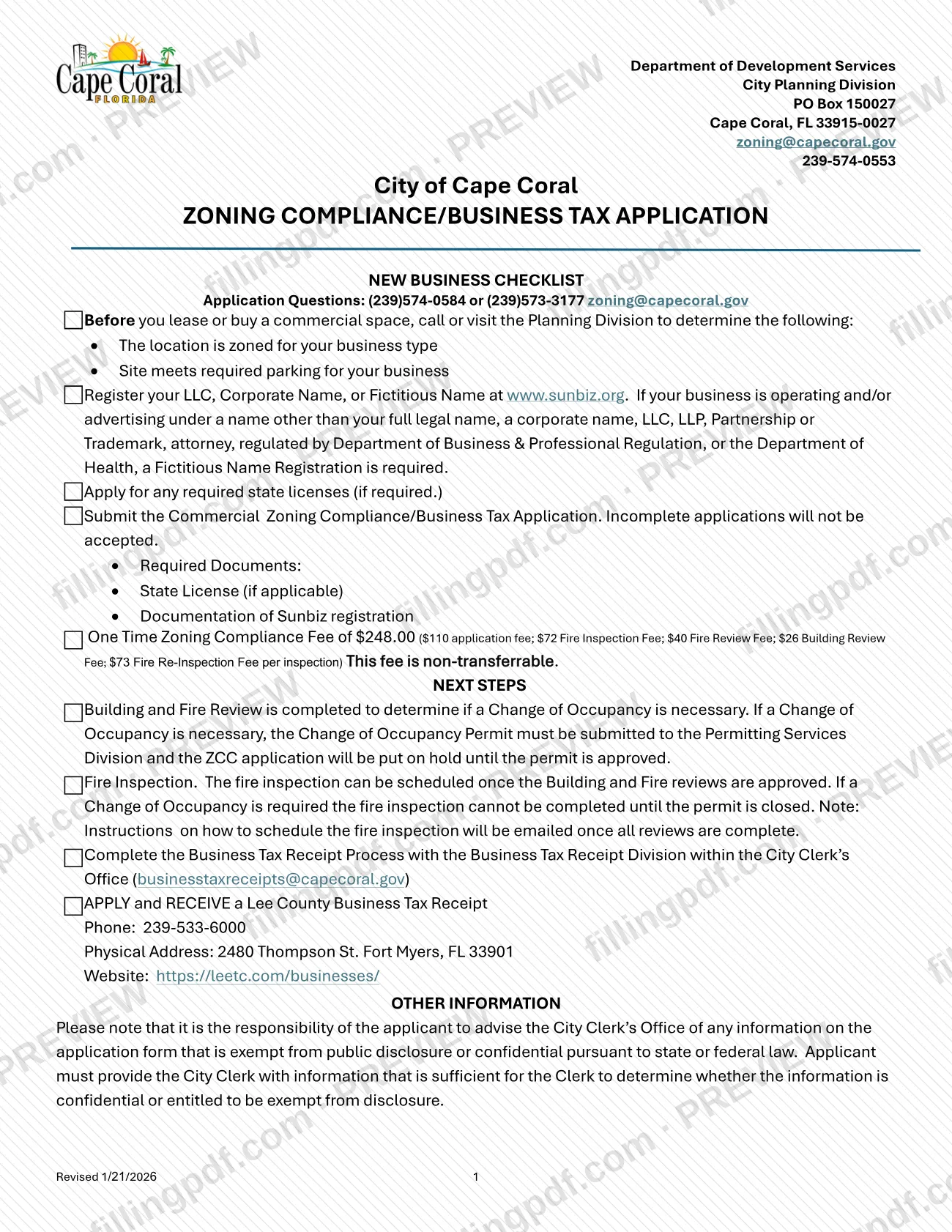
The Commercial Location Zoning Compliance Application is the City of Cape Coral form, headed Zoning Compliance/Business Tax Application, used to start the zoning compliance (ZCC) review of a commercial location for a business. The form header names the Department of Development Services, City Planning Division.
The PDF opens with a New Business Checklist and next steps, then collects the application itself: the business address and unit size, the legal business name as registered in Sunbiz, any fictitious name, hours and days of operation, owner, manager, building owner or lessor and a local emergency contact. It also asks for a detailed description of what the location is used for, whether the unit is on a septic system, employee and vehicle counts, seating, remodeling permits, and the applicant's signature and local business tax information. Extra blocks cover coin-operated machines, insurance offices and gas stations.
After the application, the city's Building and Fire Review decides whether a Change of Occupancy is needed, a fire inspection follows, and the business then completes the Business Tax Receipt process with the Business Tax Receipt Division in the City Clerk's Office. A one-time, non-transferable zoning compliance fee applies. The form is not a sign permit and not a Lee County Business Tax Receipt.
Who needs to file Commercial Location Zoning Compliance Application – Cape Coral, FL?
Businesses that plan to operate from a commercial space in Cape Coral use this application. The checklist tells you to call or visit the Planning Division before you lease or buy, to confirm that the location is zoned for your business type and that the site meets the required parking for it.
The form also covers specific situations through its check boxes:
- a new business, a relocation within Cape Coral, or an expansion within Cape Coral;
- a business moving from a home-based business, with the prior address and CU/ZCC/BTR number;
- businesses with coin-operated machines, insurance offices or gas stations, which complete the additional information block.
If the business is held through an LLC, trust, LP or similar entity, the form says you must sign in your corporate capacity. The owner name must be as registered in Sunbiz, not an LLC or corporate name, and the local emergency contact cannot be the business owner. A Fictitious Name Registration is required if the business operates or advertises under a name other than its full legal name, corporate name, LLC, LLP, partnership or trademark name, or if it is an attorney or regulated by the Department of Business & Professional Regulation or the Department of Health.
When to file Commercial Location Zoning Compliance Application – Cape Coral, FL
Submit the application after you have confirmed zoning and parking with the Planning Division, registered your business name at www.sunbiz.org and applied for any required state licenses. The checklist lists these as steps that come before the application, and it states that incomplete applications will not be accepted. The form sets no calendar deadline.
What follows is also stated on the form. The Building and Fire Review decides whether a Change of Occupancy is needed; if it is, the Change of Occupancy Permit goes to the Permitting Services Division and your application is put on hold until that permit is approved. The fire inspection can be scheduled once the Building and Fire reviews are approved, and instructions are emailed when all reviews are complete. After that, complete the Business Tax Receipt process. A sign permit must be obtained through the Planning Division before you erect a sign advertising the business, and after you apply for Zoning Compliance.
Documents you need
- State license, if applicable: listed on the checklist as a required document, and you apply for any required state licenses before submitting the application.
- Documentation of your Sunbiz registration: listed on the checklist as a required document, covering your LLC, corporate name or fictitious name registration at www.sunbiz.org.
How to fill out Commercial Location Zoning Compliance Application – Cape Coral, FL
Check zoning and parking first
Before filling out the form, call or visit the Planning Division to confirm the location is zoned for your business type and meets required parking. Register your business name at www.sunbiz.org and apply for any required state license.
Leave the office-use boxes blank
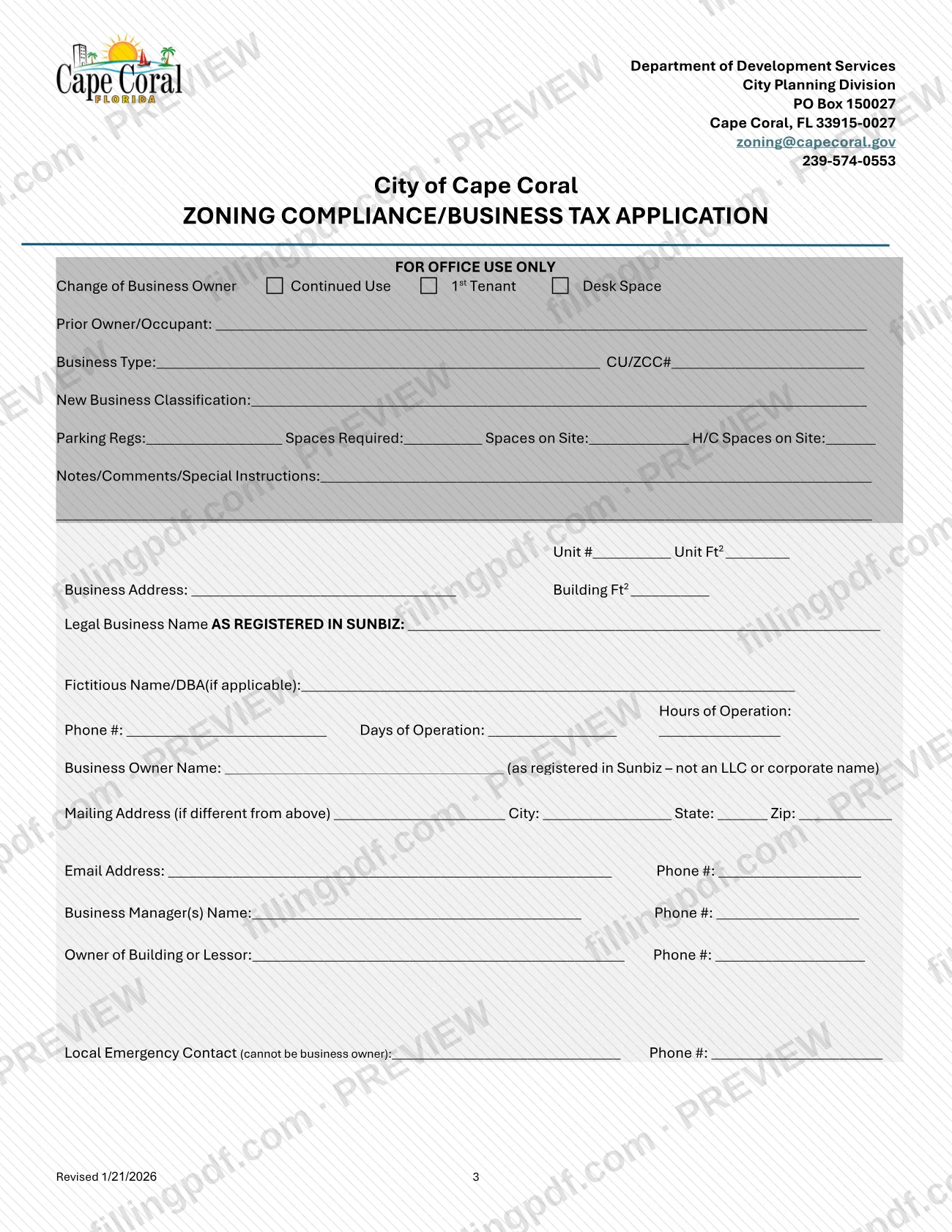
The top block (Change of Business Owner, Continued Use, 1st Tenant, Desk Space, prior owner, parking regulations and spaces) is marked FOR OFFICE USE ONLY. The city completes it.
Enter the business address and size
Fill in the Business Address, Unit #, Unit Ft2 and Building Ft2.
Enter legal name and contact details
Write the Legal Business Name AS REGISTERED IN SUNBIZ and any Fictitious Name/DBA. Add the phone number and the hours and days of operation.
List owner, manager and contacts
Enter the Business Owner Name as registered in Sunbiz (not an LLC or corporate name), a mailing address if different, email and phone. Add the business manager, the owner of the building or lessor, and a Local Emergency Contact who is not the business owner.
Describe the business
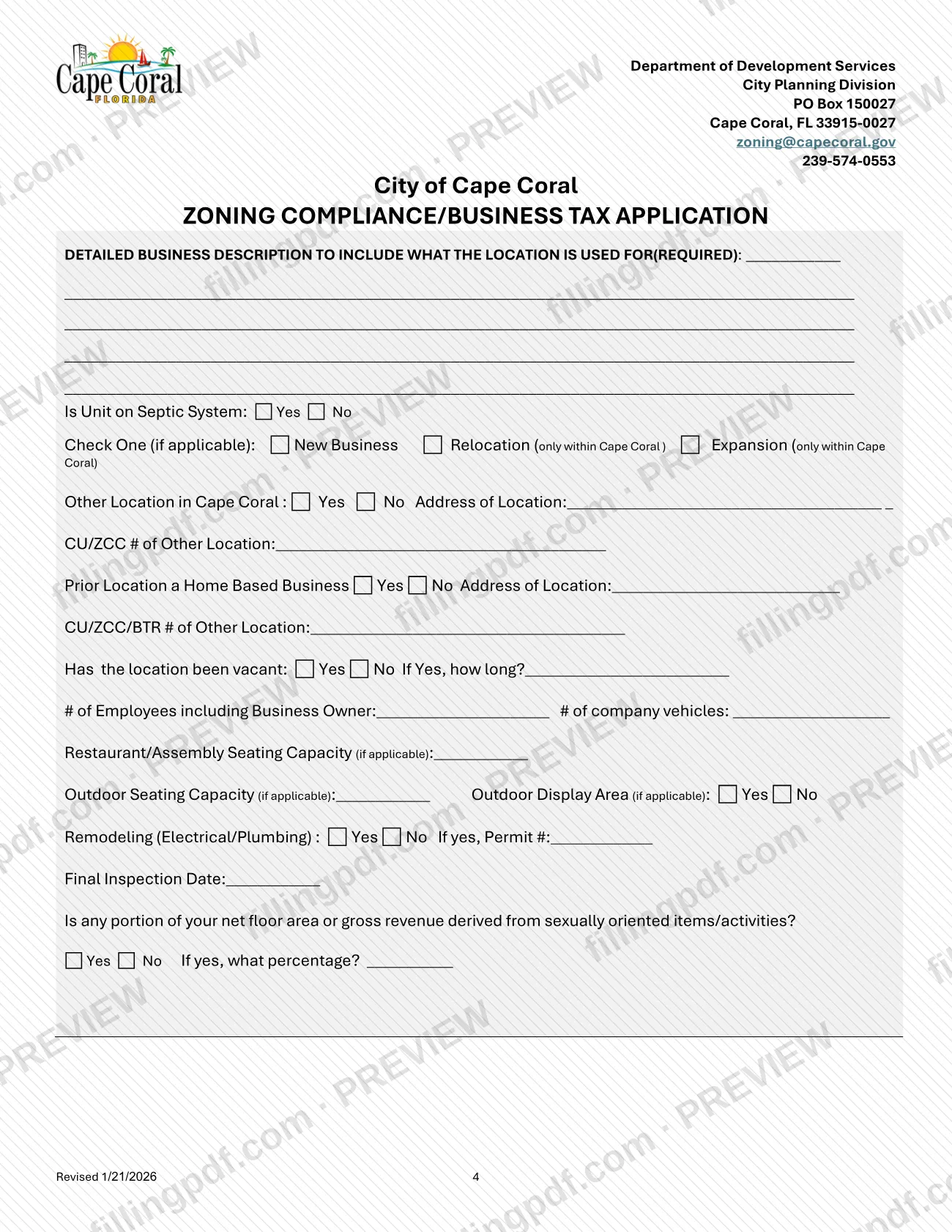
Write the detailed business description, including what the location is used for; the form marks it as required. Answer whether the unit is on a septic system.
Mark business type and prior location
Check New Business, Relocation or Expansion (only within Cape Coral), if applicable. Answer the questions on any other Cape Coral location, with its CU/ZCC number, and on a prior home-based business, with its CU/ZCC/BTR number.
Answer vacancy, staffing and capacity lines
Indicate whether the location has been vacant and for how long. Enter the number of employees including the owner, company vehicles, restaurant/assembly seating, outdoor seating and whether there is an outdoor display area.
Report remodeling and sensitive-use items
Answer the Remodeling (Electrical/Plumbing) question and enter the permit number and final inspection date if yes. Answer the question on sexually oriented items or activities and give the percentage if yes.
Complete the local business tax section
Enter the FED Tax ID or SS#. Say whether you hold a Cape Coral business tax receipt (with its number), and whether you have or applied for a Fictitious Name, Corp Papers or State License, with the date applied.
Fill the additional information blocks
If applicable, describe coin-operated machines (type, number, location and amount to activate), list the insurance companies represented, or give the number of gas pumps, bays and vehicles used.
Sign, date and download the PDF
Print your name and title, then sign and date; sign in your corporate capacity if the business is an LLC, Trust, LP or similar entity. Review every entry, then download or print the completed PDF from FillingPDF and submit it as described under How to submit.
How to submit Commercial Location Zoning Compliance Application – Cape Coral, FL
The PDF names the Planning Division as the office handling the application, and the city's page for Planning Division applications describes the channels below.
- Online portal: the city's page says applicants are encouraged to submit Planning Division applications through the CSS online portal.
- Contact the Planning Division: the form's header lists [email protected], 239-574-0553 and PO Box 150027, Cape Coral, FL 33915-0027. Application questions go to (239)574-0584 or (239)573-3177.
Attach the documents listed on the checklist: your state license, if applicable, and documentation of your Sunbiz registration. A one-time zoning compliance fee applies, made up of an application fee, a fire inspection fee, a fire review fee, a building review fee and a fire re-inspection fee per inspection; the form prints the amounts and says the fee is non-transferable. The city says that once an application is received it is reviewed for completeness and invoiced, and that it will never request payment by electronic funds transfer, wire transfer or third-party payment apps such as Venmo, Cash App, PayPal or Zelle.
Afterward, contact the Business Tax Receipt Division in the City Clerk's Office at [email protected]. The Lee County Business Tax Receipt is a separate application: 239-533-6000, 2480 Thompson St. Fort Myers, FL 33901, https://leetc.com/businesses/. FillingPDF lets you fill out and download the PDF; submission follows the channels above.
Common mistakes to avoid
- Submitting an incomplete application; the checklist says incomplete applications will not be accepted.
- Leaving out the state license (if applicable) or the documentation of Sunbiz registration that the checklist lists as required.
- Leaving the detailed business description blank; the form marks it as required and asks what the location is used for.
- Entering an LLC or corporate name in the Business Owner Name line; the form asks for the owner name as registered in Sunbiz, not an LLC or corporate name.
- Naming the business owner as the local emergency contact; the form says this contact cannot be the business owner.
- Signing in a personal capacity when the business is under an LLC, Trust, LP or similar entity; the form says to sign in your corporate capacity.
- Leasing or buying a commercial space before checking with the Planning Division that it is zoned for your business type and has the required parking.
- Erecting a business sign without first obtaining a sign permit through the Planning Division after applying for Zoning Compliance.
- Assuming the zoning compliance fee can be transferred to another business; the form says it is non-transferable.
Frequently asked questions
What is the Commercial Location Zoning Compliance Application?
It is the City of Cape Coral form, printed as the Zoning Compliance/Business Tax Application, that starts the zoning compliance review for a commercial space. It follows a New Business Checklist and leads to Building and Fire Review, a fire inspection and the Business Tax Receipt process.
What documents do I need with the Cape Coral zoning compliance application?
The checklist lists two required documents: a state license, if applicable, and documentation of your Sunbiz registration. If you operate under a name other than your full legal name, a Fictitious Name Registration is also required, as the checklist explains.
Is there a fee for the Cape Coral zoning compliance application?
Yes. A one-time zoning compliance fee applies, made up of application, fire inspection, fire review and building review fees, plus a fire re-inspection fee per inspection. The form says it is non-transferable. Check the form or call 239-574-0553 for current amounts.
How do I pay the zoning compliance fee in Cape Coral?
The city says that once an application is received it is reviewed for completeness and invoiced. It also says it will never request payment by electronic funds transfer, wire transfer or third-party payment apps such as Venmo, Cash App, PayPal or Zelle.
What happens after I submit the zoning compliance application?
The city completes a Building and Fire Review to decide if a Change of Occupancy is needed. If it is, the application is on hold until that permit is approved. Fire inspection instructions are then emailed, and you complete the Business Tax Receipt process.
Do I need a separate Lee County business tax receipt?
The checklist lists applying for and receiving a Lee County Business Tax Receipt as a separate step. Contact the county at 239-533-6000, 2480 Thompson St. Fort Myers, FL 33901, or https://leetc.com/businesses/. The city's own receipt is handled through the City Clerk's Office.
Who signs the Cape Coral zoning compliance application?
The applicant signs, with printed name, title and date. If the business is under an LLC, Trust, LP or similar entity, the form says you must sign in your corporate capacity, with a title such as Owner, President or VP.
Can I fill out the Cape Coral zoning compliance application online?
You can fill out the PDF online on FillingPDF and download or print it. FillingPDF is independent of the City of Cape Coral and does not submit the application; you send it through the city's channels described under How to submit.
Do I need a permit for a business sign in Cape Coral?
Yes. The form says that before you erect a sign advertising a business, and after you apply for Zoning Compliance, you must obtain a sign permit through the Planning Division. Requirements are on the division's page at www.capecoral.gov.
Ready to fill out Commercial Location Zoning Compliance Application – Cape Coral, FL?
Fill out Commercial Location Zoning Compliance Application – Cape Coral, FL now