
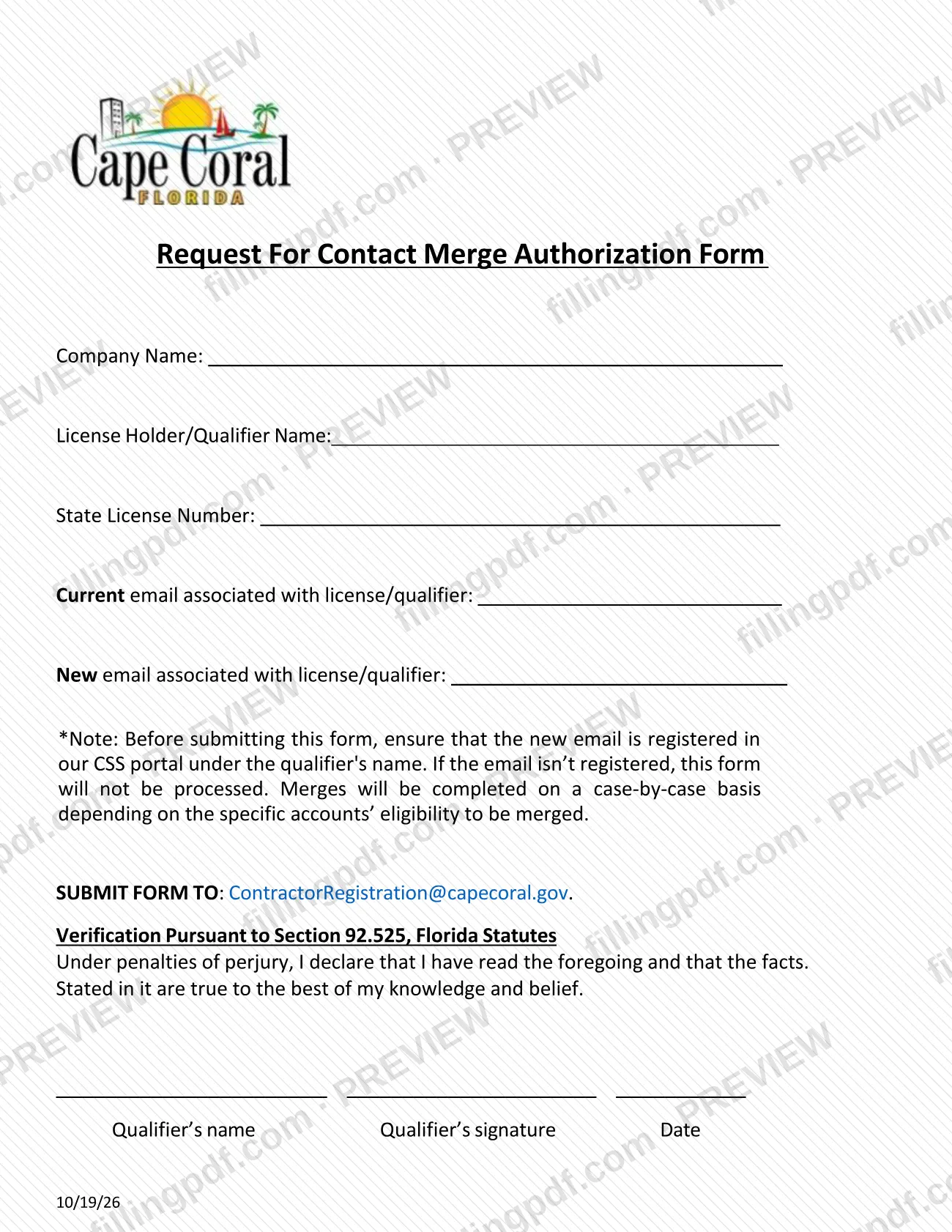
The Contact Merge Authorization Form is a City of Cape Coral Building Division form on which a company and its license holder or qualifier give the current email and the new email associated with a state contractor license. The qualifier signs it under penalties of perjury, and it is sent to the Building Division's contractor registration email address or delivered in person. On this page you can fill out the form online on FillingPDF and download or print the completed PDF; the city publishes the original PDF in its Permit Document Center.
Last updated
What is Contact Merge Authorization Form – Cape Coral, FL?
The Contact Merge Authorization Form is a one-page City of Cape Coral Building Division form that identifies a company, its license holder or qualifier and state license number, and states the current and new email associated with that license or qualifier.
The form carries a note that sets the condition for processing: before you submit it, the new email must already be registered in the city's CSS portal under the qualifier's name. If the email is not registered, the form will not be processed. The note adds that once the account is created and linked to that email, it cannot be changed.
The qualifier must also complete the Verification Pursuant to Section 92.525, Florida Statutes, declaring under penalties of perjury that the facts stated in the form are true to the best of the qualifier's knowledge and belief. The form has a printed name, signature and date line for the qualifier.
The form sits in the Contractor Registration folder of the city's Permit Document Center, which also hosts the permit applications, guidelines and affidavits used for building work. It is not a permit application: it deals with the email associated with a license or qualifier, not with a construction project.
Who needs to file Contact Merge Authorization Form – Cape Coral, FL?
The main users are companies and their license holders or qualifiers who work with the City of Cape Coral Building Division and need the email associated with a state license or qualifier changed from a current address to a new one. The form is addressed to the qualifier: it asks for the qualifier's name, the state license number, and the qualifier's signature.
Conditions printed on the form:
- The new email must already be registered in the CSS portal under the qualifier's name. If it is not, the form will not be processed.
- The qualifier signs the verification under Section 92.525, Florida Statutes; the form has no other signature block and names no other person who may sign.
- The account, once created and linked to the email, cannot be changed, so the address you list as new should be the one you intend to keep.
The form does not describe any other group of users and gives no exceptions. If you are not the qualifier, ask the Building Division who may act for the company before you send it.
When to file Contact Merge Authorization Form – Cape Coral, FL
Submit the form when you want to change the email associated with a license or qualifier, and only after the new email is registered in the CSS portal under the qualifier's name. The form says it will not be processed if the email is not registered.
No separate due date is printed on the form, and it names no renewal cycle or validity period. Because the account cannot be changed once it is created and linked to the email, confirm the new address and the qualifier's name before you sign and send the form.
How to fill out Contact Merge Authorization Form – Cape Coral, FL
Enter the company name
On the Company Name line, write the name of the company associated with the license.
Enter the license holder or qualifier
On the License Holder/Qualifier Name line, write the name of the license holder or qualifier. This is the same name under which the new email must be registered in the CSS portal.
Enter the state license number
On the State License Number line, write the license number exactly as it appears on the license.
Enter the current email
On the Current email associated with license/qualifier line, write the email address now associated with the license or qualifier.
Enter the new email
On the New email associated with license/qualifier line, write the address you want associated. Make sure it is registered in the CSS portal under the qualifier's name first.
Read the portal note
Confirm the note: if the new email is not registered in the CSS portal, the form will not be processed, and once the account is created and linked to the email it cannot be changed.
Review the verification statement
Read the Verification Pursuant to Section 92.525, Florida Statutes: under penalties of perjury, the qualifier declares the facts stated are true to the best of their knowledge and belief.
Print the name, sign and date
The qualifier prints their name under Qualifier's name, signs under Qualifier's signature and enters the Date.
Review and download the completed PDF
Check every line, then download or print the completed PDF from FillingPDF and send it through one of the channels described under How to submit.
How to submit Contact Merge Authorization Form – Cape Coral, FL
The form names two channels: email and in person.
- By email: send the completed, signed form to [email protected].
- In person: the form says to submit it in person; it prints no street address, office hours or appointment rule, so confirm those details with the City of Cape Coral Building Division before you go.
Before you send it, check that the new email is registered in the CSS portal under the qualifier's name, that the qualifier has printed their name, signed and dated the verification, and that every line above the note is filled in. The form mentions no fee. FillingPDF lets you fill out and download the PDF; submission follows the channels above.
Common mistakes to avoid
- Submitting the form before the new email is registered in the CSS portal under the qualifier's name; the form states it will not be processed.
- Registering the new email under a name other than the qualifier's, when the note requires registration under the qualifier's name.
- Listing a new email you may want to change later; the form says that once the account is created and linked to that email, it cannot be changed.
- Leaving the qualifier's signature or date blank on the Section 92.525, Florida Statutes verification.
- Leaving out the State License Number or the License Holder/Qualifier Name, which identify whose email is being changed.
- Entering a current email that is not the one associated with the license or qualifier, as the first email line asks.
- Sending the form to a different address instead of [email protected], or assuming an in-person address that the form does not print.
Frequently asked questions
What is the Contact Merge Authorization Form?
It is a City of Cape Coral Building Division form that lists a company, its license holder or qualifier, the state license number, and the current and new email associated with the license or qualifier. The qualifier signs it under penalties of perjury.
Is this form a Cape Coral permit application?
No. The Contact Merge Authorization Form concerns the email associated with a license or qualifier and is filed under the city's Contractor Registration documents. Permit applications, such as the Application - Miscellaneous or Application - Trade, are separate documents in the Permit Document Center.
What must I do before submitting the form?
Register the new email in the CSS portal under the qualifier's name. The form says that if the email is not registered, the form will not be processed, so complete that step before you sign and send it.
Can I change the email again after the account is linked?
No. The form states that once the account is created and linked to the email, it cannot be changed. Double-check the new address before you submit the form.
Who has to sign the Contact Merge Authorization Form?
The qualifier. The form has a line for the qualifier's name, signature and date under the verification pursuant to Section 92.525, Florida Statutes. It prints no other signature block and names no other signer.
Where do I send the Contact Merge Authorization Form?
Email it to [email protected] or submit it in person. The form prints no street address or hours for in-person delivery, so ask the Building Division for those details.
Can I fill out the Contact Merge Authorization Form online?
You can fill out the PDF online on FillingPDF and download or print it. FillingPDF is an independent service and does not send the form to the city; you submit it by email or in person.
Ready to fill out Contact Merge Authorization Form – Cape Coral, FL?
Fill out Contact Merge Authorization Form – Cape Coral, FL now