
The Permit Copies Form is a short request letter that the City of Cape Coral Building Division publishes in its Permit Document Center. It asks for copies of the plans and attachments on file for a permit, which you identify by permit number and address. It is one of the miscellaneous documents in the city's Cape Coral permit document library, not a permit application. On this page you can fill out the form online on FillingPDF and download or print the completed PDF; the official PDF itself is published by the city.
Last updated
What is Permit Copies Form – Cape Coral, FL?
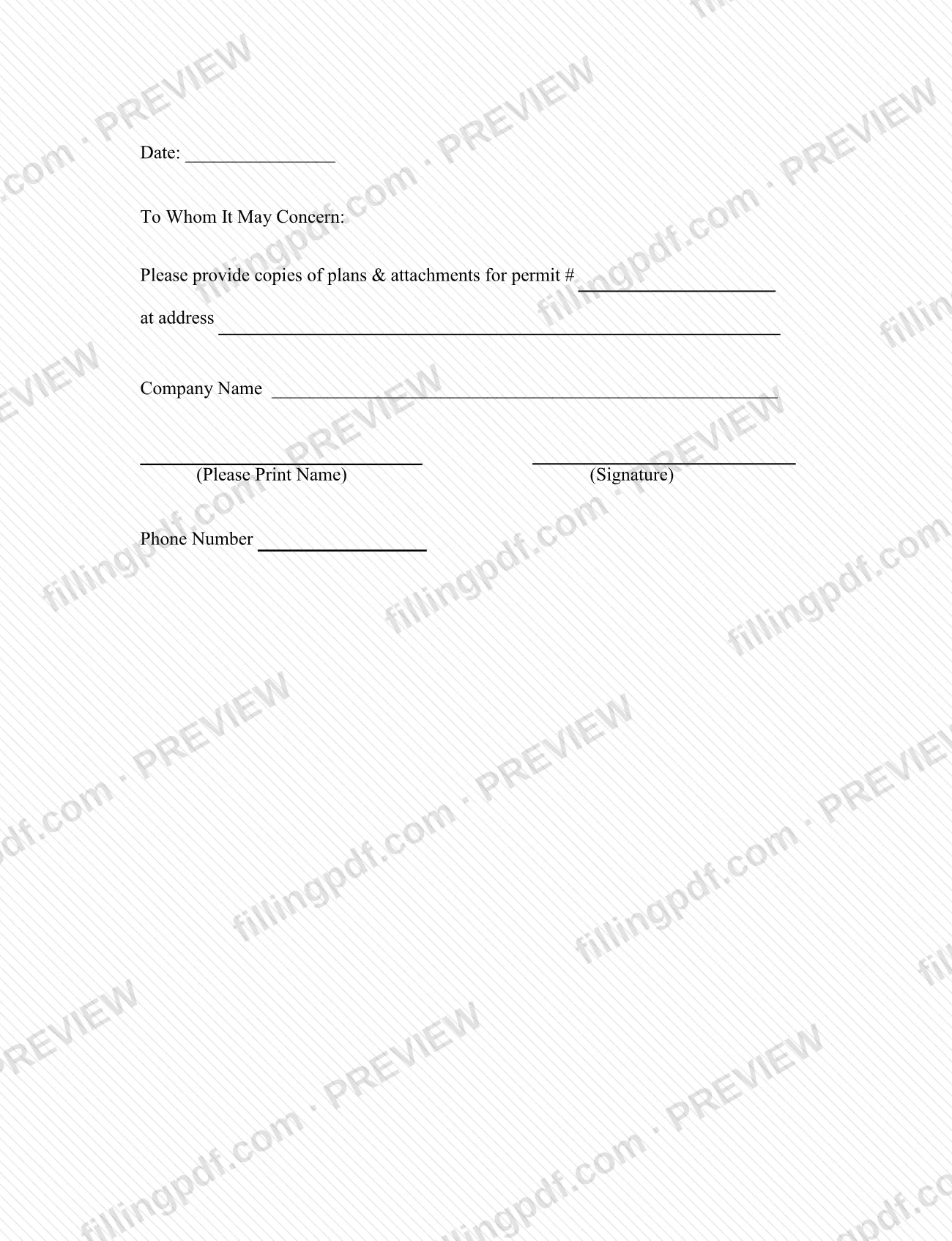
The Permit Copies Form is a one-paragraph letter, addressed "To Whom It May Concern," in which a requester asks the City of Cape Coral Building Division to provide copies of the plans and attachments for a specific permit at a specific address.
The letter has blanks for the date, the permit number (printed as "permit #"), the address, the company name, a printed name with a signature, and a phone number. Completing it produces a signed written request that you can give to the Building Division.
The city lists it in the Permit Document Center, under the Miscellaneous Documents category. The same category holds other administrative documents, such as the Authorization Letter, the Cancellation Form-Permit, the Revision Form and the Extension Request.
It is not an application for a permit. Applications are listed in the Document Center by type of work, for example Application - Addition/Remodel, Application - Trade or Application - Pool. The Permit Copies Form only asks for copies of documents tied to a permit. The PDF prints no form number and no revision date.
Who needs to file Permit Copies Form – Cape Coral, FL?
Anyone who needs copies of the plans and attachments for a permit issued by the City of Cape Coral and who can identify that permit by its number and address uses this letter. The form has a Company Name line, a printed name and a signature, so it is written for a requester who signs on behalf of a company.
The form does not set eligibility conditions, and it does not say who may or may not request copies. If you are not the permit holder, or you are asking on someone else's behalf, ask the Building Division what it requires before you send the letter.
The Permit Document Center also lists an Authorization Letter, described as authorizing individual(s) to act as agent. The Document Center does not tie it to the Permit Copies Form, so confirm with the Division whether it applies to your request.
Do not use this letter to apply for a permit, to cancel one or to revise one. The Document Center lists separate documents for those purposes.
When to file Permit Copies Form – Cape Coral, FL
Complete the letter whenever you need copies of the plans and attachments for a permit that already has a permit number. The form prints no deadline, validity period or filing window, and it asks for the date you complete it on the Date line.
Because the form identifies a request by permit number and address, have both in front of you before you start. The form says nothing about how long the Building Division takes to provide copies, so ask the Division for current timing.
How to fill out Permit Copies Form – Cape Coral, FL
Enter the date
On the Date line at the top of the letter, write the date you are completing it.
Read the pre-printed request
The letter is addressed "To Whom It May Concern" and asks the Building Division to provide copies of plans and attachments. You do not change this text.
Enter the permit number
Write the permit number in the blank after "permit #". Use the number exactly as it appears on the permit.
Enter the permit address
Write the address of the property in the blank after "at address".
Enter the company name
On the Company Name line, write the name of the company making the request.
Print your name
Under the "(Please Print Name)" label, print the name of the person making the request.
Sign the letter
Sign on the line labeled "(Signature)".
Enter a phone number
In the Phone Number field, give a number where the Building Division can reach you.
Review and download the completed PDF
Check the permit number, address, name and signature, then download or print the completed PDF from FillingPDF and deliver it as described under How to submit.
How to submit Permit Copies Form – Cape Coral, FL
The Permit Copies Form prints no mailing address, email address, portal or in-person instruction, so the Building Division sets how it receives the letter. Contact the City of Cape Coral Building Division to confirm how to deliver it and whether any fee applies for copies; the amount is not stated on the form.
The city publishes the form in its Permit Document Center, under Miscellaneous Documents: https://www.capecoral.gov/departments/development_services/permitting_services_division/permit_document_center.php.
Sign the letter before you deliver it. FillingPDF lets you fill out and download the PDF; submission follows the channels the Building Division gives you.
Common mistakes to avoid
- Leaving the permit number blank after "permit #"; the letter identifies the request by permit number and address.
- Leaving out the address the permit is for, so the request does not tie to a specific property.
- Printing your name but not signing; the form has separate places for the printed name and the signature.
- Leaving the Date line empty.
- Omitting the company name when the request is made for a company.
- Leaving out the phone number, which is the only contact detail the form asks for.
- Using this letter to apply for, cancel or revise a permit; the Permit Document Center lists separate documents for those purposes.
Frequently asked questions
What is the Permit Copies Form in Cape Coral?
It is a request letter published by the City of Cape Coral Building Division in its Permit Document Center. You use it to ask for copies of the plans and attachments for a permit, identified by permit number and address.
How do I get copies of plans for a Cape Coral permit?
Complete the Permit Copies Form with the permit number, the address, your company name, your printed name, your signature and a phone number, then deliver it to the Building Division. The form names no delivery channel, so confirm with the Division how to send it.
Is the Permit Copies Form the same as a building permit application?
No. The form only requests copies of plans and attachments for a permit. The Permit Document Center lists applications by type of work, such as Application - Addition/Remodel, Application - Trade and Application - Pool.
Do I have to sign the Permit Copies Form?
Yes, the letter has a signature line next to the line for your printed name. Complete both before you deliver it. The form does not say who else may sign for you.
Can I fill out the Permit Copies Form online?
You can fill out the PDF online on FillingPDF and download or print it. FillingPDF is an independent service and does not send the request to the City of Cape Coral; you deliver it through the Building Division's channels.
Where can I find the Permit Copies Form on the city website?
It is in the City of Cape Coral Permit Document Center, in the Miscellaneous Documents category, which lists 36 documents. The same category includes the Authorization Letter, Revision Form and Extension Request.
Ready to fill out Permit Copies Form – Cape Coral, FL?
Fill out Permit Copies Form – Cape Coral, FL now