


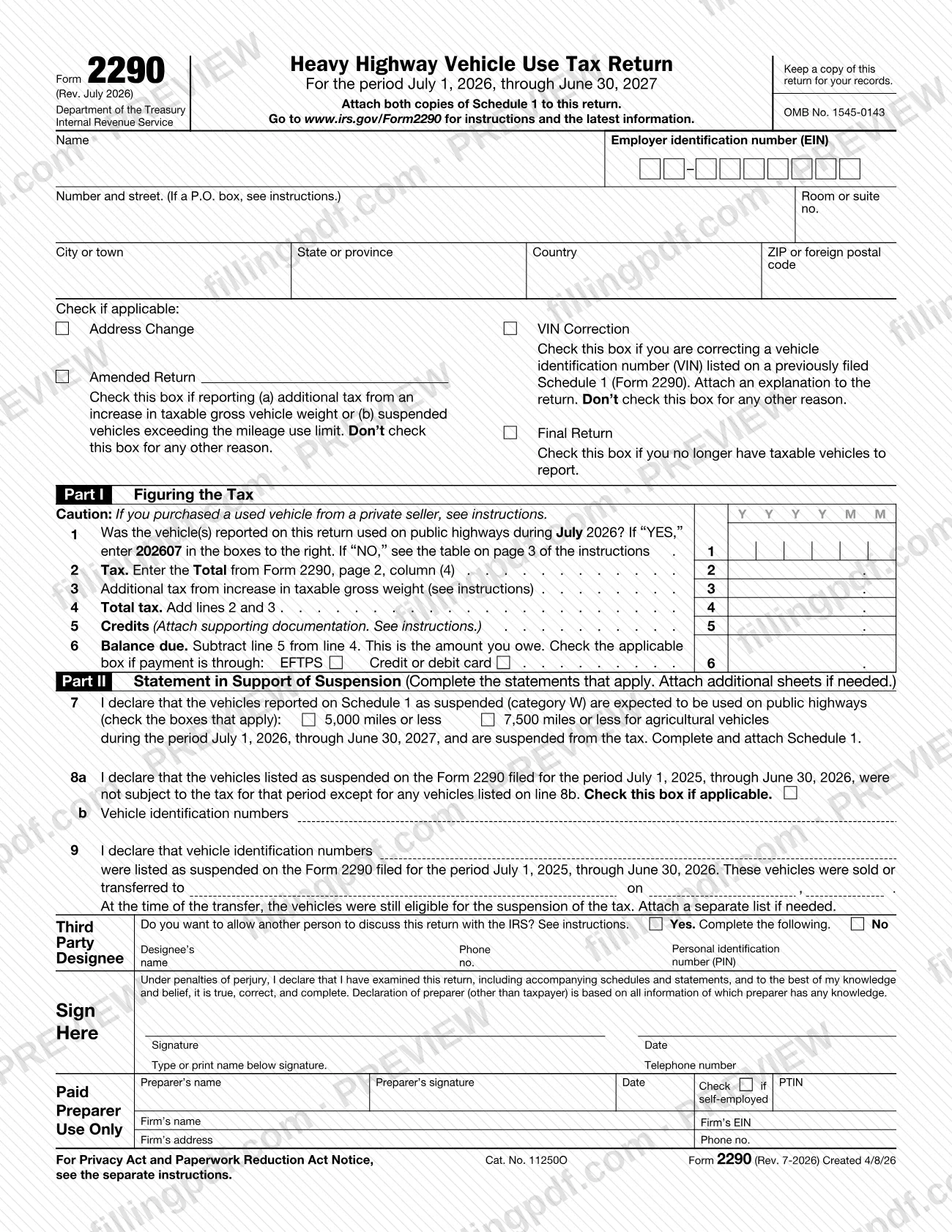


Form 2290, Heavy Highway Vehicle Use Tax Return, is the Internal Revenue Service (IRS) form for figuring and paying the heavy highway vehicle use tax (HVUT) on highway motor vehicles with a taxable gross weight of 55,000 pounds or more. Owners also use it to claim suspension of the tax on low-mileage vehicles. This page carries the July 2026 revision, which covers July 1, 2026, through June 30, 2027. You can fill out the form online on FillingPDF and download or print the completed PDF; the original PDF and the instructions are published by the IRS at www.irs.gov/Form2290.
Last updated
What is 2290?
Form 2290, Heavy Highway Vehicle Use Tax Return, is the IRS form used to figure and pay the heavy highway vehicle use tax on highway motor vehicles with a taxable gross weight of 55,000 pounds or more, and to report vehicles on which the tax is suspended.
The IRS instructions list what the form is used for:
- Figure and pay the tax on vehicles used during the period.
- Figure and pay the tax on a vehicle first reported as suspended that later exceeded the mileage use limit.
- Figure and pay additional tax when a vehicle's taxable gross weight increases and it falls into a new category.
- Claim suspension when a vehicle is expected to be used 5,000 miles or less (7,500 miles or less for agricultural vehicles) during the period.
- Claim a credit for tax paid on vehicles that were destroyed, stolen, sold, or used 5,000 miles or less (7,500 or less for agricultural vehicles).
- Report the acquisition of a used taxable vehicle on which the tax was suspended, or pay the tax on a used taxable vehicle acquired and used during the period.
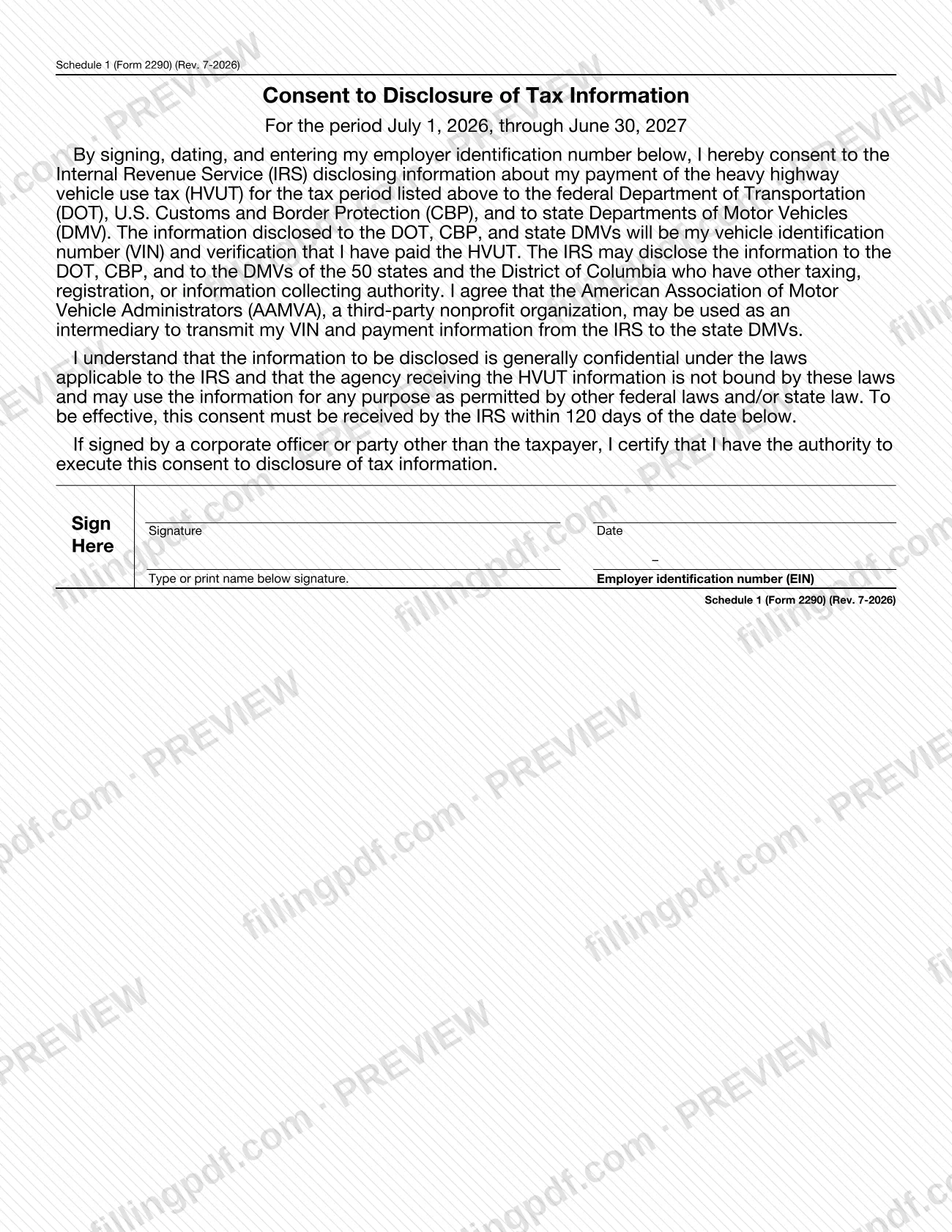
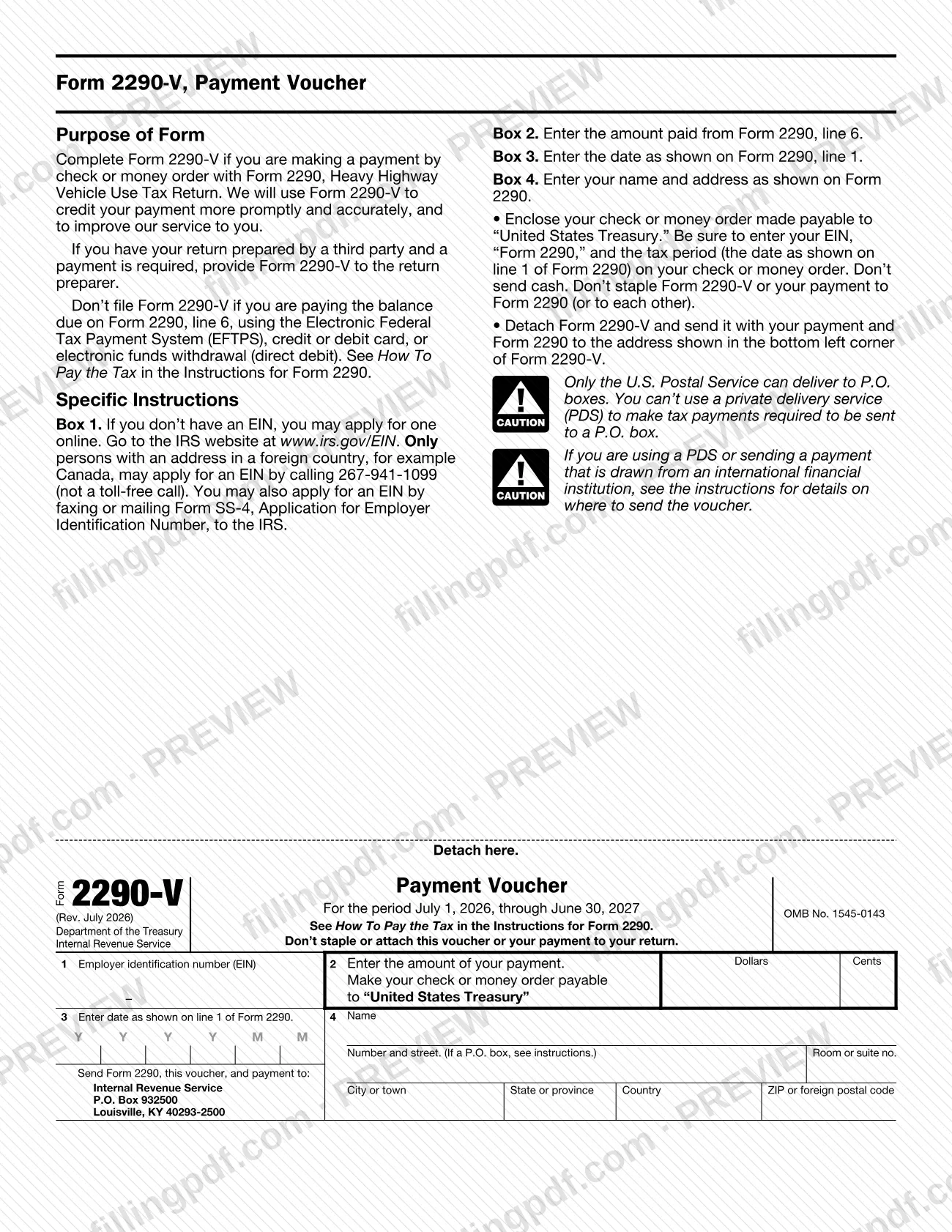
The return has two attachments. Schedule 1 (Form 2290), Schedule of Heavy Highway Vehicles, lists each vehicle by VIN and category; the IRS stamps one copy and returns it as proof of payment for state registration. Form 2290-V, Payment Voucher, accompanies a check or money order. Each revision covers one tax period, July 1 through June 30: the July 2026 revision must not be used for a period that began on or before June 30, 2026. The IRS also publishes a Spanish version, Form 2290 (sp). Refund claims that cannot be taken as a credit on this return are made on Form 8849.
Who needs to file 2290?
You must file Form 2290 and Schedule 1 if a taxable highway motor vehicle is registered, or required to be registered, in your name under state, District of Columbia, Canadian or Mexican law at the time of its first use during the tax period, and the vehicle has a taxable gross weight of 55,000 pounds or more. Individuals, LLCs, corporations, partnerships and other organizations, including nonprofit ones, are all covered.
- Dual registration: if a vehicle is registered in the owner's name and another person's name, the owner is liable. The same applies to a leased vehicle.
- Dealers: a vehicle operated under a dealer's tag, license or permit is treated as registered in the dealer's name.
- Qualified subchapter S subsidiaries and eligible single-owner disregarded entities: they report and pay under the entity's own EIN, not the owner's.
- Logging vehicles: vehicles that meet the instructions' definition are taxed at reduced rates.
You do not report vehicles exempt under the instructions, such as vehicles used and operated by the federal government, a state or local government, the American National Red Cross, a nonprofit volunteer fire department, ambulance association or rescue squad, certain Indian tribal government and mass transportation uses, and qualified blood collector vehicles. Vans, pickups and panel trucks generally weigh under 55,000 pounds and are not taxed.
You must have an EIN; a Social Security number cannot be used.
When to file 2290
File Form 2290 for the month a taxable vehicle is first used on public highways during the tax period, by the last day of the month after that month. The July 2026 revision covers July 1, 2026, through June 30, 2027; line 1 asks whether the vehicles were used during July 2026 and, if so, you enter 202607. If a due date falls on a Saturday, Sunday or legal holiday, you file by the next business day.
If you first use vehicles in more than one month, file a separate Form 2290 for each month. The deadline does not depend on the vehicle's registration date. The same rules apply whether you pay the tax or only report suspension.
Other triggers: if a vehicle's taxable gross weight increases into a new category, file by the last day of the month after the increase; for a suspended vehicle that exceeds the mileage use limit, file by the last day of the month after the limit was exceeded.
To request an extension of time to file, write to the IRS before the due date; it can run up to 6 months (except for taxpayers abroad) and does not extend the time to pay.
Documents you need
- Both copies of Schedule 1 (Form 2290), listing each reported vehicle by VIN and category; the return may be rejected without it. The IRS stamps one copy and returns it as proof of payment.
- Form 2290-V, Payment Voucher, only if you pay by check or money order; do not file it when paying by EFTPS, credit or debit card, or direct debit.
- Check or money order payable to "United States Treasury" with your EIN, "Form 2290" and the tax period written on it, only when paying that way. Do not send cash or staple it to the forms.
- For a credit on line 5: a separate sheet explaining the facts for each vehicle, with the VIN, weight category, date of destruction, theft or sale, a copy of the credit worksheet, and the purchaser's name and address for vehicles sold on or after July 1, 2015.
- For additional tax on line 3: a copy of the instructions' worksheet for each vehicle whose taxable gross weight increased.
- For a VIN correction: an attached statement explaining the correction, with the corrected VIN listed on Schedule 1.
- For line 9, when a vehicle was sold while under suspension: the seller's statement (name, address, EIN, VIN, sale date, odometer readings, buyer's details) that the buyer attaches to the return.
- For line 8b or line 9: a separate sheet listing VINs if there is not enough room on the form.
How to fill out 2290
Enter name, address and EIN
Fill in the Name, EIN, and address at the top of page 1, with the suite or room number after the street. Use a P.O. box only if the post office does not deliver to the street address, and do not abbreviate a foreign country name.
Check the applicable boxes
Check Address Change, VIN Correction, Amended Return or Final Return only where the form's description fits. For an amended return, write the month of the weight increase or of the mileage limit being exceeded next to the box.
Answer line 1 on first use
Enter 202607 in the boxes if the vehicles were used on public highways during July 2026. If not, use the month of first use shown in the instructions' table, in YYYYMM format.
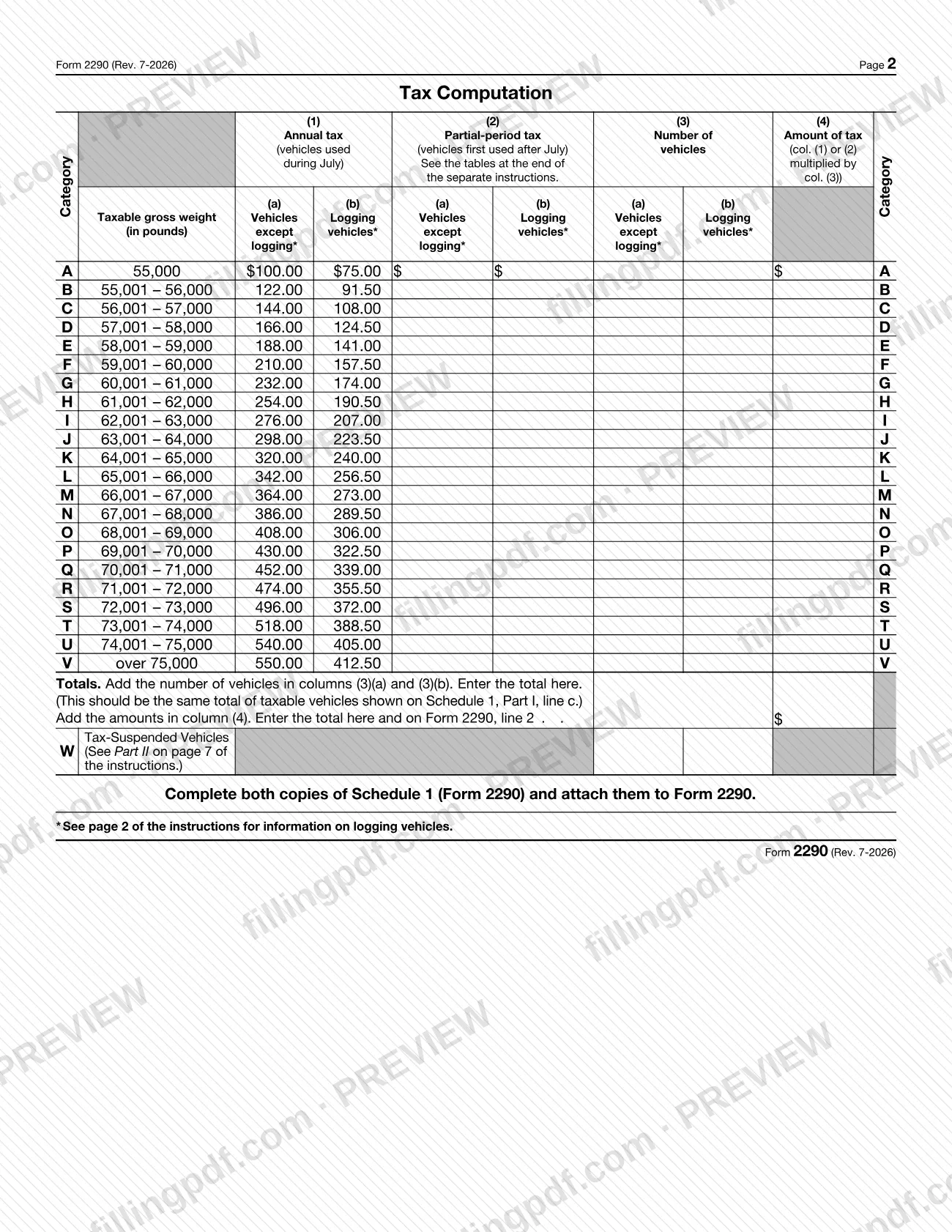
Complete the tax computation on page 2
Find each vehicle's category (A through V) by taxable gross weight, enter the number of vehicles in column (3), and use column (1) for vehicles used in July or column (2) for later partial-period vehicles. Use the (b) columns for logging vehicles, then total column (4).
Figure lines 2, 3 and 4
Enter the column (4) total on line 2. Use line 3 only for additional tax from an increase in taxable gross weight, with the worksheet. Add lines 2 and 3 on line 4.
Claim credits on line 5
Complete line 5 only for a vehicle sold, destroyed or stolen before June 1 and not used afterward, or used within the mileage limit the prior period. Attach the explanation; the credit cannot exceed line 4.
Compute the balance due on line 6
Subtract line 5 from line 4. If you pay by EFTPS or credit or debit card, check the matching box on line 6.
Complete Part II for suspended vehicles
On line 7, check the 5,000-mile or 7,500-mile (agricultural) box for category W vehicles. Use line 8a, 8b and line 9 as the instructions describe for prior-period suspended vehicles and for suspended vehicles sold or transferred.
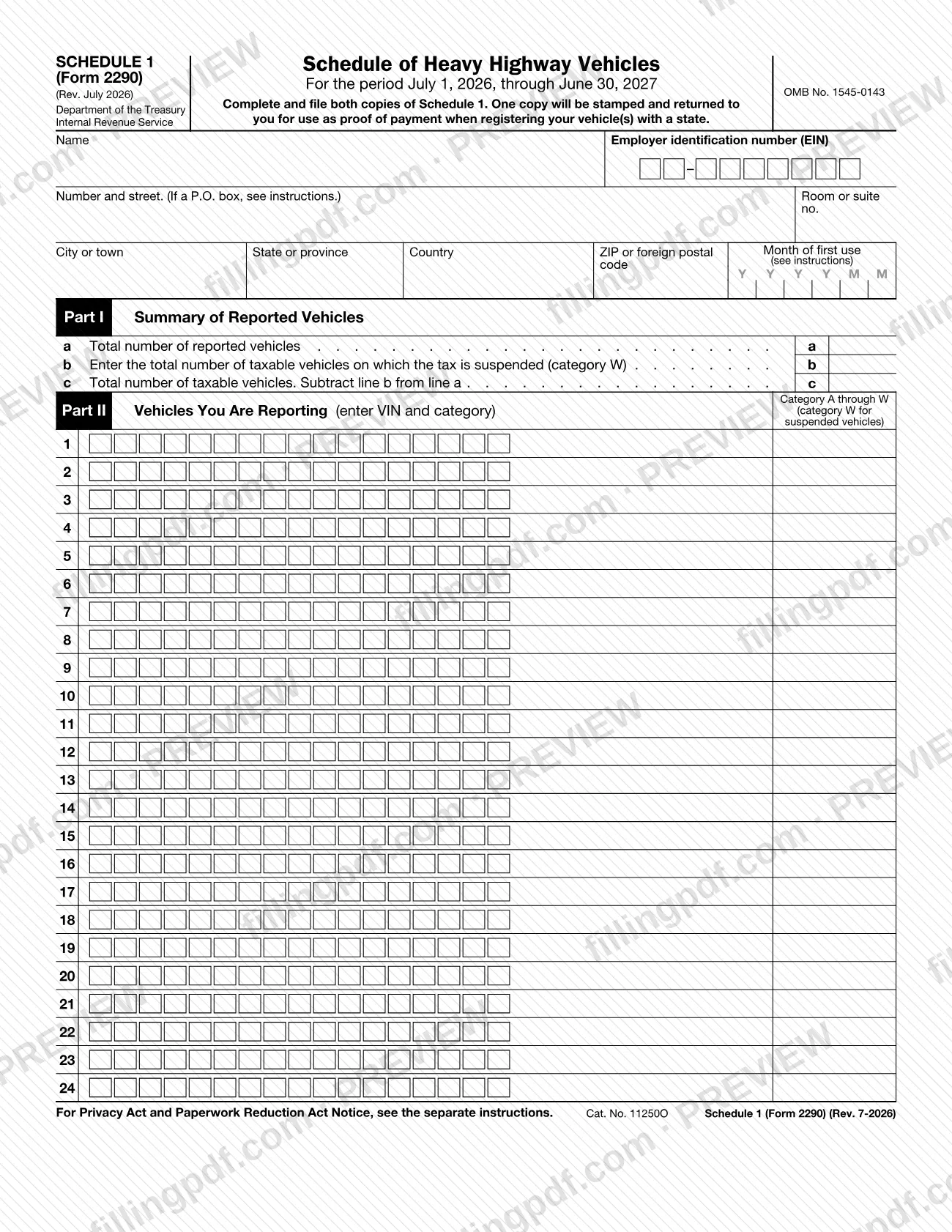
Complete Schedule 1 (Form 2290)
Repeat the name, address and EIN and enter the month of first use. In Part I enter lines a, b and c; in Part II list the VIN and category of each vehicle, using W for suspended vehicles. Complete both copies.
Sign the consent to disclosure
If you agree to let the IRS share your VIN and payment information with the Department of Transportation, U.S. Customs and Border Protection and state DMVs, sign, date and enter your EIN on the consent page.
Add a designee, sign and date
Check Yes in the Third Party Designee section and enter the name, phone and five-digit PIN if you want someone to discuss the return with the IRS. Sign and date the return; a paid preparer completes the Paid Preparer Use Only block.
Complete Form 2290-V if paying by check
Enter your EIN in box 1, the amount from line 6 in box 2, the date from line 1 in box 3, and your name and address in box 4.
Review and download the completed PDF
Check every line and that Schedule 1 matches the page 2 totals, then download or print the completed PDF from FillingPDF and keep a copy for your records.
How to submit 2290
You can file Form 2290 electronically through an IRS e-file provider or by paper mail. Electronic filing is required for each return reporting and paying tax on 25 or more vehicles; category W (suspended) vehicles do not count toward that number.
- Electronically: use an electronic return originator, transmitter or intermediate service provider in the IRS e-file program for excise taxes; see IRS.gov/e-File-Providers/e-File-Form-2290 or IRS.gov/Trucker. After the IRS accepts the return, a stamped Schedule 1 can be available within minutes.
- By mail with full payment by check or money order: Internal Revenue Service, P.O. Box 932500, Louisville, KY 40293-2500, with Form 2290-V and both copies of Schedule 1. Checks or money orders drawn on an international financial institution go to Internal Revenue Service, International Accounts, 1973 Rulon White Blvd., Ogden, UT 84201-0038.
- By mail with no payment due, or paid through EFTPS or credit or debit card: Department of the Treasury, Internal Revenue Service, Ogden, UT 84201-0031.
- Private delivery services: use the Ogden Processing Center address at IRS.gov/PDSstreetAddresses. Only the U.S. Postal Service delivers to P.O. boxes.
Pay by direct debit (e-file only), EFTPS, credit or debit card at IRS.gov/PayByCard (the card providers charge a convenience fee), or check or money order payable to "United States Treasury" with Form 2290-V. Questions: Form 2290 call site, 866-699-4096 (toll free), Monday through Friday, 8:00 a.m. to 6:00 p.m. Eastern time. FillingPDF lets you fill out and download the PDF; submission follows the channels above.
Common mistakes to avoid
- Filing without Schedule 1 (Form 2290); the instructions say the return may be rejected if Schedule 1 is not attached.
- Leaving the return unsigned; an unsigned return is sent back and is not considered filed.
- Entering your Social Security number; the instructions require an EIN to file Form 2290.
- Reporting additional tax from a weight increase on line 2 instead of line 3, or checking the Amended Return box for any reason other than a weight increase or a suspended vehicle exceeding the mileage limit.
- Reporting vehicles first used in different months on one return; a separate Form 2290 is required for each month.
- Stapling Form 2290-V or the check to the return, or sending a payment to a P.O. box by private delivery service, which cannot deliver there.
- Filing Form 2290-V when you pay through EFTPS, by credit or debit card or by direct debit; the voucher is only for check or money order payments.
- Mailing a paper return for 25 or more taxable vehicles; electronic filing is required at that count.
- Using the trailer's VIN instead of the vehicle's, or entering an incomplete VIN, which can prevent state registration.
- Using this July 2026 revision for a tax period that began on or before June 30, 2026.
Frequently asked questions
What is Form 2290 used for?
Form 2290 is the IRS Heavy Highway Vehicle Use Tax Return. You use it to figure and pay the tax on highway motor vehicles with a taxable gross weight of 55,000 pounds or more, claim suspension for low-mileage vehicles, and claim credits for vehicles destroyed, stolen, sold or lightly used.
Who has to file Form 2290?
The person in whose name a taxable highway motor vehicle of 55,000 pounds or more is registered, or required to be registered, at its first use in the tax period. Vehicles used by exempt users, such as federal, state or local governments or the American National Red Cross, are not reported.
When is Form 2290 due?
By the last day of the month after the month the vehicle is first used on public highways in the period, or the next business day if that date is a weekend or holiday. Registration dates do not matter. Vehicles first used in different months need separate returns.
Where do I mail Form 2290?
With full payment by check or money order, mail it to Internal Revenue Service, P.O. Box 932500, Louisville, KY 40293-2500. With no payment due, or payment by EFTPS or card, mail it to Department of the Treasury, Internal Revenue Service, Ogden, UT 84201-0031.
Do I have to e-file Form 2290?
Yes, if a return reports and pays tax on 25 or more vehicles. Suspended (category W) vehicles are not counted toward that number. The IRS encourages everyone to e-file through a provider in its excise tax e-file program, which can make a stamped Schedule 1 available within minutes.
What is Schedule 1 (Form 2290) and why do I need it?
Schedule 1 lists each reported vehicle by VIN and category. You file both copies; the IRS stamps one and returns it as proof of payment, which most states require to register a taxable vehicle. Your return may be rejected without it.
How do I pay the tax shown on Form 2290?
You must pay in full with the return. Options are direct debit when e-filing, EFTPS (enrollment required), credit or debit card through IRS.gov/PayByCard (providers charge a convenience fee), or a check or money order with Form 2290-V.
What if I need more time to file Form 2290?
Write to the IRS before the due date explaining the cause of the delay, at Internal Revenue Service, 7940 Kentucky Drive, Florence, KY 41042-2915. An extension can be up to 6 months, except for taxpayers abroad, and it does not extend the time to pay.
Can I fill out Form 2290 online on FillingPDF?
Yes. You can fill out the PDF online on FillingPDF and download or print it. FillingPDF is an independent service and does not file the return or accept payment for the IRS; you submit it through e-file or by mail as described above.
Ready to fill out 2290?
Fill out 2290 now