
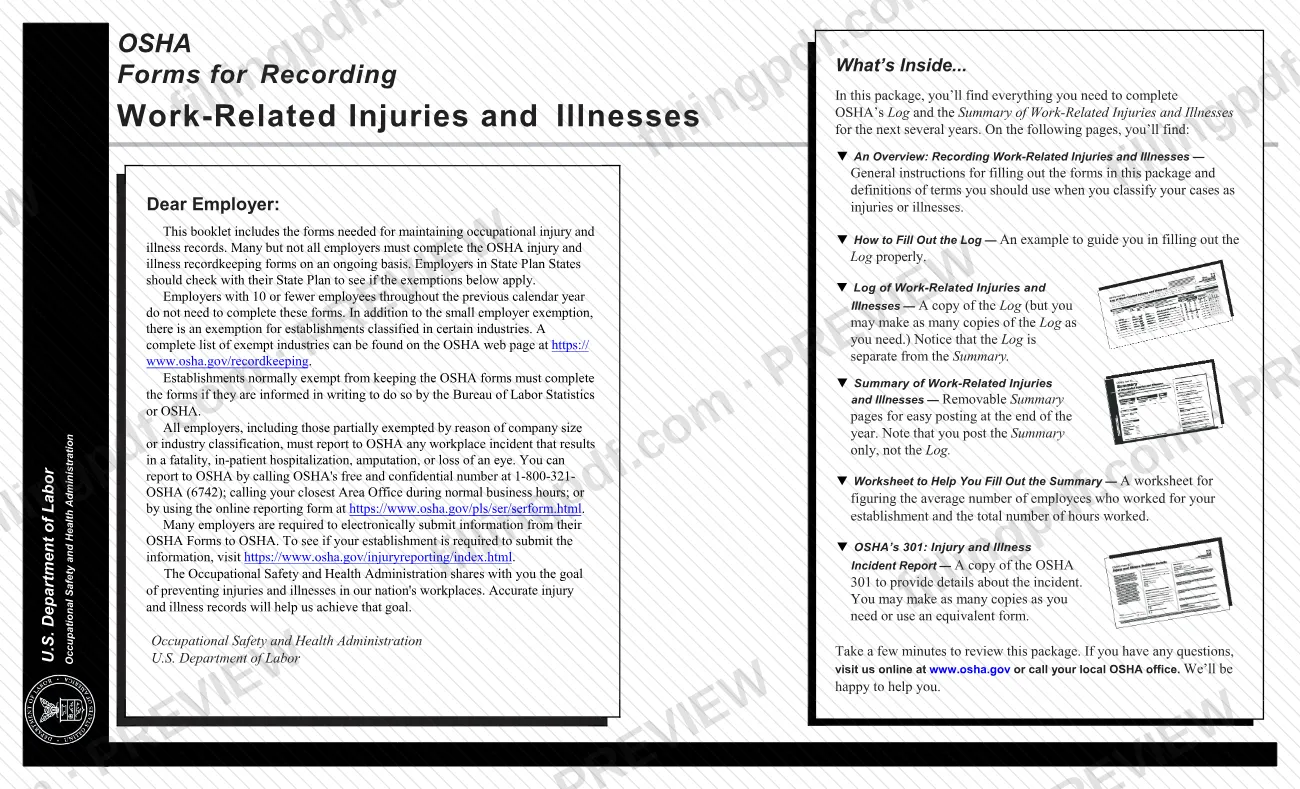
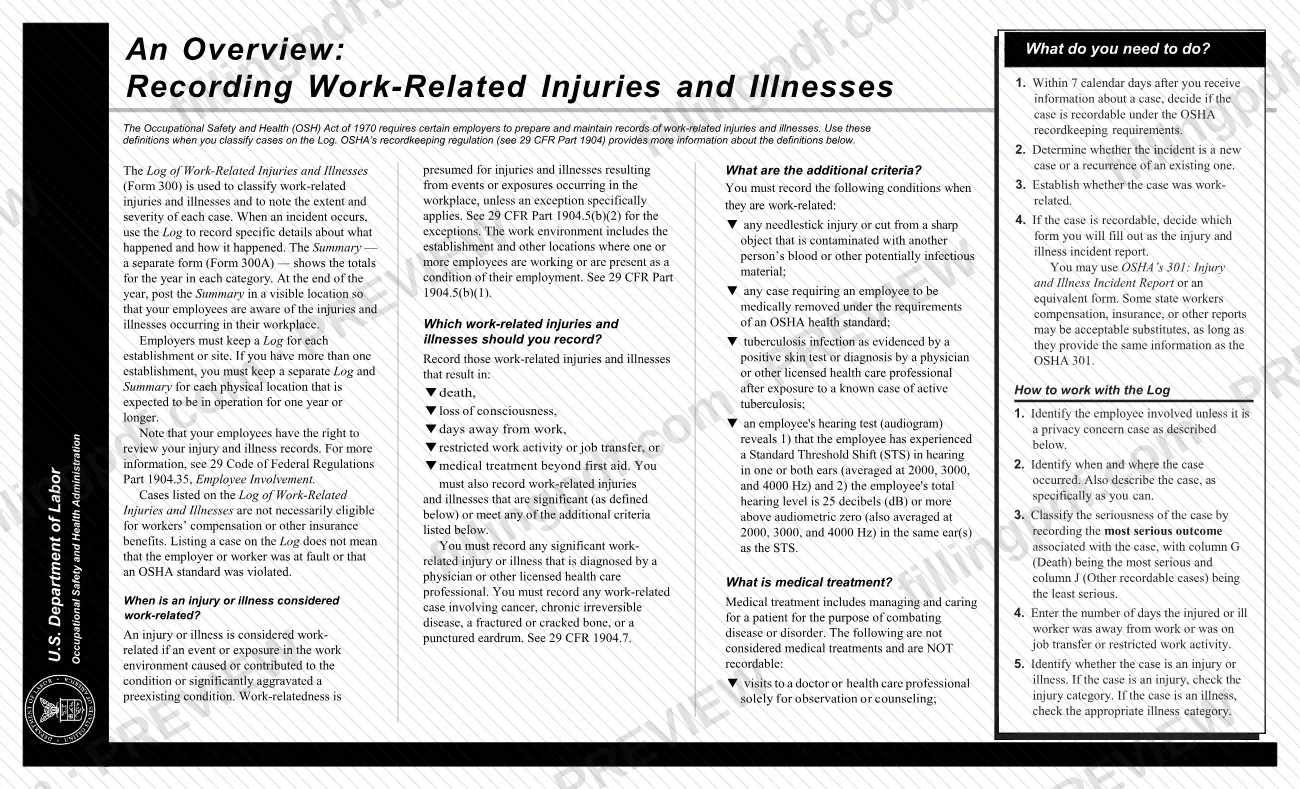
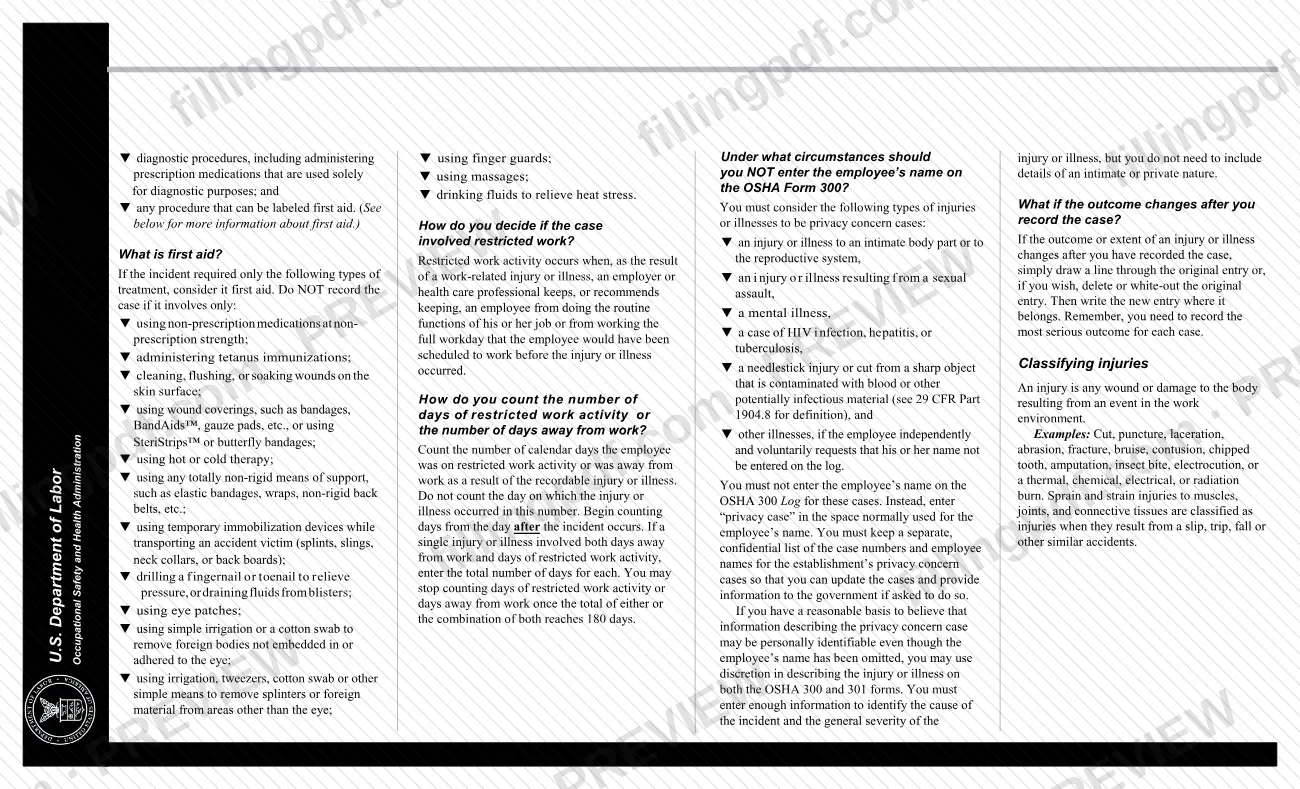
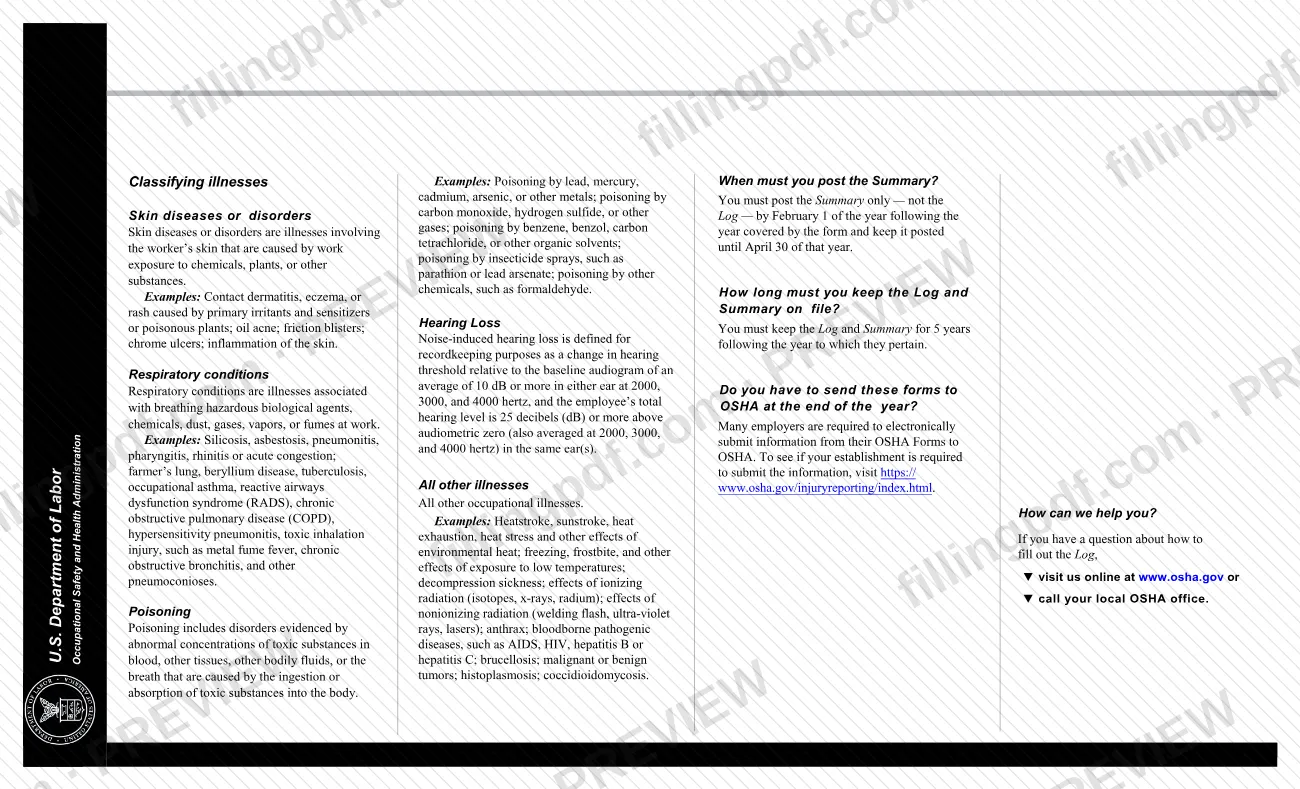
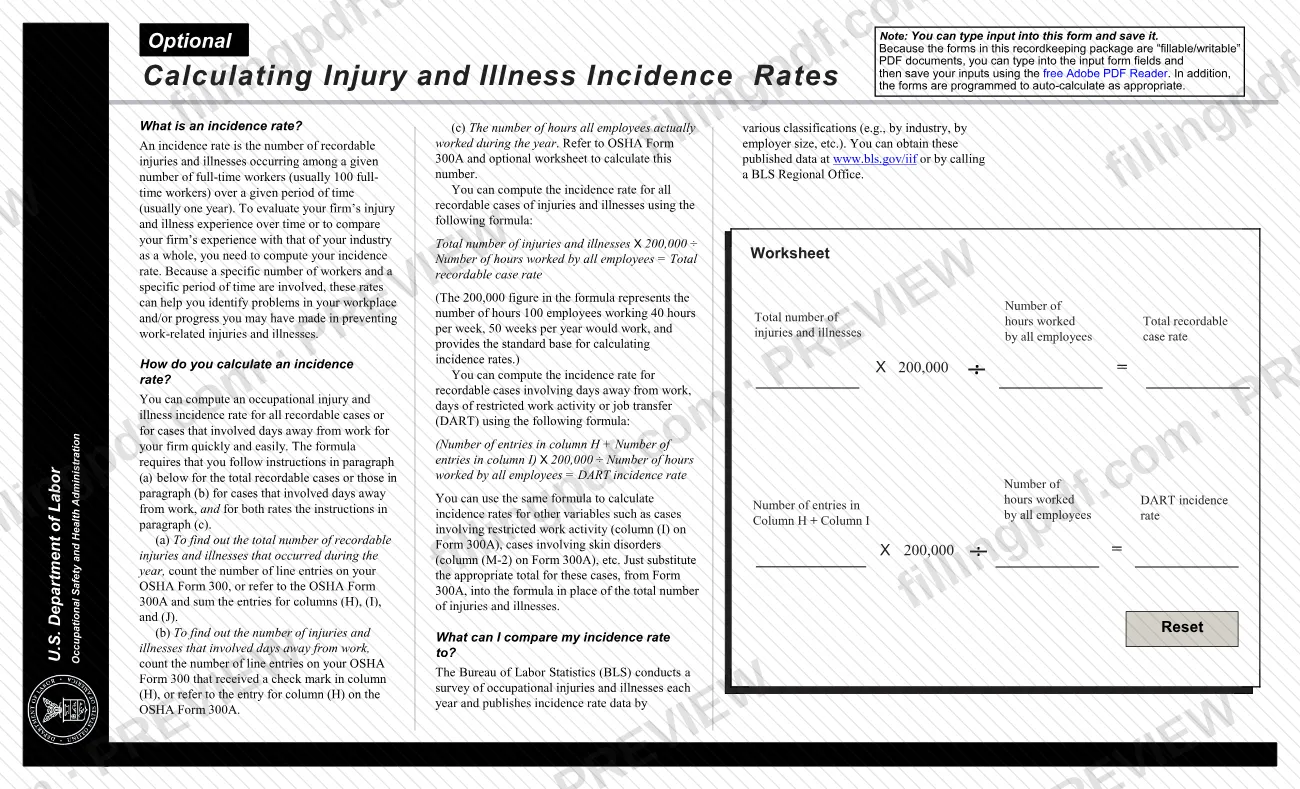
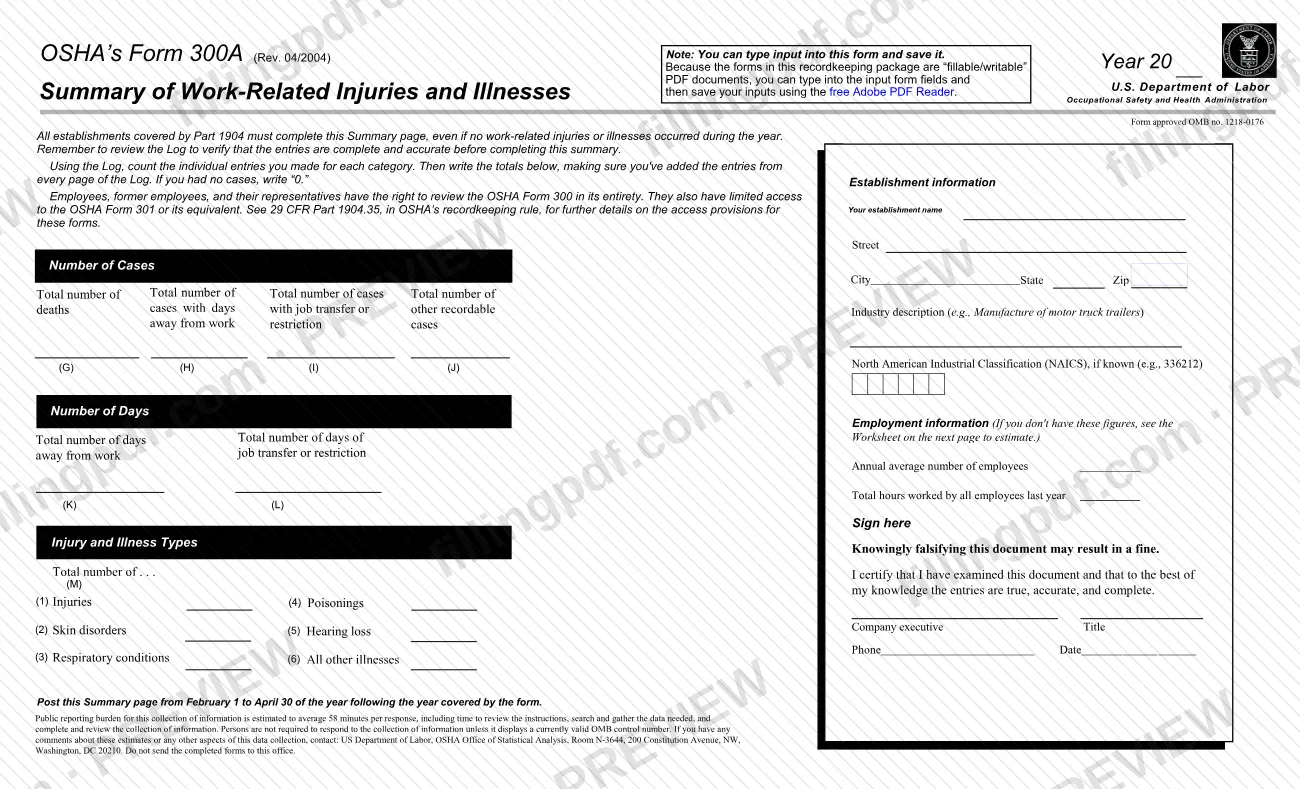

OSHA 300A is the Summary of Work-Related Injuries and Illnesses, the form on which an employer totals the year's cases from its OSHA Log and which the Occupational Safety and Health Administration (OSHA), part of the U.S. Department of Labor, requires covered establishments to complete and post. Every establishment covered by 29 CFR Part 1904 completes it, even when no work-related injuries or illnesses occurred. On this page you can fill out the form online on FillingPDF and download or print the completed PDF; OSHA publishes the original in its Forms for Recording Work-Related Injuries and Illnesses package.
Last updated
What is 300A?
Summary of Work-Related Injuries and Illnesses (OSHA Form 300A) is the OSHA form on which an employer totals the work-related injuries and illnesses recorded on the Log for one establishment during the year; a company executive certifies it and it is posted for employees.
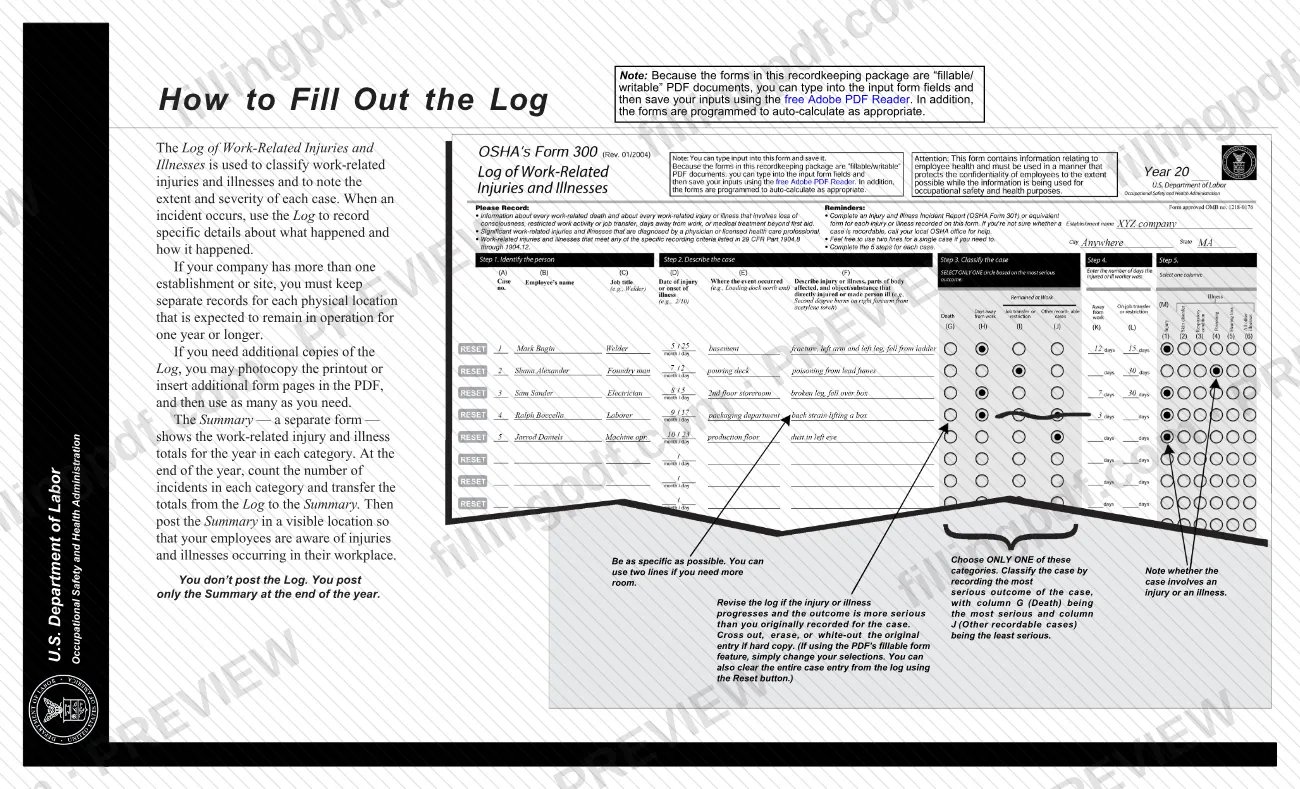
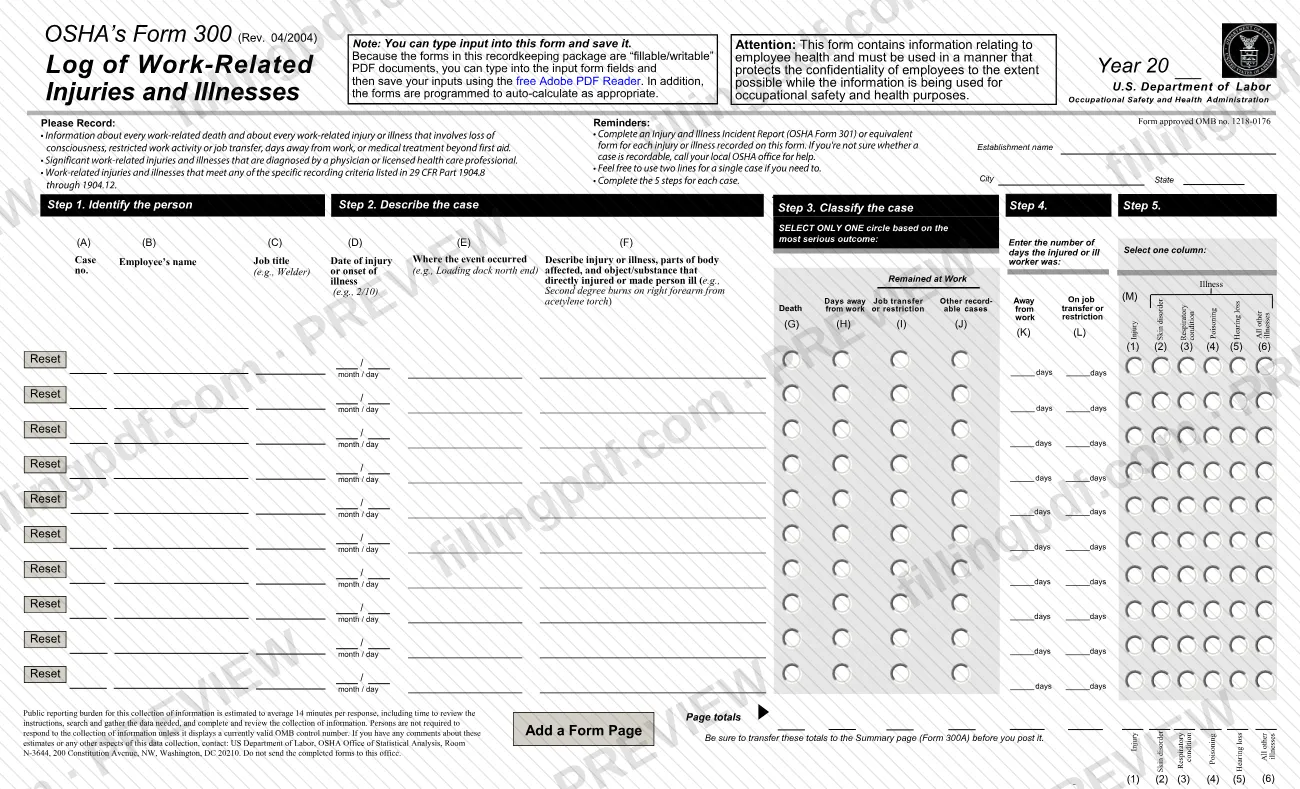
The Summary is a separate form from the Log of Work-Related Injuries and Illnesses (Form 300). The Log records each case; the Summary shows the totals for the year in each category. The form asks for:
- the number of cases in columns (G) deaths, (H) days away from work, (I) job transfer or restriction and (J) other recordable cases;
- the number of days in columns (K) away from work and (L) of job transfer or restriction;
- the injury and illness types in column (M): injuries, skin disorders, respiratory conditions, poisonings, hearing loss and all other illnesses;
- establishment information, the annual average number of employees and the total hours worked by all employees last year.
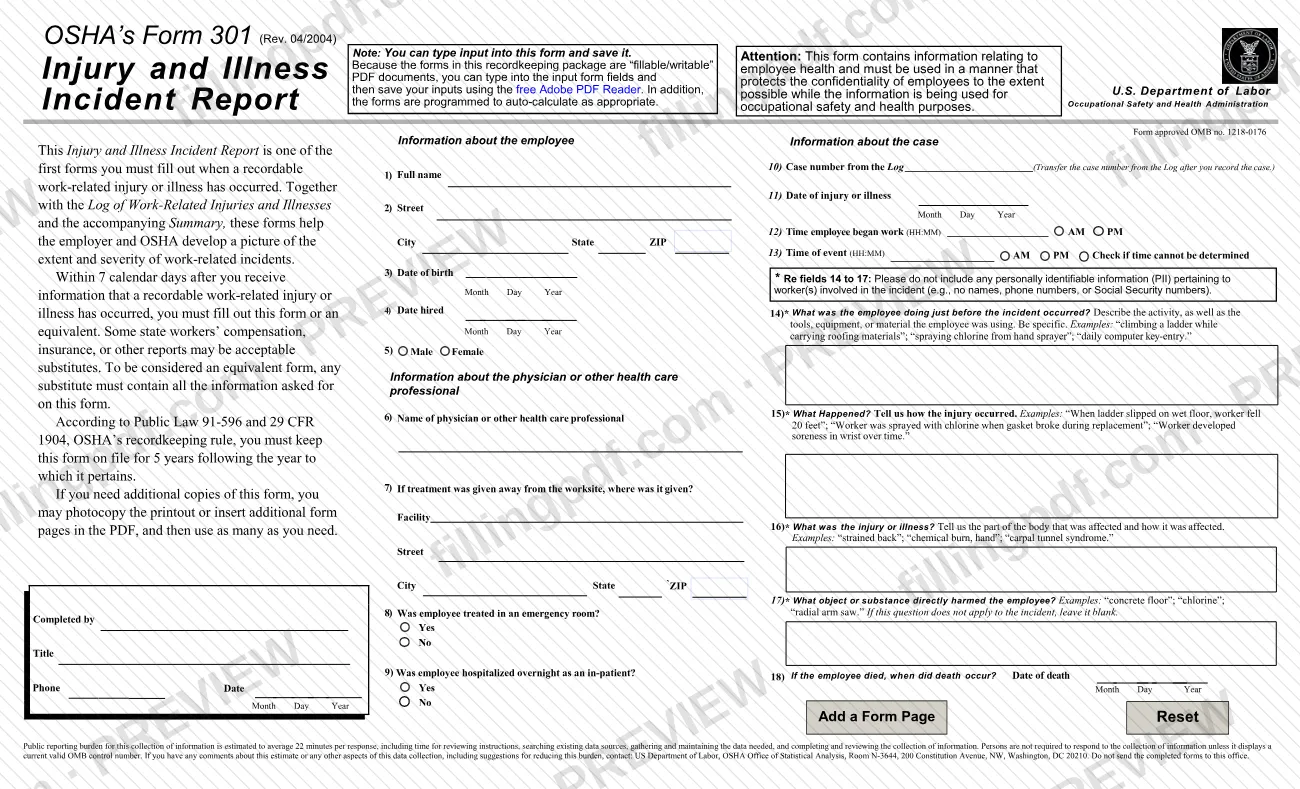
You post only the Summary, never the Log. Listing a case does not mean the employer or worker was at fault or that an OSHA standard was violated. The Summary is also separate from OSHA's Form 301, Injury and Illness Incident Report, which gives the details of each individual case. The form is approved under OMB no. 1218-0176. OSHA's recordkeeping page allows equivalent forms in other file formats, but an equivalent used in place of the 300A must also be certified and posted annually.
Who needs to file 300A?
All establishments covered by Part 1904 must complete the Summary, even if no work-related injuries or illnesses occurred during the year. In that case you write "0" in the totals.
Exemptions, according to OSHA's cover letter in the forms package:
- Employers with 10 or fewer employees throughout the previous calendar year do not need to complete the OSHA forms.
- Establishments in certain industries are also exempt; OSHA lists them at https://www.osha.gov/recordkeeping.
- Employers in State Plan States should check with their State Plan to see whether these exemptions apply.
- An establishment that is normally exempt must still complete the forms if the Bureau of Labor Statistics or OSHA informs it in writing to do so.
Employers with more than one establishment keep a separate Log and Summary for each physical location that is expected to be in operation for one year or longer. A company executive signs the certification on the Summary. Employees, former employees and their representatives have the right to review the OSHA Form 300 in its entirety (see 29 CFR Part 1904.35).
When to file 300A
Complete the Summary after the end of the year it covers, once the Log is final, and post it by February 1 of the following year. Post the Summary only, not the Log, and keep it posted until April 30 of that year; the form itself says to post it from February 1 to April 30.
Keep the Log and the Summary on file for 5 years following the year to which they pertain.
Many employers must also submit their data electronically to OSHA. OSHA's Injury Tracking Application page notes that the deadline for timely submission was March 2, 2026, and that establishments that missed it must still submit. Use the ITA Coverage Application to find out whether your establishment is required to submit.
Documents you need
- Log of Work-Related Injuries and Illnesses (OSHA Form 300), every page, for the same establishment and year: the case counts and day totals on the Summary are transferred from its page totals.
- Payroll or pay-period records, only if you need the employment figures: the number of employees paid in each pay period and the hours actually worked, or the form's optional worksheet to estimate them.
How to fill out 300A
Verify the Log first
Review the Log (Form 300) to confirm that its entries are complete and accurate, because every total on the Summary comes from it. Add up the entries from every page of the Log.
Enter the year
At the top of the form, complete the Year line (20__) with the calendar year the Summary covers.
Enter establishment information
Write your establishment name, Street, and City, State and Zip for the physical location the Log covers.
Describe the industry
Enter the industry description, for example "Manufacture of motor truck trailers", and the North American Industrial Classification (NAICS) code if you know it.
Enter the Number of Cases
Write the totals from the Log for column (G) deaths, (H) cases with days away from work, (I) cases with job transfer or restriction and (J) other recordable cases. Write 0 if you had none.
Enter the Number of Days
Write the total number of days away from work in column (K) and the total number of days of job transfer or restriction in column (L), taken from the Log.
Enter injury and illness types
In column (M), enter the totals for (1) Injuries, (2) Skin disorders, (3) Respiratory conditions, (4) Poisonings, (5) Hearing loss and (6) All other illnesses.
Enter average employees
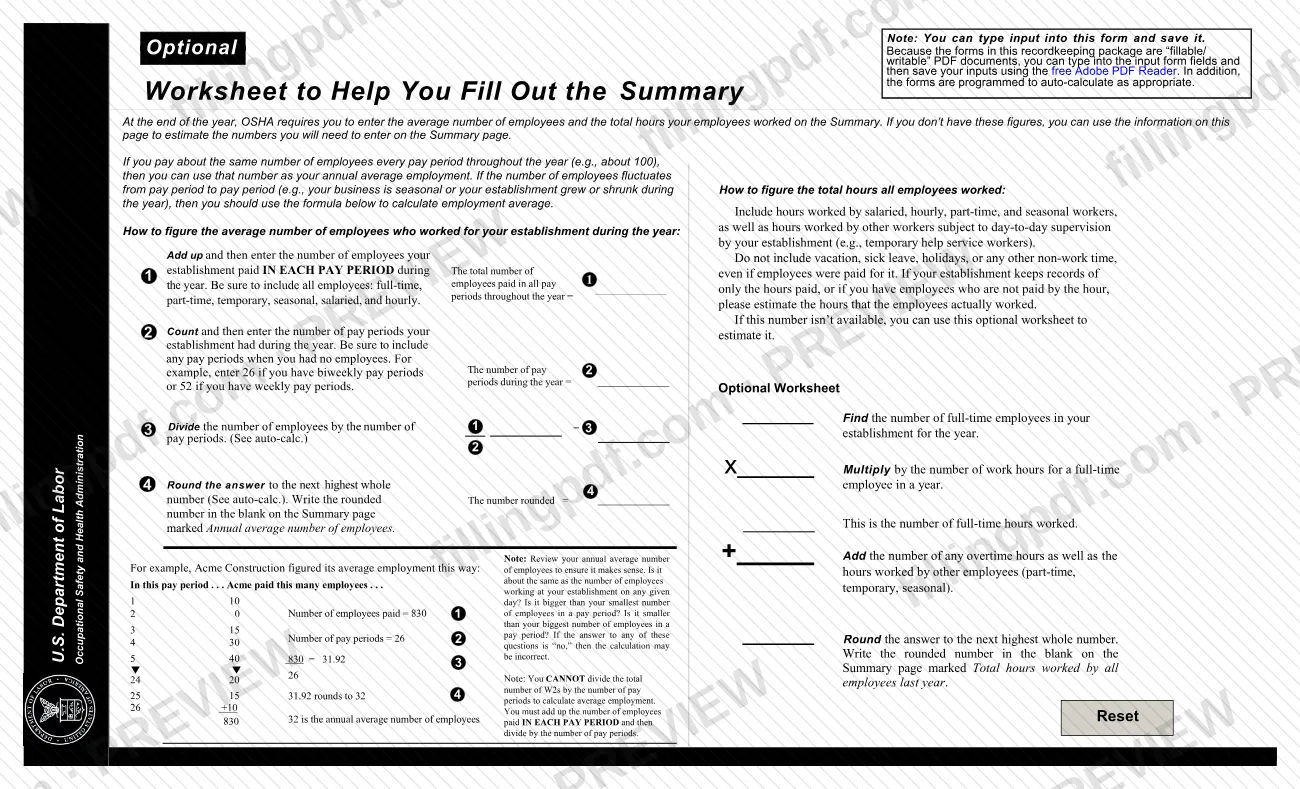
Enter the Annual average number of employees. If the headcount changes between pay periods, add the employees paid in each pay period, divide by the number of pay periods and round up to the next whole number.
Enter total hours worked
Enter the Total hours worked by all employees last year, including salaried, hourly, part-time and seasonal workers and other workers under your day-to-day supervision. Leave out vacation, sick leave and holiday time; estimate if you only keep hours paid.
Certify and sign
Under Sign here, the company executive signs the certification that the entries are true, accurate and complete, then enters Title, Phone and Date.
Review, download and post
Check each total against the Log, then download or print the completed PDF from FillingPDF. Post it from February 1 to April 30 of the following year.
How to submit 300A
The Summary is used through two channels: posting at the establishment and, for covered establishments, electronic submission to OSHA.
- Posting: display the completed and certified Summary in a visible location at the establishment so employees can see the injuries and illnesses that occurred in their workplace, from February 1 to April 30 of the year after the year covered.
- Injury Tracking Application (ITA): covered establishments submit their annual 300A, 300 and 301 data through OSHA's secure ITA at https://www.osha.gov/injuryreporting. You can enter the data in the web form, upload a CSV file or transmit it through an API. To see whether your establishment must submit, visit https://www.osha.gov/injuryreporting/index.html.
OSHA does not accept completed paper forms by mail or electronic forms by email, and the form says not to send completed forms to the OSHA Office of Statistical Analysis. OSHA recommends saving the fillable PDF to your computer and opening it in Acrobat rather than printing from a browser; the forms are not designed for 8.5 x 11" paper, so you may need the "Shrink to Fit" setting. FillingPDF lets you fill out and download the PDF; submission follows the channels above.
Common mistakes to avoid
- Posting the Log (Form 300) instead of the Summary; the instructions say to post only the Summary at the end of the year.
- Totaling only one page of the Log; the counts must include the entries from every page of the Log.
- Leaving the case boxes blank when there were no cases; the form says to write "0", and every covered establishment must still complete the Summary.
- Posting outside the window: the Summary goes up by February 1 and stays posted until April 30 of the year following the year covered.
- Dividing the total number of W-2s by the pay periods to find average employment; the worksheet says to add the employees paid in each pay period, then divide.
- Counting vacation, sick leave, holidays or other non-work time in the total hours worked, even if employees were paid for it.
- Leaving the certification unsigned, or not having a company executive sign; the form notes that knowingly falsifying it may result in a fine.
- Combining several physical locations on one Summary instead of keeping a separate Log and Summary for each establishment.
- Mailing the completed form to the OSHA Office of Statistical Analysis or emailing it to OSHA, which accepts neither.
Frequently asked questions
What is OSHA 300A?
OSHA 300A is the Summary of Work-Related Injuries and Illnesses. It totals the cases and days recorded on the Log (Form 300) for one establishment and one year, by category. A company executive certifies it, and the employer posts it where employees can see it.
Do I have to complete the OSHA 300A if nobody was injured?
Yes, if your establishment is covered by Part 1904. The form says all covered establishments must complete the Summary even if no work-related injuries or illnesses occurred; write "0" where you had no cases.
Who is exempt from completing the OSHA 300A?
Employers with 10 or fewer employees throughout the previous calendar year, and establishments in certain exempt industries listed at osha.gov/recordkeeping. State Plan States may differ, and BLS or OSHA can instruct an exempt establishment in writing to complete the forms.
When do I have to post the OSHA 300A?
Post it by February 1 of the year following the year it covers and keep it posted until April 30. Post only the Summary, not the Log. Keep the Log and Summary on file for 5 years after the year they cover.
Do I send the OSHA 300A to OSHA?
Only if your establishment is required to submit data electronically. Covered establishments use OSHA's Injury Tracking Application (ITA). OSHA does not accept completed paper forms by mail or electronic forms by email.
What is the difference between OSHA Forms 300, 300A and 301?
Form 300 is the Log where each recordable case is entered. Form 300A is the annual Summary of the Log's totals, which you post. Form 301 is the Injury and Illness Incident Report with details of each case; you may use an equivalent form.
Who signs the OSHA 300A?
A company executive signs under Sign here, certifying that they examined the document and that the entries are true, accurate and complete to the best of their knowledge. The form warns that knowingly falsifying it may result in a fine.
How do I calculate the annual average number of employees?
Add the number of employees paid in each pay period, divide by the number of pay periods, and round up to the next whole number. Do not divide total W-2s by pay periods. If you pay about the same number every period, you can use that number.
Can I fill out the OSHA 300A online on FillingPDF?
Yes. You can fill out the PDF online on FillingPDF and download or print it. FillingPDF is an independent service and does not submit the form to OSHA; you post it and, if required, submit data through OSHA's ITA.
Ready to fill out 300A?
Fill out 300A now