
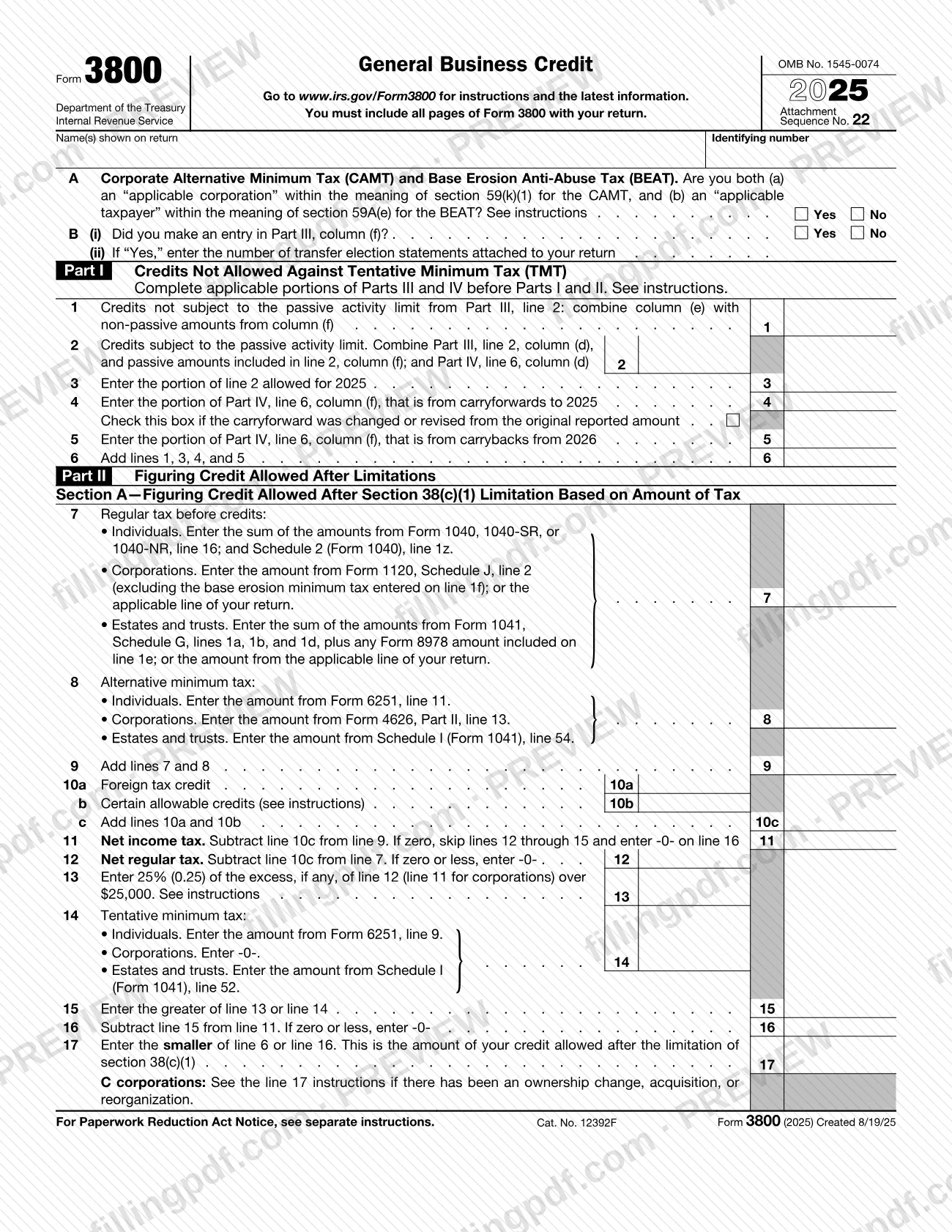
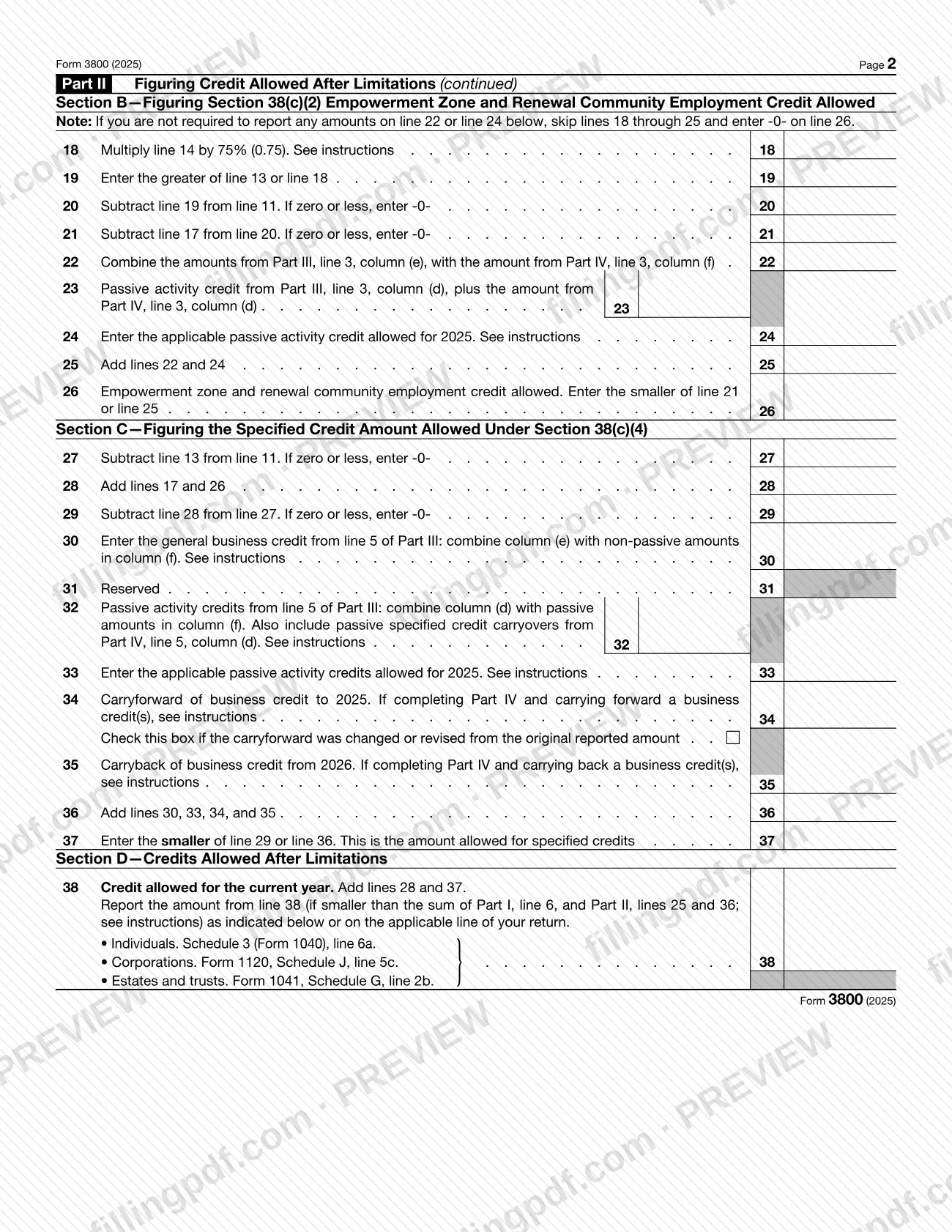
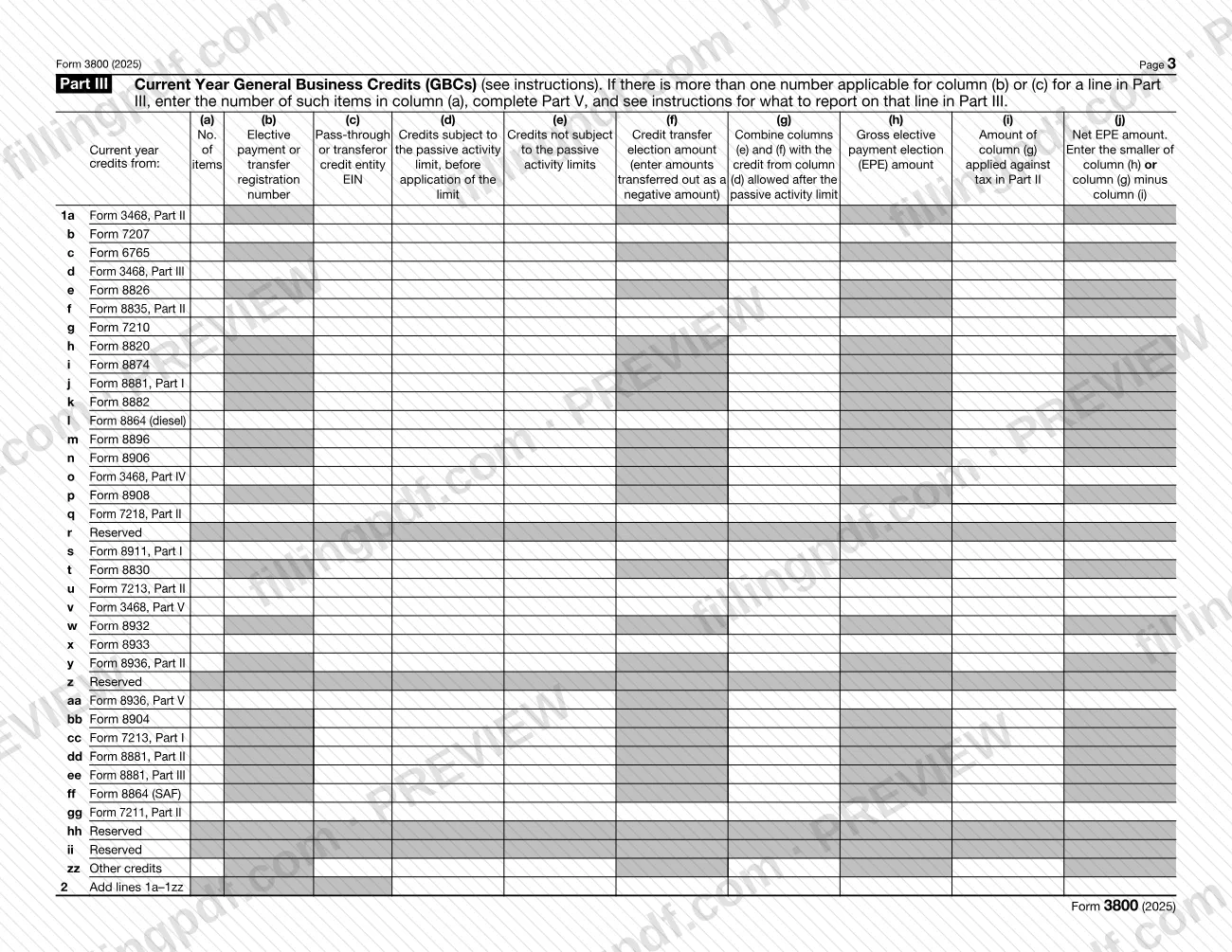
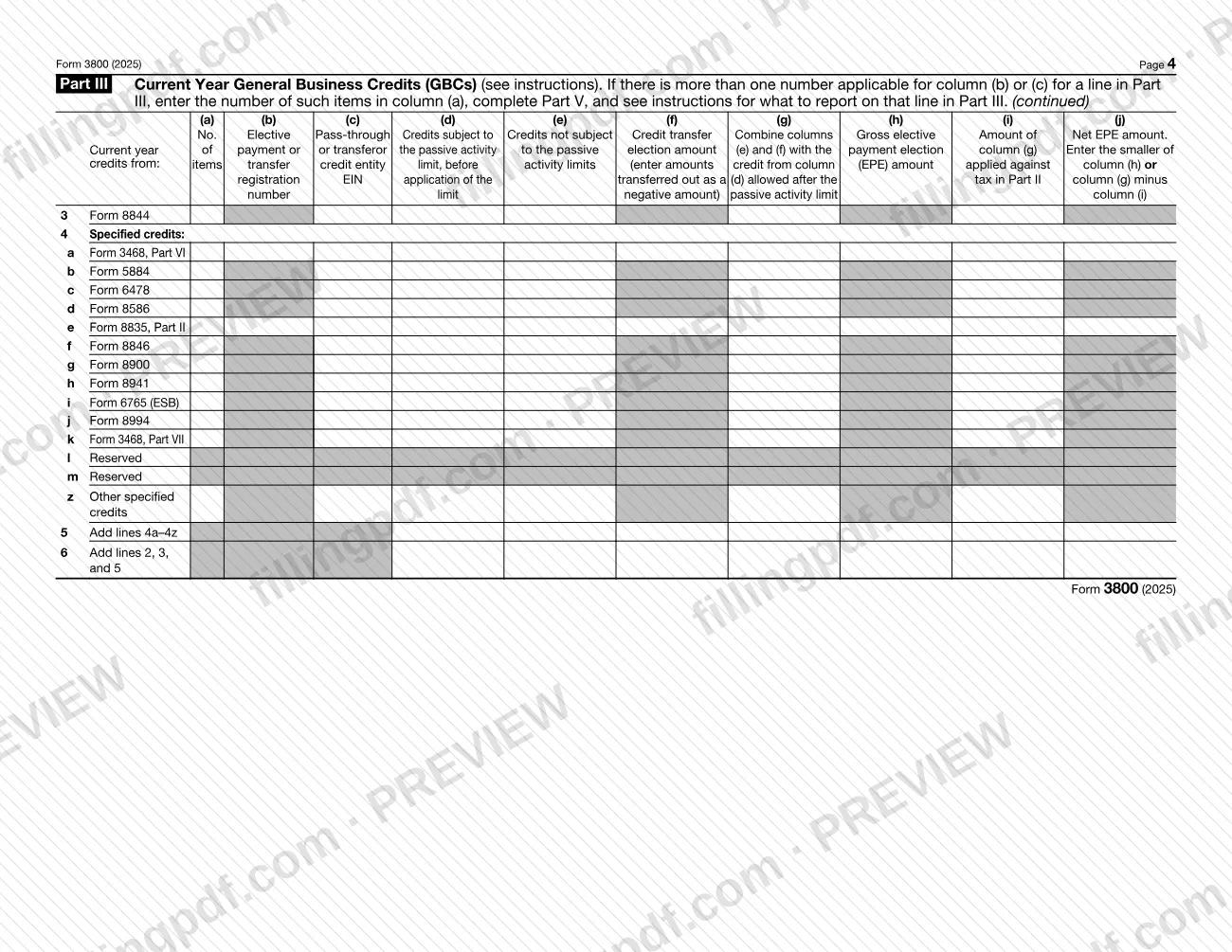
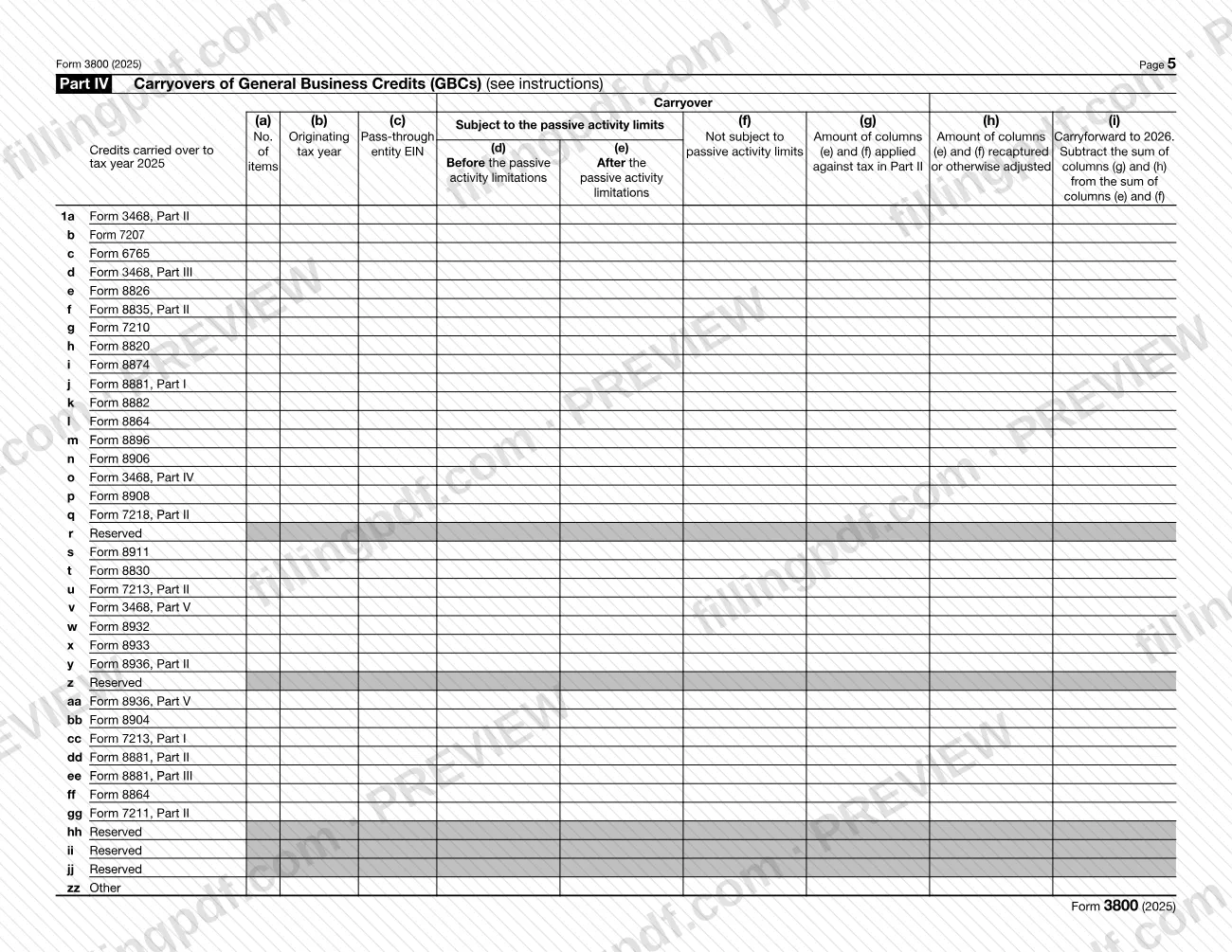
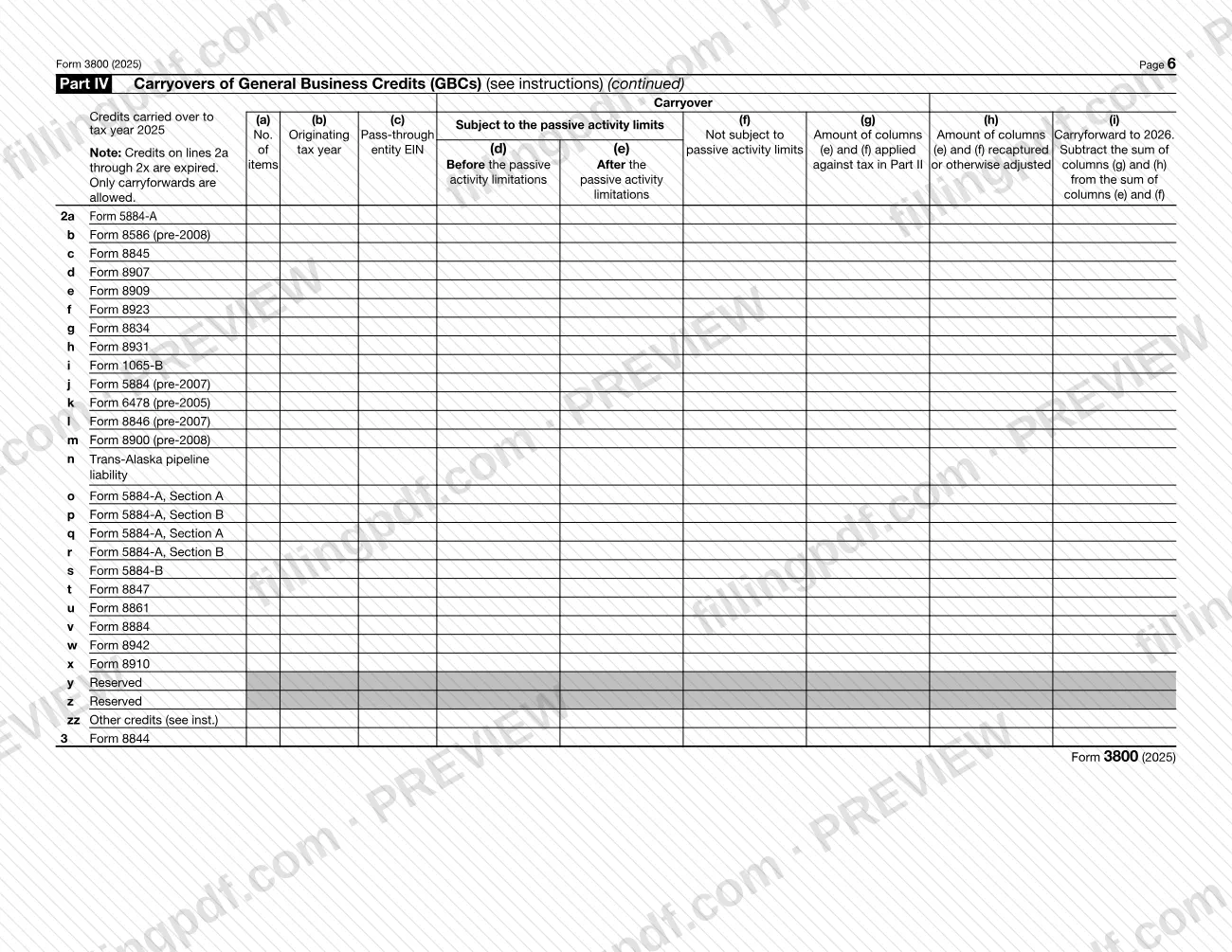
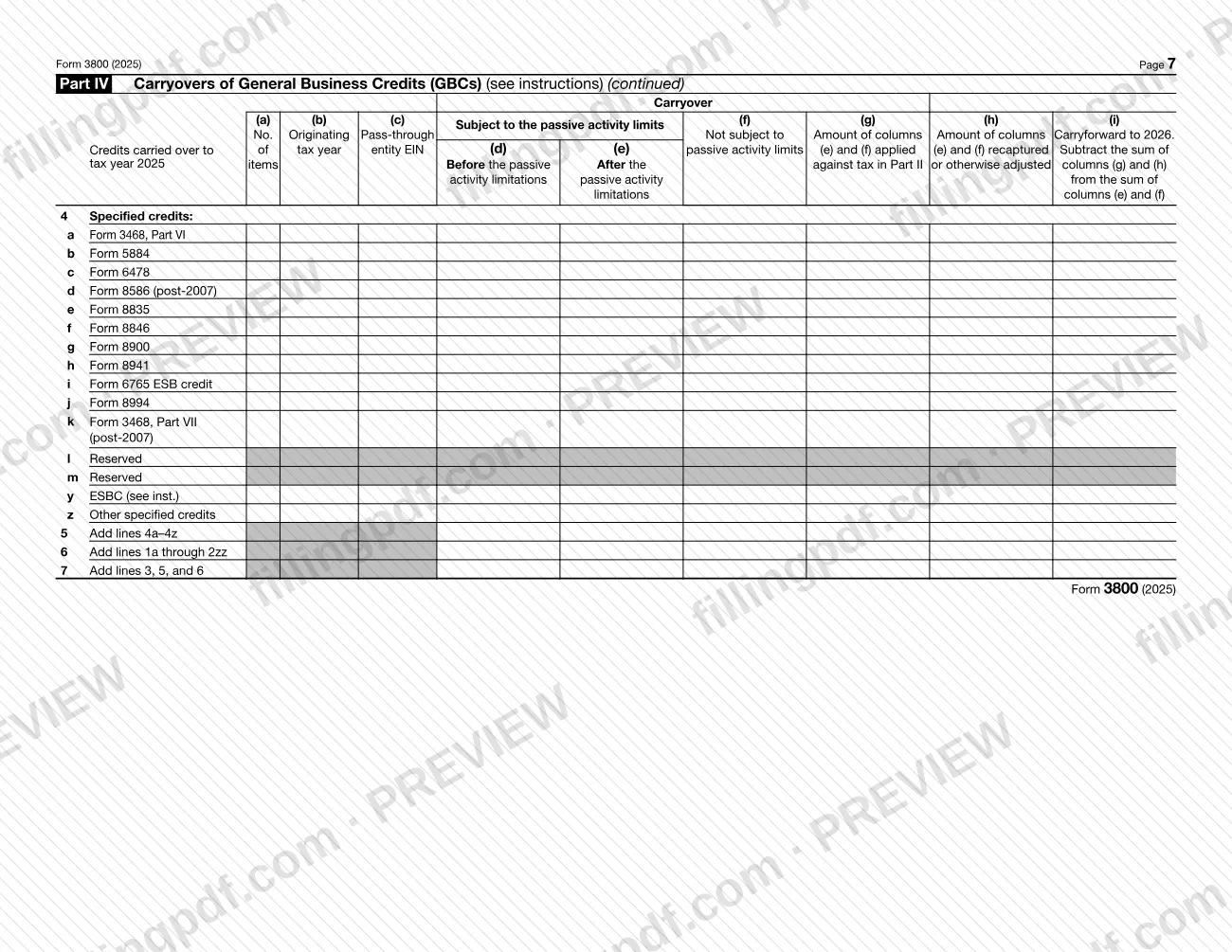
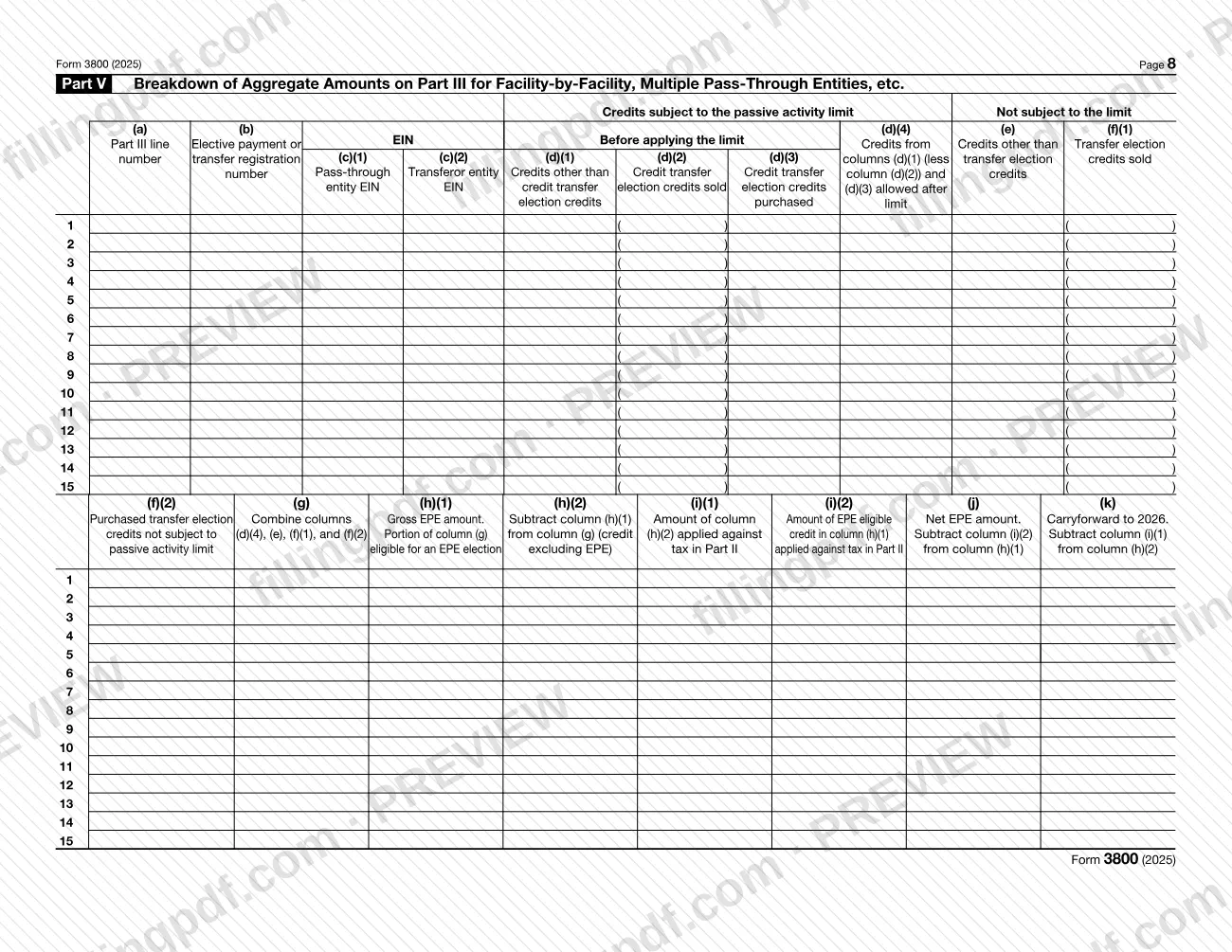
Form 3800, General Business Credit, is the Internal Revenue Service (IRS) form for claiming general business credits on an income tax return. You use it when one or more credit source forms, such as Form 3468, Form 6765 or Form 8835, produce a current-year credit or a carryover that must be combined and limited by your tax. The 2025 revision also carries the lines for elective payment elections and credit transfer elections. On FillingPDF you can fill out the form online and download or print the completed PDF; the original PDF and instructions are published by the IRS at www.irs.gov/Form3800.
Last updated
What is 3800?
Form 3800, General Business Credit, is the IRS form on which you gather the general business credits from your credit source forms, apply the tax-liability limits, and report the credit allowed on your income tax return, including carryforwards and carrybacks.
The form has six parts. Part I covers credits not allowed against tentative minimum tax (TMT). Part II figures the credit allowed after limitations, in Sections A through D. Part III lists current-year credits line by line, by source form. Part IV records carryovers from earlier years. Parts V and VI break down aggregate Part III and Part IV amounts when a credit comes from more than one facility, pass-through entity or tax year.
Two items sit at the top of page 1. Item A asks whether you are both an "applicable corporation" for the Corporate Alternative Minimum Tax (CAMT) and an "applicable taxpayer" for the Base Erosion Anti-Abuse Tax (BEAT). Item B asks whether you made an entry in Part III, column (f), and how many transfer election statements are attached.
Form 3800 does not compute the individual credits. Each one is figured on its own source form and then carried to Part III. The IRS instructions for the 2025 form, which also cover Schedule A (Form 3800), describe elective payment elections under sections 6417 and 48D and credit transfer elections under section 6418. Schedule A (Form 3800), Transfer Election Statement, can serve as the transfer election statement.
Who needs to file 3800?
You must file Form 3800 together with the credit source form(s) to claim any of the general business credits.
- Partnerships and S corporations that make elective payment elections, make transfer elections as transferors, or receive a credit from a transfer as transferees complete the name and identifying number boxes and the applicable lines of Parts III and V, only for the credits involved. They attach Form 3800, and Schedule A (Form 3800) if applicable, to Form 1065 or Form 1120-S.
- Applicable entities making an elective payment election for certain Inflation Reduction Act of 2022 credits complete Form 3800 and their tax return.
- Other filers whose only source for a credit is a partnership, S corporation, estate, trust or cooperative report the credit directly on Form 3800. Exceptions include a credit that was transferred under section 6418, a claim for the investment credit (Form 3468), an estate or trust allocating the credit to beneficiaries, and a cooperative allocating it to patrons.
- Transferees that are noncorporate taxpayers, personal service corporations or closely held corporations must apply sections 38 and 469 and file Form 8582-CR or Form 8810 to figure the passive activity credit allowed.
Tax-exempt small employers do not report the credit for small employer health insurance premiums on Part III, line 4h; they report it on Form 990-T, Part III, line 6f. A Form 990-T filer with no unrelated business taxable income does not need to complete Parts I and II.
When to file 3800
Form 3800 has no due date of its own: you file it with the income tax return on which you claim the credit, so the return's due date applies. The form states that you must include all pages with your return.
If you intend to make an elective payment election or a transfer election, complete pre-filing registration before you file the return. A registration number is valid only for the tax year for which it was obtained and must be renewed to make an election in a later year.
If the tax-liability limit keeps you from using all of a credit, the unused credit is generally carried back 1 year and forward 20 years. Marginal oil and gas well production credits may be carried back 5 years, and credits listed in section 6417(b) may be carried back 3 years. To carry back a credit, file an amended return or an application for tentative refund; a tentative refund application generally must be filed by the end of the tax year following the year the credit arose.
Documents you need
- The credit source form(s) that figure each current-year credit, such as Form 3468, Form 6765 or Form 8835; attach them with Form 3800 to claim a credit.
- IRS-issued registration number for each facility or property, entered on the source credit form and in Part III, column (b), only if you make an elective payment or transfer election.
- Schedule A (Form 3800), signed by both transferor and transferee, or another transfer election statement; required of both parties when a credit is transferred under section 6418.
- Form 8582-CR or Form 8810, as applicable, to figure the passive activity credit allowed for lines 3 and 33 and for transferees subject to section 469.
- A statement of changed or revised carryforwards, for each credit, if you check the box on Part I, line 4, or Part II, line 34.
- A statement breaking down the non-passive and passive credit amounts on Part II, line 25, when you have amounts on both lines 23 and 24.
- A computation of the allowable general business credit, for a C corporation with an ownership change or acquisition, with "Sec. 383" or "Sec. 384" written next to line 17.
- For a carryback: an amended return (Form 1040-X, Form 1120-X or other) or an application for tentative refund (Form 1045 or Form 1139).
- A PDF labeled "Revocation of the section 6417 election," only if you revoke a section 6417 election.
How to fill out 3800
Enter your name and identifying number
At the top of page 1, enter the name(s) shown on your return and your identifying number. Partnerships and S corporations complete these boxes and only the lines for credits with an election or transfer.
Answer items A and B
Item A: check Yes only if you are both an applicable corporation for CAMT and an applicable taxpayer for BEAT; otherwise check No. Item B(i): check Yes if you made an entry in Part III, column (f), and enter the number of transfer election statements attached in item B(ii).
Complete Part III current-year credits
On each line for a source form you used, enter the credit in column (d) if subject to the passive activity limit or column (e) if not. Enter transfers in column (f), negative if transferred out. Eligible small businesses report the research credit on line 4i; all others use line 1c. Then complete lines 2, 3, 5 and 6 totals.
Add election details in Part III
Complete columns (b), (c), (h), (i) and (j) only if you make an elective payment election, a transfer election or receive a transferred credit. Column (b) takes the registration number, column (c) the pass-through or transferor EIN, and column (j) the net EPE amount.
Break down aggregates in Part V
If a Part III amount combines several facilities or pass-through entities, list each by registration number and EIN in Part V, entering the Part III line number in column (a). Then enter the number of items in Part III, column (a).
Record carryovers in Part IV
Enter credits carried over to 2025 on the matching lines: column (b) is the latest originating year, columns (d) through (f) the carryover amounts, and column (i) the carryforward to 2026. Use line 2zz for carryforwards of credits no longer listed and line 4y for eligible small business credits.
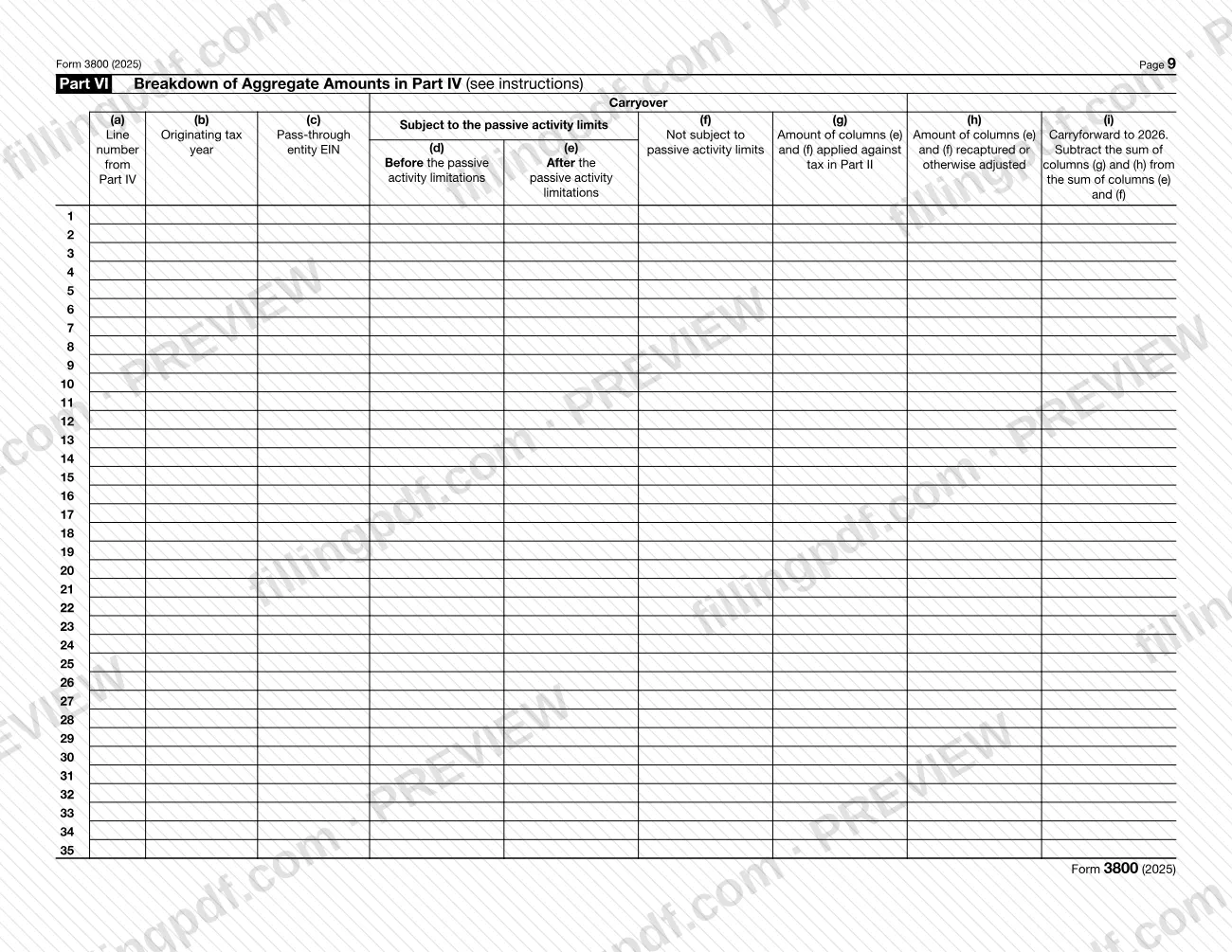
Break down aggregates in Part VI
If a Part IV amount combines more than one tax year or pass-through entity, list the breakdown in Part VI by Part IV line number, originating tax year and EIN.
Complete Part I
Enter non-passive credits on line 1 and passive credits on line 2. Line 3 is the passive amount allowed from Form 8582-CR or Form 8810, or -0-. Lines 4 and 5 take non-passive carryforwards and carrybacks; add lines 1, 3, 4 and 5 on line 6.
Figure the limit in Part II, Section A
Enter regular tax on line 7 and alternative minimum tax on line 8 as the form directs for your filer type, then work through lines 9 to 16. Line 17 is the smaller of line 6 or line 16; a C corporation with an ownership change attaches the line 17 computation.
Complete Sections B and C
Complete lines 18 to 25 only if you report amounts on line 22 or 24; otherwise enter -0- on line 26. Section C, lines 27 to 37, figures the specified credit amount allowed under section 38(c)(4).
Report the credit allowed in Section D
Line 38 is the sum of lines 28 and 37. Carry it to Schedule 3 (Form 1040), line 6a; Form 1120, Schedule J, line 5c; Form 1041, Schedule G, line 2b; or the applicable line of your return.
Review and download the completed PDF
Check that Parts III through VI agree with Parts I and II and that every required statement is ready. Download or print the completed PDF from FillingPDF and attach it to your return as described under How to submit.
How to submit 3800
Form 3800 is not filed on its own: you attach it to your income tax return, and the return's own instructions govern where and how that return is sent.
- With your return: attach all pages of Form 3800, every credit source form you used, and Schedule A (Form 3800) or another transfer election statement if you made or received a transfer.
- Partnerships and S corporations: attach Form 3800 to Form 1065 or Form 1120-S.
- Where the result goes: carry the line 38 amount to Schedule 3 (Form 1040), line 6a (individuals), Form 1120, Schedule J, line 5c (corporations), or Form 1041, Schedule G, line 2b (estates and trusts), or to the applicable line of your return.
- Electronic Schedule A: complete all lines except the signature block, have both transferor and transferee sign, save it as a PDF named "Schedule A Form 3800" and attach it to the return. If both do not sign, the transfer is invalid. Any other document used as a transfer election statement must be named "Transfer Election Statement."
- Revoking a section 6417 election: attach a PDF labeled "Revocation of the section 6417 election" to the return.
The instructions print no separate mailing address for Form 3800. FillingPDF lets you fill out and download the PDF; submission follows the channels above.
Common mistakes to avoid
- Leaving out pages: the form states that you must include all pages of Form 3800 with your return.
- Completing Parts I and II first. The instructions say to complete the applicable lines of Parts III through VI before Parts I and II.
- Making an elective payment or transfer election without first getting a registration number for each facility or property.
- Attaching a Schedule A (Form 3800) signed by only one party; if the transferor and transferee do not both sign, the transfer is invalid.
- Using Part I, line 5, or Part II, line 35, on an original return; they are used only when you amend your 2025 return to carry back unused credits from 2026.
- Checking the carryforward box on Part I, line 4, or Part II, line 34, without attaching the required statement.
- Including specified credits on Part I, line 3, which applies only to credits not allowed against TMT from Part I, line 2.
- Reporting carryforwards of eligible small business credits in a separate column; on the 2025 form they go on Part IV, line 4y.
- Entering the credit for small employer health insurance premiums on line 4h as a tax-exempt small employer instead of reporting it on Form 990-T.
Frequently asked questions
What is Form 3800 used for?
Form 3800 is the IRS form used to claim general business credits. You combine the credits figured on your source credit forms, apply the limit based on your tax, and report the credit allowed on your return. It also records carryforwards and carrybacks of unused credits.
Who has to file Form 3800?
Anyone claiming a general business credit must file Form 3800 and the credit source form(s). Partnerships and S corporations complete only the lines for credits with an elective payment or transfer election. Filers whose only source is a pass-through entity generally report the credit directly on Form 3800.
When is Form 3800 due?
It has no separate due date. You file it with the income tax return on which you claim the credit, and it must include all pages. If you plan an elective payment or transfer election, complete pre-filing registration before you file that return.
Where do I send Form 3800?
You do not send it separately. Attach it, with the credit source forms and any Schedule A (Form 3800), to your return; partnerships and S corporations attach it to Form 1065 or Form 1120-S. The instructions give no separate address, so follow your return's filing instructions.
Can I fill out Form 3800 online?
You can fill out the PDF online on FillingPDF and download or print it. FillingPDF is an independent service and does not file the form with the IRS; you submit it with your return through the channels the IRS provides for that return.
What happens to credits I cannot use this year?
Unused credits are generally carried back 1 year and forward 20 years. Marginal oil and gas well credits may go back 5 years, and section 6417(b) credits back 3 years. To carry back, file an amended return or an application for tentative refund.
What is Schedule A (Form 3800)?
Schedule A (Form 3800) is the Transfer Election Statement that transferors and transferees may use to report required information for each credit transferred under section 6418. Both parties must sign it and attach it to their returns; if it is not signed by both, the transfer is invalid.
Which parts of Form 3800 do I fill out first?
Complete the applicable lines of Parts III through VI before Parts I and II. Part III columns (a) through (h), Part IV columns (a) through (f), Part V columns (a) through (h)(2) and Part VI columns (a) through (f) feed the limits figured in Parts I and II.
Ready to fill out 3800?
Fill out 3800 now