
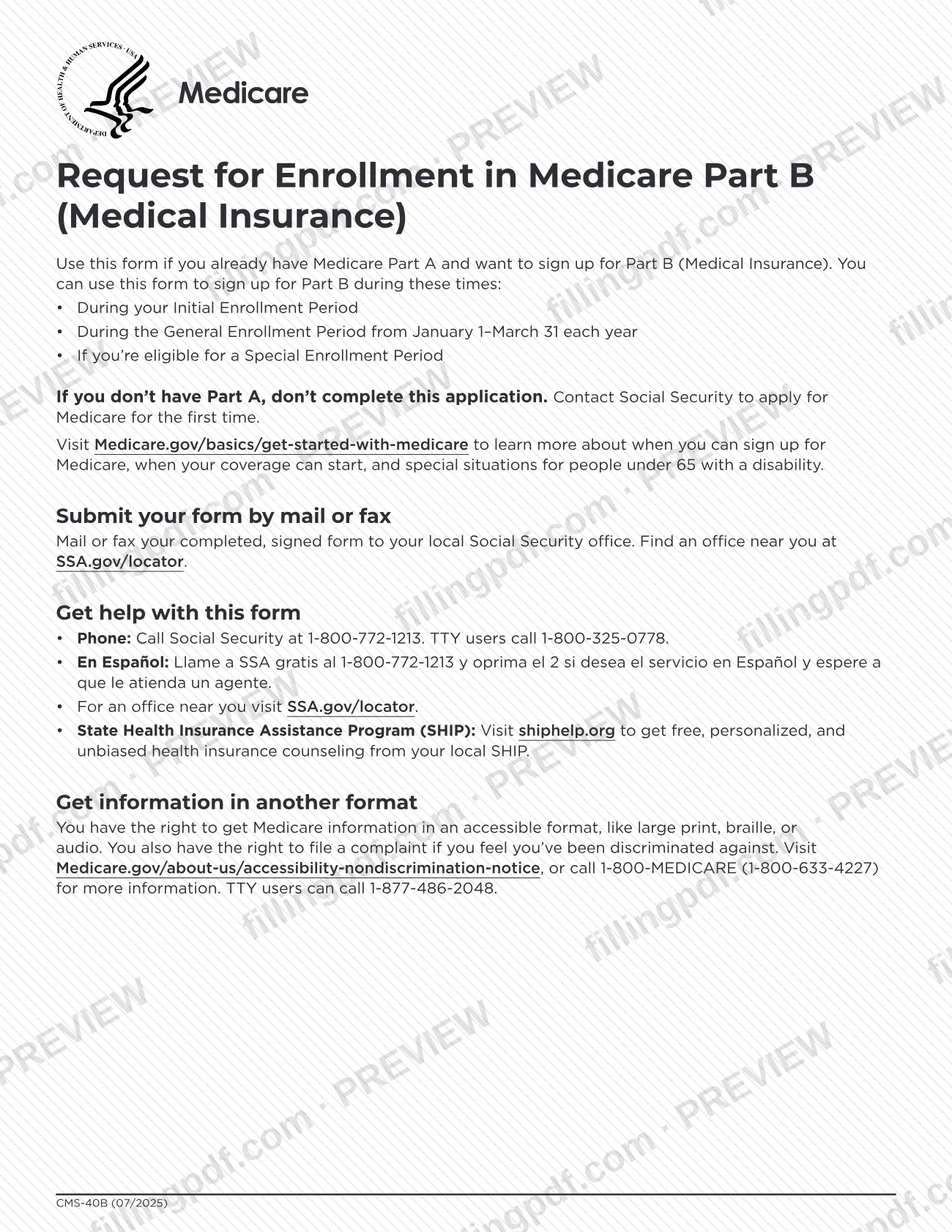
CMS-40B, Request for Enrollment in Medicare Part B (Medical Insurance), is the Centers for Medicare & Medicaid Services (CMS) form for signing up for Part B when you already have Medicare Part A. You complete and sign it, then mail or fax it to your local Social Security office, or take it there in person. On FillingPDF you can fill out the form online and download or print the completed PDF; the official form is published by CMS, and it is sent to Social Security only through the channels described below.
Last updated
What is CMS-40B?
CMS-40B, Request for Enrollment in Medicare Part B (Medical Insurance), is the form people who already have Medicare Part A use to sign up for Part B. It is issued by the Centers for Medicare & Medicaid Services (CMS), part of the U.S. Department of Health and Human Services, and is returned to the Social Security Administration (SSA).
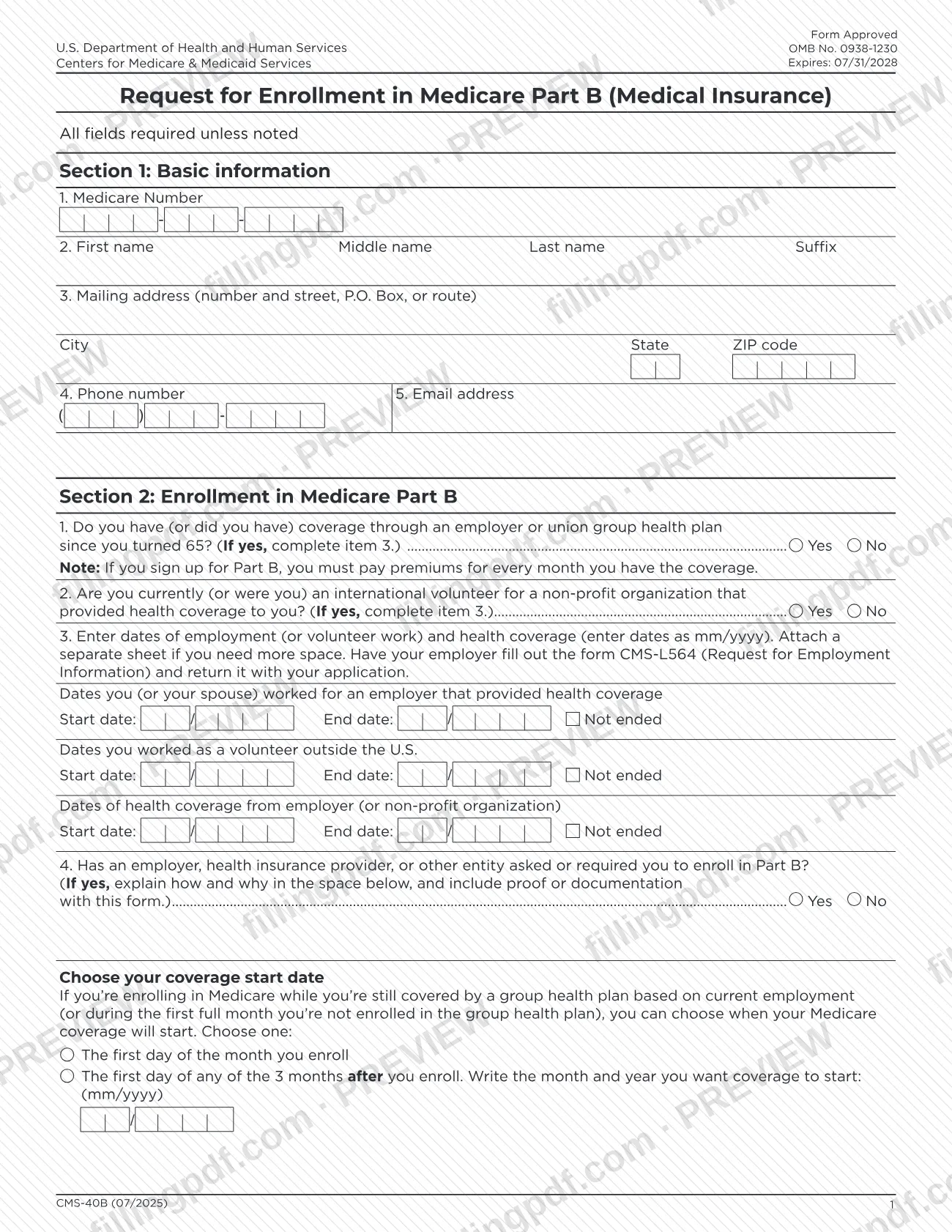
The form is short. Section 1 collects your Medicare Number, name, mailing address, phone number and email address. Section 2 asks whether you have or had employer or union group health plan coverage since you turned 65, or health coverage as an international volunteer for a non-profit organization, and collects the dates of that employment or volunteer work and coverage. It also asks whether an employer, insurer or other entity asked or required you to enroll in Part B. Section 3 holds the signature, with a witness block for applicants who sign with a mark (X).
The form carries a note that if you sign up for Part B, you must pay premiums for every month you have the coverage. It is not an application for Medicare itself: if you do not have Part A, the form says not to complete it and to contact Social Security to apply for Medicare for the first time.
The printed revision is CMS-40B (07/2025), OMB No. 0938-1230, expiring 07/31/2028. The form states that the time to complete it averages 15 minutes.
Who needs to file CMS-40B?
You use CMS-40B if you already have Medicare Part A and want to sign up for Part B (Medical Insurance). The form says you can use it during your Initial Enrollment Period, during the General Enrollment Period from January 1–March 31 each year, or if you are eligible for a Special Enrollment Period.
Do not complete this form if you do not have Part A. The form tells you to contact Social Security to apply for Medicare for the first time instead.
Some applicants have additional entries to make:
- People with employer or union group health plan coverage since turning 65, or who were international volunteers for a non-profit organization that provided health coverage, complete item 3 of Section 2 with the dates.
- People who were asked or required by an employer, insurer or other entity to enroll in Part B explain how and why on the form and include proof or documentation.
- Applicants who sign with a mark (X) need a witness who knows them to sign as well.
The form does not describe a separate procedure for a representative signing on your behalf. For questions, call Social Security at 1-800-772-1213 (TTY 1-800-325-0778).
When to file CMS-40B
Submit CMS-40B when you are ready to enroll in Part B during one of the periods the form names: your Initial Enrollment Period, the General Enrollment Period from January 1–March 31 each year, or a Special Enrollment Period for which you are eligible. The form prints no separate deadline beyond those periods.
If you are still covered by a group health plan based on current employment, or are enrolling during the first full month you are not enrolled in that plan, you can choose when Part B coverage starts: the first day of the month you enroll, or the first day of any of the 3 months after you enroll, written as mm/yyyy.
The Medicare.gov page the form cites, Medicare.gov/basics/get-started-with-medicare, explains when you can sign up, when coverage can start and special situations for people under 65 with a disability.
Documents you need
- Form CMS-L564, Request for Employment Information, completed by your employer and returned with the application: needed when you answer Yes to item 1 or 2 of Section 2 and complete item 3.
- Proof or documentation that an employer, health insurance provider or other entity asked or required you to enroll in Part B, only if you answer Yes to item 4 of Section 2.
- A separate sheet listing employment, volunteer work and coverage dates, only if you need more space than item 3 of Section 2 provides.
How to fill out CMS-40B
Enter your Medicare Number and name
In Section 1, item 1, enter your Medicare Number. In item 2, enter your first name, middle name, last name and suffix.
Add address, phone and email
Item 3: your mailing address (number and street, P.O. Box, or route), city, state and ZIP code. Item 4 is your phone number and item 5 your email address. The form states all fields are required unless noted.
Answer the group health plan question
In Section 2, item 1, mark Yes or No for employer or union group health plan coverage since you turned 65. If Yes, complete item 3.
Answer the international volunteer question
Item 2: mark Yes or No for whether you are or were an international volunteer for a non-profit organization that provided health coverage. If Yes, complete item 3.
Enter employment and coverage dates
Item 3: enter start and end dates in mm/yyyy for employment by you or your spouse, volunteer work outside the U.S., and health coverage, or check Not ended. Attach a separate sheet if you need space, and have your employer complete CMS-L564.
Answer the enrollment request question
Item 4: mark Yes or No for whether an employer, insurer or other entity asked or required you to enroll in Part B. If Yes, explain how and why in the space provided and include proof or documentation.
Choose your coverage start date
If you qualify, choose either the first day of the month you enroll or the first day of any of the 3 months after you enroll, writing the month and year as mm/yyyy.
Sign and date the form
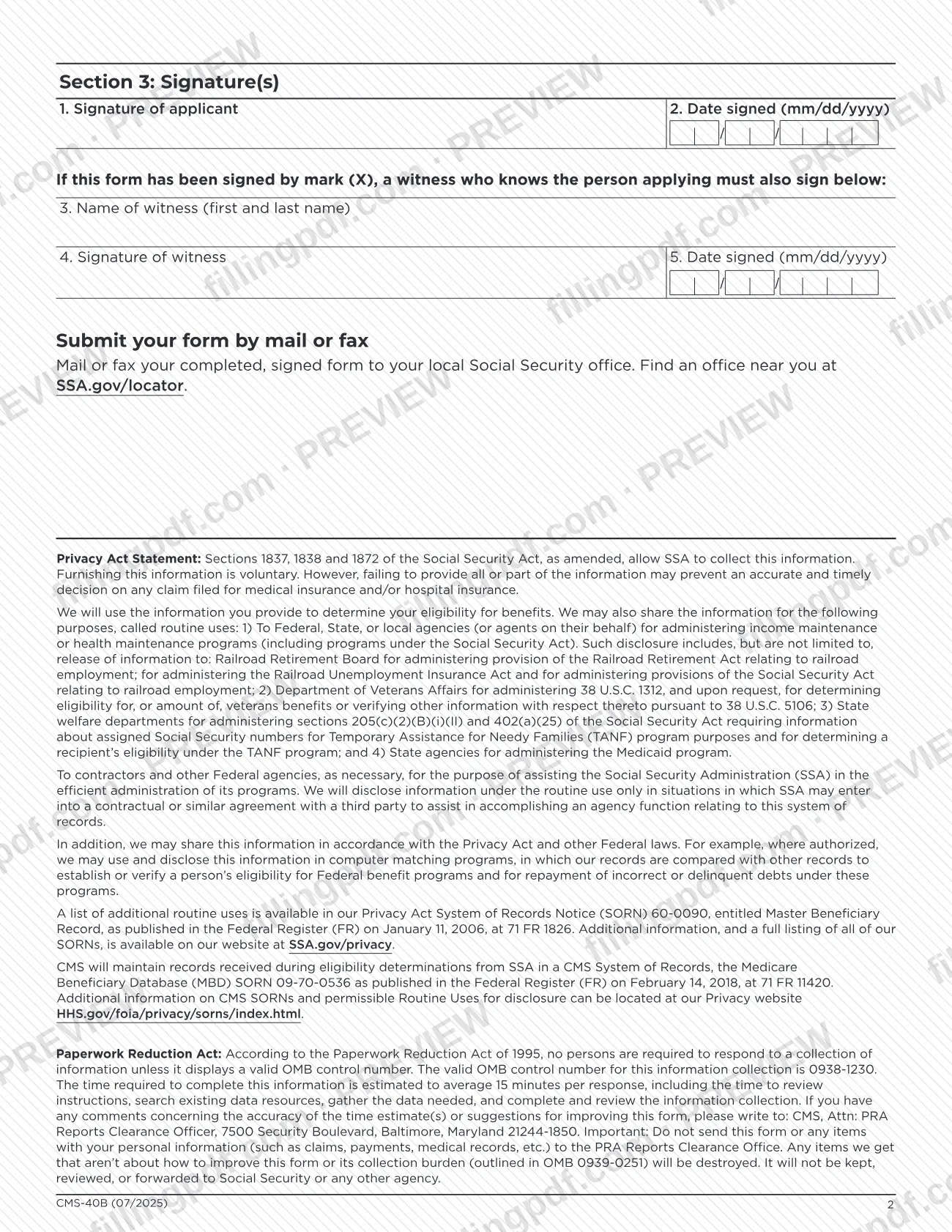
Section 3: sign as the applicant (item 1) and enter the date signed as mm/dd/yyyy (item 2). If you sign with a mark (X), a witness who knows you enters their name, signature and date in items 3 to 5.
Review and download the completed PDF
Check each section and the date formats, then download or print the completed PDF from FillingPDF. Attach any required documents and send it to your local Social Security office as described under How to submit.
How to submit CMS-40B
You can mail or fax the completed, signed form to your local Social Security office, and the CMS form page also lists visiting your local Social Security office in person. Find an office near you at SSA.gov/locator.
- By mail: send the signed form to your local Social Security office. The form prints no mailing address of its own.
- By fax: fax the signed form to your local Social Security office. The form prints no fax number; use the office information from the locator.
- In person: take the completed, signed form to your local Social Security office.
Include any attachments the form calls for: the CMS-L564 completed by your employer, and proof or documentation if an employer or insurer asked or required you to enroll. For help, call Social Security at 1-800-772-1213 (TTY 1-800-325-0778), or visit shiphelp.org for free counseling from your State Health Insurance Assistance Program (SHIP).
Do not send the form to the CMS PRA Reports Clearance Officer; that address is only for comments on the form's time estimate, and anything else received there is destroyed. FillingPDF lets you fill out and download the PDF; submission follows the channels above.
Common mistakes to avoid
- Completing CMS-40B when you do not have Medicare Part A; the form says to contact Social Security to apply for Medicare for the first time instead.
- Answering Yes to item 1 or 2 of Section 2 without completing item 3 with the employment, volunteer and coverage dates.
- Writing dates in item 3 in the wrong format; the form asks for mm/yyyy, while signature dates use mm/dd/yyyy.
- Omitting the employer-completed CMS-L564 when you report group health plan coverage.
- Answering Yes to item 4 of Section 2 without explaining how and why and including proof or documentation.
- Signing with a mark (X) without a witness who knows you printing a name, signing and dating the form.
- Sending the form to the CMS PRA Reports Clearance Officer; it goes to your local Social Security office.
- Leaving the coverage start choice blank when you are enrolling while covered by a group health plan based on current employment, or not writing the month and year in mm/yyyy when you pick a later month.
Frequently asked questions
What is the CMS-40B form used for?
CMS-40B is the Request for Enrollment in Medicare Part B (Medical Insurance). You use it to sign up for Part B if you already have Medicare Part A, during your Initial Enrollment Period, the General Enrollment Period, or a Special Enrollment Period.
Can I use CMS-40B if I don't have Medicare Part A?
No. The form says that if you do not have Part A, you should not complete this application. Contact Social Security to apply for Medicare for the first time at 1-800-772-1213 (TTY 1-800-325-0778).
When can I sign up for Part B with CMS-40B?
The form lists three times: your Initial Enrollment Period, the General Enrollment Period from January 1–March 31 each year, or a Special Enrollment Period you are eligible for. Medicare.gov/basics/get-started-with-medicare gives more on timing.
Where do I send the CMS-40B form?
Mail or fax the completed, signed form to your local Social Security office, or take it there in person. Find an office at SSA.gov/locator. The form prints no mailing address or fax number, so use the office's details.
Can I fill out CMS-40B online?
You can fill out the CMS-40B PDF online on FillingPDF and download or print it. FillingPDF is independent, is not affiliated with CMS or Social Security and does not file the form; you send it through the channels above.
Do I need my employer to complete anything for CMS-40B?
If you report employer or union group health plan coverage or volunteer coverage, item 3 asks you to have your employer fill out form CMS-L564 (Request for Employment Information) and return it with your application.
Can I choose when my Part B coverage starts?
Only in some cases. If you enroll while covered by a group health plan based on current employment, or in the first full month you are not enrolled in it, you can choose the first day of the month you enroll or of any of the next 3 months.
Who signs if the applicant signs with an X?
A witness who knows the person applying must also sign. The witness enters their first and last name, signature and date signed in mm/dd/yyyy format in items 3 to 5 of Section 3.
Ready to fill out CMS-40B?
Fill out CMS-40B now