
The CMS460 form, officially Form CMS-460, is the Medicare Participating Physician or Supplier Agreement published by the Centers for Medicare & Medicaid Services (CMS). By signing it, a physician, practitioner or supplier agrees to accept assignment of Medicare Part B payment for all covered services. New providers use it when they enroll, and enrolled providers use it during the yearly open enrollment period. On FillingPDF you can fill out the form online and download or print the completed PDF; the agreement itself goes to your Medicare Administrative Contractor (MAC), not to CMS.
Last updated
What is CMS-460?
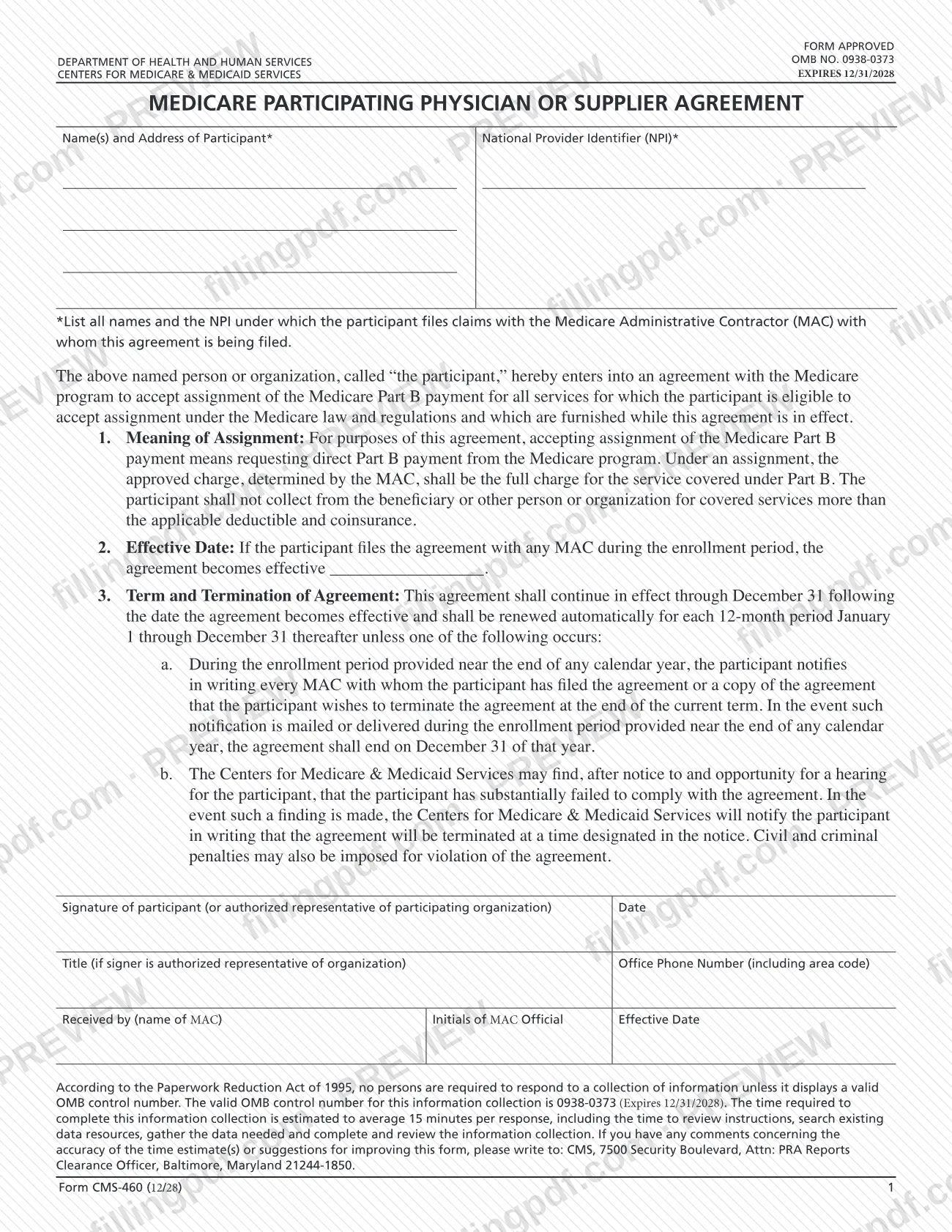
Form CMS-460, Medicare Participating Physician Or Supplier Agreement, is the Centers for Medicare & Medicaid Services (CMS) form by which a physician, practitioner or supplier agrees to accept assignment of the Medicare Part B payment for all services for which assignment is allowed under Medicare law and regulations.
Under the agreement, accepting assignment means requesting direct Part B payment from Medicare. The approved charge set by the Medicare Administrative Contractor (MAC) becomes the full charge for the covered service, and the participant may not collect from the beneficiary or anyone else more than the applicable deductible and coinsurance.
The agreement continues through December 31 following its effective date and renews automatically for each 12-month period, January 1 through December 31, unless it is ended. A participant can end it by notifying in writing every MAC where it was filed during the enrollment period near the end of a calendar year. CMS can also terminate it after notice and an opportunity for a hearing if the participant has substantially failed to comply; civil and criminal penalties may also be imposed for violating the agreement.
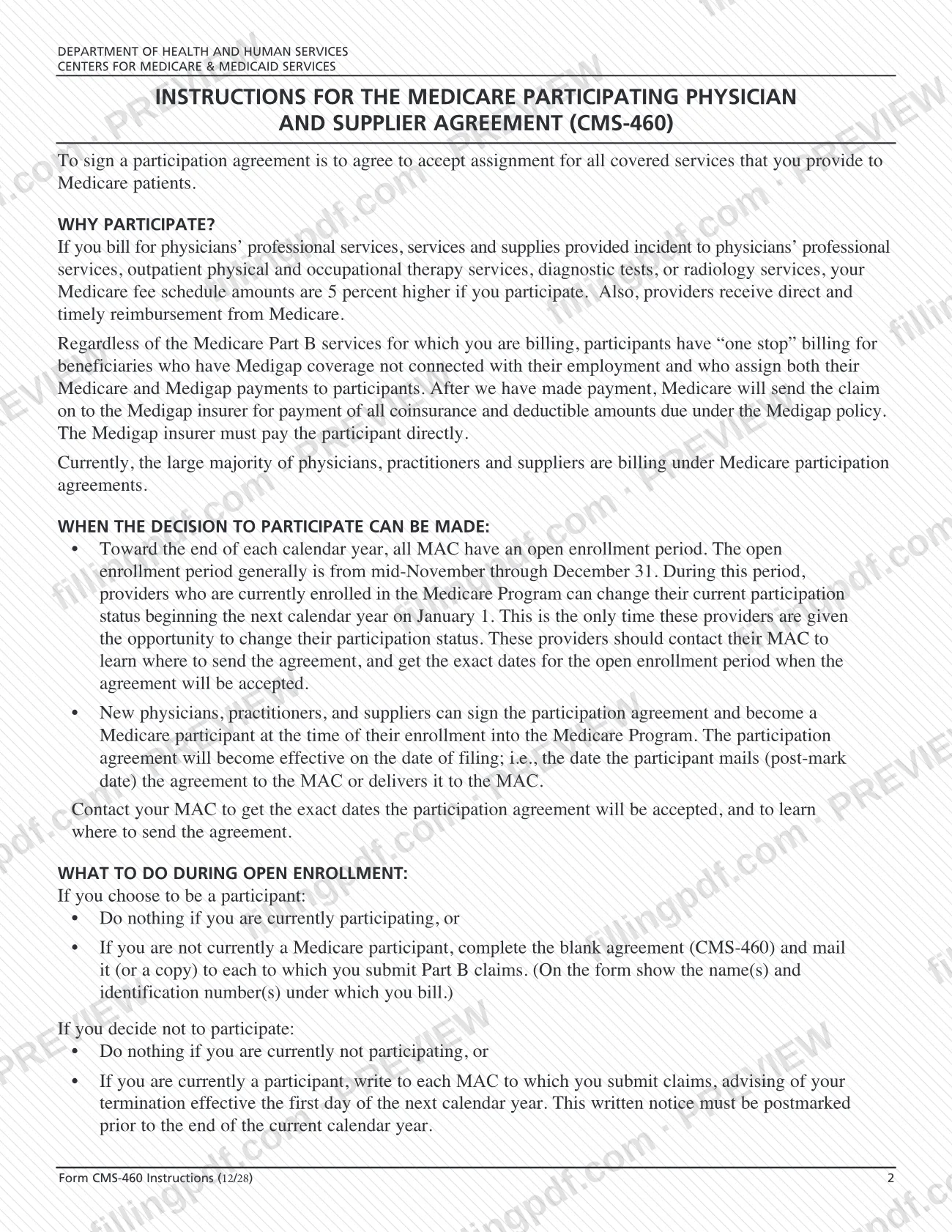
The CMS instructions give the reasons to participate. Fee schedule amounts for physicians' professional services, services and supplies incident to them, outpatient physical and occupational therapy, diagnostic tests and radiology services are 5 percent higher for participants. Participants also get "one stop" billing for beneficiaries with qualifying Medigap coverage who assign both payments to them. The form is approved under OMB No. 0938-0373.
Who needs to file CMS-460?
The main group is physicians, practitioners and suppliers who bill Medicare Part B and want to be Medicare participants. Signing the agreement means accepting assignment for all covered services you provide to Medicare patients.
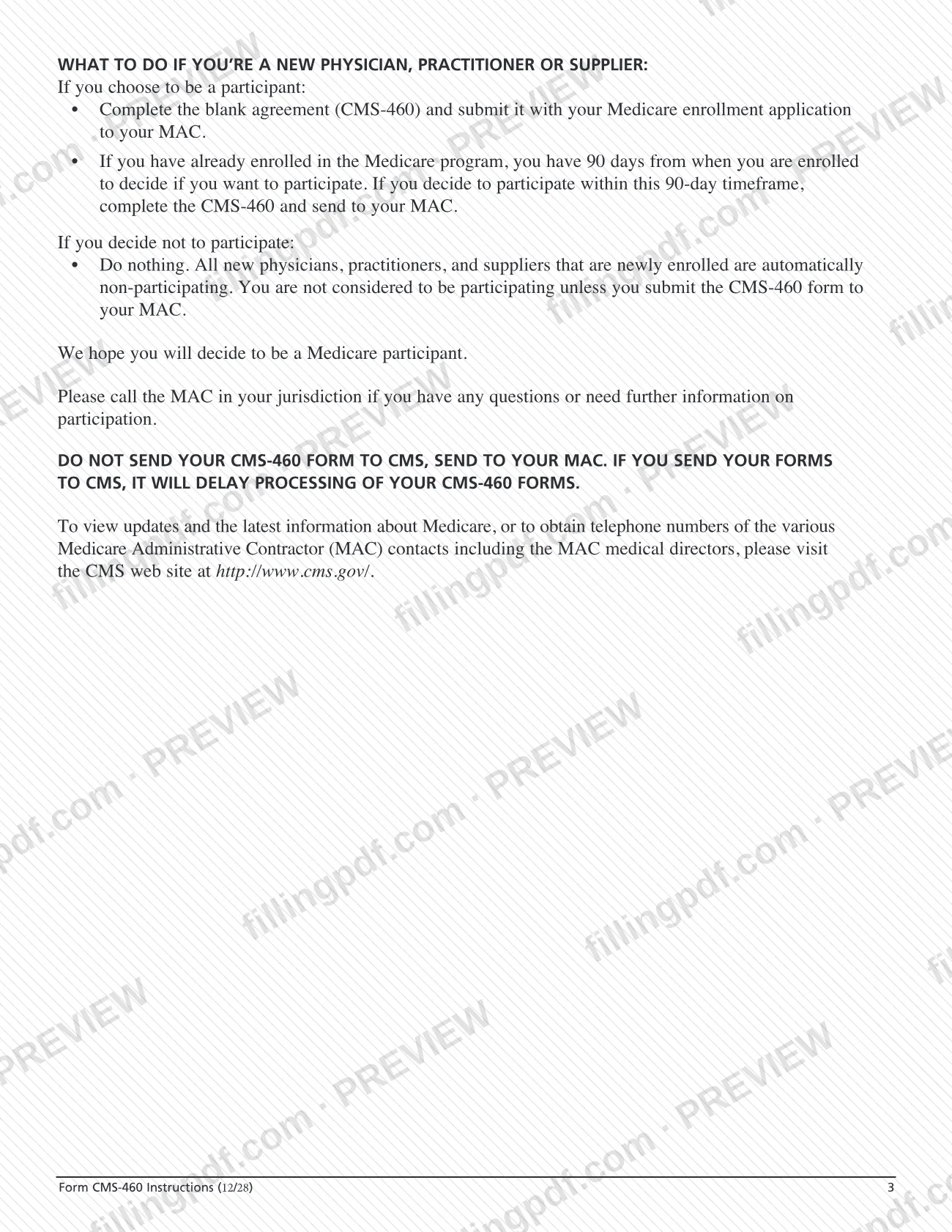
- New physicians, practitioners and suppliers who choose to participate complete the form with their Medicare enrollment application. New enrollees are automatically non-participating, and you are not participating unless your MAC receives a CMS-460.
- Providers already enrolled have 90 days from enrollment to decide whether to participate and, if so, send the CMS-460 to their MAC.
- Enrolled providers who are not participating can complete the blank agreement during the open enrollment period to participate starting January 1.
Who does not need to file: providers that already participate and want to continue do nothing during open enrollment. Providers that do not participate and want to stay that way also do nothing. A participant who wants to leave does not use this form: it writes to each MAC where it submits claims to terminate.
An organization may sign through an authorized representative, who gives a title on the form.
When to file CMS-460
The timing depends on your situation. New physicians, practitioners and suppliers send the CMS-460 with their Medicare enrollment application. If you have already enrolled, you have 90 days from your enrollment to decide to participate and send the form to your MAC. For a new participant, the agreement is effective on the filing date: the post-mark date if mailed, or the date delivered to the MAC.
Enrolled providers can change their participation status only during the open enrollment period, which generally runs from mid-November through December 31, with the change taking effect the next January 1. Each MAC sets the exact dates it accepts agreements, so contact your MAC.
To terminate, write to each MAC where you submit claims, effective the first day of the next calendar year; the notice must be postmarked before the end of the current calendar year. Participation then renews automatically each January 1 through December 31 until it is ended.
Documents you need
- Your Medicare enrollment application, when you are a new physician, practitioner or supplier: the CMS-460 is submitted with it to your MAC.
How to fill out CMS-460
Confirm the timing with your MAC
Check whether you are a new provider (send with enrollment, or within 90 days after) or an enrolled provider (open enrollment, generally mid-November to December 31). Contact your MAC for where to send the form and its exact dates.
Enter names and address of participant
In Name(s) and Address of Participant, list all names under which the participant files claims with the MAC where this agreement is being filed, plus the address.
Enter the National Provider Identifier
In National Provider Identifier (NPI), enter the NPI under which the participant files claims with that MAC.
Read the agreement terms
Review item 1 (meaning of assignment), item 2 (effective date) and item 3 (term and termination). Signing commits you to accept assignment for all covered services you provide.
Handle the effective date line
Item 2 has a blank for the date the agreement becomes effective. For new providers, the instructions say it becomes effective on the date of filing, so confirm the date with your MAC if unsure.
Sign and date the agreement
The participant, or an authorized representative of a participating organization, signs in Signature of participant and enters the date.
Add title and office phone
If an authorized representative signs for an organization, enter the title in Title. Enter the Office Phone Number including area code.
Leave the MAC block blank
The Received by (name of MAC), initials and effective date fields are for the MAC. Do not complete them.
Review and download the completed PDF
Check that the names and NPI match your claims, then download or print the completed PDF from FillingPDF. Make a copy for each MAC to which you submit Part B claims and send them as described under How to submit.
How to submit CMS-460
Mail the completed CMS-460, or a copy, to your Medicare Administrative Contractor (MAC), or deliver it to the MAC. The instructions do not name an address, online portal or fax number; they say to contact your MAC to learn where to send the agreement and the exact dates it will be accepted.
- Mail or delivery to the MAC: send the agreement, or a copy, to each MAC to which you submit Part B claims. Show on the form the name(s) and identification number(s) under which you bill. The MAC completes the "Received by", initials and effective date block.
- New providers: include the form with your Medicare enrollment application to your MAC. If you are already enrolled, send the form to your MAC within 90 days of enrollment.
- Where not to send it: do not send the CMS-460 to CMS. The instructions warn that doing so delays processing.
For MAC telephone numbers and Medicare updates, the instructions point to the CMS website at http://www.cms.gov/. No fee is mentioned for this form. FillingPDF lets you fill out and download the PDF; submission follows the channels above.
Common mistakes to avoid
- Sending the CMS-460 to CMS instead of your MAC; the instructions say this delays processing.
- Assuming a newly enrolled provider is participating. New enrollees are non-participating unless a CMS-460 is submitted to the MAC.
- Waiting past the 90 days after enrollment to decide, when you are already enrolled and want to participate.
- Filing with only one MAC when you submit Part B claims to several; the agreement or a copy goes to each MAC.
- Leaving out the names and the NPI under which you file claims with the MAC where the agreement is filed.
- Terminating by postmarking the written notice after the end of the calendar year, or notifying fewer than every MAC where you filed.
- Resubmitting the agreement during open enrollment when you already participate and want to continue; the instructions say to do nothing.
- Signing without a title when an authorized representative signs for an organization.
Frequently asked questions
What is Form CMS-460 used for?
Form CMS-460 is the Medicare Participating Physician or Supplier Agreement. By signing it, you agree to accept assignment of Medicare Part B payment for all covered services you provide, and you may not collect more than the deductible and coinsurance from the beneficiary.
Where do I send the CMS460 form?
Send it to your Medicare Administrative Contractor (MAC), not to CMS. The instructions say sending it to CMS delays processing. Contact your MAC to learn where to send the agreement and the dates it will be accepted.
When can I sign the Medicare participation agreement?
New providers can sign when they enroll, or within 90 days after enrollment. Enrolled providers can change their status during the annual open enrollment period, which generally runs from mid-November through December 31; your MAC gives the exact dates.
Am I automatically a Medicare participating provider?
No. Newly enrolled physicians, practitioners and suppliers are automatically non-participating. You are not participating unless you submit the CMS-460 to your MAC.
How do I stop being a Medicare participant?
Write to each MAC to which you submit claims, asking for termination effective the first day of the next calendar year. The written notice must be postmarked before the end of the current calendar year.
What are the benefits of participating in Medicare?
The instructions say participants' fee schedule amounts are 5 percent higher for physicians' professional services, services and supplies incident to them, outpatient physical and occupational therapy, diagnostic tests and radiology services. Participants also get "one stop" Medigap billing in qualifying cases.
When does my participation agreement take effect?
For a new participant, it takes effect on the date of filing: the post-mark date if you mail it, or the date you deliver it to the MAC. The agreement then renews automatically each January 1 through December 31 until it is terminated.
Can I fill out Form CMS-460 online on FillingPDF?
Yes. You can fill out the fillable PDF online on FillingPDF and download or print it. FillingPDF is an independent service and does not submit the agreement; you send it to your MAC through the channels the MAC provides.
Ready to fill out CMS-460?
Fill out CMS-460 now