
Form DS-1950, Application for Employment, is the application the U.S. Department of State requires for certain employment opportunities. You complete it for a specific vacancy, after reading the vacancy announcement that describes the job and how to apply. On this page you can fill out the form online on FillingPDF and download or print the completed PDF; the original PDF is published by the Department of State at eforms.state.gov.
Last updated
What is DS-1950?
Form DS-1950, Application for Employment, is the U.S. Department of State form that applicants complete for certain employment opportunities in the Department. It records personal data, citizenship and veteran status, education, languages, work history and a signed certification.
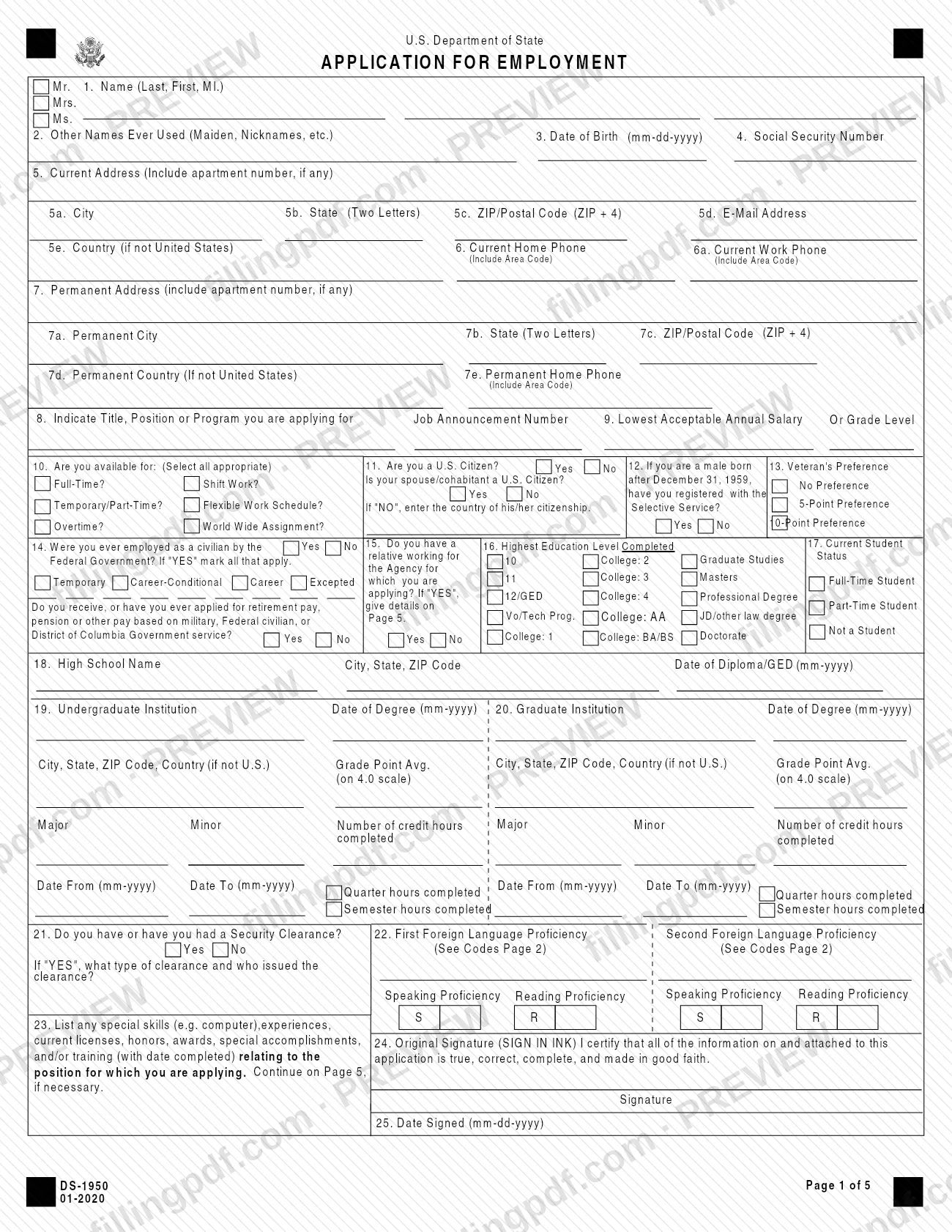
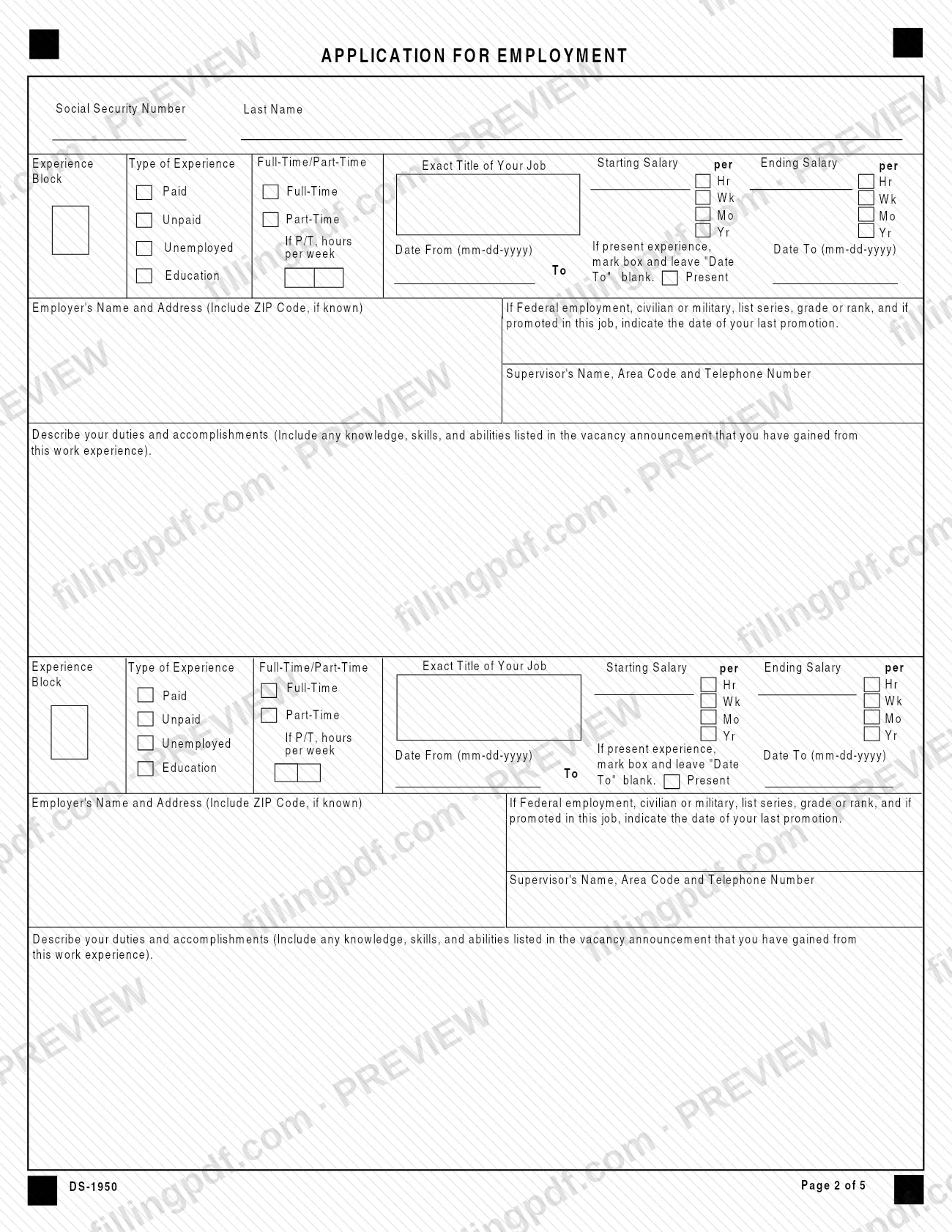
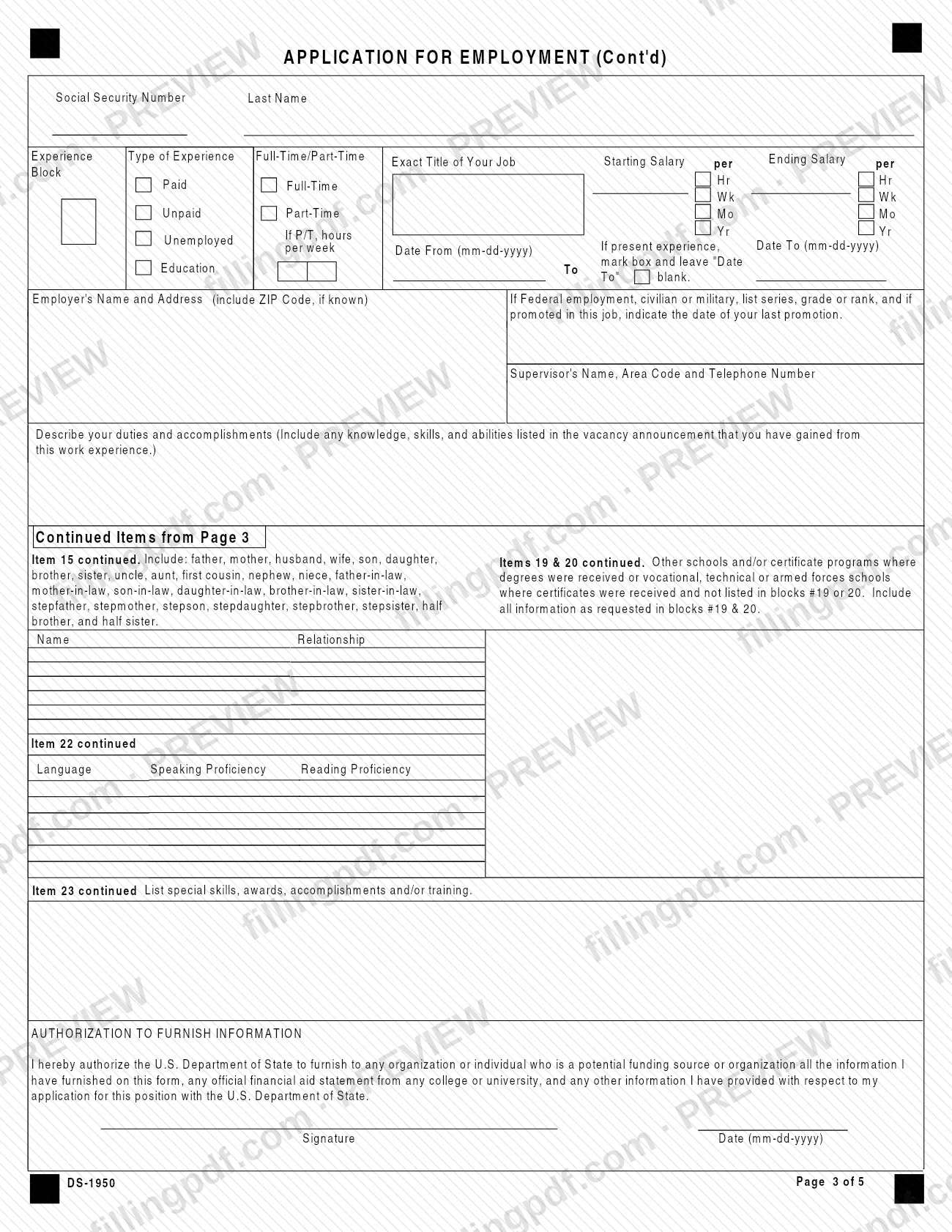
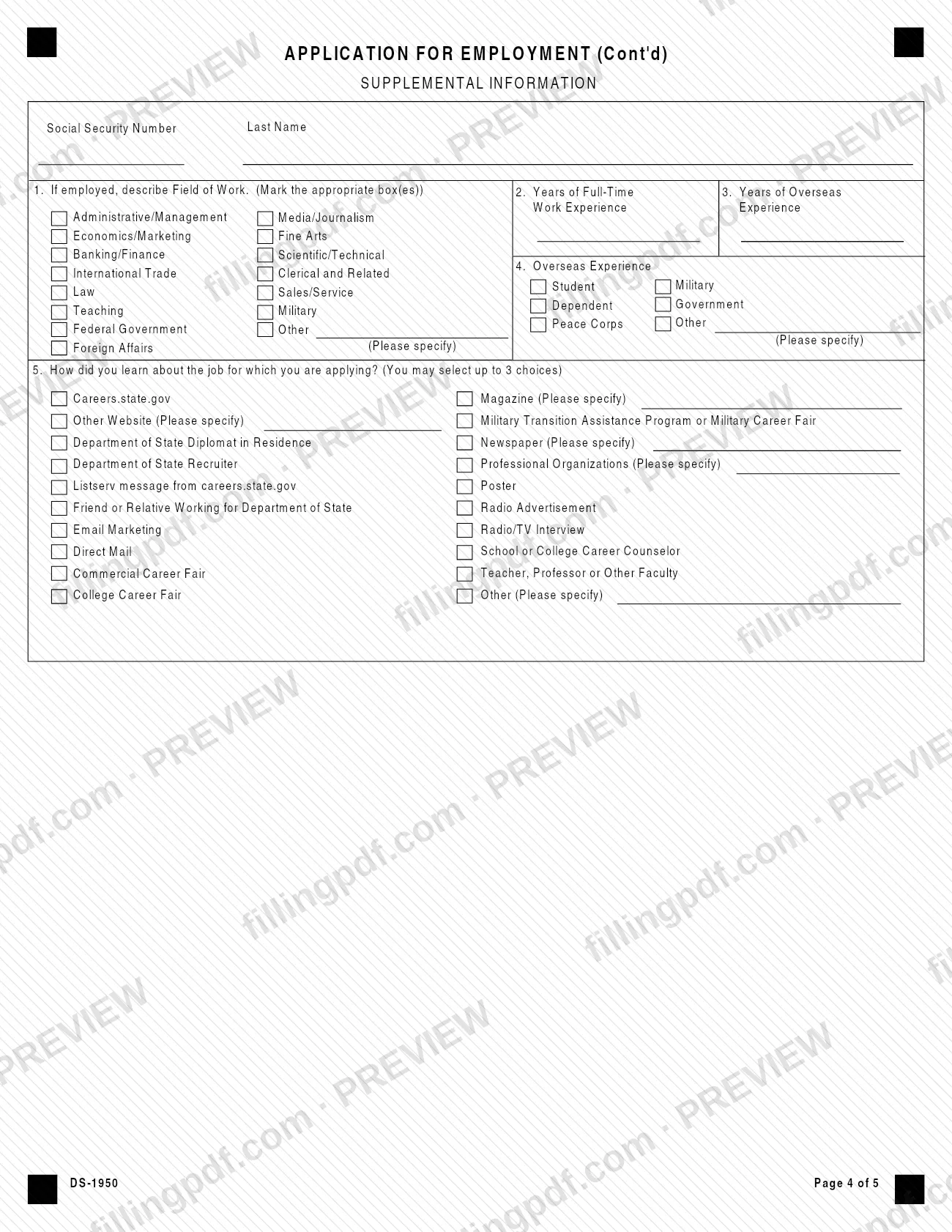
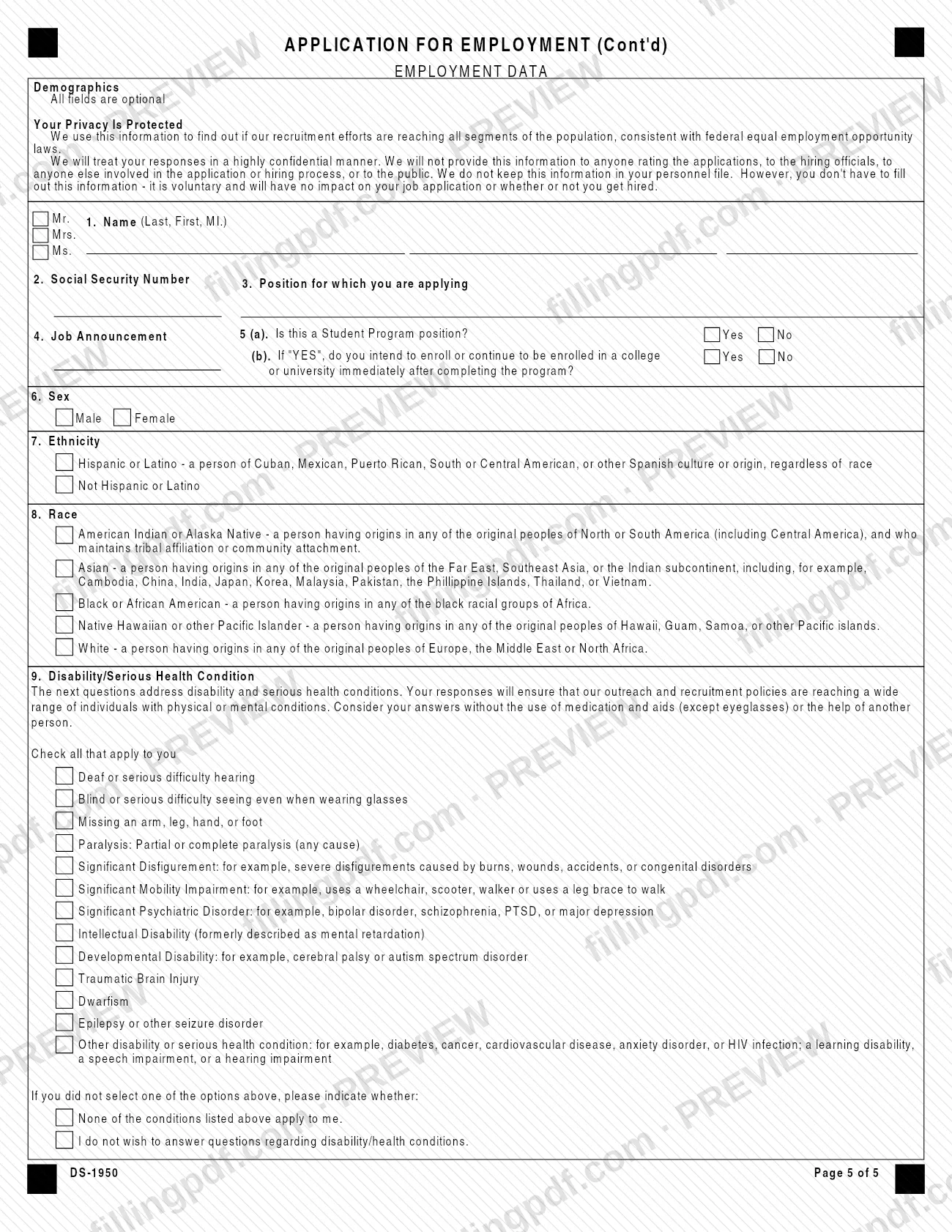
The form has five pages. Page 1 holds identifying information, availability, citizenship, Veteran's Preference, education, security clearance, foreign language proficiency, special skills and the signature. Pages 2 and 3 hold experience blocks for employment, unemployment and education activities, working back 10 years from the present. Page 3 also carries the continued items and an Authorization to Furnish Information. Page 4 is a Supplemental Information page, and Page 5 is an Employment Data page with optional demographic and disability questions.
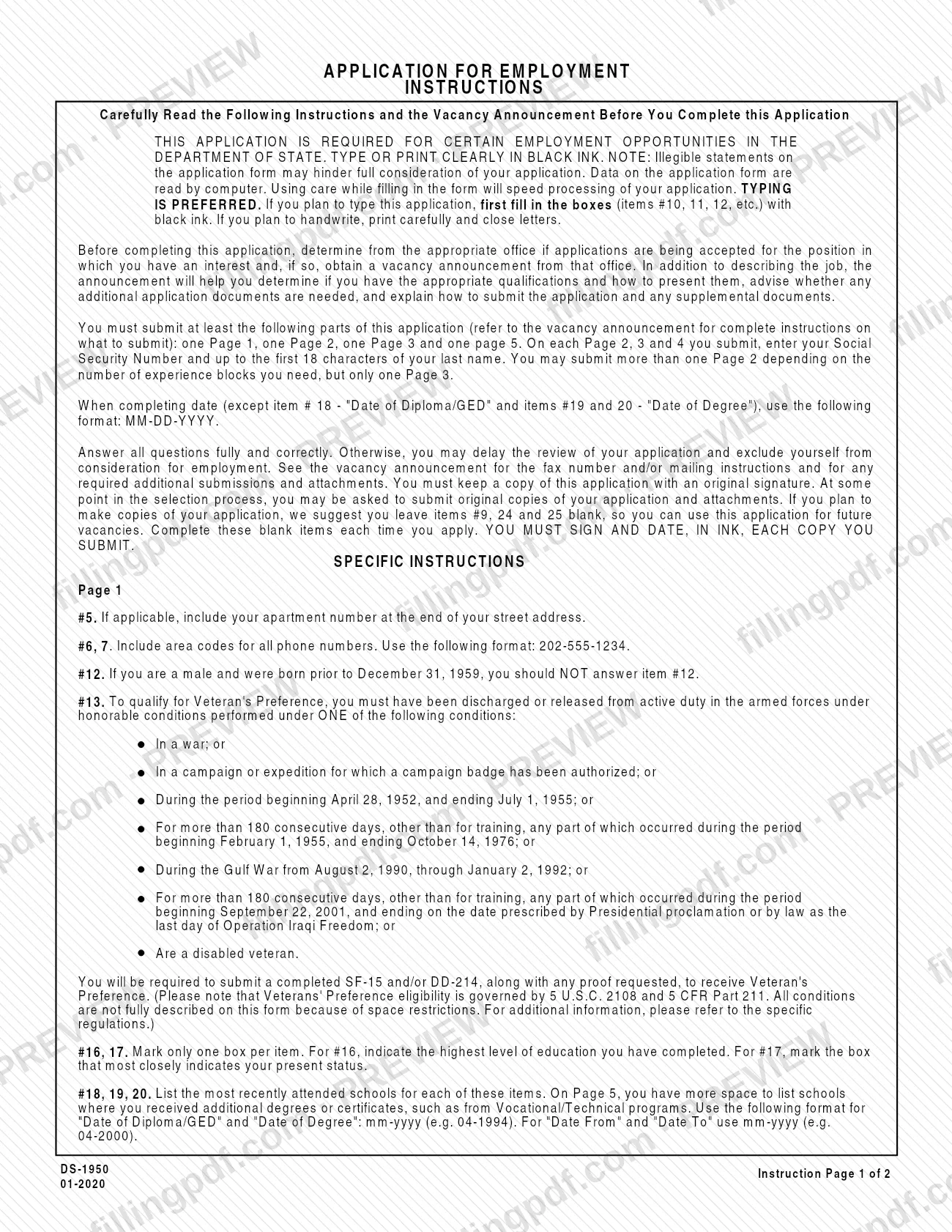
The instructions say the data on the form is read by computer, so careful entries speed processing. The vacancy announcement, not the form, says whether additional documents are needed and how the application is submitted. The Privacy Act statement on the form cites 5 U.S.C. 3301 as its authority and says the information is used to determine suitability for employment and the ability to obtain a security clearance.
Form DS-1950 is a general employment application for the Department of State; it is not a federal-wide résumé or a security clearance questionnaire.
Who needs to file DS-1950?
Anyone applying for a Department of State employment opportunity that calls for this application uses Form DS-1950. The form states that it is required for certain opportunities, so the vacancy announcement decides whether you need it.
Points the instructions attach to particular applicants:
- Men born before December 31, 1959 should not answer item 12 (Selective Service registration); item 12 is for males born after December 31, 1959.
- Applicants claiming Veteran's Preference in item 13 must meet one of the service conditions listed in the instructions or be a disabled veteran, and must submit a completed SF-15 and/or DD-214 with any proof requested.
- Applicants who previously worked as a civilian for the Federal Government, or who receive or have applied for retirement pay or a pension based on military, Federal civilian or District of Columbia Government service, answer items 14 and the related question.
- Applicants with a relative working for the agency they are applying to answer item 15 and give names and relationships in the continued items.
The demographic and disability questions on Page 5 are voluntary.
When to file DS-1950
Complete Form DS-1950 when you decide to apply for a Department of State vacancy that requires it. Before you start, check with the appropriate office whether applications are being accepted for the position and obtain the vacancy announcement; it says what to submit and how.
The form prints no separate due date, so any deadline comes from the vacancy announcement. Work history on Pages 2 and 3 runs from the present back 10 years, so have employment, unemployment and education dates ready before you begin. If you plan to reuse the form for future vacancies, the instructions suggest leaving items 9, 24 and 25 blank on your copies and completing them each time you apply.
Documents you need
- The vacancy announcement for the position: read it before completing the form, because it states any additional application documents and how to submit.
- Form SF-15 and/or DD-214, with any proof requested, only if you claim Veteran's Preference in item 13.
- Any additional documents and attachments the vacancy announcement requires; the instructions send you to it for the full list.
- Original copies of the application and attachments, only if you are asked for them later in the selection process.
How to fill out DS-1950
Read the vacancy announcement first
Confirm with the office that applications are being accepted for your position and get the announcement. Type or print clearly in black ink; typing is preferred.
Enter personal and contact details
Complete items 1 through 7: name (Last, First, MI.), other names used, date of birth (MM-DD-YYYY), Social Security Number, current and permanent addresses, email and phone numbers. Include area codes in the format 202-555-1234 and any apartment number at the end of the street address.
Identify the position and availability
Item 8: enter the title, position or program and the Job Announcement Number. Item 9: lowest acceptable annual salary or grade level. Item 10: select all availability options that apply.
Answer citizenship and service questions
Item 11: answer the U.S. citizenship questions, giving the spouse or cohabitant's country if not a citizen. Item 12: answer only if you are a male born after December 31, 1959. Item 13: choose No Preference, 5-Point or 10-Point Preference.
Report federal employment and relatives
Item 14: answer the questions about civilian Federal employment and retirement pay. Item 15: if you have a relative working for the agency, list names and relationships under Continued Items.
Complete the education items
Item 16: mark your highest education level. Item 17: mark your current student status. Items 18 to 20: list your most recent schools, with dates in mm-yyyy format; list further degrees or certificates in the continued items.
Add clearance, languages and skills
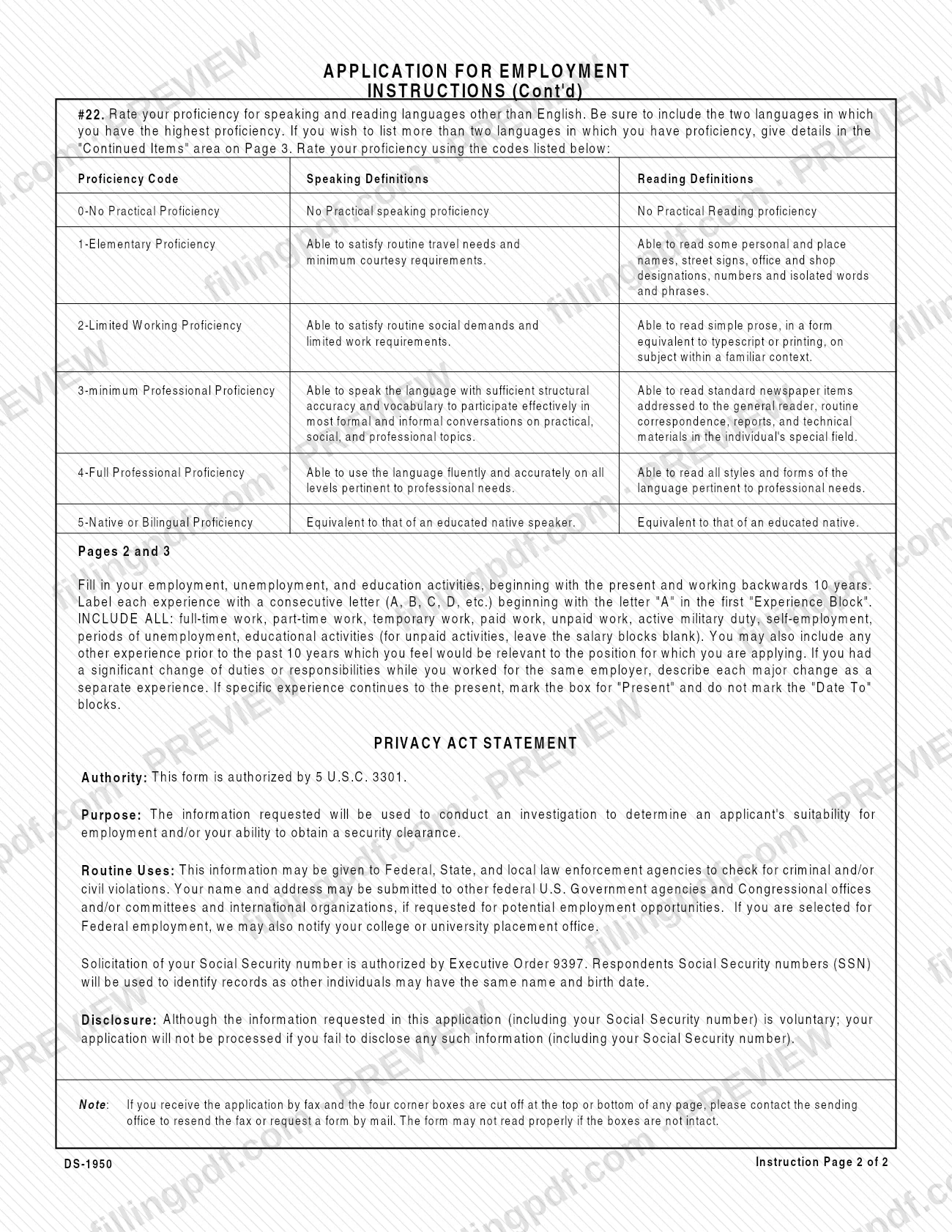
Item 21: state any security clearance, its type and issuer. Item 22: rate speaking and reading proficiency for your two strongest non-English languages using codes 0 to 5. Item 23: list special skills, licenses, awards and training.
Fill in each experience block
On Pages 2 and 3, label blocks A, B, C and so on, working back 10 years. Give the type of experience, job title, salary, dates (MM-DD-YYYY), employer, supervisor and your duties and accomplishments; mark Present for current experience.
Complete the continued items and authorization
On Page 3, add relatives, additional schools, extra languages and skills as needed. Sign and date the Authorization to Furnish Information.
Answer Page 4 and Page 5
Page 4 asks about field of work, years of experience, overseas experience and how you learned of the job (up to 3 choices). Page 5 demographic and disability questions are voluntary.
Review, sign and download
Check every page for your SSN and last name, then sign in item 24 and date item 25. Download or print the completed PDF from FillingPDF, keep a signed copy and submit as the vacancy announcement directs.
How to submit DS-1950
Submission follows the vacancy announcement: the instructions tell you to see it for the fax number and/or mailing instructions and for any required additional submissions and attachments. The form itself prints no address, fax number or portal.
What to include:
- At a minimum, one Page 1, one Page 2, one Page 3 and one Page 5. You may submit more than one Page 2 if you need more experience blocks, but only one Page 3.
- On every Page 2, 3 and 4 you submit, your Social Security Number and up to the first 18 characters of your last name.
- Your signature and date, in ink, on each copy you submit.
- For Veteran's Preference, a completed SF-15 and/or DD-214 with any proof requested.
Keep a copy of the application with an original signature. At some point in selection you may be asked to submit original copies of the application and attachments. If you receive the form by fax and the four corner boxes are cut off at the top or bottom of a page, contact the sending office to resend it, because the form may not read properly. FillingPDF lets you fill out and download the PDF; submission follows the channels in the vacancy announcement.
Common mistakes to avoid
- Completing the form before checking the vacancy announcement; it tells you whether applications are accepted, what else to submit and how.
- Submitting without a Page 1, Page 2, Page 3 and Page 5; these are the minimum parts, and only one Page 3 is allowed.
- Leaving off your Social Security Number and the first 18 characters of your last name at the top of each Page 2, 3 and 4.
- Writing dates in the wrong format: use MM-DD-YYYY, except items 18, 19 and 20, which use mm-yyyy.
- Leaving gaps in the 10-year history; include unemployment, unpaid work, military duty, self-employment and education.
- Marking the Present box and also filling in Date To; for current experience, leave Date To blank.
- Marking more than one box in item 16 or item 17; each takes only one answer.
- Submitting an unsigned or undated copy; each copy you submit must be signed and dated in ink.
- Claiming Veteran's Preference without the SF-15 and/or DD-214 and requested proof.
Frequently asked questions
What is Form DS-1950, Application for Employment?
Form DS-1950, Application for Employment, is the U.S. Department of State application required for certain employment opportunities in the Department. It collects your personal data, education, languages, work history and certification, and it is completed for a specific vacancy.
Do I need to read the vacancy announcement before filling out DS-1950?
Yes. The instructions say to read the vacancy announcement before you complete the application. It describes the job, helps you judge your qualifications, lists any additional documents and explains how to submit the application.
Which pages of Form DS-1950 must I submit?
At a minimum, one Page 1, one Page 2, one Page 3 and one Page 5; the vacancy announcement has complete instructions. You may submit several Page 2 sheets for more experience blocks but only one Page 3.
What date format does DS-1950 use?
Use MM-DD-YYYY for dates, except items 18, 19 and 20, where Date of Diploma/GED, Date of Degree, Date From and Date To use mm-yyyy, such as 04-1994. Phone numbers use the format 202-555-1234.
How far back should my work history go on DS-1950?
Start with the present and work back 10 years on Pages 2 and 3. Include full-time, part-time, temporary, unpaid and self-employment work, military duty, unemployment and education. You may add earlier relevant experience.
Where do I send Form DS-1950?
The form prints no address. The instructions tell you to see the vacancy announcement for the fax number and/or mailing instructions and any required additional submissions and attachments.
Do I have to sign Form DS-1950 in ink?
Yes. Sign and date, in ink, each copy you submit, and keep a copy with an original signature. You may later be asked for original copies of the application and attachments.
Can I fill out Form DS-1950 online on FillingPDF?
Yes. You can fill out the PDF online on FillingPDF and download or print it. FillingPDF is an independent service and does not submit the application to the Department of State; you send it as the vacancy announcement directs.
Ready to fill out DS-1950?
Fill out DS-1950 now