
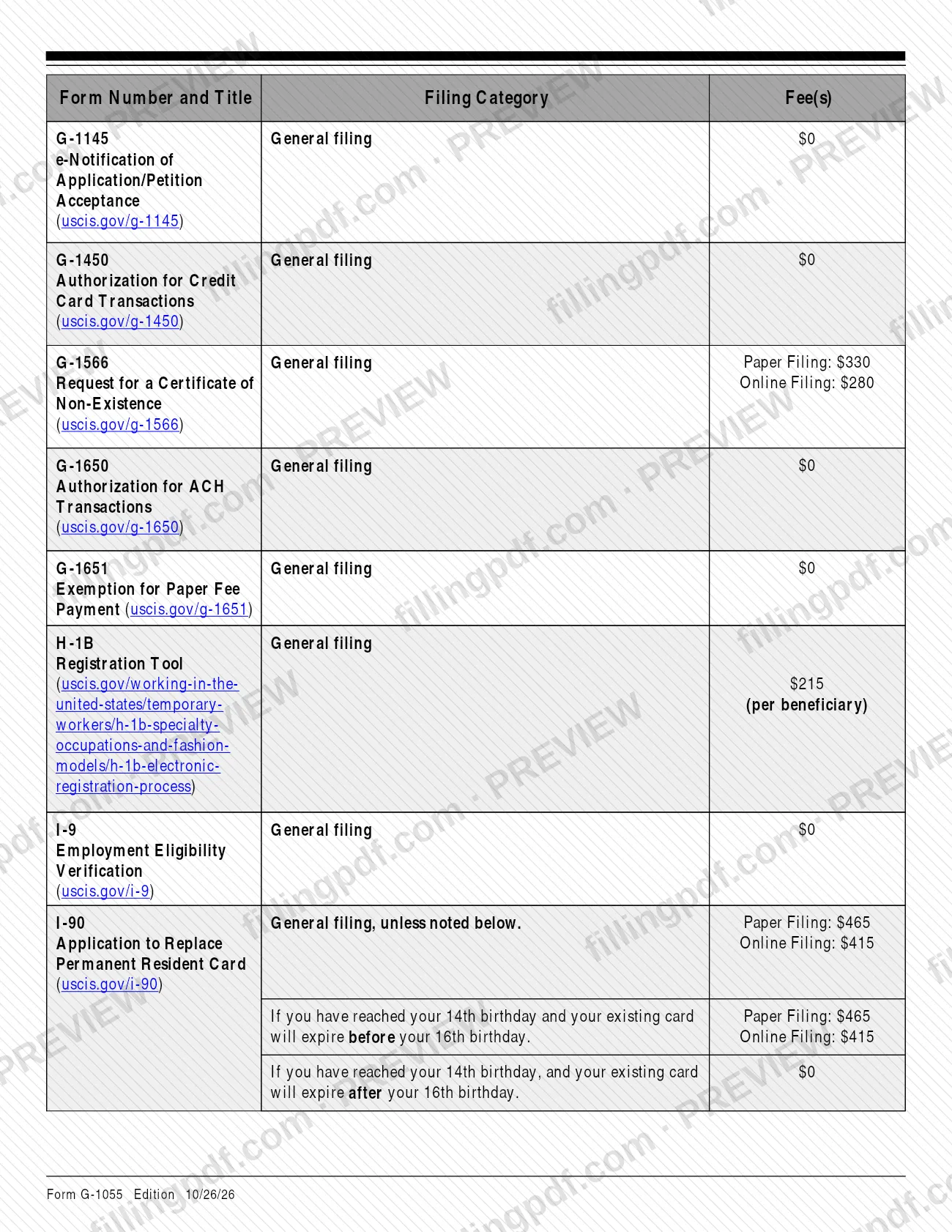
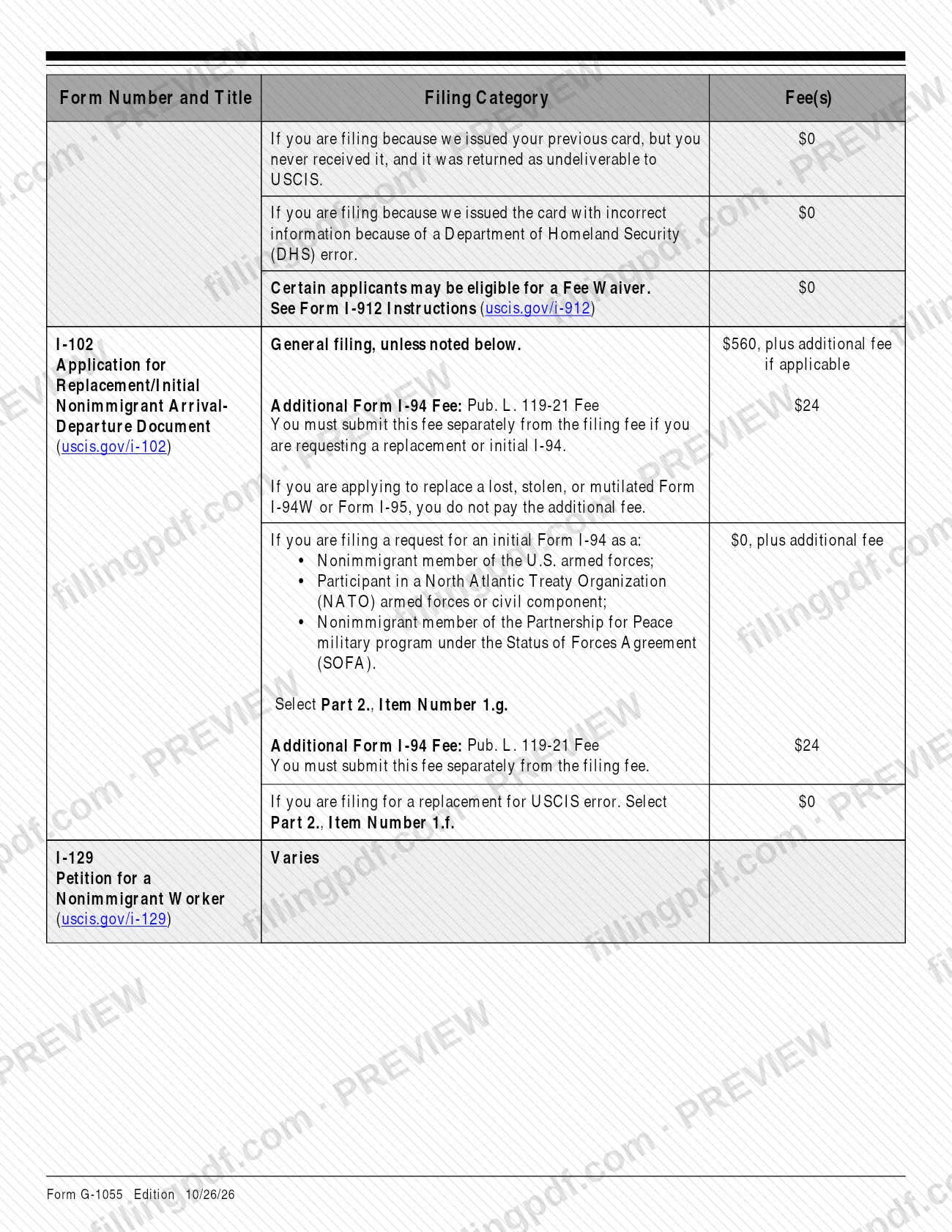
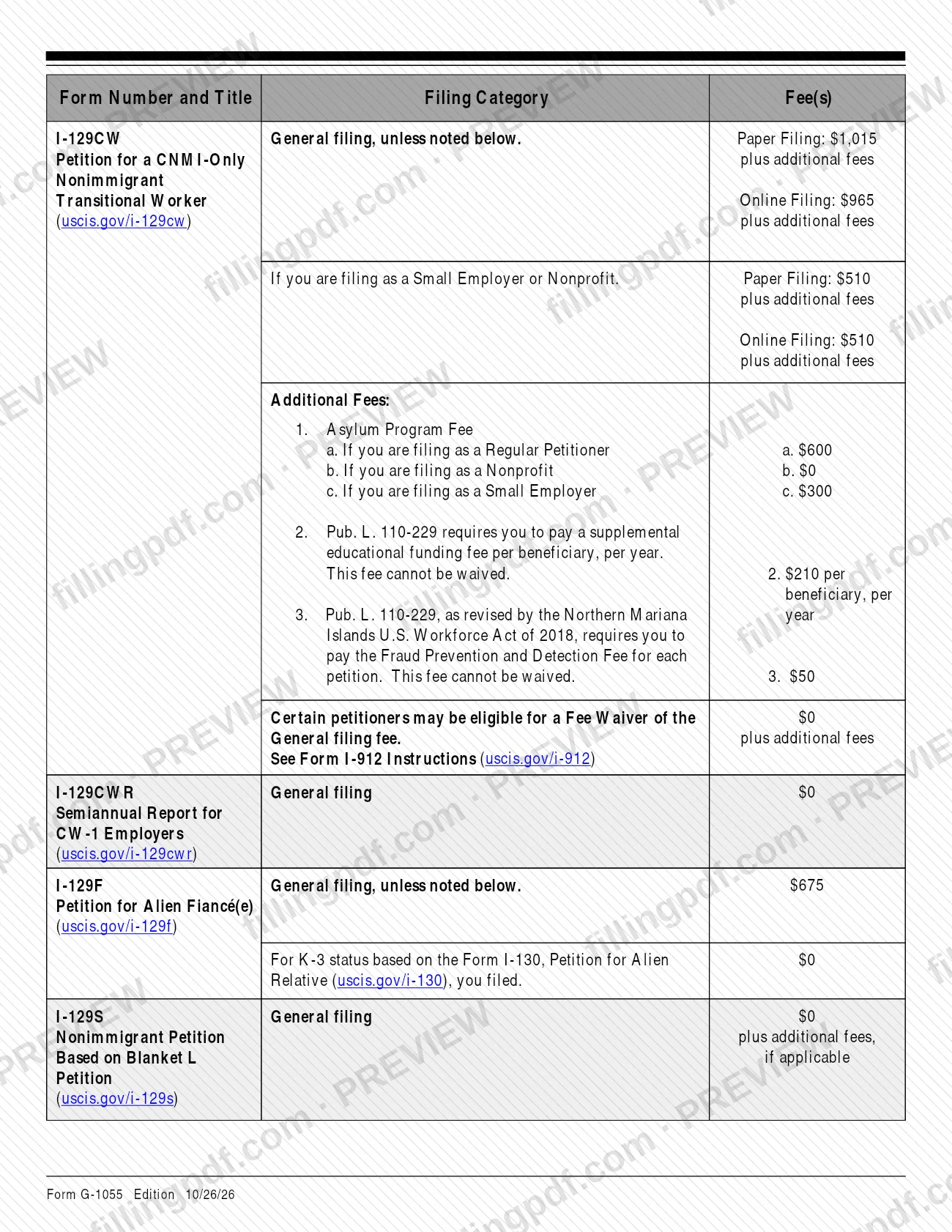
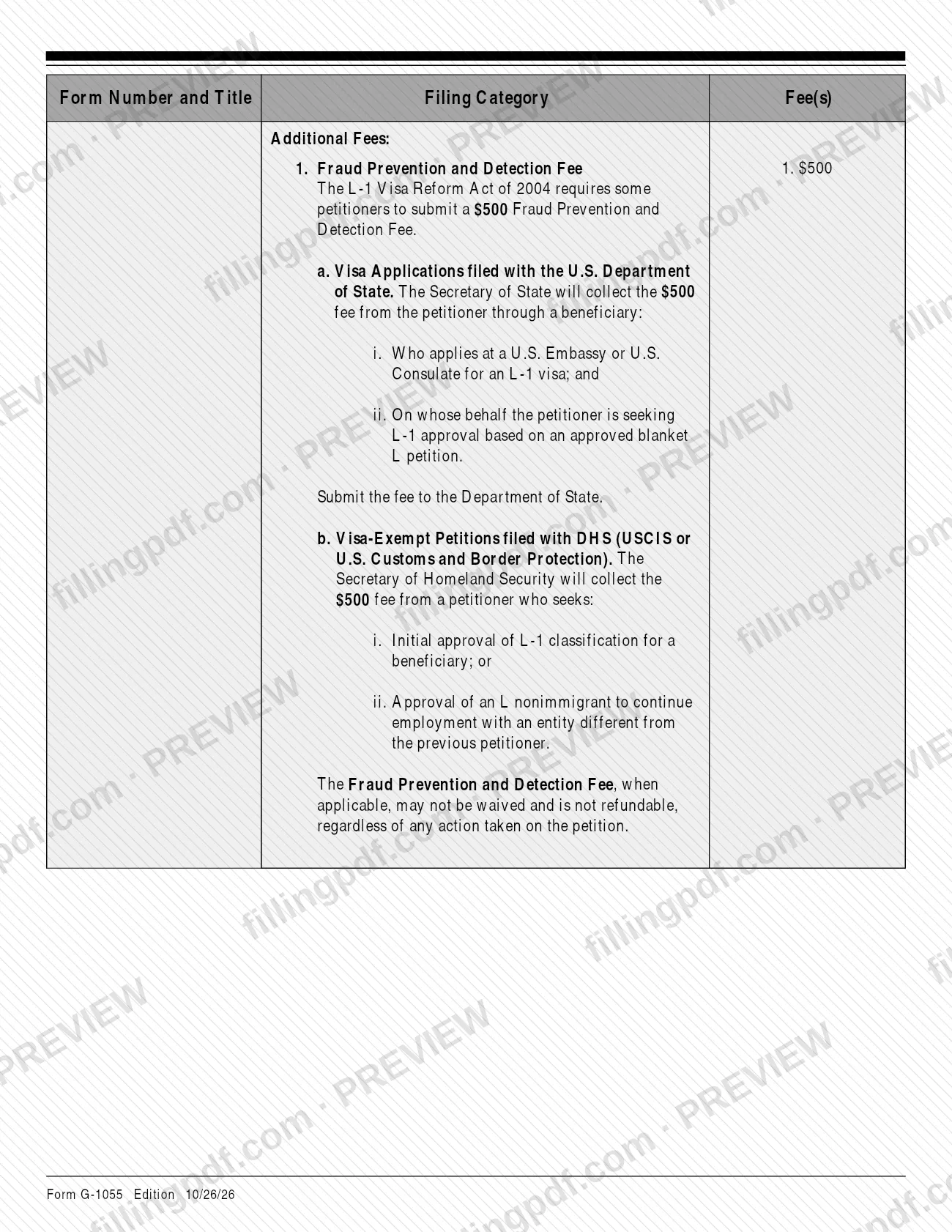
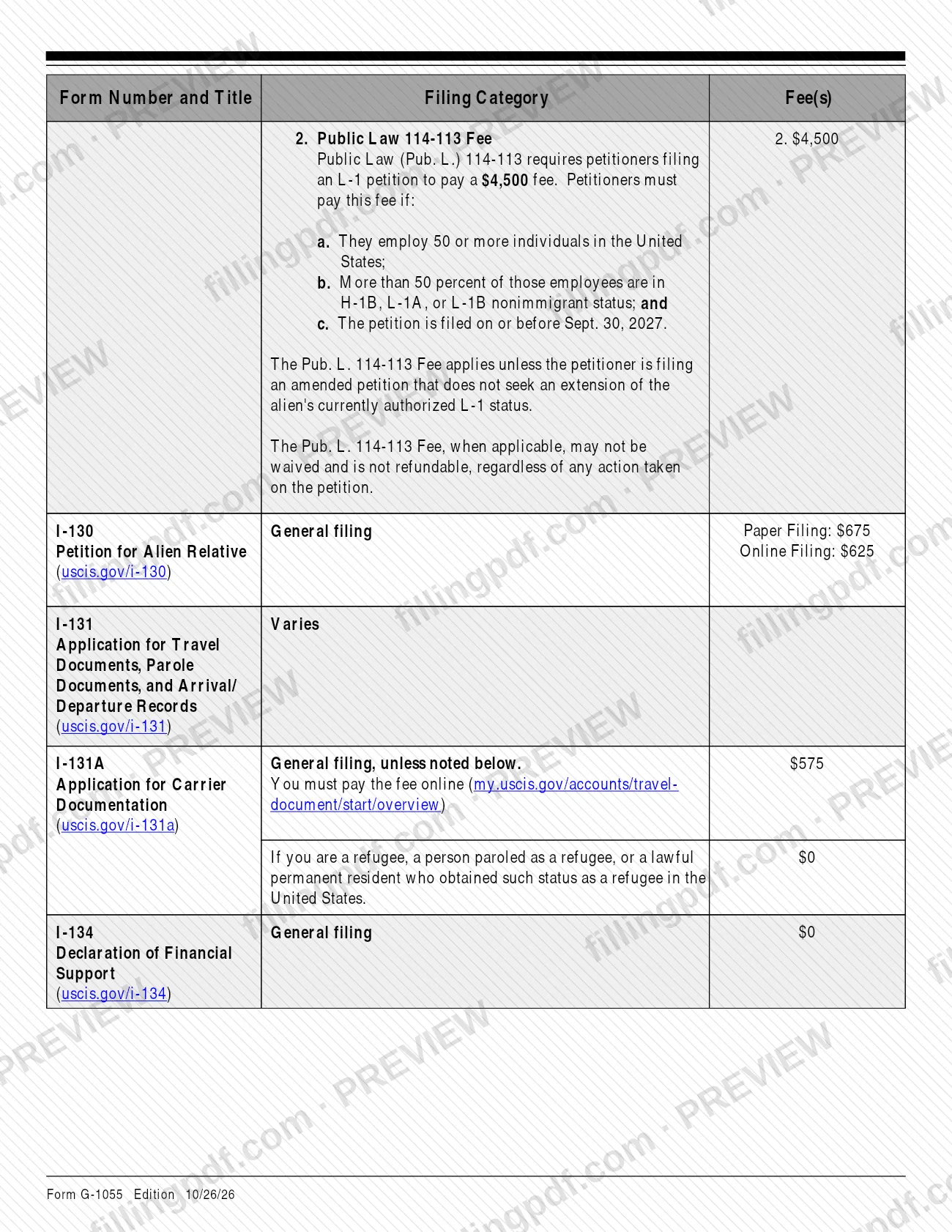
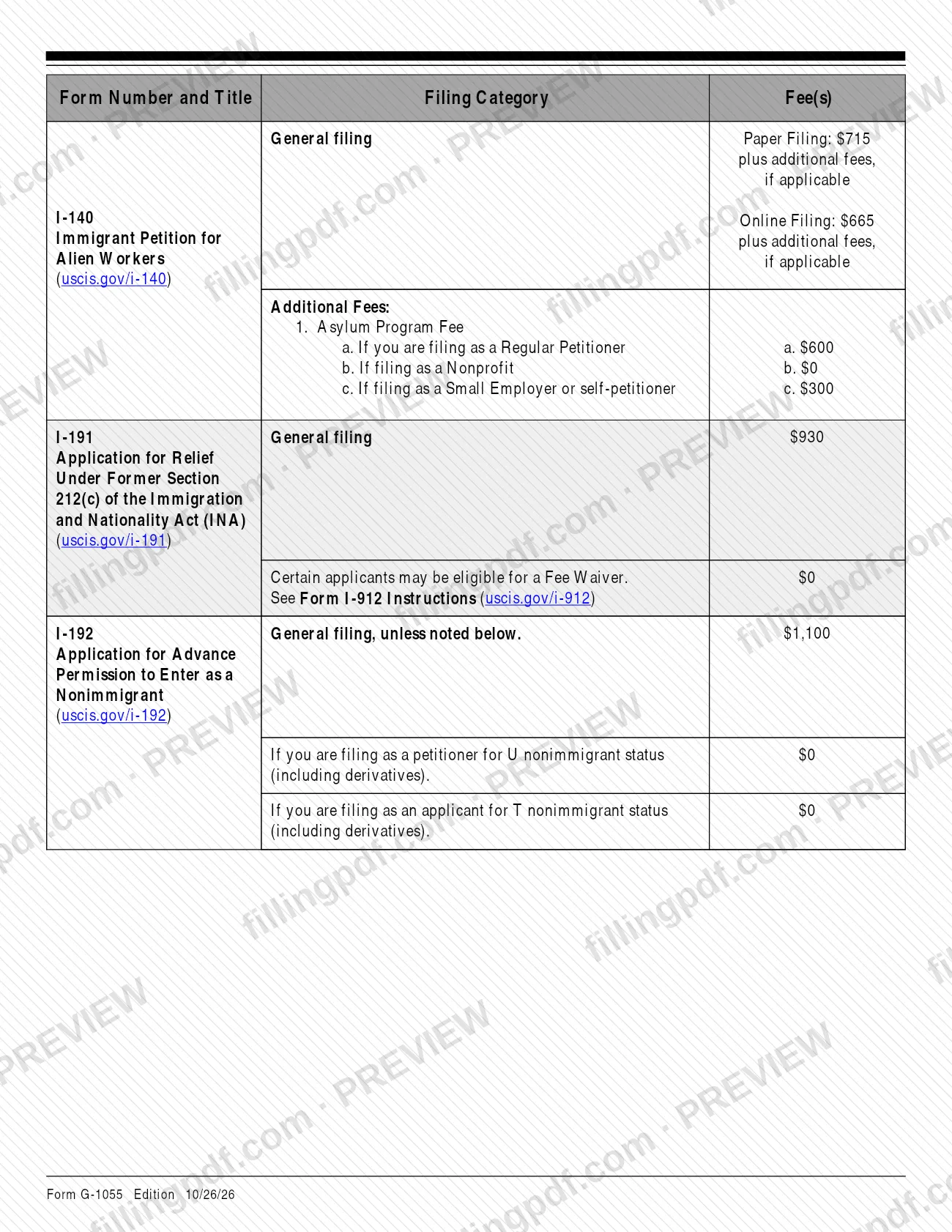
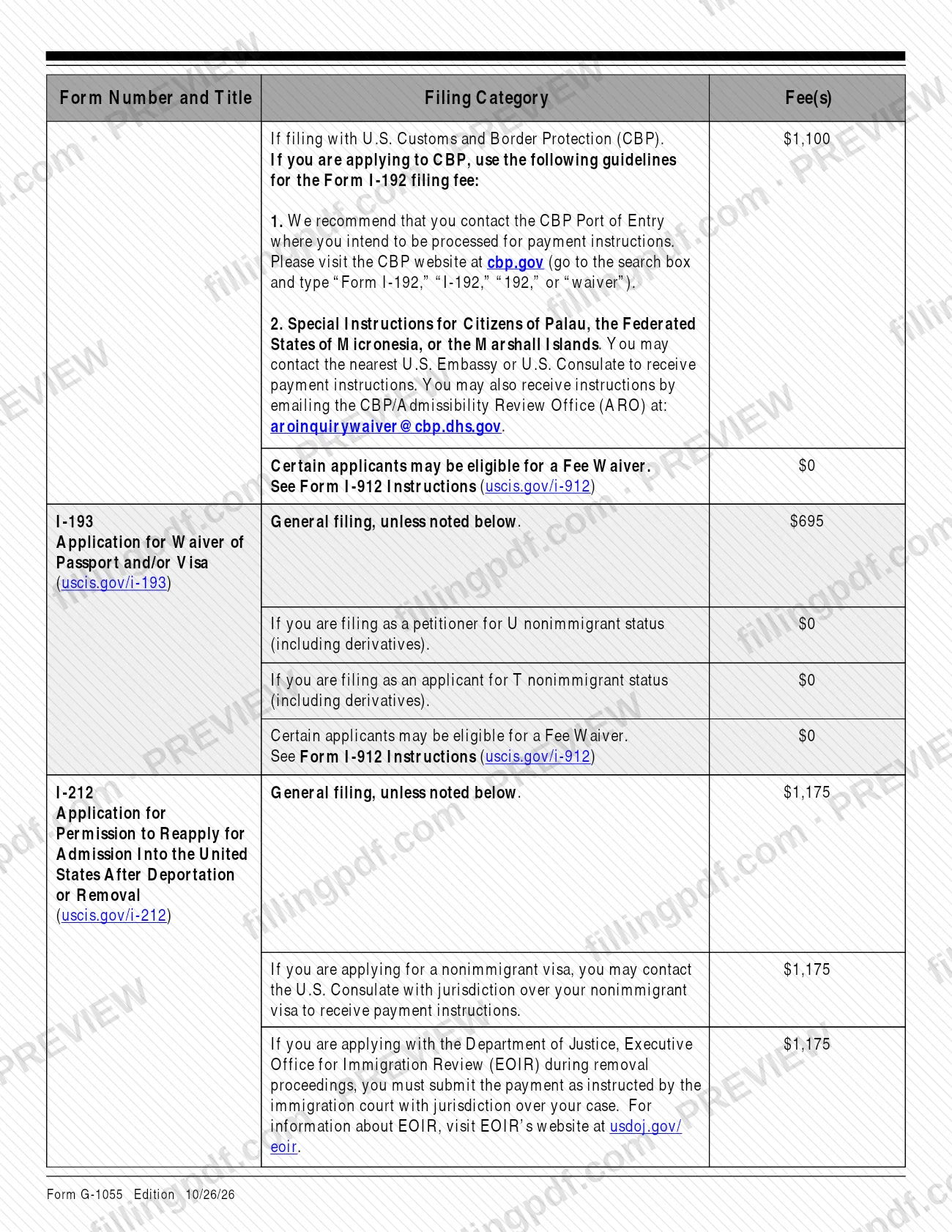
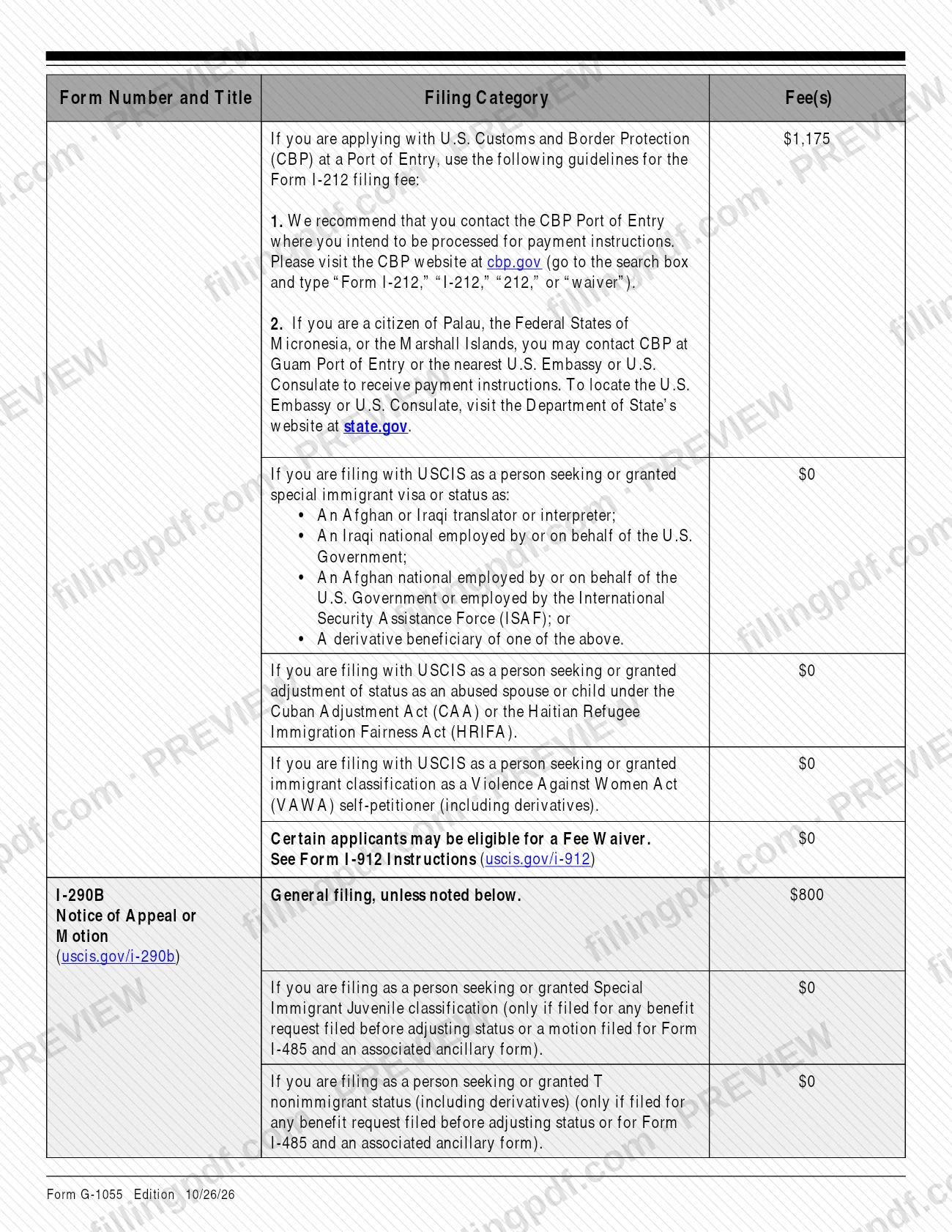
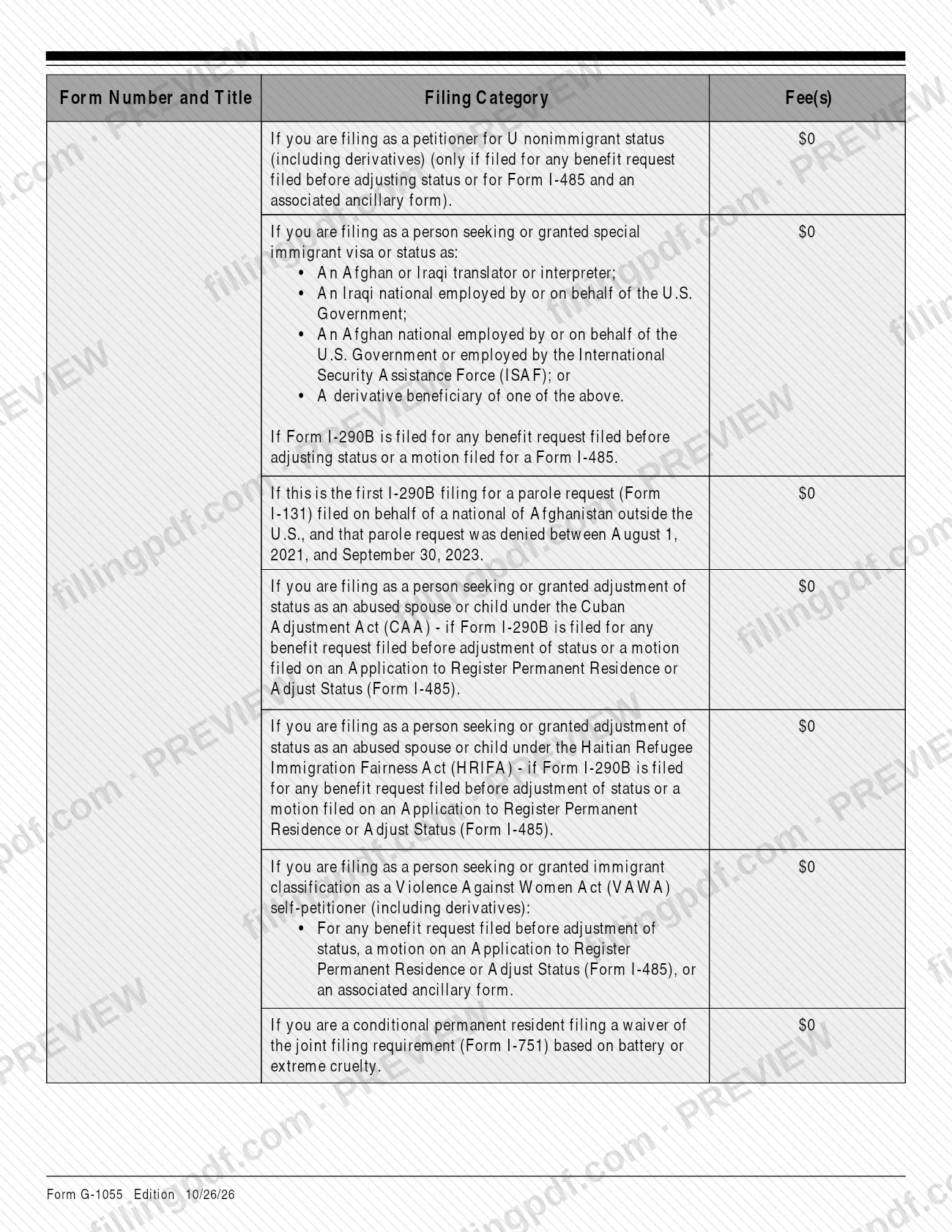
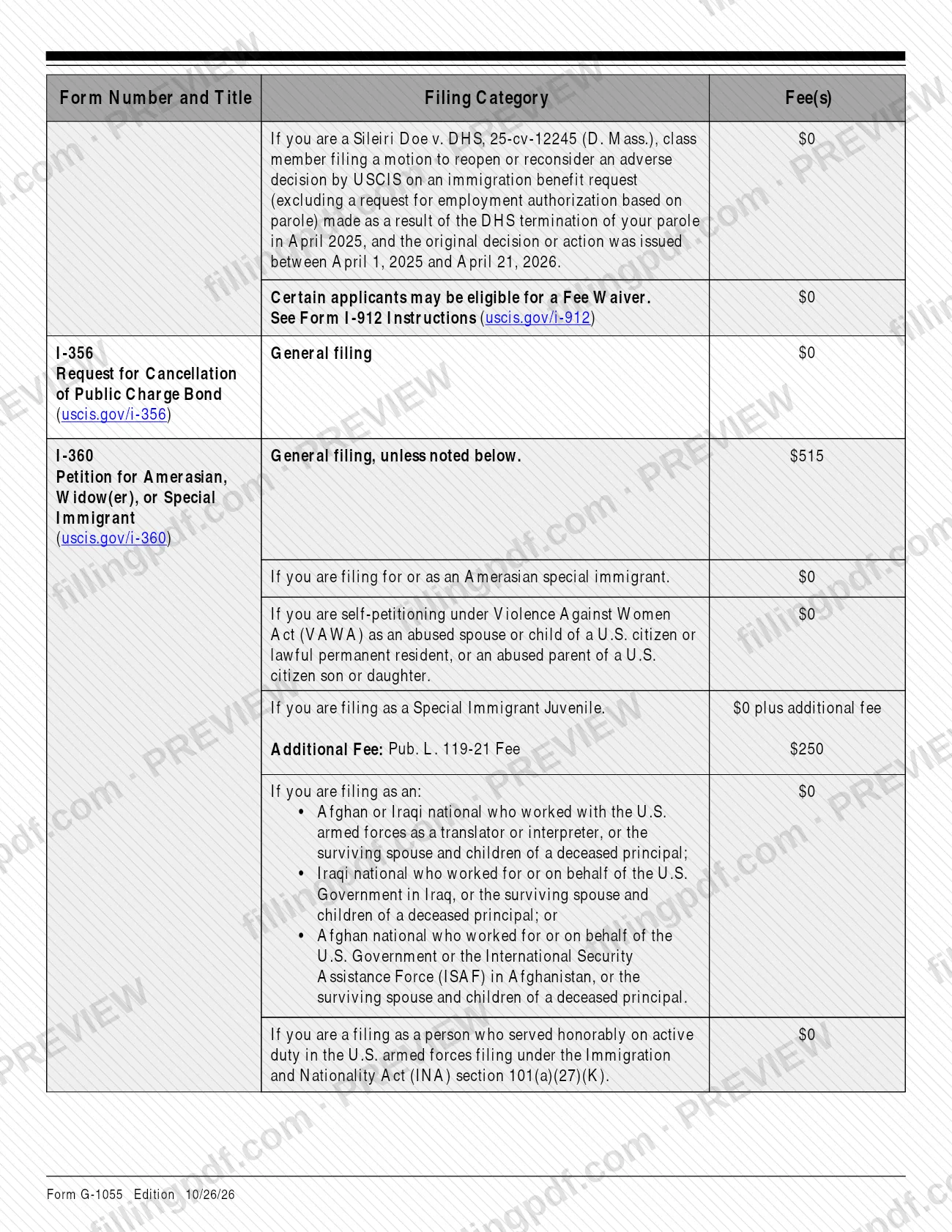
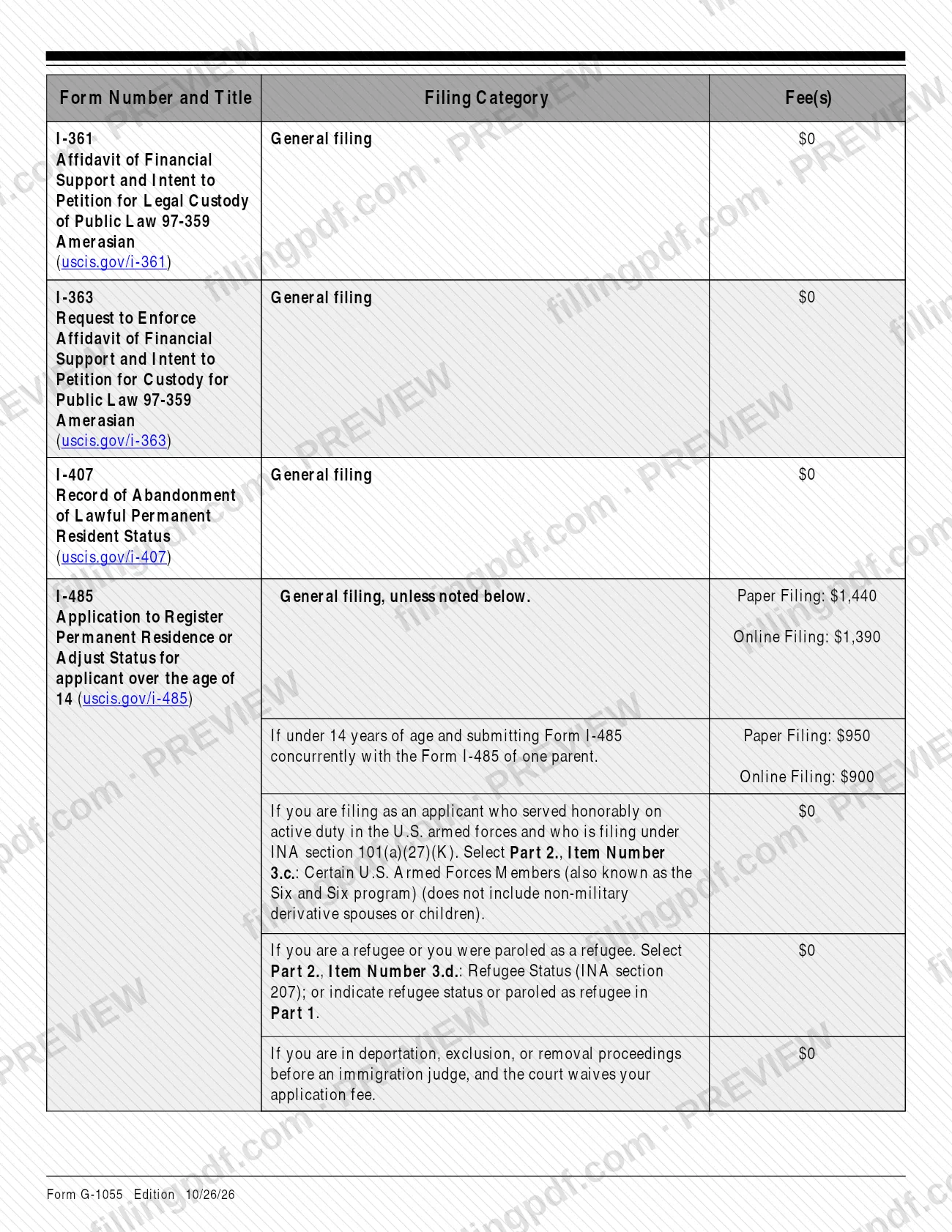
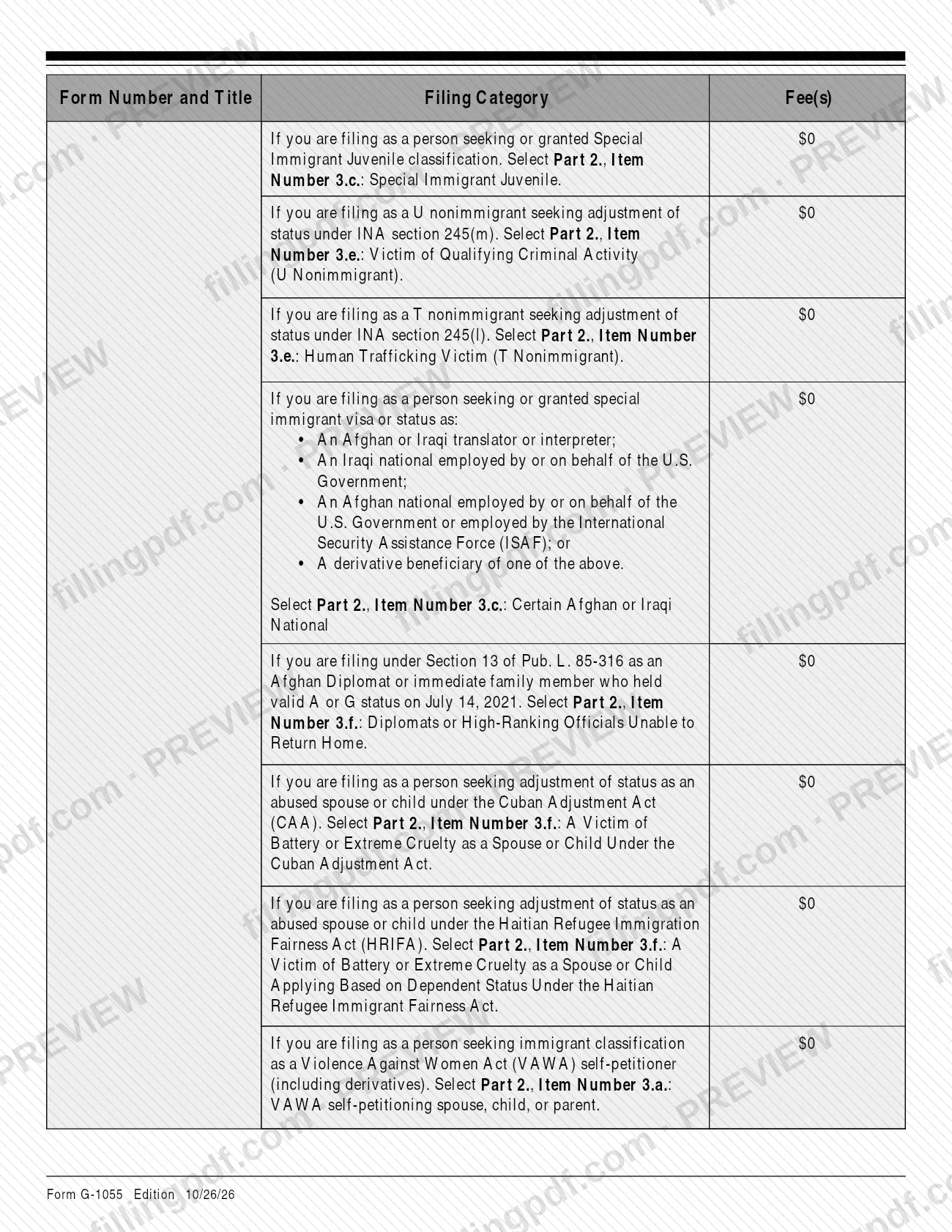
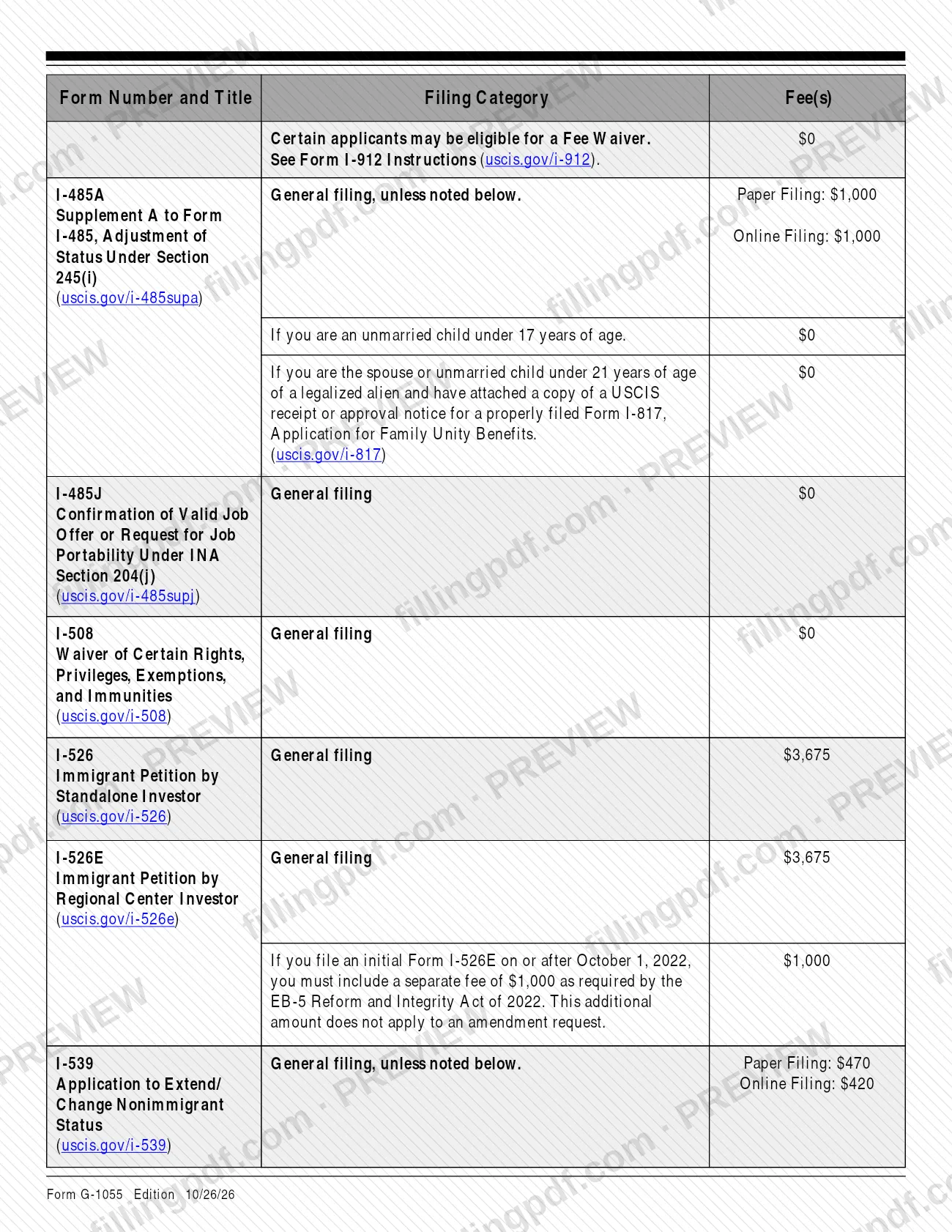
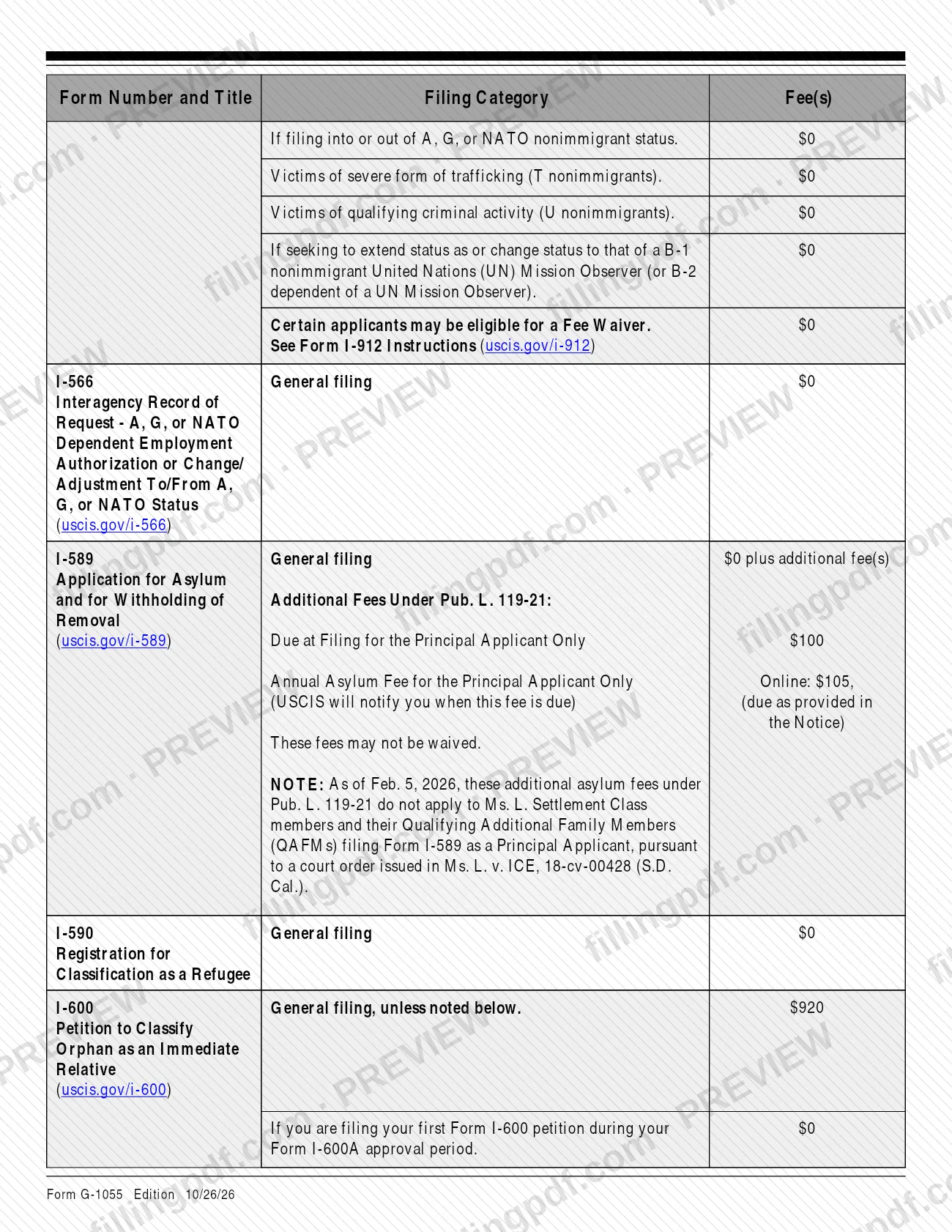
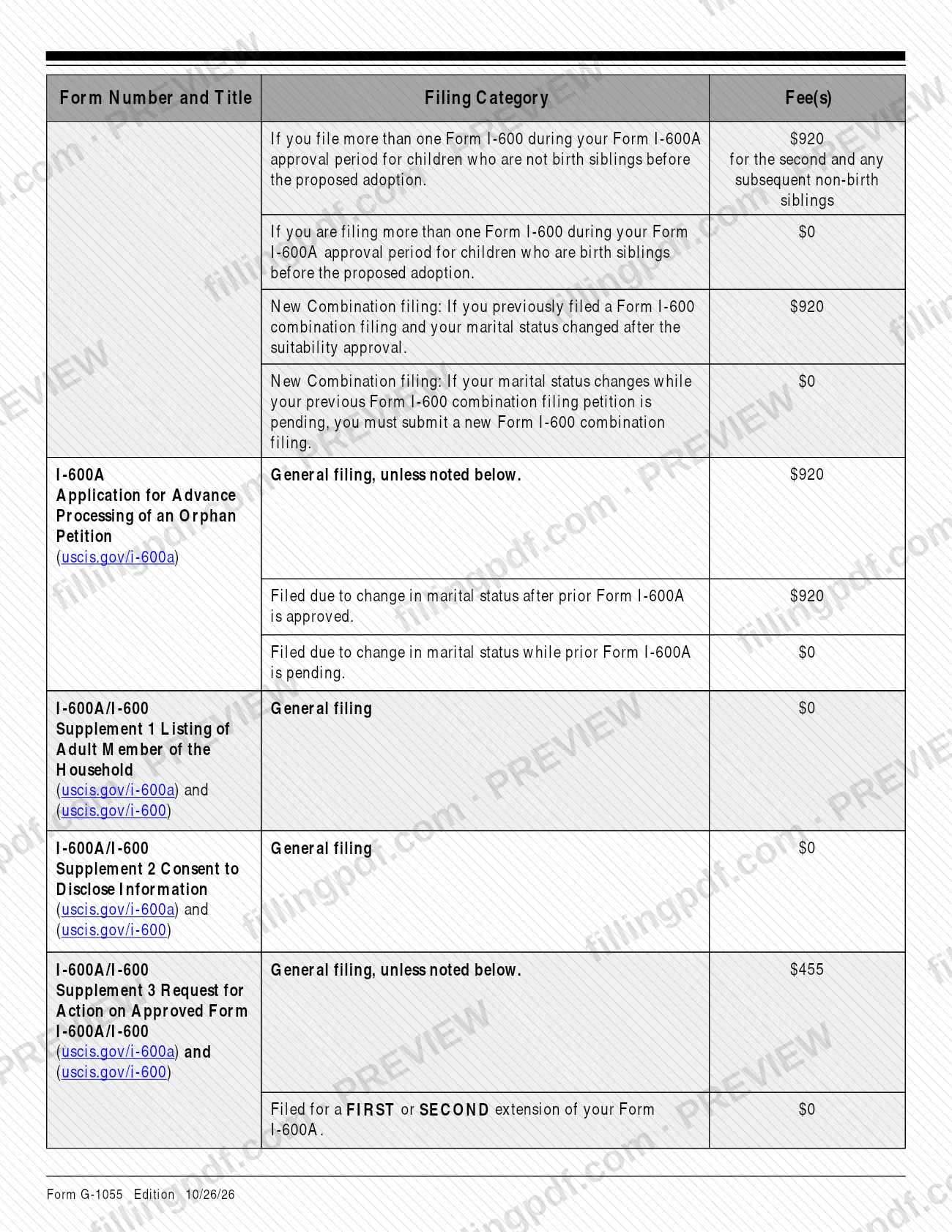
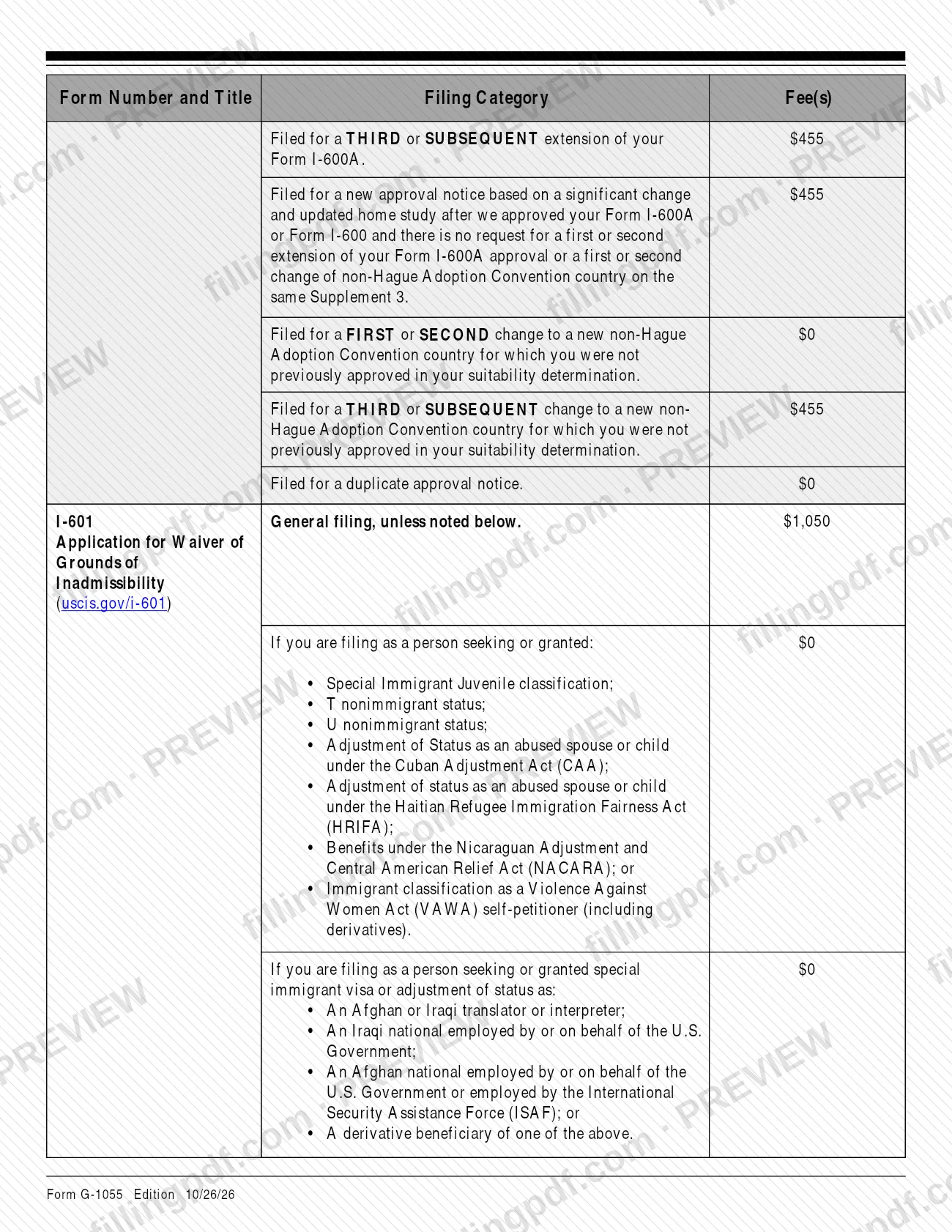
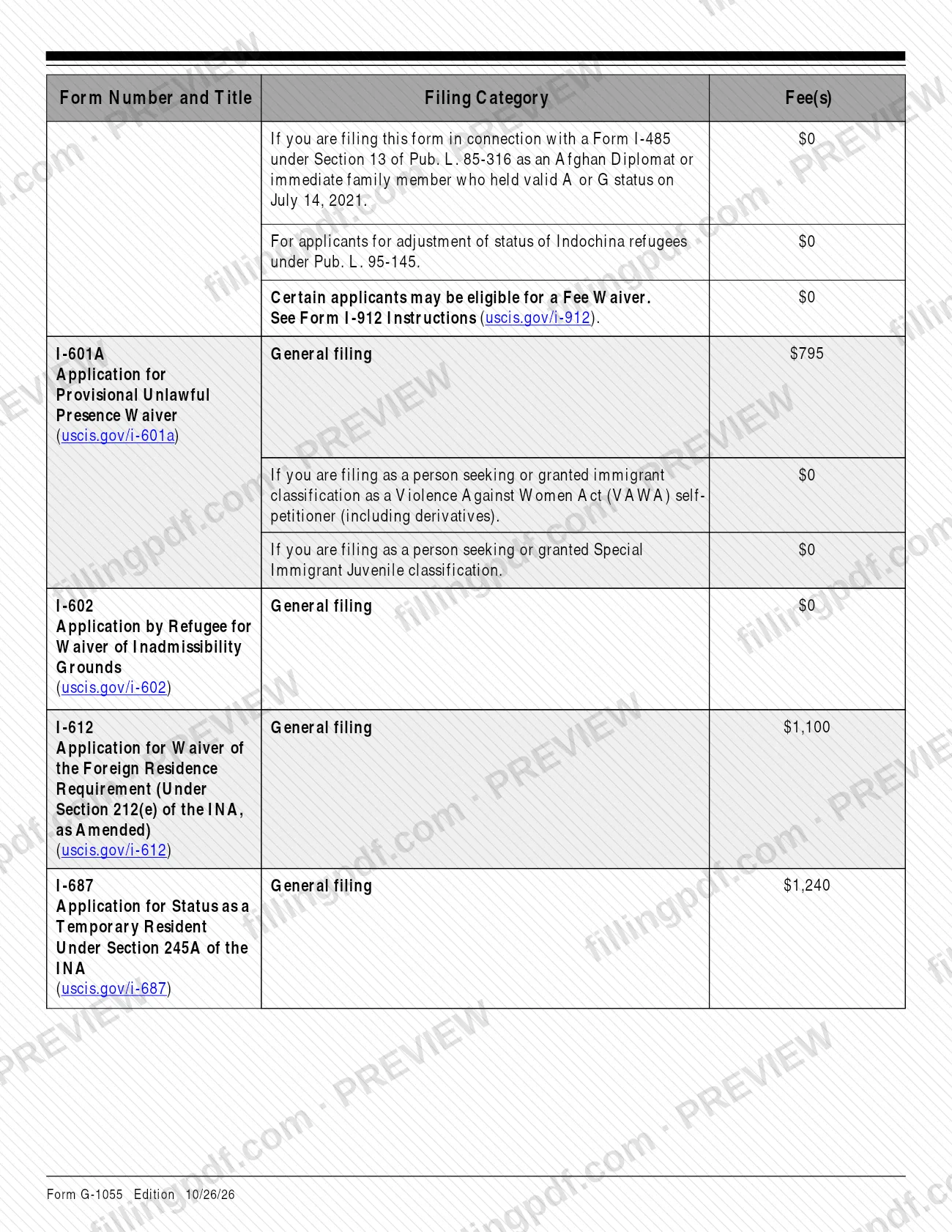
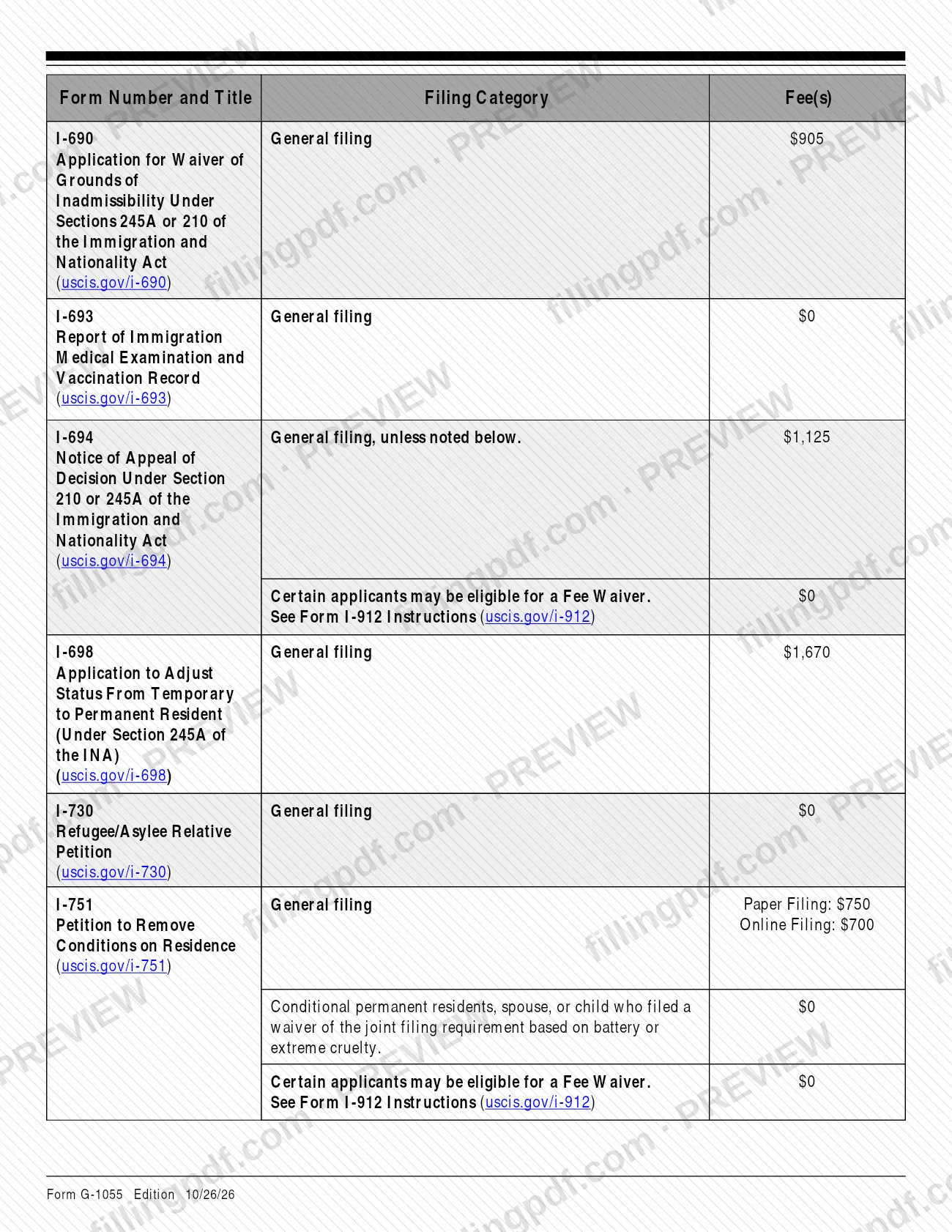
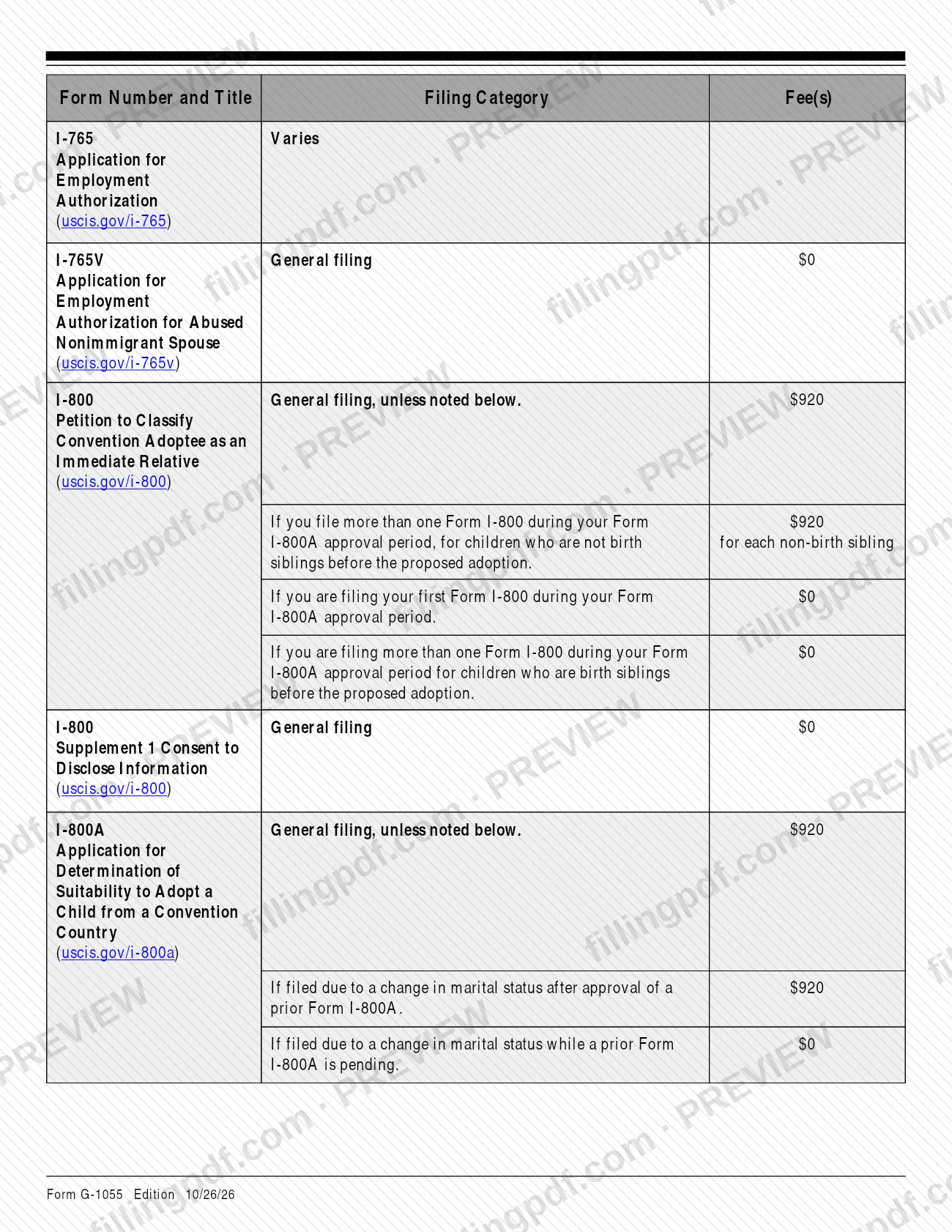
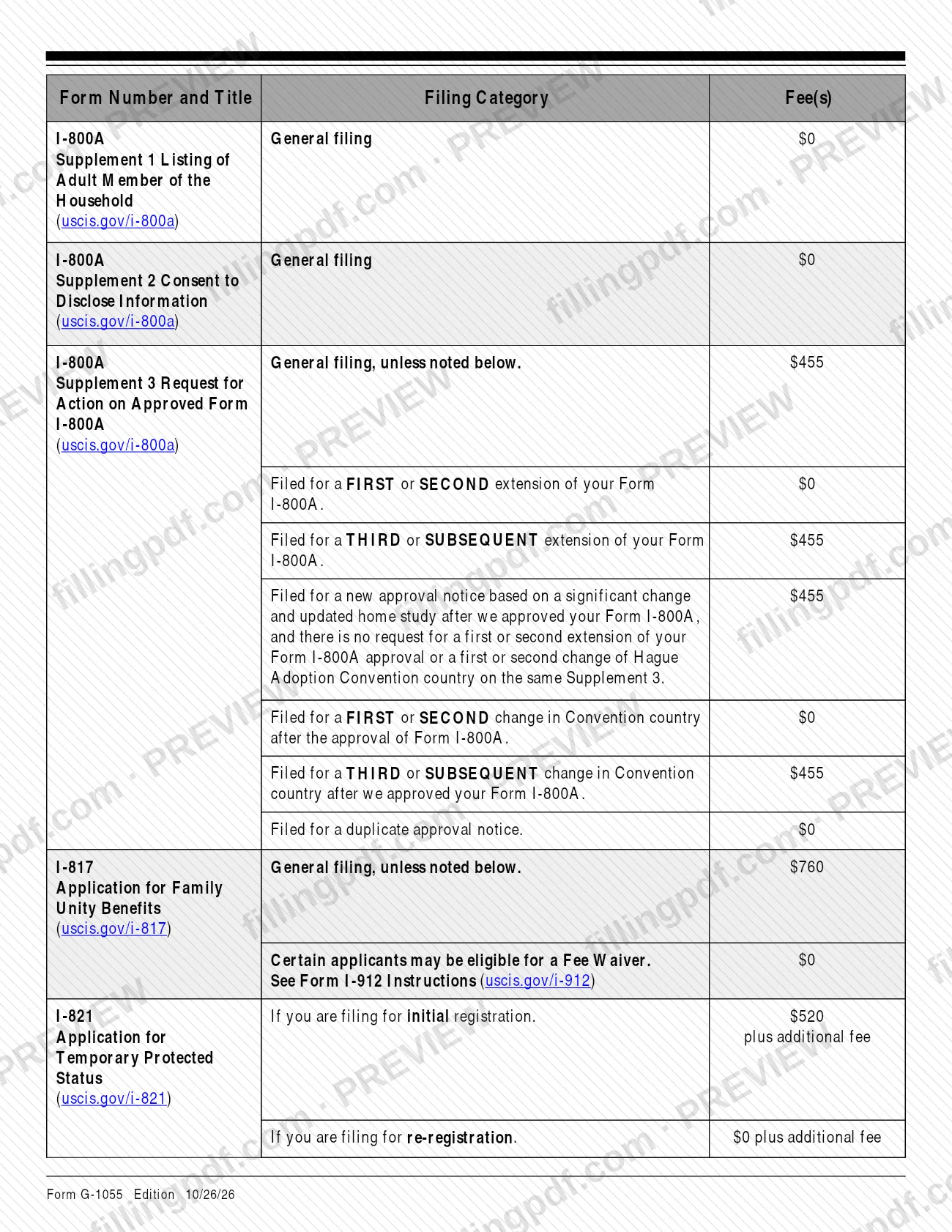
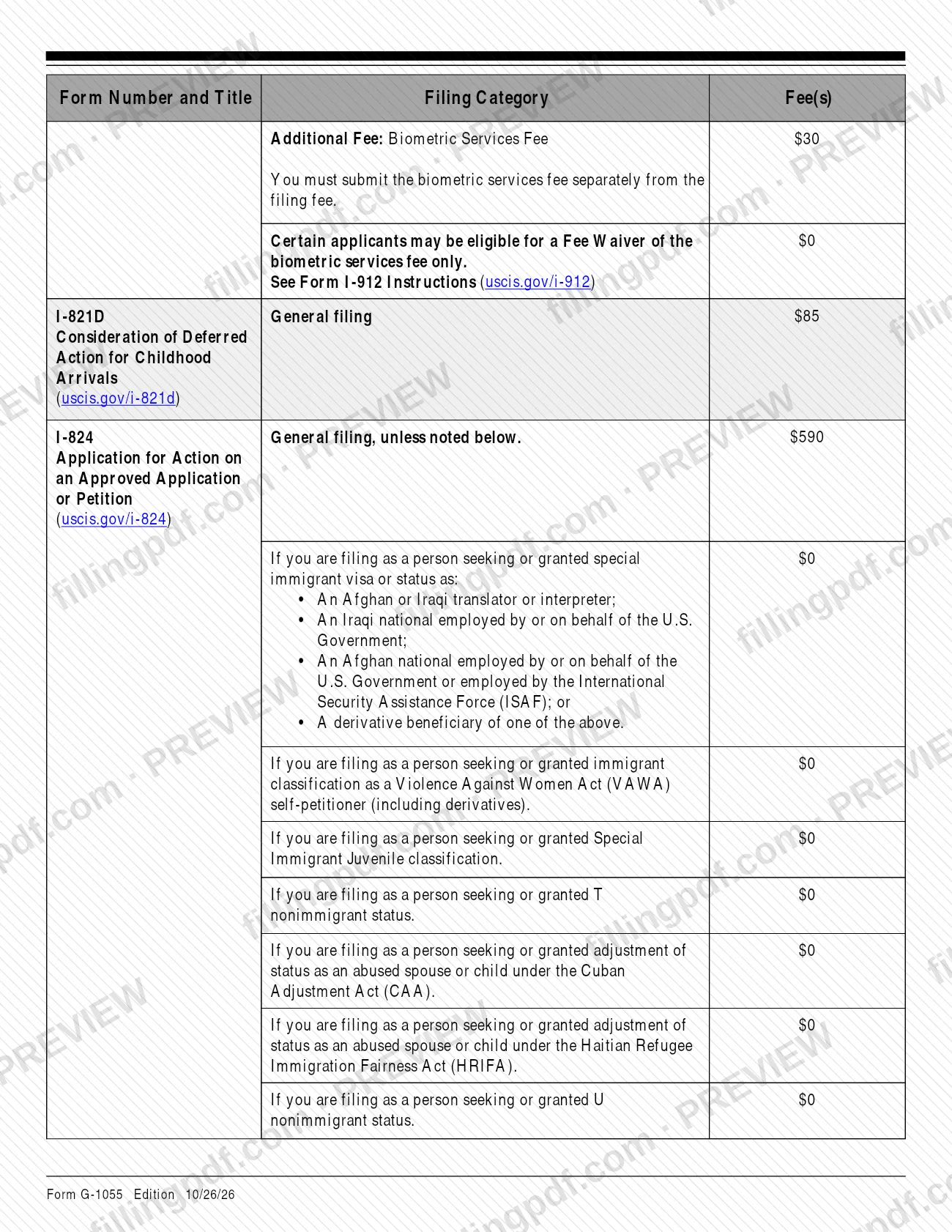
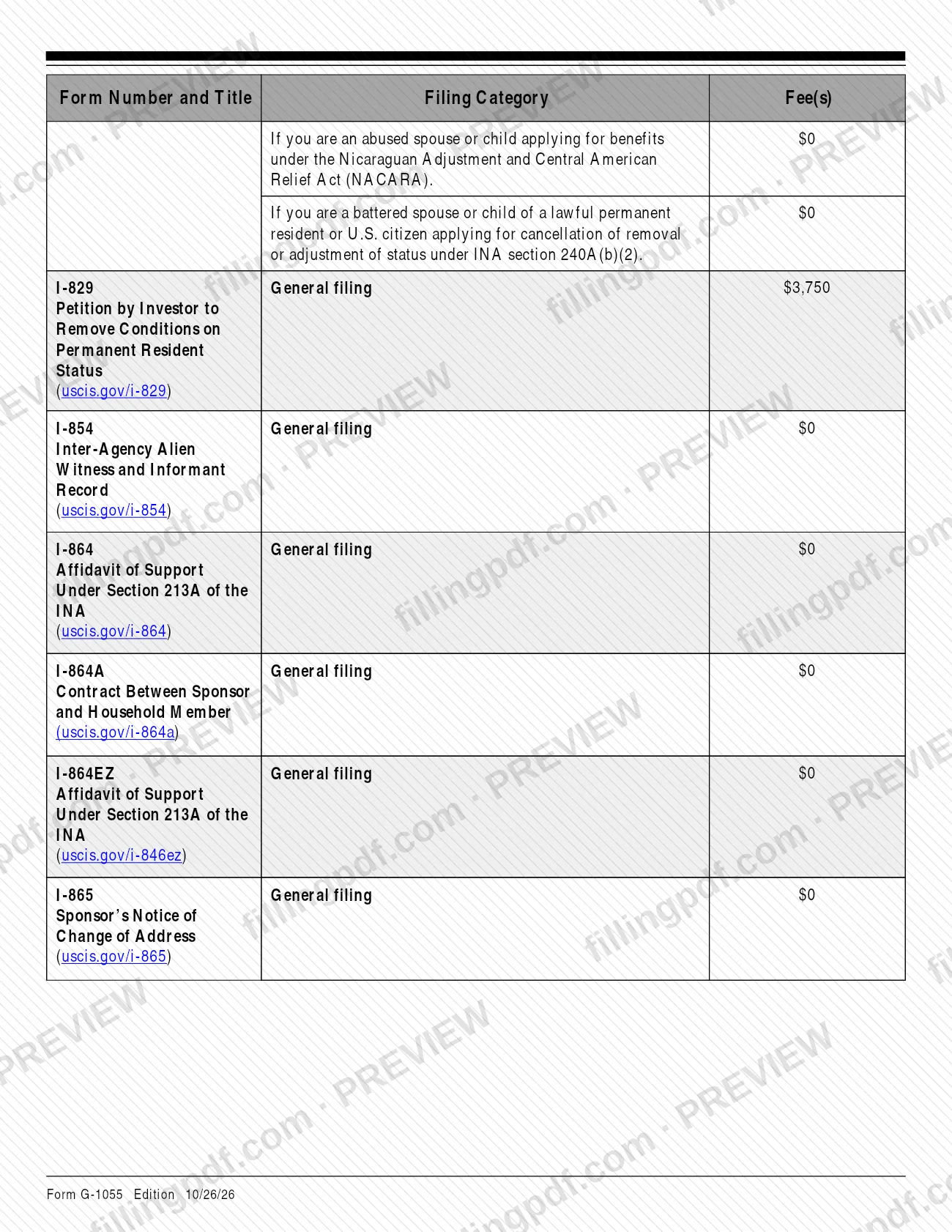
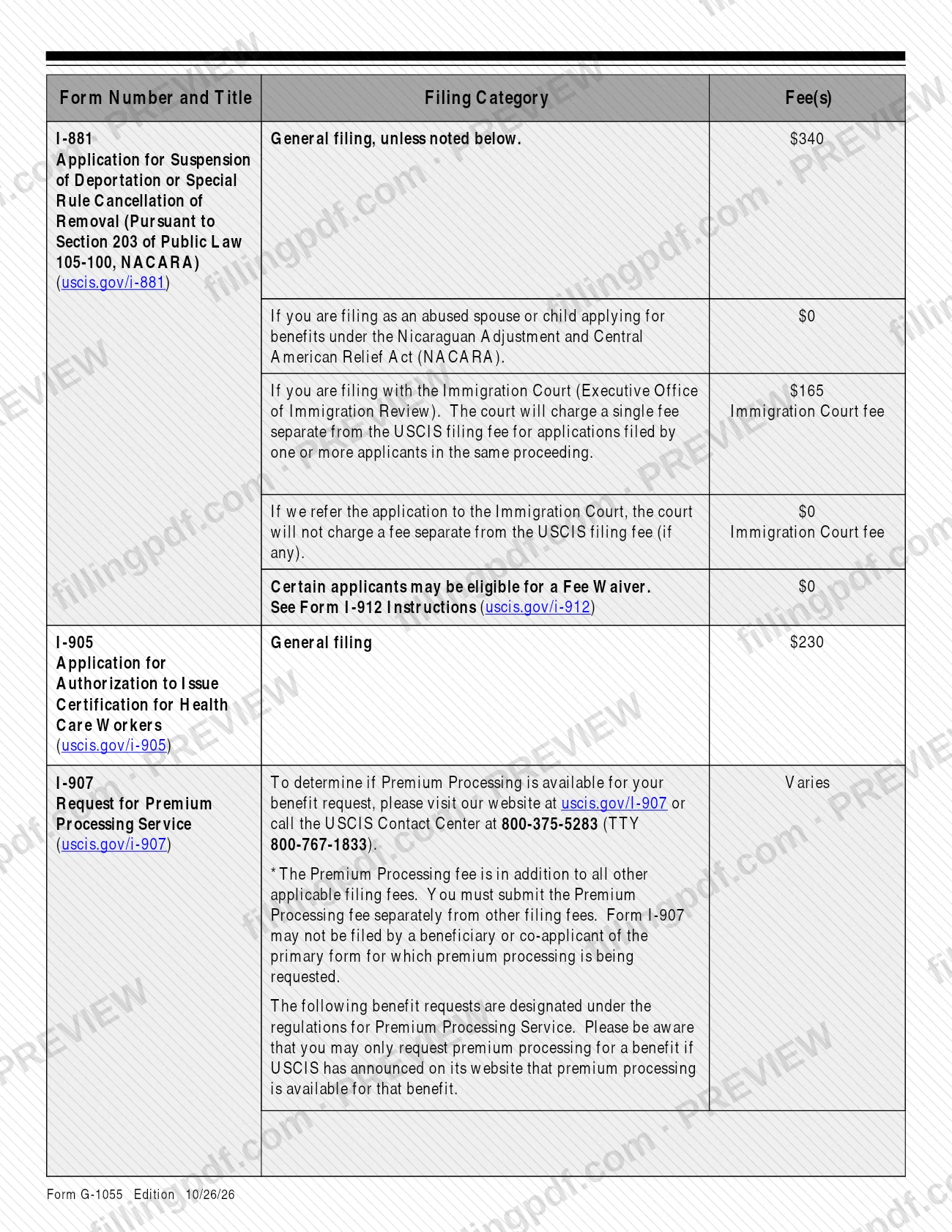
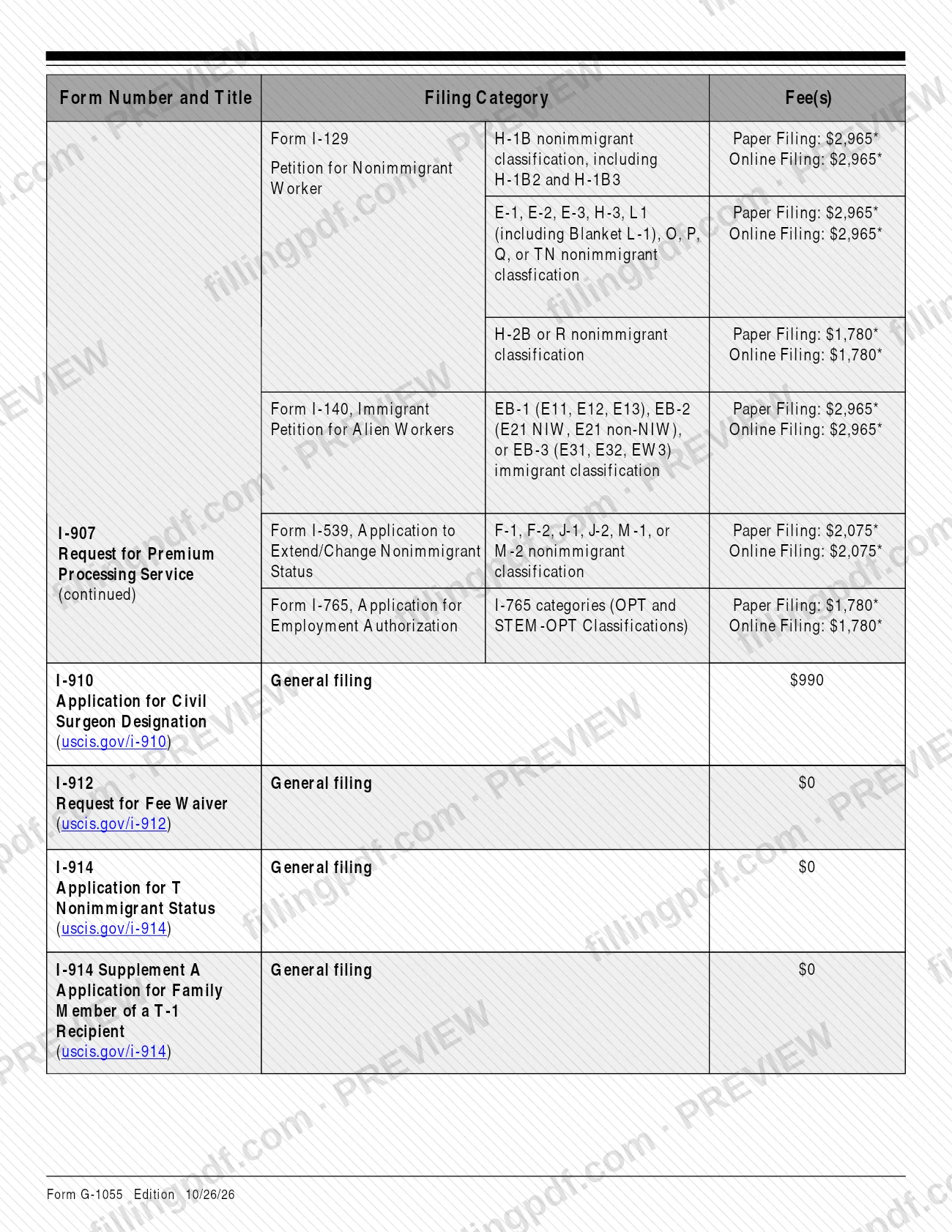
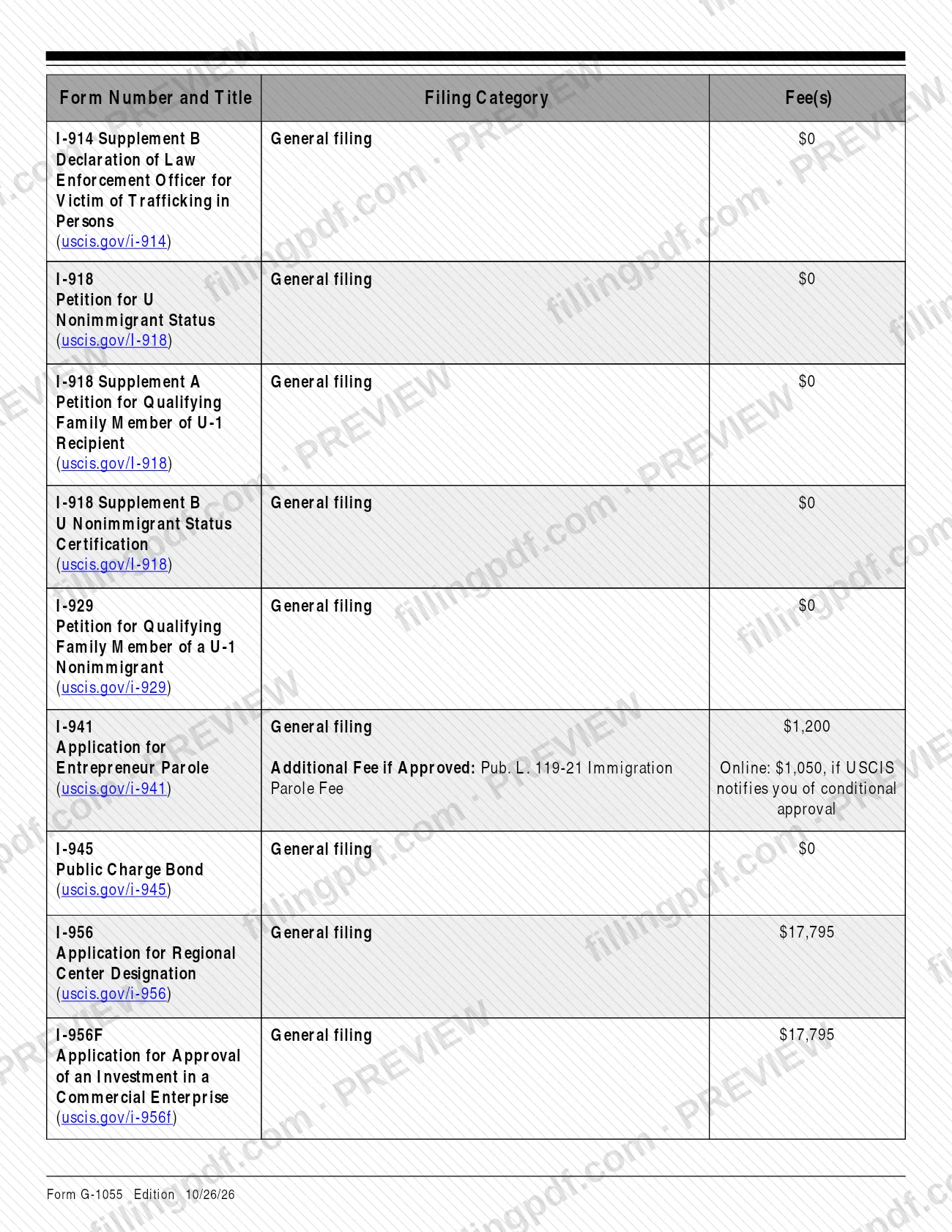
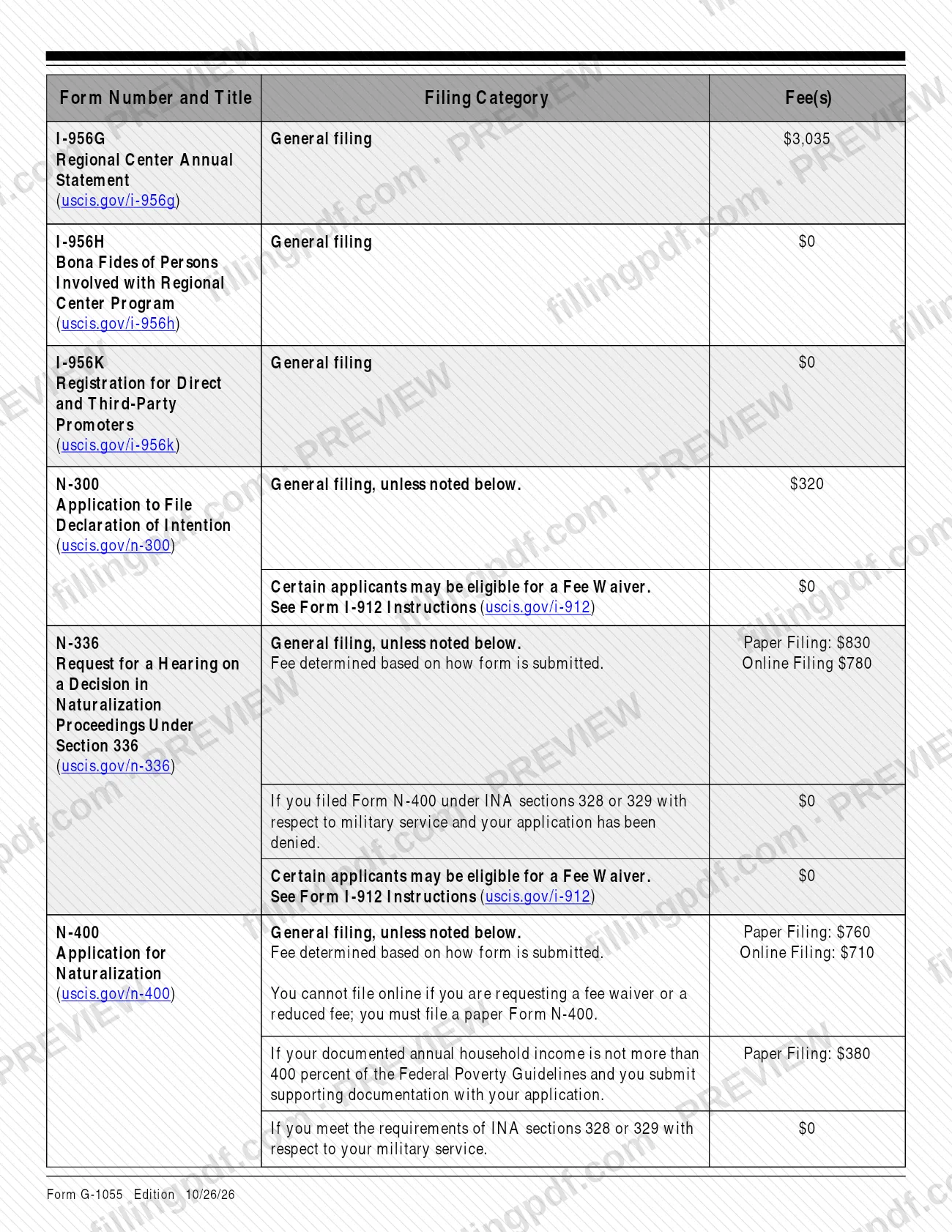
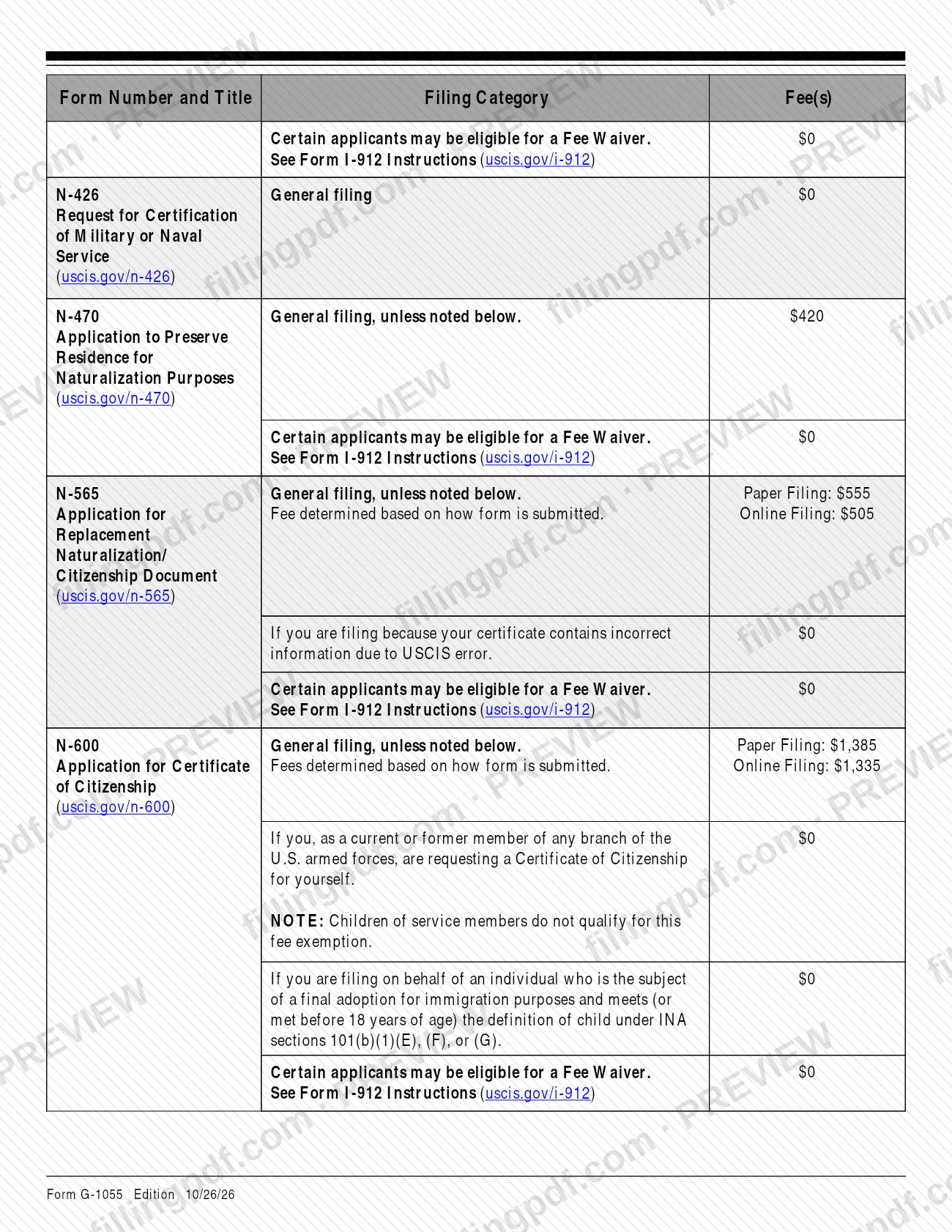
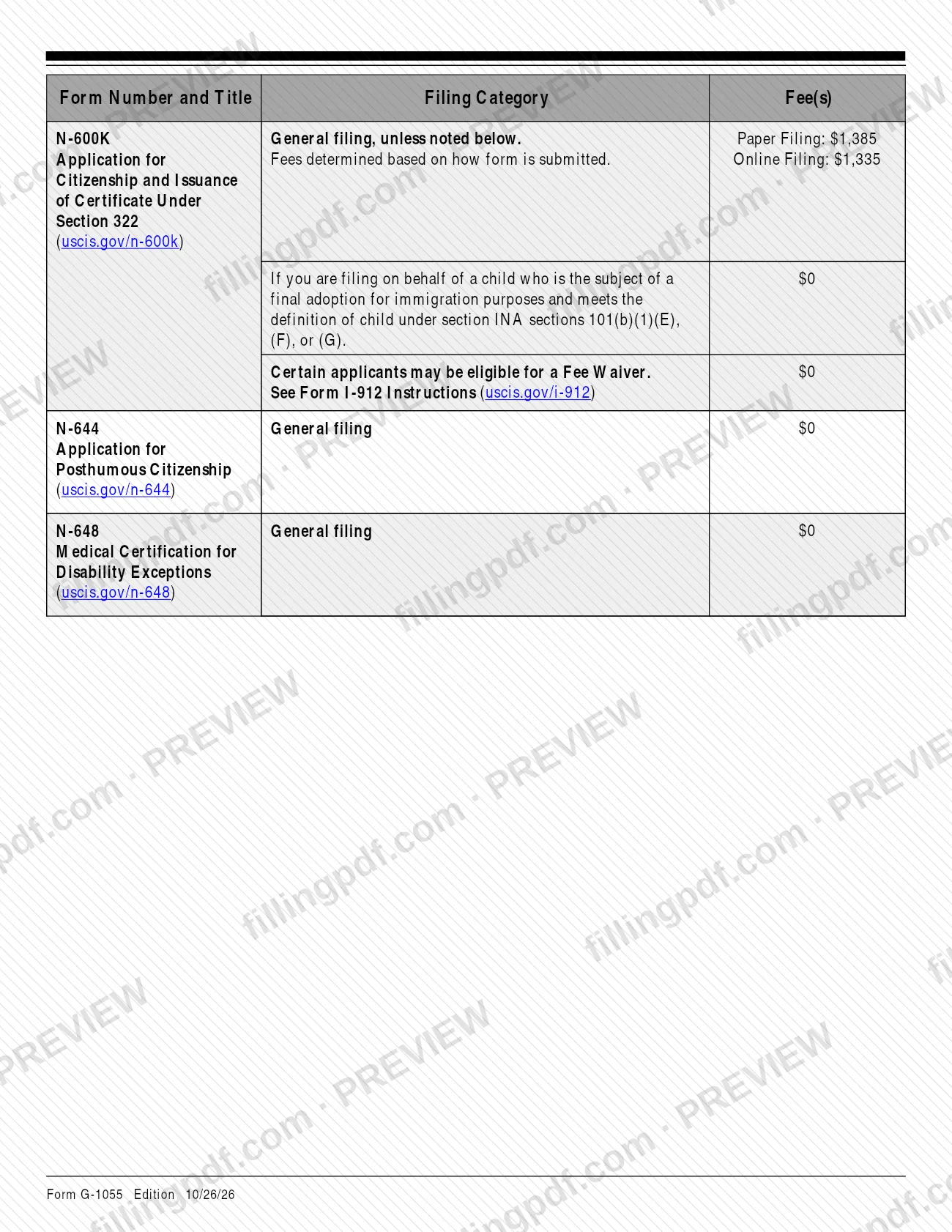
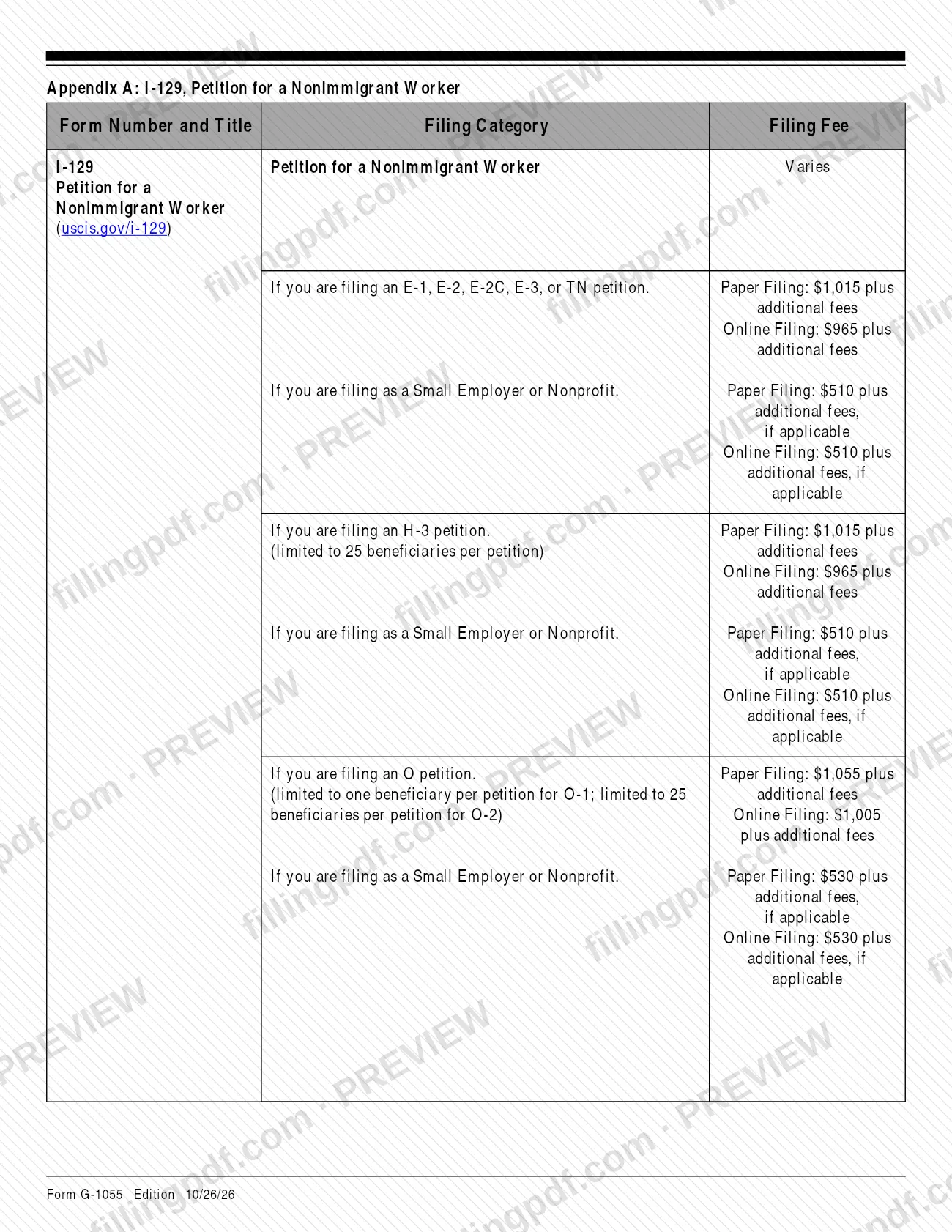
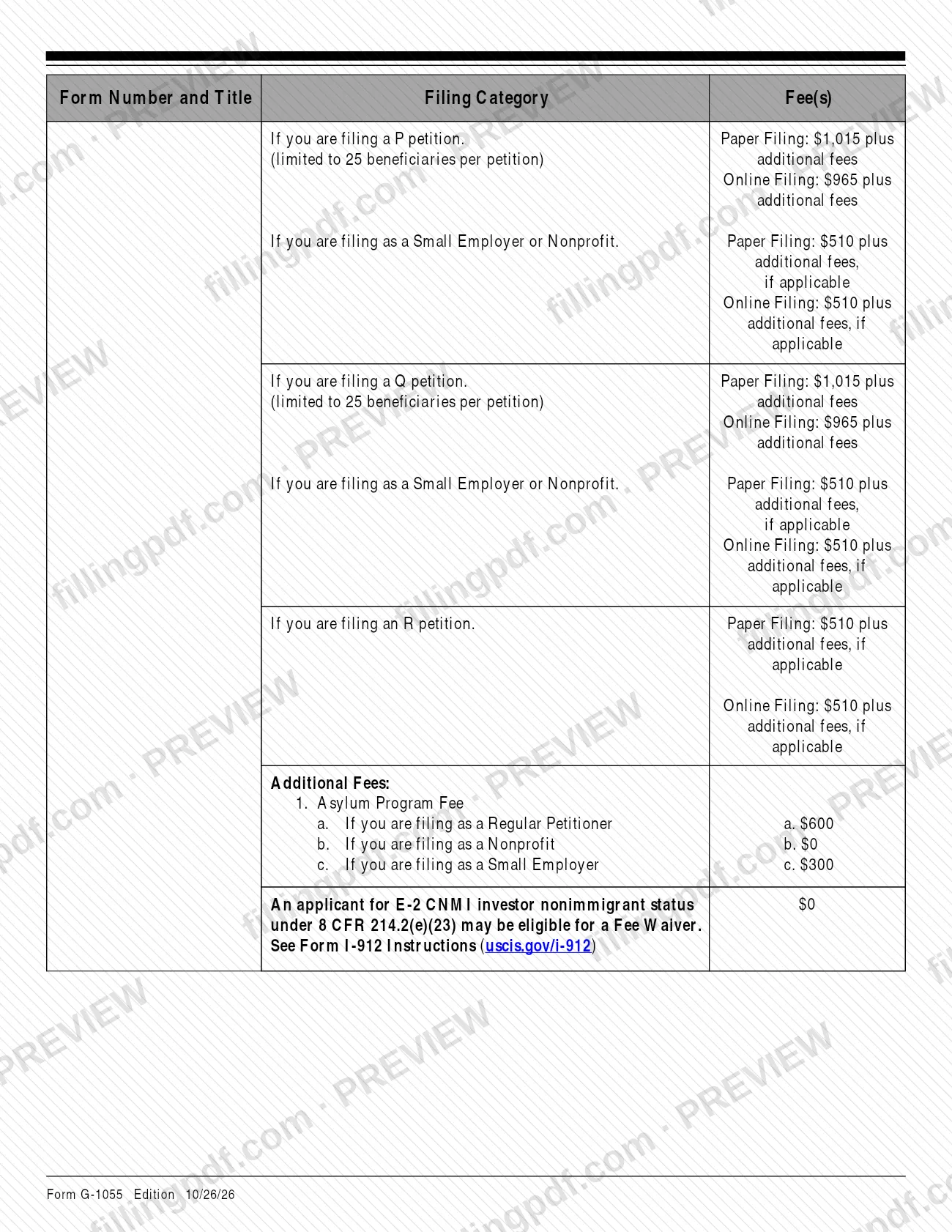
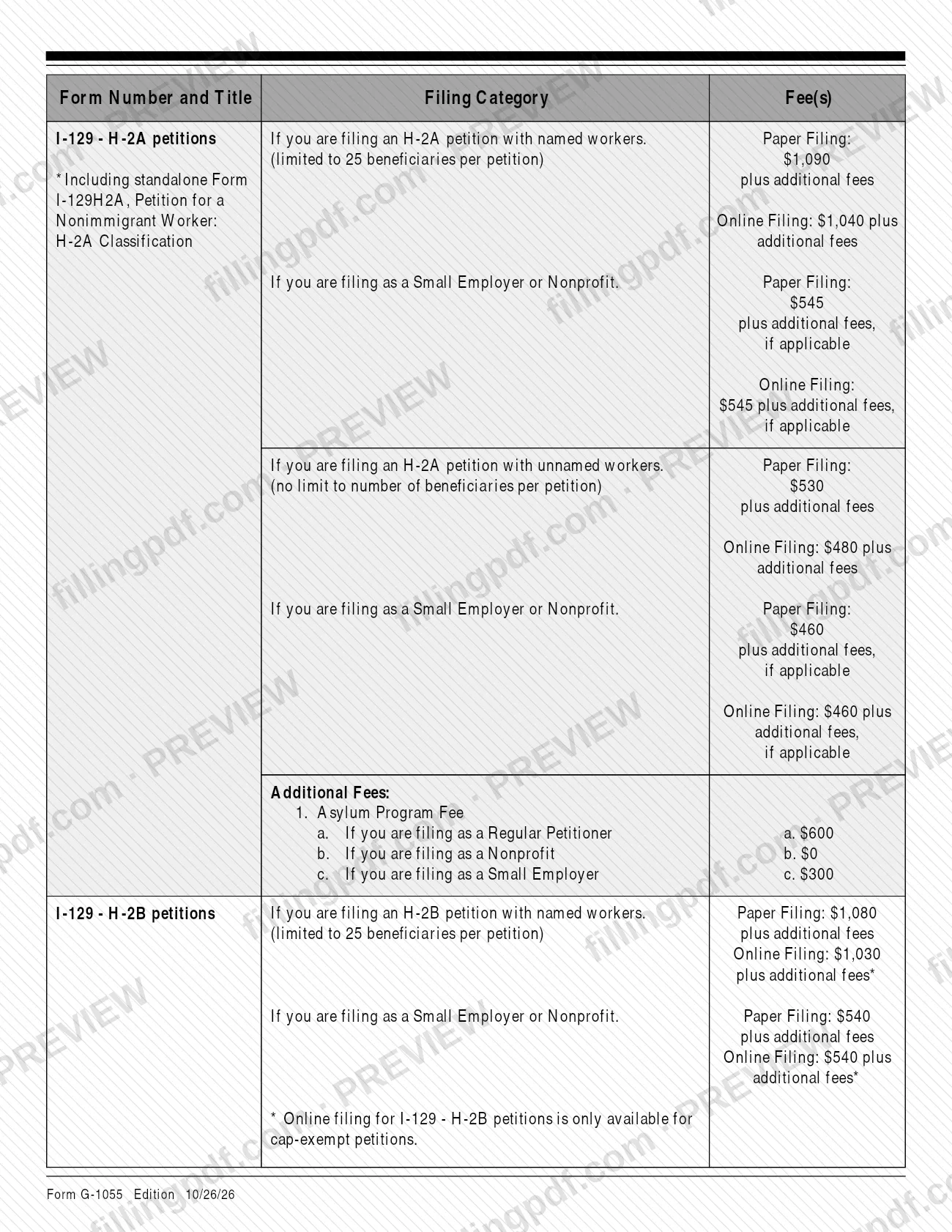
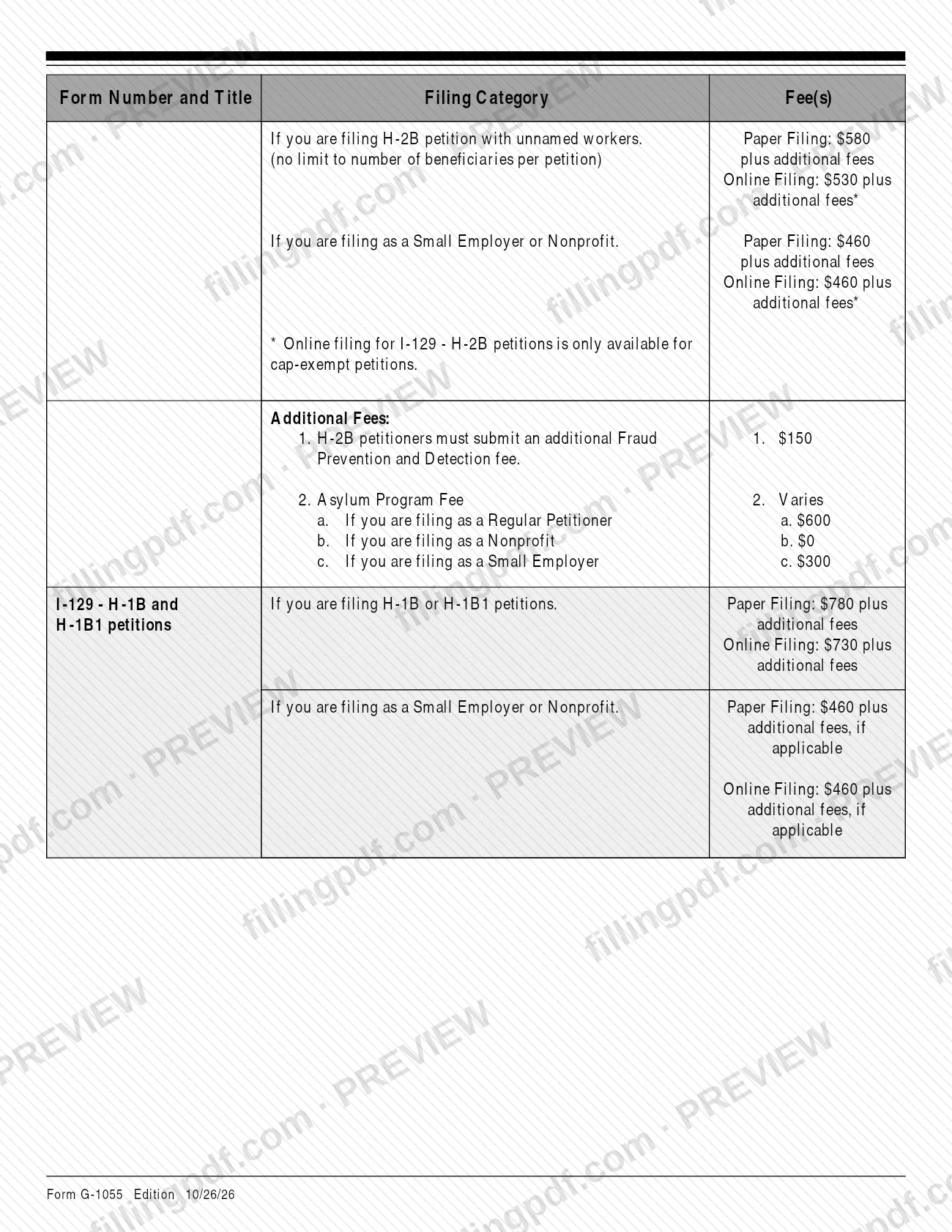
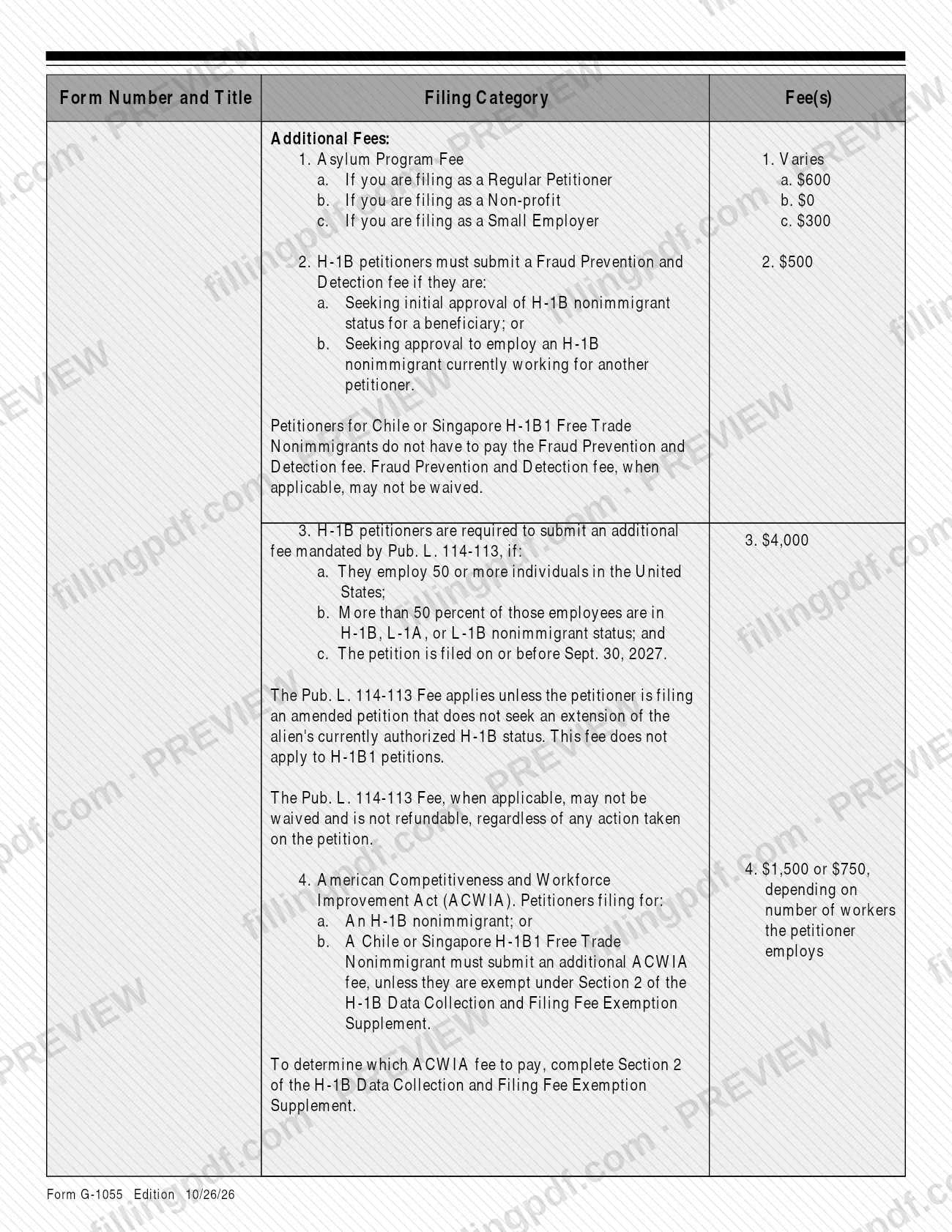
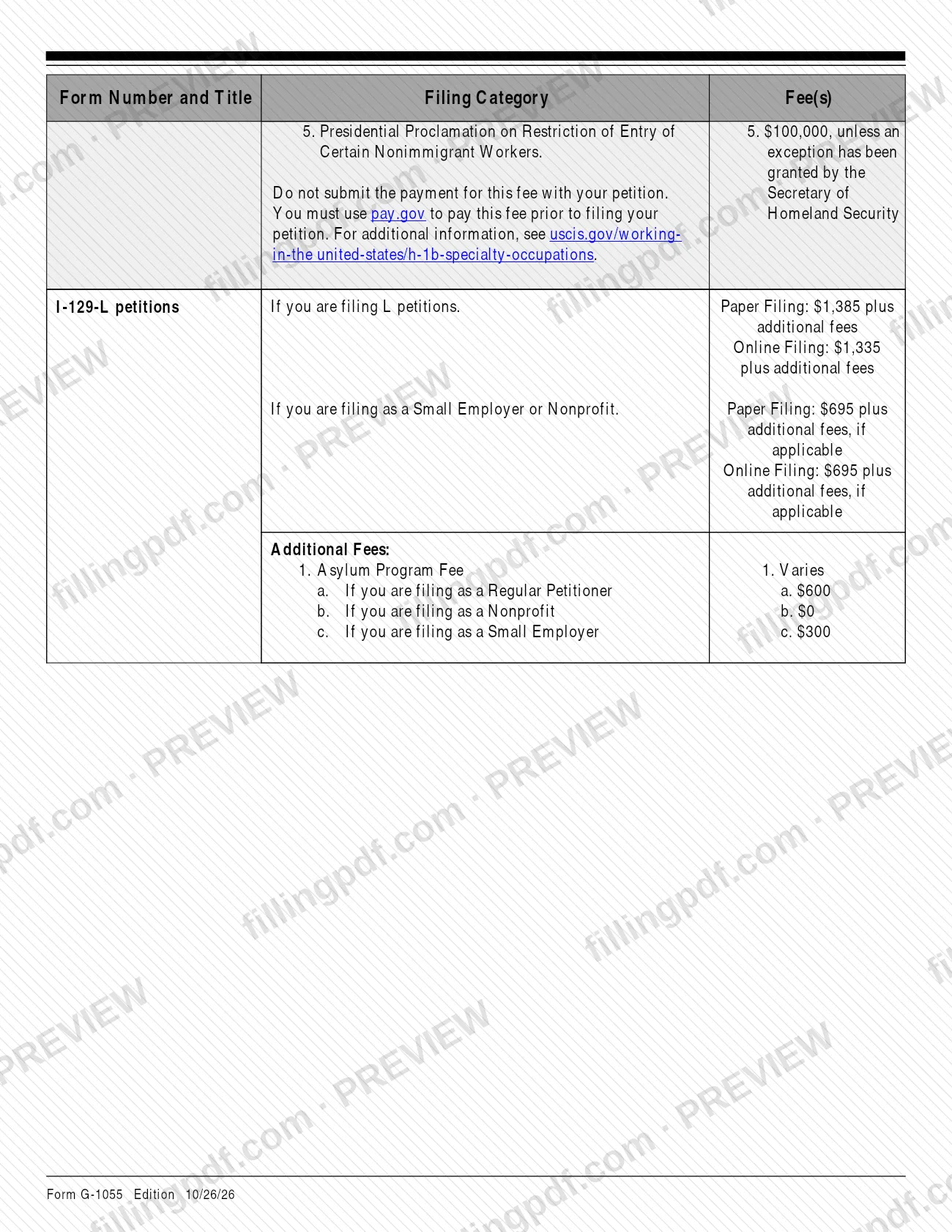
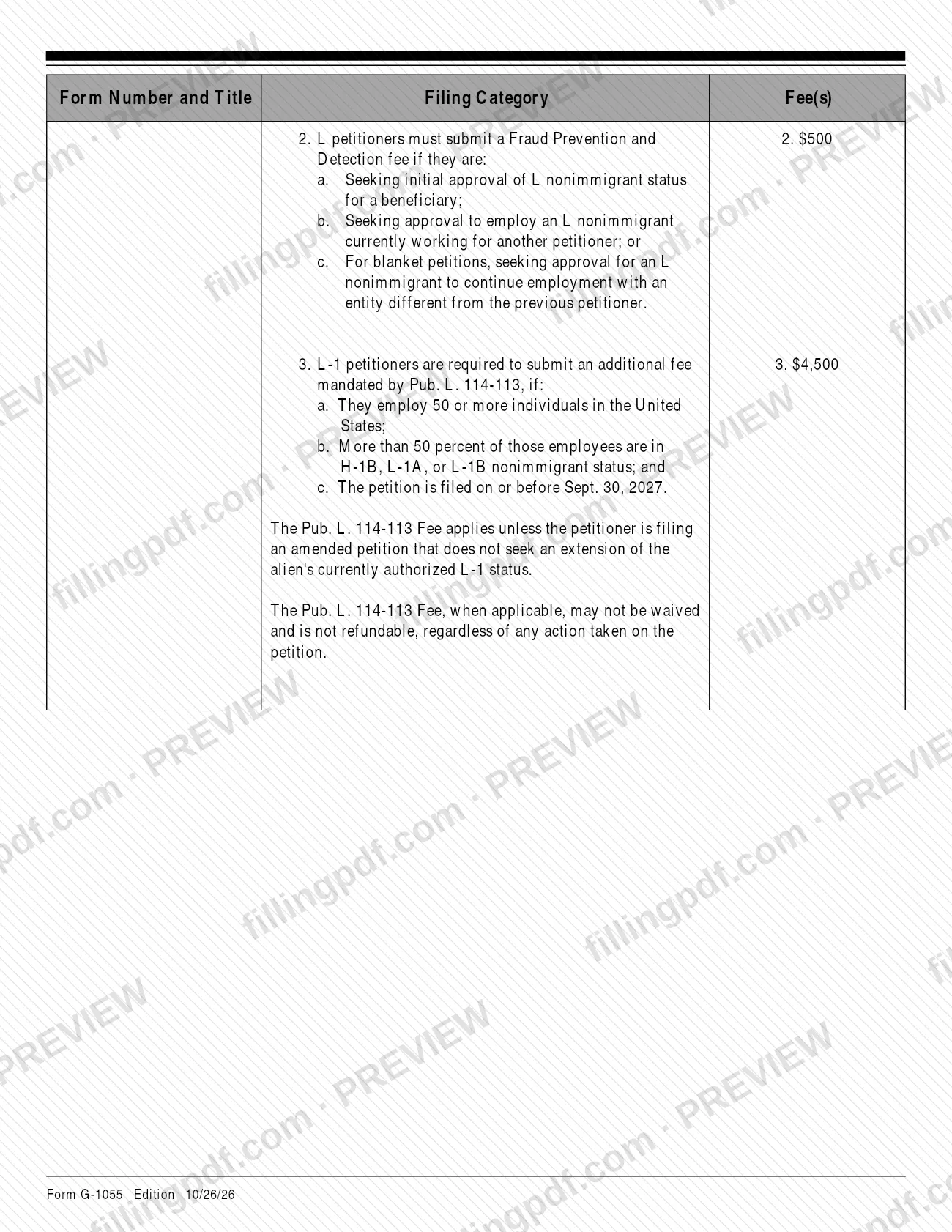
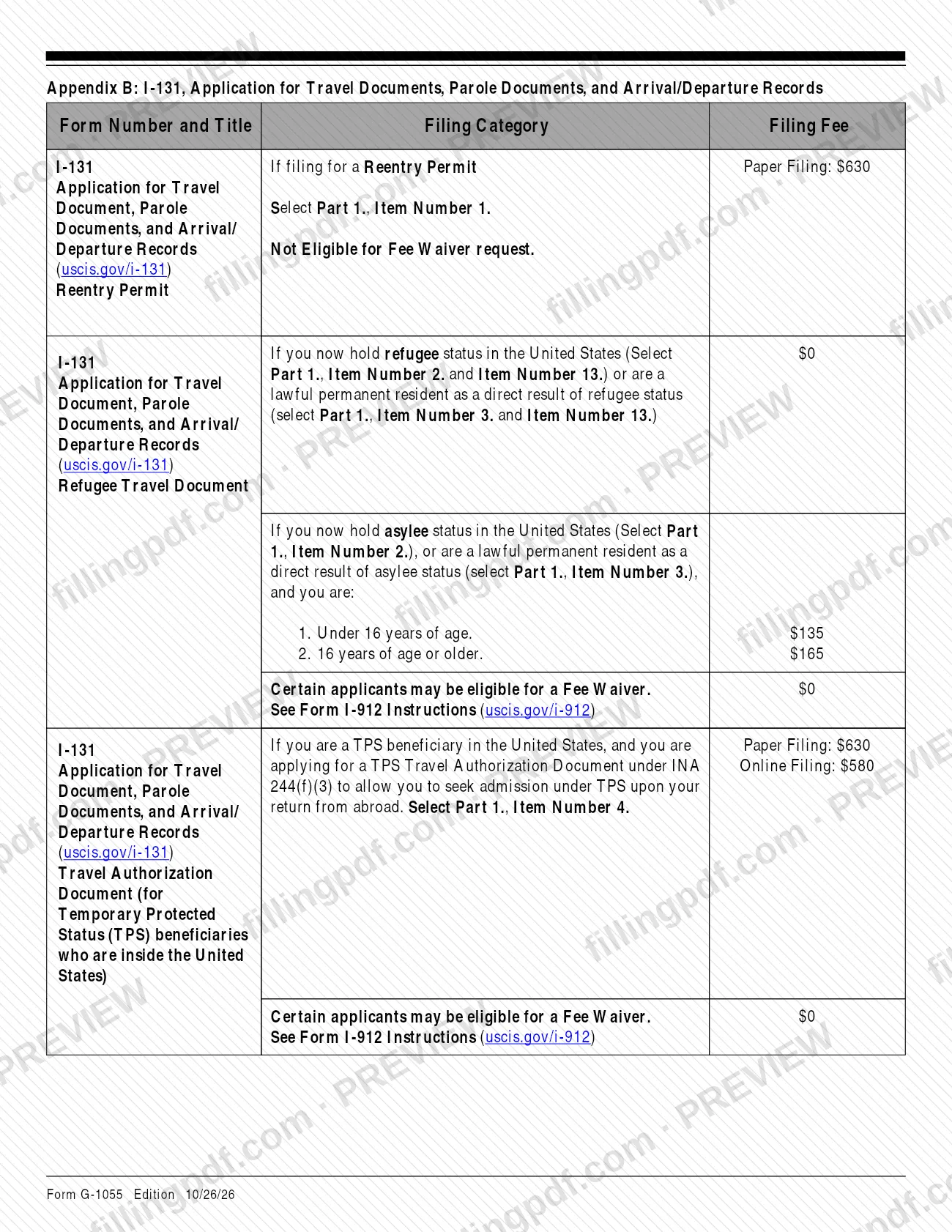
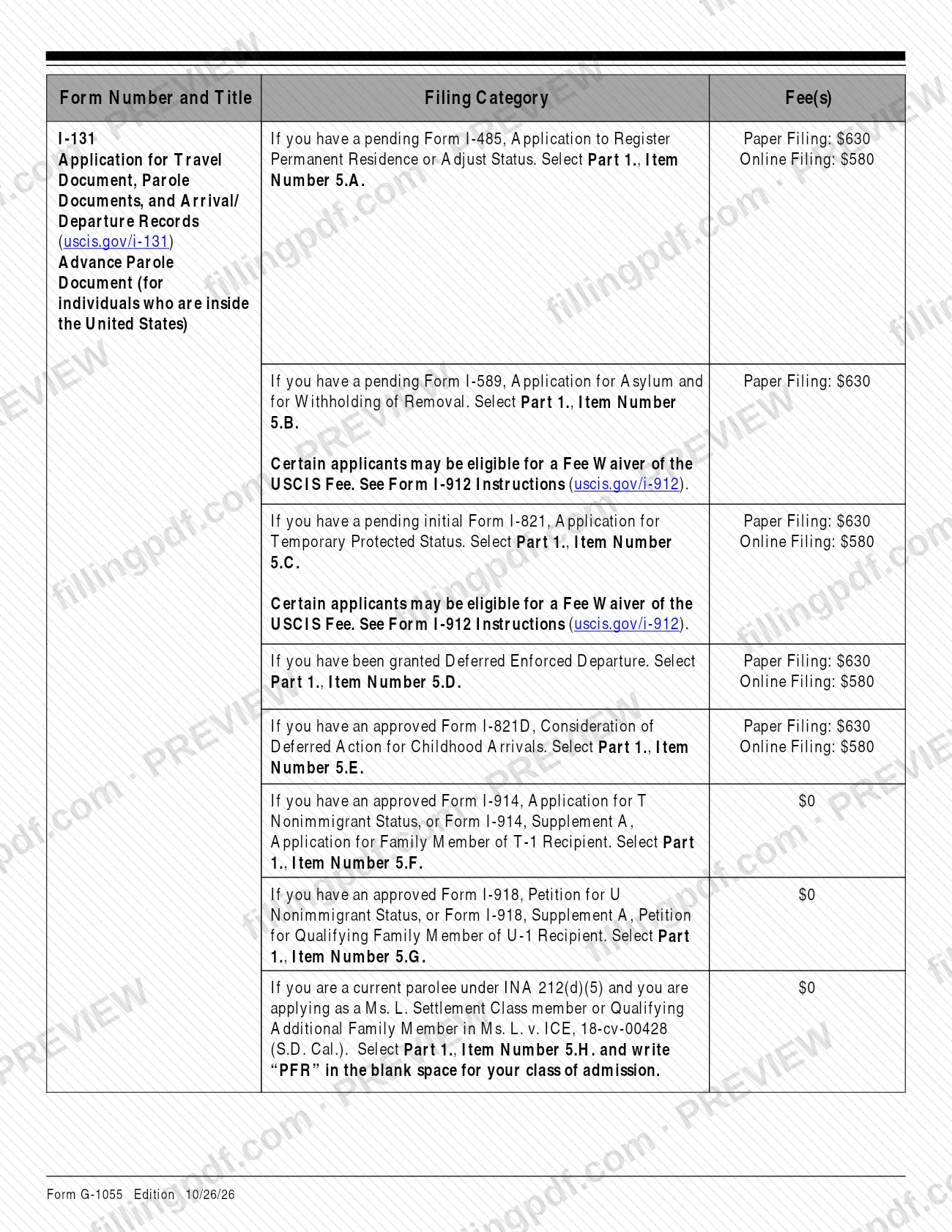
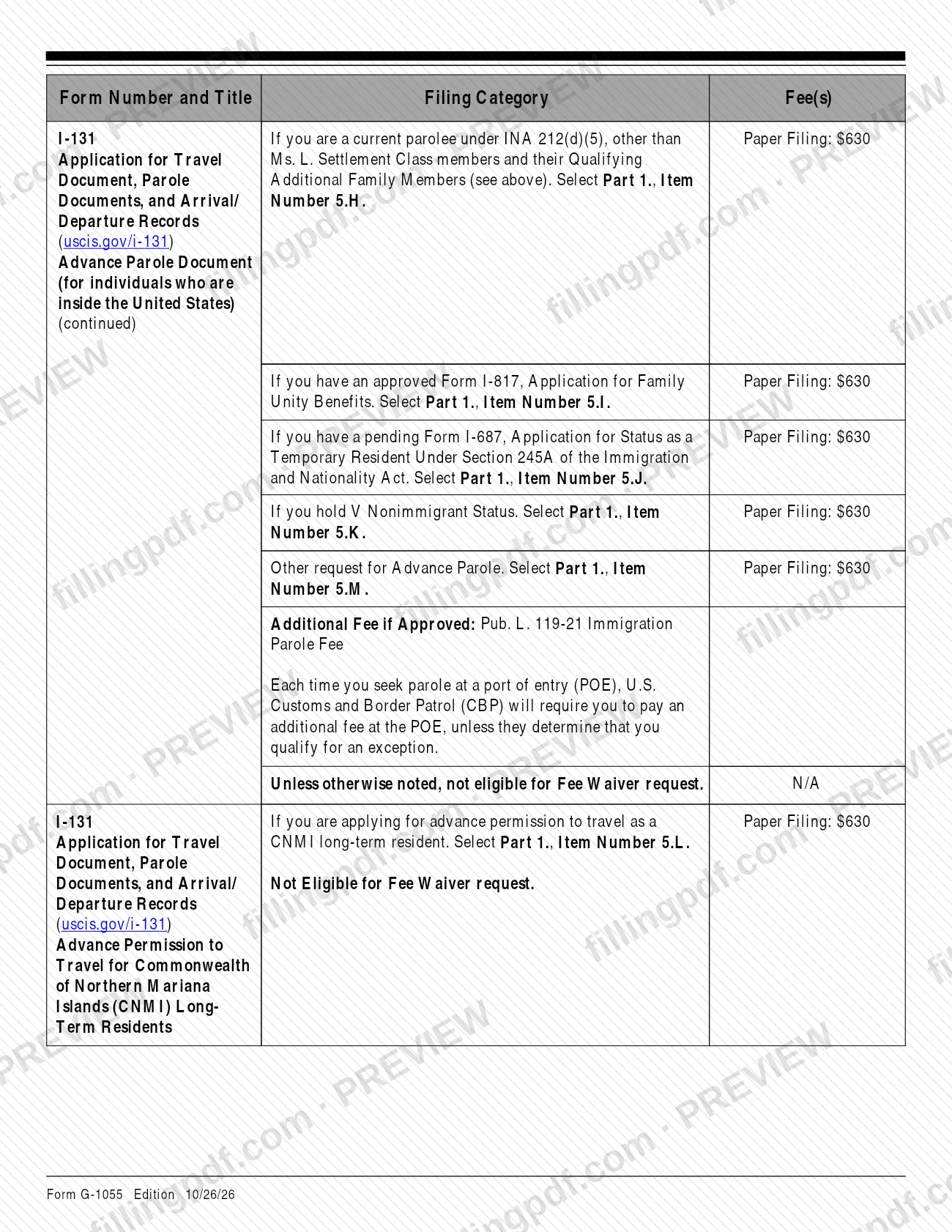
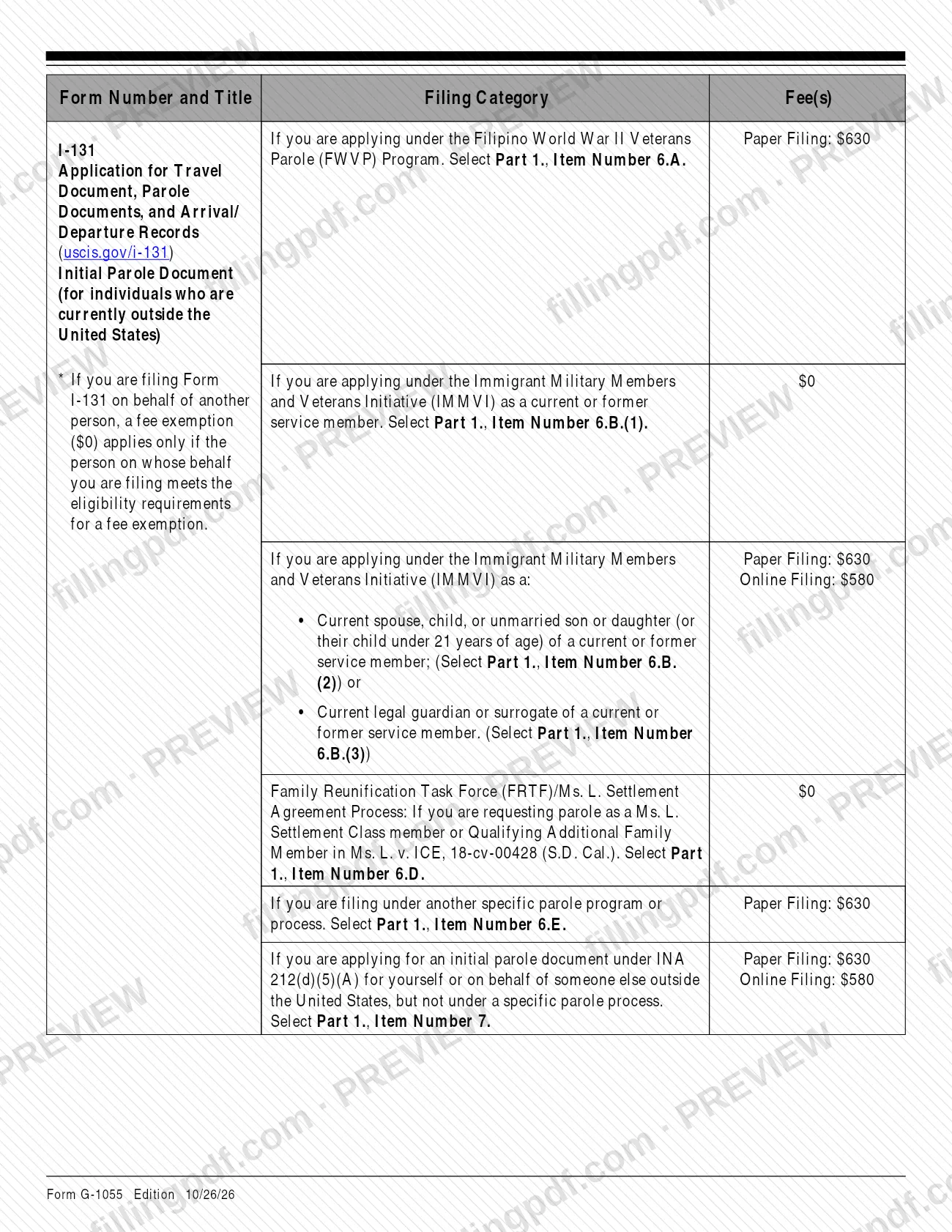
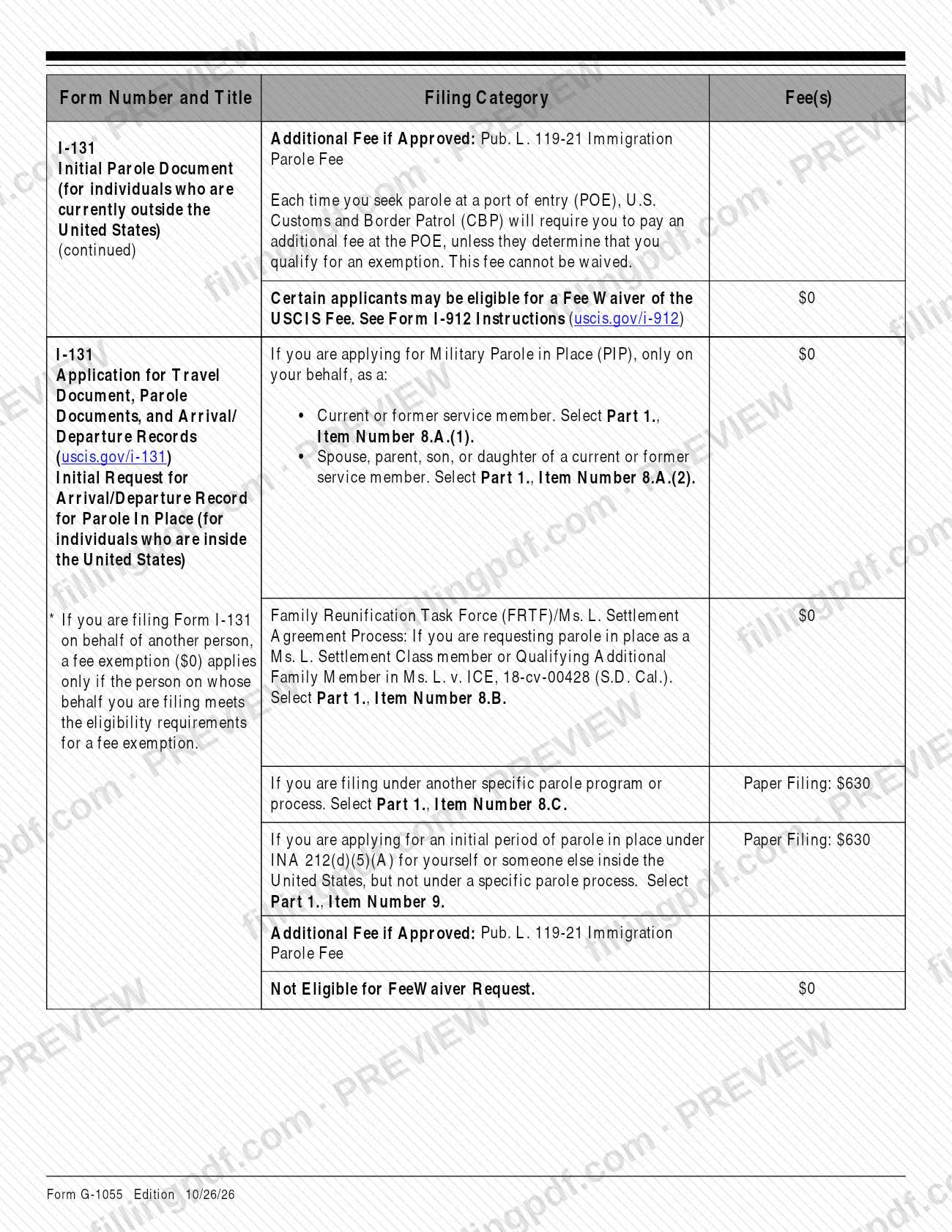
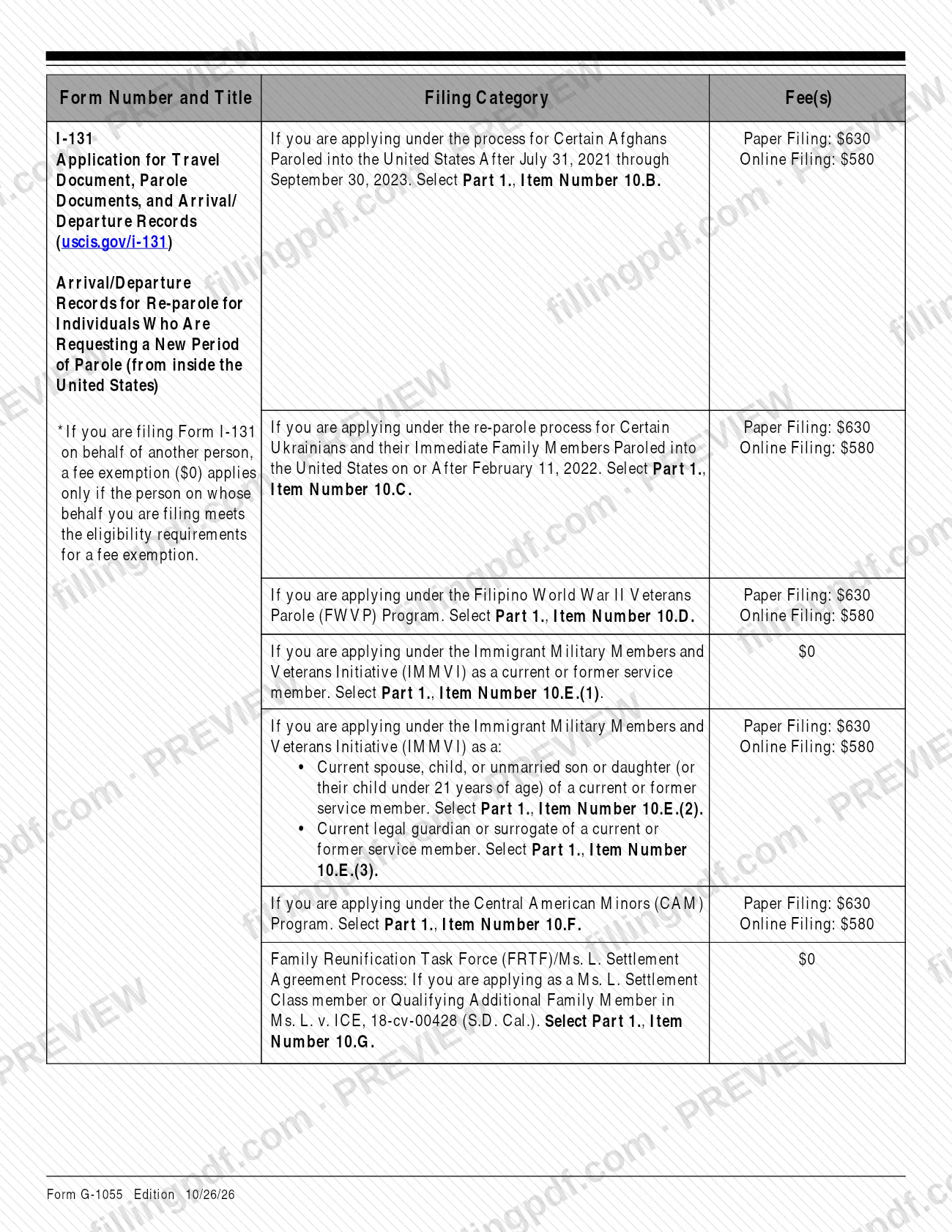
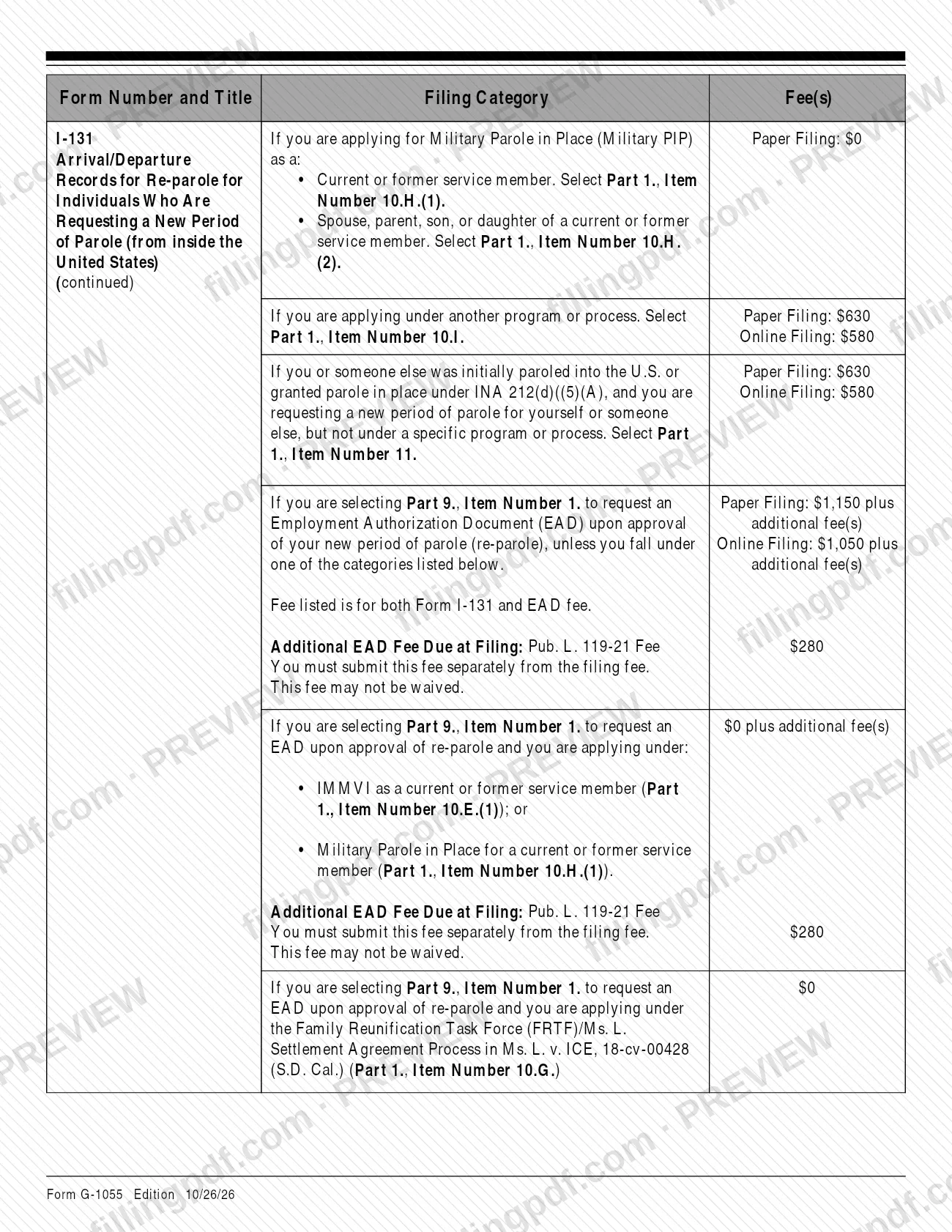
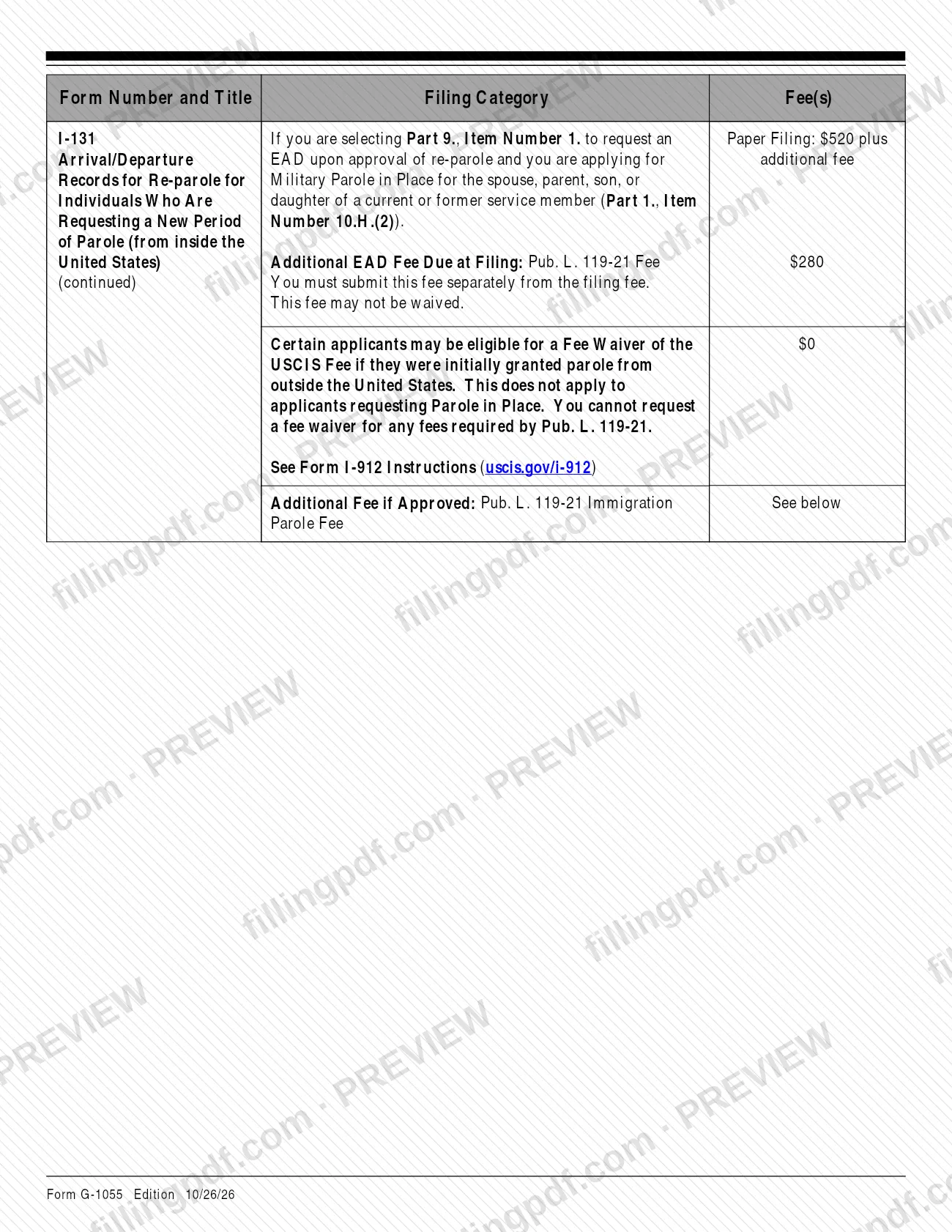
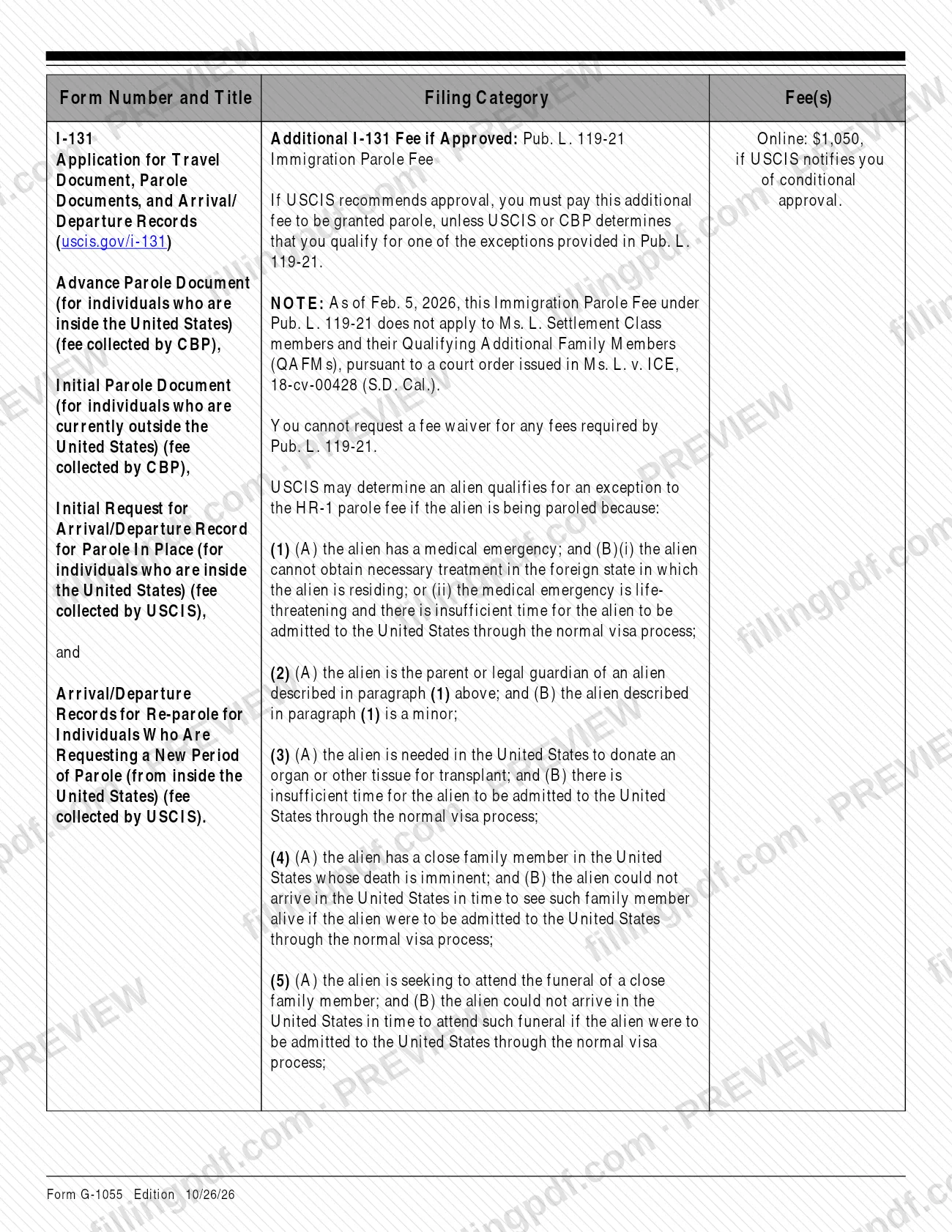
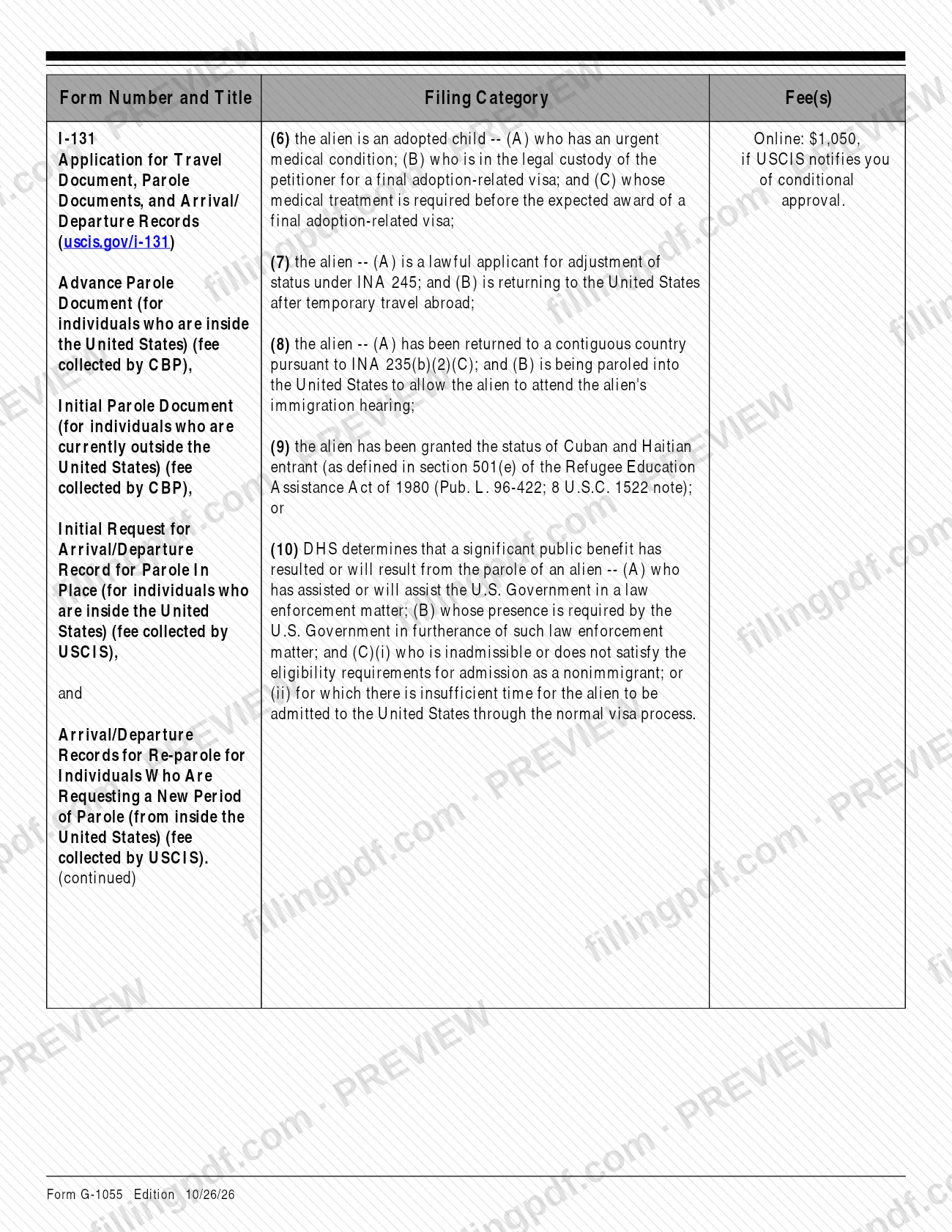
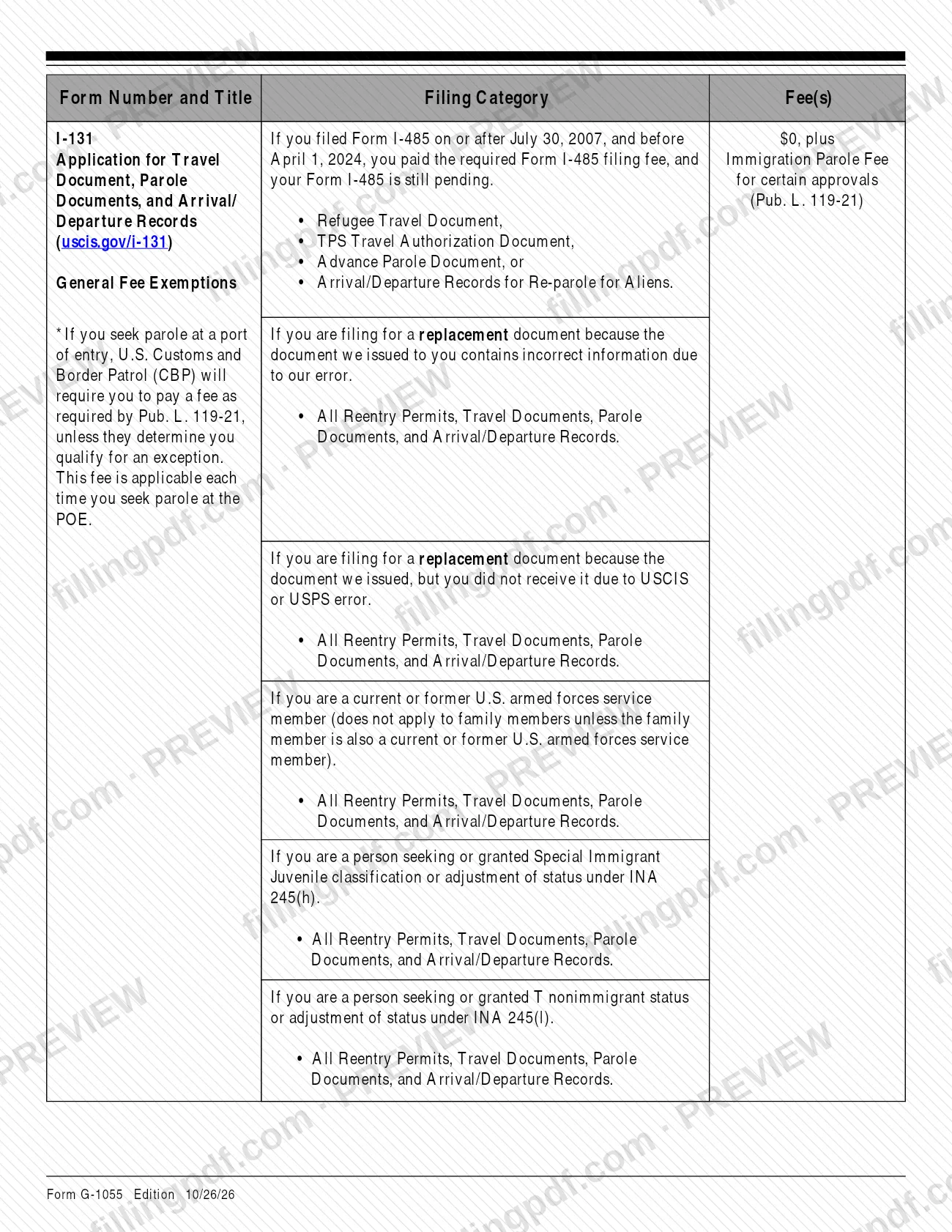
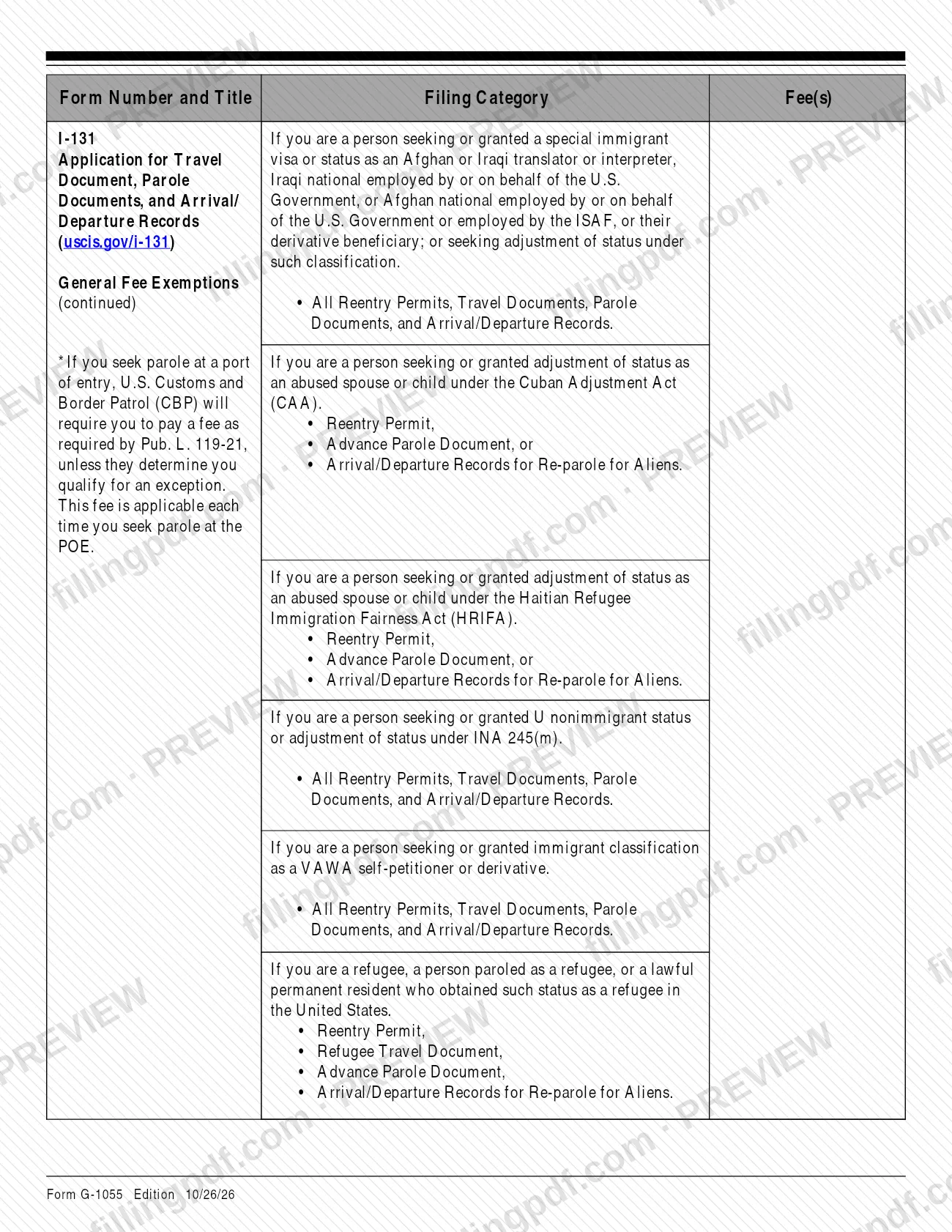
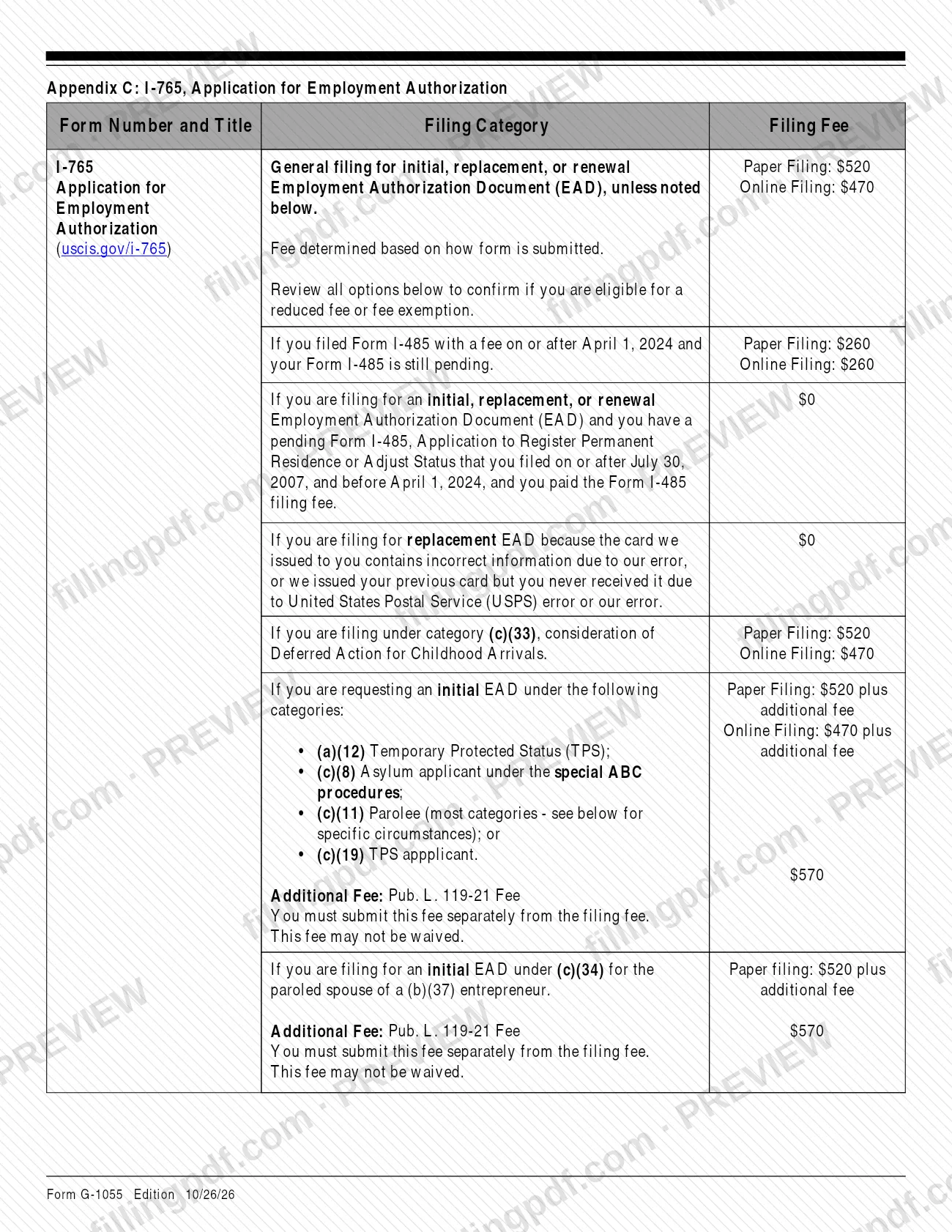
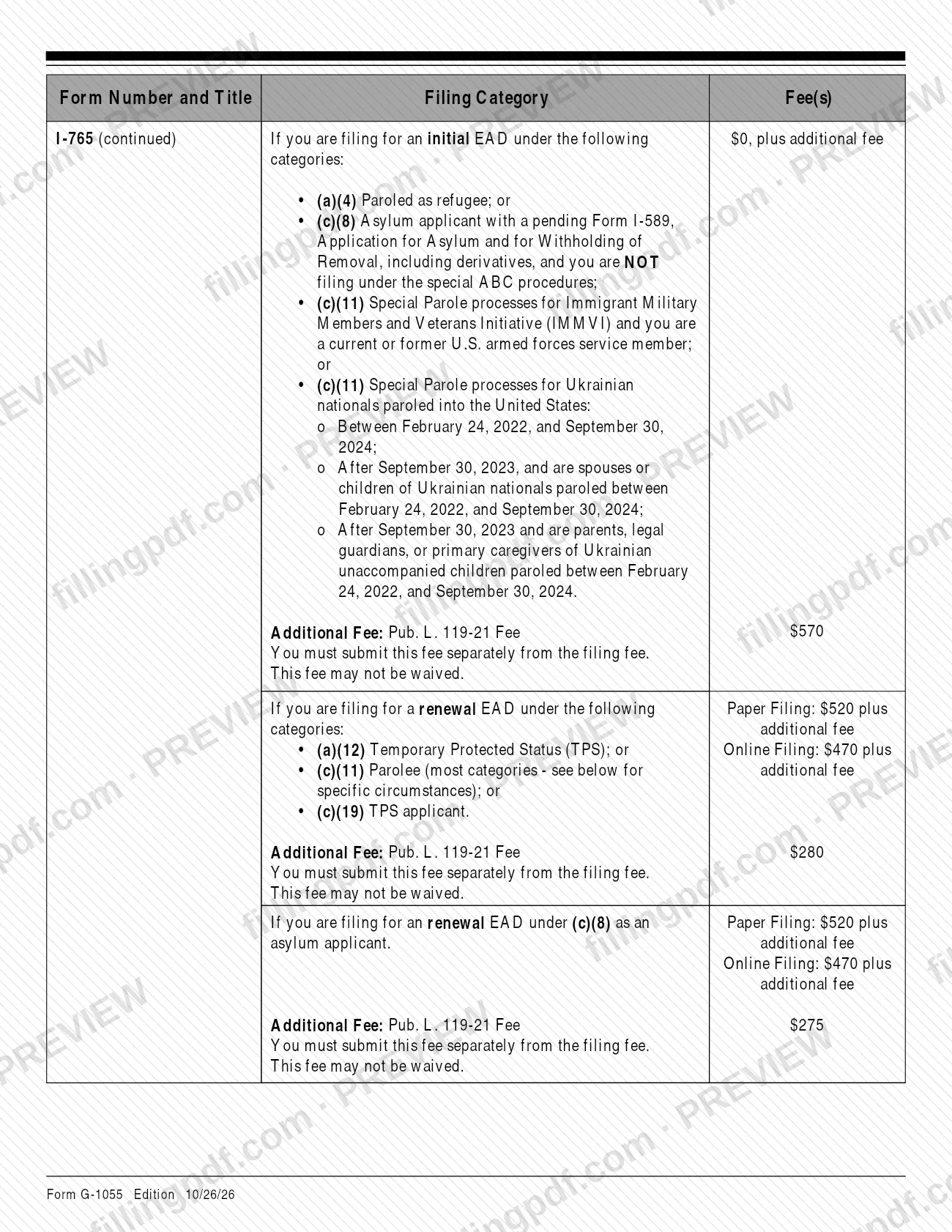
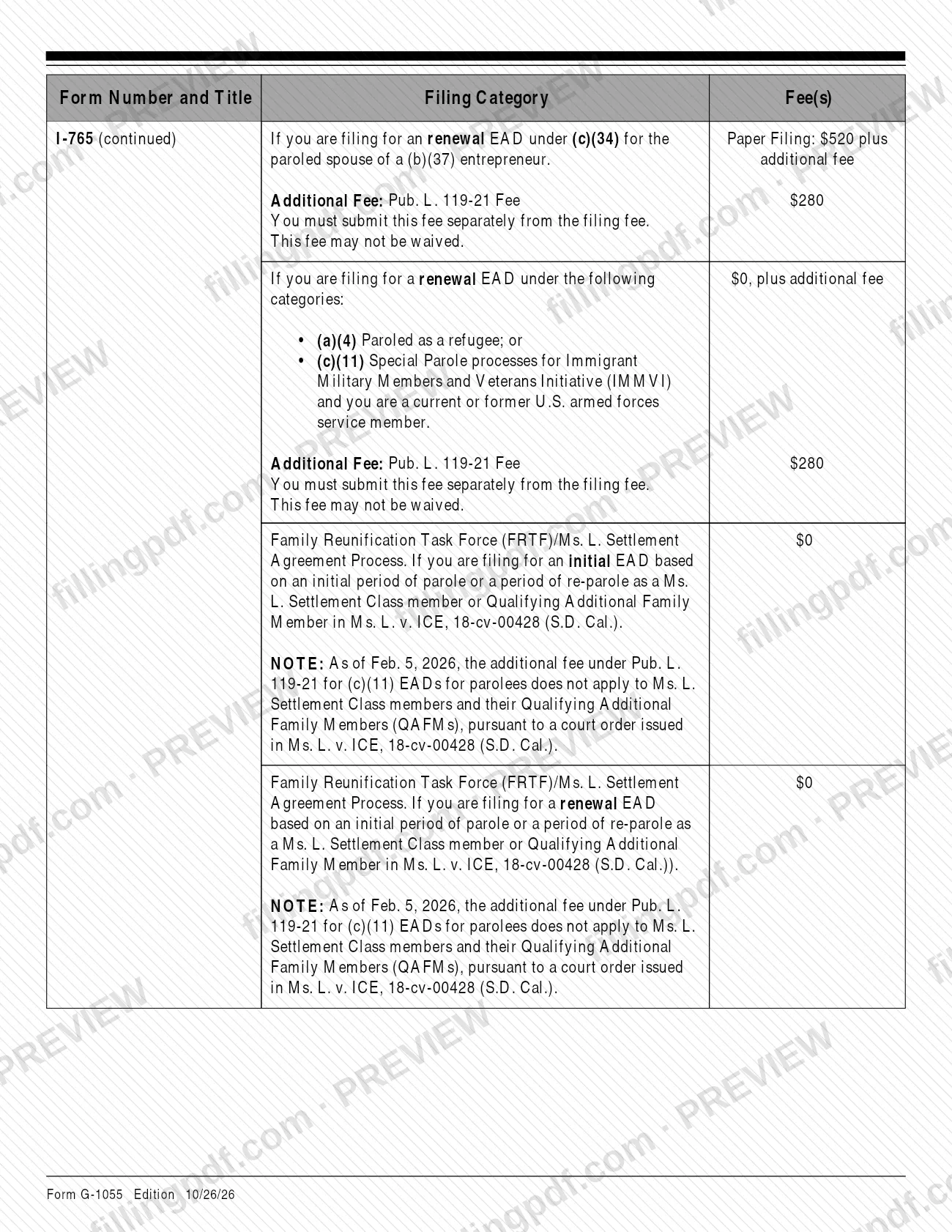
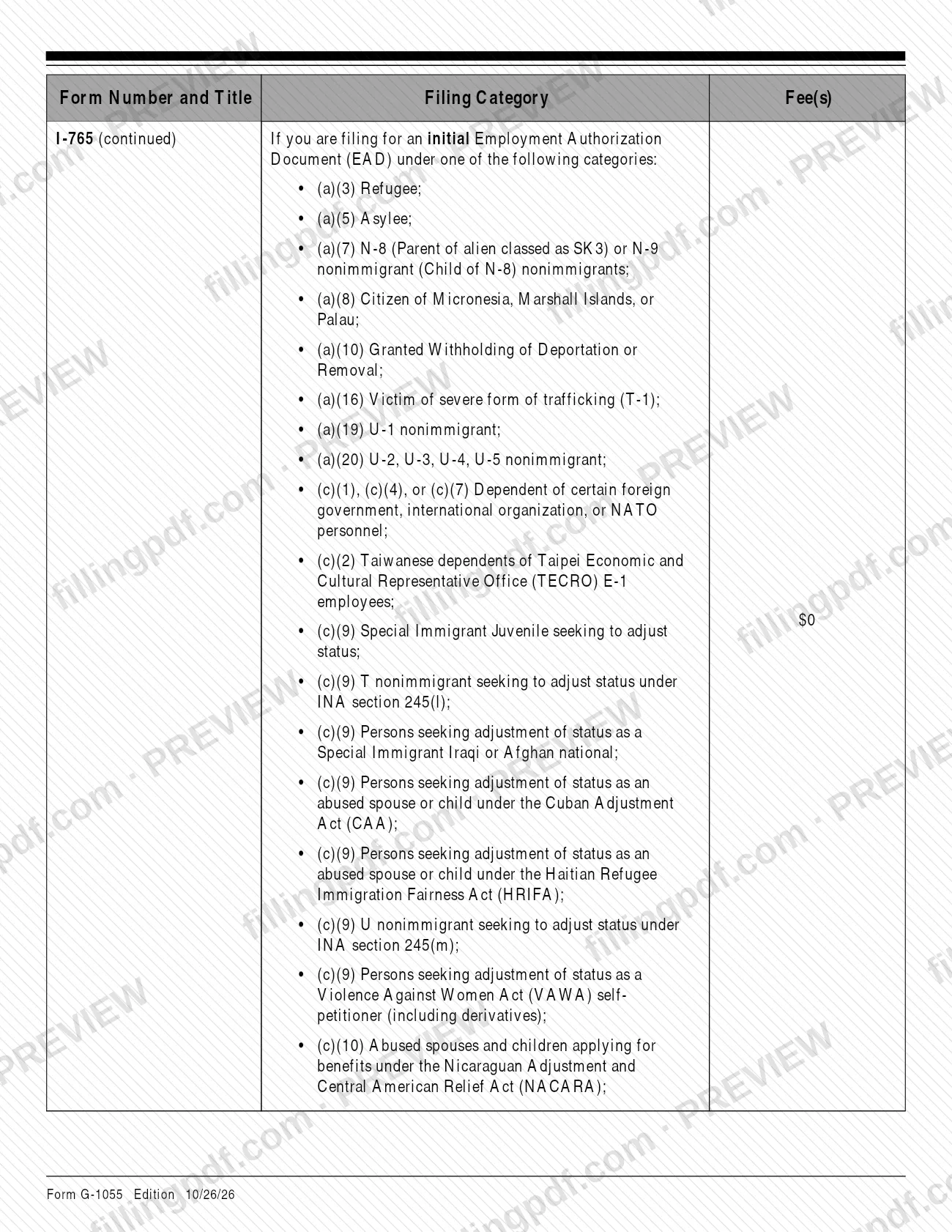
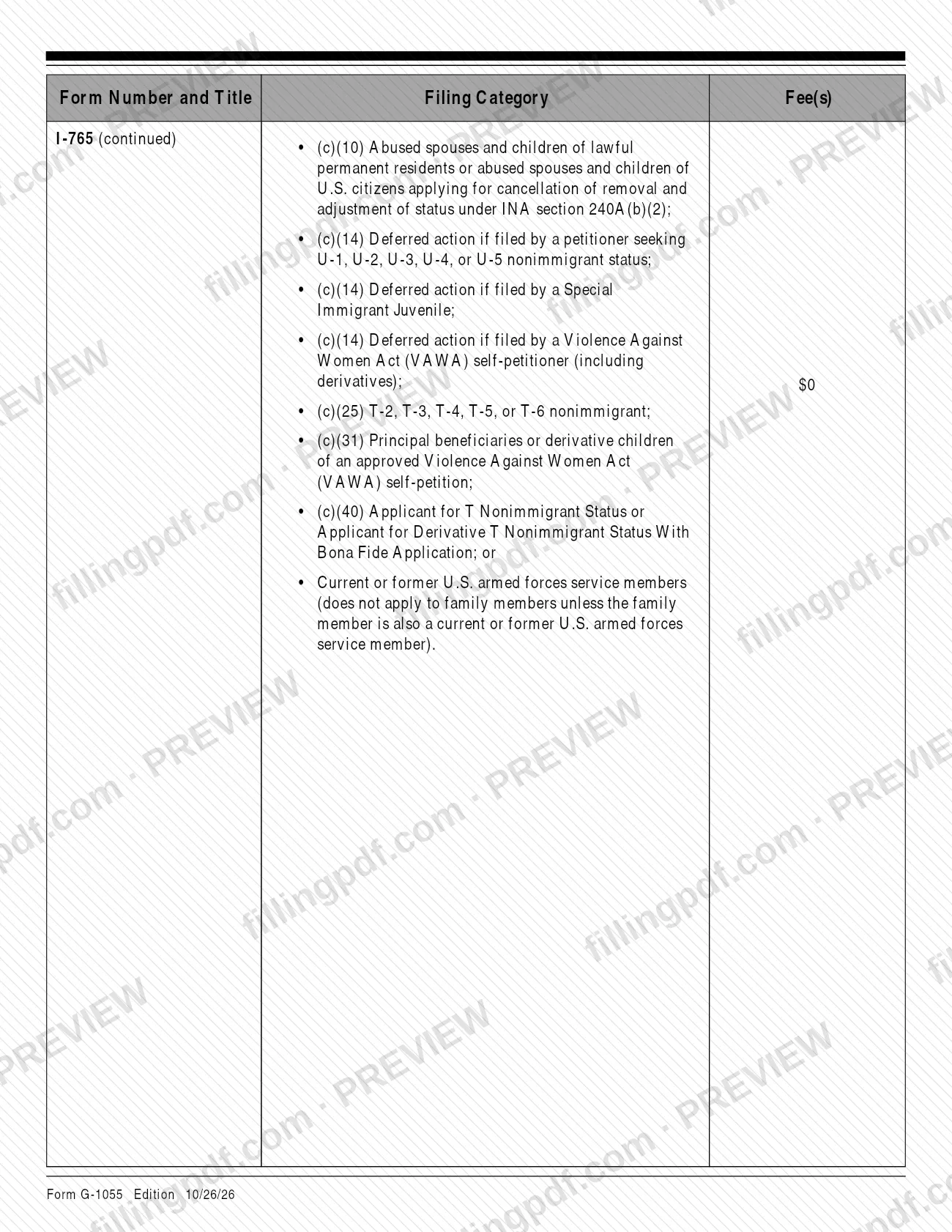
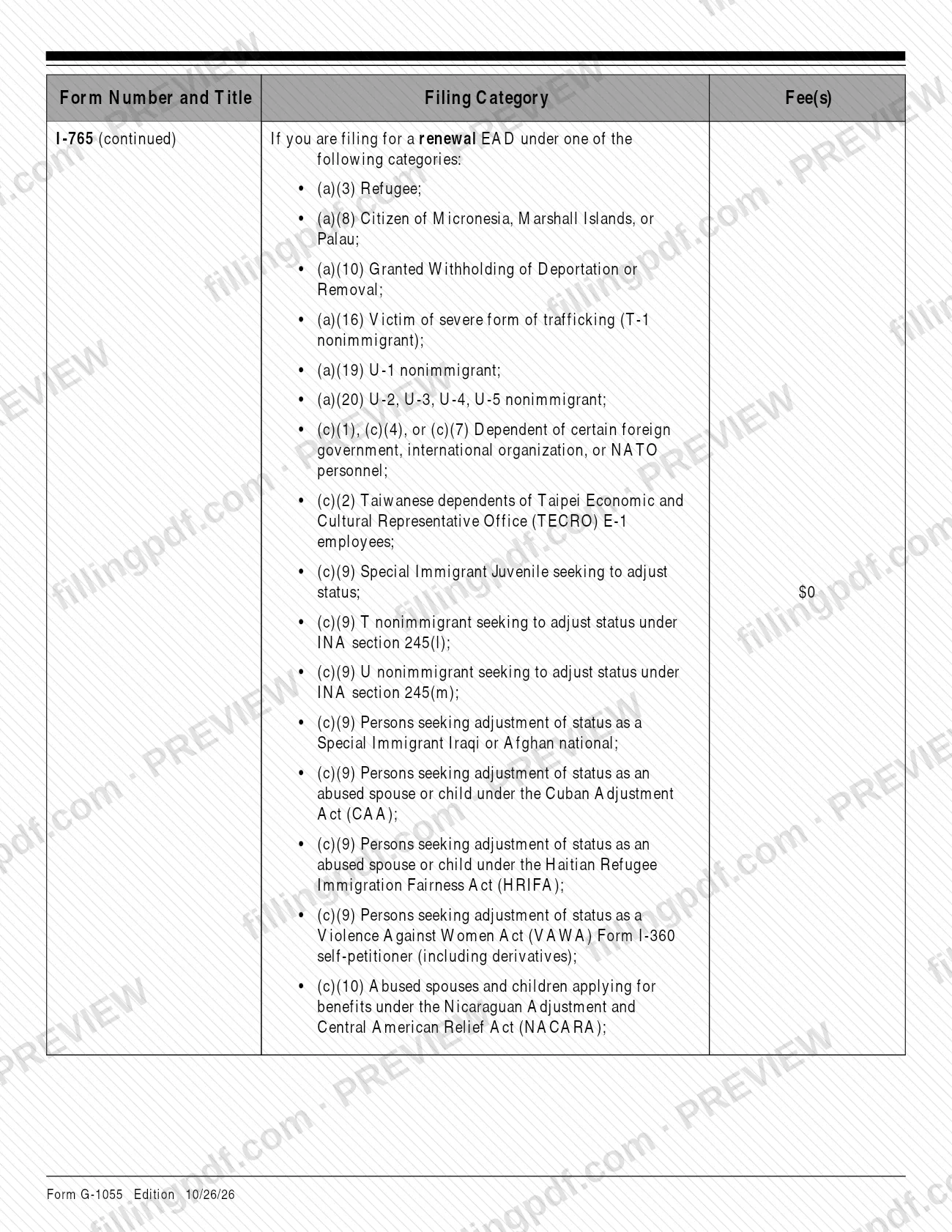
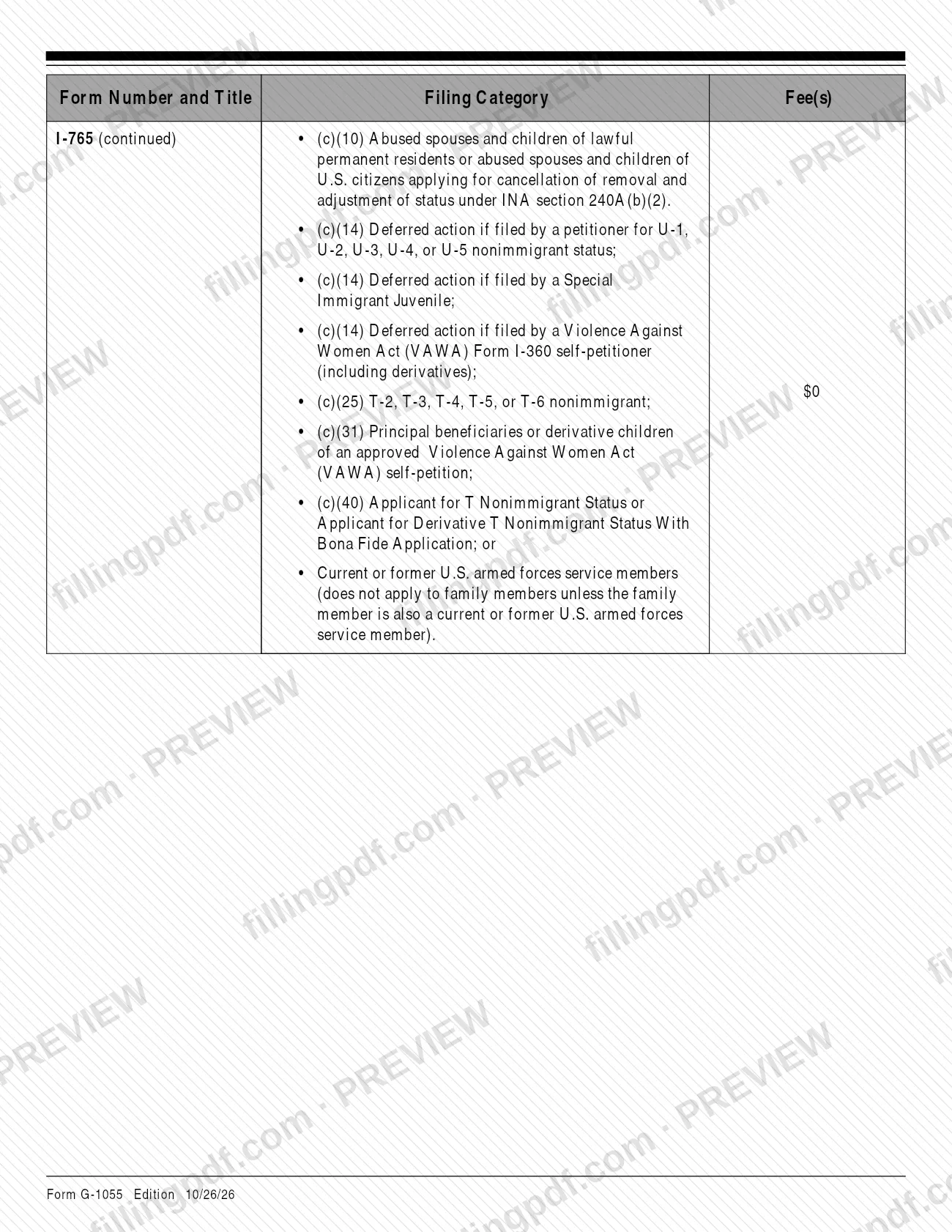
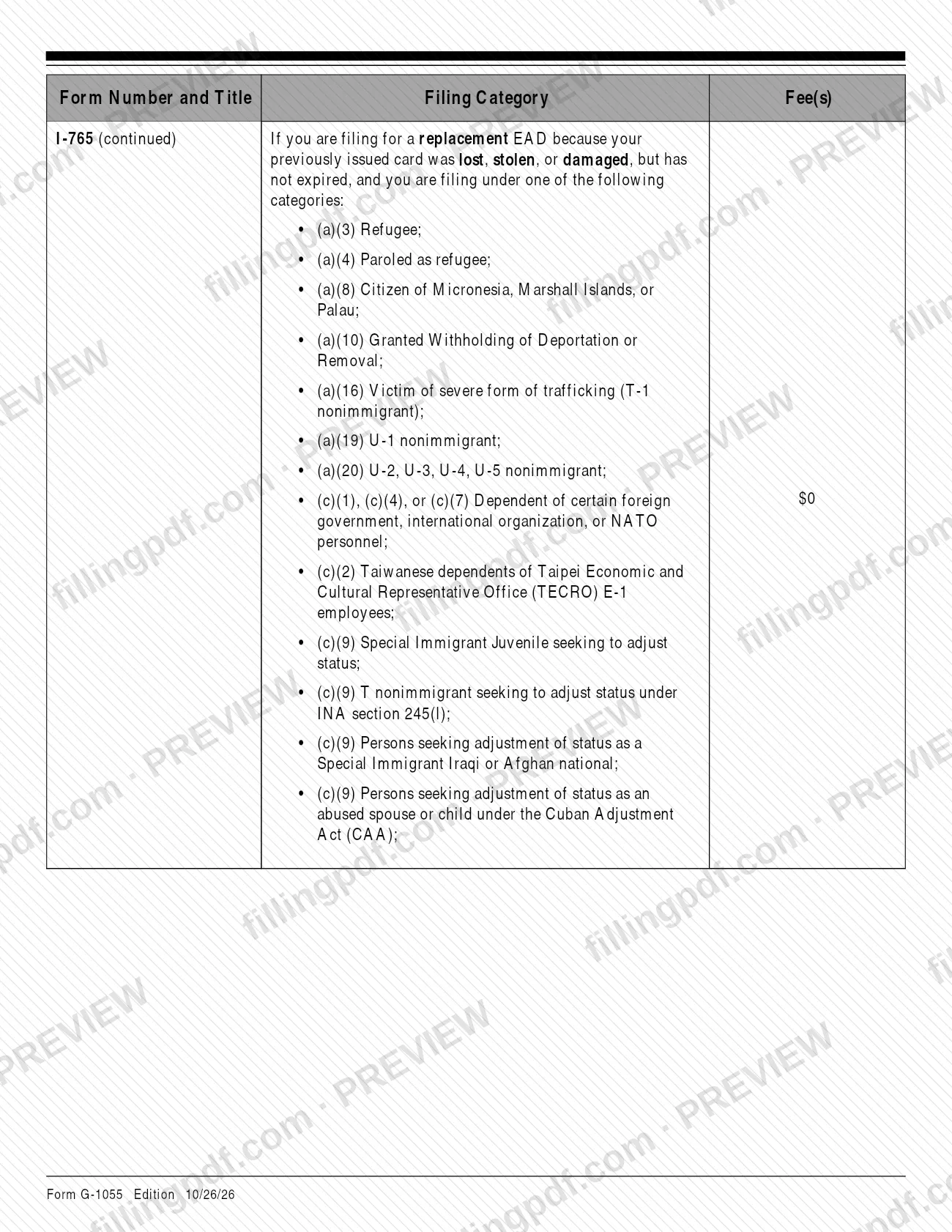
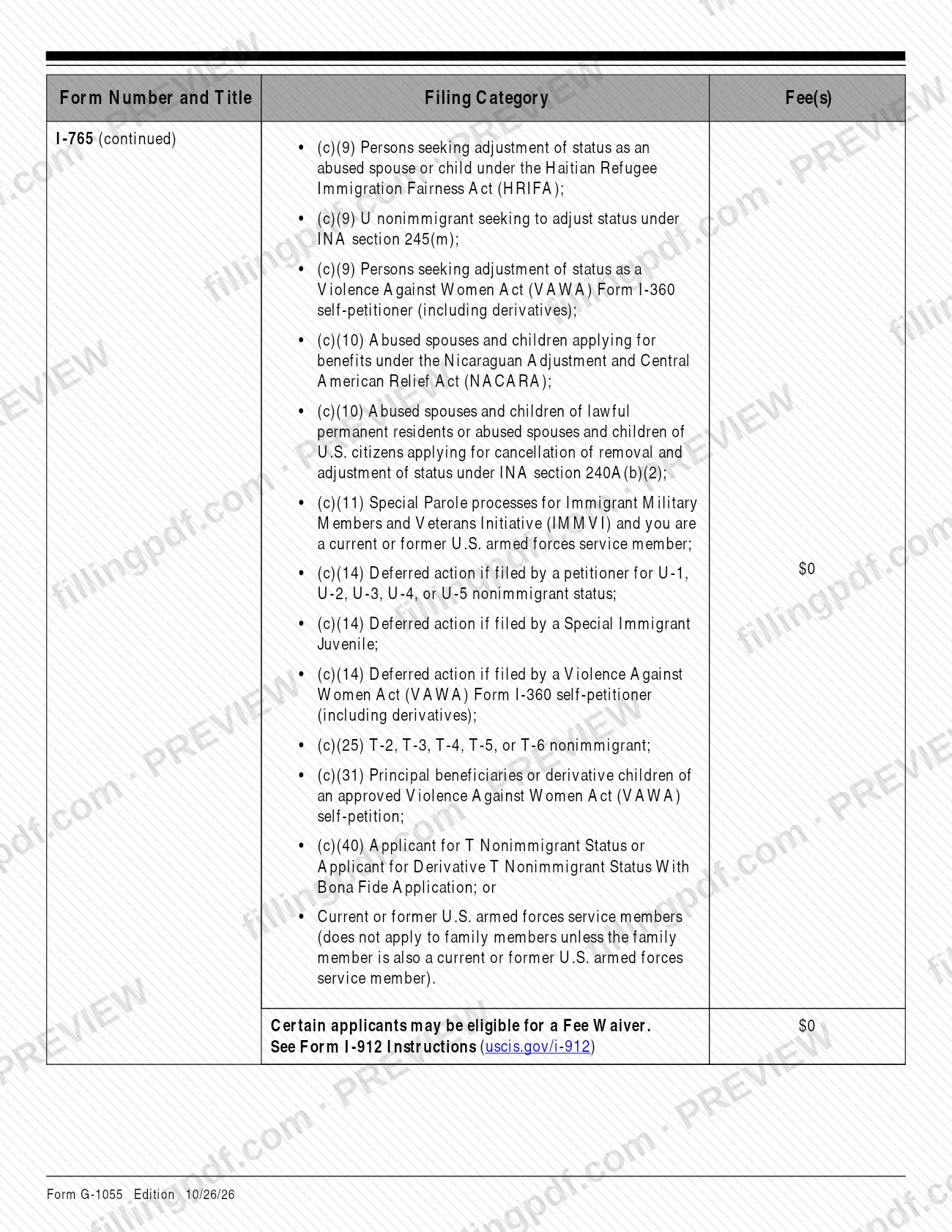
Form G-1055 is the Fee Schedule published by U.S. Citizenship and Immigration Services (USCIS), a table of the fees currently in effect for USCIS forms. Anyone preparing an application, petition or request uses it to confirm the correct fee, because USCIS rejects a filing that carries the wrong one. On this page you can fill out the form online on FillingPDF and download or print the completed PDF; the official PDF and its current edition are published by USCIS at uscis.gov/g-1055.
Last updated
What is G-1055?
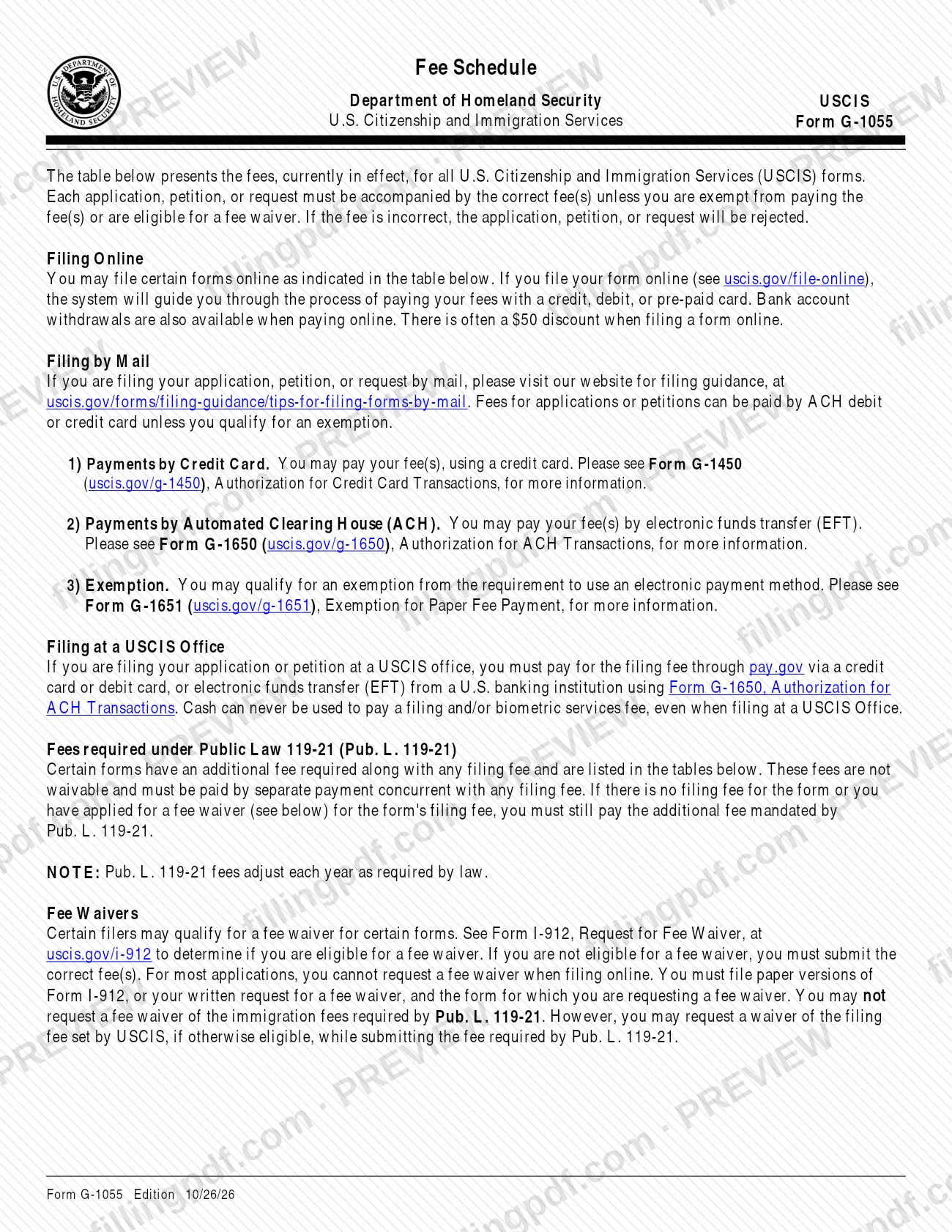
Form G-1055, Fee Schedule is the U.S. Citizenship and Immigration Services (USCIS) table of the fees currently in effect for all USCIS forms, together with the rules for fee waivers, fee exemptions and payment methods that apply when you file.
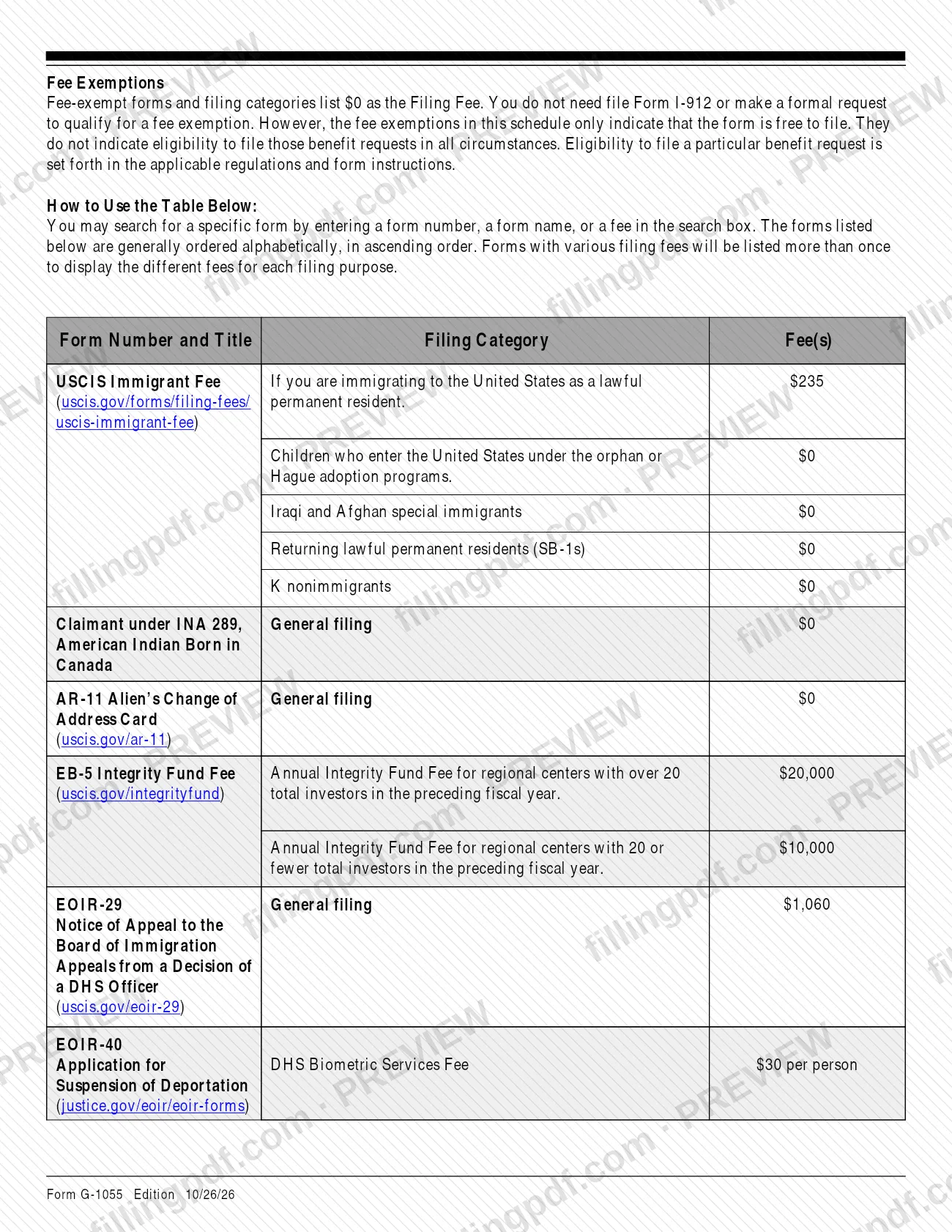
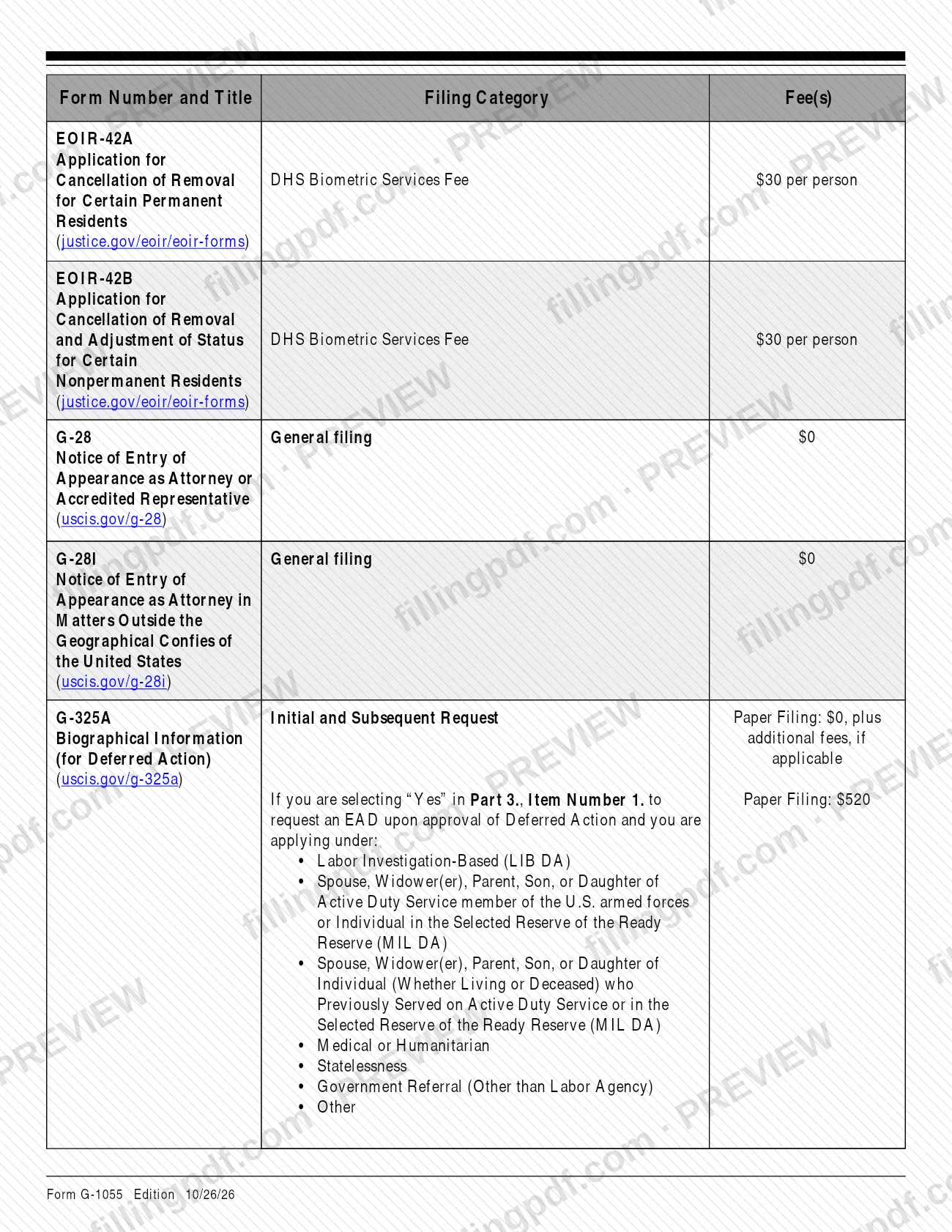
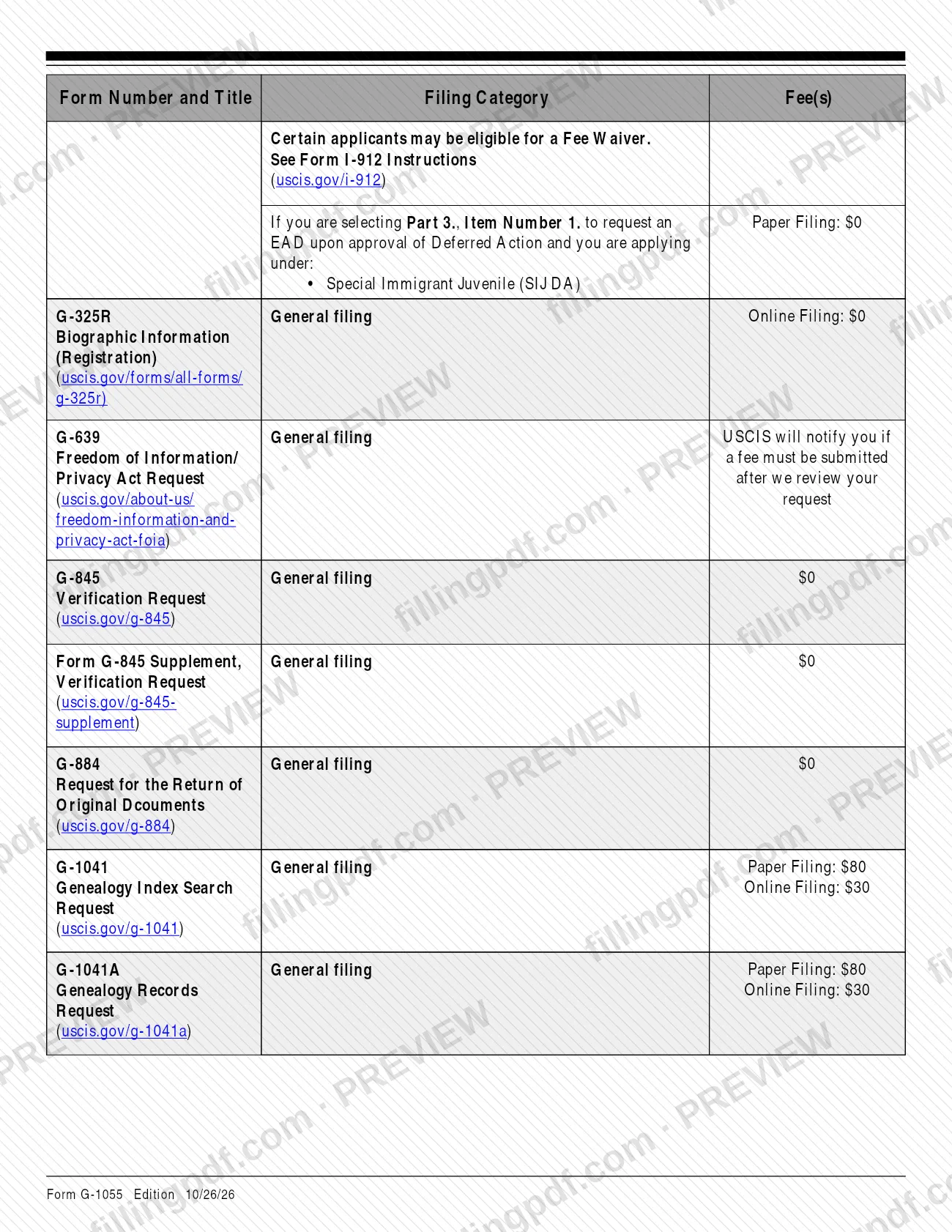
The schedule is a reference, not an application. It does not grant a benefit. Its table lists each form number and title, the filing category and the fee. Forms with several fees appear more than once, one row per filing purpose. Where a form's fee depends on the benefit requested, the schedule moves the detail to an appendix: Appendix A covers Form I-129, Petition for a Nonimmigrant Worker; Appendix B covers Form I-131, Application for Travel Documents, Parole Documents, and Arrival/Departure Records; and Appendix C covers Form I-765, Application for Employment Authorization.
The schedule also explains the additional fees required under Public Law 119-21 (Pub. L. 119-21). These are paid by separate payment alongside any filing fee and cannot be waived. It points to related USCIS forms: Form I-912, Request for Fee Waiver; Form G-1450, Authorization for Credit Card Transactions; Form G-1650, Authorization for ACH Transactions; and Form G-1651, Exemption for Paper Fee Payment.
A fee listed as zero means the form or filing category is free to file. It does not mean you are eligible to file that request in every circumstance. Eligibility is set by the regulations and the form instructions.
Who needs to file G-1055?
Anyone who is about to file a USCIS application, petition or request, and who needs to confirm which fee applies, uses Form G-1055. Each filing must come with the correct fee unless the filer is exempt from paying or is eligible for a fee waiver.
- Applicants and petitioners filing on paper or online, since some forms list a different fee for each method.
- Filers checking whether a filing category is fee-exempt. Fee-exempt categories show zero as the filing fee, and no Form I-912 or formal request is needed.
- Filers who may qualify for a fee waiver for certain forms. Form I-912, Request for Fee Waiver, and its instructions decide that.
- Filers of forms that carry an additional fee under Pub. L. 119-21, who must pay it even when the filing fee is zero or waived.
- Filers whose form is handled outside USCIS: the table gives payment pointers for some filings made with U.S. Customs and Border Protection (CBP), a consulate or the immigration court.
The schedule does not decide eligibility to file any benefit request. Use the instructions of the form you plan to file for that.
When to file G-1055
Form G-1055 has no filing date of its own: you consult it before you submit any USCIS application, petition or request, so that the fee you send is the one in effect. The schedule states that the fees it lists are those currently in effect, and that fees under Pub. L. 119-21 adjust each year as required by law, so check the edition date printed at the bottom of each page (Edition 10/07/26 on this version) against the USCIS page at uscis.gov/g-1055 before you pay.
If you complete and print the schedule, USCIS says the edition date and page numbers must be visible at the bottom of every page and that all pages must come from the same edition. Missing pages or pages from a different edition may lead USCIS to reject the form.
Documents you need
- Form G-1450, Authorization for Credit Card Transactions: include it when you file by mail and pay by credit card.
- Form G-1650, Authorization for ACH Transactions: include it when you file by mail or at a USCIS office and pay by electronic funds transfer from a U.S. bank account.
- Form G-1651, Exemption for Paper Fee Payment: include it, completed and signed, only if you qualify for an exemption from the electronic payment requirement and mail the fee payment with your benefit request.
- Form I-912, Request for Fee Waiver, or a written request for a fee waiver: file the paper version with the form you want waived, only if you may qualify for a waiver of the USCIS filing fee. It does not waive Pub. L. 119-21 fees.
How to fill out G-1055
Check the edition date
Look at the footer of each page for the edition date (Edition 10/07/26 here) and confirm it matches the current version at uscis.gov/g-1055. All pages must come from the same edition.
Find your form in the table
The table is ordered alphabetically by form number and title. Look up the form you plan to file in the Form Number and Title column, or in Appendix A, B or C for Forms I-129, I-131 and I-765.
Match your filing category
Read the Filing Category column and choose the row that describes your situation. Forms with different fees for different purposes appear more than once.
Compare paper and online fees
Where the Fee(s) column shows both Paper Filing and Online Filing, use the one for the way you will file. Some forms cannot be filed online in every category, so read the notes in the row.
Add any additional fees
Rows marked plus additional fees, such as Pub. L. 119-21 fees, require a separate payment together with the filing fee. Read the additional-fee lines under the form to see when they apply.
Check for a waiver or exemption
A zero fee marks a fee-exempt category and needs no Form I-912. Rows that say certain applicants may be eligible for a Fee Waiver point you to the Form I-912 instructions at uscis.gov/i-912.
Choose your payment method
Use the filing-online, filing-by-mail and filing-at-a-USCIS-office sections at the start of the schedule to pick the payment method, and note whether Form G-1450, G-1650 or G-1651 is needed.
Review, download and print correctly
Download or print the PDF from FillingPDF and keep the edition date and page numbers visible on every page. Then pay and file as described under How to submit.
How to submit G-1055
Form G-1055 is a fee reference; what you send to USCIS is the benefit request, paid for by one of the channels below.
- Online: file the form online (see uscis.gov/file-online). The system guides you through paying by credit, debit or pre-paid card, and bank account withdrawals are also available. The schedule says there is often a discount for filing a form online.
- By mail: pay by credit card using Form G-1450, or by electronic funds transfer from a U.S. bank account using Form G-1650. If you qualify for an exemption from electronic payment, mail the correct fee with a completed and signed Form G-1651. For filing guidance see uscis.gov/forms/filing-guidance/tips-for-filing-forms-by-mail.
- At a USCIS office: pay the filing fee through pay.gov by credit or debit card, or by electronic funds transfer from a U.S. banking institution using Form G-1650. Cash can never be used to pay a filing or biometric services fee, even at a USCIS office.
Pub. L. 119-21 fees are paid by separate payment at the same time as any filing fee. FillingPDF lets you fill out and download the PDF; submission follows the USCIS channels above.
Common mistakes to avoid
- Sending an incorrect fee. The schedule states that a request with the wrong fee will be rejected.
- Skipping the Pub. L. 119-21 fee because the filing fee is zero or waived; that fee must still be paid, by separate payment at the same time.
- Requesting a fee waiver of a Pub. L. 119-21 fee. These fees cannot be waived; only the filing fee set by USCIS may be waived, if you are otherwise eligible.
- Paying with cash, including at a USCIS office. Cash can never be used for a filing or biometric services fee.
- Trying to request a fee waiver online for a form that does not allow it. For most forms you must file a paper Form I-912 or a written request with the form.
- Reading a zero fee as proof you may file. Fee exemptions only show the form is free to file; eligibility comes from the regulations and the form instructions.
- Sending the Presidential Proclamation payment for an H-1B petition with the petition. The schedule says to pay it through pay.gov before filing.
- Printing the schedule without the edition date and page numbers visible, or mixing pages from different editions, which can lead to rejection.
Frequently asked questions
What is Form G-1055?
Form G-1055 is the USCIS Fee Schedule, a table of the fees currently in effect for USCIS forms. It also explains fee waivers, fee exemptions, additional fees under Pub. L. 119-21 and how to pay online, by mail or at a USCIS office. You use it to check the fee before filing.
What happens if I pay the wrong fee?
USCIS rejects the application, petition or request if the fee is incorrect. Each filing must come with the correct fee unless you are exempt or eligible for a fee waiver, so confirm the fee for your form and filing category in the schedule before you pay.
Can I pay USCIS fees in cash?
No. The schedule says cash can never be used to pay a filing or biometric services fee, even when you file at a USCIS office. There you pay through pay.gov by credit or debit card, or by electronic funds transfer using Form G-1650.
Can I get a fee waiver for every USCIS fee?
No. Certain filers may qualify for a waiver of the USCIS filing fee for certain forms, using Form I-912. Fees required under Pub. L. 119-21 cannot be waived, and you must still pay them even if the filing fee is zero or waived.
What is the difference between a fee exemption and a fee waiver?
A fee exemption means the form or filing category lists zero as the filing fee, and you need no Form I-912 or formal request. A fee waiver is a request on Form I-912 for eligible filers. An exemption does not prove you are eligible to file.
How do I pay USCIS fees when I file by mail?
Pay by credit card with Form G-1450, or by electronic funds transfer from a U.S. bank account with Form G-1650. If you qualify for an exemption from electronic payment, mail the correct fee payment with a completed, signed Form G-1651.
Is there a discount for filing online?
The schedule says there is often a discount when you file a form online, and lists the online fee beside the paper fee for forms that offer both. Online filing starts at uscis.gov/file-online; check your form's row for the exact figures.
Can I fill out Form G-1055 online on FillingPDF?
You can fill out the Form G-1055 PDF online on FillingPDF and download or print it. FillingPDF is an independent service, not USCIS, and does not file forms or collect fees; you pay and file through the USCIS channels.
Ready to fill out G-1055?
Fill out G-1055 now