
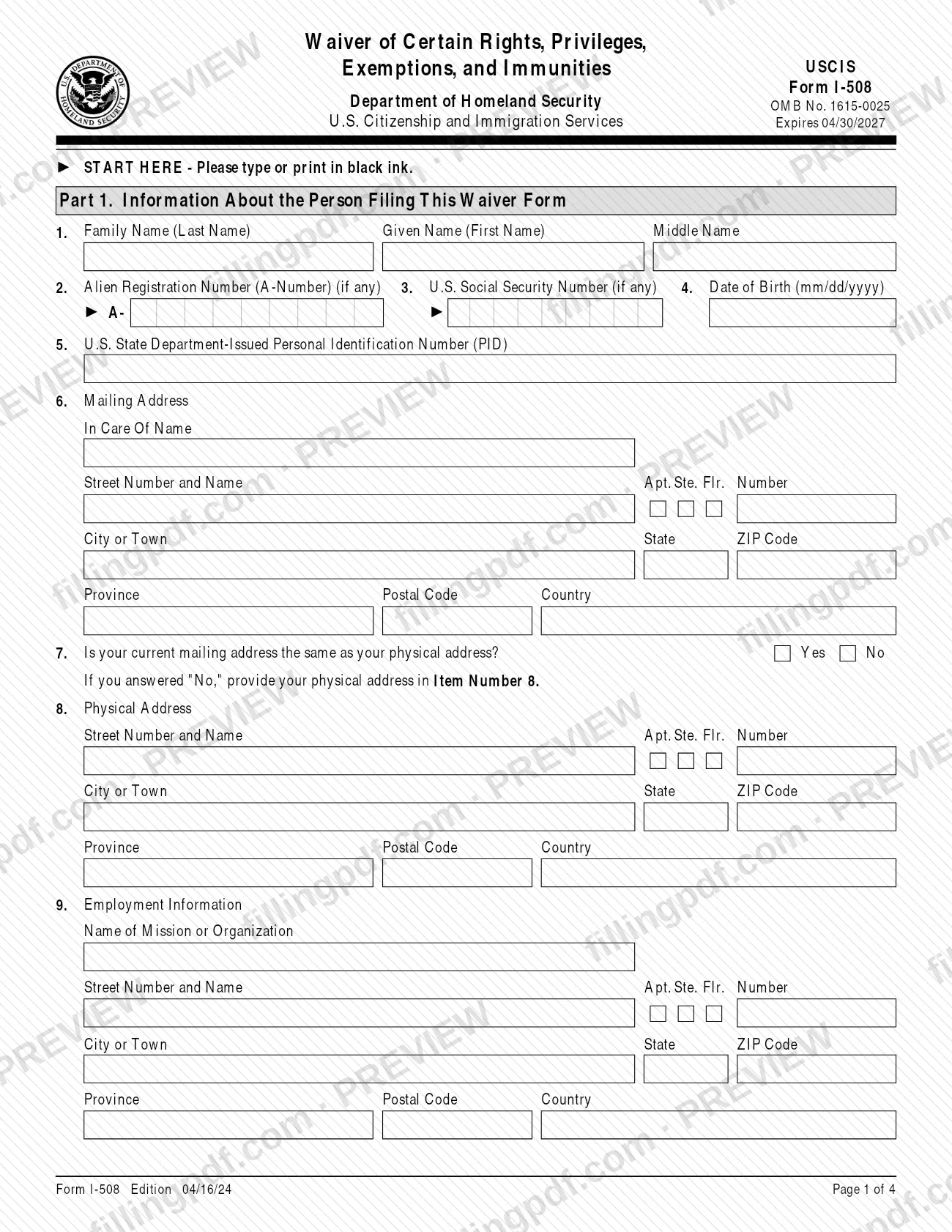
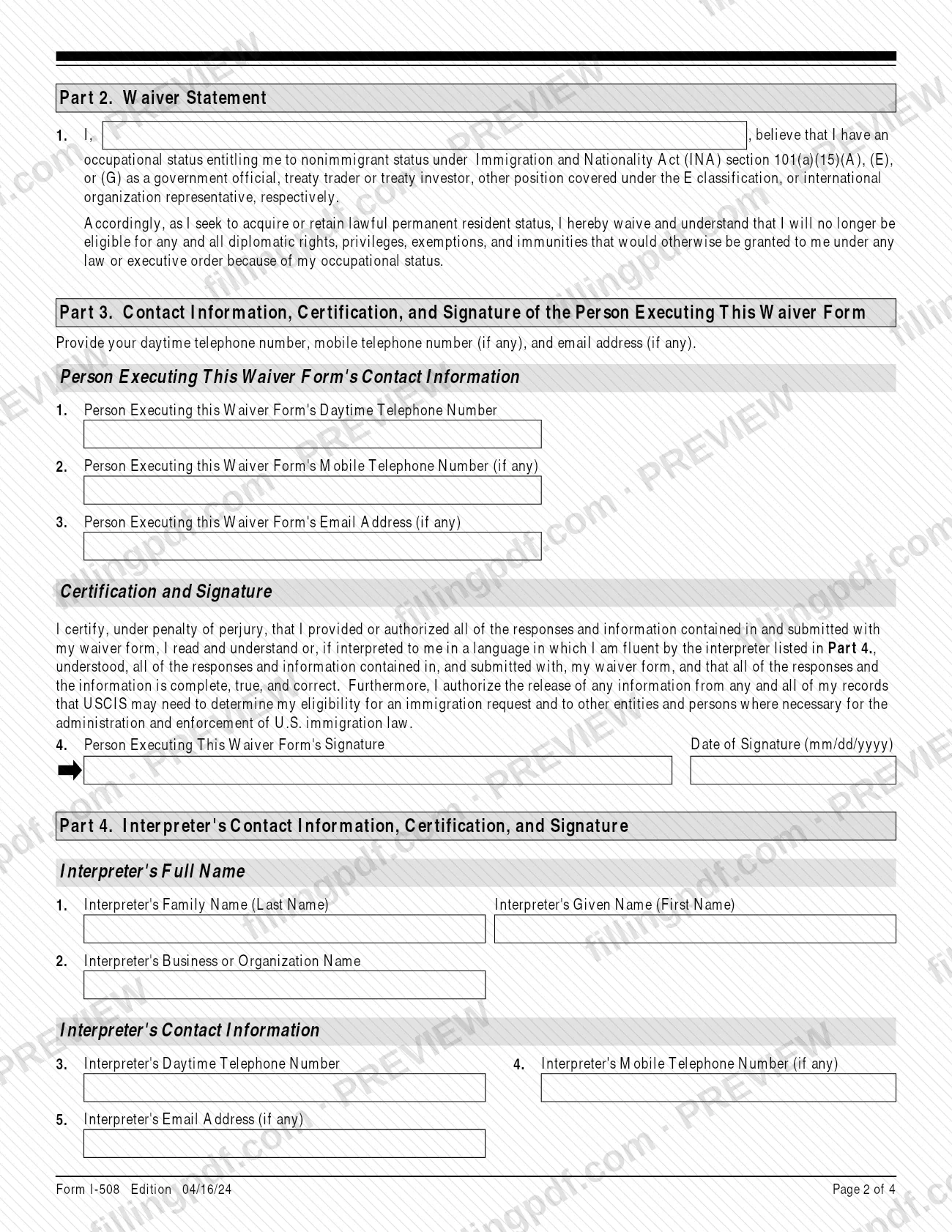
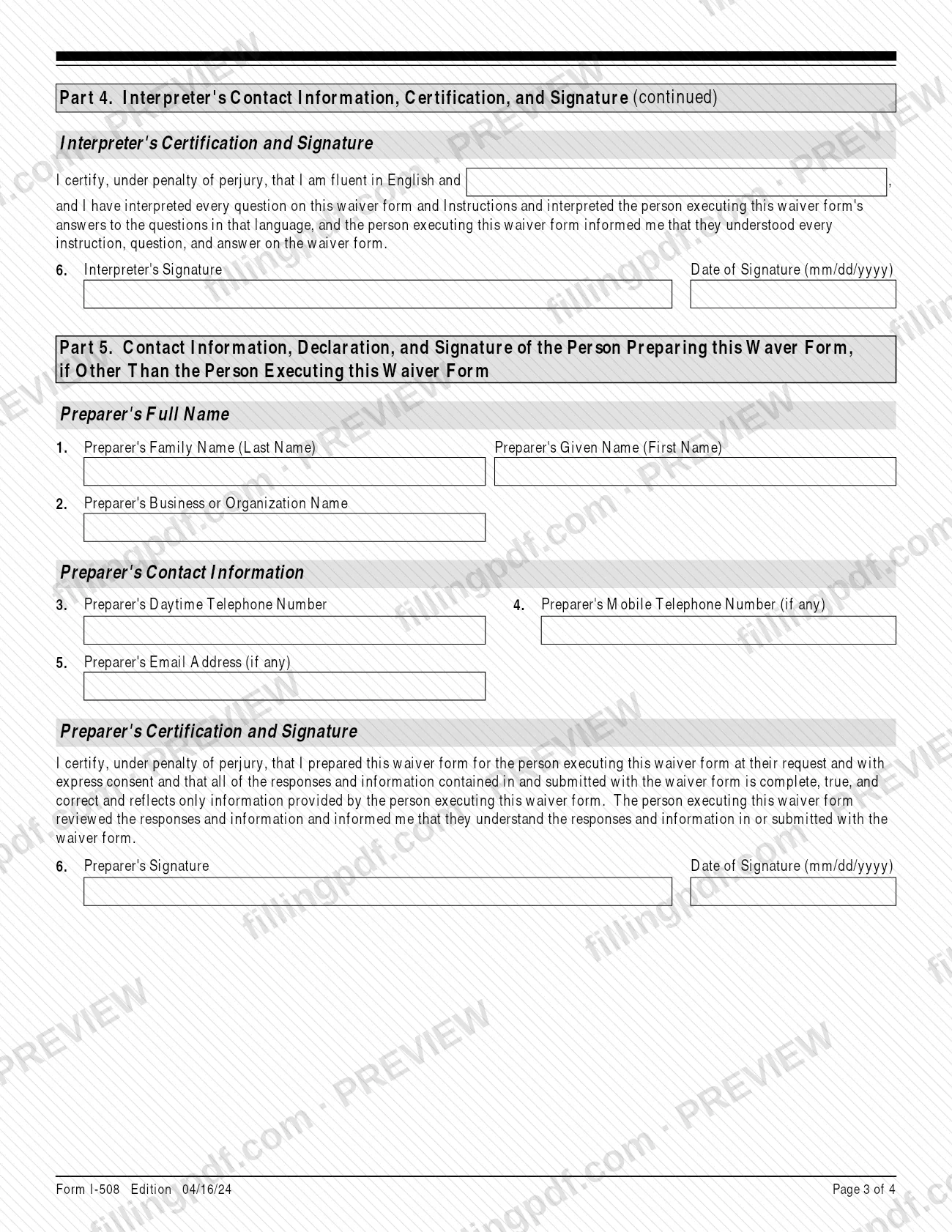
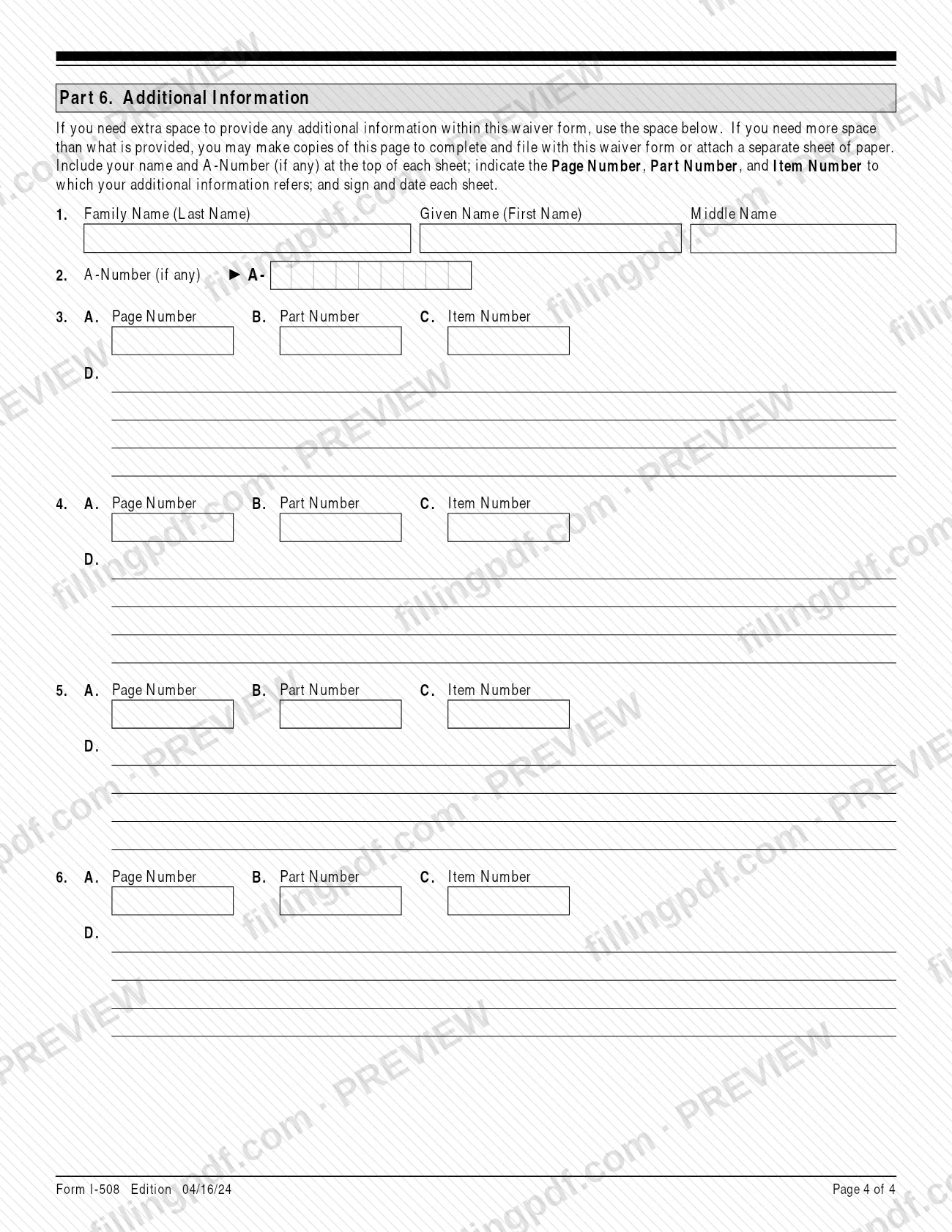
Form I-508 is the waiver that U.S. Citizenship and Immigration Services (USCIS) requires from people whose occupational status would entitle them to A, E or G nonimmigrant status but who are lawful permanent residents or are applying to become one. By signing the I-508 you give up the diplomatic rights, privileges, exemptions and immunities that would otherwise come with that status. On this page you can fill out the form online on FillingPDF and download or print the completed PDF; the form and its instructions are published by USCIS.
Last updated
What is I-508?
Form I-508, Request for Waiver of Certain Rights, Privileges, Exemptions and Immunities, is the USCIS form on which a lawful permanent resident, or an applicant for lawful permanent residence, waives diplomatic and similar rights, privileges, exemptions and immunities linked to an occupational status that would qualify for A, E or G nonimmigrant status.
The waiver covers rights that could be granted under any law or Executive Order because of that status. The USCIS page for the form says this includes any exemption from paying U.S. income taxes on salaries paid by a foreign government or organization. The form also tells the signer that, as a lawful permanent resident, they are or will be ineligible for any such rights, privileges, exemptions and immunities previously held on their behalf by the sending country, office or organization.
The form complies with section 247(b) of the Immigration and Nationality Act (INA). Under INA section 247(a), a lawful permanent resident in such an occupational status who does not execute Form I-508 is adjusted to A, G or E nonimmigrant status, and an applicant for adjustment of status who does not execute it is ineligible to adjust to permanent resident.
The form has four pages: Part 1 (information about the person filing), Part 2 (the waiver statement), Part 3 (contact information, certification and signature), Part 4 (interpreter), Part 5 (preparer) and Part 6 (additional information). Form I-508F, formerly used by French nationals, is no longer required.
Who needs to file I-508?
Form I-508 is used by lawful permanent residents, and by applicants for lawful permanent residence, whose occupational status, or that of their family members, entitles them to nonimmigrant status under INA section 101(a)(15)(A), (E) or (G) as one of the following:
- a government official;
- an employee of the Taipei Economic and Cultural Representative Office;
- an international organization representative or employee;
- a dependent member of such a household.
The USCIS page for the form describes the same group as non-U.S. citizens working for a foreign government mission or international organization in an occupational status that would entitle them to A, G or E nonimmigrant status, who are lawful permanent residents or are seeking adjustment of status to lawful permanent resident.
The person whose rights are being waived signs. If that person is under 14, a parent or legal guardian may sign for them; a legal guardian may also sign for a mentally incompetent person. An interpreter completes Part 4 and a preparer other than the signer completes Part 5.
French nationals no longer need to submit the former Form I-508F.
When to file I-508
File Form I-508 when you apply to obtain, or must retain, lawful permanent resident status while in an occupational status that would entitle you to A, E or G nonimmigrant status. The form prints no separate due date.
The timing follows the related filing. An applicant for adjustment of status files the I-508 with the same office as Form I-485, Application to Register Permanent Residence or Adjust Status. Someone filing at the same time as Form I-131, Application for Travel Document, files it with the same USCIS office as that form.
The consequence of not executing it is set by INA section 247: a lawful permanent resident in such a status who does not execute the waiver is adjusted to A, G or E nonimmigrant status, and an applicant for adjustment of status who does not execute it is ineligible to adjust to permanent resident.
Documents you need
- Evidence and supporting documentation listed in the specific instructions: the I-508 instructions require it at the time of filing, and they list no separate document for this form.
- A full English translation of any document in a foreign language, with the translator's signed certification that it is complete and accurate and that they are competent to translate; include the translator's printed name, signature date and contact information.
- Legible photocopies of any documents requested, unless the instructions say an original is required; USCIS may ask for an original at filing or during processing and returns it when done.
- Extra sheets, if you need more space than Part 6: your name and A-Number at the top, the Page, Part and Item Number each answer refers to, and your signature and date on each sheet.
How to fill out I-508
Enter your name and identifiers
In Part 1, Item 1 enter your family, given and middle names. Item 2 asks for your A-Number (if any), Item 3 your U.S. Social Security Number (if any) and Item 4 your date of birth as mm/dd/yyyy.
Enter your State Department PID
In Part 1, Item 5, enter your U.S. State Department-Issued Personal Identification Number (PID).
Provide your mailing address
In Item 6 enter the in care of name if any, street number and name, apartment, suite or floor number, city or town, and state and ZIP Code, or province, postal code and country for a foreign address.
Answer the physical address question
Item 7 asks whether your mailing address is the same as your physical address. If you answer No, provide the physical address in Item 8.
Enter employment information
In Item 9 enter the name of your mission or organization and its street address, city or town, state and ZIP Code, or province, postal code and country.
Complete the waiver statement
In Part 2, Item 1, enter your name in the blank of the waiver statement. It states that you believe you have an occupational status under INA section 101(a)(15)(A), (E) or (G) and that you waive the related diplomatic rights, privileges, exemptions and immunities.
Add your contact information
In Part 3, enter your daytime telephone number (Item 1), and your mobile number (Item 2) and email address (Item 3) if you have them.
Sign and date the certification
In Part 3, Item 4, sign in ink and enter the date as mm/dd/yyyy. A stamped or typewritten name is not accepted; a parent or legal guardian may sign where the instructions allow.
Complete the interpreter section if used
In Part 4, an interpreter enters their name, business or organization, telephone numbers and email, names the language in the certification, then signs and dates in Item 6.
Complete the preparer section if used
In Part 5, a preparer other than you enters their name, organization, contact details, then signs and dates in Item 6. If one person was both interpreter and preparer, that person completes Parts 4 and 5.
Use Part 6 for extra information
In Part 6, enter your name and A-Number, then for each addition give the Page Number, Part Number and Item Number it refers to. Type or print "N/A" in other items that do not apply.
Review, sign and download the PDF
Check every item and the signatures, then download or print the completed PDF from FillingPDF and keep a copy for your records. Submit it through the USCIS channels described under How to submit.
How to submit I-508
File Form I-508 with a USCIS office; the instructions send you to the USCIS website for the most current information on where to file.
- Local USCIS office: the general rule on the USCIS page for the form is to file with your local USCIS office.
- With Form I-131: if you file at the same time as Form I-131, file the I-508 with the same USCIS office as that form.
- With Form I-485: if you are an applicant for adjustment of status, file it with the same office as your Form I-485.
A filing fee may apply. See Form G-1055 at www.uscis.gov/forms or the USCIS Fee Schedule page for the amount. Sign the form: USCIS rejects an unsigned waiver, and a photocopy, fax or scan of the original with a handwritten signature is valid for filing. If you print and mail the form, every page must show the edition date and page number and must come from the same edition, or USCIS may reject it. Do not mail the form to the Camp Springs, MD address in the instructions; it is for comments on the paperwork burden only. FillingPDF lets you fill out and download the PDF; submission follows the USCIS channels above.
Common mistakes to avoid
- Submitting the form unsigned or with a stamped or typewritten name instead of a signature; USCIS rejects an unsigned waiver.
- Mixing pages from different form editions or leaving pages out of a printed set; the edition date and page numbers must be visible on every page, or USCIS may reject it.
- Mailing the completed form to the Camp Springs, MD address in the instructions, which is for comments on the paperwork burden and not for filing.
- Filing it with the wrong office instead of the same office as Form I-131 (if filed together) or as Form I-485 (for an adjustment applicant).
- Leaving an item blank when it does not apply instead of typing or printing "N/A", or "None" for a zero numerical answer.
- Adding extra information on a loose sheet without your name, A-Number, the Page, Part and Item Number, signature and date.
- Submitting a foreign-language document without a full English translation and the translator's signed certification.
- Leaving out Part 4 or Part 5 when an interpreter read the form to you or someone other than you prepared it.
Frequently asked questions
What is Form I-508 used for?
Form I-508 is the USCIS form used to waive diplomatic and similar rights, privileges, exemptions and immunities connected to an occupational status that would qualify for A, E or G nonimmigrant status. It is filed by lawful permanent residents and by applicants for lawful permanent residence.
Who has to file Form I-508?
Lawful permanent residents, or applicants for lawful permanent residence, whose occupational status or that of a family member would entitle them to A, E or G status, such as government officials, international organization employees and their dependents, must use it to obtain or retain permanent residence.
What happens if I do not file Form I-508?
Under INA section 247, a lawful permanent resident in such an occupational status who does not execute the I-508 is adjusted to A, G or E nonimmigrant status. An applicant for adjustment of status who does not execute it is ineligible to adjust to permanent resident.
Where do I file Form I-508?
File it with your local USCIS office. If you file with Form I-131, use the same USCIS office as that form; if you are applying for adjustment of status, file with the same office as your Form I-485. Check the USCIS website for the most current information.
Is there a fee to file Form I-508?
The instructions send you to Form G-1055 at www.uscis.gov/forms, and the USCIS page refers to its Fee Schedule page. Check those for whether a fee applies and the current amount before you file.
Can I fill out Form I-508 online?
You can complete the I-508 PDF online on FillingPDF and download or print it. FillingPDF is an independent service and does not file the form with USCIS; you submit it through the USCIS channels.
Who can sign Form I-508 for me?
You sign it yourself. If you are under 14, a parent or legal guardian may sign for you, and a legal guardian may sign for a mentally incompetent person. USCIS will not accept a stamped or typewritten name, and it rejects an unsigned waiver.
Do French nationals still need Form I-508F?
No. The instructions state that the former Form I-508F is no longer required to be submitted by French nationals.
Ready to fill out I-508?
Fill out I-508 now