
The I9 form, officially Form I-9, Employment Eligibility Verification, is the U.S. Citizenship and Immigration Services (USCIS) form that documents the identity and employment authorization of each new employee. The employee completes Section 1, the employer completes Section 2, and the employer keeps the finished form instead of sending it to USCIS. On this page you can fill out the form online on FillingPDF and download or print the completed PDF; USCIS publishes the form, its instructions and updates at uscis.gov/i-9.
Last updated
What is Form I-9?
Form I-9, Employment Eligibility Verification is the Department of Homeland Security form, issued by U.S. Citizenship and Immigration Services (USCIS), that employers and employees complete to document the identity and employment authorization of each new employee hired to work in the United States, citizen or alien.
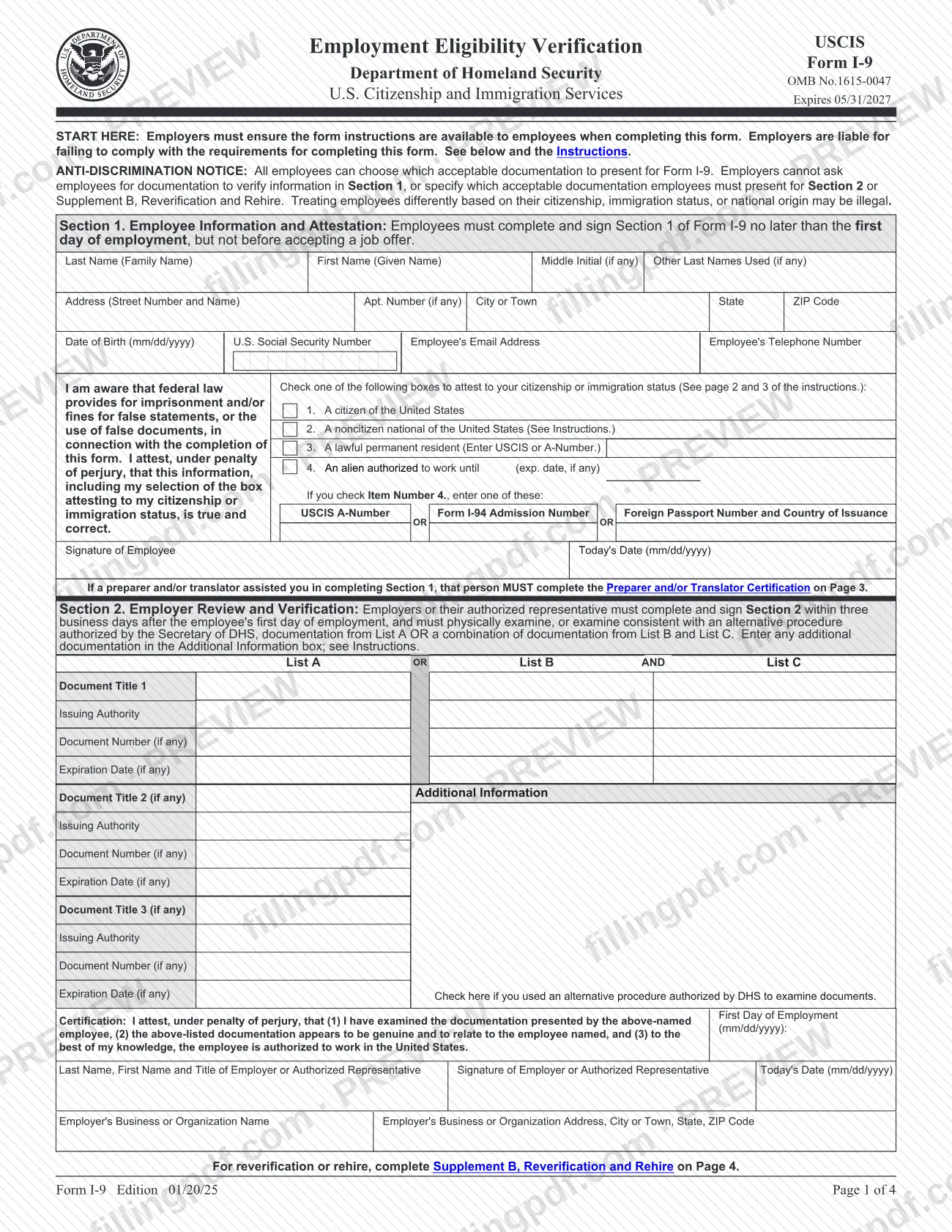
The instructions state that the form applies to employees hired after November 6, 1986, and, in the Commonwealth of the Northern Mariana Islands (CNMI), to employees hired after November 27, 2011. The four-page form (OMB No. 1615-0047, expires 05/31/2027) has these parts:
- Section 1, Employee Information and Attestation: the employee gives personal details and attests to citizenship or immigration status.
- Section 2, Employer Review and Verification: the employer or authorized representative records the documents the employee presents.
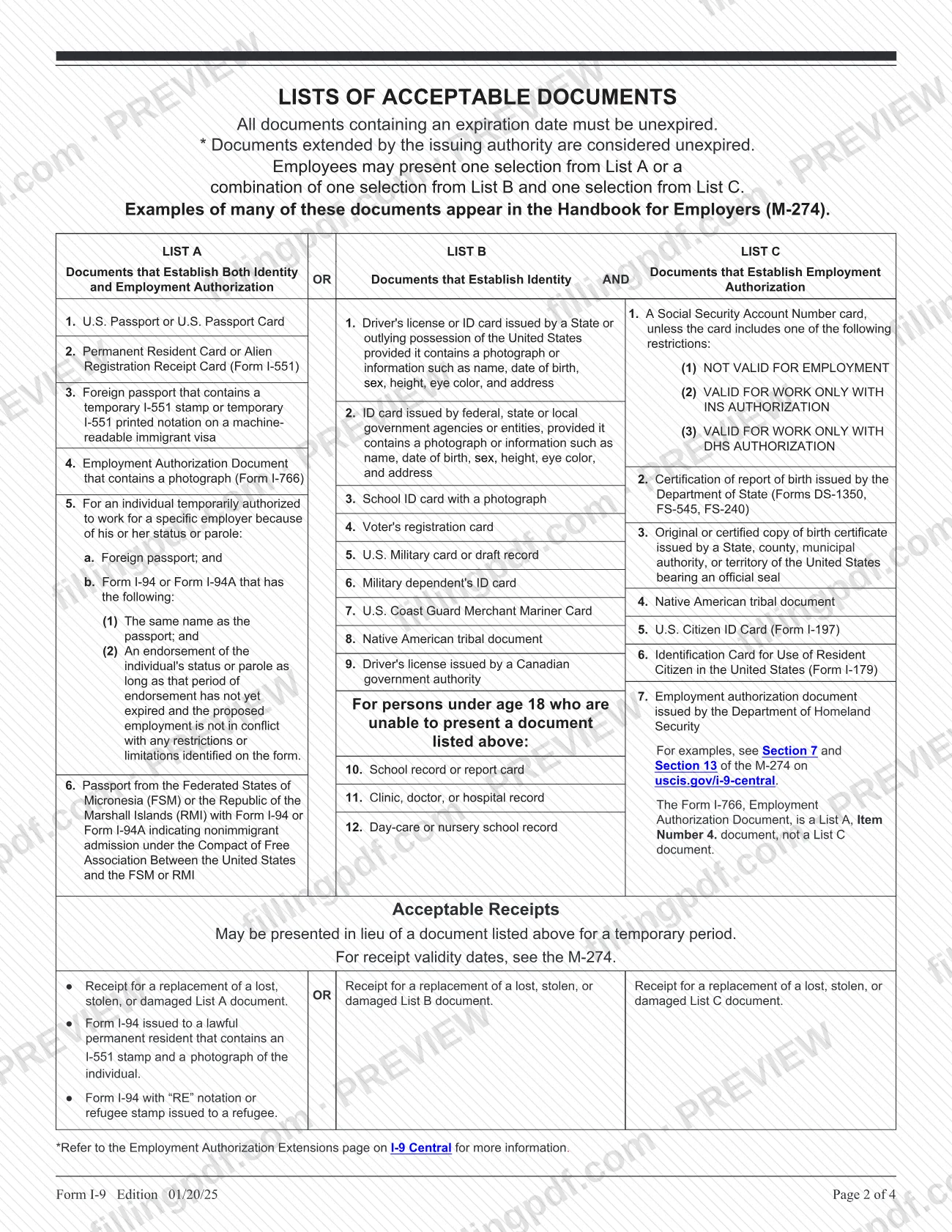
- Lists of Acceptable Documents: List A (identity and employment authorization), List B (identity) and List C (employment authorization).
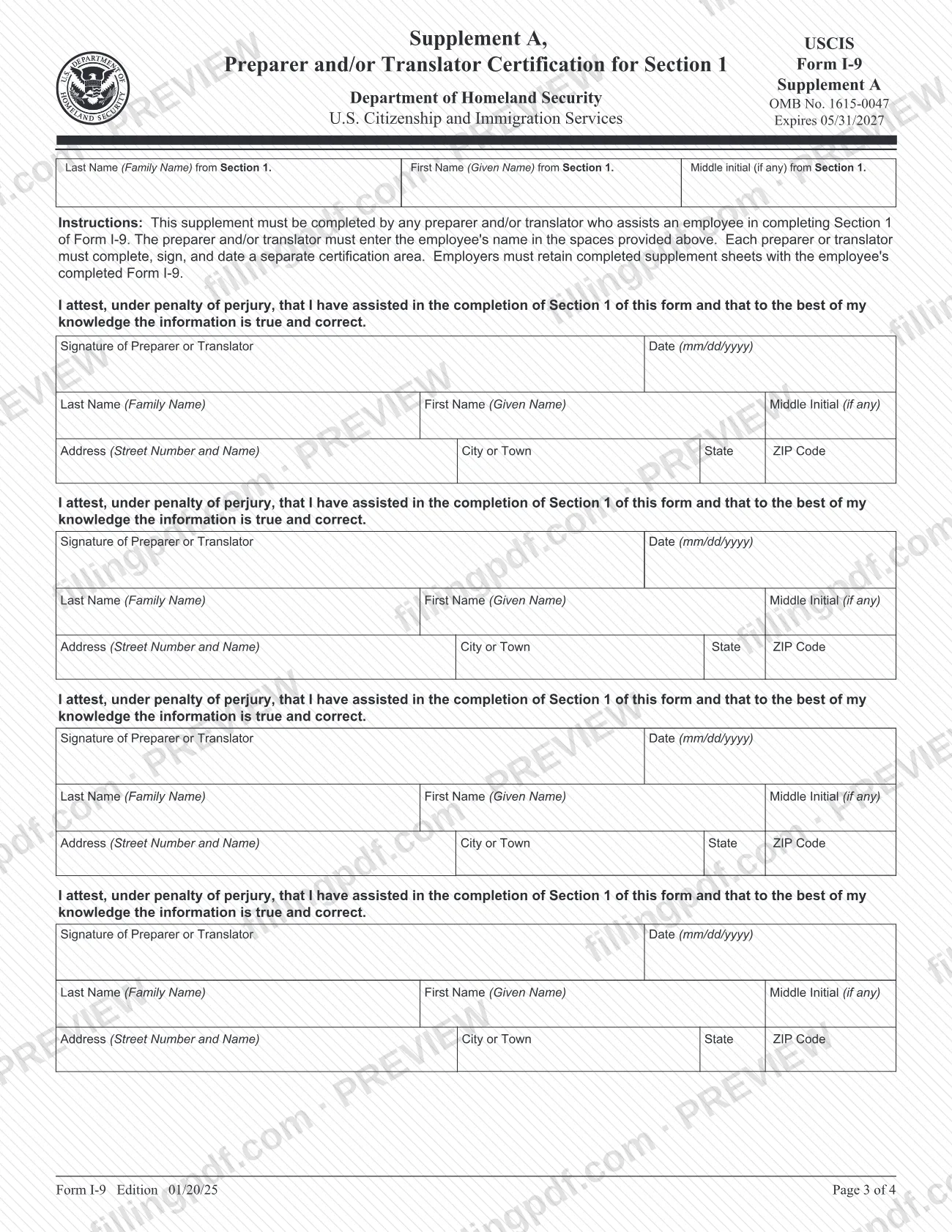
- Supplement A: Preparer and/or Translator Certification for Section 1.
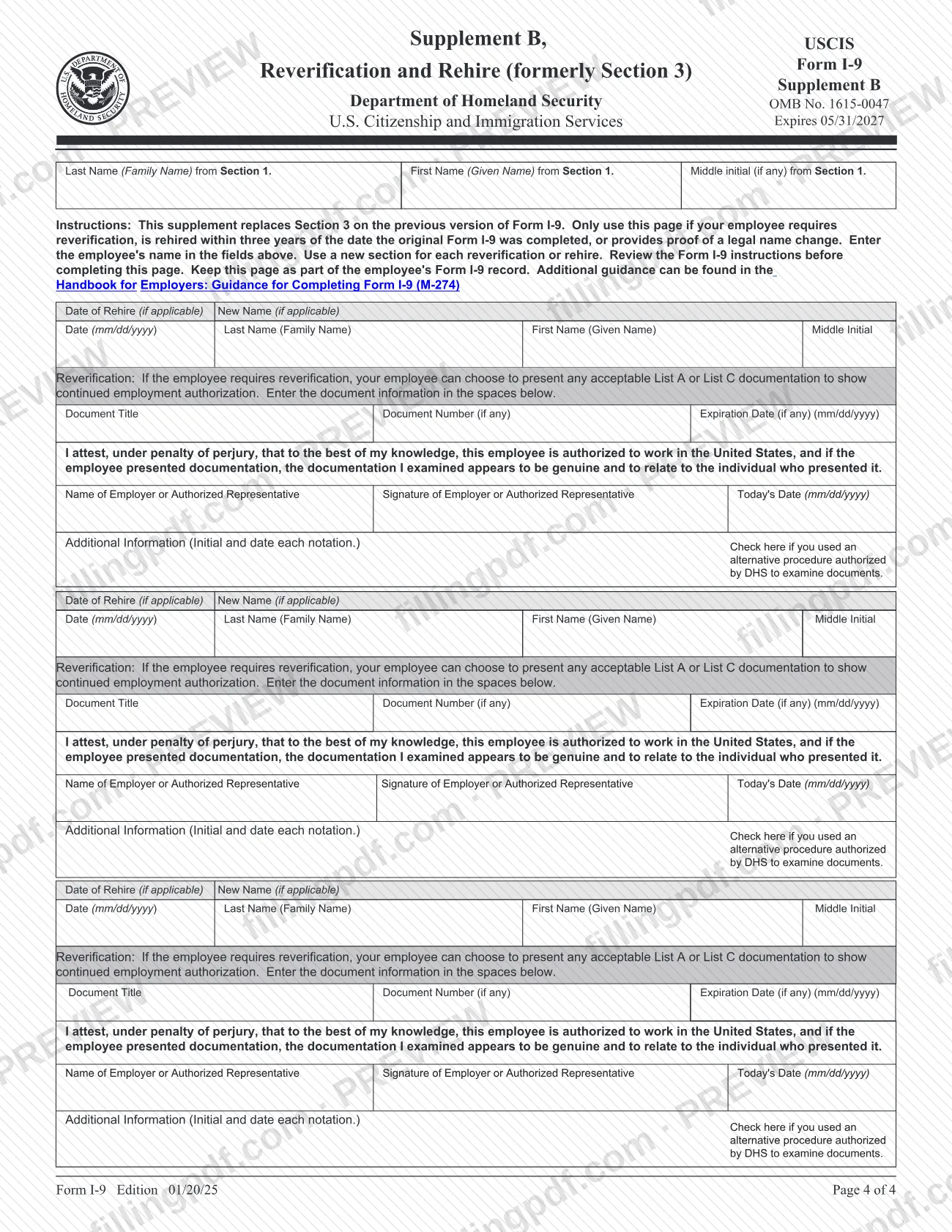
- Supplement B: Reverification and Rehire, which replaces the former Section 3.
Form I-9 is a record the employer retains. It is not filed with USCIS or Immigration and Customs Enforcement (ICE). Employers in Puerto Rico may use the Spanish-language version instead of the English-language one; any employer may use the Spanish version as a translation tool.
Who needs to file Form I-9?
Every U.S. employer must complete Form I-9 for each individual it hires for work in the United States, including U.S. citizens and aliens. The employee completes Section 1; the employer, or an authorized representative the employer designates, completes Section 2. The employer remains liable for violations, including those committed by its representative.
- Employees: anyone who performs labor or services in the United States for wages or other remuneration.
- Preparers and translators: anyone who helps an employee complete or translates Section 1 completes Supplement A. There is no limit on how many an employee may use.
- Employers needing Supplement B: those who must reverify employment authorization, rehire an employee, or record a name change.
The instructions exclude volunteers who receive no remuneration, independent contractors, and those engaged in certain casual domestic employment from the term "employee." Employers in the United States, except Puerto Rico, must use the English-language form. Employers should not ask employees for documents to verify Section 1 or specify which acceptable documents to present.
When to file Form I-9
Employees must complete and sign Section 1 no later than the first day of employment, and may do so earlier but not before accepting a job offer. The employer must complete Section 2 within three business days after the employee's first day of employment. If the person is hired for less than three business days, Section 2 is due no later than the first day of employment. For example, an employee who starts on Monday must present documents, and Section 2 must be done, by Thursday of that week.
Supplement B is used only when needed. Reverify by the earlier of the employment authorization expiration date in Section 1 (if any) or the expiration date of the List A or List C document recorded in Section 2. If you rehire someone within three years of the date their Form I-9 was first completed, you may use Supplement B; after more than three years, you must complete a new Form I-9.
Retention: keep the form for as long as the employee works for you, then for one year after employment ends or three years after the first day of employment, whichever is later.
Documents you need
- One List A document that establishes both identity and employment authorization, such as a U.S. Passport, Permanent Resident Card (Form I-551) or Employment Authorization Document (Form I-766). The employee chooses it, and no List B or C document is then needed.
- If no List A document is presented: one List B document that establishes identity, such as a driver's license or ID card issued by a State, with a photograph or identifying information.
- If no List A document is presented: one List C document that establishes employment authorization, such as an unrestricted Social Security Account Number card or an original or certified copy of a birth certificate.
- For persons under age 18 who cannot present a listed List B document: a school record or report card, clinic, doctor or hospital record, or day-care or nursery school record.
- An acceptable receipt for a lost, stolen or damaged List A, B or C document, or the Form I-94 receipts the form lists, in lieu of the document for a temporary period; the M-274 gives receipt validity dates.
- Documents must be original and unexpired; photocopies are not acceptable except certified copies of birth certificates. Documents extended by the issuing authority count as unexpired.
- Supplement A (page 3), only if a preparer or translator helped the employee with Section 1; the employer retains it with the Form I-9.
- Supplement B (page 4), only for reverification, a documented rehire, or a name change; reverification requires a List A or List C document.
How to fill out Form I-9
Enter name and address in Section 1
The employee enters Last Name (Family Name), First Name (Given Name), Middle Initial and Other Last Names Used, then the address, apartment number, city, state and ZIP Code. With only one name, enter it as the last name and enter "Unknown" as the first name.
Add birth date and contact details
Enter Date of Birth in mm/dd/yyyy format. The U.S. Social Security Number is voluntary unless the employer participates in E-Verify, in which case it is required; email address and telephone number are also requested.
Check one citizenship status box
Select one of items 1 to 4: citizen of the United States, noncitizen national, lawful permanent resident (enter the USCIS or A-Number), or alien authorized to work. For item 4, enter the expiration date, or N/A if there is none.
Enter alien authorization identifiers
If you checked item 4, enter one of: USCIS A-Number, Form I-94 Admission Number, or Foreign Passport Number and Country of Issuance.
Sign and date Section 1
Sign as Signature of Employee and enter Today's Date (mm/dd/yyyy). If a preparer or translator assisted, that person completes Supplement A on page 3.
Record documents in Section 2
The employer enters Document Title, Issuing Authority, Document Number and Expiration Date for one List A document, or for one List B and one List C document. Use Document Title 2 and 3 for combination documents and the Additional Information box for extra details.
Add first day and alternative procedure
Enter First Day of Employment (mm/dd/yyyy). Check the box only if you used an alternative procedure authorized by DHS to examine the documents, and initial and date any notation in Additional Information.
Complete the employer certification
Enter the name and title of the employer or authorized representative, sign, and enter Today's Date. Add the Employer's Business or Organization Name and Address.
Complete Supplement A if needed
Each preparer or translator enters the employee's name at the top, then signs, dates and gives their name and address in a separate certification area.
Use Supplement B when required
For reverification or rehire, enter the employee's name, Date of Rehire or New Name if applicable, document title, number and expiration date, then the employer signs and dates. Use a new section for each event.
Review, sign and download the PDF
Check that every applicable field is complete and inapplicable fields are blank. Download or print the completed PDF from FillingPDF, then sign by hand and retain it as described under How to submit.
How to submit Form I-9
Form I-9 is not submitted to any agency: the employer retains it. USCIS and ICE both say not to mail or file completed forms with them.
- Employer files: keep each completed Form I-9, with any supplements and photocopies of documents you made, for as long as the employee works for you and then for one year after employment ends or three years after the first day of employment, whichever is later. Store forms in a safe and secure location. For recruiters or referrers for a fee that are agricultural associations, agricultural employers or farm labor contractors, retention is three years after the first day of employment.
- Inspection: make the forms available to authorized officials of the Department of Homeland Security, the Department of Labor, or the Department of Justice, Civil Rights Division, Immigrant and Employee Rights Section.
- Signatures: the fillable PDF does not meet DHS standards for electronic Form I-9 systems, so print it and sign by hand rather than typing or electronically affixing a signature. Electronic generation and retention are governed by 8 CFR section 274a.2.
- Paper forms: order at www.uscis.gov/forms/forms-by-mail or call the USCIS Contact Center at 1-800-375-5283 (TTY 1-800-767-1833).
FillingPDF lets you fill out and download the PDF; what happens to the completed form follows the retention rules above.
Common mistakes to avoid
- Back-dating the employee's signature date in Section 1; the instructions say not to back-date it.
- Asking the employee for documents to verify Section 1, or telling the employee which List A, B or C documents to present, which can be discrimination.
- Accepting photocopies of documents; only originals and certified copies of birth certificates are acceptable.
- Accepting an expired document or rejecting an acceptable one because its expiration date is in the future.
- Entering an Individual Taxpayer Identification Number (ITIN) in the Social Security number field.
- Selecting "A lawful permanent resident" as an asylee or refugee; they should select "An alien authorized to work" instead.
- Completing Section 2 after three business days from the first day of employment, or leaving the preparer's Supplement A out of the employee's record when a preparer or translator helped.
- Typing or electronically affixing signatures on the fillable PDF instead of printing it and signing by hand.
- Mailing the completed form to USCIS or ICE instead of keeping it on file.
- Reverifying a lawful permanent resident who presented a Permanent Resident Card (Form I-551) or a U.S. citizen, neither of whom should be reverified.
Frequently asked questions
What is the I9 form used for?
The I9 form, Form I-9, documents the identity and employment authorization of each new employee hired to work in the United States, including citizens and aliens. The employee completes Section 1 and the employer completes Section 2 after examining the employee's documents.
Do I send Form I-9 to USCIS after completing it?
No. Do not file or mail Form I-9 to USCIS or ICE. The employer keeps it and must make it available for inspection by authorized officials of DHS, the Department of Labor or the Department of Justice.
How long must an employer keep Form I-9?
For as long as the employee works for the employer, then for one year after employment ends or three years after the first day of employment, whichever is later. Supplements and any photocopies of documents made must be kept with the form.
What documents can an employee show for Form I-9?
One List A document, or one List B document plus one List C document, chosen by the employee. Documents must be original and unexpired. Acceptable receipts may be used for a temporary period in certain cases, and the employer cannot specify which documents to present.
When does Section 2 of Form I-9 have to be completed?
Within three business days after the employee's first day of employment. If the employee is hired for less than three business days, Section 2 must be completed no later than the first day of employment.
Can I sign the fillable Form I-9 electronically?
No. USCIS says the fillable PDF does not meet DHS standards for electronic Form I-9 systems, so you must print it and sign by hand. Typing or electronically affixing a signature may lead to fines and other penalties.
Is there a Spanish version of Form I-9?
Yes, but only employers located in Puerto Rico may complete the Spanish-language version instead of the English one. Any employer may use the Spanish form and instructions as a translation tool.
What is Supplement B of Form I-9?
Supplement B, Reverification and Rehire, replaces the former Section 3. Use it when an employee needs reverification, is rehired within three years of the original form, or provides proof of a legal name change.
Can I fill out the I-9 form online on FillingPDF?
Yes. You can fill out the PDF online on FillingPDF and download or print it. FillingPDF is an independent service and does not file, store or verify the form; you print it, sign it by hand and the employer retains it.
Ready to fill out Form I-9?
Fill out Form I-9 now