
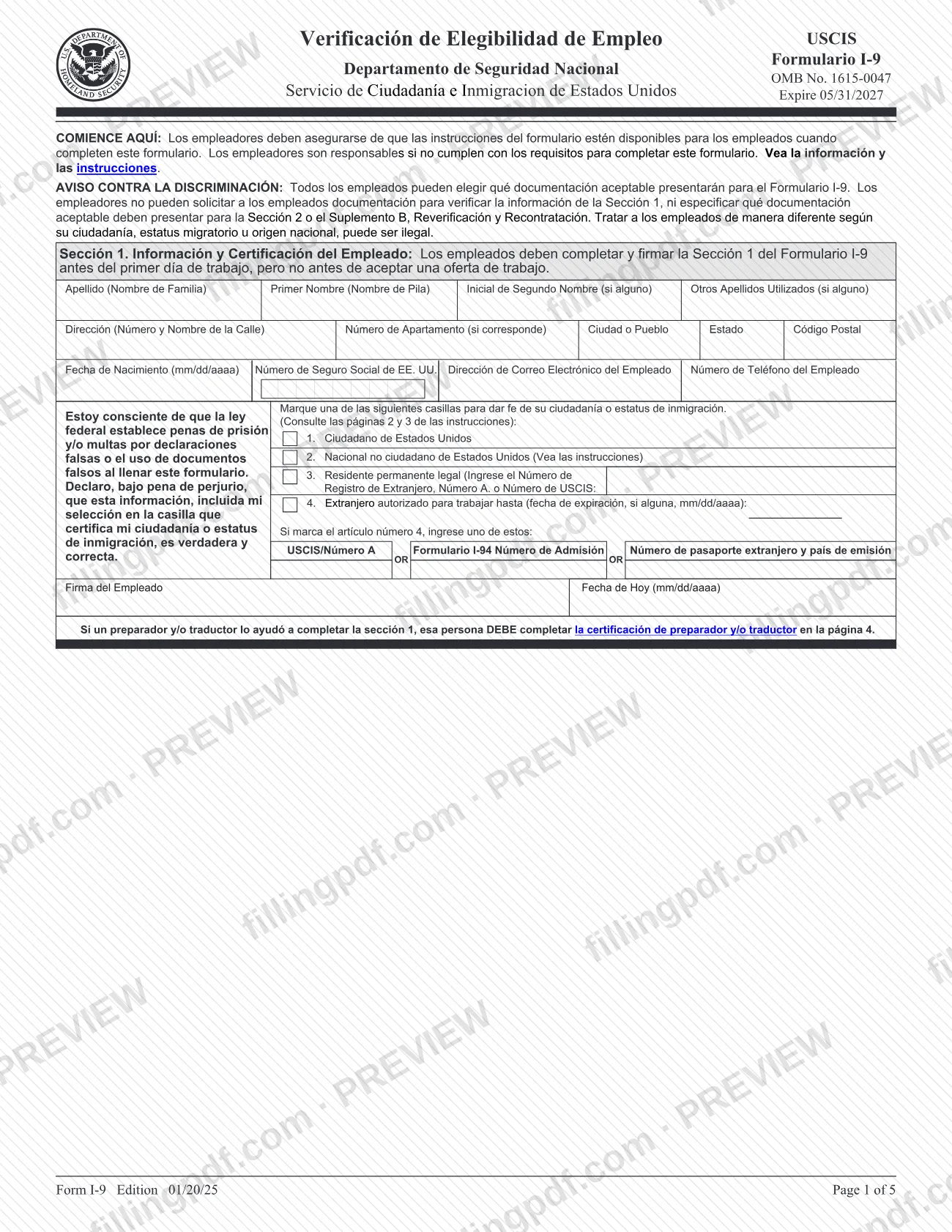
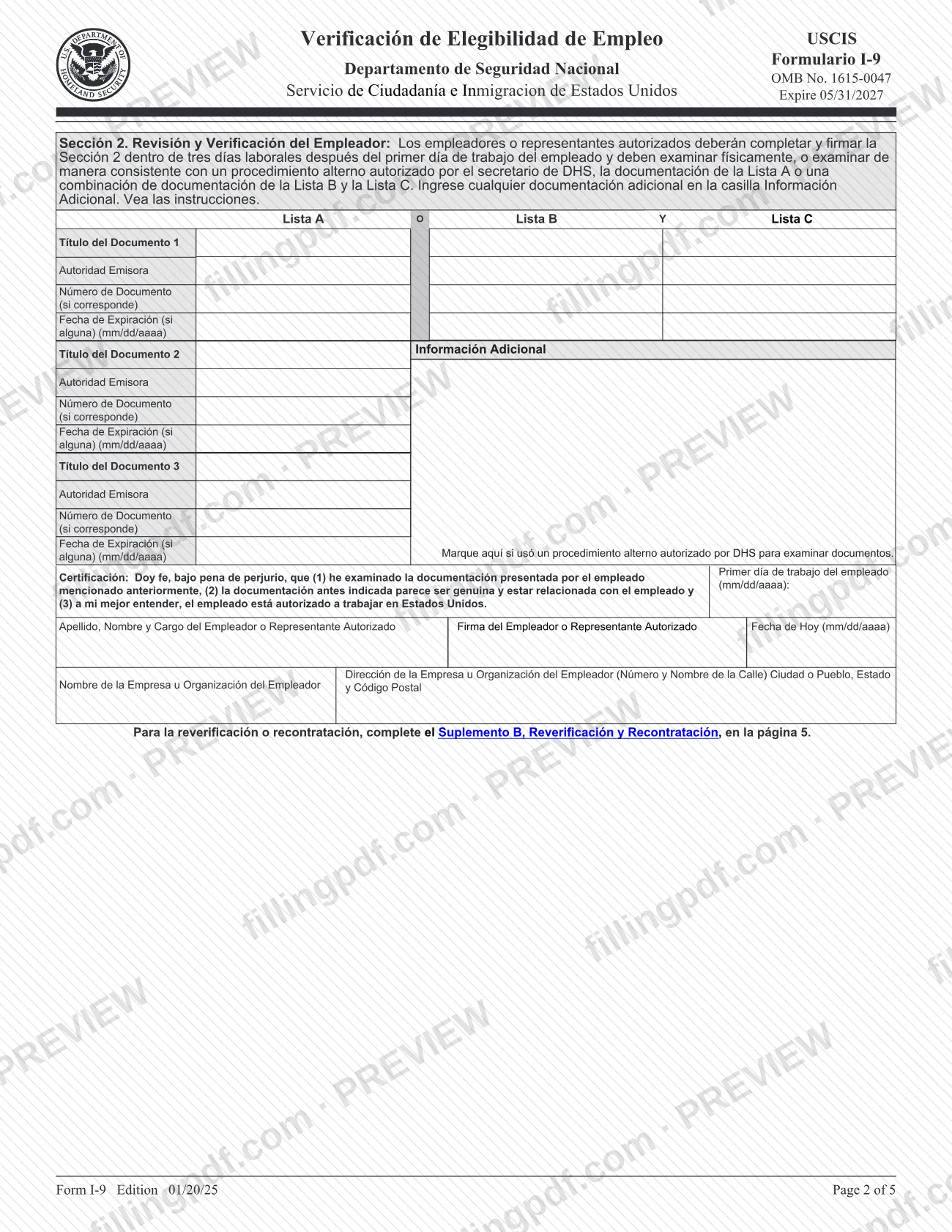
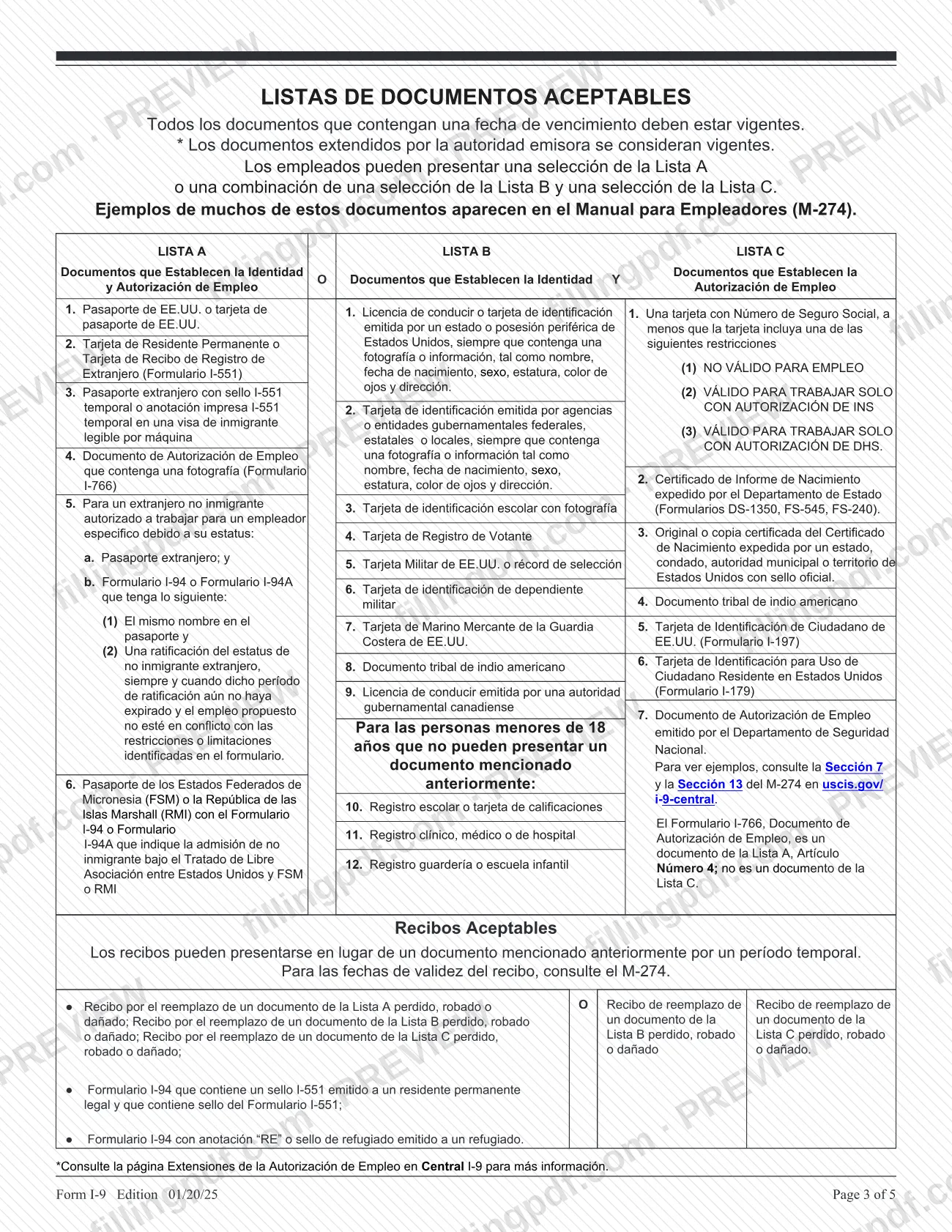
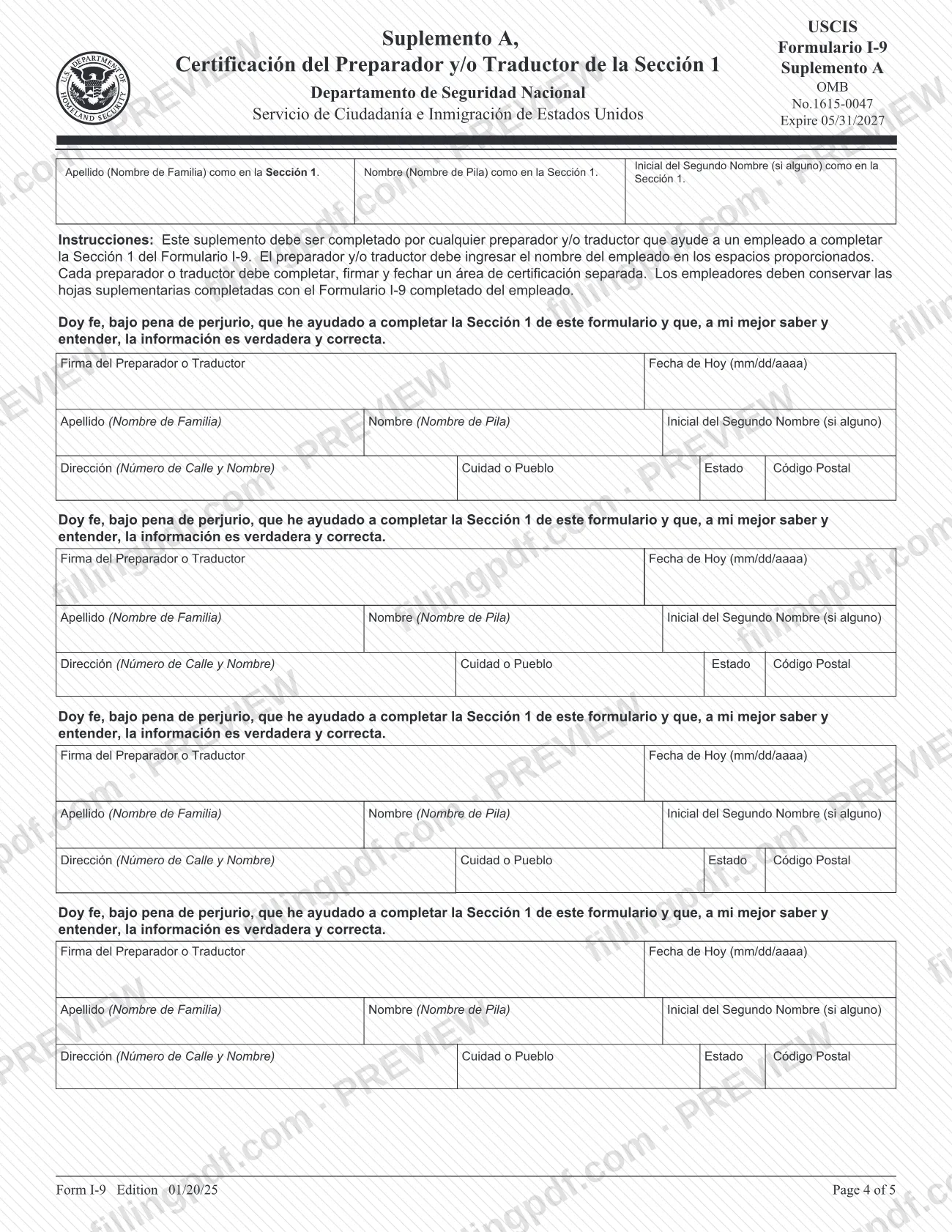
I-9 Spanish is the Spanish-language edition of Form I-9, Employment Eligibility Verification, published by U.S. Citizenship and Immigration Services (USCIS). Employees and employers use it to document identity and employment authorization for each new hire. USCIS allows only employers located in Puerto Rico to complete it instead of the English version; any employer may use it as a translation tool. On this page you can fill out the form online on FillingPDF and download or print the completed PDF. The form is not filed with USCIS, and the official PDF is published by the agency at uscis.gov.
Last updated
What is I-9?
Form I-9 (Spanish), printed as Verificación de Elegibilidad de Empleo USCIS, is the Spanish-language version of Form I-9, which employers and employees complete to document the identity and employment authorization of each new employee hired to work in the United States.
The form is issued by U.S. Citizenship and Immigration Services (USCIS), part of the Department of Homeland Security (DHS), under OMB No. 1615-0047 (expires 05/31/2027). The edition on this page is 01/20/25. It has five pages:
- Sección 1 (Section 1), Employee Information and Attestation, completed and signed by the employee.
- Sección 2 (Section 2), Employer Review and Verification, completed by the employer or an authorized representative.
- Listas de Documentos Aceptables, the Lists of Acceptable Documents (List A, List B and List C).
- Suplemento A, the Preparer and/or Translator Certification for Section 1.
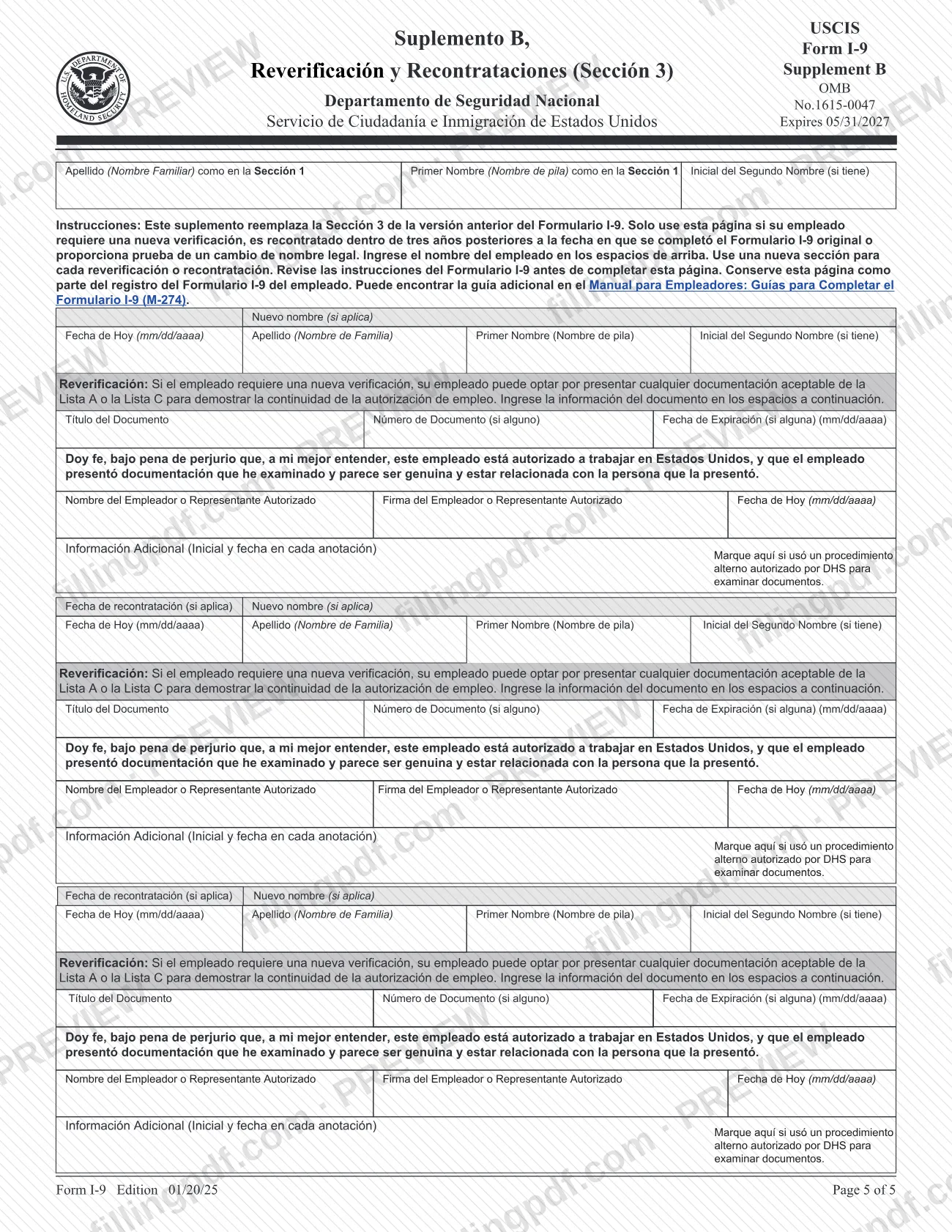
- Suplemento B, Reverification and Rehire, which replaces the old Section 3.
The instructions say the form documents verification for employees hired after November 6, 1986, and after November 27, 2011 in the Commonwealth of the Northern Mariana Islands (CNMI).
What sets this edition apart: only employers located in Puerto Rico may complete the Spanish version instead of the English-language Form I-9. Any employer may use the Spanish form and instructions as a translation tool. The form is kept by the employer and is not filed with USCIS or any other agency.
Who needs to file I-9?
Employers located in Puerto Rico are the only employers who may complete the Spanish version of Form I-9 in place of the English version. Employers elsewhere in the United States complete the English-language form and may use this Spanish form and its instructions only as a translation tool.
Who completes what:
- Employees (every new hire, citizen or non-citizen, paid for work or services in the United States) complete and sign Section 1.
- Employers, or an authorized representative they designate, complete Section 2 and Supplement B. The employer remains responsible for any violation committed by the person acting for it.
- Preparers and/or translators who help an employee with Section 1 complete a separate certification in Supplement A.
The instructions say the term "employee" does not cover people who receive no pay, such as volunteers, independent contractors, or people doing certain casual domestic work.
Employers may not ask employees for documents to verify Section 1 information, and may not specify which acceptable documents an employee must present.
When to file I-9
The employee must complete and sign Section 1 no later than the first day of employment, the day the employee begins work or services for pay, and not before accepting a job offer. The employer must complete Section 2 within three business days after the first day of employment. If the person is hired for fewer than three business days, Section 2 is due no later than the first day of employment. For example, if work starts on Monday, Section 2 is due by Thursday of that week.
Supplement B is completed only when needed. Reverify employment authorization before the employment authorization expiration date in Section 1 or the List A or List C document expiration date in Section 2, whichever comes first. If you rehire an employee within three years of the date the original Form I-9 was completed, you may document the rehire on Supplement B. For a rehire more than three years later, complete a new Form I-9.
Documents you need
- List A document (shows identity and employment authorization), such as a U.S. passport or passport card, or a Permanent Resident Card (Form I-551). The employee presents it alone; some List A items must be presented together.
- List B document (shows identity only), such as a driver's license or ID card issued by a state or outlying possession with a photograph or identifying information. Presented together with a List C document.
- List C document (shows employment authorization only), such as a card with a Social Security number (unless marked with a restriction) or an original or certified copy of a birth certificate. Presented together with a List B document.
- Acceptable receipt, only when the employee cannot present the document yet, such as a receipt for replacing a lost, stolen or damaged List A, B or C document. Receipts are valid for a temporary period; see the M-274 for dates.
- For employees under 18 who cannot present a List B document, the form lists alternatives such as a school record or report card, a clinic, doctor or hospital record, or a day-care or nursery school record.
- All documents must be original and unexpired; photocopies are not acceptable, except certified copies of birth certificates. Extended documents issued by the issuing authority are considered unexpired.
How to fill out I-9
Enter the employee's name
In Sección 1, write Apellido (last name), Primer Nombre (first name), Inicial de Segundo Nombre and any Otros Apellidos Utilizados. If the employee has only one name, enter it in Apellido and write "Desconocido" in Nombre.
Add address and birth date
Enter the street address, apartment number if any, city, state and ZIP code, then the date of birth in mm/dd/aaaa format. Leave boxes that do not apply blank.
Enter optional contact details
Enter the 9-digit Social Security number, email and phone number. The Social Security number is voluntary unless the employer participates in E-Verify; never enter an ITIN there.
Check one citizenship or status box
Check one of the four boxes: citizen, noncitizen national, lawful permanent resident, or alien authorized to work. A permanent resident enters the 7-to-9-digit USCIS/A-Number; an alien authorized to work enters the expiration date, or N/A if none, plus one of the USCIS/A-Number, Form I-94 admission number, or foreign passport number and country.
Sign and date Section 1
The employee signs and enters today's date (mm/dd/aaaa) in Fecha de Hoy. Do not backdate it.
Complete Supplement A if help was used
A preparer or translator who helped with Section 1 fills in the employee's name, signs, dates and gives their name and address in Suplemento A. Each preparer or translator completes a separate certification area.
Record the documents in Section 2
The employer enters the document title, issuing authority, document number and expiration date (mm/dd/aaaa) for one List A document, or for one List B and one List C document. Use the second List A column and Información Adicional for combination documents.
Add additional information and the alternative-procedure box
Use Información Adicional for extra Section 2 entries, initialing and dating each one. Check the box if a DHS-authorized alternative procedure was used to examine documents.
Complete the employer certification
Enter the employee's first day of employment (mm/dd/aaaa), the employer's or representative's name and title, signature, today's date, and the business name and address.
Use Supplement B when required
For reverification, rehire or a legal name change, complete the date of rehire, new name, document title, number and expiration date, then sign. Use a new section for each event.
Review, sign and download the PDF
Check every section and the edition date on all pages. Download or print the completed PDF from FillingPDF, then sign by hand and keep it on file.
How to submit I-9
Form I-9 is not submitted to any agency: the employer completes it and keeps it on file. USCIS instructions say not to send completed forms to USCIS or to U.S. Immigration and Customs Enforcement (ICE), and not to mail a completed form to the Paperwork Reduction Act comment address printed in the instructions.
- Retention: keep the completed form, supplements and any copies of documents for as long as the employee works for you. After employment ends, keep them for one year after termination or three years after the first day of employment, whichever is later. Recruiters and referrers for a fee that are agricultural associations, employers or contractors keep them three years after the first day of employment.
- Inspection: make the forms available to authorized officials of the Department of Homeland Security, the Department of Labor or the Department of Justice.
- Signatures: the USCIS page says the fillable PDF does not meet DHS standards for electronic Form I-9 systems, so print it and sign by hand.
FillingPDF lets you fill out and download the PDF; handling and retention follow the USCIS rules above.
Common mistakes to avoid
- Using the Spanish form as the required Form I-9 when the employer is not located in Puerto Rico; employers elsewhere complete the English-language form.
- Having the employee complete Section 1 before accepting a job offer, or dating Section 1 with an earlier date than the day of signing.
- Asking the employee for documents to verify Section 1 or demanding specific List A, B or C documents; the employee chooses what to present.
- Entering an Individual Taxpayer Identification Number (ITIN) in the Social Security number box of Section 1.
- Selecting "Residente permanente legal" as a refugee or asylee; those employees select "Extranjero autorizado para trabajar" (alien authorized to work).
- Accepting photocopies of documents instead of originals; only certified copies of birth certificates are acceptable copies.
- Completing Section 2 after the third business day following the employee's first day of employment.
- Typing a signature into the fillable PDF instead of printing and signing by hand.
- Sending the completed Form I-9 to USCIS or ICE instead of retaining it.
- Mixing pages from different form editions; every page should match the edition printed at the bottom.
Frequently asked questions
Who can use the I-9 Spanish form?
Only employers located in Puerto Rico may complete the Spanish version of Form I-9 instead of the English version. Any other employer may use the Spanish form and instructions only as a translation tool and completes the English form for the record.
Where do I submit Form I-9 in Spanish?
You do not submit it. The employer keeps the completed Form I-9 and makes it available for inspection by DHS, Department of Labor or Department of Justice officials. USCIS says not to send completed forms to USCIS or ICE.
How long must an employer keep a Form I-9?
Keep it while the employee works for you. After employment ends, keep it for one year after termination or three years after the first day of employment, whichever is later. Agricultural recruiters and referrers for a fee keep it three years after the first day.
When must Section 1 and Section 2 be completed?
The employee completes Section 1 by the first day of employment, and not before accepting an offer. The employer completes Section 2 within three business days after that day, or by the first day if the job lasts fewer than three business days.
Can I sign the fillable Form I-9 electronically?
No. USCIS says the fillable PDF does not meet DHS standards for electronic Form I-9 generation, storage and retention, so employers and employees must print it and sign by hand. Typed answers are allowed except in the signature blocks.
Can my employer choose which documents I show?
No. You choose either one List A document or one List B plus one List C document. Employers may not specify which documents to present or ask for documents to verify Section 1. The documents must be original and unexpired.
What is Supplement B on Form I-9?
Supplement B, Reverification and Rehire, replaces the old Section 3. Use it when an employee needs reverification of work authorization, when you rehire within three years of the original Form I-9, or when the employee provides proof of a legal name change.
Can I fill out the Spanish Form I-9 on FillingPDF?
Yes. On FillingPDF you can fill out the PDF online and download or print it. FillingPDF is independent of USCIS and does not file or store the form; you sign it by hand and the employer retains it.
Ready to fill out I-9?
Fill out I-9 now