
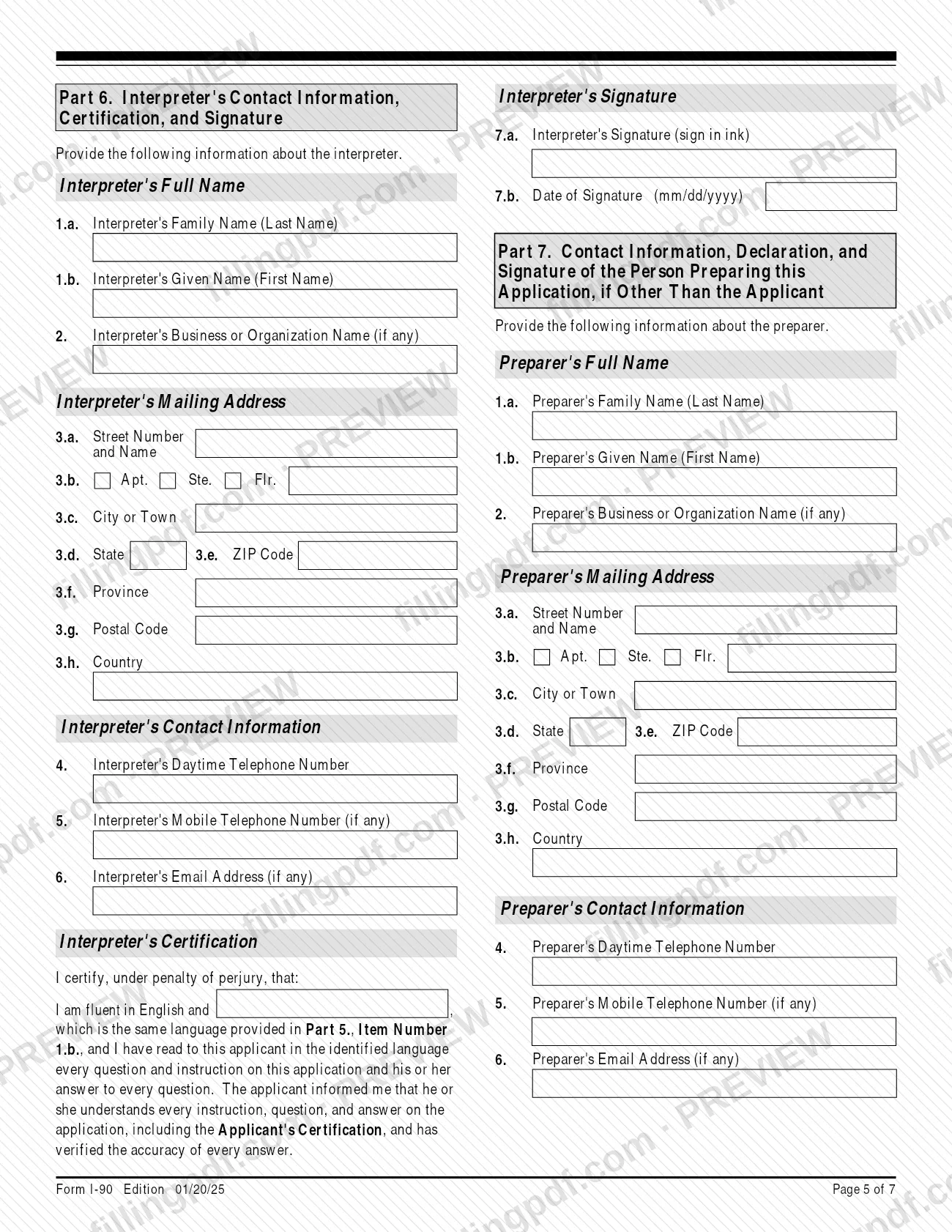
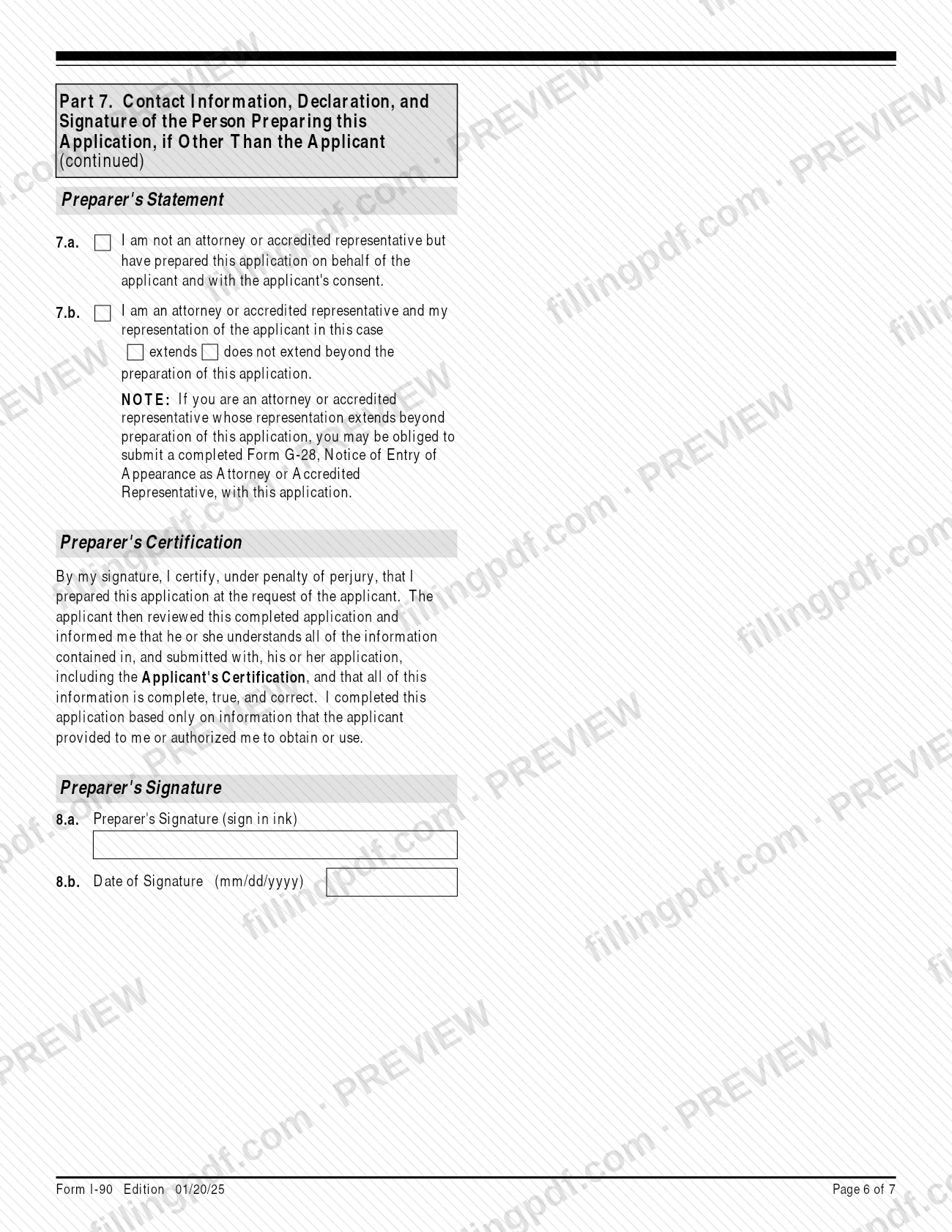
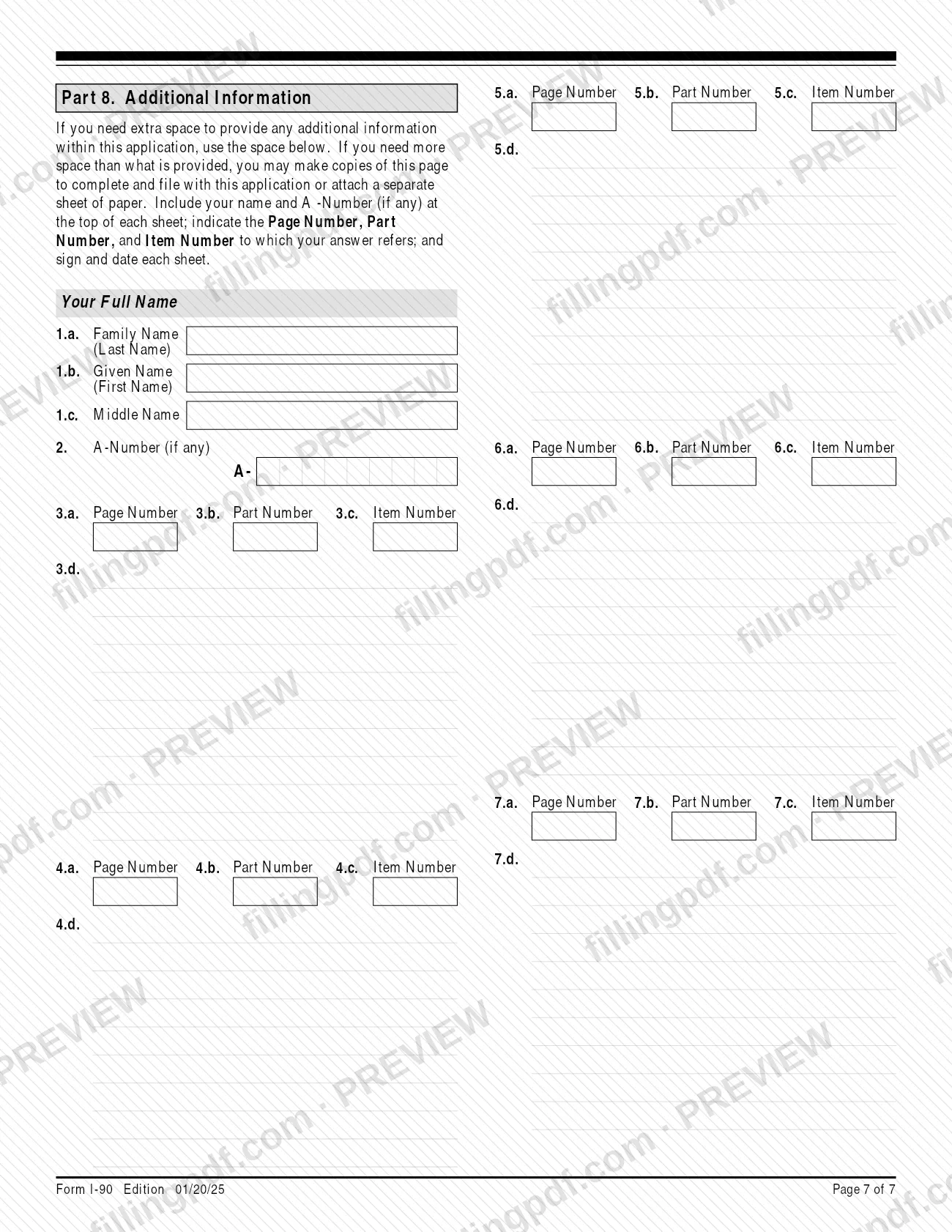
Form I-90 is the U.S. Citizenship and Immigration Services (USCIS) application to replace or renew a Permanent Resident Card, commonly called a Green Card. Lawful permanent residents and permanent residents in commuter status use it for a lost, stolen, mutilated, expired or incorrect card, and conditional permanent residents may use it for certain replacements. On FillingPDF you can fill out the I-90 online and download or print the completed PDF; USCIS publishes the official form and instructions, and you file it with USCIS online or by mail.
Last updated
What is I-90?
Form I-90, Application to Replace Permanent Resident Card (Green Card) is the USCIS form that lawful permanent residents and permanent residents in commuter status use to apply for a replacement or renewal of an existing Permanent Resident Card. Conditional permanent residents may also use it to replace a card in limited cases.
USCIS is part of the Department of Homeland Security. The form (OMB No. 1615-0082) asks for your identifying details, the reason you need a new card, processing history such as where you obtained your status, biographic information, and your signature. Completing it starts the request for a new card; USCIS decides the application and notifies you in writing.
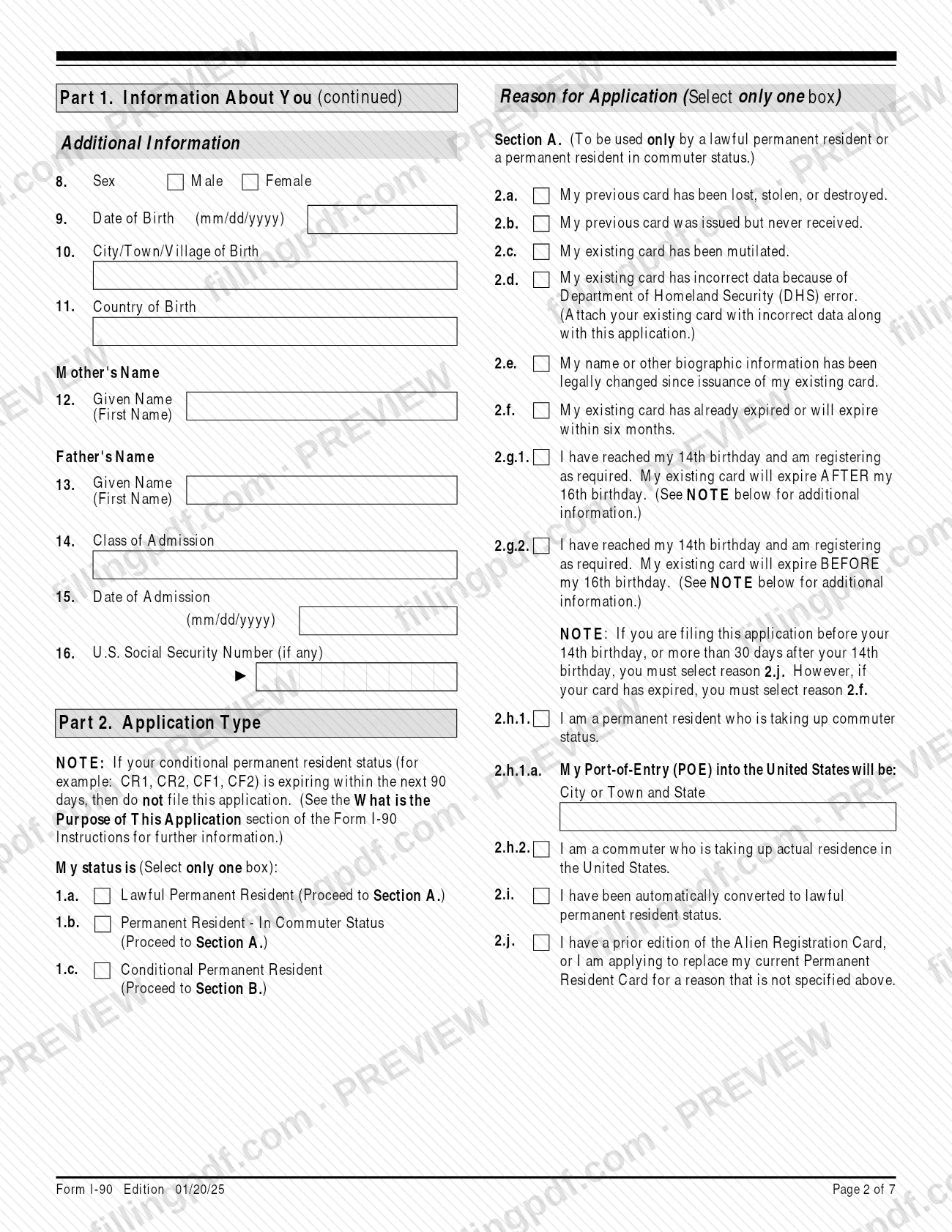
Part 2 sorts applicants by status. Section A covers lawful permanent residents and commuters, with reasons 2.a through 2.j. Section B covers conditional permanent residents, with reasons 3.a through 3.e. A conditional permanent resident whose status expires within 90 days cannot use this form to replace the card: the instructions send marriage-based conditional residents to Form I-751, Petition to Remove Conditions on Residence, and entrepreneur-based ones to Form I-829, Petition by Entrepreneur to Remove Conditions.
Children who reach age 14 also use Form I-90 to register, under reasons 2.g.1 and 2.g.2.
Who needs to file I-90?
You use Form I-90 if you are one of these, and your reason fits Part 2:
- A lawful permanent resident whose card was lost, stolen, destroyed, mutilated, never received, has incorrect data, has legally changed biographic information, has expired or expires within six months, or is a prior edition of the Alien Registration Card.
- A permanent resident in commuter status, or a lawful permanent resident who is taking up commuter status or a commuter who is taking up actual residence in the United States.
- A person automatically converted to lawful permanent resident status.
- A child who has reached age 14 and must register and be fingerprinted, when the filing falls within 30 days after the 14th birthday.
- A conditional permanent resident (for example CR1, CR2, CF1, CF2) replacing a lost, stolen, destroyed, mutilated or never-received card, a card with DHS-error data, or a card whose biographic information changed.
Do not use Form I-90 if you are a conditional permanent resident whose status expires within 90 days; file Form I-751 or Form I-829 instead, as the instructions describe. Conditional residents also cannot use it to replace an expired card. If you are under 14, your parent or legal guardian may sign for you; a legal guardian may also sign for a mentally incompetent person.
When to file I-90
File Form I-90 when one of the reasons in Part 2 applies to you. There is no single annual deadline, but several reasons carry timing rules.
- Expired or expiring card (2.f): select this reason if the card has expired or expires within six months. If it will not expire within six months, USCIS may deny the application.
- 14th birthday (2.g.1 and 2.g.2): registration and fingerprinting are required within 30 days after a child turns 14. Filing before the 14th birthday, or more than 30 days after it, requires reason 2.j. If the card has already expired, use 2.f.
- Conditional residents: do not file within the last 90 days of conditional status; the instructions direct you to Form I-751 or Form I-829.
The instructions give no processing time for this form. USCIS may require a biometric services appointment or an interview, and you receive an appointment notice if so. If you are not a U.S. citizen, you must notify USCIS of a new address within 10 days of moving.
Documents you need
- Reason 2.a or 3.a (lost, stolen, destroyed): a copy of your Permanent Resident Card if you have one, or a government-issued ID showing name, date of birth, photograph and signature, such as a passport or driver's license.
- Reason 2.b or 3.b (never received): a copy of the latest Form I-797 for the filing that should have produced the card, plus a copy of a government-issued photo ID with name, date of birth and signature. A passport page with the I-551 stamp may be used if admitted as an immigrant.
- Reason 2.c or 3.c (mutilated): a copy of your Permanent Resident Card or a government-issued ID showing name, date of birth, photograph and signature.
- Reason 2.d or 3.d (DHS error): the original card with the incorrect data, not a copy, plus proof of your correct name or biographic data, such as a birth certificate, marriage certificate, divorce decree, adoption decree, passport or court order.
- Reason 2.e or 3.e (legal change of name or biographic data): registered legal documents showing the change, such as a marriage certificate, divorce decree, adoption decree or court order. They must be registered with the proper civil authority.
- Reason 2.f (expired or expiring within six months): a copy of the expired or expiring Permanent Resident Card.
- Reasons 2.g.1 and 2.g.2 (14th birthday): a copy of your current Permanent Resident Card.
- Reason 2.h.1 (taking up commuter status): evidence of U.S. employment dated within the last six months, such as pay stubs or an employer letter on letterhead with the employer's address and phone number.
- Reason 2.h.2 (commuter taking up U.S. residence): evidence of U.S. residence dated within the last six months, such as a lease, deed or utility bills. If the bills are in a spouse's or parent's name, add your marriage or birth certificate.
- Reason 2.i (automatic conversion): evidence of temporary residence status, such as a copy of Form I-797 for Form I-700, plus a copy of a government-issued photo ID with name, date of birth and signature.
- Reason 2.j (prior edition card or other reason): a copy of your Alien Registration Card or Permanent Resident Card.
- Name change (Part 1, Item 4 answered Yes): evidence of your legal name change, registered with the proper civil authority.
- Any document in a foreign language: a full English translation with the translator's signed certification of accuracy, printed name, signature date and contact information.
- Form G-28, Notice of Entry of Appearance as Attorney or Accredited Representative, only if an attorney or accredited representative's representation extends beyond preparing the application.
How to fill out I-90
Enter your A-Number and account number
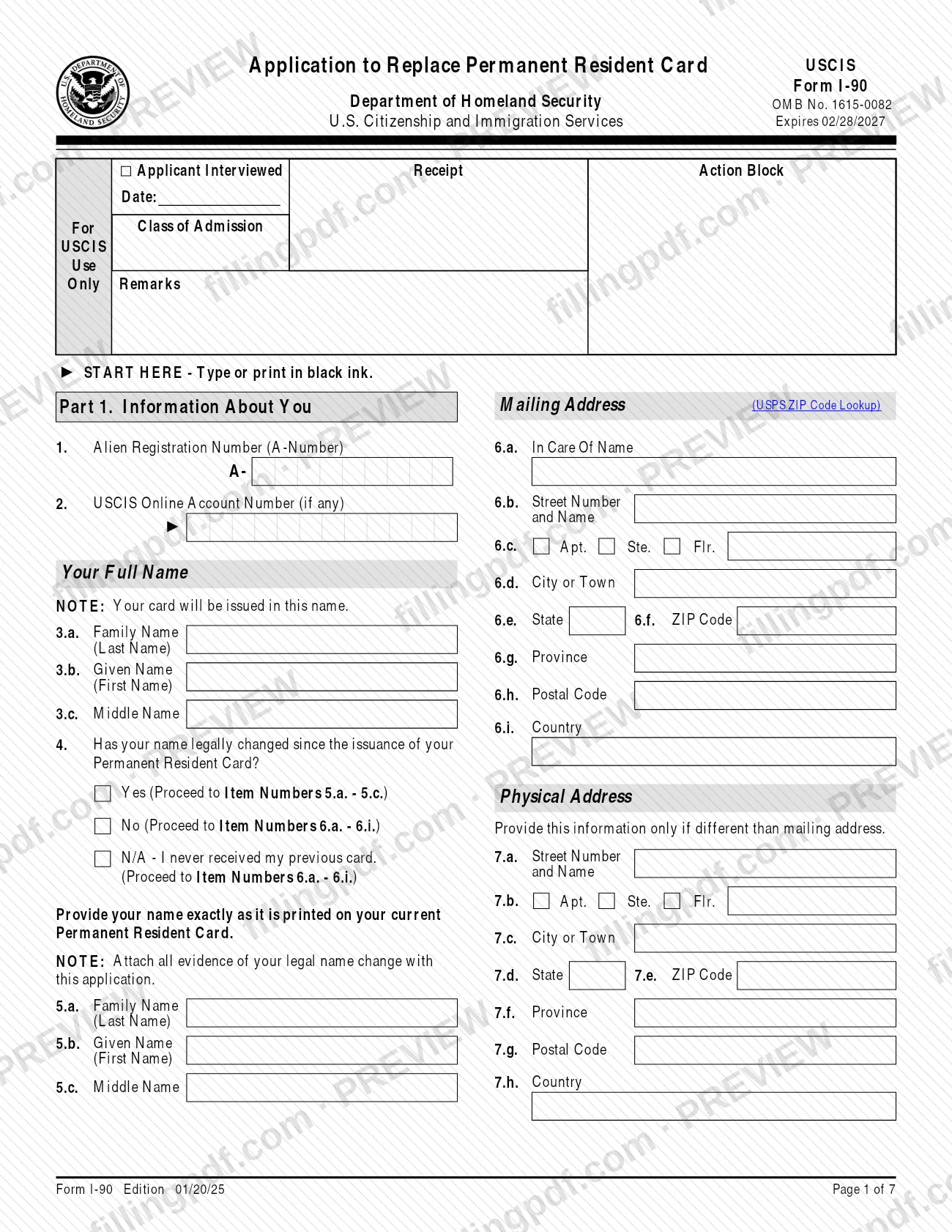
Part 1, Item 1: your A-Number, which begins with "A"; type "N/A" if you have none. Item 2: your USCIS Online Account Number only if you previously filed a form with a receipt number beginning with IOE.
Enter your name and name-change answer
Items 3.a.-3.c.: your full legal name, in which the new card will be issued. Item 4: select Yes, No or N/A if you never received your card; if Yes, give the name exactly as printed on your current card in Items 5.a.-5.c.
Give mailing and physical addresses
Items 6.a.-6.i.: the U.S. address where you want correspondence and the card; commuters living abroad may use a foreign address. Items 7.a.-7.h.: your physical address only if different from the mailing address.
Complete personal and admission details
Items 8.-16.: sex, date of birth in mm/dd/yyyy, city and country of birth, parents' first names, class of admission code from your card, date of admission, and Social Security Number if any. Enter "N/A" for items that do not apply.
Choose your status and one reason
Part 2, Items 1.a.-1.c.: select your status. Then select only one reason in Section A (2.a.-2.j.) for lawful and commuter residents, or Section B (3.a.-3.e.) for conditional residents, and note the evidence required for that reason.
Complete the processing information
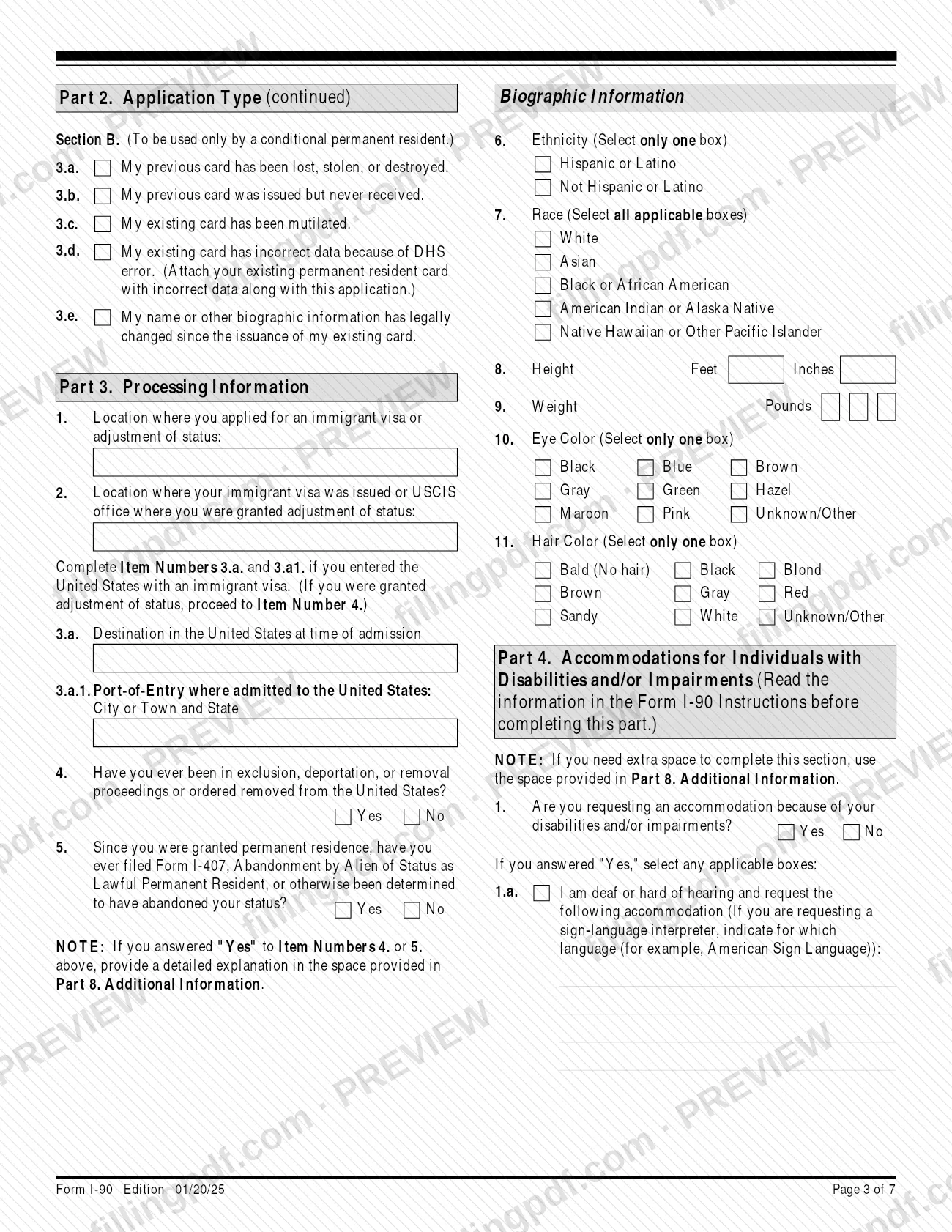
Part 3, Items 1.-3.a.1.: where you applied for and were issued your immigrant visa or granted adjustment of status, and the admission port of entry if you entered with an immigrant visa. Answer Items 4. and 5. on removal proceedings and abandonment of status; explain any Yes in Part 8.
Add biographic information
Items 6.-11.: ethnicity (one box), race (all that apply), height in feet and inches, weight in pounds (enter "000" if unknown or outside the range stated), eye color and hair color.
Request accommodations if needed
Part 4, Item 1: select Yes or No for a disability or impairment accommodation. If Yes, select 1.a., 1.b. or 1.c. and describe what you need.
Sign the applicant's statement
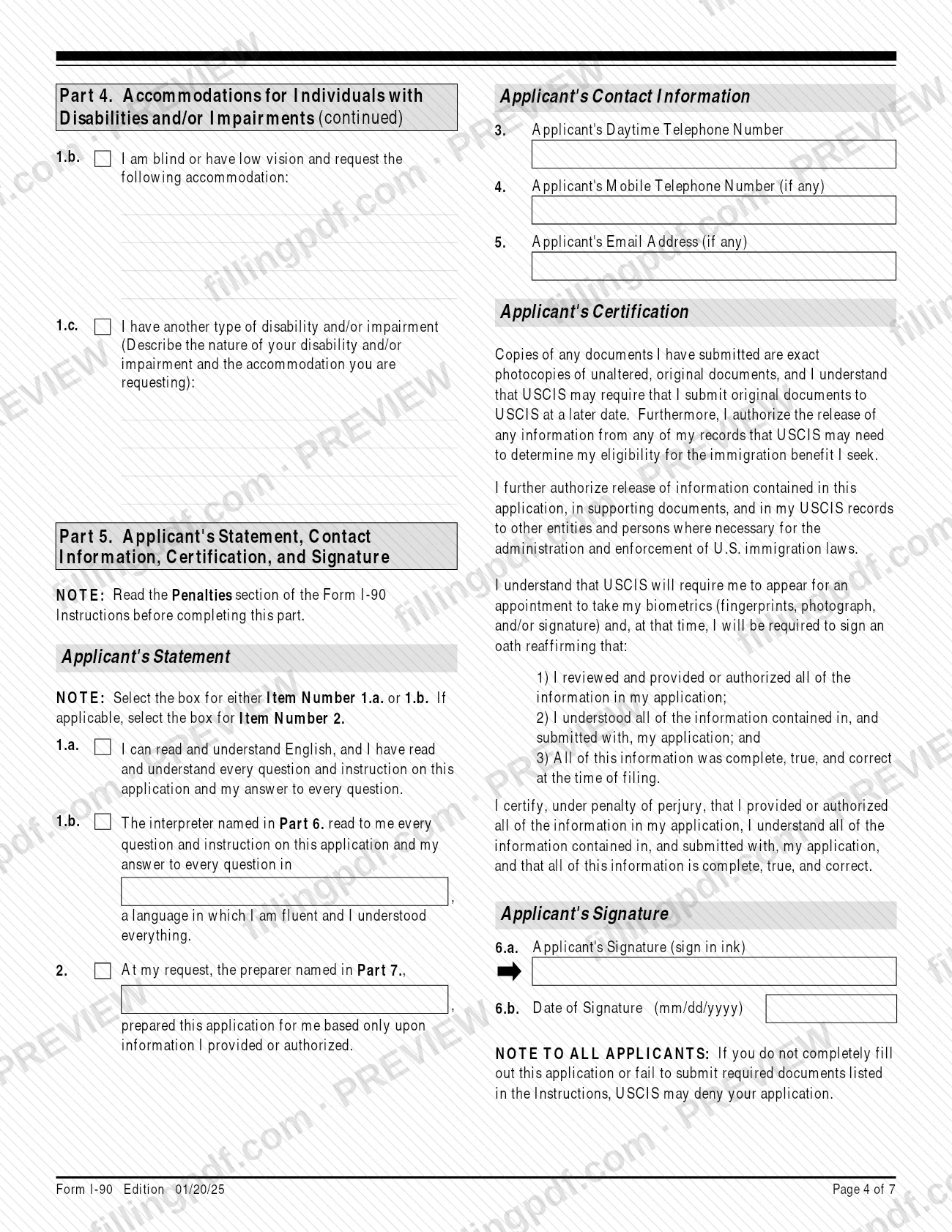
Part 5: select the box for Item 1.a. or 1.b. and, if applicable, Item 2. Enter your daytime phone, and mobile phone and email if any, then sign in ink and date in mm/dd/yyyy at Items 6.a. and 6.b.
Complete interpreter and preparer sections
Part 6: an interpreter fills in name, address, contact details, language, and signs and dates. Part 7: anyone other than you who prepared the application completes the preparer details, picks 7.a. or 7.b., and signs and dates at Items 8.a.-8.b.
Use Part 8 for extra space
Enter your name and A-Number, then the page, part and item number each answer refers to. Use it for Yes answers to Part 3, Items 4. or 5., and for extra port-of-entry detail.
Review, sign and download the PDF
Check each item, confirm the reason matches your evidence, and sign in ink on the printed copy. Download or print the completed PDF from FillingPDF, then assemble the package described under How to submit.
How to submit I-90
You can file Form I-90 with USCIS online or by mail (paper).
- Online: create a USCIS online account and file the form there. The account also lets you pay the filing fee online, check your case status and respond to requests for evidence.
- By mail, U.S. Postal Service: USCIS, Attn: I-90, P.O. Box 21262, Phoenix, AZ 85036-1262.
- By mail, FedEx, UPS or DHL: USCIS, Attn: I-90 (Box 21262), 2108 E. Elliot Rd., Tempe, AZ 85284-1806.
USCIS says that mailing to the wrong location may slow processing. If you print the form, every page must show the edition date and page number, and all pages must come from the same edition, or USCIS may reject it. Sign in ink; a stamped or typewritten name is not accepted, and unsigned forms are rejected. A photocopy, fax or scan of the original handwritten signature is valid for filing.
A filing fee applies; see Form G-1055 or the USCIS Fee Schedule page for the current amount. To get an email or text when a lockbox accepts your filing, clip Form G-1145 to the first page. For questions, call the USCIS Contact Center at 800-375-5283 (TTY 800-767-1833). FillingPDF lets you fill out and download the PDF; submission follows the channels above.
Common mistakes to avoid
- Selecting reason 2.b (never received) when USCIS mailed the card to your address and it was not returned as undeliverable; the instructions say to use reason 2.a in that case.
- Sending a copy of the card with incorrect data under reason 2.d or 3.d; the original card must be attached, because a copy is not acceptable.
- Using reason 2.f when your card does not expire within six months, which can lead to denial of the application.
- Filing for a child's 14th birthday under 2.g.1 or 2.g.2 before the birthday or more than 30 days after it; those cases require 2.j, or 2.f if the card has expired.
- Filing as a conditional permanent resident within 90 days of expiration instead of filing Form I-751 or Form I-829.
- Leaving the application unsigned, or typing or stamping the name instead of signing in ink; USCIS rejects it.
- Leaving Family Name, Mailing Address or Date of Birth in Part 1 blank, which is a ground for rejection.
- Entering a foreign mailing address when you are not a commuter; USCIS mails the card only to a valid U.S. address (commuters living abroad may use a foreign address).
- Printing the form with missing pages or pages from different editions, or without the edition date and page numbers visible.
- Mailing the application to the wrong location or sending a change of address request to the USCIS Lockbox.
Frequently asked questions
What is Form I-90 used for?
Form I-90 is the USCIS application to replace or renew a Permanent Resident Card (Green Card). Lawful permanent residents and commuters use it for lost, stolen, mutilated, expired or incorrect cards, and children use it to register at age 14. Conditional residents may use it for some replacements.
Can I file Form I-90 online?
Yes. USCIS offers two options: file online through a USCIS online account, or file a paper form by mail. FillingPDF lets you fill out the PDF and download it, but it does not file for you; you submit through the USCIS online account or mail it to the USCIS addresses.
Where do I mail Form I-90?
By U.S. Postal Service: USCIS, Attn: I-90, P.O. Box 21262, Phoenix, AZ 85036-1262. By FedEx, UPS or DHL: USCIS, Attn: I-90 (Box 21262), 2108 E. Elliot Rd., Tempe, AZ 85284-1806. Mailing elsewhere may slow processing.
Can a conditional resident use Form I-90 to renew an expiring card?
No. A conditional permanent resident cannot use it to replace a card that is expired or expires within 90 days. Marriage-based residents file Form I-751; entrepreneur-based residents file Form I-829. Both are filed when status is within 90 days of expiring.
When should I file I-90 for a child who turned 14?
Within 30 days after the 14th birthday. Use reason 2.g.1 if the card expires after the 16th birthday and 2.g.2 if it expires before. If you file earlier than the birthday or later than 30 days, select 2.j; if the card has expired, select 2.f.
What documents do I need to submit with Form I-90?
It depends on the reason you select. Most reasons need a copy of your card or a government-issued photo ID; a never-received card needs Form I-797 evidence; a DHS error needs the original card; name changes need registered legal documents. Commuter reasons need employment or residence evidence.
Is there a fee to file Form I-90?
Yes, a filing fee applies. The instructions refer to Form G-1055 and the USCIS Fee Schedule page for the amount. You can pay online if you file through a USCIS online account. USCIS does not refund the fee if you withdraw the application.
Who can sign Form I-90 for me?
You sign it yourself in ink. If you are under 14, your parent or legal guardian may sign for you, and a legal guardian may sign for a mentally incompetent person. A stamped or typewritten name is not accepted, and an unsigned form is rejected.
What happens after I file Form I-90?
USCIS checks the application for completeness and may request more evidence or original documents. It may also schedule a biometric services appointment or an interview. USCIS notifies you of its decision in writing.
Ready to fill out I-90?
Fill out I-90 now