
SF 2818 is the Office of Personnel Management (OPM) form on which an employee covered by the Federal Employees' Group Life Insurance (FEGLI) Program elects what life insurance to keep as an annuitant or compensationer. It applies when you retire, or when you receive Department of Labor workers' compensation payments and your coverage as an employee ends. On this page you can fill out the form online on FillingPDF and download or print the completed PDF. The form is returned to your human resources office, not to FillingPDF.
Last updated
What is SF 2818?
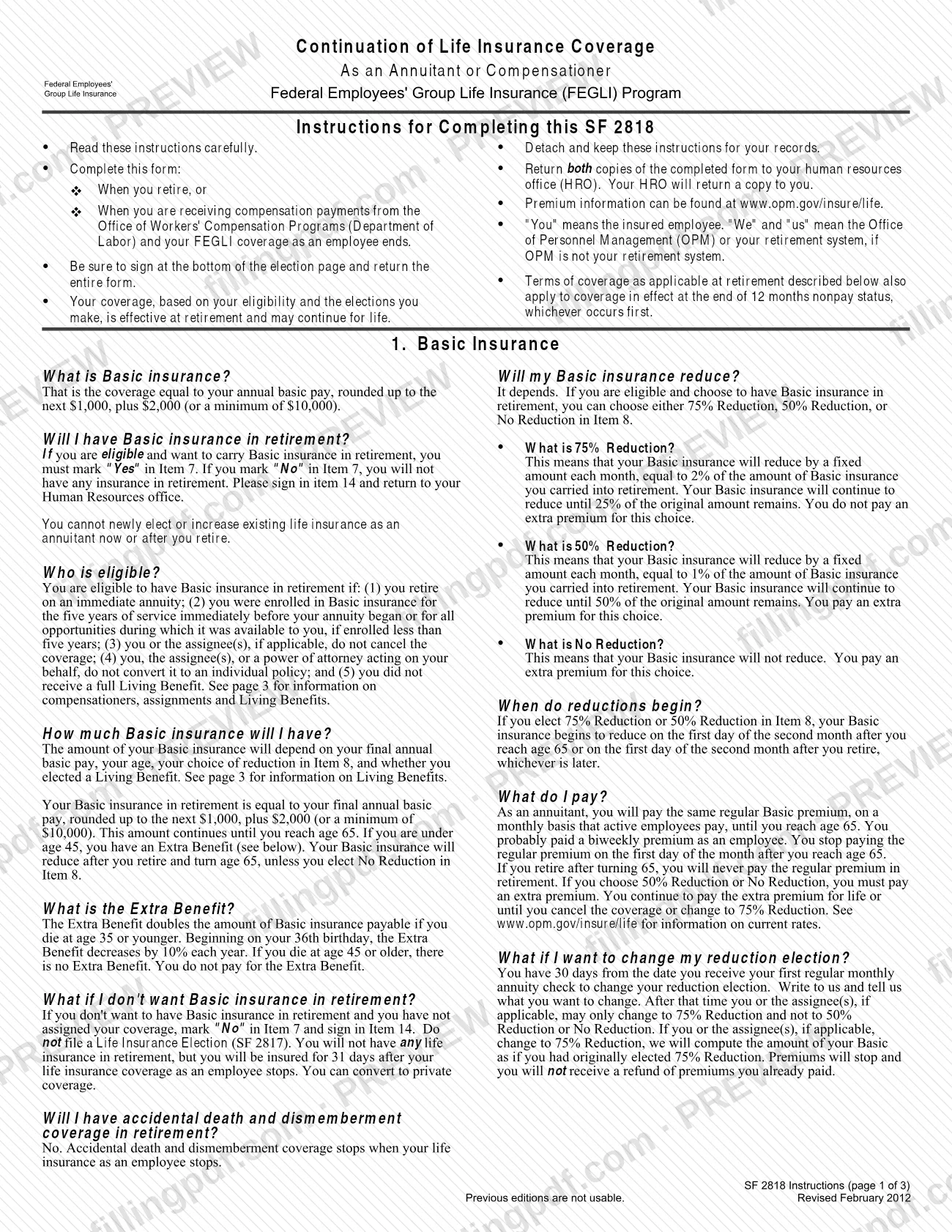
SF 2818, Continuation of Life Insurance Coverage as an Annuitant or Compensationer, is the OPM form on which an insured employee chooses whether to keep Basic, Option A, Option B and Option C life insurance under FEGLI after retirement or while receiving workers' compensation.
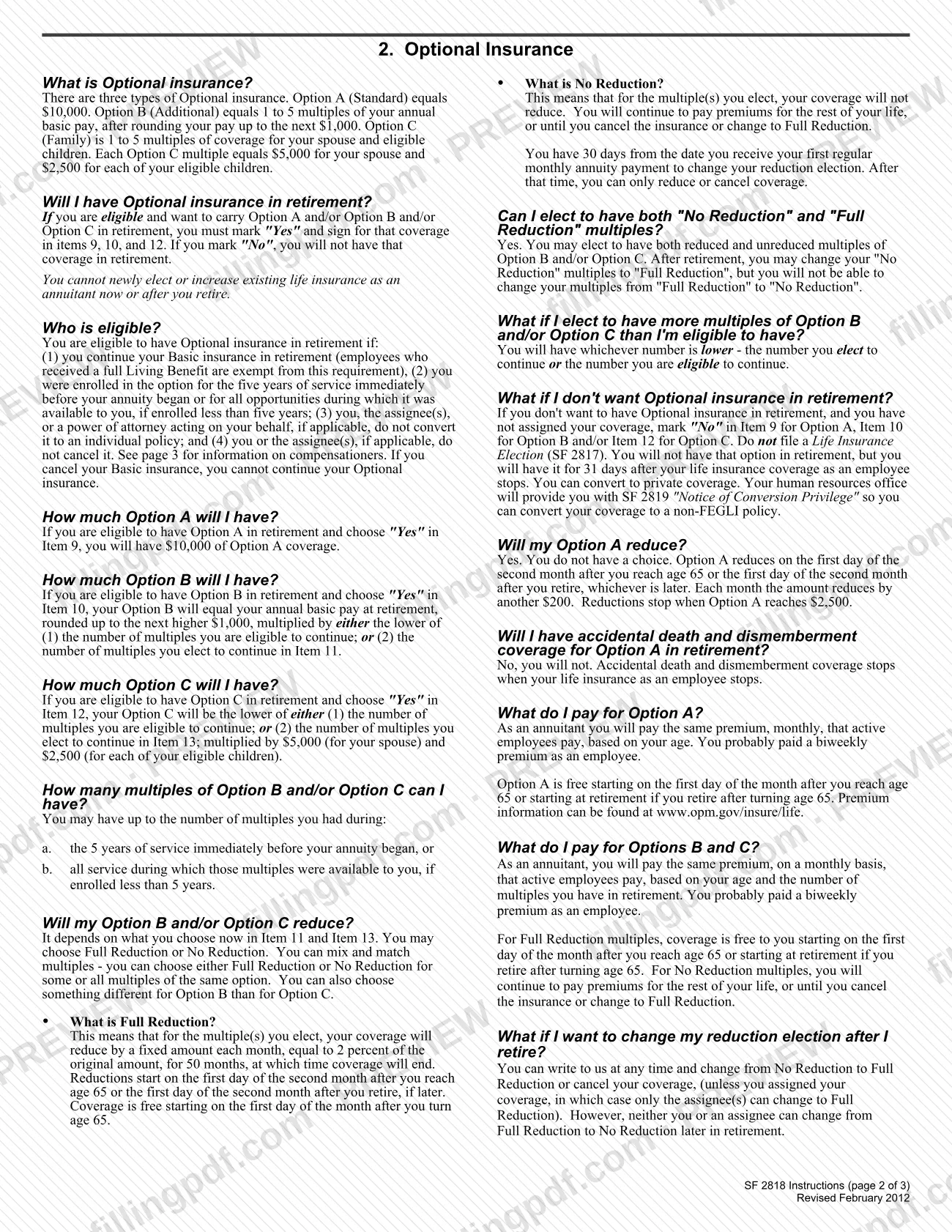
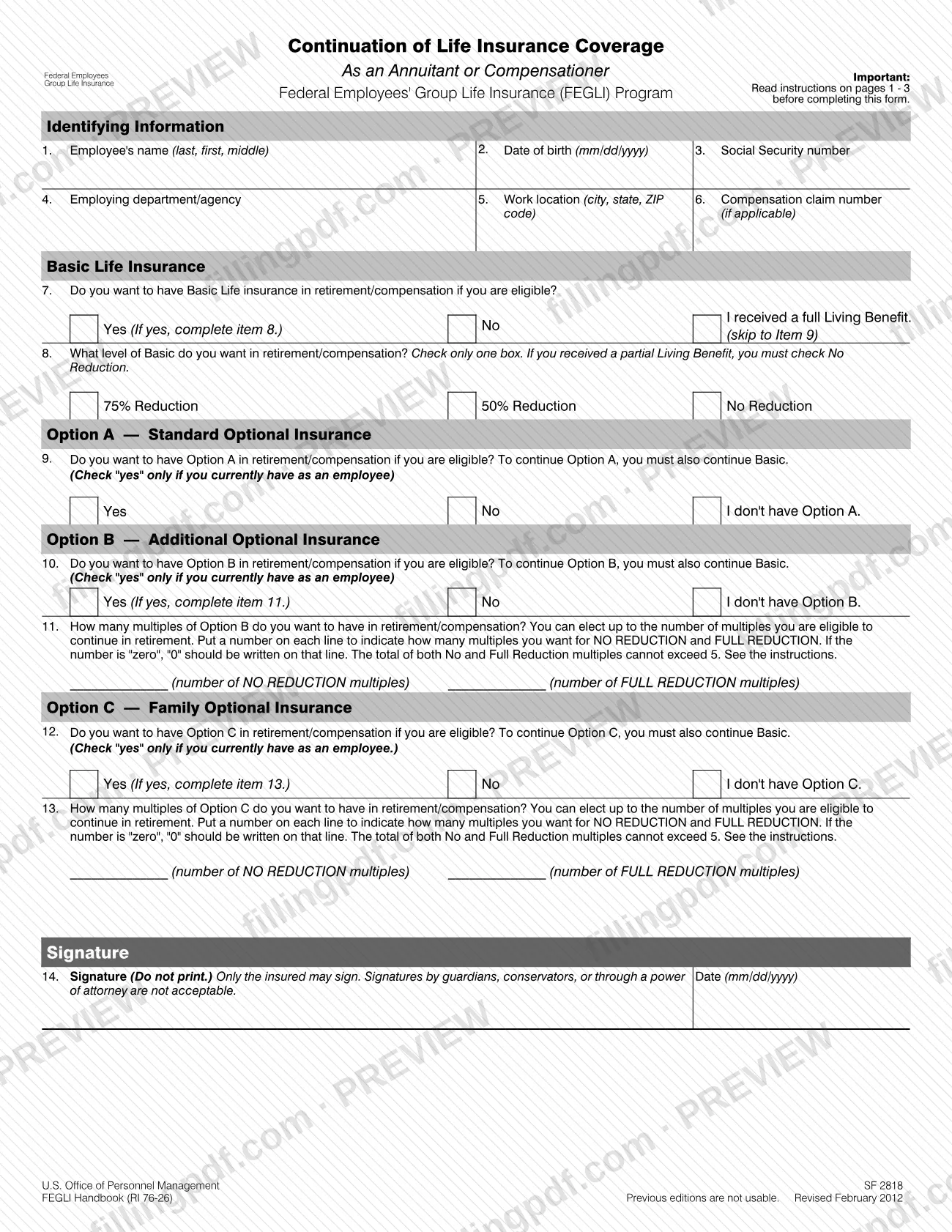
The form is a one-page election with three pages of instructions that you detach and keep. Items 7 and 8 cover Basic insurance and the level of reduction: 75% Reduction, 50% Reduction or No Reduction. Items 9 to 13 cover Option A (Standard), Option B (Additional) and Option C (Family), including how many multiples of Options B and C you want at No Reduction and at Full Reduction. Item 14 is your signature. Your coverage, based on your eligibility and your elections, takes effect at retirement and may continue for life.
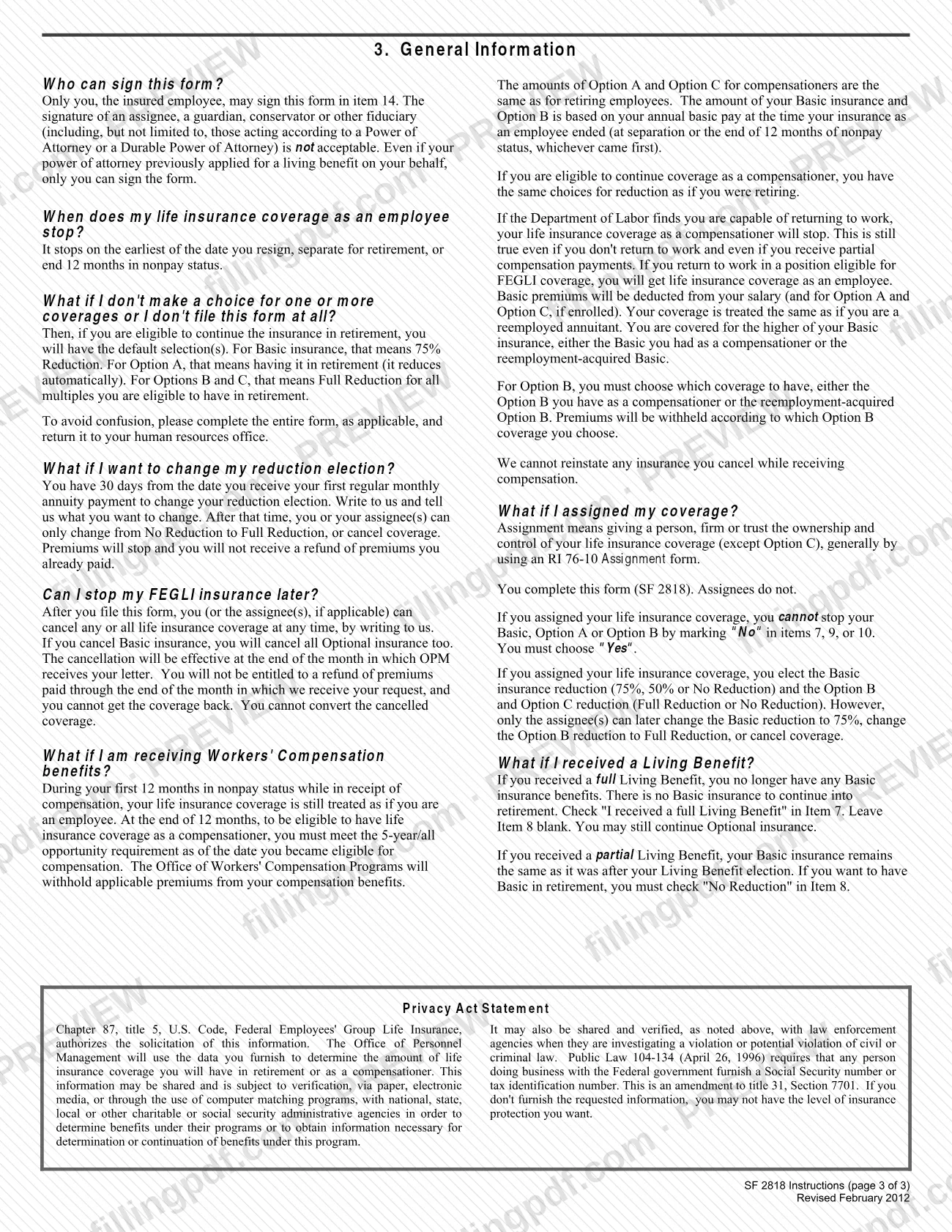
"Compensationer" means an employee receiving compensation payments from the Office of Workers' Compensation Programs (OWCP) of the Department of Labor whose employee coverage has ended. The instructions say the same choices apply as if you were retiring.
The form does not let you newly elect or increase life insurance as an annuitant. It is also different from SF 2817, the Life Insurance Election, which the instructions say not to file when you decline coverage, and from SF 2819, the Notice of Conversion Privilege, which your human resources office provides if you want to convert coverage to a private policy.
Who needs to file SF 2818?
You need SF 2818 if you are enrolled in FEGLI and either of these applies:
- you are retiring; or
- you are receiving compensation payments from the Office of Workers' Compensation Programs (Department of Labor) and your coverage as an employee is ending, because you are separating from the agency or reaching the end of 12 months in nonpay status.
Your human resources office (HRO) gives the form to each such employee.
Eligibility drives your answers. To keep Basic insurance in retirement you must retire on an immediate annuity, have been enrolled in Basic for the five years of service before your annuity began (or for all opportunities available, if enrolled less than five years), not have cancelled or converted it, and not have received a full Living Benefit. Optional insurance requires that you continue Basic, with the same five-year or all-opportunity test for each option. Employees who received a full Living Benefit are exempt from the Basic requirement and may still continue Optional insurance.
Only you, the insured employee, may sign. A signature by an assignee, guardian, conservator or someone acting under a power of attorney is not acceptable. If you assigned your coverage, you still complete the form; the assignees do not.
When to file SF 2818
Complete SF 2818 when you retire, or when you receive OWCP compensation payments and your FEGLI coverage as an employee ends. That coverage stops on the earliest of the date you resign, the date you separate for retirement, or the end of 12 months in nonpay status. The form sets no other due date.
If you do not make a choice or do not file the form, and you are eligible to continue the insurance, you receive the default selections: 75% Reduction for Basic, Option A in retirement, and Full Reduction for all eligible multiples of Options B and C.
After you file, you have 30 days from the date you receive your first regular monthly annuity payment to change your reduction election by writing to OPM. After that, you or your assignee(s) can only change from No Reduction to Full Reduction (or, for Basic, to 75% Reduction), or cancel coverage. If you decline coverage, you stay insured for 31 days after your employee coverage stops and can convert to private coverage.
How to fill out SF 2818
Read and detach the instructions
Read the three pages of instructions before you start and keep them for your records. They explain eligibility, reductions and premiums for each item.
Enter your identifying information
Item 1: your name (last, first, middle). Item 2: date of birth as mm/dd/yyyy. Item 3: Social Security number.
Enter your agency and compensation data
Item 4: your employing department or agency. Item 5: work location (city, state, ZIP code). Item 6: compensation claim number, only if applicable.
Answer the Basic insurance question
Item 7: mark "Yes" to keep Basic insurance if you are eligible, or "No" to skip to Item 9. If you received a full Living Benefit, check "I received a full Living Benefit."
Choose your Basic reduction
Item 8, only if you answered "Yes": check one box, 75% Reduction, 50% Reduction or No Reduction. If you received a partial Living Benefit, you must check No Reduction.
Decide on Option A
Item 9: mark "Yes" or "No" only if you currently have Option A as an employee; otherwise mark "I don't have Option A." Option A requires that you also continue Basic.
Elect Option B and its multiples
Item 10: mark "Yes," "No" or "I don't have Option B." If "Yes," enter in item 11 the number of No Reduction and Full Reduction multiples, writing "0" where none, with a total of no more than 5.
Elect Option C and its multiples
Item 12: mark "Yes," "No" or "I don't have Option C." If "Yes," enter the No Reduction and Full Reduction multiples in item 13, writing "0" where none, with a total of no more than 5.
Sign and date the form
Item 14: sign (do not print) and enter the date as mm/dd/yyyy. Only the insured may sign; signatures by guardians, conservators or through a power of attorney are not acceptable.
Review, download and return it
Check that every applicable item is answered, then download or print the completed PDF from FillingPDF. Return both copies of the entire form to your human resources office as described under How to submit.
How to submit SF 2818
You return SF 2818 to your human resources office (HRO); the form lists no mailing address, portal or other channel.
- Return both copies. The instructions say to return both copies of the completed form, and the entire form, to your HRO. The HRO returns a copy to you.
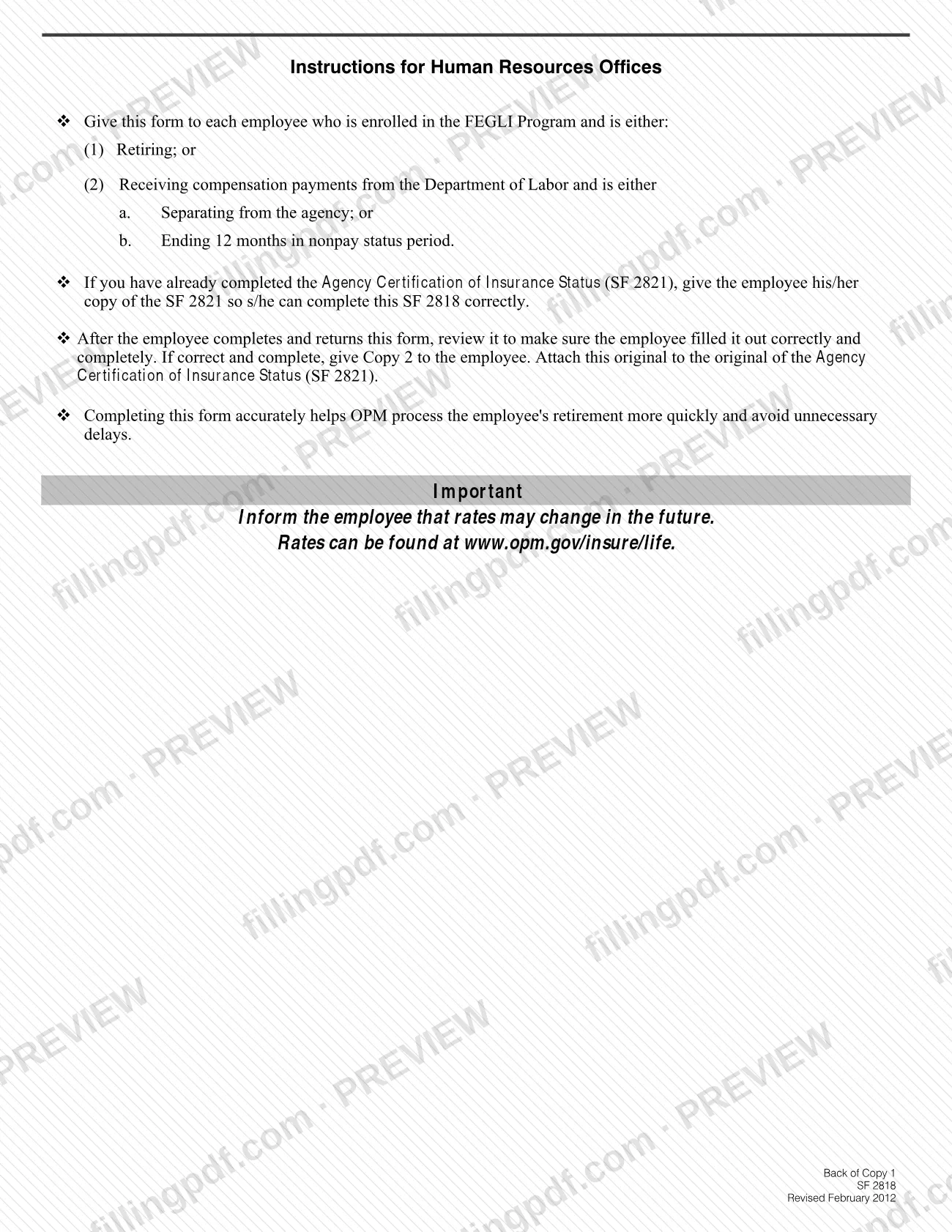
- HRO review. The HRO checks that the form is correct and complete, gives Copy 2 to you, and attaches the original to the original Agency Certification of Insurance Status (SF 2821). If your HRO has already completed SF 2821, it gives you your copy so you can fill out SF 2818 correctly.
- Premiums. Rates are published at www.opm.gov/insure/life. If you choose 50% Reduction or No Reduction for Basic, an extra premium applies, and No Reduction multiples of Options B and C keep requiring premiums. Check that page for current amounts.
- Later changes. To change an election after filing, write to OPM.
FillingPDF lets you fill out and download the PDF; submission follows the channels above.
Common mistakes to avoid
- Having a guardian, conservator, assignee or agent under a power of attorney sign item 14; only the insured employee may sign, even if a power of attorney previously applied for a Living Benefit.
- Printing your name in item 14 instead of signing; the signature line says "Do not print."
- Marking "No" in item 7, 9 or 10 after assigning your coverage; assigned Basic, Option A and Option B must be marked "Yes."
- Entering Option B or Option C multiples in items 11 or 13 whose No Reduction and Full Reduction numbers add up to more than 5, or leaving a line blank instead of writing "0."
- Checking "Yes" for Option A, B or C when you do not currently have it as an employee, or continuing an option after declining Basic; Optional insurance requires Basic.
- Not checking "No Reduction" in item 8 after a partial Living Benefit; the form says you must check it to keep Basic in retirement.
- Filling in item 8 after a full Living Benefit; check "I received a full Living Benefit" in item 7 and leave item 8 blank.
- Filing a Life Insurance Election (SF 2817) to decline coverage instead of marking "No" and signing.
- Returning only part of the form; the instructions say to return both copies of the entire form to your HRO.
- Completing an older edition; the form states that previous editions are not usable.
Frequently asked questions
What is SF 2818 used for?
SF 2818 is the OPM form for choosing which FEGLI life insurance you keep after you retire or while you receive Department of Labor workers' compensation. You elect Basic insurance and its reduction level, plus Options A, B and C, and sign in item 14.
Who can sign SF 2818 for me?
No one. Only you, the insured employee, may sign item 14. Signatures by an assignee, guardian, conservator or an agent under a power of attorney are not acceptable, even if a power of attorney previously applied for a living benefit for you.
Where do I send SF 2818 after I fill it out?
Return both copies of the completed form to your human resources office (HRO). The HRO reviews it, returns a copy to you and attaches the original to your Agency Certification of Insurance Status (SF 2821). The form lists no other address.
What happens if I do not file SF 2818?
If you are eligible to continue the insurance, you get the default selections: 75% Reduction for Basic, Option A in retirement, and Full Reduction for all eligible multiples of Options B and C. Completing the whole form avoids confusion, according to the instructions.
Can I change my choices after I file SF 2818?
Yes, in limited ways. For 30 days after you receive your first regular monthly annuity payment you can write to OPM to change a reduction election. After that you or an assignee can only move to a lower-cost reduction level, such as Full Reduction for Options B and C, or cancel coverage.
Can I add or increase life insurance on SF 2818?
No. The instructions state that you cannot newly elect or increase existing life insurance as an annuitant, now or after you retire. The form only continues coverage you have as an employee, up to what you are eligible to keep.
What is the difference between 75% Reduction, 50% Reduction and No Reduction?
With 75% Reduction, Basic reduces by 2% of the original amount each month until 25% remains, with no extra premium. 50% Reduction reduces by 1% a month until 50% remains, and No Reduction never reduces. The last two carry an extra premium.
Do I need SF 2818 if I want no life insurance in retirement?
You can mark "No" in Item 7 and sign in Item 14, then return the form to your HRO. Do not file a Life Insurance Election (SF 2817). You stay insured for 31 days after employee coverage stops and can convert to a private policy.
Can I fill out SF 2818 online?
Yes. You can fill out the PDF online on FillingPDF and download or print it. FillingPDF is an independent service and does not submit the form to OPM or your agency; you return it to your human resources office.
Ready to fill out SF 2818?
Fill out SF 2818 now