
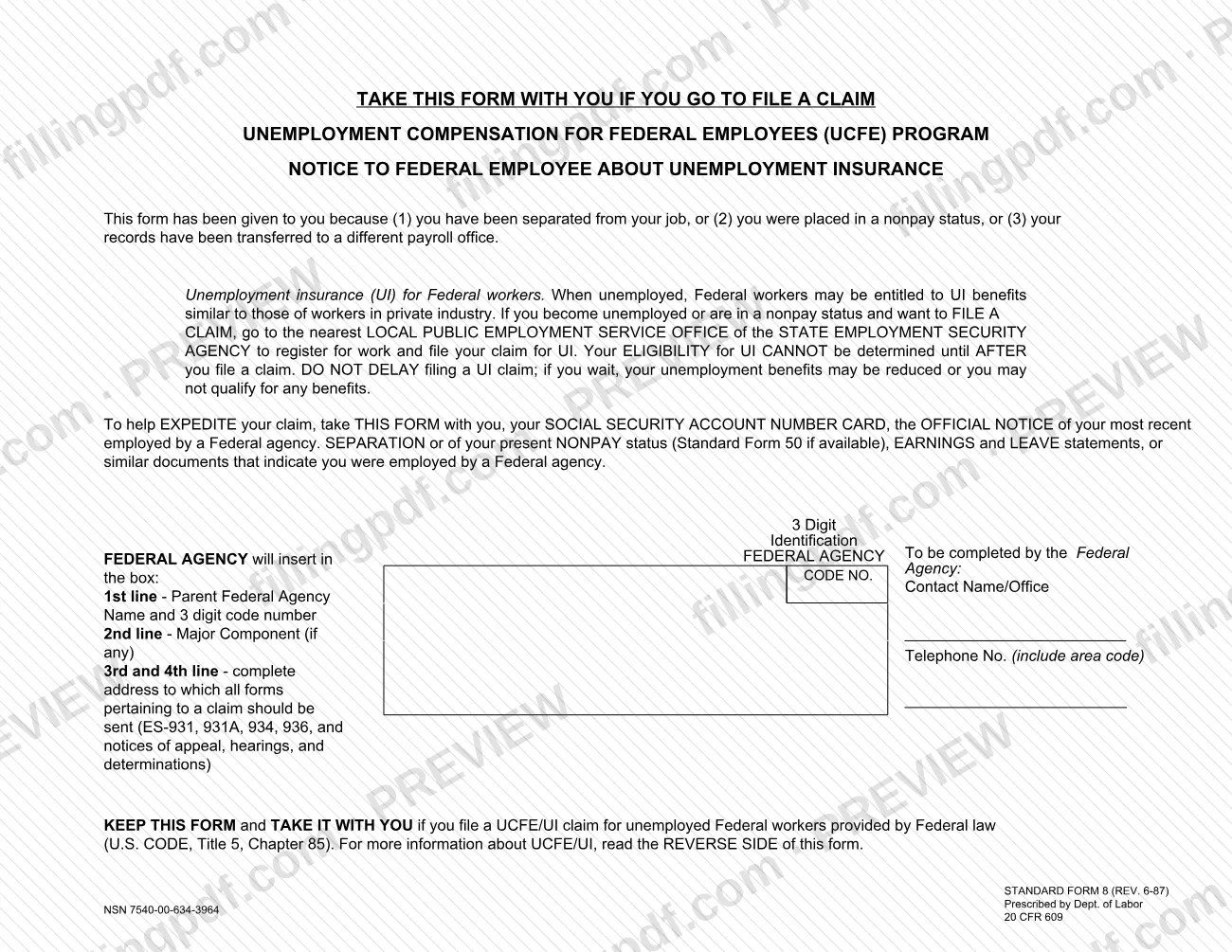
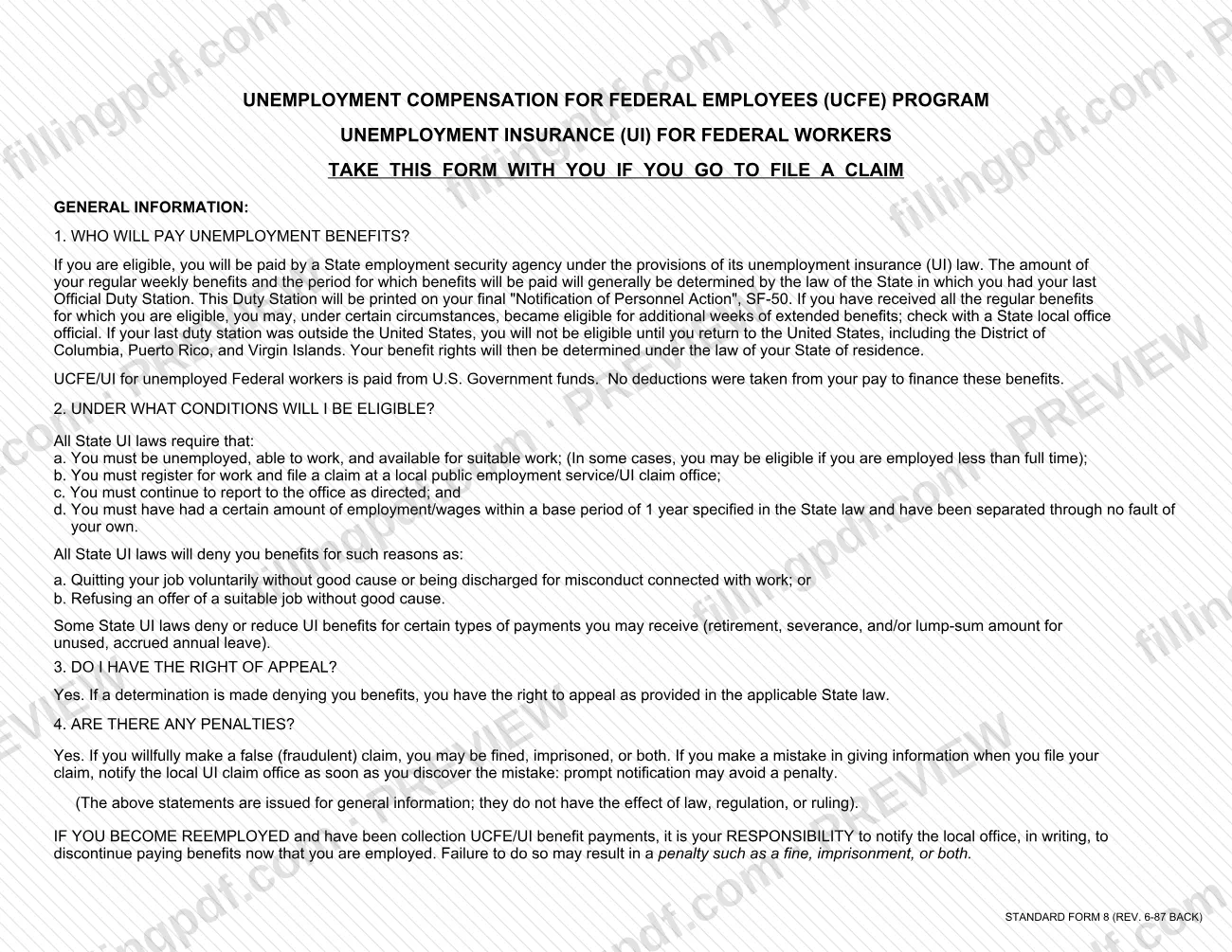
The SF8 is Standard Form 8, the Notice to Federal Employee About Unemployment Insurance, prescribed by the Department of Labor and published by GSA. A federal agency gives it to an employee who has been separated, placed in a nonpay status or moved to a different payroll office, and the employee takes it along when filing an unemployment claim. On FillingPDF you can fill out the form online and download or print the completed PDF; the official PDF is published by GSA at gsa.gov.
Last updated
What is SF 8?
Standard Form 8 (SF 8), Notice to Federal Employee About Unemployment Insurance, is the form a federal agency hands to an employee who has lost pay status, telling the employee how to file for unemployment insurance under the Unemployment Compensation for Federal Employees (UCFE) program.
The form is prescribed by the Department of Labor under 20 CFR 609, and the UCFE benefits it describes are provided by federal law (U.S. Code, Title 5, Chapter 85). The front page carries a box that the federal agency completes: the parent agency, any major component, the address to which claim paperwork should be sent, and a contact name and telephone number. The reverse side answers general questions in four parts: who pays benefits, the conditions for eligibility, the right of appeal and the penalties.
The form is not a claim. It does not decide eligibility, which the form says cannot be determined until after a claim is filed. It is a notice that the employee keeps and presents at the local public employment service office of the state employment security agency when filing. The form states that UCFE/UI for unemployed federal workers is paid from U.S. Government funds and that no deductions were taken from the employee's pay to finance the benefits. The statements on it are for general information and do not have the effect of law, regulation or ruling.
Who needs to file SF 8?
A federal agency issues Form SF 8 to an employee in any of three situations: the employee has been separated from the job, was placed in a nonpay status, or had records transferred to a different payroll office. The agency completes its part of the form; the employee keeps it.
Employees who want to file for unemployment insurance use it as follows:
- Take the form with you if you go to file a UCFE/UI claim.
- Register for work and file the claim at the nearest local public employment service office of the state employment security agency.
Points from the form that affect who can be paid:
- Benefits are generally governed by the law of the state of your last official duty station, shown on your final SF-50.
- If your last duty station was outside the United States, you are not eligible until you return to the United States, including the District of Columbia, Puerto Rico and the Virgin Islands. Your rights are then determined under the law of your state of residence.
- You must be unemployed, able to work and available for suitable work, with the required wages in the state's base period and a separation through no fault of your own.
When to file SF 8
Form SF 8 is given to you when you are separated from your job, placed in a nonpay status or have your records transferred to a different payroll office. It has no deadline of its own, but the form warns against delay in filing the unemployment claim it describes: if you wait, your benefits may be reduced or you may not qualify for any benefits. Your eligibility cannot be determined until after you file a claim, so file as soon as you become unemployed or enter nonpay status.
If you become reemployed while collecting UCFE/UI benefit payments, you must notify the local office in writing to stop the payments. The form says failure to do so may result in a penalty such as a fine, imprisonment or both.
Documents you need
- Your Social Security account number card, to take to the local public employment service office when you file your claim.
- The official notice of your most recent separation or of your present nonpay status; Standard Form 50 (SF-50) if available.
- Earnings and leave statements, or similar documents showing that you were employed by a federal agency.
How to fill out SF 8
Confirm the form applies to the employee
The form is given because the employee was separated, placed in a nonpay status or had records transferred to a different payroll office. Complete only the federal agency box on the front page.
Enter the parent agency and code
On the 1st line of the box, enter the parent federal agency name and its 3-digit code number. The 3-digit identification code number is also inserted by the federal agency.
Enter the major component
On the 2nd line, enter the major component of the agency, if there is one. Leave it off if the agency has none.
Enter the claims address
On the 3rd and 4th lines, enter the complete address to which all forms pertaining to a claim should be sent, including ES-931, 931A, 934, 936 and notices of appeal, hearings and determinations.
Add a contact name or office
Under Contact Name/Office, enter the person or office the claim office can reach about the employee's claim.
Add the telephone number
Enter the telephone number of the contact, including the area code.
Review and download the completed PDF
Check the agency name, code, address and contact details, then download or print the completed PDF from FillingPDF. The employee keeps the form and takes it to the local public employment service office when filing.
How to submit SF 8
Form SF 8 is not filed with an agency address. The federal agency gives it to you, and you carry it to the local office when you file your claim.
- In person: take the form to the nearest local public employment service office of the state employment security agency, where you register for work and file your UCFE/UI claim.
- What to bring: bring this form, your Social Security account number card, the official notice of your most recent separation or of your present nonpay status (Standard Form 50 if available), and earnings and leave statements or similar documents showing you were employed by a federal agency.
- Claim paperwork: the address entered in the federal agency's box is where all forms pertaining to a claim should be sent, including ES-931, 931A, 934, 936 and notices of appeal, hearings and determinations.
The form names no other channel, and no fee is mentioned on it. FillingPDF lets you fill out and download the PDF; use of the form follows the channels above.
Common mistakes to avoid
- Leaving the federal agency's box incomplete, so the claim office has no parent agency, 3-digit code or claim mailing address to use.
- Omitting the complete address on the 3rd and 4th lines of the box, where ES-931, 931A, 934, 936 and notices of appeal, hearings and determinations should be sent.
- Waiting to file a claim; the form says delay may reduce your benefits or leave you with none.
- Going to file without the form, your Social Security card and your separation or nonpay notice, which the form says help expedite the claim.
- Assuming eligibility is decided by the notice; the form says it cannot be determined until after you file a claim.
- Failing to tell the local office in writing to stop benefits after you become reemployed, which may bring a fine, imprisonment or both.
- Not reporting a mistake in your claim information to the local UI claim office as soon as you find it; prompt notification may avoid a penalty.
Frequently asked questions
What is the SF8 form?
The SF8 is Standard Form 8, Notice to Federal Employee About Unemployment Insurance. A federal agency gives it to an employee who is separated, in nonpay status or transferred to another payroll office, explaining how to file a UCFE unemployment insurance claim with the state.
Who fills out Form SF 8?
The federal agency completes the box on the front: parent agency name and 3-digit code, any major component, the claims address, and a contact name and telephone number. The employee does not complete it, but keeps it and takes it when filing a claim.
Where do I file an unemployment claim as a federal employee?
Go to the nearest local public employment service office of your state employment security agency to register for work and file your UCFE/UI claim. Take the SF 8 with you. The state agency, not the federal agency, pays the benefits if you are eligible.
What should I bring when I file a UCFE claim?
Bring the SF 8, your Social Security account number card, the official notice of your separation or nonpay status (Standard Form 50 if available), and earnings and leave statements or similar documents showing federal employment. The form says these help expedite your claim.
Which state's law decides my benefits?
Generally the law of the state of your last official duty station, which is printed on your final SF-50. If that duty station was outside the United States, you are not eligible until you return, and your state of residence's law then applies.
Are UCFE benefits taken out of my pay?
No. The form says UCFE/UI for federal workers is paid from U.S. Government funds and that no deductions were taken from your pay to finance the benefits.
Can I appeal if my unemployment claim is denied?
Yes. If a determination denies you benefits, you have the right to appeal as provided in the applicable state law. Notices of appeal and determinations are sent to the address the federal agency entered on the SF 8.
Can I fill out the SF 8 online on FillingPDF?
Yes, you can fill out the PDF online on FillingPDF and download or print it. FillingPDF is an independent service and does not file claims or send the form to anyone; you present it at the state office yourself.
Ready to fill out SF 8?
Fill out SF 8 now