
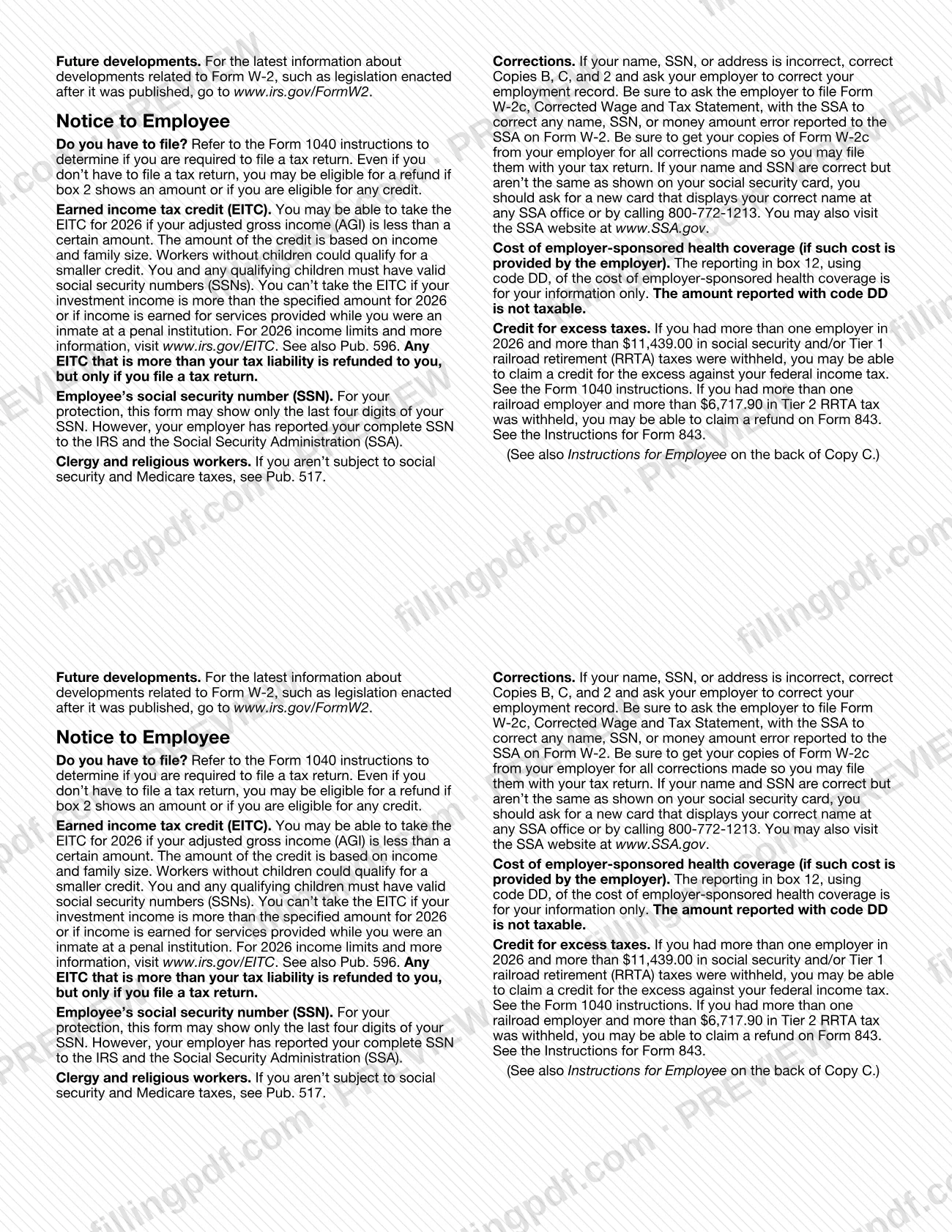
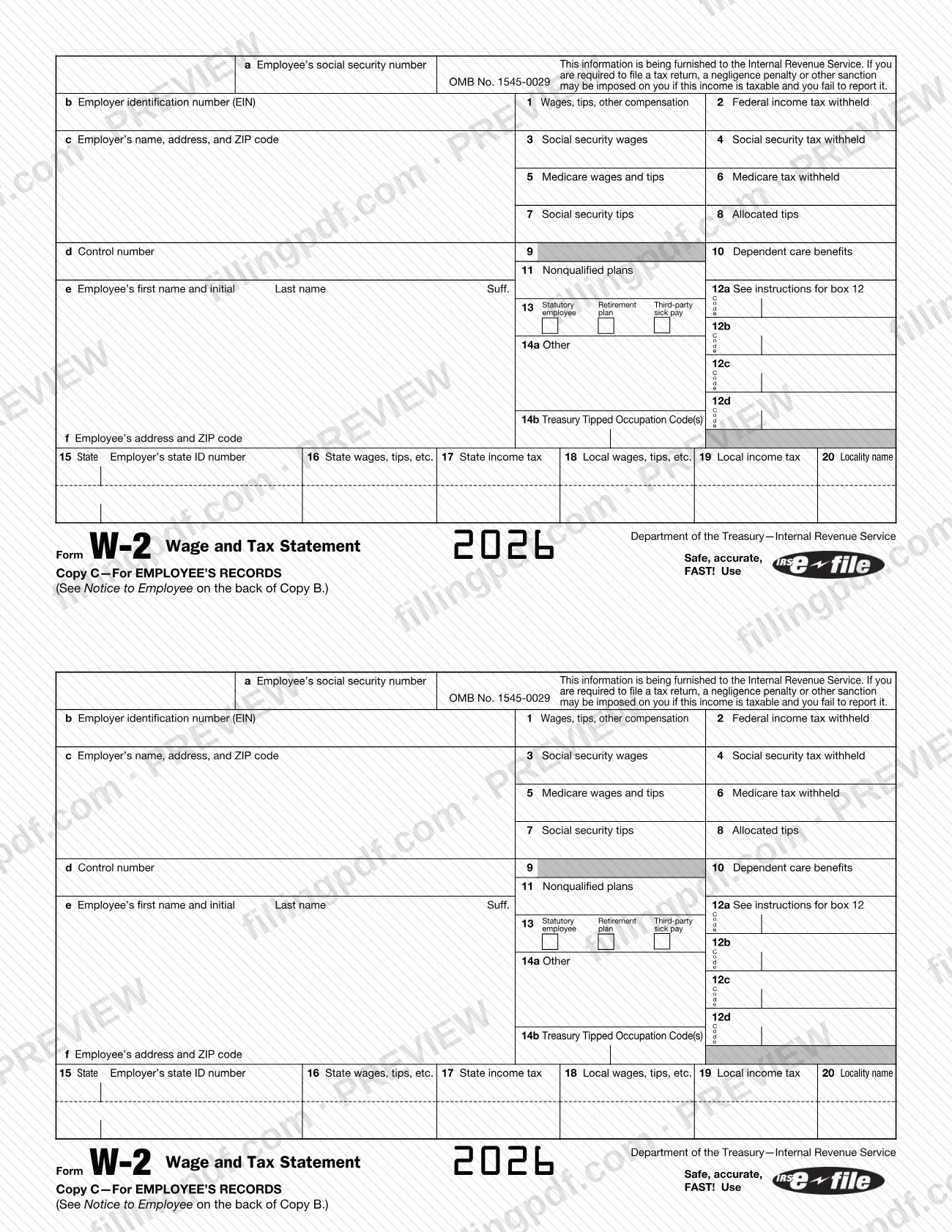
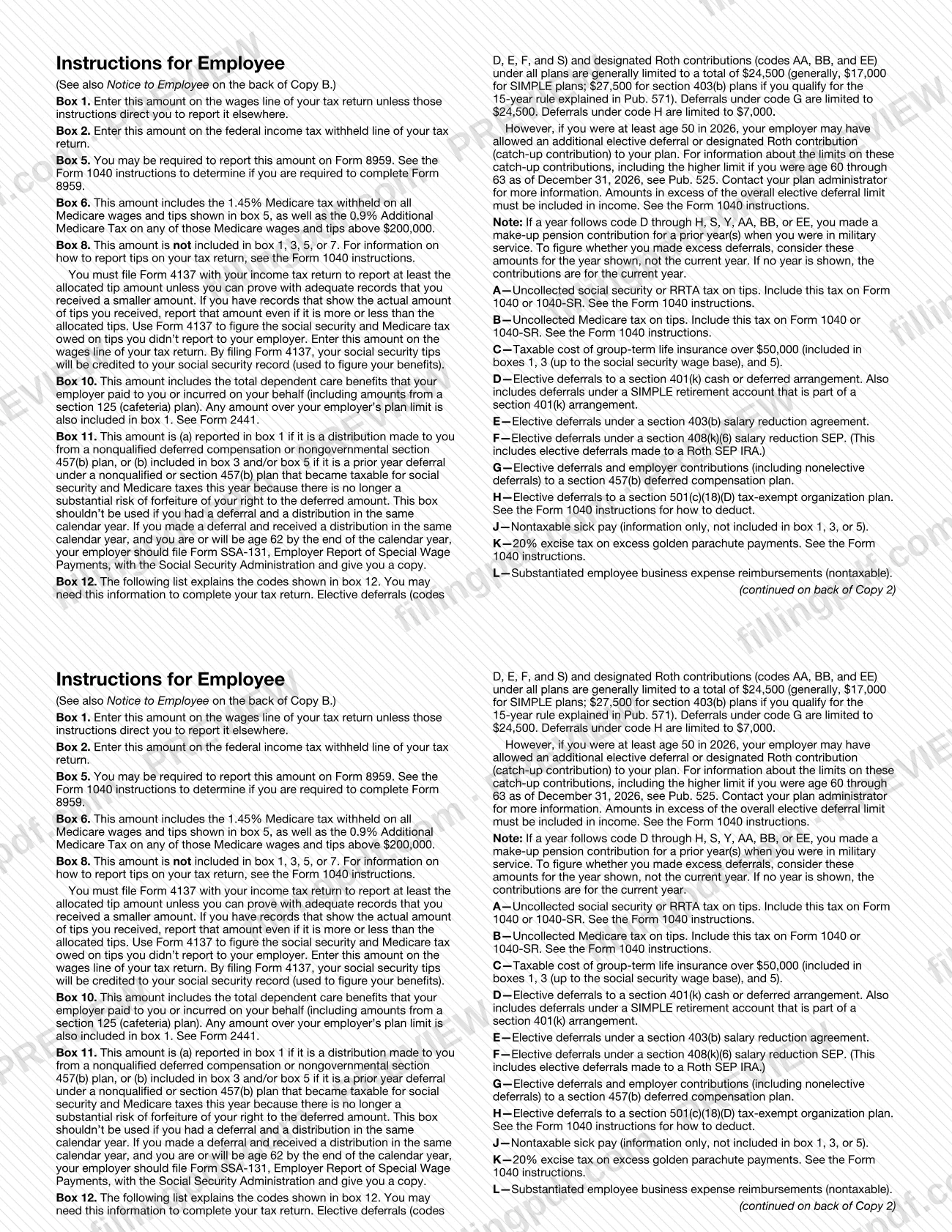
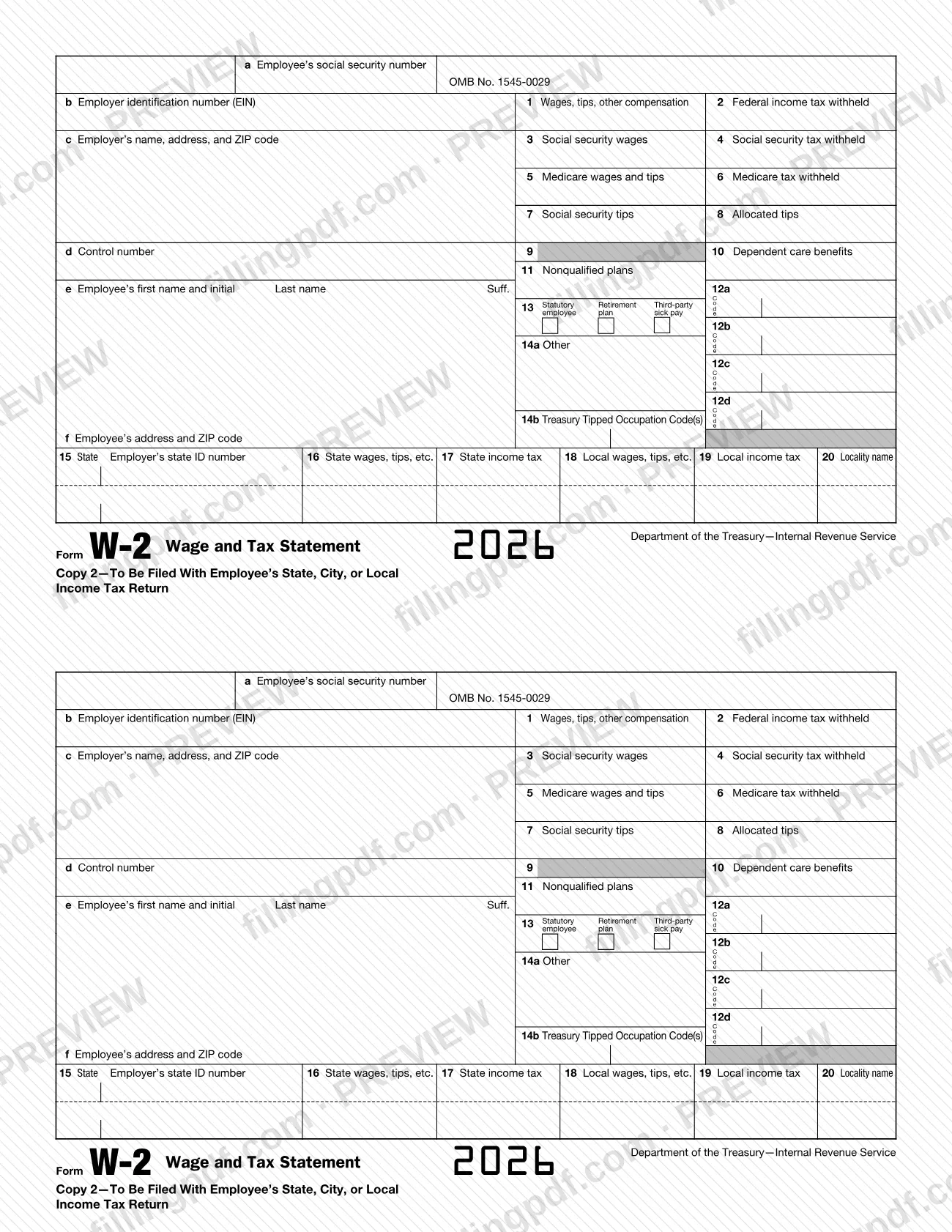
The w2 form, officially Form W-2, Wage and Tax Statement, is the Internal Revenue Service (IRS) form on which an employer reports the wages, tips and other compensation paid to an employee and the taxes withheld. Employers complete one for each employee, and employees use their copies when they prepare tax returns. On this page you can fill out the form online on FillingPDF and download or print the completed PDF. The IRS warns that Copy A printed from IRS.gov cannot be filed with the Social Security Administration (SSA); see How to submit.
Last updated
What is W-2?
Form W-2, Wage and Tax Statement, is the Internal Revenue Service (IRS) form on which an employer reports the wages and other compensation paid to an employee for the year and the income, Social Security and Medicare taxes withheld from it.
The employer completes one form for each employee and distributes it in copies:
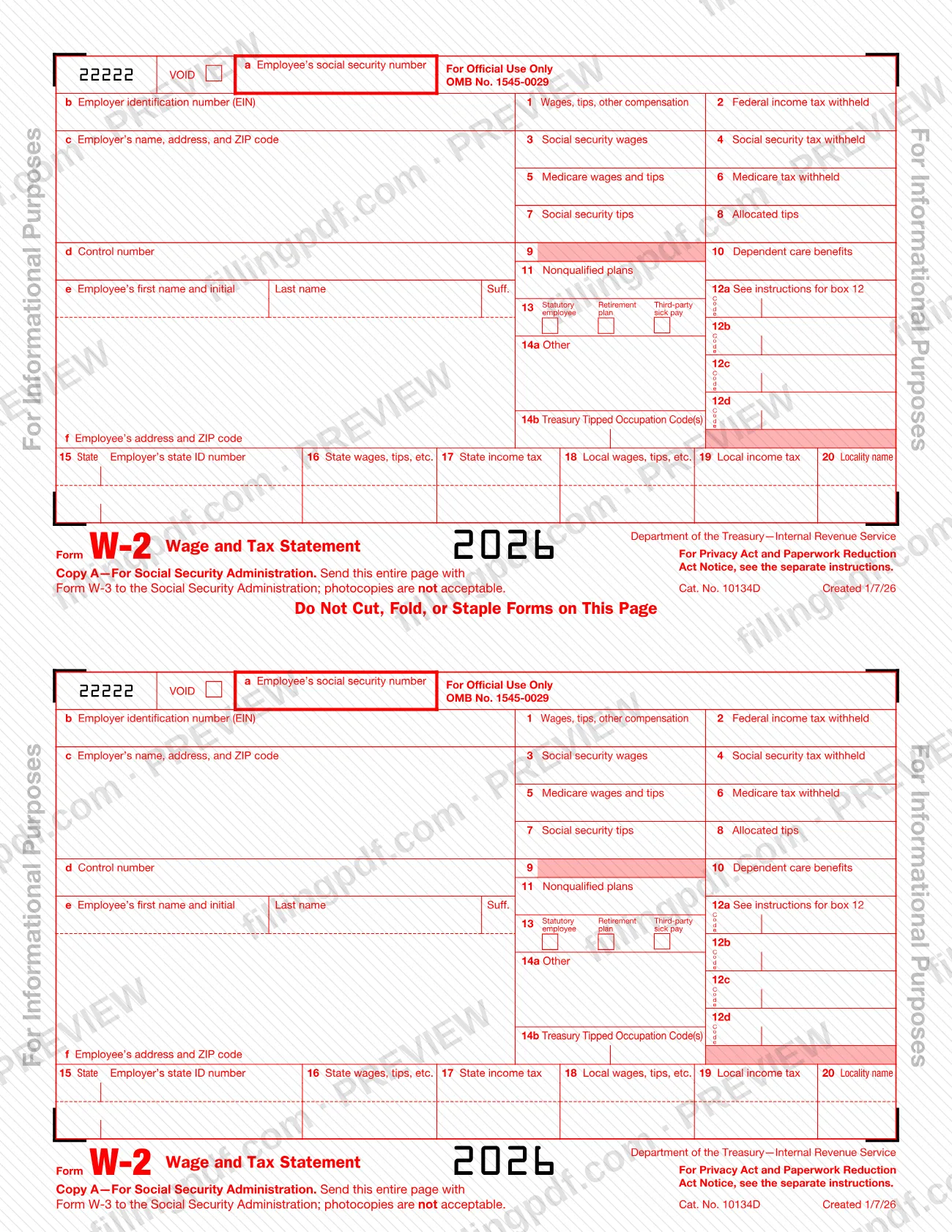
- Copy A goes to the Social Security Administration (SSA) with Form W-3.
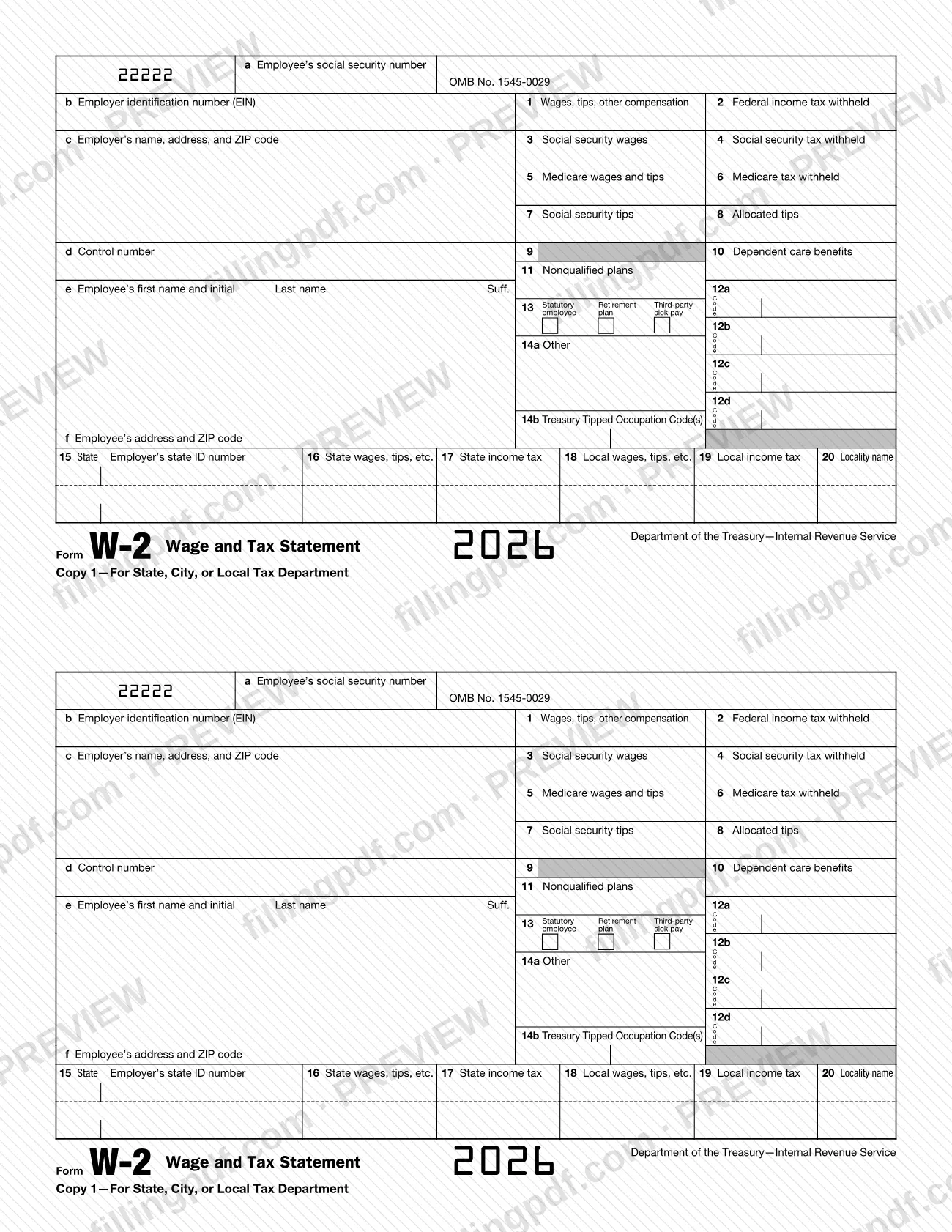
- Copy 1 goes to the state, city or local tax department.
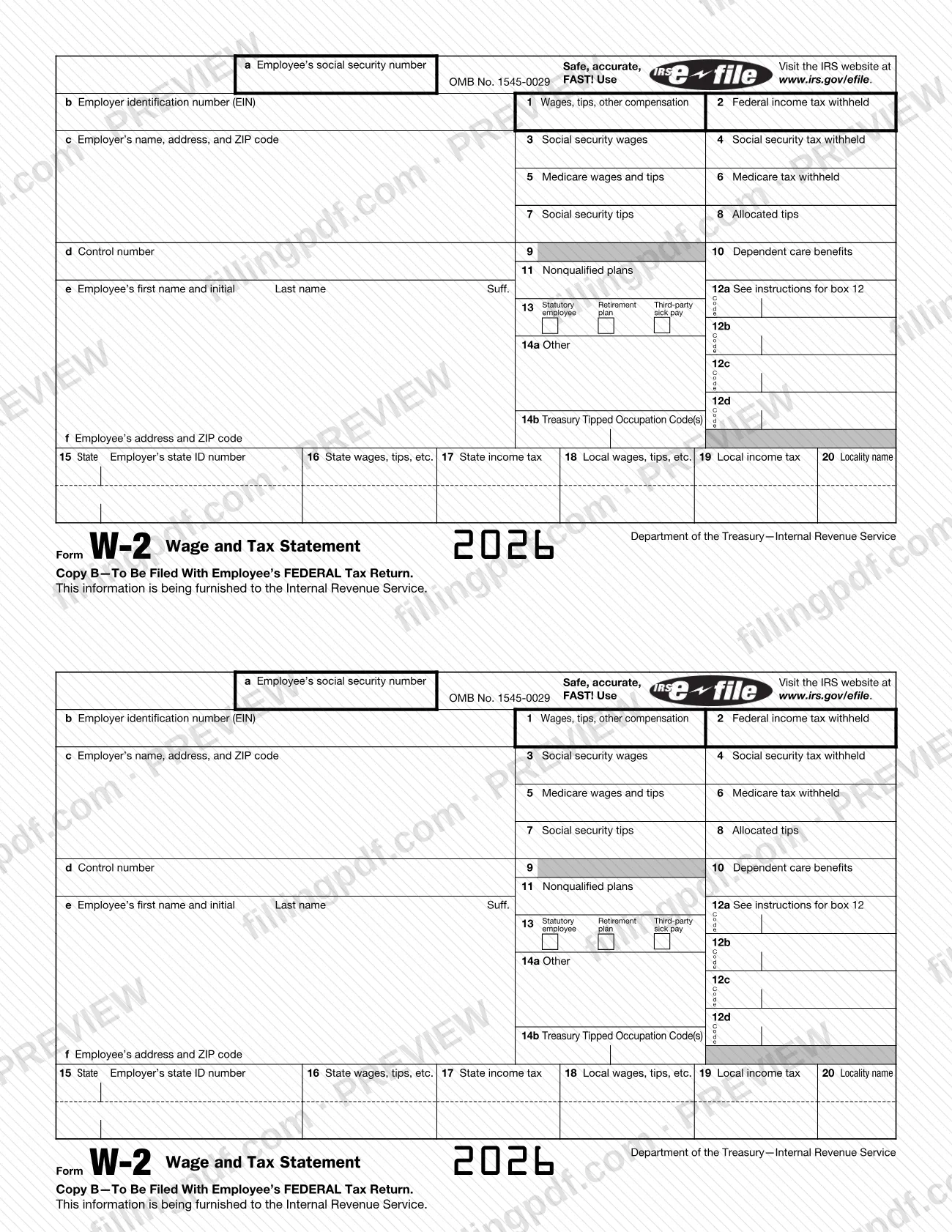
- Copy B is filed with the employee's federal tax return; Copy C is for the employee's records; Copy 2 is filed with the employee's state, city or local income tax return.
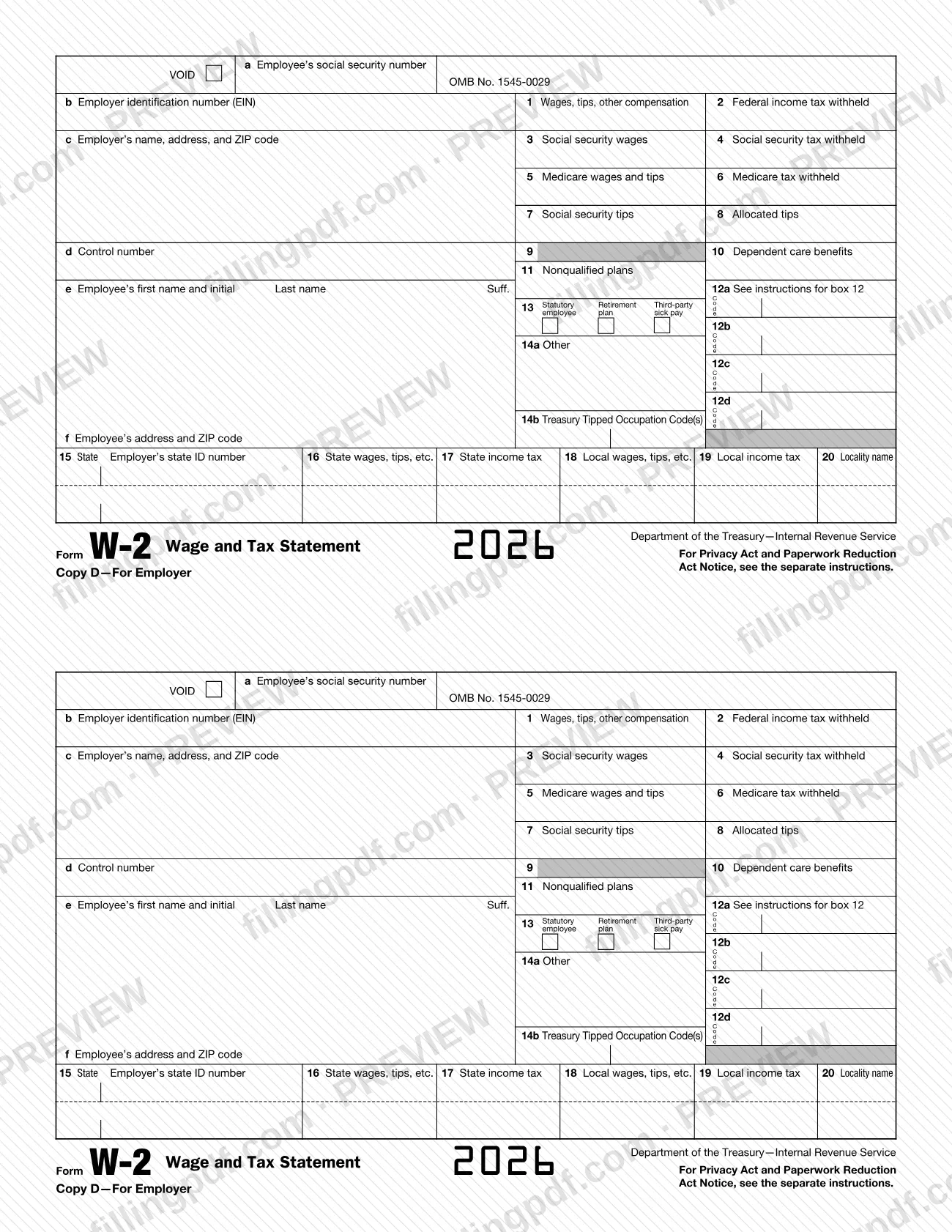
- Copy D is for the employer.
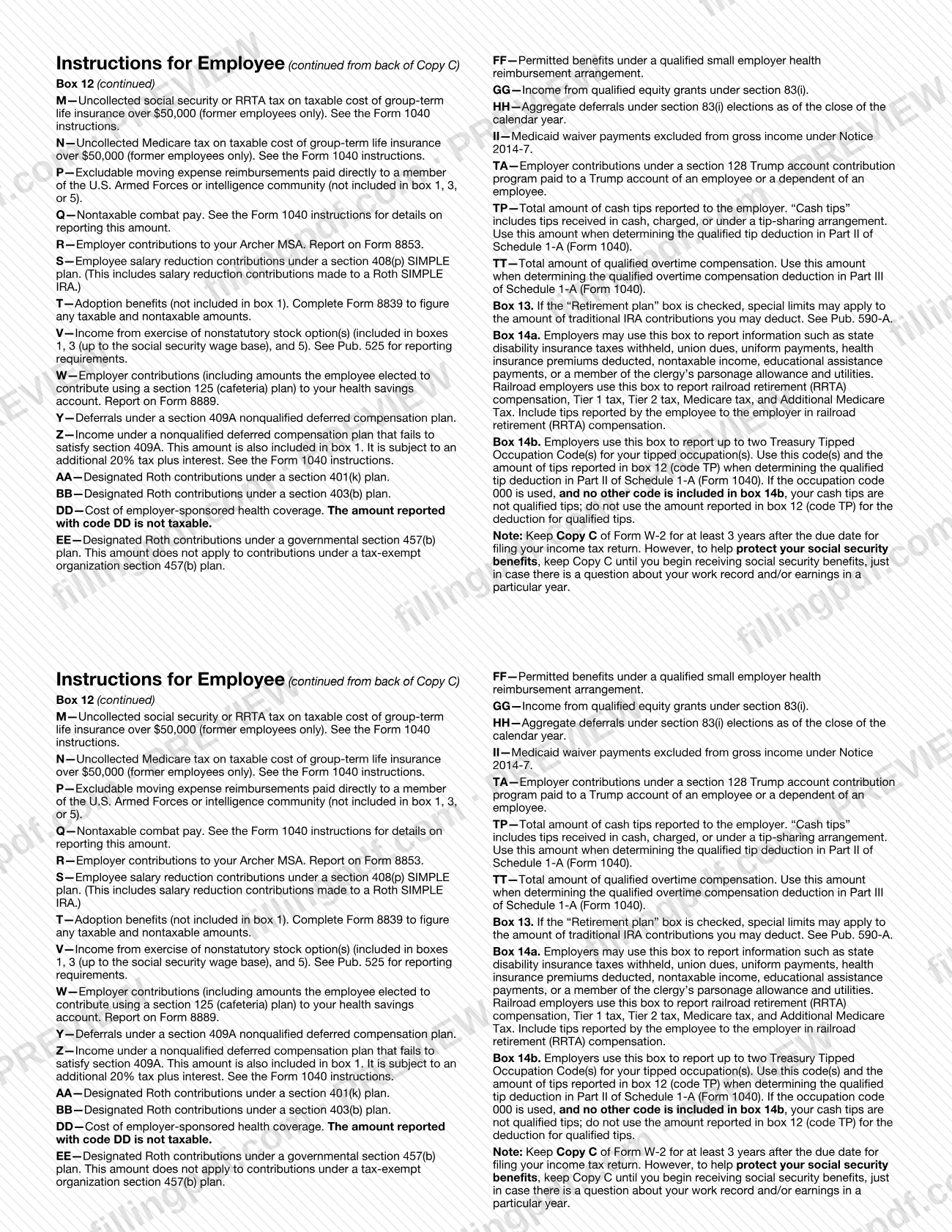
Employees use box 1 (wages, tips, other compensation) and box 2 (federal income tax withheld) on their returns. Box 12 uses letter codes for items such as elective deferrals, nontaxable sick pay and the cost of employer-sponsored health coverage (code DD, reported for information only and not taxable). Boxes 13 and 14 add checkboxes and employer notes, and boxes 15 to 20 report state and local wages and taxes.
The form is printed with OMB No. 1545-0029. Form W-3 transmits Copy A to the SSA, and Form W-2c, Corrected Wage and Tax Statement, corrects errors reported on a Form W-2. The IRS instructions for Forms W-2 and W-3 also cover Forms W-2AS, W-2CM, W-2GU, W-2VI and W-3SS. Copy A printed from IRS.gov is for information only and is not a filing copy.
Who needs to file W-2?
Every employer engaged in a trade or business that pays remuneration, including noncash payments, for services performed by an employee must file Form W-2 for each employee, even if the employee is related to the employer. The IRS names three triggers:
- Income, Social Security or Medicare tax was withheld.
- Income tax would have been withheld if the employee had claimed no more than one withholding allowance (Forms W-4 for 2019 or earlier) or had not claimed exemption from withholding on Form W-4.
- Payments met or exceeded the applicable reporting threshold, even if no tax was withheld. See the current Instructions for Forms W-2 and W-3 for the threshold.
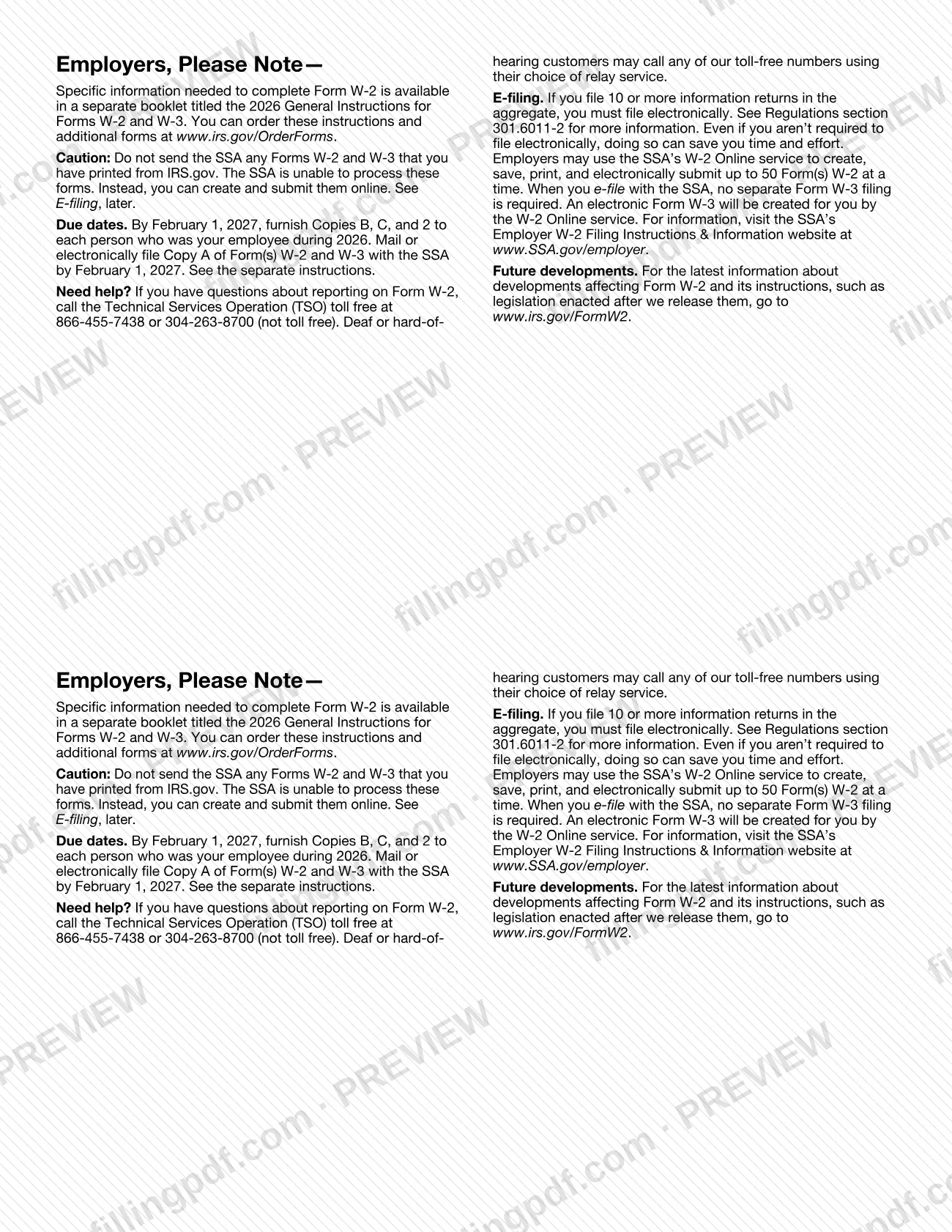
Employers who file 10 or more information returns in the aggregate must file electronically.
Employees do not complete the form. They receive Copies B, C and 2 and use them for their returns. The notice on the form tells employees to check the Form 1040 instructions to learn whether they must file; even if they don't have to, they may get a refund if box 2 shows an amount or if they qualify for a credit. Clergy and religious workers not subject to Social Security and Medicare taxes are sent to Pub. 517.
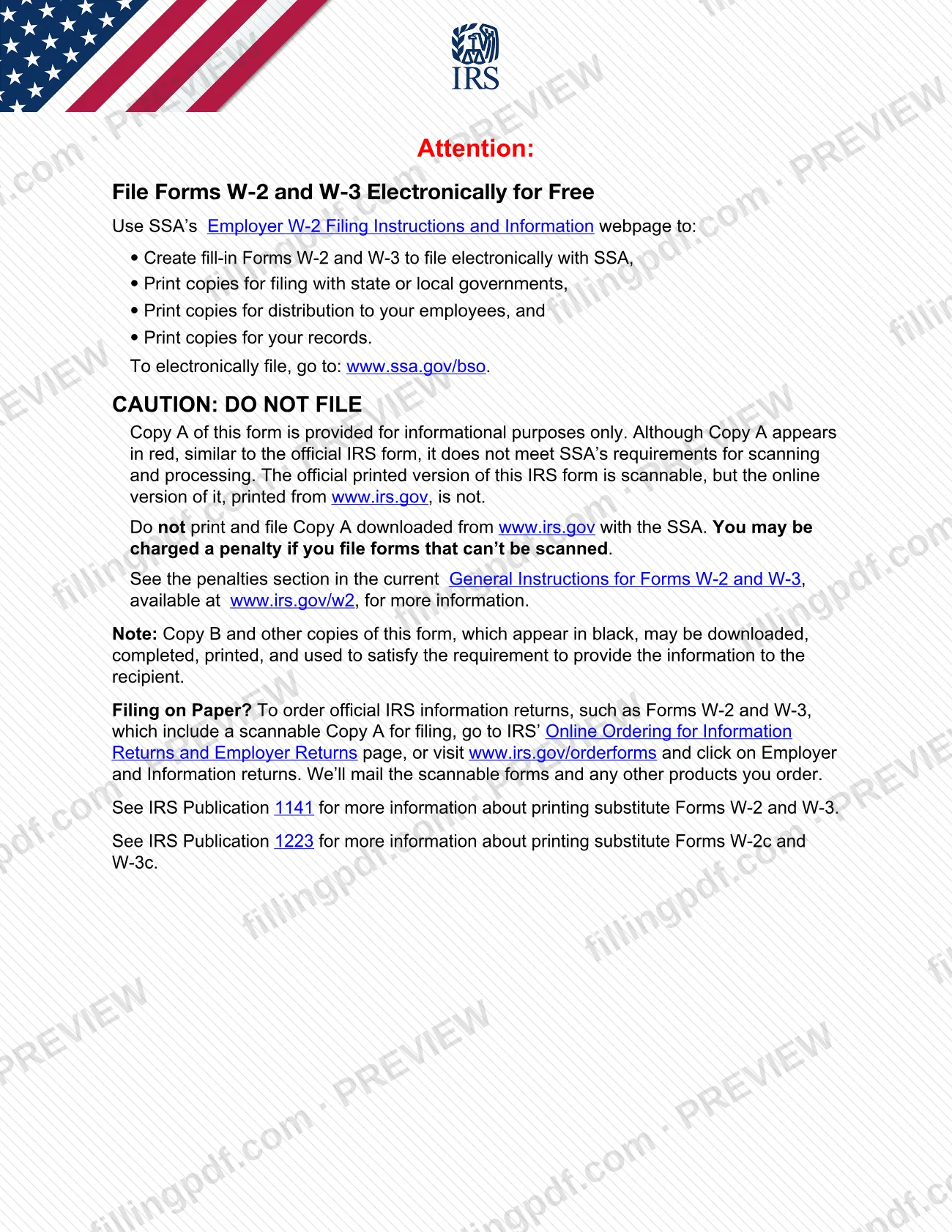
Do not file Copy A printed from IRS.gov with the SSA.
When to file W-2
Employers have until February 1, 2027 to furnish Copies B, C and 2 of the 2026 Form W-2 to each person who was an employee during 2026. Copy A of Forms W-2 and W-3 must be mailed or electronically filed with the SSA by the same date, February 1, 2027. The form directs employers to the separate instructions for further detail.
Employees do not file the form on a deadline of its own; they attach Copy B to the federal return and Copy 2 to a state, city or local return. The form advises keeping Copy C for at least 3 years after the due date for filing your income tax return. To help protect Social Security benefits, keep Copy C until you begin receiving those benefits, in case there is a question about your work record or earnings in a particular year.
Documents you need
- Form W-3, Transmittal of Wage and Tax Statements: sent together with Copy A when an employer files Copy A on paper with the SSA (printed on Copy A: send the entire page with Form W-3).
- Form W-2c, Corrected Wage and Tax Statement copies: employees get these from the employer after any correction to a name, SSN or money amount reported to the SSA, and may file them with their tax return.
- Form 4137: filed by an employee with the income tax return to report at least the allocated tip amount in box 8, unless adequate records prove a smaller amount.
How to fill out W-2
Choose the right copy to complete
Complete Copy B, C, 2 or another black copy for employees. Copy A in red is provided for information only and is not accepted for filing with the SSA.
Enter SSN and employer EIN
Box a: the employee's social security number. Box b: the employer identification number (EIN).
Enter employer and employee details
Box c: the employer's name, address and ZIP code. Box d: a control number if used. Box e: the employee's first name and initial, last name and suffix; box f: the employee's address and ZIP code.
Report wages and federal tax withheld
Box 1: wages, tips and other compensation. Box 2: federal income tax withheld.
Complete Social Security and Medicare boxes
Boxes 3 and 4: social security wages and tax withheld. Boxes 5 and 6: Medicare wages and tips and Medicare tax withheld. Boxes 7 and 8: social security tips and allocated tips; box 8 is not included in boxes 1, 3, 5 or 7.
Enter dependent care and nonqualified plans
Box 10: total dependent care benefits paid to the employee or incurred on the employee's behalf, including section 125 plan amounts. Box 11: nonqualified plan amounts. Box 9 is printed without a label.
Add box 12 codes and amounts
Boxes 12a to 12d: enter the letter code and the amount for each item, using the code list on the form's employee instructions, such as D, W or DD. See the General Instructions for Forms W-2 and W-3 for which items to report.
Check the box 13 indicators
Check Statutory employee, Retirement plan or Third-party sick pay where each applies to the employee.
Complete boxes 14a and 14b
Box 14a: other information, such as union dues or state disability insurance taxes withheld; railroad employers report RRTA information here. Box 14b: up to two Treasury Tipped Occupation Codes for the employee's tipped occupations.
Fill in state and local boxes
Box 15: state and employer's state ID number. Boxes 16 and 17: state wages and state income tax. Boxes 18 to 20: local wages, local income tax and locality name.
Review and download the completed PDF
Check names, SSN, EIN and every amount against payroll records. Download or print the completed PDF from FillingPDF and distribute or file it through the channels described under How to submit.
How to submit W-2
Employers file Copy A with the SSA electronically or on paper, and give the other copies to employees and to state or local tax departments. Employees send nothing to the SSA; they attach their copies to their returns.
- Electronic filing (SSA): Go to www.ssa.gov/bso. SSA's W-2 Online service lets you create, save, print and submit up to 50 Forms W-2 at a time. No separate Form W-3 is needed, because an electronic Form W-3 is created for you. The same site prints copies for state or local governments, for employees and for your records. Filing electronically is required if you file 10 or more information returns in the aggregate.
- Paper filing: Use official printed forms that include a scannable Copy A, and send Copy A with Form W-3. Photocopies are not acceptable. Order the forms at www.irs.gov/orderforms or through the IRS online ordering page for information returns. Mailing details are in the General Instructions for Forms W-2 and W-3 at www.irs.gov/w2.
- Employee copies: Copy B and the other black copies may be downloaded, completed and printed to meet the requirement to give the information to the employee.
Do not send the SSA Copy A printed from IRS.gov; it cannot be scanned and a penalty may be charged. For reporting questions, call the Technical Services Operation at 866-455-7438 or 304-263-8700 (not toll free). FillingPDF lets you fill out and download the PDF; submission follows the channels above.
Common mistakes to avoid
- Printing Copy A from IRS.gov and sending it to the SSA. It is for information only, cannot be scanned, and a penalty may be charged for forms that can't be scanned.
- Sending a photocopy of Copy A; the form says photocopies are not acceptable and the entire page goes to the SSA with Form W-3.
- Cutting, folding or stapling the Copy A page, which is marked "Do Not Cut, Fold, or Staple Forms on This Page".
- Filing on paper when you have 10 or more information returns in the aggregate, since electronic filing is required at that point.
- Missing the February 1, 2027 date for furnishing Copies B, C and 2 or for filing Copy A with the SSA.
- Correcting only your own copies when your name, SSN or address is wrong; you must also ask the employer to file Form W-2c with the SSA.
- Treating the amount reported with box 12 code DD as taxable income; the form says it is for information only and is not taxable.
- Using box 11 for an employee who had a nonqualified plan deferral and a distribution in the same calendar year; the instructions say it shouldn't be used then.
Frequently asked questions
What is a W2 form?
A w2 form, officially Form W-2, Wage and Tax Statement, is the IRS form on which an employer reports an employee's wages, tips and other compensation and the income, Social Security and Medicare taxes withheld. Employees use it to prepare their tax returns.
When are W-2 forms due for 2026?
February 1, 2027. By that date employers must furnish Copies B, C and 2 to each person who was an employee during 2026, and mail or electronically file Copy A of Forms W-2 and W-3 with the SSA. See the separate instructions for details.
Can I fill out Form W-2 online?
You can fill out Form W-2 online on FillingPDF and download or print the completed PDF. FillingPDF does not file it with the IRS or the SSA. To file Copy A, use SSA's W-2 Online service at www.ssa.gov/bso or the official printed scannable forms.
Can I file Copy A of Form W-2 that I printed from IRS.gov?
No. Copy A appears in red but does not meet SSA's scanning and processing requirements, so the SSA cannot process it and you may be charged a penalty. File electronically at www.ssa.gov/bso, or order official printed forms with a scannable Copy A.
Do I have to file W-2s electronically?
Yes, if you file 10 or more information returns in the aggregate (Regulations section 301.6011-2). SSA's W-2 Online service lets you create, save, print and submit up to 50 Forms W-2 at a time, and it creates the electronic Form W-3 for you.
What if my name, SSN or address is wrong on my W-2?
Correct Copies B, C and 2 and ask your employer to correct your employment record. Ask the employer to file Form W-2c with the SSA for any name, SSN or money amount error, and get your Form W-2c copies to file with your tax return.
Is the box 12 code DD amount taxable?
No. Code DD reports the cost of employer-sponsored health coverage, if the employer provides it. The form says the amount is for your information only and is not taxable.
How long should I keep my W-2?
Keep Copy C for at least 3 years after the due date for filing your income tax return. To help protect your Social Security benefits, the form advises keeping it until you begin receiving those benefits, in case your work record for a year is questioned.
Which W-2 copy goes with my tax return?
Copy B is filed with your federal tax return. Copy 2 is filed with your state, city or local income tax return. Copy C is for your own records.
Ready to fill out W-2?
Fill out W-2 now