
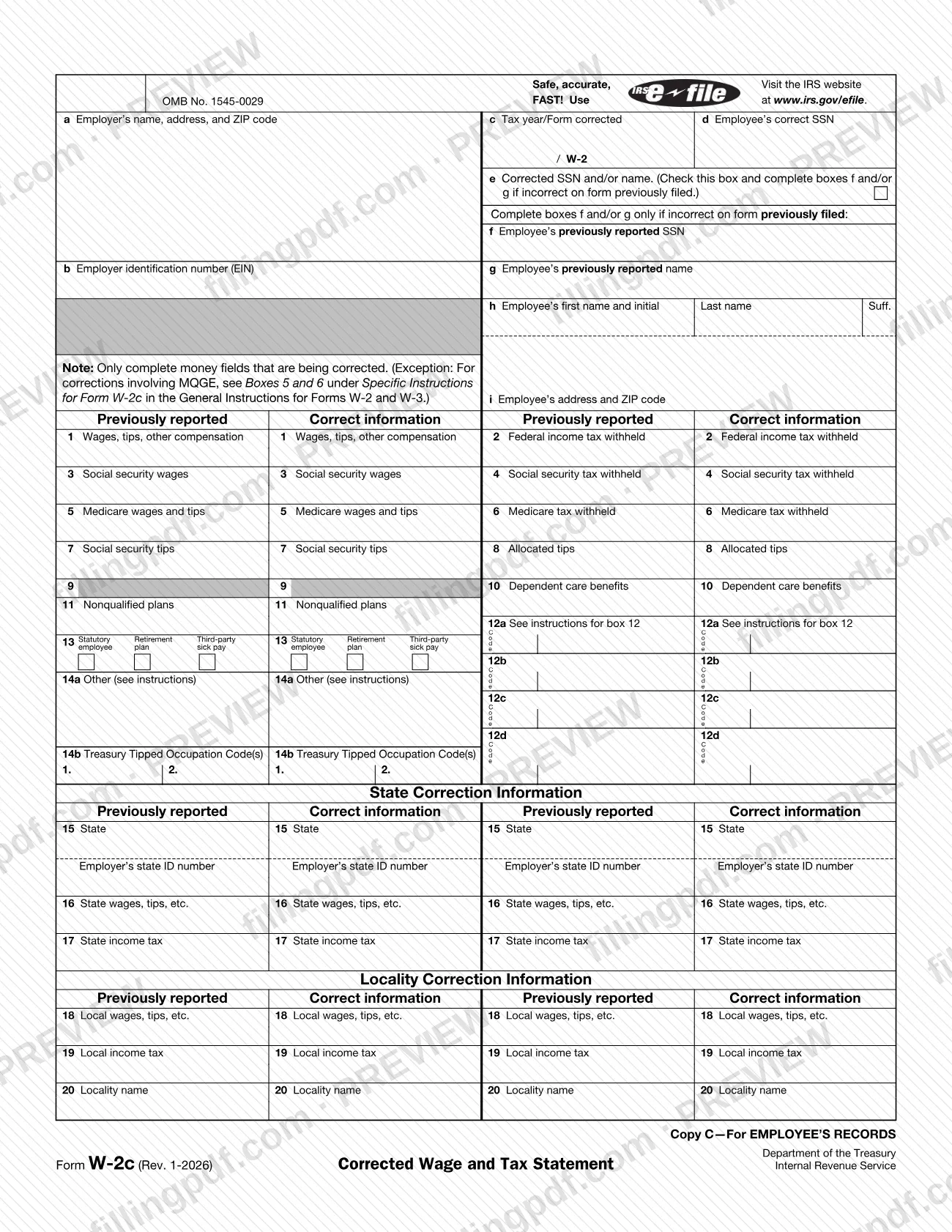
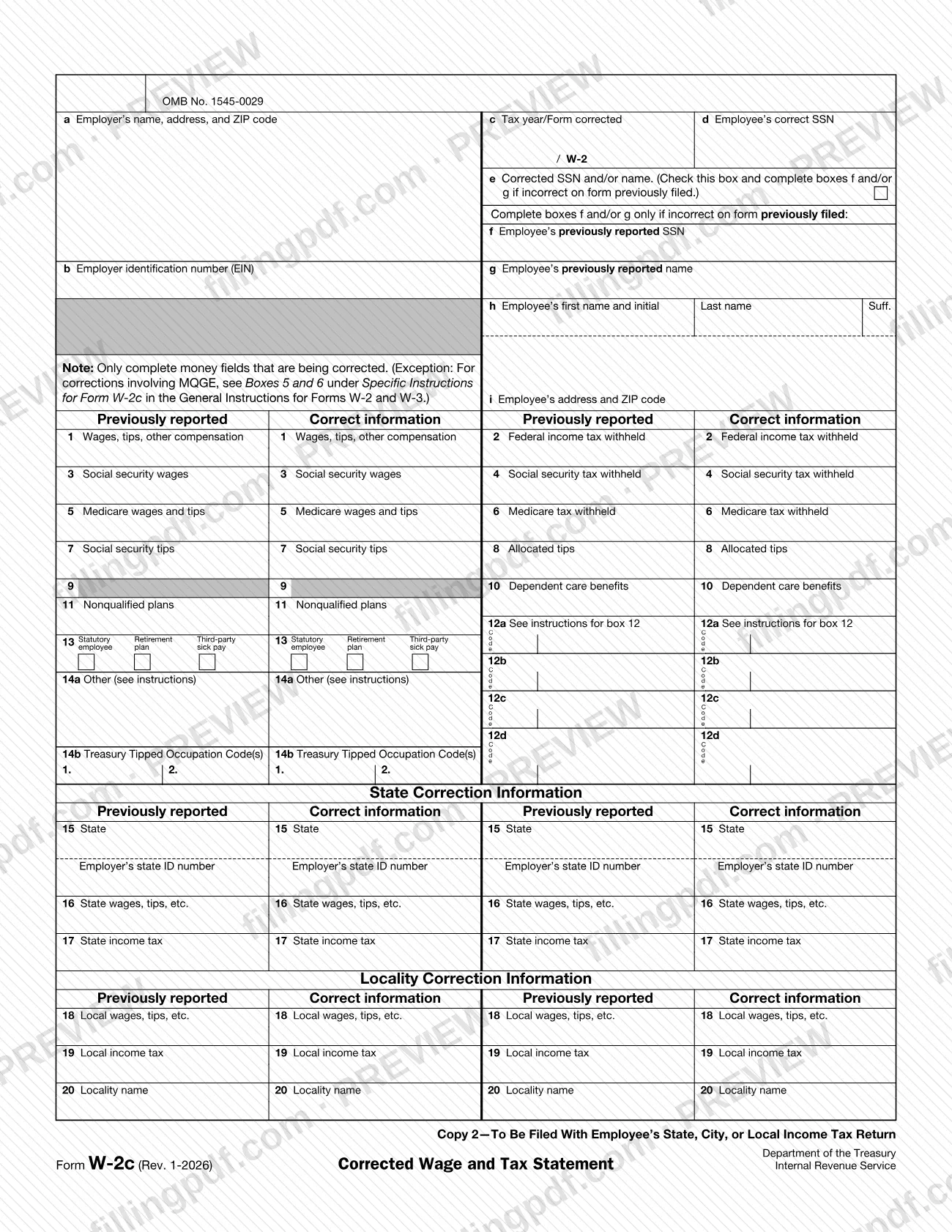
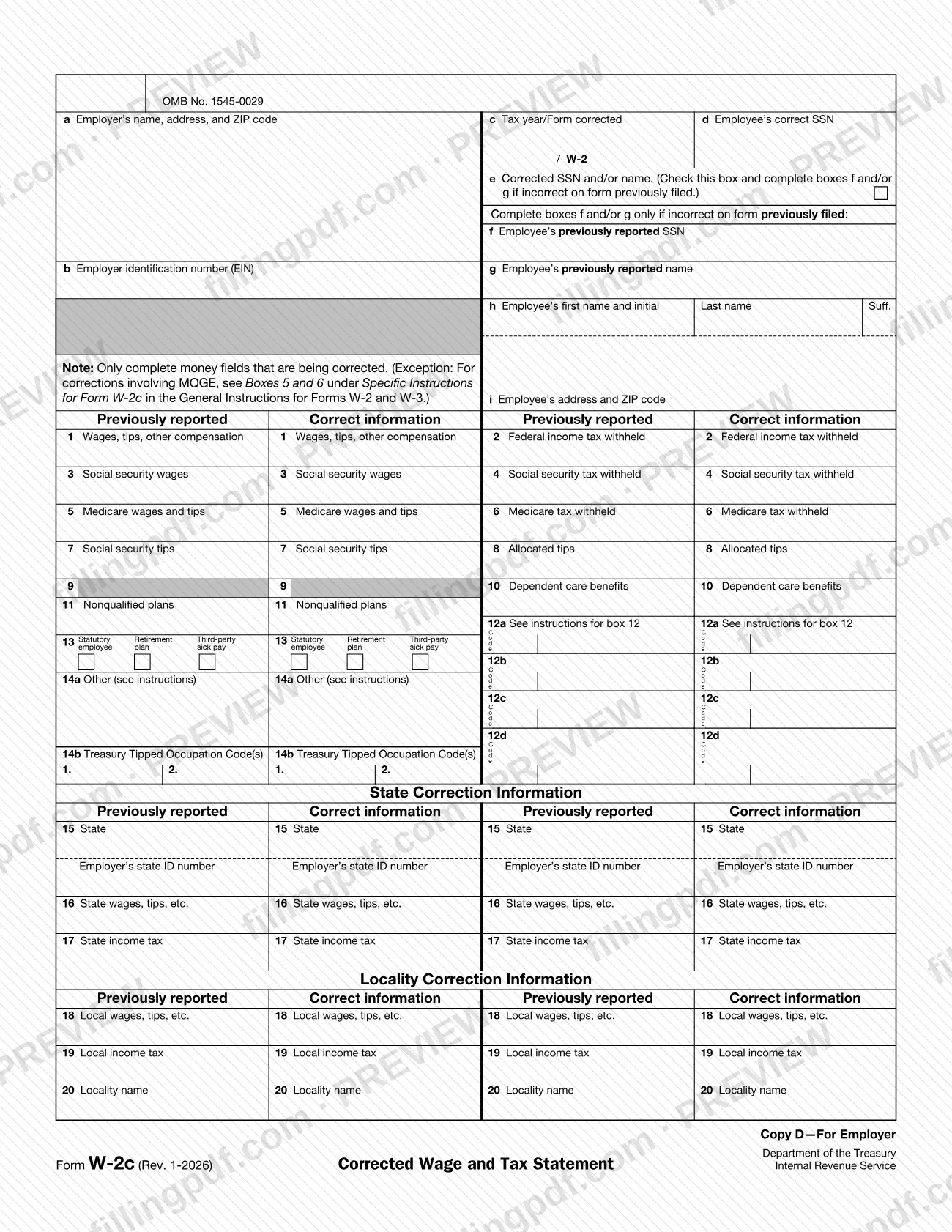

The w2c, officially Form W-2c, Corrected Wage and Tax Statement, is the Internal Revenue Service (IRS) form employers use to correct errors on a Form W-2 already filed with the Social Security Administration (SSA) and to give the employee a corrected copy. Each money box has a Previously reported column and a Correct information column, so you complete only the amounts that change. On FillingPDF you can fill out the form online and download or print the completed PDF; the IRS publishes the original PDF, and the SSA cannot process Forms W-2c printed from IRS.gov, so filing with the SSA goes through its online service.
Last updated
What is W-2c?
Form W-2c, Corrected Wage and Tax Statement, is the IRS form used to correct errors on a previously filed Form W-2 (or W-2AS, W-2CM, W-2GU, W-2VI, or an earlier W-2c) and to give the employee a corrected statement.
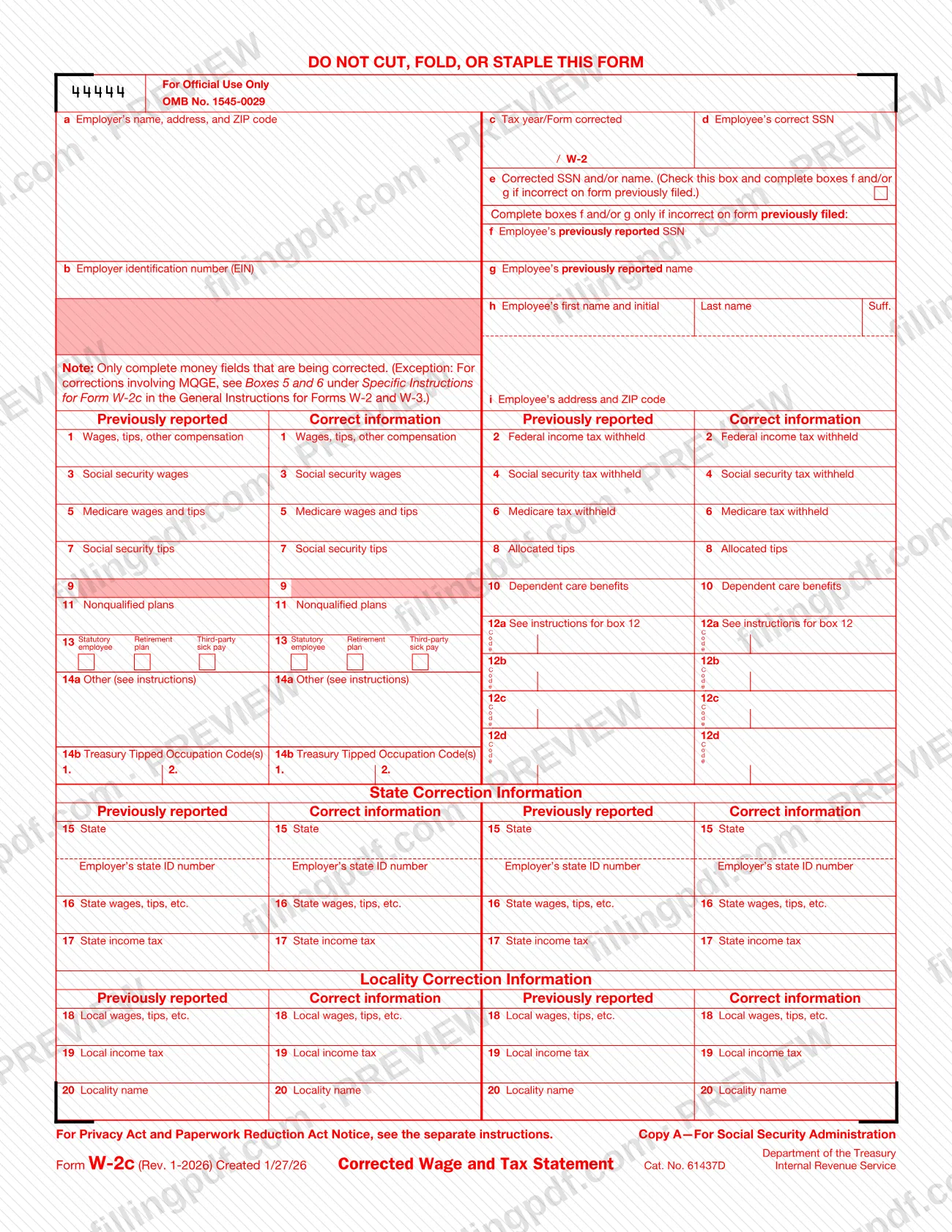
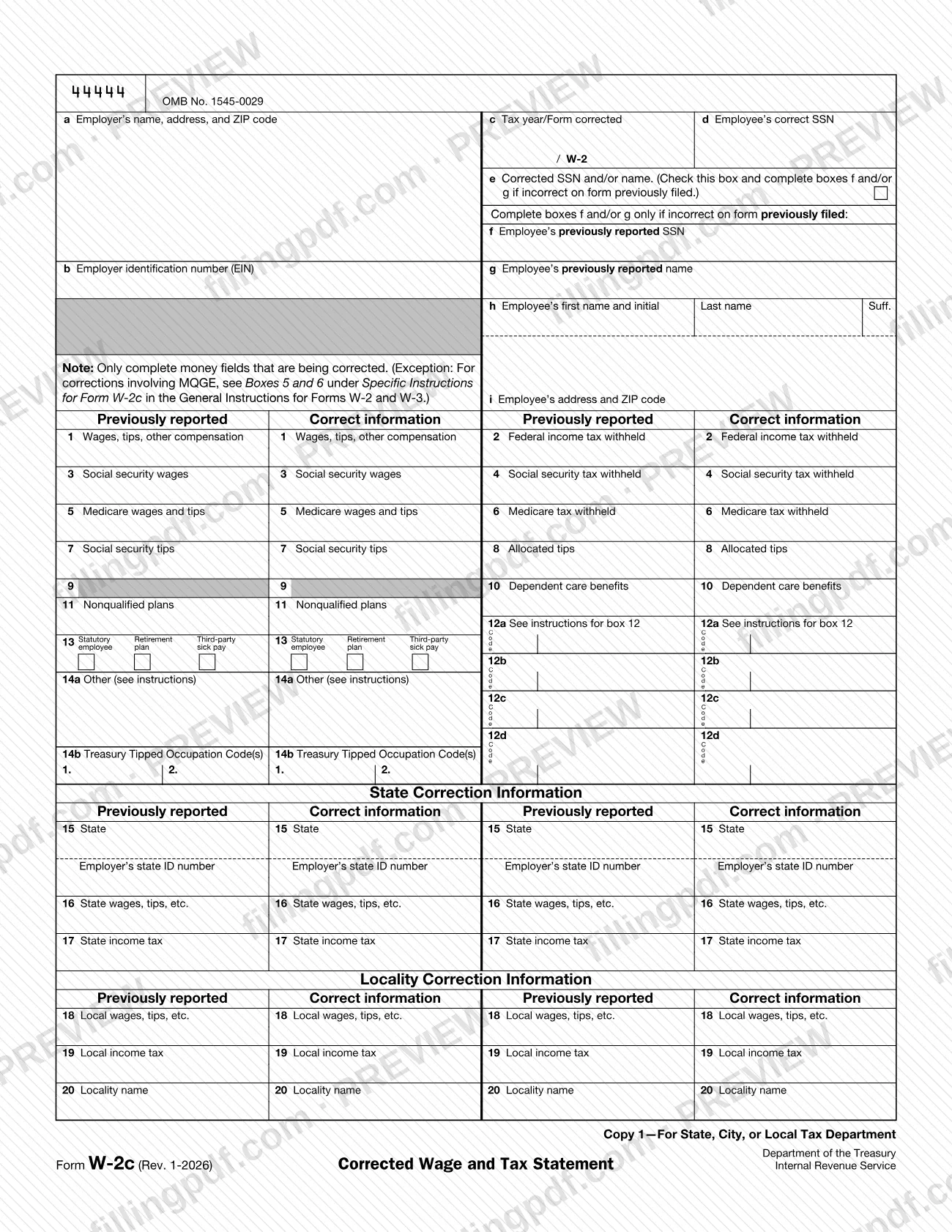
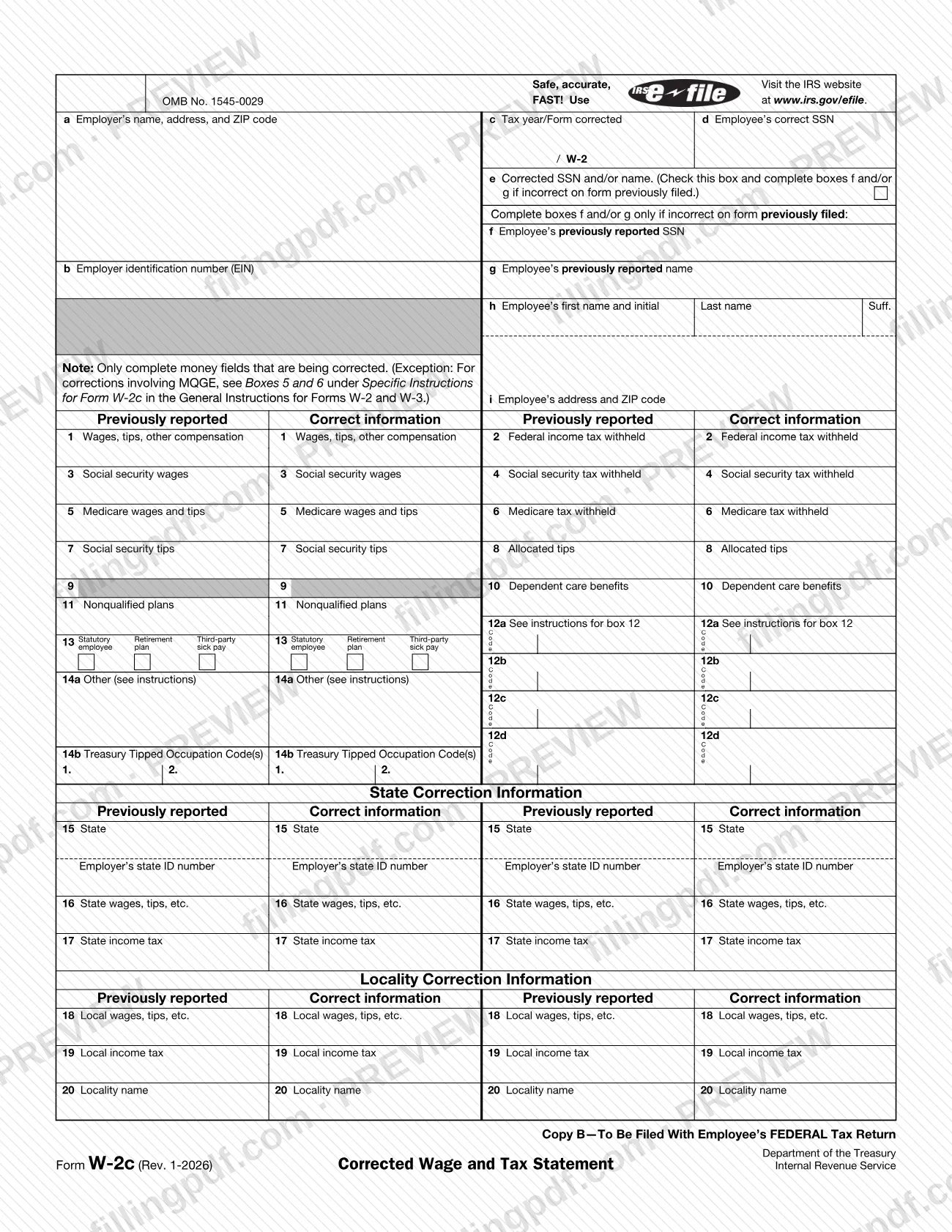
The IRS page for the form gives it two jobs: correcting errors on a Form W-2 or W-2c filed with the Social Security Administration (SSA), and providing the corrected form to employees. The form itself is a side-by-side correction sheet. For wages, withholding and the other money boxes, you enter what was Previously reported next to the Correct information. A note on the form says to complete only the money fields that are being corrected, with one exception: for corrections involving MQGE, the General Instructions for Forms W-2 and W-3 explain Boxes 5 and 6 under Specific Instructions for Form W-2c.
Boxes d through i handle identity corrections. Box e is checked when the SSN or name on the form previously filed was wrong, and boxes f and g then record the previously reported SSN and name. State and locality corrections have their own blocks (boxes 15 to 20).
The page carries OMB No. 1545-0029 and is made up of six copies: Copy A for the SSA, Copy 1 for the state, city or local tax department, Copy B for the employee's federal tax return, Copy C for the employee's records, Copy 2 for the employee's state, city or local return, and Copy D for the employer. Copy A on the IRS PDF is for information only. The detailed line instructions are in the General Instructions for Forms W-2 and W-3.
Who needs to file W-2c?
Employers who need to fix a Form W-2, W-2AS, W-2CM, W-2GU, W-2VI or W-2c already filed with the SSA use Form W-2c. The form is addressed to employers, and they also use it to give each affected employee a corrected statement.
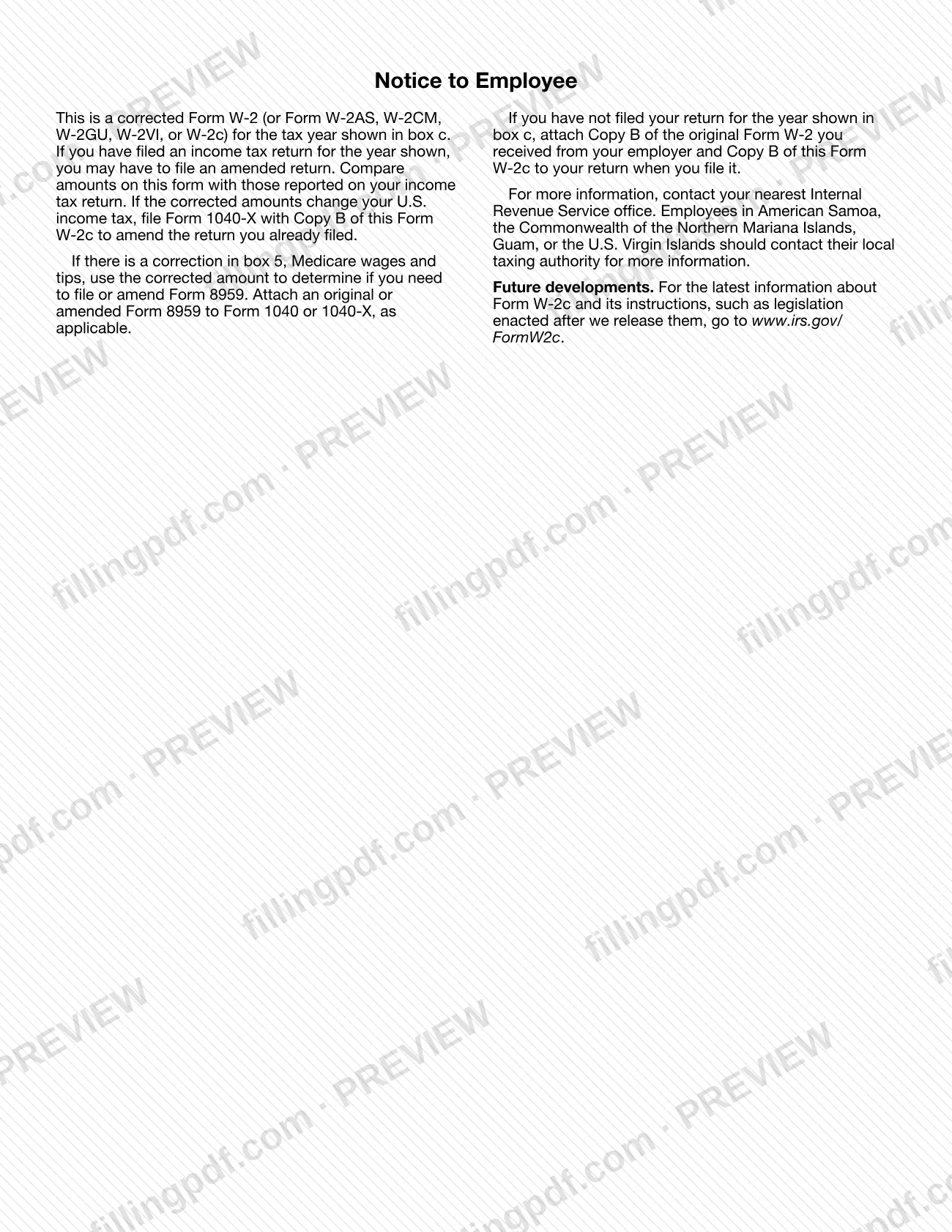
Employees are the second audience. They receive Copies B, C and 2 and use them as the Notice to Employee on the form describes: compare the amounts with the income tax return, and file an amended return if the corrected amounts change U.S. income tax.
Who should not rely on the printed IRS copy:
- Employers filing with the SSA. The SSA cannot process Forms W-2c or W-3c printed from IRS.gov, and a penalty may be imposed for filing forms that cannot be scanned.
Employees in American Samoa, the Commonwealth of the Northern Mariana Islands, Guam or the U.S. Virgin Islands are told to contact their local taxing authority for more information. Other employees are told to contact their nearest IRS office.
When to file W-2c
The trigger for Form W-2c is an error found on a Form W-2 (or W-2AS, W-2CM, W-2GU, W-2VI or W-2c) that was already filed with the SSA. The form prints no due date of its own. The General Instructions for Forms W-2 and W-3 say when you are required to file Form(s) W-2c electronically, and the IRS form page flags new electronic filing requirements for correction Form W-2c dated July 7, 2023.
For employees, the timing depends on your own return. If you already filed for the year shown in box c, compare Form W-2c with your return; if the corrected amounts change your U.S. income tax, file Form 1040-X with Copy B of Form W-2c. If you have not filed that return yet, attach Copy B of the original Form W-2 and Copy B of Form W-2c.
How to fill out W-2c
Choose the correct copy
Copy A is provided for information only and is not filed with the SSA from this PDF. Copy B and the other black copies can be filled in and printed to give the corrected information to the recipient.
Enter employer boxes a and b
In box a, enter the employer's name, address and ZIP code. In box b, enter the employer identification number (EIN).
Identify the year and form corrected
In box c, enter the tax year and the form being corrected; the form prints "/ W-2" beside it. The same box records which previously filed statement this correction replaces.
Enter the employee's correct details
Box d is the employee's correct SSN. In box h enter the employee's first name and initial, last name and suffix, and in box i the employee's address and ZIP code.
Record SSN or name corrections
If the SSN or name on the form previously filed was incorrect, check box e. Then complete box f (previously reported SSN) and/or box g (previously reported name) as needed.
Correct wages and withholding, boxes 1 to 8
For boxes 1 to 8 (wages, federal tax withheld, social security and Medicare wages and tax, social security tips, allocated tips), fill both columns only for the amounts being corrected. For corrections involving MQGE, see Boxes 5 and 6 in the General Instructions for Forms W-2 and W-3.
Correct boxes 10 and 11
If dependent care benefits (box 10) or nonqualified plans (box 11) were wrong, enter the previously reported amount and the correct information. Leave unchanged boxes blank.
Complete boxes 12, 13 and 14
For boxes 12a to 12d, enter the code and amounts; see the instructions for box 12. In box 13, mark Statutory employee, Retirement plan or Third-party sick pay as corrected. Use 14a for Other and 14b for Treasury Tipped Occupation Code(s).
Complete state correction information
In the State Correction Information block, enter the state in box 15 with the employer's state ID number, then state wages, tips, etc. in box 16 and state income tax in box 17, both previously reported and correct.
Complete locality correction information
In the Locality Correction Information block, correct local wages, tips, etc. (box 18), local income tax (box 19) and the locality name (box 20), in both columns.
Review and download the completed PDF
Check that every corrected box has both its previously reported and correct amounts and that boxes e, f and g match any name or SSN change. Download or print the completed PDF from FillingPDF, then follow the channels under How to submit.
How to submit W-2c
Employers file Form W-2c with the SSA online and give employees paper or printed copies; the SSA does not accept forms printed from IRS.gov.
- SSA W-2c Online. Create, save, print and electronically submit up to 25 Form(s) W-2c at a time. Visit the SSA's Employer W-2 Filing Instructions & Information website at www.SSA.gov/employer.
- Form W-3c. When you e-file with the SSA, no separate Form W-3c filing is required; the W-2c Online service creates an electronic Form W-3c for you.
- To employees. The black copies (such as Copy B) may be downloaded, filled in and printed to satisfy the requirement to provide the information to the recipient.
- Official scannable forms. Order them through the IRS's Online Ordering for Information Returns and Employer Returns page or at www.irs.gov/orderforms (Employer and Information returns). See IRS Publications 1141, 1167 and 1179 for printing details.
Do not send the SSA any Forms W-2c or W-3c that you printed from IRS.gov. For questions about reporting on Form W-2c, call the Technical Services Operation (TSO) toll free at 866-455-7438 or 304-263-8700 (not toll free). FillingPDF lets you fill out and download the PDF; submission follows the channels above.
Common mistakes to avoid
- Printing Copy A or any Form W-2c from IRS.gov and sending it to the SSA; the SSA cannot process it and a penalty may be imposed for forms that cannot be scanned.
- Filling in money boxes that are not being corrected; the form says to complete only the money fields being corrected.
- Skipping the MQGE exception: for corrections involving MQGE, Boxes 5 and 6 follow the Specific Instructions for Form W-2c in the General Instructions for Forms W-2 and W-3.
- Correcting an SSN or name without checking box e and completing boxes f and g with the previously reported SSN and name.
- Preparing a separate Form W-3c after e-filing with the SSA's W-2c Online service, which creates an electronic Form W-3c for you.
- Employee error: not comparing Form W-2c with the return already filed; if the corrected amounts change U.S. income tax, Form 1040-X with Copy B is needed.
- Employee error: filing an unfiled return with Copy B of Form W-2c alone, without Copy B of the original Form W-2.
- Ignoring a box 5 correction when Form 8959 applies; the corrected Medicare wages and tips amount is used to decide whether to file or amend Form 8959.
Frequently asked questions
What is a w2c and what is it used for?
A w2c is Form W-2c, Corrected Wage and Tax Statement. Employers use it to correct errors on a Form W-2, W-2AS, W-2CM, W-2GU, W-2VI or earlier W-2c filed with the SSA, and to give employees the corrected statement.
Can I file a W-2c printed from IRS.gov with the SSA?
No. The form says not to send the SSA any Forms W-2c or W-3c printed from IRS.gov because the SSA cannot process them, and a penalty may be imposed for filing forms that cannot be scanned. Create and submit them online instead.
How do I e-file Form W-2c?
Use the SSA's W-2c Online service, reached through the Employer W-2 Filing Instructions & Information website at www.SSA.gov/employer. It lets you create, save, print and electronically submit up to 25 Form(s) W-2c at a time.
Do I need Form W-3c when I file W-2c?
Not when you e-file with the SSA. The form states that no separate Form W-3c filing is required, because the W-2c Online service creates an electronic Form W-3c for you.
Which boxes do I fill in on Form W-2c?
Complete the identification boxes a to d, h and i, and in the money boxes only the fields being corrected. Check box e and complete f and/or g if the SSN or name was wrong. MQGE corrections follow the instructions for Boxes 5 and 6.
What should I do with a W-2c I received as an employee?
Compare it with your income tax return. If you already filed and the corrected amounts change your U.S. income tax, file Form 1040-X with Copy B of Form W-2c. If you have not filed, attach Copy B of your original Form W-2 and Copy B of Form W-2c.
Can I fill out Form W-2c online on FillingPDF?
You can fill out the PDF online on FillingPDF and download or print it. FillingPDF is an independent service; it does not file the form with the SSA or the IRS. SSA filing goes through the SSA's W-2c Online service.
Who do I call with questions about Form W-2c?
The IRS Technical Services Operation (TSO) answers questions about reporting on Form W-2c at 866-455-7438 (toll free) or 304-263-8700 (not toll free). Deaf or hard-of-hearing customers may use their choice of relay service.
Ready to fill out W-2c?
Fill out W-2c now