
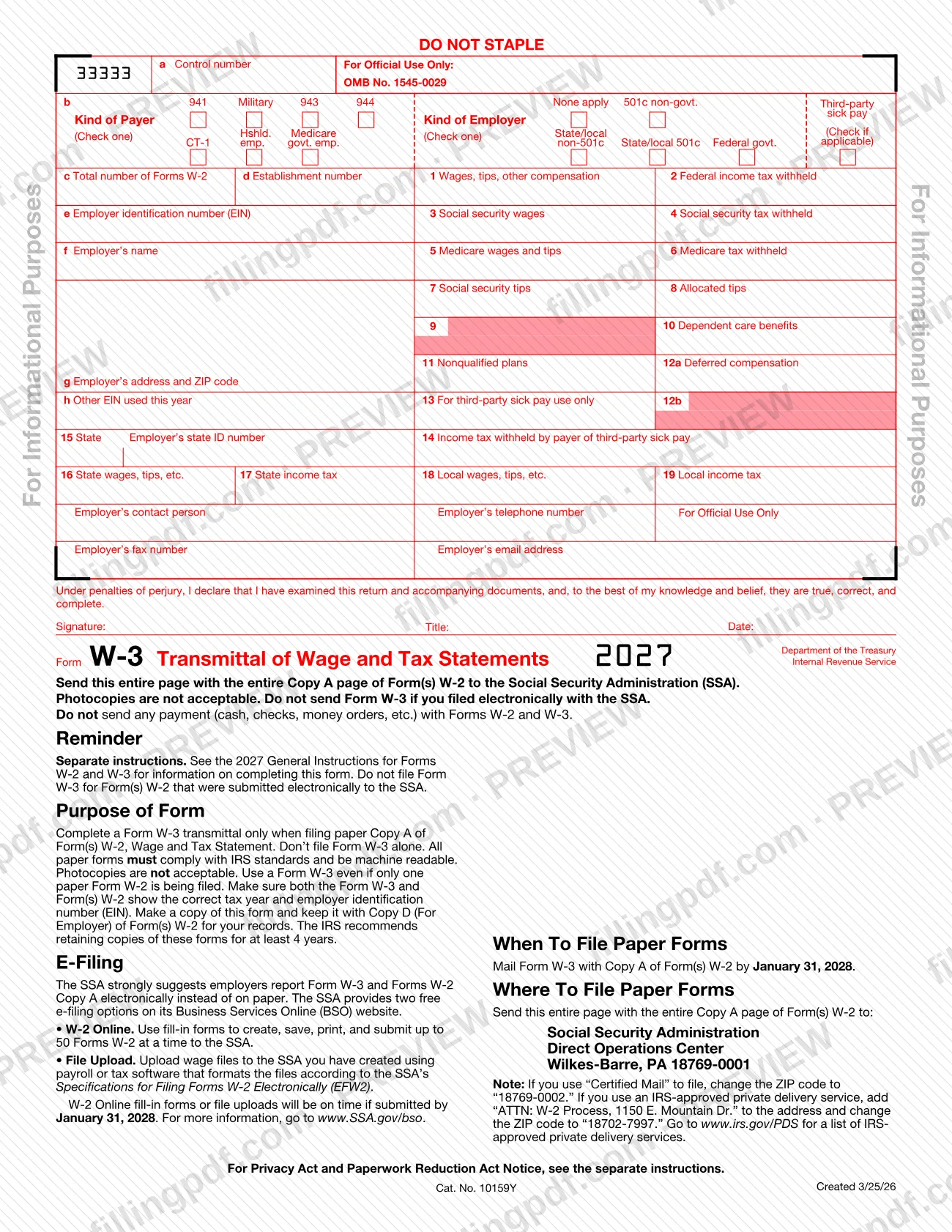
Form W-3, Transmittal of Wage and Tax Statements (Info Copy Only), is the Internal Revenue Service (IRS) form that goes with paper Copy A of Forms W-2 when an employer sends them to the Social Security Administration (SSA). It summarizes the batch: how many Forms W-2 you are sending and the wage and tax totals. The copy on the IRS website is for information only and is not scannable, so it cannot be used for the SSA paper filing. On this page you can fill out the form online on FillingPDF and download or print the completed PDF; the original is published by the IRS at irs.gov.
Last updated
What is W-3?
Form W-3, Transmittal of Wage and Tax Statements, is the IRS form that serves as the cover and summary page when an employer files paper Copy A of Forms W-2, Wage and Tax Statement, with the Social Security Administration (SSA).
The form carries the employer's identifying data (boxes a through h), the total number of Forms W-2 in the batch (box c), the combined amounts reported in boxes 1 through 14, the state and local totals in boxes 15 through 19, and a signature block with a declaration made under penalties of perjury. The printed form is marked OMB No. 1545-0029 and shows the tax year 2026.
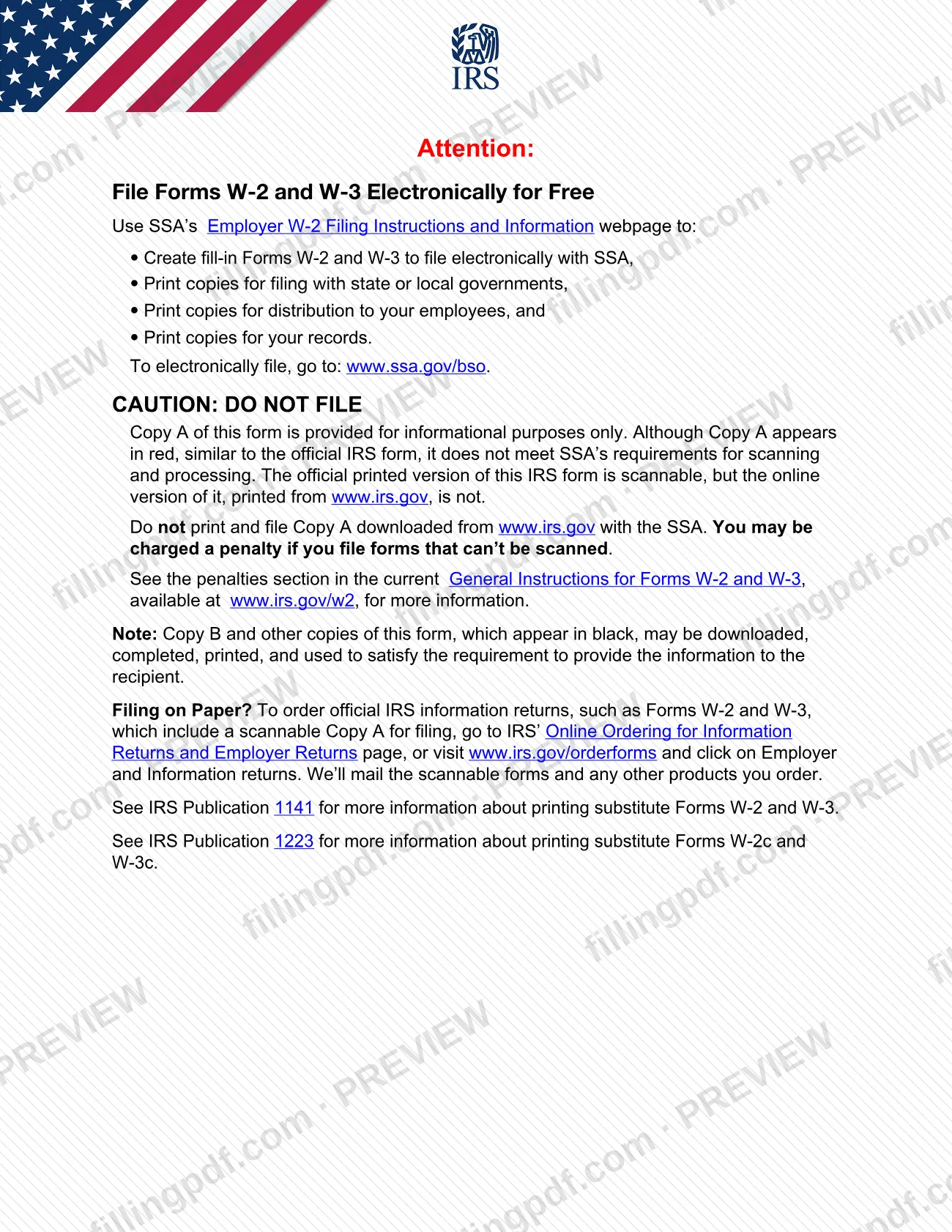
The version on the IRS website is labeled Info Copy Only. Its Copy A appears in red, like the official form, but the online version is not scannable. The IRS says not to print and file Copy A downloaded from its website with the SSA, because a penalty may be imposed for filing forms that can't be scanned. Official scannable Forms W-2 and W-3 are ordered from the IRS.
Line-by-line rules are in the separate General Instructions for Forms W-2 and W-3, which also cover the territorial and correction variants the IRS lists with them: Forms W-2 (AS), W-2 (CM), W-2 (GU), W-2 (VI), W-3 (SS), W-2 C and W-3 C.
Who needs to file W-3?
Employers and other payers who file paper Copy A of Form(s) W-2 with the SSA use Form W-3. The form says to use it even if only one paper Form W-2 is being filed.
- Paper filers. Complete a Form W-3 only when filing paper Copy A of Form(s) W-2. All paper forms must comply with IRS standards and be machine readable.
- Electronic filers. Do not send Form W-3 if you filed electronically with the SSA, and do not file it for Form(s) W-2 that were submitted electronically.
- Standalone use. Do not file Form W-3 alone; it always travels with Copy A of the Forms W-2 it summarizes.
The form lists the kinds of payer (941, Military, 943, 944, CT-1, Hshld. emp., Medicare govt. emp.) and kinds of employer (None apply, 501c non-govt., State/local non-501c, State/local 501c, Federal govt.) that you mark in box b, so it serves private, tax-exempt, state and local government and federal government employers alike. The signature block is signed by the filer; the form does not describe who else may sign.
When to file W-3
Mail Form W-3 with Copy A of Form(s) W-2 by February 01, 2027, the date printed on the 2026 form. If you file electronically with the SSA instead, W-2 Online fill-in forms and file uploads are on time if submitted by February 01, 2027, and no Form W-3 is sent.
Make sure both the Form W-3 and the Form(s) W-2 show the correct tax year and employer identification number (EIN). Keep a copy of Form W-3 with Copy D (For Employer) of Form(s) W-2; the IRS recommends retaining these copies for at least 4 years.
Documents you need
- Copy A of each Form W-2, Wage and Tax Statement: send the entire Copy A page of every paper Form W-2 together with the entire Form W-3 page. Photocopies are not acceptable.
- Official scannable Form W-3 and Copy A of Form(s) W-2, ordered from the IRS, for paper filing; Copy A downloaded from the IRS website must not be filed with the SSA.
- A copy of Form W-3 kept with Copy D (For Employer) of Form(s) W-2 for your records; this is retained, not sent, and the IRS recommends keeping it at least 4 years.
How to fill out W-3
Confirm you are filing on paper
Complete Form W-3 only if you are filing paper Copy A of Forms W-2. If you file electronically with the SSA, no Form W-3 is needed.
Review the control number box
Box a, Control number, is printed with 33333 and marked For Official Use Only. Follow the General Instructions for Forms W-2 and W-3 before entering anything there.
Mark kind of payer and employer
In box b, check one Kind of Payer: 941, Military, 943, 944, CT-1, Hshld. emp. or Medicare govt. emp. Check one Kind of Employer: None apply, 501c non-govt., State/local non-501c, State/local 501c or Federal govt. Check Third-party sick pay if applicable.
Enter totals and establishment number
Box c: the total number of Forms W-2 you are transmitting. Box d: the establishment number.
Enter employer identification details
Box e: your employer identification number (EIN). Box f: employer's name. Box g: employer's address and ZIP code. Box h: any other EIN used this year.
Enter wages, tips and withholding
Boxes 1 to 6: wages, tips, other compensation; federal income tax withheld; social security wages and tax withheld; Medicare wages and tips and Medicare tax withheld. Totals come from the Forms W-2 in the batch.
Enter tips, benefits and plan amounts
Box 7 social security tips, box 8 allocated tips, box 10 dependent care benefits, box 11 nonqualified plans and box 12a deferred compensation. Box 9 has no printed label.
Complete third-party sick pay boxes
Box 13 is for third-party sick pay use only. Box 14 is income tax withheld by payer of third-party sick pay.
Enter state and local totals
Box 15: state and employer's state ID number. Box 16: state wages, tips, etc. Box 17: state income tax. Box 18: local wages, tips, etc. Box 19: local income tax.
Add contact details
Enter the employer's contact person, telephone number, fax number and email address in the spaces provided.
Sign and date the declaration
Sign, enter your title and date under the statement made under penalties of perjury that the return and accompanying documents are true, correct and complete.
Review and download the completed PDF
Check that the tax year and EIN match your Forms W-2, then download or print the completed PDF from FillingPDF. A copy printed from the web is for information; paper filing with the SSA requires the official scannable forms.
How to submit W-3
There are two ways to report: on paper by mail to the SSA, or electronically with the SSA (no Form W-3 is sent).
- Paper by mail. Send the entire Form W-3 page with the entire Copy A page of Form(s) W-2 to: Social Security Administration, Direct Operations Center, Wilkes-Barre, PA 18769-0001. Photocopies are not acceptable, and the forms must not be stapled.
- Certified Mail. Change the ZIP code to 18769-0002.
- IRS-approved private delivery service. Add "ATTN: W-2 Process, 1150 E. Mountain Dr." to the address and change the ZIP code to 18702-7997. The list of approved services is at www.irs.gov/PDS.
- Electronically. The SSA strongly suggests electronic reporting on its Business Services Online (BSO) website, www.SSA.gov/bso. W-2 Online lets you create, save, print and submit up to 50 Forms W-2 at a time; File Upload accepts wage files formatted to the SSA's EFW2 specifications.
Do not send any payment (cash, checks, money orders, etc.) with Forms W-2 and W-3. For paper filing, order official scannable forms at www.irs.gov/orderforms; do not file Copy A printed from the IRS website. FillingPDF lets you fill out and download the PDF; submission follows the channels above.
Common mistakes to avoid
- Printing Copy A from the IRS website and filing it with the SSA; the online version is not scannable and a penalty may be imposed.
- Sending photocopies of Form W-3 or Copy A of Form W-2; the form says photocopies are not acceptable.
- Filing Form W-3 alone instead of with Copy A of the Form(s) W-2 it transmits.
- Sending Form W-3 after filing the Forms W-2 electronically with the SSA.
- Enclosing a payment (cash, check, money order) with Forms W-2 and W-3.
- Stapling the forms; the form is marked DO NOT STAPLE.
- Showing a different tax year or EIN on Form W-3 than on the Forms W-2.
- Skipping Form W-3 because only one paper Form W-2 is being filed; the form is still required.
- Using the standard ZIP code 18769-0001 for Certified Mail or a private delivery service instead of the different ZIP codes the form gives.
Frequently asked questions
What is Form W-3 used for?
Form W-3 transmits Copy A of Forms W-2 to the Social Security Administration. It is the cover and summary page for a batch of paper Forms W-2, and it is used even when only one paper Form W-2 is filed. Do not file it alone.
Do I need Form W-3 if I e-file my W-2s?
No. The form says not to send Form W-3 if you filed electronically with the SSA, and not to file it for Forms W-2 submitted electronically. It is needed only with paper Copy A of Form(s) W-2.
Can I print Form W-3 from the IRS website and mail it to the SSA?
No. The copy on the IRS website is for information only and is not scannable. The IRS says not to file Copy A downloaded from the website with the SSA, because a penalty may be imposed. Order official scannable forms at www.irs.gov/orderforms.
When is Form W-3 due?
Mail Form W-3 with Copy A of Form(s) W-2 by February 01, 2027 for the 2026 form. Electronic filings through the SSA's W-2 Online or File Upload are on time if submitted by that same date.
Where do I mail Form W-3?
Send the entire W-3 page with the entire Copy A page of the Forms W-2 to Social Security Administration, Direct Operations Center, Wilkes-Barre, PA 18769-0001. Use ZIP code 18769-0002 for Certified Mail, or 18702-7997 with the ATTN line for private delivery services.
Do I send a payment with Form W-3?
No. The form says not to send any payment (cash, checks, money orders, etc.) with Forms W-2 and W-3.
Can I fill out Form W-3 online on FillingPDF?
You can fill out the PDF online on FillingPDF and download or print it. FillingPDF does not file anything with the SSA or IRS, and a copy printed from the web cannot replace the scannable Copy A required for paper filing.
How long should I keep a copy of Form W-3?
The IRS recommends keeping at least 4 years. Make a copy of the form and keep it with Copy D (For Employer) of your Form(s) W-2.
Ready to fill out W-3?
Fill out W-3 now