
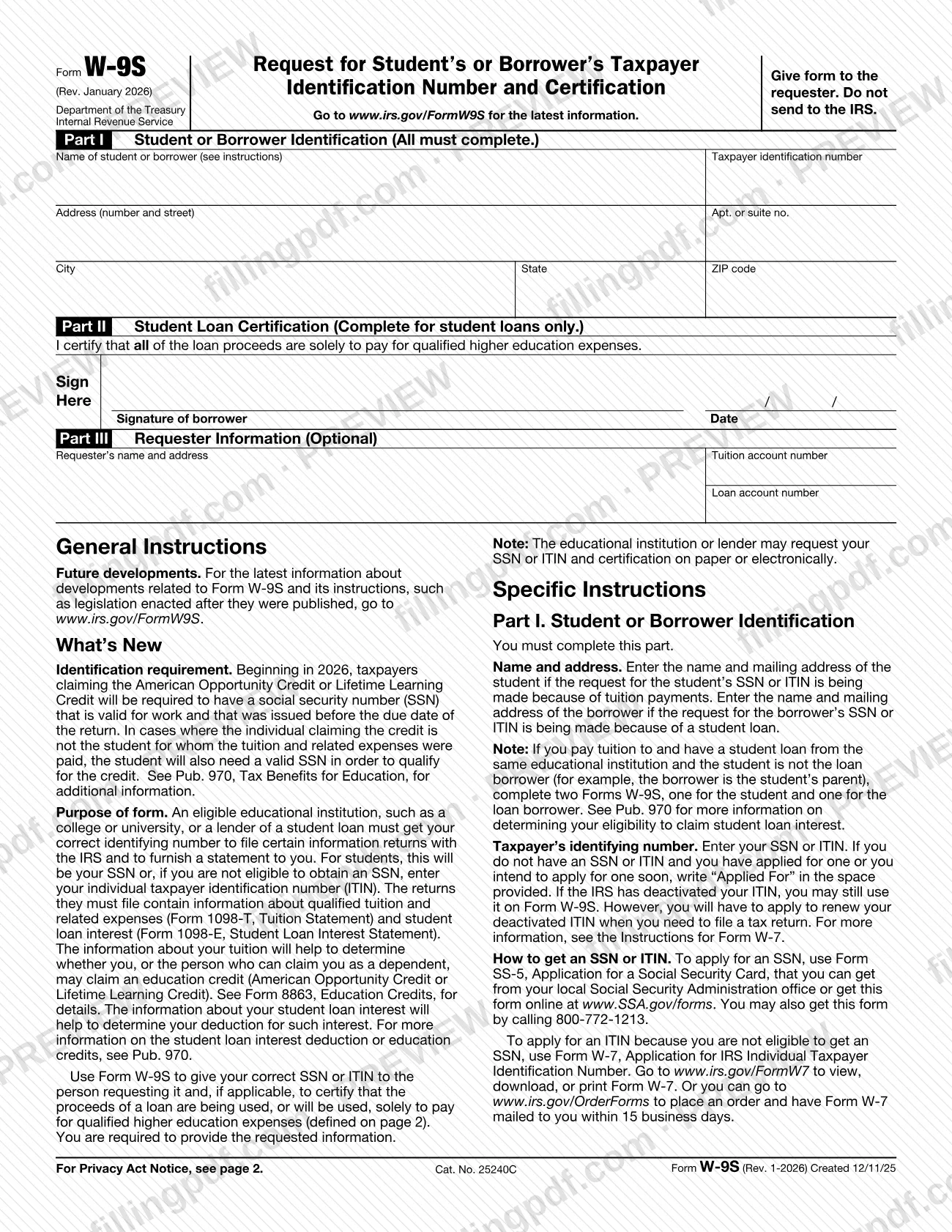
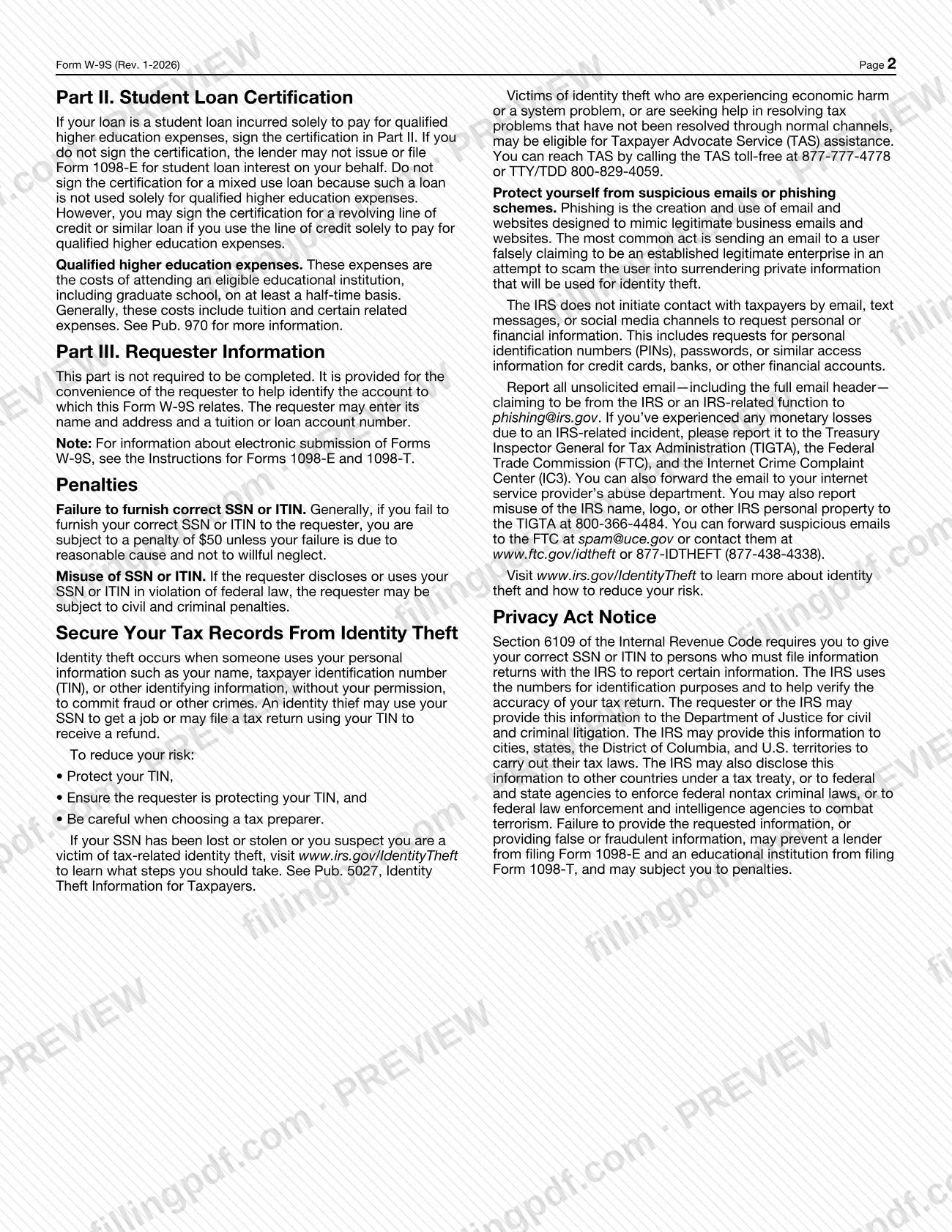
The W9S, officially Form W-9S, is the Internal Revenue Service (IRS) form on which a student or borrower gives a college, university or student loan lender a correct Social Security number (SSN) or individual taxpayer identification number (ITIN). Borrowers with a student loan also use it to certify that the loan pays solely for qualified higher education expenses. On this page you can fill out Form W-9S online on FillingPDF and download or print the completed PDF. The form goes to the requester, not to the IRS, and the official PDF is published at irs.gov.
Last updated
What is W-9S?
Form W-9S, Request for Student's or Borrower's Taxpayer Identification Number and Certification, is the IRS form a student or borrower completes to give an eligible educational institution or a student loan lender the correct SSN or ITIN it needs, and, for student loans, to certify how the loan proceeds are used.
The requester needs the number to file information returns with the IRS and to send you a statement. Those returns are Form 1098-T, Tuition Statement, which reports qualified tuition and related expenses, and Form 1098-E, Student Loan Interest Statement, which reports student loan interest. The tuition information helps determine whether you, or the person who can claim you as a dependent, may claim an education credit (American Opportunity Credit or Lifetime Learning Credit); see Form 8863, Education Credits. The loan interest information helps determine your student loan interest deduction. Pub. 970, Tax Benefits for Education, covers both.
The form has three parts: Part I, Student or Borrower Identification (everyone completes it); Part II, Student Loan Certification (student loans only); and Part III, Requester Information (optional, filled in by the requester). The IRS instructions state that you are required to provide the requested information. The school or lender may ask for it on paper or electronically.
Form W-9S is not Form W-7, the application for an ITIN, or Form SS-5, the application for a Social Security card; the instructions send you to those forms if you need a number.
Who needs to file W-9S?
Students and borrowers use Form W-9S when an eligible educational institution, such as a college or university, or a lender of a student loan asks for their taxpayer identification number.
- Students complete it when the request for an SSN or ITIN is made because of tuition payments. Enter the student's name and mailing address.
- Borrowers complete it when the request is made because of a student loan. Enter the borrower's name and mailing address, and sign Part II only if the loan was incurred solely to pay qualified higher education expenses.
If you pay tuition to and have a student loan from the same educational institution, and the student is not the loan borrower (for example, the borrower is the student's parent), complete two Forms W-9S: one for the student and one for the borrower.
If you do not have an SSN or ITIN but have applied for one or plan to apply soon, you still complete the form and write "Applied For" in the taxpayer identification number space. Do not sign Part II for a mixed use loan. The form is given to the requester; do not send it to the IRS.
When to file W-9S
Complete Form W-9S when your school or student loan lender asks you for your SSN or ITIN and, for a student loan, your certification. The form prints no due date of its own, so follow the deadline the requester gives you.
The IRS instructions also note that, beginning in 2026, taxpayers claiming the American Opportunity Credit or Lifetime Learning Credit must have an SSN that is valid for work and was issued before the due date of the return. If the person claiming the credit is not the student, the student also needs a valid SSN to qualify. See Pub. 970 for details.
If the IRS has deactivated your ITIN, you may still use it on Form W-9S, but you must apply to renew it when you need to file a tax return.
How to fill out W-9S
Decide whose information goes in Part I
Enter the student's name and mailing address if the request is because of tuition payments. Enter the borrower's if it is because of a student loan. All filers complete Part I.
Enter the name and address
Write the name of the student or borrower, then the address (number and street), apt. or suite no., city, state and ZIP code.
Enter your taxpayer identification number
Write your SSN or, if you are not eligible for an SSN, your ITIN. If you have applied or soon will apply for one, write "Applied For" in the space.
Prepare two forms if needed
If the student is not the loan borrower and tuition and the loan are with the same institution, complete one form for the student and one for the borrower.
Check whether Part II applies
Complete Part II for student loans only. Sign only if all loan proceeds are solely to pay qualified higher education expenses; do not sign for a mixed use loan.
Sign and date the certification
In Part II, sign as borrower and enter the date in MM/DD/YYYY format. A revolving line of credit or similar loan may be certified if you use it solely for qualified higher education expenses.
Leave Part III to the requester
Part III is optional and for the requester's convenience: the requester's name and address, tuition account number and loan account number. You do not need to complete it.
Review and download the completed PDF
Check the name, address and number against your records. Download or print the completed PDF from FillingPDF and give it to the requester, not to the IRS.
How to submit W-9S
Give the completed Form W-9S to the requester, the educational institution or student loan lender that asked for it. The form states "Give form to the requester. Do not send to the IRS."
- Paper or electronic: the IRS instructions say the school or lender may request your SSN or ITIN and certification on paper or electronically. Ask the requester which it uses.
- Electronic submission rules: for details about electronic submission of Forms W-9S, the form refers to the Instructions for Forms 1098-E and 1098-T.
The form gives no mailing address, portal or appointment process. If you are unsure how to deliver it, contact the requester named in Part III or on your account. FillingPDF lets you fill out and download the PDF; submission follows the requester's channels above.
Common mistakes to avoid
- Sending Form W-9S to the IRS; the form says to give it to the requester and not to send it to the IRS.
- Signing the Part II certification for a mixed use loan; the instructions say such a loan is not used solely for qualified higher education expenses.
- Leaving Part II unsigned for a student loan used solely for qualified higher education expenses; the lender may then not issue or file Form 1098-E.
- Completing one form when the student and the loan borrower are different people at the same institution; the instructions call for two Forms W-9S.
- Leaving the taxpayer identification number blank instead of writing "Applied For" when you have applied or soon will apply for an SSN or ITIN.
- Entering the borrower's name for a tuition request, or the student's name for a loan request; Part I follows the reason for the request.
- Failing to furnish a correct SSN or ITIN; the instructions say a penalty can apply unless the failure is due to reasonable cause and not willful neglect.
- Assuming a deactivated ITIN cannot be used on this form; it can, but it must be renewed when you need to file a tax return.
Frequently asked questions
What is Form W-9S used for?
Form W-9S lets a student or borrower give an eligible educational institution or student loan lender their SSN or ITIN. Borrowers also use it to certify that loan proceeds pay solely for qualified higher education expenses. The requester uses the number to file Form 1098-T or Form 1098-E.
Do I send Form W-9S to the IRS?
No. The form says to give it to the requester and not to send it to the IRS. The requester is the school or lender that asked for your taxpayer identification number, and it may ask for it on paper or electronically.
Can I fill out Form W-9S online?
Yes. You can fill out the PDF online on FillingPDF and download or print it. FillingPDF is an independent service and does not send the form to anyone; you give the completed form to your school or lender.
Do I have to sign Part II of the W-9S?
Sign Part II only for a student loan incurred solely to pay qualified higher education expenses. If you do not sign, the lender may not issue or file Form 1098-E on your behalf. Do not sign for a mixed use loan.
What do I enter if I don't have an SSN or ITIN yet?
Write "Applied For" in the taxpayer identification number space if you have applied or intend to apply soon. Apply for an SSN with Form SS-5, or for an ITIN with Form W-7 if you are not eligible for an SSN.
When do I need two Forms W-9S?
When you pay tuition to and have a student loan from the same educational institution and the student is not the loan borrower, such as a parent borrowing for a child. Complete one form for the student and one for the borrower.
What happens if I don't give a correct SSN or ITIN?
You may be subject to a penalty unless the failure is due to reasonable cause and not willful neglect. The IRS also says missing or false information may prevent the lender from filing Form 1098-E and the school from filing Form 1098-T.
Ready to fill out W-9S?
Fill out W-9S now