
The Renewal Instructions, titled Online Processing for Business License Renewals, are the Cobb County Business License Division's guide to renewing a Cobb County business license through its online portal. The Division sits within the Community Development Agency. The guide lists the conditions for renewing online, the account and PIN steps, and the documents that make up a complete renewal package. On FillingPDF you can fill out the document online and download or print the PDF; the renewal itself is completed on the county's portal.
Last updated
What is Renewal Instructions – Cobb County, GA?
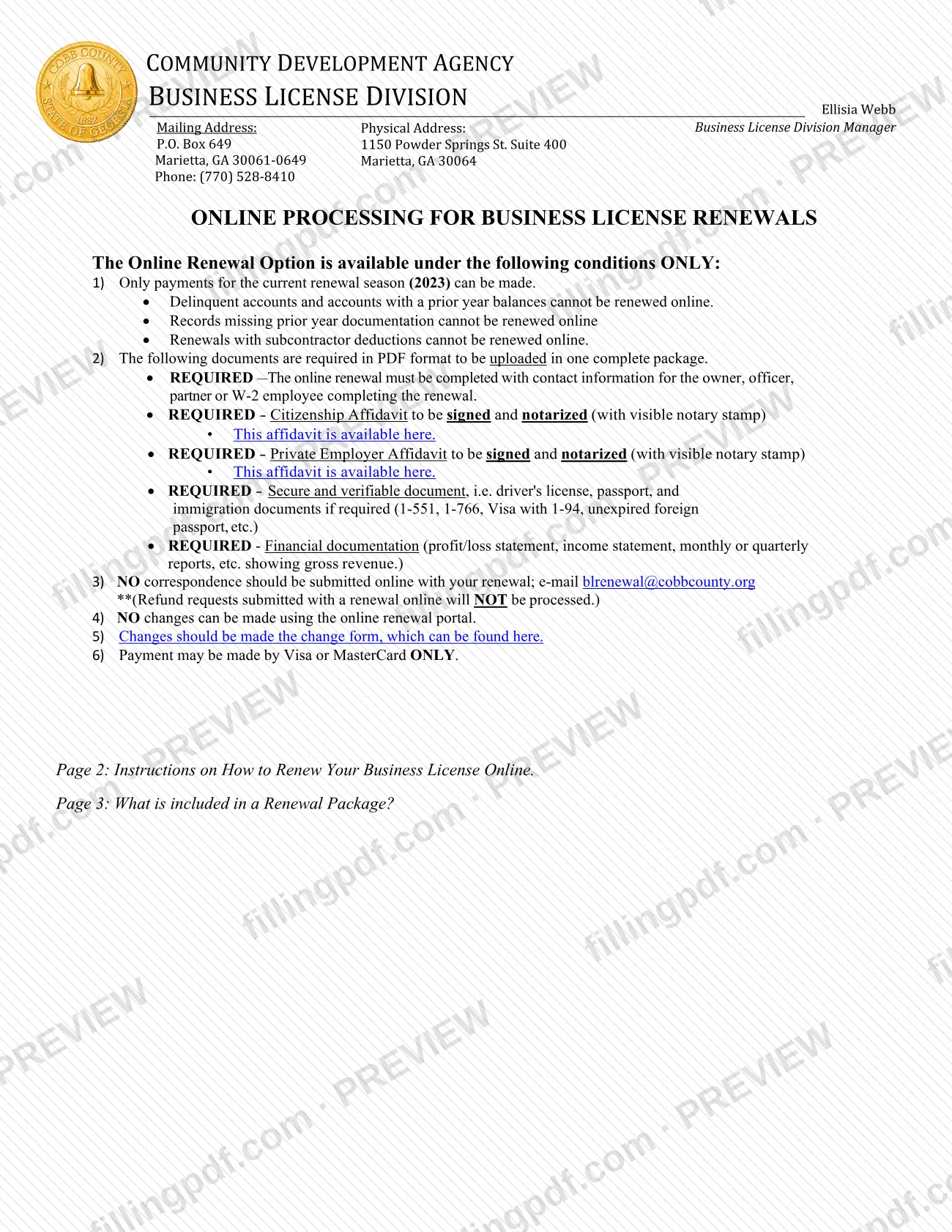
Renewal Instructions (titled Online Processing for Business License Renewals) is the Cobb County Business License Division's guide to renewing a business license online: it states who may renew online, the account and PIN steps, and what the renewal package contains.
It is an instruction sheet, not an application with numbered lines. It belongs to the county's business license program, which is run by the Business License Division of the Community Development Agency. The renewal ends with the Division issuing an Occupation Tax Certificate/Business License Certificate once it has verified payment and received all required documentation.
The guide covers three things:
- The conditions of the online renewal option, including what cannot be renewed online.
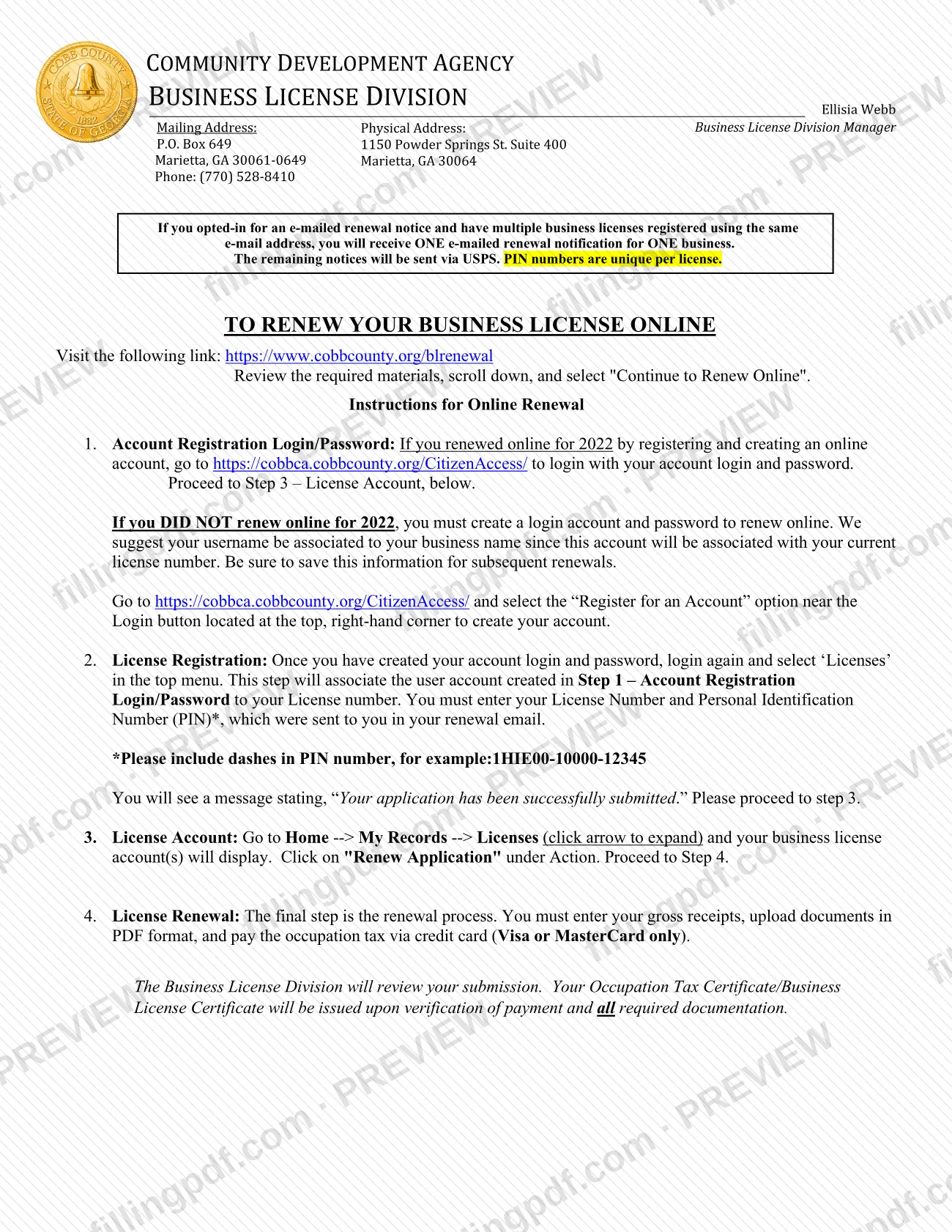
- The four online steps: account registration, license registration with the License Number and PIN, the License Account page, and the renewal itself, where you enter gross receipts, upload PDFs and pay the occupation tax by card.
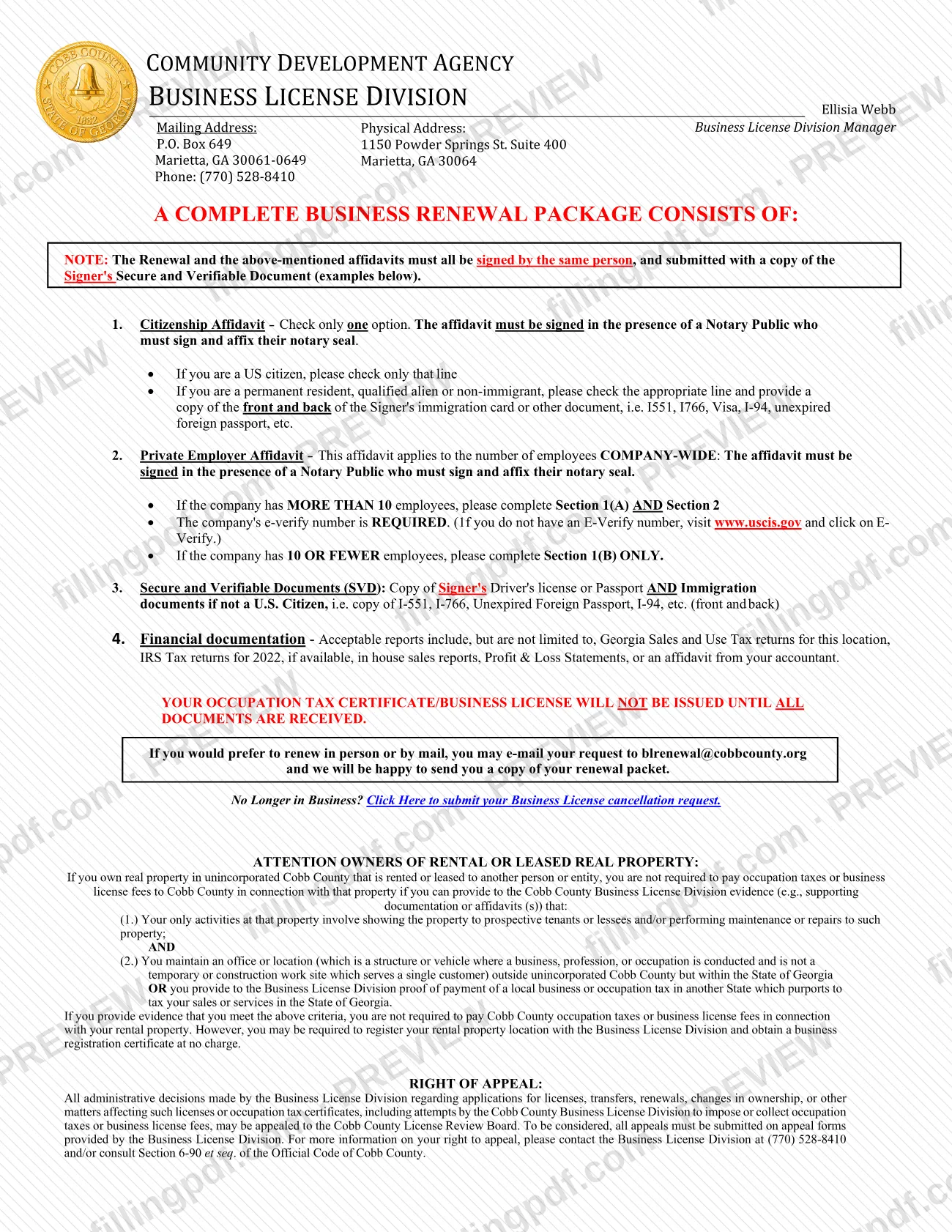
- The contents of a complete renewal package: the Citizenship Affidavit, the Private Employer Affidavit, the signer's Secure and Verifiable Document and financial documentation.
The copy you are given is written for the 2023 renewal season. The county's online renewals page describes the current season and repeats the same conditions. The document also carries two notices: one for owners of rental or leased real property, and one on the right to appeal Division decisions to the Cobb County License Review Board.
Who needs to file Renewal Instructions – Cobb County, GA?
Holders of a Cobb County business license who received a renewal notice with a License Number and Personal Identification Number (PIN) use these instructions to renew online. The renewal must be completed with the contact information of the owner, officer, partner or W-2 employee who is completing it.
You cannot use the online option if:
- the account is delinquent or has a prior-year balance;
- the record is missing prior-year documentation;
- the renewal includes subcontractor deductions;
- you need to make changes to the license. The portal allows none, and the change form is used instead.
Businesses that are no longer operating should submit the Division's cancellation request. The county's page also has a form for a business that is no longer located in unincorporated Cobb County.
Owners of real property in unincorporated Cobb County that is rented or leased to others are not required to pay occupation taxes or business license fees for that property if they give the Division evidence that they only show or maintain the property and that they keep an office outside unincorporated Cobb County within Georgia, or give proof of a local business or occupation tax paid in another state. They may still need to register the rental location at no charge.
When to file Renewal Instructions – Cobb County, GA
You renew when you receive the renewal notice for the current renewal season, which carries your License Number and PIN. The document sets no calendar deadline of its own. Online payments can be made only for the current renewal season; delinquent accounts and accounts with a prior-year balance cannot be renewed online.
Notices are sent by e-mail if you opted in. If several licenses share one e-mail address, you receive one e-mailed notice for one business, and the remaining notices come by USPS. Each license has its own PIN.
The Occupation Tax Certificate/Business License Certificate is not issued until all documents are received. The Division issues it after it verifies payment and the required documentation.
Documents you need
- Citizenship Affidavit, signed in the presence of a Notary Public who signs and affixes a visible notary seal. Check only one option.
- Private Employer Affidavit, signed before a Notary Public with a visible seal. With more than 10 employees company-wide, complete Section 1(A) and Section 2; with 10 or fewer, complete Section 1(B) only.
- The company's E-Verify number, required when the company has more than 10 employees and so completes Section 2 of the Private Employer Affidavit.
- Copy of the signer's driver's license or passport, as the Secure and Verifiable Document.
- For a signer who is not a U.S. citizen: a copy, front and back, of immigration documents such as I-551, I-766, a visa with I-94 or an unexpired foreign passport.
- Financial documentation showing gross revenue, such as a profit/loss statement, income statement, or monthly or quarterly reports.
- The package instructions also accept Georgia Sales and Use Tax returns for this location, 2022 IRS tax returns if available, in-house sales reports, or an affidavit from your accountant.
- Your License Number and PIN from the renewal notice, entered with dashes (example in the document: 1HIE00-10000-12345).
How to fill out Renewal Instructions – Cobb County, GA
Confirm you can renew online
Check that you are paying for the current renewal season only, and that your account is not delinquent, has no prior-year balance, is not missing prior-year documentation and has no subcontractor deductions.
Have your License Number and PIN
Find them in your e-mailed or USPS renewal notice. The PIN is unique per license and must include its dashes.
Register or log in
Go to https://cobbca.cobbcounty.org/CitizenAccess/. If you did not renew online for the previous year, select "Register for an Account" near the Login button and choose a username tied to your business name.
Link your license to your account
Log in again, select "Licenses" in the top menu and enter your License Number and PIN. A message should say your application has been successfully submitted.
Open your license and start renewal
Go to Home, then My Records, then Licenses, expand it and click "Renew Application" under Action.
Complete the Citizenship Affidavit
Check only one option and sign in the presence of a Notary Public, who signs and affixes the seal. Non-citizens check the appropriate line and add a copy of immigration documents.
Complete the Private Employer Affidavit
With more than 10 employees company-wide, complete Section 1(A) and Section 2, including the E-Verify number. With 10 or fewer, complete Section 1(B) only. Sign before a notary.
Gather identity and financial documents
Copy the signer's driver's license or passport, plus immigration documents if not a U.S. citizen. Prepare financial documentation showing gross revenue.
Enter gross receipts and upload PDFs
On the renewal page, enter your gross receipts and upload all required documents in PDF format as one complete package.
Pay the occupation tax
Pay by credit card, Visa or MasterCard only. The Division then reviews the submission and issues the certificate once payment and all documents are verified.
Review and download your copy
Check that the same person signed everything and that every required document is included. Download or print the PDF from FillingPDF to keep, then renew through the county's portal.
How to submit Renewal Instructions – Cobb County, GA
There are two channels: the online renewal portal, or an in-person or mail renewal using a packet the Division sends on request.
- Online: go to https://www.cobbcounty.org/blrenewal, review the required materials and select "Continue to Renew Online". Log in or register at https://cobbca.cobbcounty.org/CitizenAccess/, then enter gross receipts, upload the documents as PDFs in one complete package and pay the occupation tax by Visa or MasterCard only.
- In person or by mail: e-mail your request to the Business License Division and it will send you a renewal packet. The document prints [email protected], and the county's current online renewals page lists [email protected].
Do not upload correspondence with an online renewal; send it by e-mail instead. Refund requests submitted with an online renewal will not be processed. If you lack your PIN, the county's page says to e-mail your business license number, name and address.
The Division prints these addresses: mailing, P.O. Box 649, Marietta, GA 30061-0649; physical, 1150 Powder Springs St. Suite 400, Marietta, GA 30064. Phone: (770) 528-8410. FillingPDF lets you fill out and download the PDF; submission follows the channels above.
Common mistakes to avoid
- Trying to renew online with a delinquent account, a prior-year balance, missing prior-year documentation or subcontractor deductions; none of these can be renewed online.
- Uploading an affidavit without a visible notary stamp, or signing it outside the presence of the Notary Public.
- Checking more than one option on the Citizenship Affidavit; only one may be checked.
- Completing Section 1(A) and Section 2 for a company with 10 or fewer employees, or leaving out the E-Verify number when the company has more than 10. The count is company-wide.
- Having different people sign the renewal and the affidavits; they must all be signed by the same person, with a copy of that signer's Secure and Verifiable Document.
- Entering the PIN without its dashes (for example 1HIE00-10000-12345).
- Sending only the front of an immigration card instead of front and back copies.
- Using the online portal for correspondence, refund requests or license changes; correspondence goes by e-mail and changes use the change form.
- Paying with a card other than Visa or MasterCard, which are the only cards accepted.
Frequently asked questions
How do I renew my Cobb County business license online?
Go to https://www.cobbcounty.org/blrenewal, select "Continue to Renew Online", log in or register an account, link your License Number and PIN, click "Renew Application", enter gross receipts, upload your PDFs and pay by Visa or MasterCard.
Can I renew my Cobb County business license if my account is delinquent?
Not online. Delinquent accounts, accounts with a prior-year balance, records missing prior-year documentation and renewals with subcontractor deductions cannot be renewed online. Contact the Business License Division at (770) 528-8410.
What documents do I upload to renew a Cobb County business license?
Upload, as PDFs in one package, a notarized Citizenship Affidavit, a notarized Private Employer Affidavit, a copy of the signer's driver's license or passport (plus immigration documents if not a U.S. citizen) and financial documentation showing gross revenue.
What if I lost my PIN for the Cobb County renewal?
The county's online renewals page says to e-mail your business license number, name and address to the Business License Division. The PIN is unique per license and was sent in your e-mailed or USPS renewal notice.
Which payment methods does Cobb County accept for online renewals?
Visa or MasterCard only. The occupation tax is paid by credit card during the renewal step. The document does not list the amount, so see your renewal notice or call the Division at (770) 528-8410.
Can I renew by mail or in person instead of online?
Yes. E-mail your request to the Business License Division and it will send you a renewal packet. The document prints [email protected]; the county's current page lists [email protected].
Do I pay Cobb County occupation tax on rental property?
Not if you give the Division evidence that your only activities there are showing or maintaining the property and that you keep an office elsewhere in Georgia or prove a local tax paid in another state. You may still need to register the location at no charge.
How can I appeal a Business License Division decision?
Decisions on licenses, renewals and occupation taxes may be appealed to the Cobb County License Review Board on appeal forms from the Division. Call (770) 528-8410 or see Section 6-90 et seq. of the Official Code of Cobb County.
Can I fill out the Cobb County renewal instructions on FillingPDF?
You can fill out the PDF online on FillingPDF and download or print it. FillingPDF is independent, is not affiliated with Cobb County and does not renew your license; the renewal is completed through the county's portal.
Ready to fill out Renewal Instructions – Cobb County, GA?
Fill out Renewal Instructions – Cobb County, GA now