
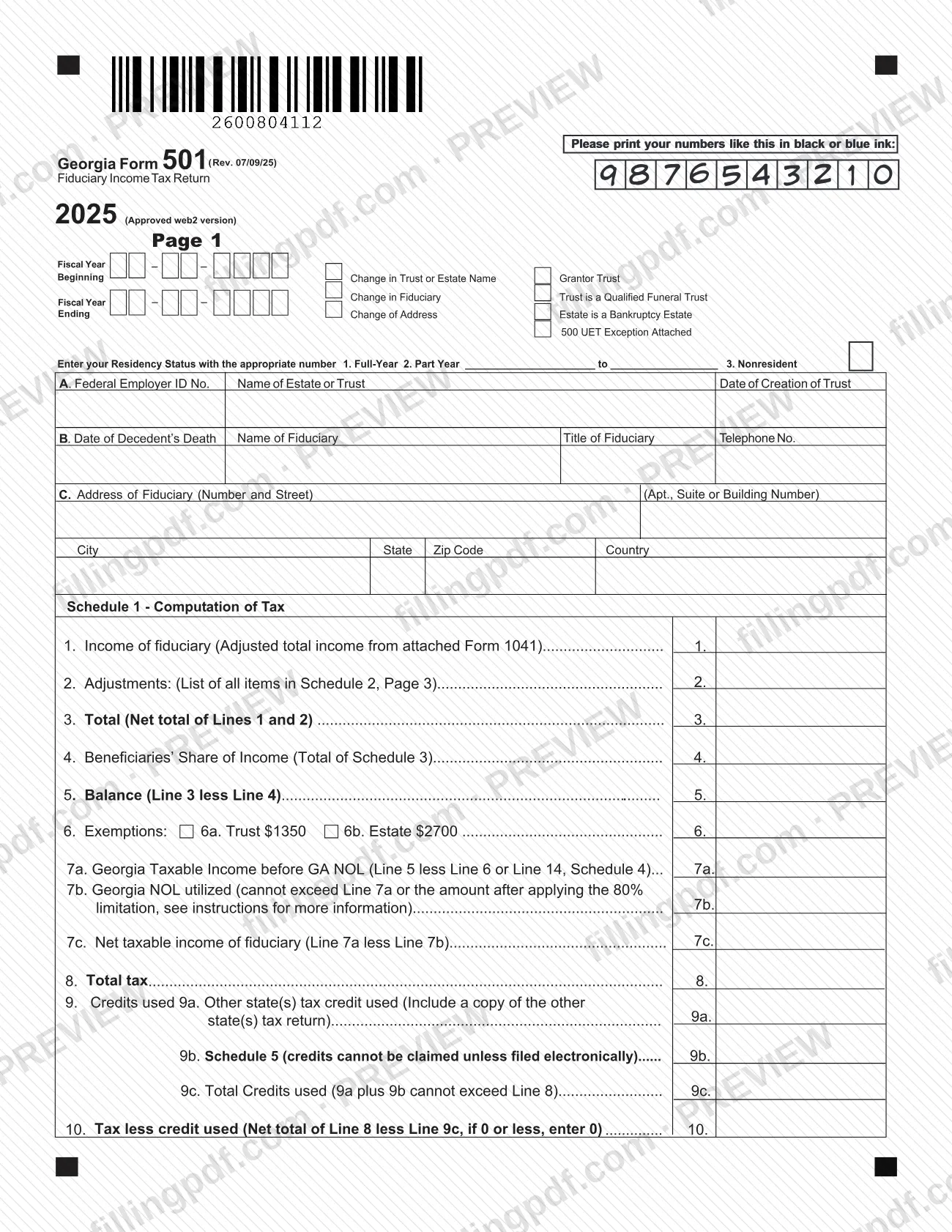
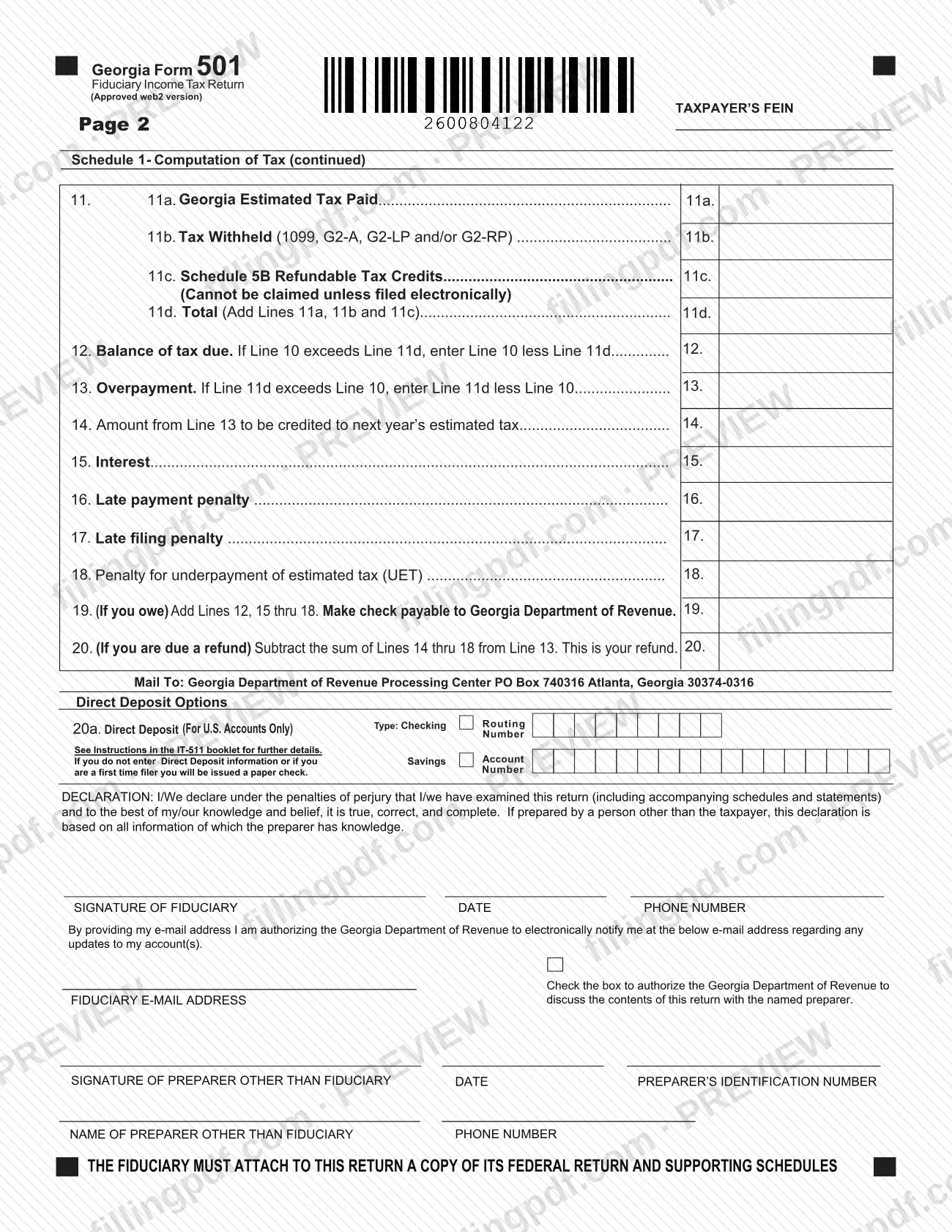
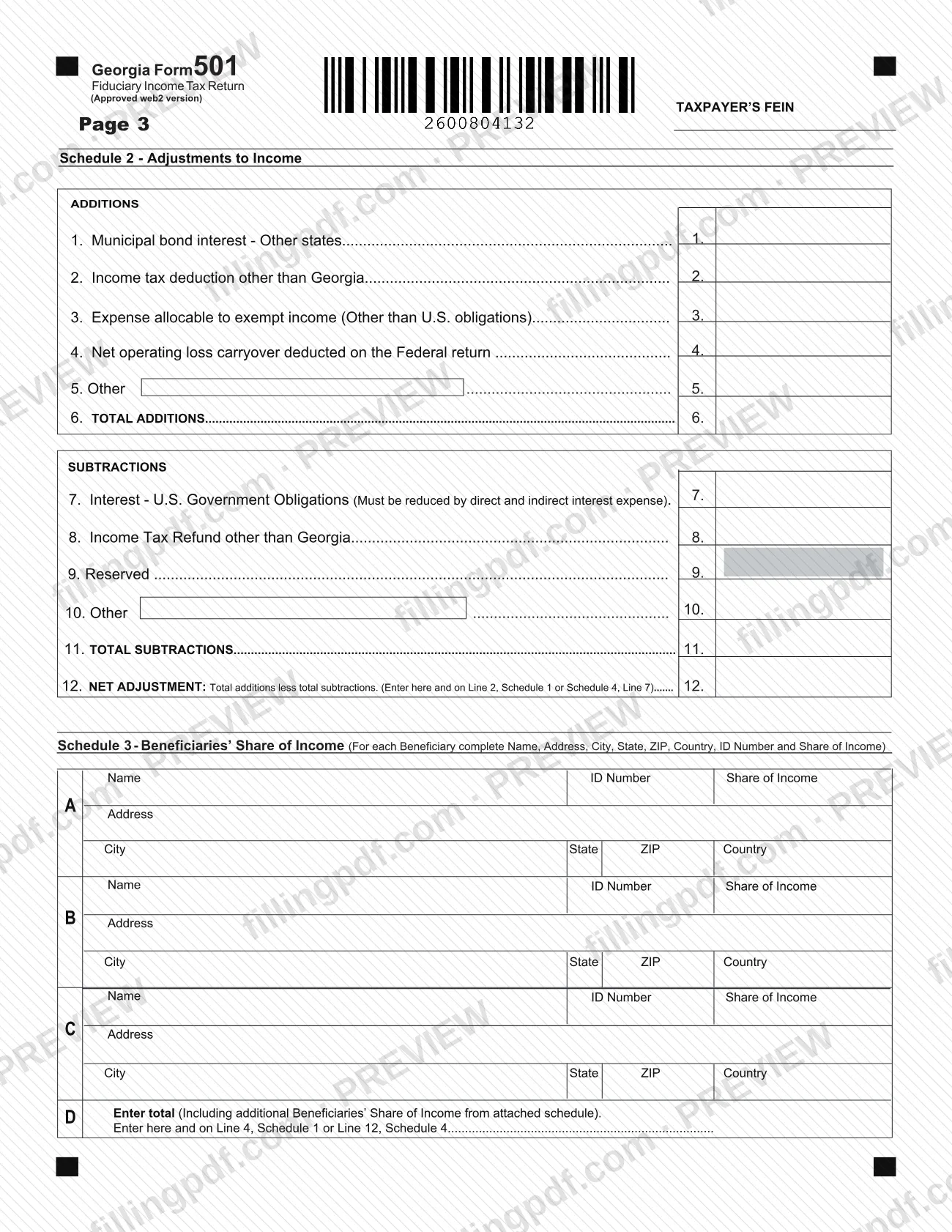
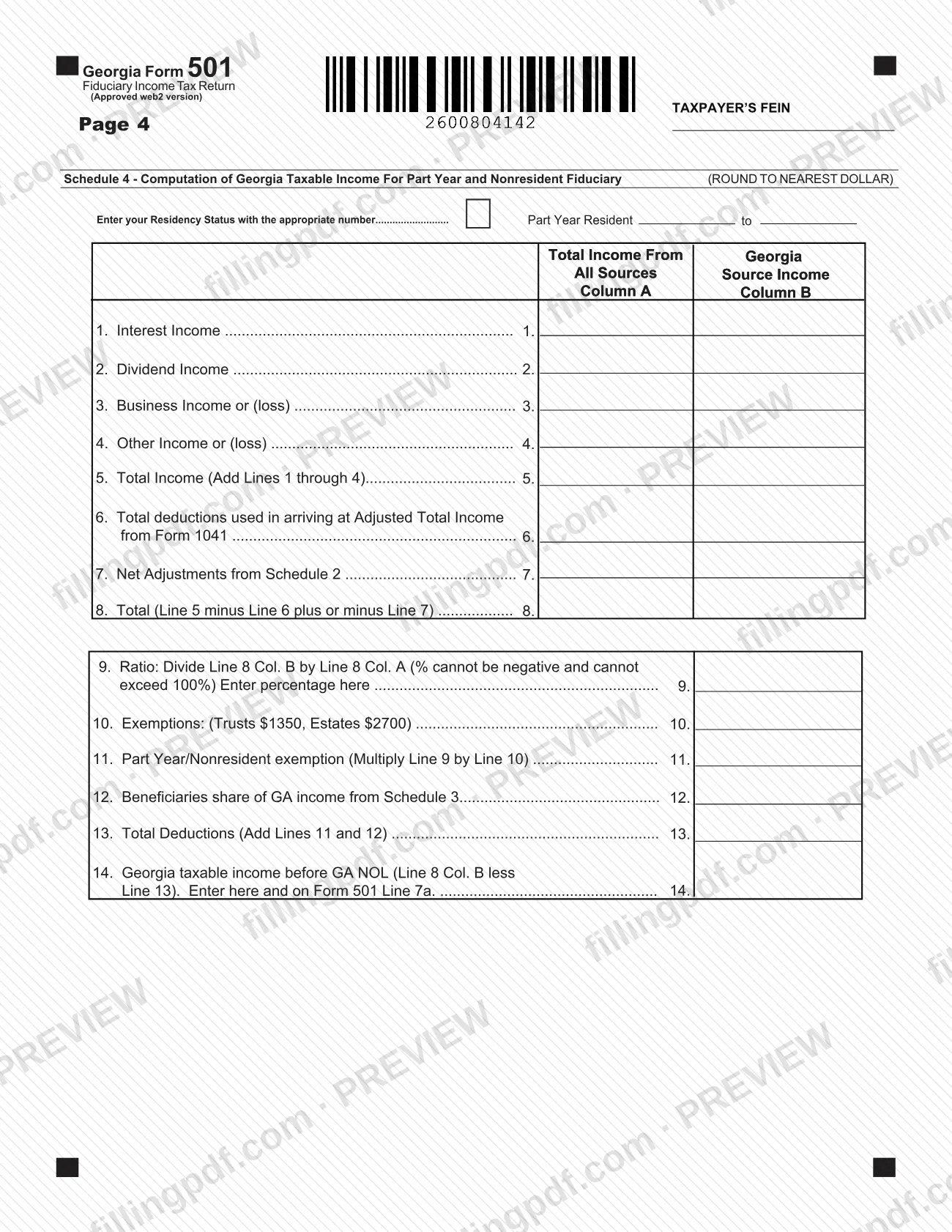
Georgia Form 501, the fiduciary income tax return, is the income tax return that the Georgia Department of Revenue (DOR) publishes for estates and trusts for tax year 2025. The fiduciary reports the entity's income, beneficiaries' shares, adjustments, credits and any tax due or refund, and attaches a copy of the federal return. On this page you can fill out the form online on FillingPDF and download or print the completed PDF; the form itself is published by the Georgia DOR.
Last updated
What is 501?
Georgia Form 501, Fiduciary Income Tax Return, is the Georgia Department of Revenue form on which the fiduciary of an estate or trust computes Georgia taxable income, tax, credits and the balance due or overpayment for tax year 2025.
The return starts from the income of the fiduciary shown on the attached federal Form 1041 (Schedule 1, line 1). Adjustments from Schedule 2 are added or subtracted, the beneficiaries' share of income from Schedule 3 is deducted, and exemptions and any Georgia net operating loss are applied to reach net taxable income. Tax, credits, estimated tax paid and tax withheld then produce the balance of tax due or the overpayment.
The form has eight numbered schedules and parts:
- Schedule 1, Computation of Tax (pages 1 and 2).
- Schedule 2, Adjustments to Income.
- Schedule 3, Beneficiaries' Share of Income.
- Schedule 4, Computation of Georgia Taxable Income For Part Year and Nonresident Fiduciary.
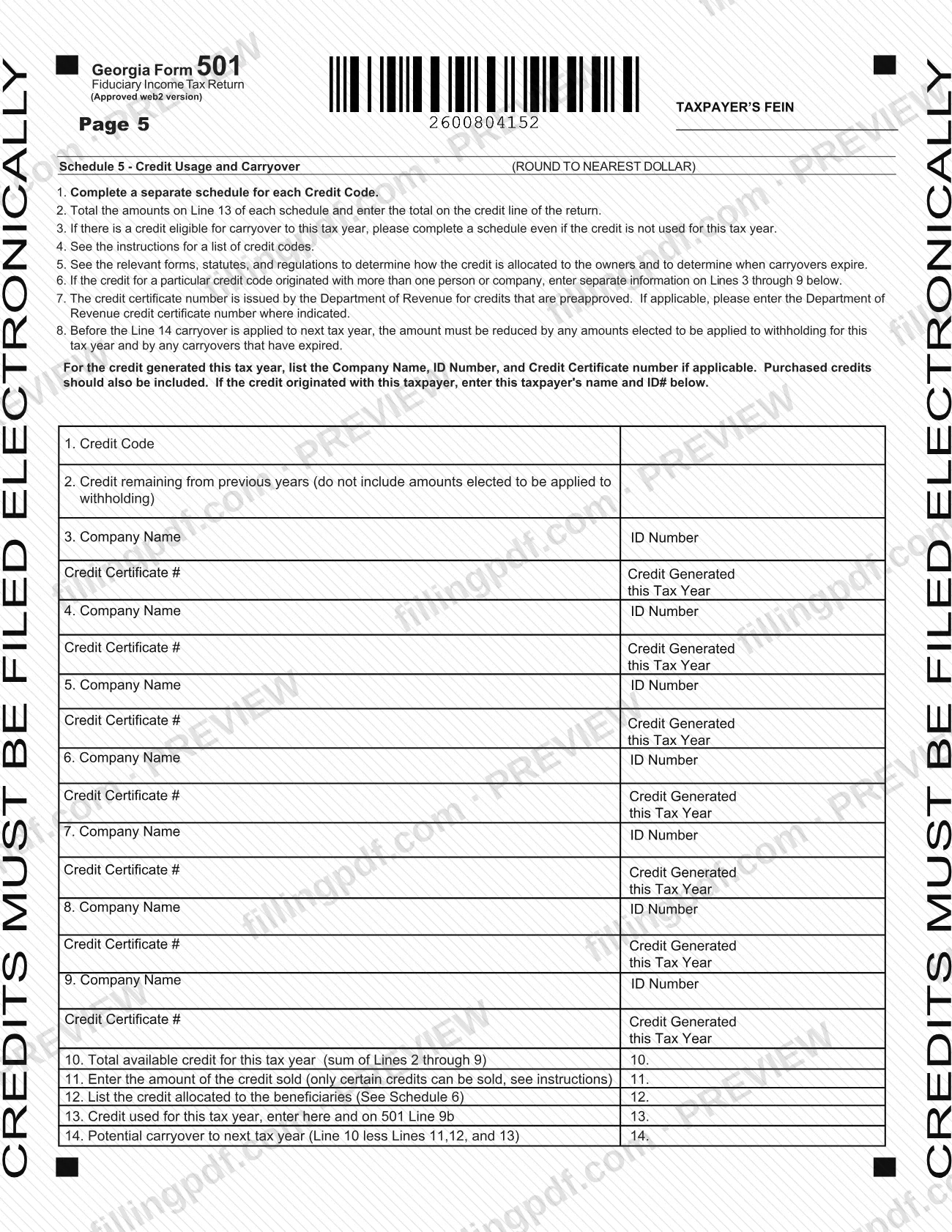
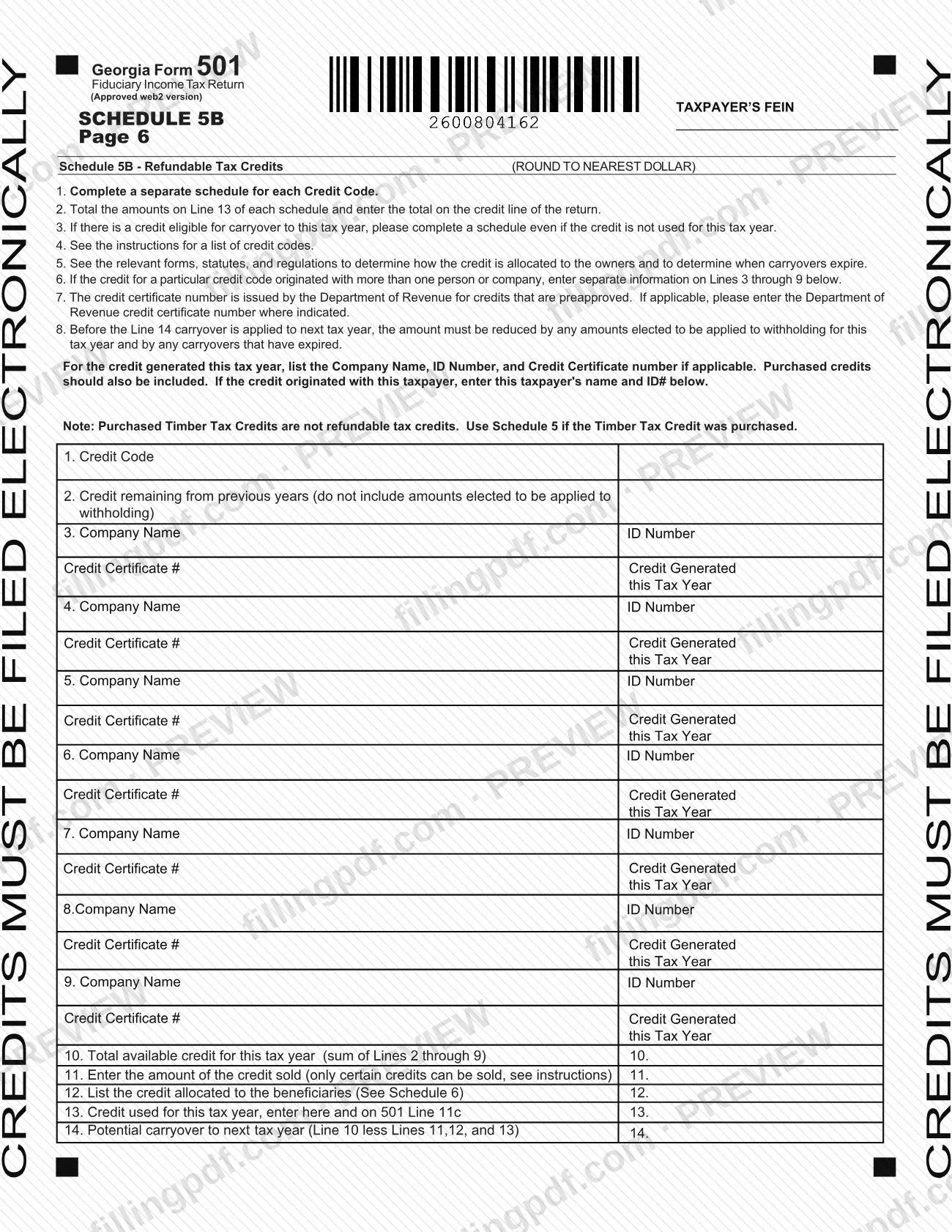
- Schedule 5, Credit Usage and Carryover, and Schedule 5B, Refundable Tax Credits.
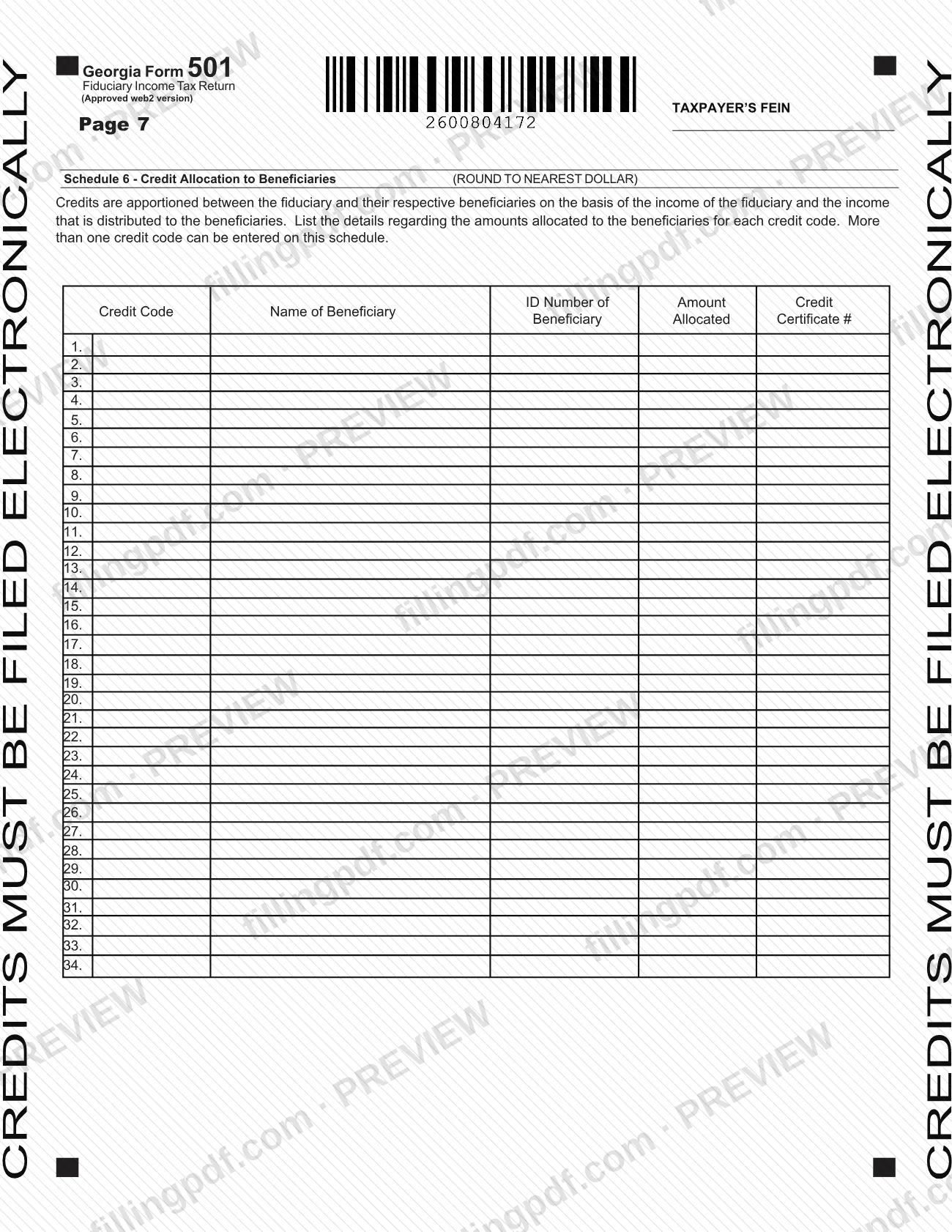
- Schedule 6, Credit Allocation to Beneficiaries.
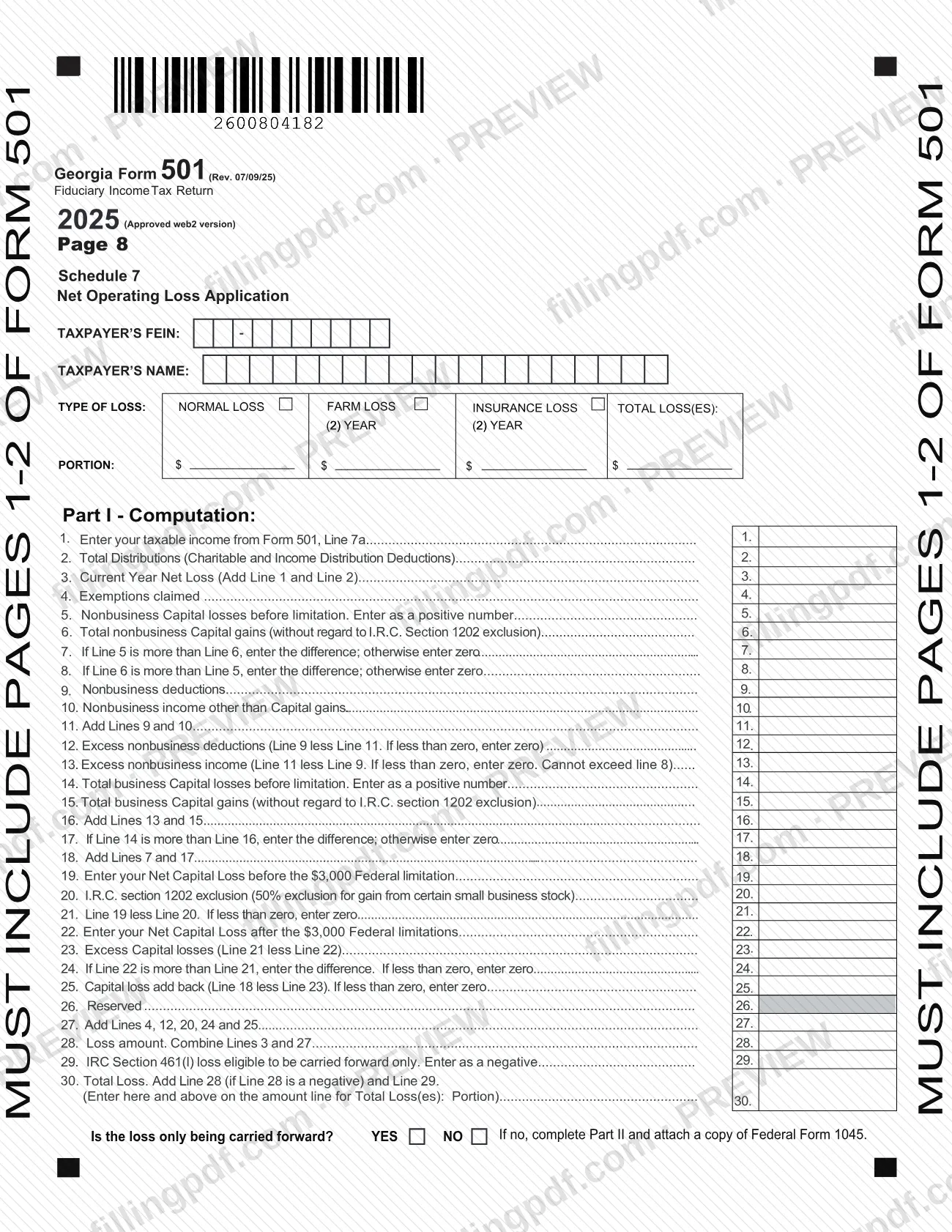
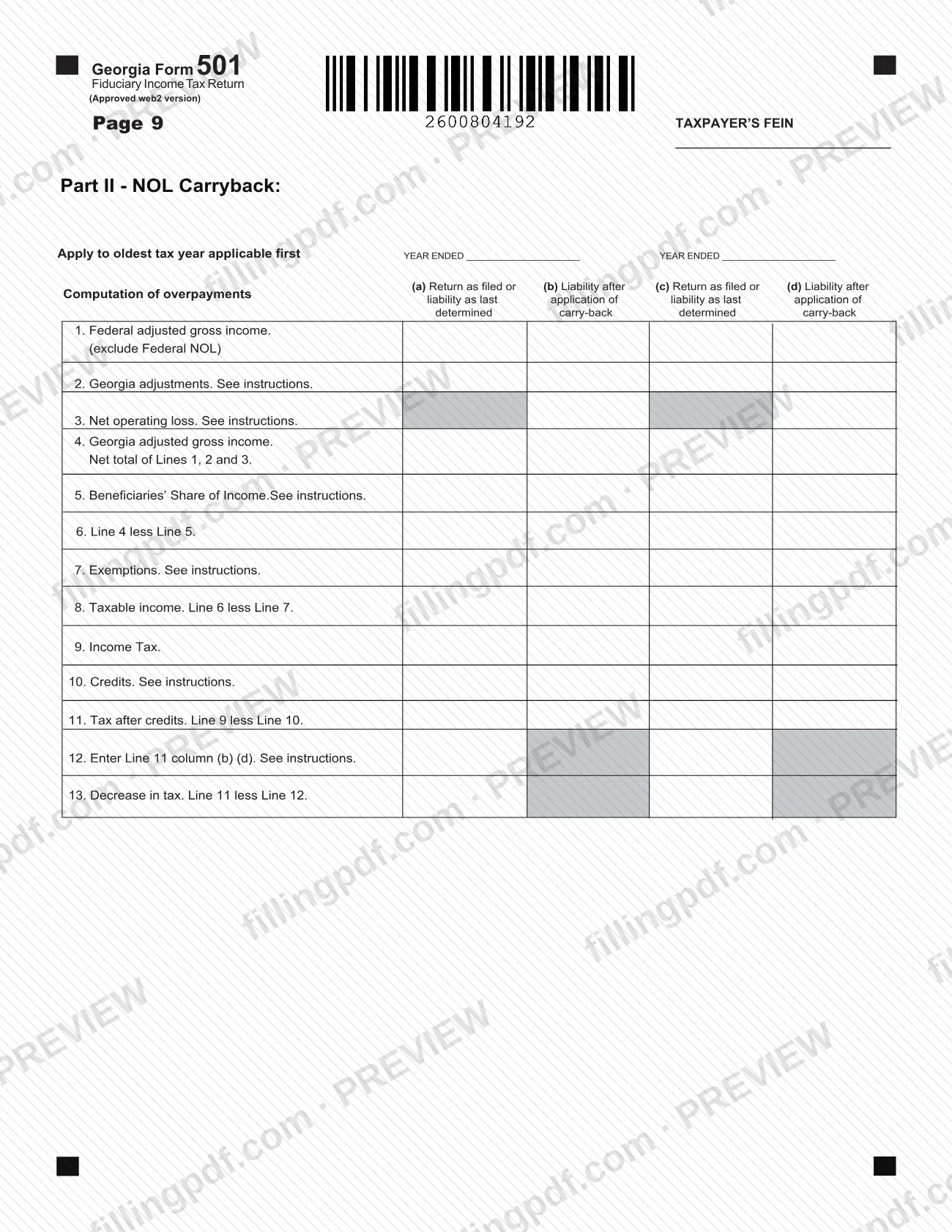
- Schedule 7, Net Operating Loss Application, with Part II for an NOL carryback.
The first page also has boxes for a grantor trust, a qualified funeral trust, a bankruptcy estate, a change in trust or estate name, a change of fiduciary, a change of address and an attached 500 UET exception. The DOR also posts earlier years of Form 501, from 2007 through 2019, on its Form 501 page.
Who needs to file 501?
Form 501 is completed by the fiduciary of an estate or trust. The fiduciary's name and title, the estate or trust name, the federal employer ID number and the date of the decedent's death or the date the trust was created are all entered on page 1, and the fiduciary signs the declaration.
Variations the form itself provides for:
- Estates and trusts, including grantor trusts, qualified funeral trusts and bankruptcy estates, each with its own box on page 1.
- Full-year residents, part-year residents and nonresidents: you enter a residency status of 1 (Full-Year), 2 (Part Year, with the dates) or 3 (Nonresident). Part-year and nonresident fiduciaries also complete Schedule 4.
- Fiduciaries claiming credits, who complete Schedule 5 and, for refundable credits, Schedule 5B, and file electronically.
- Fiduciaries allocating credits to beneficiaries, who complete Schedule 6.
- Fiduciaries with a net operating loss, who complete Schedule 7.
A person other than the fiduciary may prepare the return. In that case the preparer signs and gives an identification number, and the fiduciary can check a box to let the DOR discuss the return with the named preparer. The form does not print rules on who is exempt from filing.
When to file 501
Form 501 is the return for tax year 2025, so it is completed for that tax year after the fiduciary's income for the period is known; fiscal-year filers enter the beginning and ending dates at the top of page 1. No due date is printed on the form itself.
The return has lines for the consequences of timing: interest (line 15), a late payment penalty (line 16), a late filing penalty (line 17) and a penalty for underpayment of estimated tax (line 18). Filers who claim an exception to the underpayment penalty check the 500 UET Exception Attached box. Credits on Schedules 5 and 5B can be claimed only if the return is filed electronically. For the current due date, check the Georgia Department of Revenue's Form 501 page or the IT-511 booklet the form refers to.
Documents you need
- A copy of the federal return and supporting schedules: the form states the fiduciary must attach them to the return.
- The federal Form 1041, whose adjusted total income is entered on Schedule 1, line 1.
- A copy of the other state(s) tax return, if you claim the other state(s) tax credit on line 9a.
- Federal Form 1045, if you complete Schedule 7 and the loss is not only being carried forward (Part II, NOL carryback).
- Pages 1 and 2 of Form 501, which must be included with Schedule 6 and Schedule 7 as printed on those pages.
- Additional beneficiary schedule, if there are more beneficiaries than fit on Schedule 3 (line D totals include them).
How to fill out 501
Enter the period and check boxes
At the top of page 1, enter the fiscal year beginning and ending dates if they apply. Check the boxes that fit: change in trust or estate name, change in fiduciary, change of address, grantor trust, qualified funeral trust, bankruptcy estate or 500 UET Exception Attached.
Enter residency status
Enter 1 for Full-Year, 2 for Part Year (with the dates of the period) or 3 for Nonresident. Part-year and nonresident fiduciaries also complete Schedule 4.
Identify the estate or trust
Lines A to C: the federal employer ID number, name of estate or trust, date of creation of trust, date of decedent's death, the fiduciary's name, title, telephone number and address.
Compute income and tax on Schedule 1
Enter adjusted total income from the attached Form 1041 on line 1, the Schedule 2 net adjustment on line 2, the beneficiaries' share from Schedule 3 on line 4, and exemptions on line 6. Lines 7a to 7c apply any Georgia NOL, and line 8 is the total tax.
Enter credits and payments
Line 9a is the other state(s) tax credit (include a copy of that return), line 9b is from Schedule 5 and line 9c cannot exceed line 8. On page 2, enter estimated tax paid (11a), tax withheld (11b) and Schedule 5B credits (11c), and total them on line 11d.
Figure balance due or refund
Enter the balance due on line 12 or the overpayment on line 13, and any amount to credit to next year's estimated tax on line 14. Add interest and penalties on lines 15 to 18, then complete line 19 if you owe or line 20 if you are due a refund.
Add direct deposit information
For a refund by direct deposit (U.S. accounts only), complete line 20a with routing number, checking or savings, and account number. Without it, or as a first-time filer, a paper check is issued.
Complete Schedule 2 adjustments
On Schedule 2, list additions (lines 1 to 5, total on line 6) and subtractions (lines 7 to 10, total on line 11). Line 12 is the net adjustment; carry it to Schedule 1, line 2, or Schedule 4, line 7.
List beneficiaries on Schedule 3
For each beneficiary enter name, address, city, state, ZIP, country, ID number and share of income. Enter the total on line D, and carry it to Schedule 1, line 4, or Schedule 4, line 12.
Complete Schedule 4 if required
Part-year and nonresident fiduciaries enter total income from all sources in Column A and Georgia source income in Column B, then compute the ratio on line 9. The result on line 14 goes to Form 501, line 7a.
Complete credit schedules and Schedule 6
Complete a separate Schedule 5 or Schedule 5B for each credit code, and Schedule 6 for credits allocated to beneficiaries. Remember that credits must be filed electronically.
Complete Schedule 7 for an NOL
Enter the type of loss and compute the loss in Part I. If the loss is not only being carried forward, complete Part II and attach a copy of Federal Form 1045.
Review, sign and download the PDF
Check each schedule, then sign the declaration with the date and phone number; a preparer other than the fiduciary also signs. Download or print the completed PDF from FillingPDF and attach the federal return and schedules.
How to submit 501
The form prints one paper channel, the DOR mailing address, and it states that credits can be claimed only when the return is filed electronically.
- By mail: Georgia Department of Revenue Processing Center, PO Box 740316, Atlanta, Georgia 30374-0316. The form prints this address under line 20.
- Electronically: Schedule 5 credits (line 9b) and Schedule 5B refundable credits (line 11c) cannot be claimed unless the return is filed electronically. The form gives no portal address.
- Payment: if you owe, line 19 says to make the check payable to Georgia Department of Revenue.
- Refund: you can enter direct deposit information on line 20a, for U.S. accounts only. If you leave it blank, or you are a first-time filer, the form says you will be issued a paper check. See the IT-511 booklet for details.
Attach a copy of the federal return and its supporting schedules. Include pages 1 and 2 of Form 501 with Schedules 6 and 7, as printed on those pages. FillingPDF lets you fill out and download the PDF; submission follows the channels above.
Common mistakes to avoid
- Leaving out the copy of the federal return and supporting schedules; the form says the fiduciary must attach them.
- Claiming Schedule 5 or Schedule 5B credits on a paper return; the form says credits cannot be claimed unless filed electronically.
- Entering a total of line 9a plus 9b (line 9c) that is higher than line 8 (total tax).
- Using Schedule 5 for a purchased Timber Tax Credit; the form says purchased Timber Tax Credits are not refundable, so use Schedule 5 and not Schedule 5B.
- Completing a part-year or nonresident return without Schedule 4, or entering a ratio on Schedule 4, line 9 that is negative or above 100%.
- Skipping Part II of Schedule 7 and Federal Form 1045 when the loss is not only being carried forward.
- Leaving out the FEIN at the top of pages 2 through 9, where "Taxpayer's FEIN" is requested.
- Mailing the return to an address other than the DOR Processing Center, PO Box 740316, Atlanta, Georgia 30374-0316.
- Submitting the declaration unsigned; the fiduciary signs, and any paid preparer also signs.
Frequently asked questions
What is Georgia Form 501?
Georgia Form 501 is the Fiduciary Income Tax Return of the Georgia Department of Revenue. The fiduciary of an estate or trust uses it to compute Georgia taxable income, tax, credits and the balance due or refund for tax year 2025.
Do I have to attach my federal return to the fiduciary income tax return?
Yes. The form states that the fiduciary must attach a copy of its federal return and supporting schedules. Schedule 1, line 1 starts from the adjusted total income on the attached federal Form 1041.
Where do I mail Georgia Form 501?
Mail it to Georgia Department of Revenue Processing Center, PO Box 740316, Atlanta, Georgia 30374-0316, the address printed under line 20 of the form. If you owe tax, line 19 says to make the check payable to Georgia Department of Revenue.
Can I claim tax credits on a paper Form 501?
No. Schedules 5 and 5B state that credits must be filed electronically, and lines 9b and 11c say credits cannot be claimed unless the return is filed electronically.
How do I file a part-year or nonresident fiduciary return?
Enter 2 (Part Year, with dates) or 3 (Nonresident) as the residency status on page 1, then complete Schedule 4. It compares total income from all sources with Georgia source income to produce a ratio, and line 14 carries to Form 501, line 7a.
What do I attach if I report a net operating loss?
Complete Schedule 7. If the loss is not only being carried forward, answer NO, complete Part II (NOL Carryback) and attach a copy of Federal Form 1045. Include pages 1 and 2 of Form 501 with the schedule.
Can I get my refund by direct deposit?
Yes, for U.S. accounts only: complete line 20a with the routing number, account type and account number. If you leave it blank or are a first-time filer, the form says you will be issued a paper check.
Can I fill out the fiduciary income tax return online on FillingPDF?
Yes. You can fill out the Form 501 PDF online on FillingPDF and download or print it. FillingPDF does not file the return or pay tax; you submit it to the Georgia Department of Revenue by the channels the form describes.
Ready to fill out 501?
Fill out 501 now