
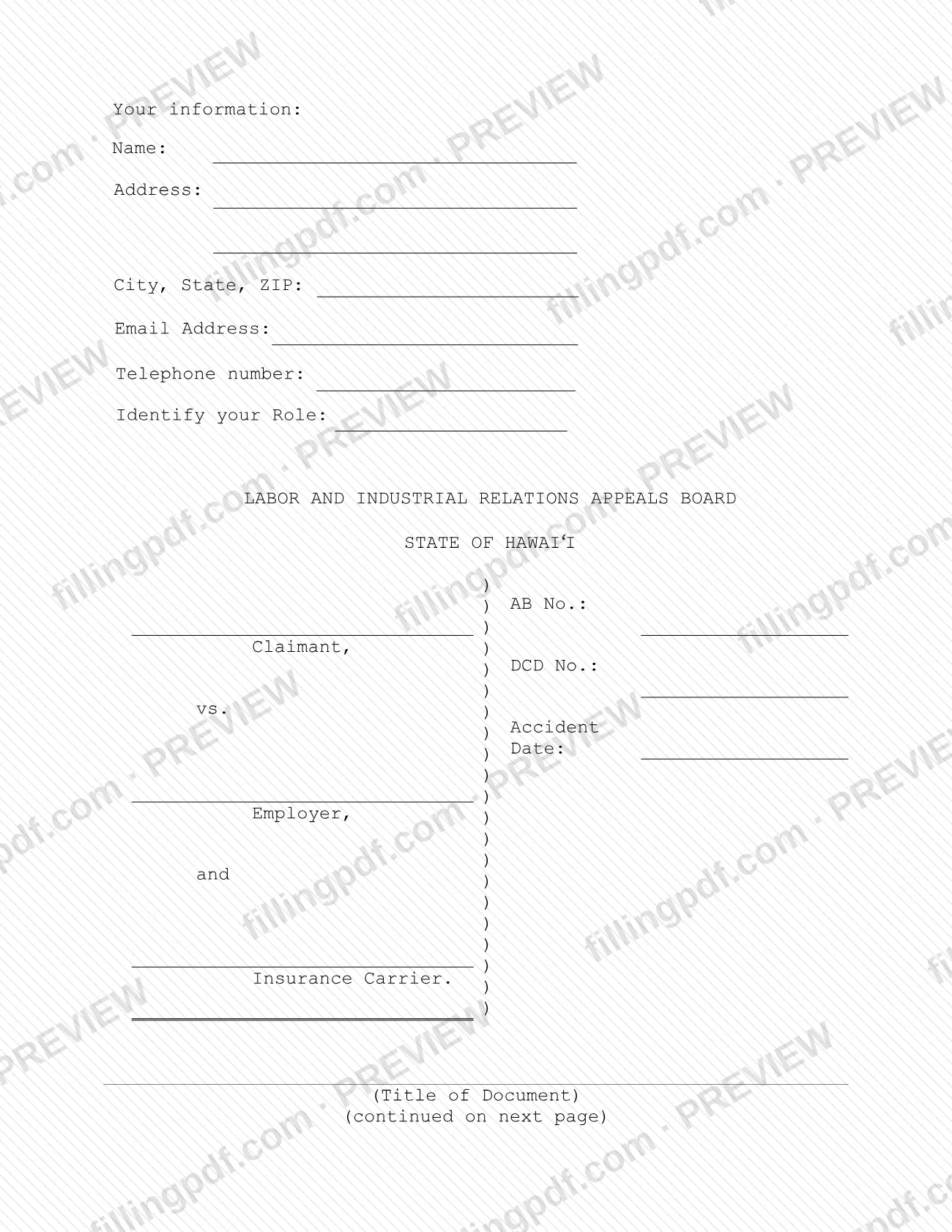
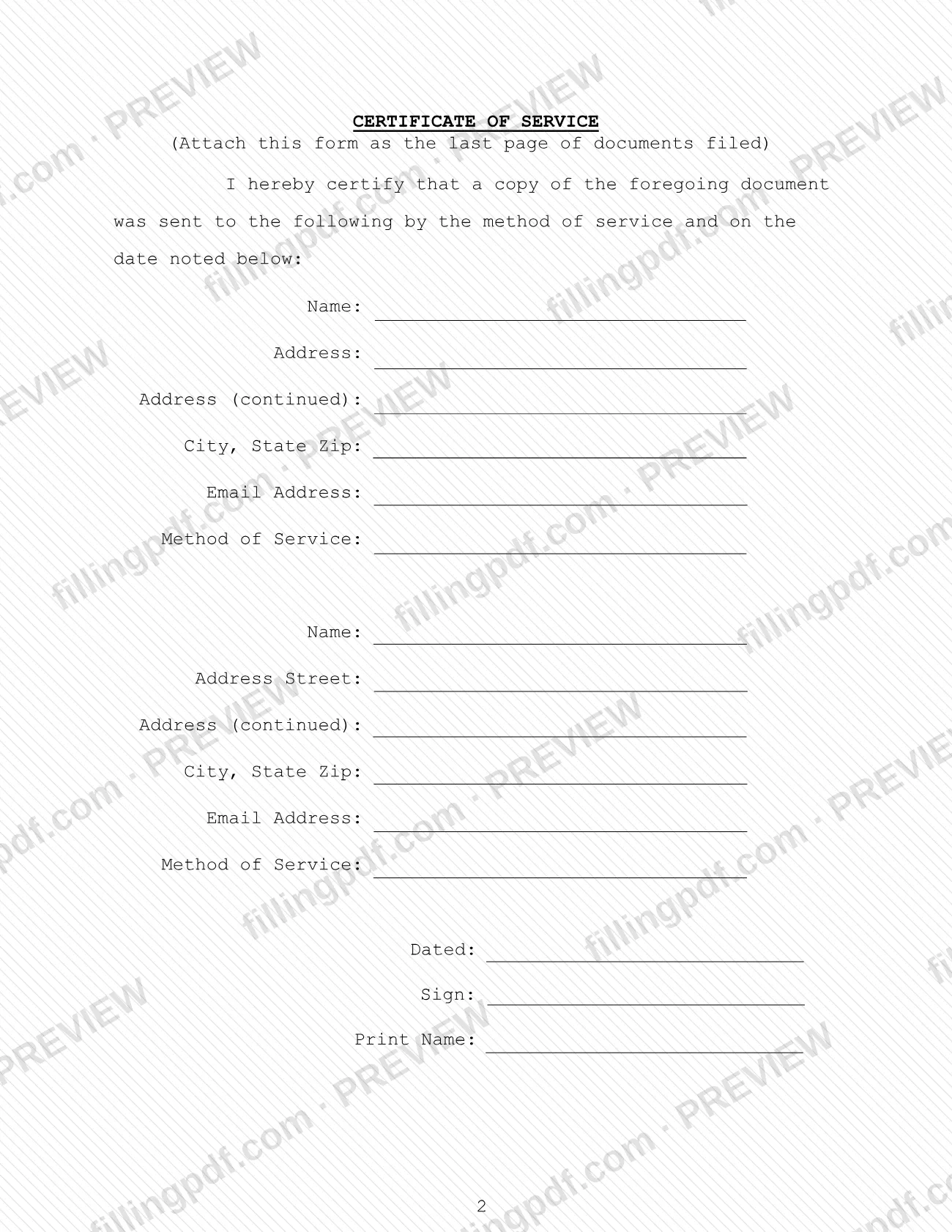
The Certificate of Service is a form of the Hawaii Labor and Industrial Relations Appeals Board (LIRAB) on which the person filing a document certifies that a copy went to the other persons listed, by a stated method and on a stated date. The form says to attach it as the last page of the documents you file, and it carries the case caption with the AB No. and DCD No. On this page you can fill out the certificate of service online on FillingPDF and download or print the completed PDF; the original form is published by LIRAB at labor.hawaii.gov.
Last updated
What is Certificate of Service – Hawaii?
The Certificate of Service is a Labor and Industrial Relations Appeals Board (LIRAB) form, issued for the State of Hawai‘i, on which a party certifies that a copy of the document being filed was sent to the persons named, by the method of service and on the date noted.
The form has two parts. The first page holds the filer's contact information and role, the LIRAB caption, and the title of the document being served. The caption has lines for the AB No., the DCD No. and the accident date, and it names the Claimant, the Employer and the Insurance Carrier. The next page is the certificate itself, headed CERTIFICATE OF SERVICE, with the instruction to attach it as the last page of documents filed. It reads: "I hereby certify that a copy of the foregoing document was sent to the following by the method of service and on the date noted below." It then provides two recipient blocks, each with name, address, email address and method of service, and ends with the date, a signature line and the printed name.
The certificate is not a motion, notice or request of its own: it accompanies another document and records how that document was served. The Board's forms page describes the samples and forms it offers as suggested language that may be modified to suit individual needs, not as legal advice and not as a replacement for state law, administrative rules or Board decisions and orders.
Who needs to file Certificate of Service – Hawaii?
The form is for a person filing a document in a matter before the Labor and Industrial Relations Appeals Board who must show that copies of the document were sent to the other persons involved. The caption names three kinds of participants: the Claimant, the Employer and the Insurance Carrier. The filer identifies his or her own role in the Identify your Role field and lists the contact details at the top of the form.
- The filer. Whoever submits the document completes the certificate, signs it and prints his or her name. The form shows one signature line and no separate block for a representative, so check the Board's rules if someone else will sign for you.
- The recipients. Each person who is sent a copy goes in a recipient block with name, address and email address. The form has room for two.
The form is attached to a document that is being filed; it is not filed alone. The Board's forms page says that its forms are for the convenience of parties and should not replace legal advice or independent review of the law.
When to file Certificate of Service – Hawaii
Complete the Certificate of Service each time you file a document in your LIRAB matter: the form says to attach it as the last page of the documents filed. It records the date and the method by which a copy of the document was sent to each person listed, so it is prepared when the document is served. No separate due date is printed on it. Any deadline for the document you are filing comes from the Board, not from this certificate, so confirm it with LIRAB.
Documents you need
- The document you are filing with the Board: the certificate is attached as the last page of it, and a copy of that document is what is sent to each person listed.
How to fill out Certificate of Service – Hawaii
Enter your contact information
Under Your information, fill in Name, Address, City, State, ZIP, Email Address and Telephone number.
Identify your role
In the Identify your Role field, select the role that describes you in the case. The form shows Claimant in this field.
Complete the case caption
Enter the AB No., the DCD No. and the Accident Date, then the names of the Claimant, the Employer and the Insurance Carrier in the caption.
Enter the title of the document
On the line marked (Title of Document) under CERTIFICATE OF SERVICE, write the title of the document you are filing.
Enter the first recipient
On the certificate page, give the Name, Address, Address (continued), City, State Zip and Email Address of the first person who was sent a copy.
State the method of service
In Method of Service for the first recipient, enter how the copy was sent. The form shows Email in this field.
Enter the second recipient
Fill in the second block the same way, including Method of Service, if a copy went to another person.
Date and sign the certificate
Enter the date in Dated, sign on the Sign line and enter your name on Print Name.
Review and download the PDF
Check that every recipient and method is correct and the certificate is the last page of your document. Download or print the completed PDF from FillingPDF and send it as described under How to submit.
How to submit Certificate of Service – Hawaii
The Certificate of Service has no filing channel of its own: you attach it as the last page of the document you file, and the same document is sent to every person named in the recipient blocks.
- With the filed document. Place the completed certificate after the last page of the document, as the form instructs, and submit the whole package the way you submit that document to the Labor and Industrial Relations Appeals Board. The form prints no mailing address, portal or office hours.
- To each recipient. Send a copy of the foregoing document to each person listed, by the method you enter on the form (the Method of Service line shows Email), and enter the date in Dated.
Sign the form and print your name before sending. FillingPDF lets you fill out and download the PDF; submission follows the channels above.
Common mistakes to avoid
- Placing the certificate anywhere but at the end: the form says to attach it as the last page of the documents filed.
- Leaving the Title of Document line blank, so the certificate does not say which document was served.
- Omitting the AB No. or DCD No. from the case caption.
- Listing a recipient without a complete address or email address, or without a method of service.
- Entering a method of service other than the one you actually used to send the copy.
- Leaving the Dated line empty, even though the certificate states the copy was sent on the date noted.
- Sending the form unsigned or without the printed name.
- Skipping the Identify your Role field in the filer information at the top.
Frequently asked questions
What is a certificate of service?
A certificate of service is a signed statement that a copy of a filed document was sent to the other persons involved. The LIRAB version says a copy of the foregoing document was sent to the persons listed, by the method of service and on the date noted.
Where does the Certificate of Service go in my filing?
At the end. The form instructs you to attach it as the last page of the documents filed with the Labor and Industrial Relations Appeals Board. It is not a stand-alone filing.
What information does the Certificate of Service ask for?
Your name, address, email address and telephone number, your role, the AB No., DCD No. and accident date, the title of the document, and each recipient's name, address, email address and method of service. It ends with the date, your signature and your printed name.
How many people can I list on the certificate?
The form provides two recipient blocks, each with name, address, email address and method of service. The form does not say how to list additional recipients, so ask the Board how it wants more than two handled.
What do I enter for the method of service?
Enter the method you actually used to send each recipient a copy. The Method of Service line on the form shows Email. State the method truthfully, because you certify it by signing.
Can I fill out the Certificate of Service online?
Yes. You can fill out the PDF online on FillingPDF and download or print it. FillingPDF is an independent service and does not file or send the document to LIRAB or to any recipient; you do that through the Board's channels.
Who signs the Certificate of Service?
The person filing the document signs on the Sign line and prints his or her name on Print Name. The form has no separate block for a representative, so ask the Board if someone else is to sign on your behalf.
Ready to fill out Certificate of Service – Hawaii?
Fill out Certificate of Service – Hawaii now