
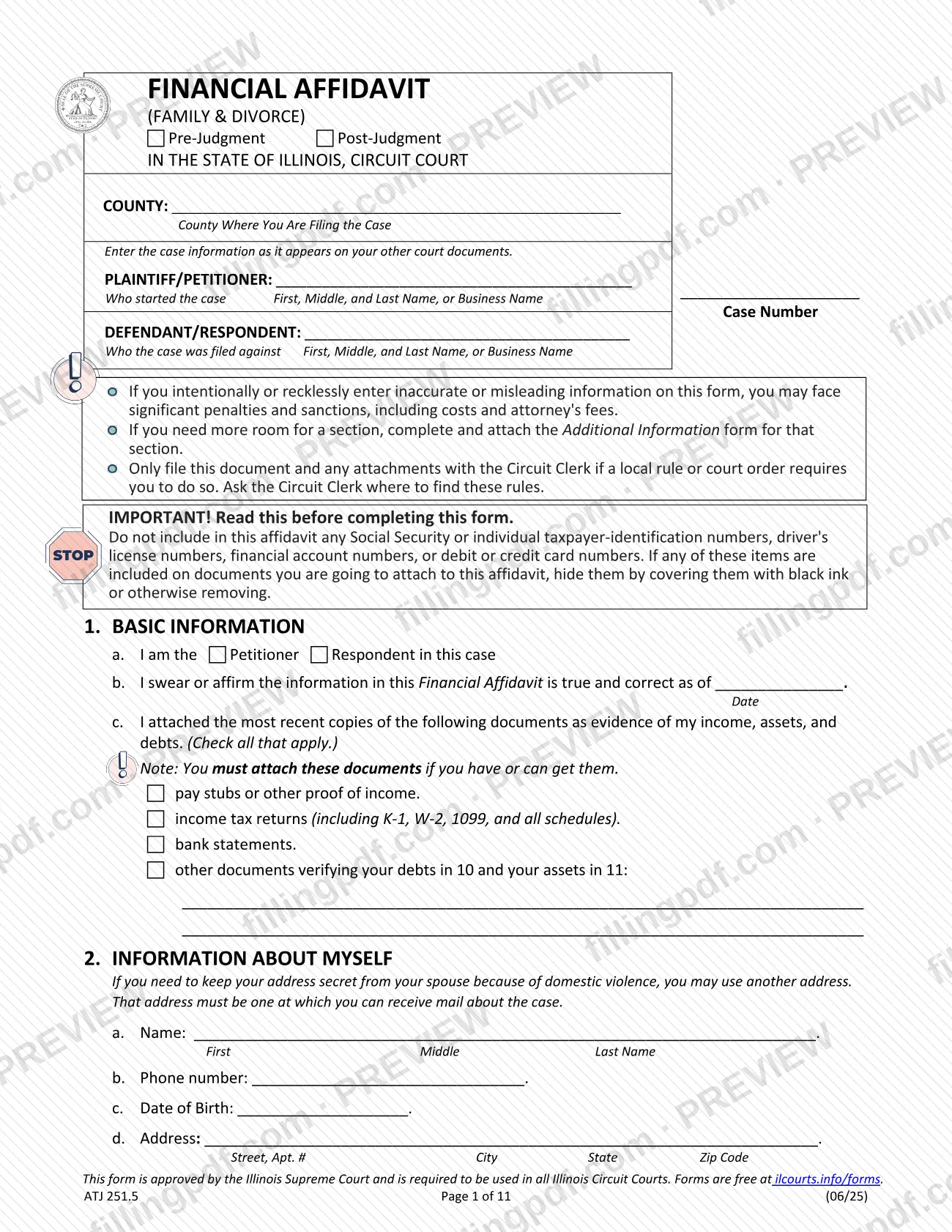
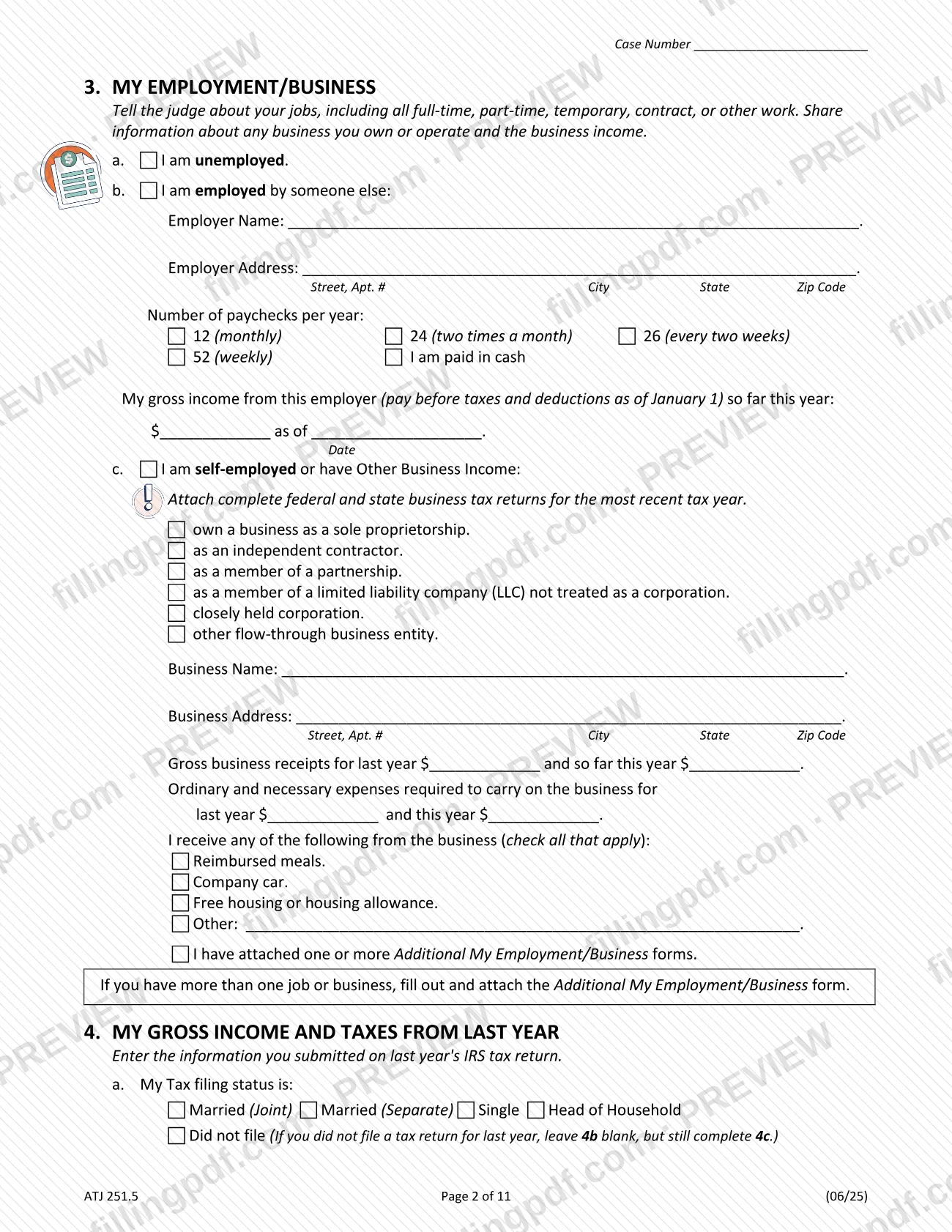
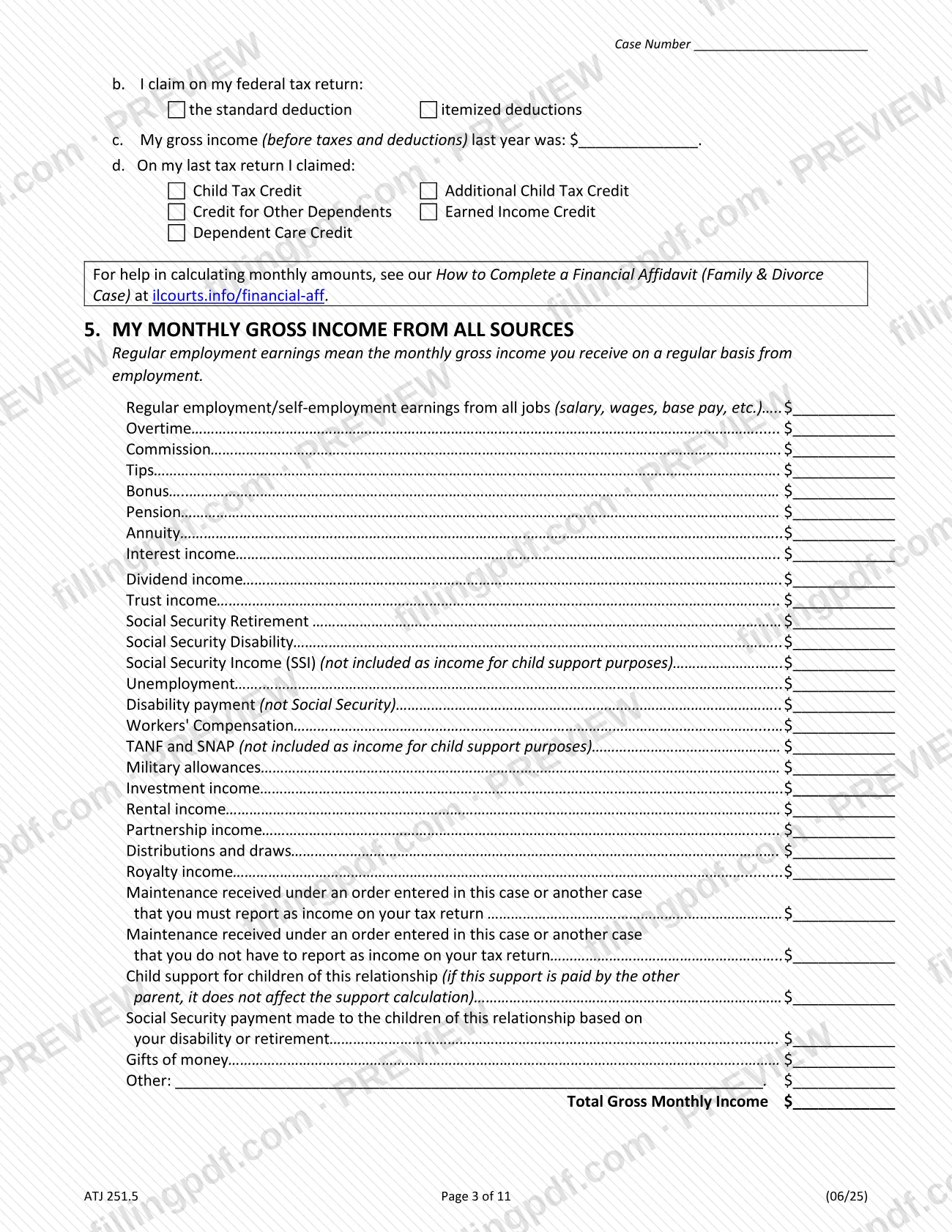
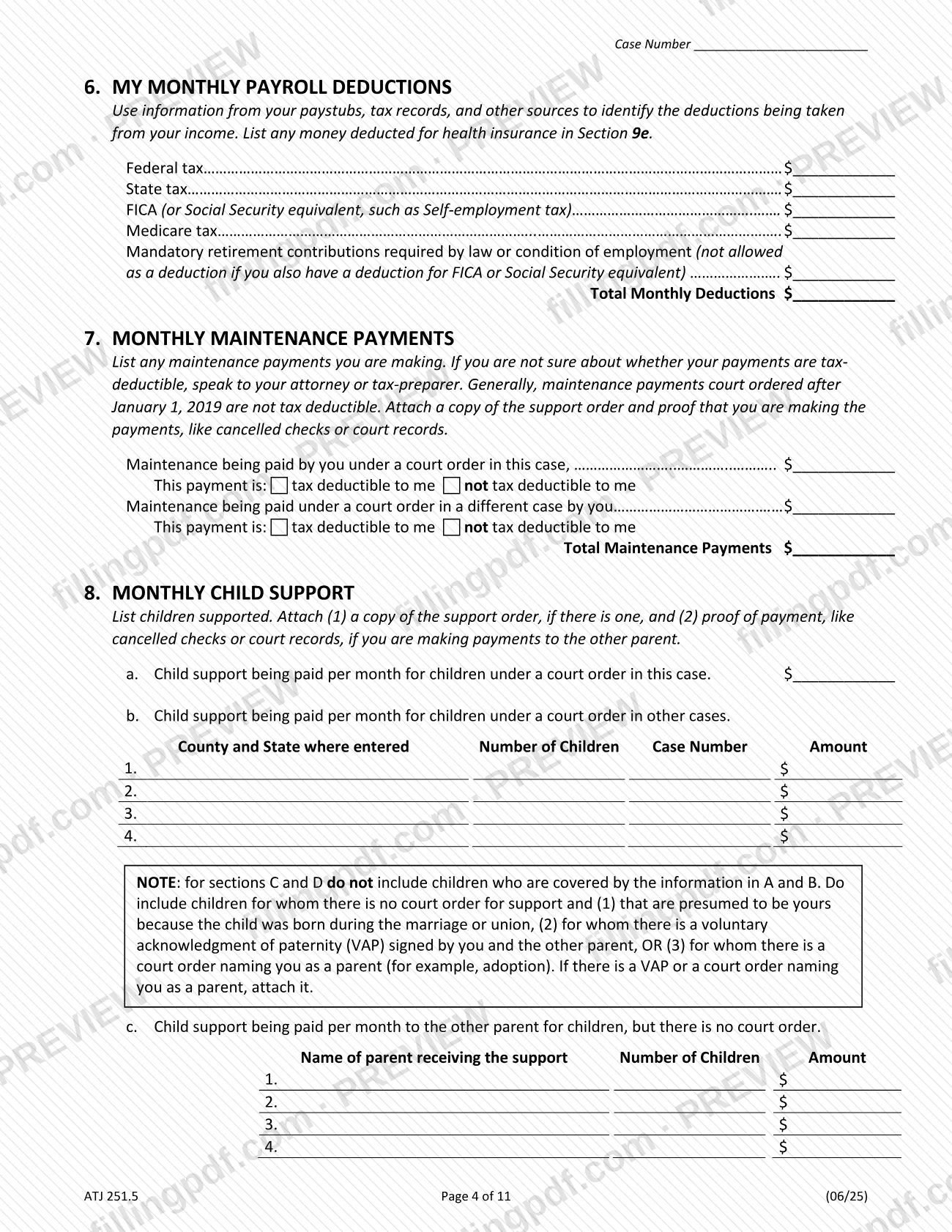
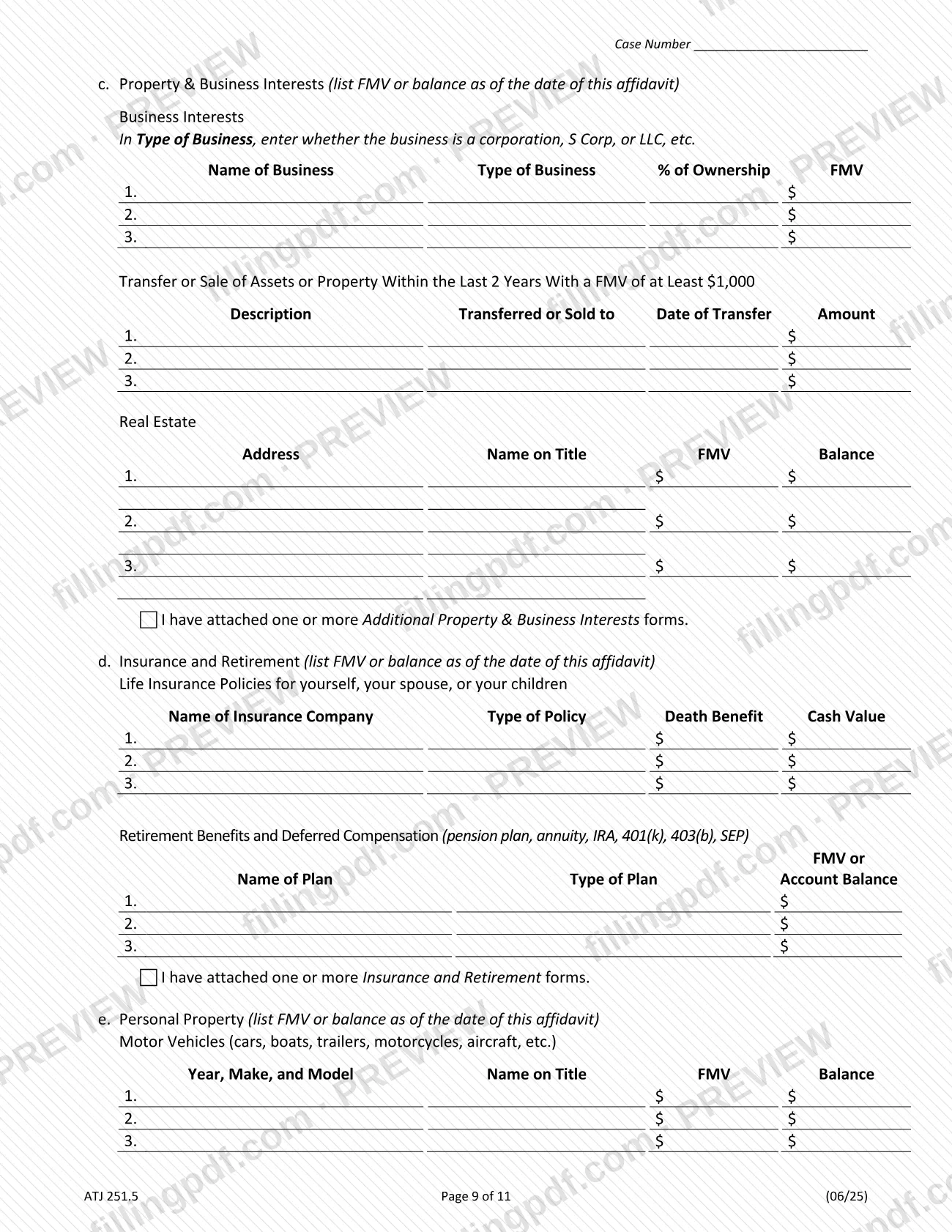
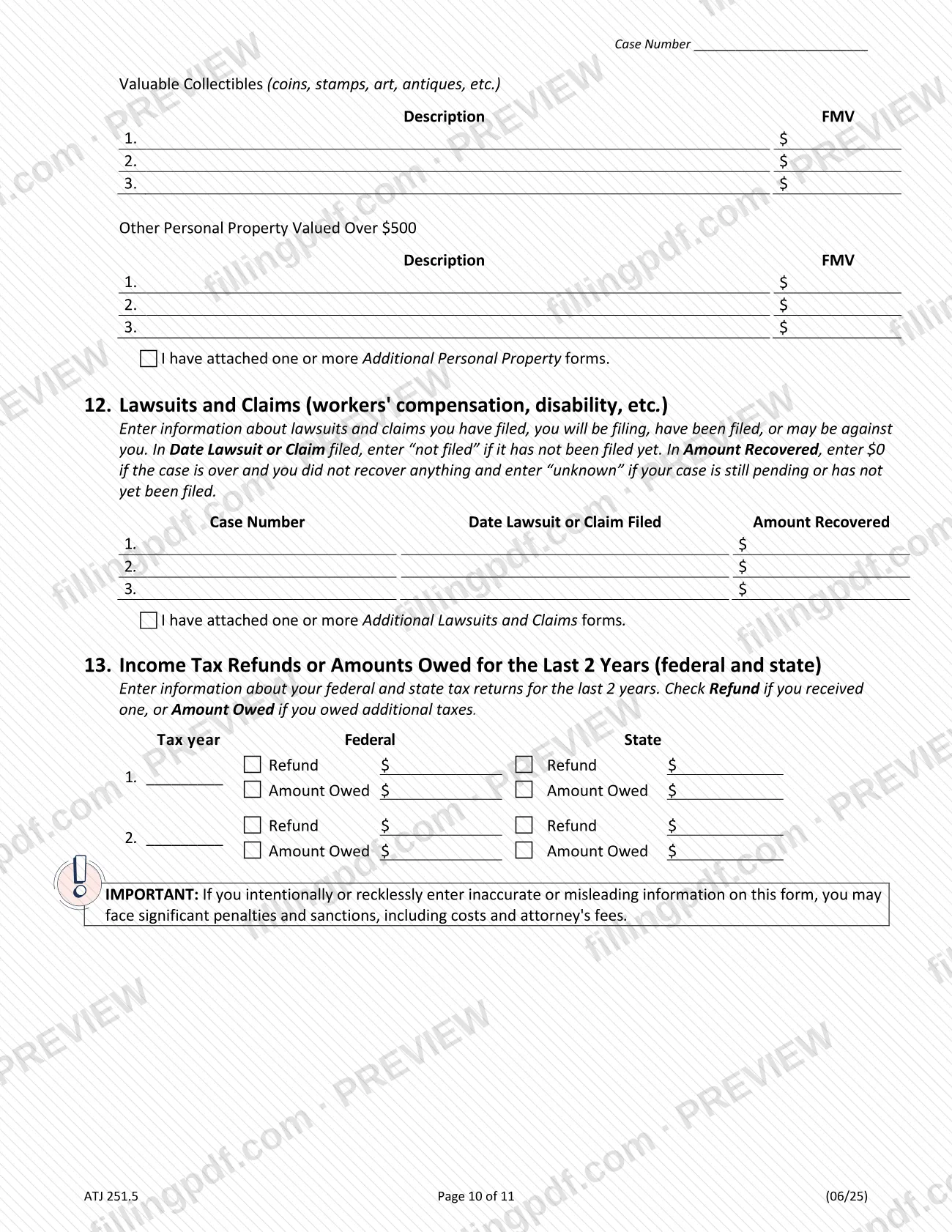
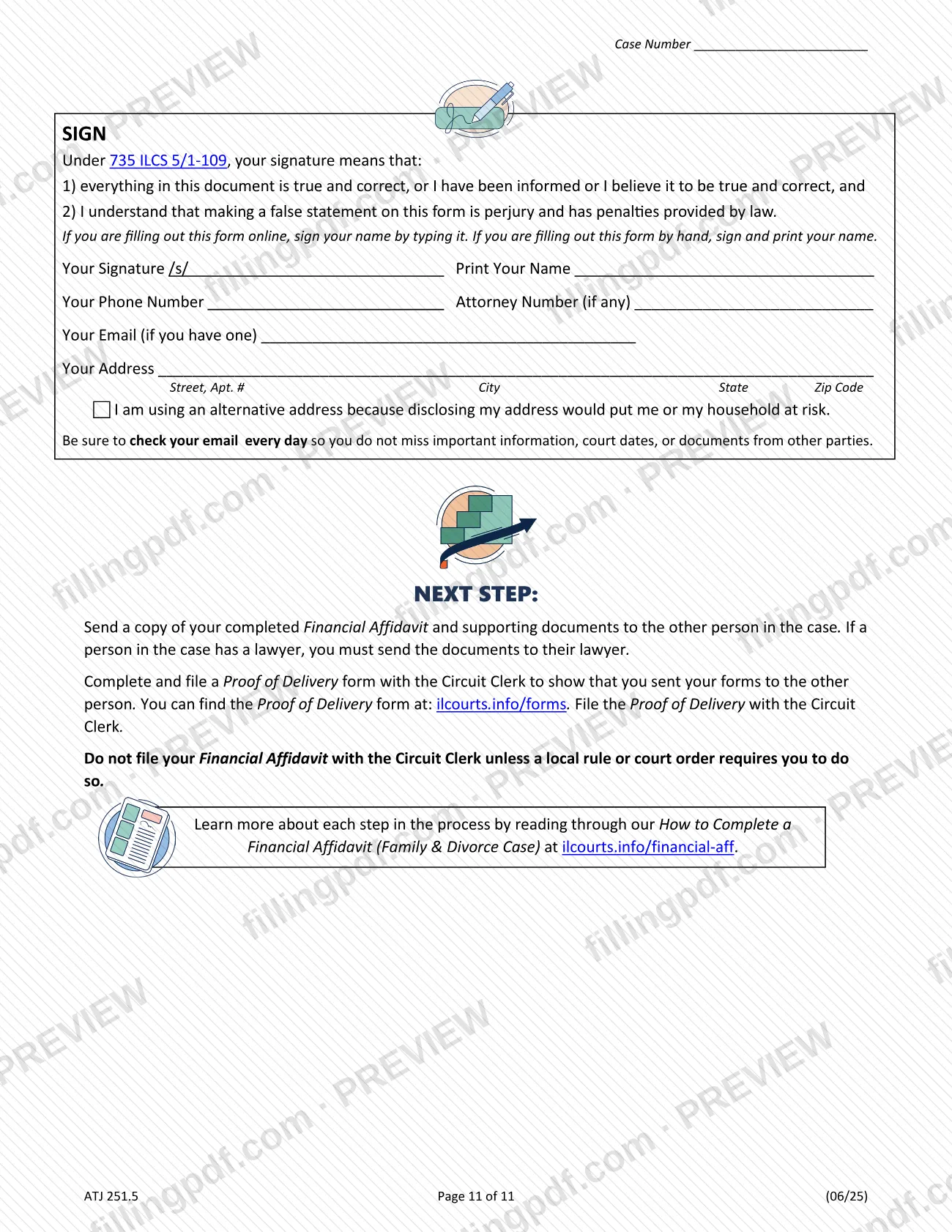
The financial affidavit is the statewide Illinois court form (ATJ 251.5, Family & Divorce) on which a party in a family or divorce case swears to their income, taxes, monthly expenses, debts and assets. It is approved by the Illinois Supreme Court and is required to be used in all Illinois Circuit Courts. You mark it Pre-Judgment or Post-Judgment at the top. On FillingPDF you can fill out the form online and download or print the completed PDF; the court publishes the original at ilcourts.info/forms, and delivery follows the court's rules described below.
Last updated
What is ATJ 251.5?
The Financial Affidavit (Family & Divorce) is the Illinois statewide court form, approved by the Illinois Supreme Court, on which a party in a family or divorce case swears or affirms the truth of their income, taxes, monthly expenses, debts and assets.
The form is 11 pages and is organized in 13 numbered sections. You identify yourself and the case, then report your employment or business, last year's tax return, monthly gross income, payroll deductions, maintenance and child support you pay, monthly living expenses (household, transportation, personal, children and health insurance), debts, assets, lawsuits and claims, and income tax refunds or amounts owed for the last 2 years. A signature block under 735 ILCS 5/1-109 closes the form: your signature means the contents are true and correct, and a false statement on the form is perjury.
The Illinois Courts list it among the approved statewide forms for divorce, child support and maintenance, alongside a companion instruction guide, How to Complete a Financial Affidavit (Family & Divorce Cases), and a set of "Additional" forms for extra room: Additional My Employment/Business, My Child Support, Health Insurance, My Debts, Cash and Cash Equivalents, Investment Accounts and Securities, Property and Business Interests, Insurance and Retirement, Other Personal Property, and Lawsuits and Claims.
The form warns that intentionally or recklessly entering inaccurate or misleading information can lead to significant penalties and sanctions, including costs and attorney's fees.
Who needs to file ATJ 251.5?
A person who is a party in an Illinois family or divorce case completes this affidavit as the Petitioner or the Respondent; line 1a asks which one you are. The top of the form has separate boxes for Pre-Judgment and Post-Judgment cases, so it serves a case before judgment and after it. The Illinois Courts place it with the approved forms for divorce, child support and maintenance, and the form states it is required to be used in all Illinois Circuit Courts.
Points that affect who completes what:
- Each party completes their own affidavit; it describes only "my" income, expenses, debts and assets.
- If you need to keep your address secret from your spouse because of domestic violence, you may use another address at which you can receive mail about the case, and you check the alternative-address box above the final instructions.
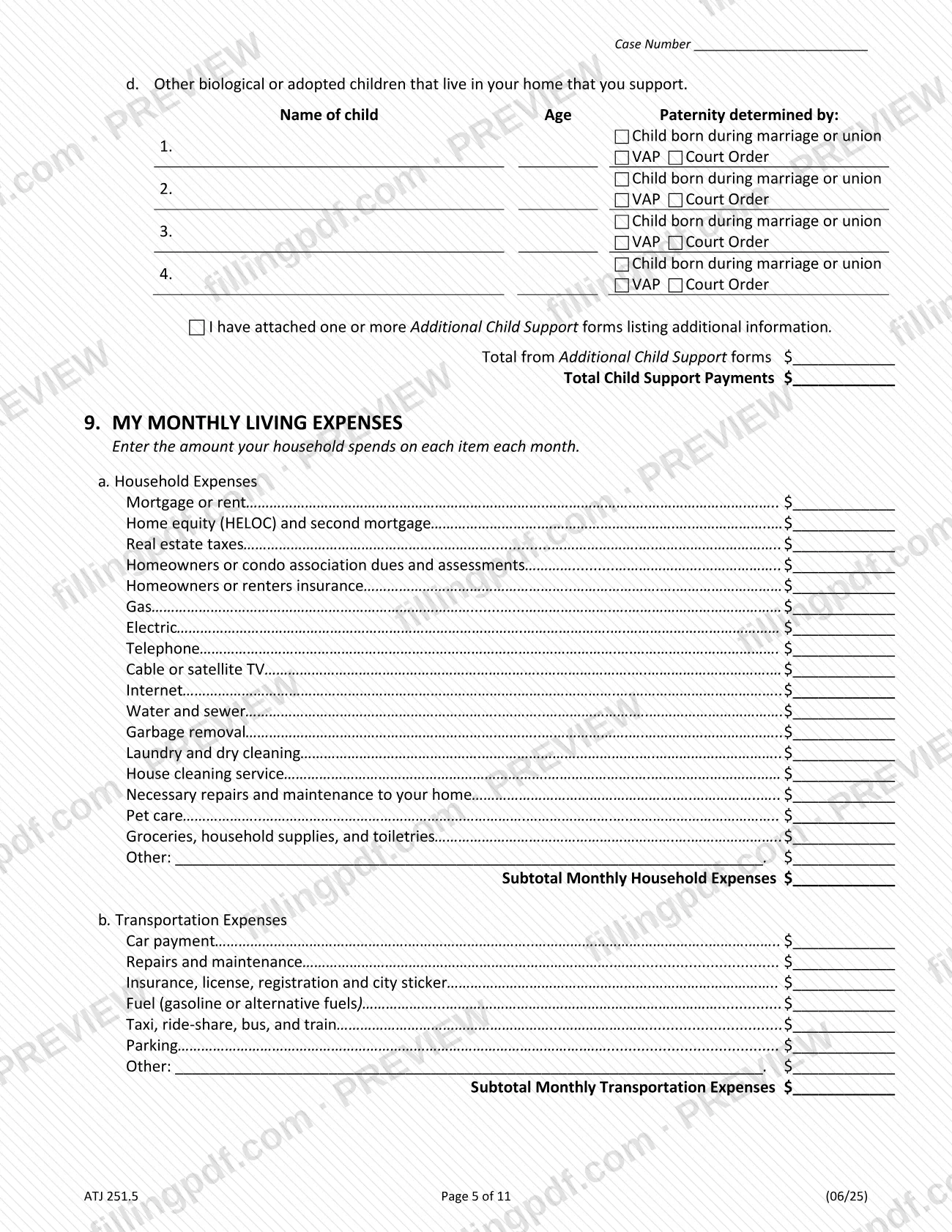
- Section 8 asks about children you support, including children with no support order who are presumed yours, covered by a voluntary acknowledgment of paternity (VAP), or named in a court order.
- If you have an attorney, the signature block has a line for your attorney number.
The form does not say who must file it in a given case; a local rule or court order sets that.
When to file ATJ 251.5
Complete the affidavit when your family or divorce case calls for it, before judgment (Pre-Judgment box) or after judgment (Post-Judgment box). The form prints no due date, so any deadline comes from the court handling your case.
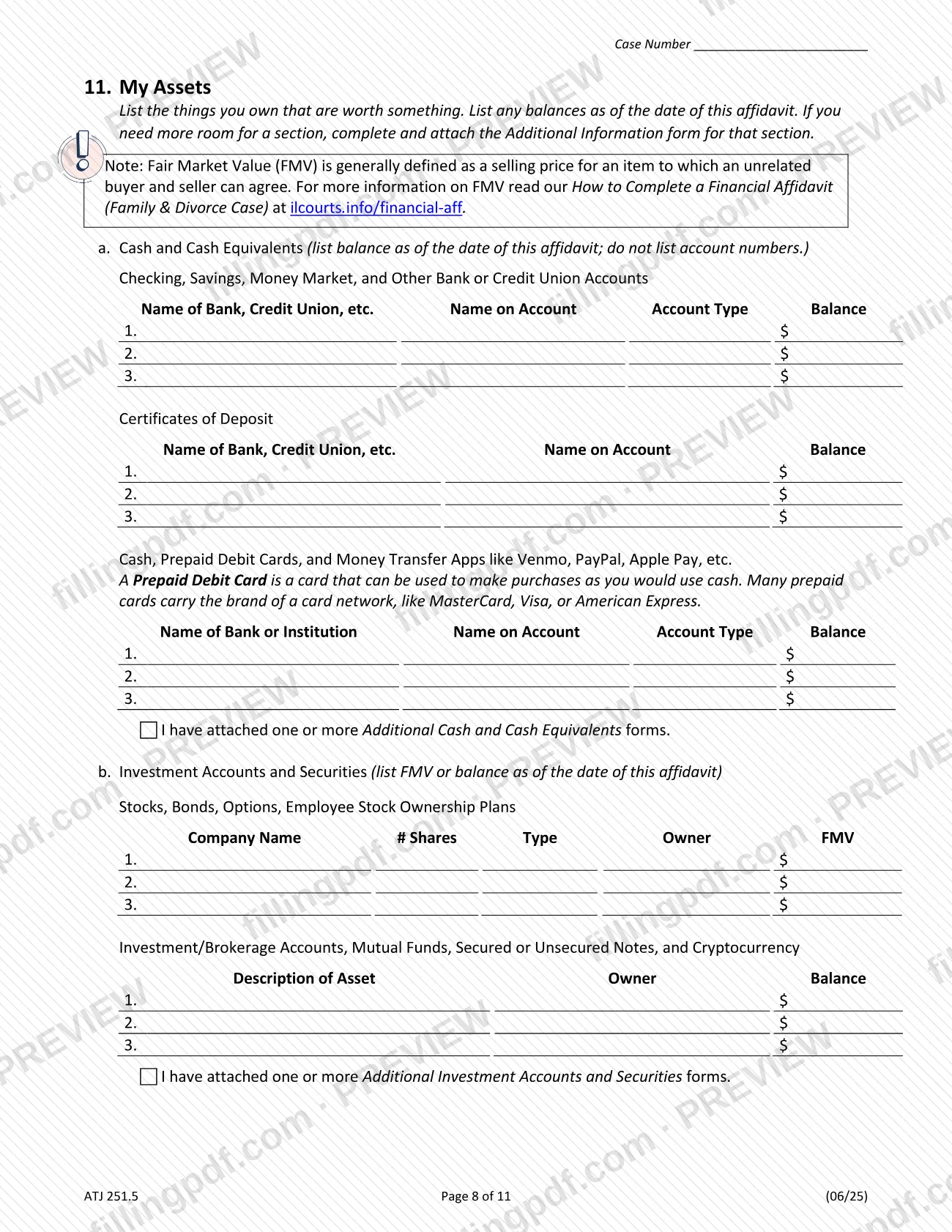
Timing on the form itself matters: in line 1b you swear that the information is true and correct as of a date you enter, and the asset and balance information in section 11 is listed as of the date of the affidavit. Gather your attachments first, because the form says you must attach the listed income, asset and debt documents if you have or can get them.
The form says to file it with the Circuit Clerk only if a local rule or court order requires it. Ask the Circuit Clerk where to find those rules.
Documents you need
- Pay stubs or other proof of income (line 1c): attach the most recent copies if you have them or can get them.
- Income tax returns, including K-1, W-2, 1099 and all schedules (line 1c): attach the most recent copies if you have or can get them.
- Bank statements (line 1c): attach the most recent copies as evidence of your assets if you have or can get them.
- Other documents verifying the debts in section 10 and the assets in section 11 (line 1c): list them on the lines provided.
- Complete federal and state business tax returns for the most recent tax year, only if you are self-employed or have other business income (section 3c).
- A copy of the support order and proof you are making the payments, such as cancelled checks or court records, for maintenance you pay (section 7).
- A copy of the support order, if there is one, and proof of payment, such as cancelled checks or court records, if you pay child support to the other parent (section 8).
- A VAP or a court order naming you as a parent, if one exists, for children you support who are covered by section 8 notes (section 8).
How to fill out ATJ 251.5
Mark case type and enter case details
At the top, check Pre-Judgment or Post-Judgment and enter the county where you are filing, the Plaintiff/Petitioner, the Defendant/Respondent and the case number exactly as they appear on your other court documents.
Complete Section 1, Basic Information
Line 1a: check Petitioner or Respondent. Line 1b: enter the date as of which you swear the information is true. Line 1c: check the income, tax return, bank statement and other documents you attach.
Enter your personal details
Section 2: enter your name, phone number, date of birth and address. If you must keep your address secret because of domestic violence, use another address where you can receive mail about the case.
Describe your employment or business
Section 3: check unemployed (3a), employed by someone else (3b) or self-employed or other business income (3c). For 3b give employer, paychecks per year and gross income so far this year; for 3c give business type, name, address, receipts and expenses.
Report last year's tax information
Section 4: enter your filing status (4a), deduction type (4b), gross income last year (4c) and the credits you claimed (4d). If you did not file, leave 4b blank but complete 4c.
Enter monthly gross income and deductions
Section 5: enter the monthly amount for each income source and the Total Gross Monthly Income. Section 6: enter federal tax, state tax, FICA, Medicare and mandatory retirement, then Total Monthly Deductions.
List maintenance and child support paid
Section 7: enter maintenance you pay and check whether it is tax deductible to you. Section 8: complete 8a through 8d for child support under court orders, payments without an order and other children in your home, then the total.
Itemize your monthly living expenses
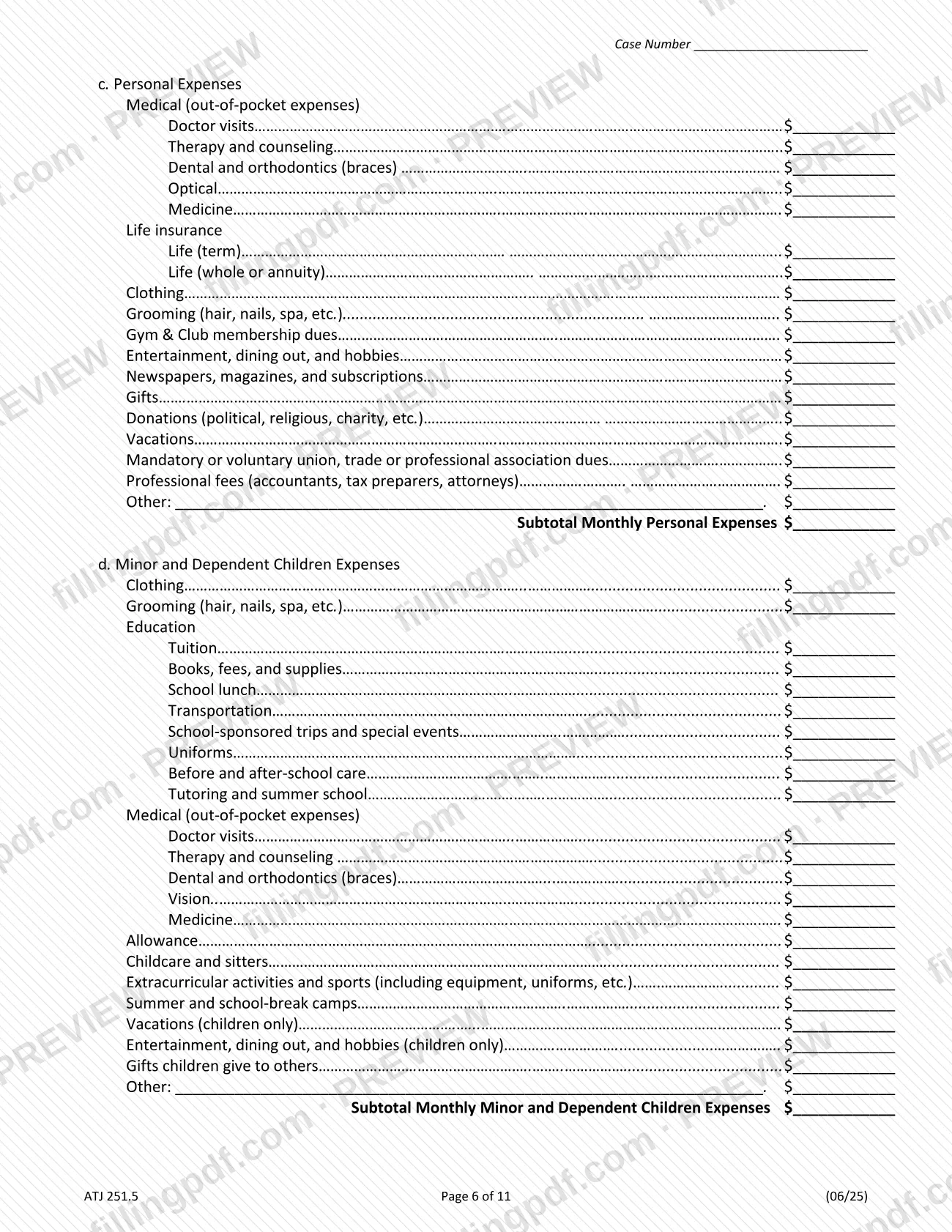
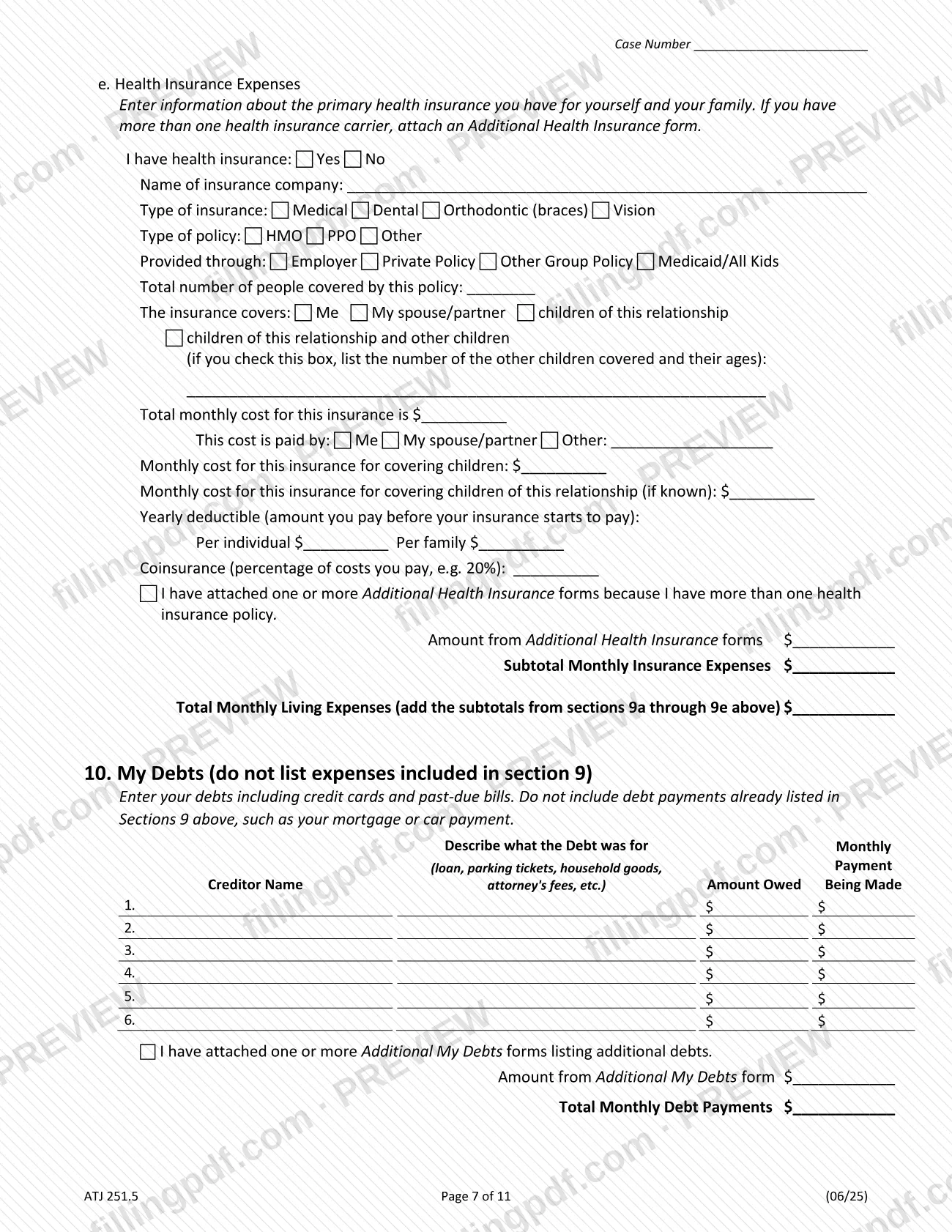
Section 9: enter monthly household (9a), transportation (9b), personal (9c) and minor and dependent children (9d) expenses with subtotals. In 9e give health insurance details and cost, then add subtotals 9a through 9e for Total Monthly Living Expenses.
List your debts
Section 10: for each creditor enter what the debt was for, the amount owed and the monthly payment, then the total monthly debt payments. Do not repeat expenses already included in section 9.
List your assets
Section 11: list cash and bank accounts without account numbers (11a), investments (11b), business interests, transfers or sales within the last 2 years of at least $1,000 and real estate (11c), insurance and retirement (11d), and personal property (11e).
Add lawsuits, claims and tax refunds
Section 12: list each lawsuit or claim, writing "not filed" or "unknown" where the form says to. Section 13: for the last 2 tax years check Refund or Amount Owed for federal and state returns and enter the amounts.
Attach additional forms where needed
If a section runs out of room, check the matching box and attach the Additional form for that section, entering any totals from those forms on the lines provided.
Sign, review and download the PDF
Type your name after /s/ if filling out online, enter your phone, attorney number if any, email and address, and check the alternative-address box if it applies. Review every section, then download or print the completed PDF from FillingPDF.
How to submit ATJ 251.5
The form is not filed by default. It goes to the other person in the case, and a different form goes to the court.
- Send a copy to the other side. Send your completed Financial Affidavit and supporting documents to the other person in the case. If that person has a lawyer, send them to the lawyer.
- File a Proof of Delivery. Complete a Proof of Delivery form, available at ilcourts.info/forms, and file it with the Circuit Clerk to show you sent your forms.
- File the affidavit only if required. Do not file the Financial Affidavit with the Circuit Clerk unless a local rule or court order requires it. Ask the Circuit Clerk where to find these rules.
- E-filing. If you e-file any of these approved forms, the Illinois Courts say to flatten the PDF first so it cannot be changed: with Adobe Acrobat or Reader, choose File, then Print, then Adobe PDF or Print to PDF, and save. Open the saved file to confirm it looks filled out before you e-file.
Before you deliver anything, remove Social Security and individual taxpayer-identification numbers, driver's license numbers, financial account numbers and debit or credit card numbers from attachments, using black ink or another way of removing them. Check your email every day for court dates and documents. FillingPDF lets you fill out and download the PDF; submission follows the channels above.
Common mistakes to avoid
- Writing Social Security or taxpayer-identification numbers, driver's license numbers, financial account numbers or card numbers on the form, or leaving them visible on attached documents; the form says to hide them.
- Filing the affidavit with the Circuit Clerk when no local rule or court order requires it, instead of sending it to the other person or their lawyer.
- Skipping the Proof of Delivery form after sending your documents to the other side; the form says to file it with the Circuit Clerk.
- Entering health insurance deductions in section 6; the form says to list money deducted for health insurance in section 9e.
- Listing mortgage or car payments again in section 10 debts; the form says not to repeat payments already listed in section 9.
- Leaving line 4c blank when you did not file a tax return; the form says to leave 4b blank but still complete 4c.
- Counting SSI, TANF or SNAP as income for child support; the form marks them as not included as income for child support purposes.
- Entering a child under both sections 8a/8b and sections 8c/8d; the note says not to include children already covered by 8a and 8b.
- Filling out the form inside a web page without downloading and saving it first; the Illinois Courts warn that progress is lost.
Frequently asked questions
What is a financial affidavit in an Illinois divorce case?
A financial affidavit is a sworn statement of your income, taxes, expenses, debts and assets. In Illinois, the approved statewide Financial Affidavit (Family & Divorce), form ATJ 251.5, is required to be used in all Circuit Courts, and you sign it under 735 ILCS 5/1-109.
Do I file the financial affidavit with the Circuit Clerk?
Only if a local rule or court order requires it. Otherwise you send a copy with your supporting documents to the other person in the case, or to their lawyer if they have one, and file a Proof of Delivery form with the Circuit Clerk. Ask the Circuit Clerk where to find the local rules.
Can I fill out the financial affidavit online?
Yes. You can fill out the PDF online on FillingPDF and download or print it. FillingPDF is an independent service and does not file or deliver the affidavit; you deliver it to the other party and, if required, the court. The Illinois Courts also note you can handwrite or type into the PDF.
What documents must I attach to the financial affidavit?
Attach the most recent pay stubs or other proof of income, income tax returns with K-1, W-2, 1099 and schedules, bank statements, and other documents verifying your debts and assets, if you have or can get them. Self-employed filers add business tax returns, and support payers add orders and proof of payment.
What information should I leave off the financial affidavit?
Leave off Social Security and taxpayer-identification numbers, driver's license numbers, financial account numbers and debit or credit card numbers. If they appear on documents you attach, cover them with black ink or otherwise remove them. Section 11 also says not to list account numbers.
What happens if I enter wrong information?
The form warns that intentionally or recklessly entering inaccurate or misleading information can bring significant penalties and sanctions, including costs and attorney's fees. Your signature also states that a false statement on the form is perjury under 735 ILCS 5/1-109.
What if I need more room on the financial affidavit?
Complete and attach the Additional form for that section, such as Additional My Debts or Additional Cash and Cash Equivalents, and check the box on the main form. Where the form asks, enter the total from the additional forms on the line provided.
Is there a free guided way to complete the Illinois financial affidavit?
Yes. The Illinois Courts say Illinois Legal Aid Online offers a free guided interview, called an Easy Form, that asks questions and completes the forms from your answers. A written guide, How to Complete a Financial Affidavit (Family & Divorce Cases), is also at ilcourts.info/financial-aff.
Ready to fill out ATJ 251.5?
Fill out ATJ 251.5 now