
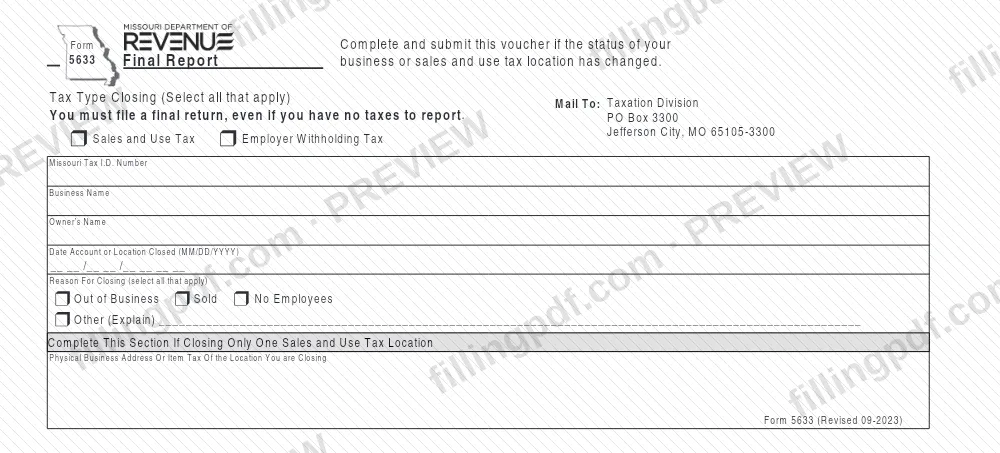
Form 5633, Final Report, is the voucher the Missouri Department of Revenue Taxation Division uses to learn that a business, or a single sales and use tax location, has closed or changed status. Owners with a Missouri Tax I.D. Number use it to name the tax type being closed, the closing date and the reason. On this page you can fill out the form online on FillingPDF and download or print the completed PDF; the form and its mailing instructions come from the Missouri Department of Revenue.
Last updated
What is 5633?
Form 5633, Final Report is the Missouri Department of Revenue voucher you complete and submit when the status of your business, or of one of your sales and use tax locations, has changed. It tells the Taxation Division which Missouri tax account is closing and why.
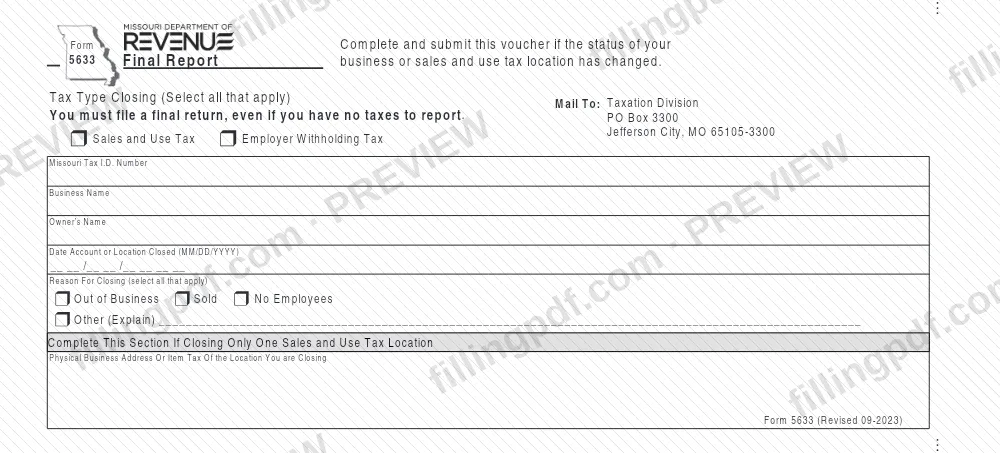
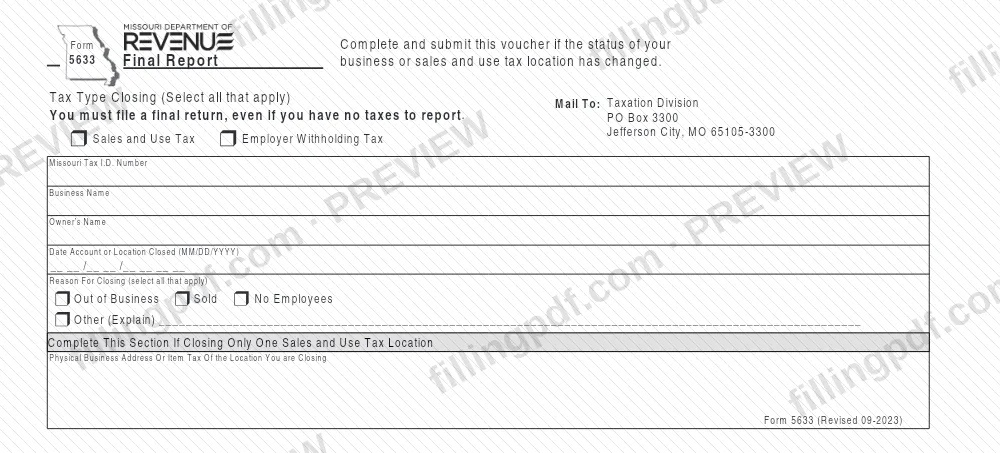
The form identifies the account by Missouri Tax I.D. Number, business name and owner's name. You select the tax type being closed, Sales and Use Tax, Employer Withholding Tax, or both, and give the date the account or location closed in MM/DD/YYYY format. You then select the reason for closing: Out of Business, Sold, No Employees or Other (Explain).
A separate section applies only if you are closing one sales and use tax location rather than the whole business. There you give the physical business address, or the item tax, of the location you are closing.
Form 5633 is not the final tax return. The form itself states that you must file a final return, even if you have no taxes to report, so the voucher reports the closing and the return still has to be filed. The Missouri Department of Revenue lists the form as "5633, Final Report" on its forms page, with a revision date of 9/7/2023.
Who needs to file 5633?
Business owners with a Missouri Tax I.D. Number whose business, or sales and use tax location, has closed or otherwise changed status complete Form 5633. The form covers two tax types, and you select every one that applies:
- Sales and Use Tax, when that account or location is closing.
- Employer Withholding Tax, when that account is closing.
The reasons printed on the form show who uses it: a business that is out of business, a business that was sold, a business with no employees, or another situation you explain on the Other (Explain) line.
If you are closing only one sales and use tax location, you also complete the section for a single location and give its physical business address or item tax. If you are closing the whole business, that section is not needed, because the form asks for it only when closing a single location.
Completing this voucher does not replace the final return. The form states that you must file a final return even if you have no taxes to report. The form prints no signature block and no rule about representatives.
When to file 5633
Complete and submit Form 5633 when the status of your business or sales and use tax location has changed, for example when it closes, is sold or no longer has employees. The date you enter on the form is the date the account or location closed, written as MM/DD/YYYY.
The form prints no separate due date for the voucher. It does state that a final return must be filed even if you have no taxes to report, so the closing of the account and the final return go together. For the filing deadline of the final return itself, check the Missouri Department of Revenue, because Form 5633 does not give one.
How to fill out 5633
Select the tax type closing
Under Tax Type Closing, check Sales and Use Tax, Employer Withholding Tax, or both. The form says to select all that apply.
Enter your Missouri Tax I.D. Number
Write the Missouri Tax I.D. Number of the account or business being closed in the Missouri Tax I.D. Number box.
Enter business and owner names
Fill in Business Name and Owner's Name for the account you are closing.
Enter the date of closing
In Date Account or Location Closed, write the date in MM/DD/YYYY format.
Select the reason for closing
Under Reason For Closing, check Out of Business, Sold, No Employees or Other (Explain). More than one can apply; if you check Other, write the explanation on the line provided.
Identify a single location if needed
Complete the section for closing only one sales and use tax location only in that case. Enter the physical business address, or the item tax, of the location you are closing.
Review and download the completed PDF
Check that the tax type, Missouri Tax I.D. Number, names, date and reason are correct. Download or print the completed PDF from FillingPDF and mail it as described under How to submit.
How to submit 5633
Form 5633 is submitted by mail to the Missouri Department of Revenue; the form prints no other channel.
- By mail. Send the completed voucher to: Taxation Division, PO Box 3300, Jefferson City, MO 65105-3300. This "Mail To" address is printed at the top of the form.
Before you mail it, check that the Missouri Tax I.D. Number, the tax type or types closing, the closing date and the reason are all filled in, and that the single-location section is completed if you are closing only one sales and use tax location. Remember that the voucher does not take the place of the final return the form requires.
FillingPDF lets you fill out and download the PDF; submission follows the channel above.
Common mistakes to avoid
- Treating Form 5633 as the final return. The form states that you must file a final return even if you have no taxes to report.
- Selecting only one tax type when both the Sales and Use Tax and the Employer Withholding Tax accounts are closing; the form says to select all that apply.
- Completing the single-location section when you are closing the whole business. That section is only for closing one sales and use tax location.
- Writing the closing date in a different format instead of MM/DD/YYYY.
- Leaving out the Missouri Tax I.D. Number, business name or owner's name that identify the account being closed.
- Selecting Other as the reason for closing without explaining it on the Other (Explain) line.
- Mailing the voucher anywhere other than the Taxation Division, PO Box 3300, Jefferson City, MO 65105-3300.
Frequently asked questions
What is Form 5633, Final Report?
Form 5633, Final Report, is a voucher from the Missouri Department of Revenue. You complete it when the status of your business or sales and use tax location has changed, to report which tax account is closing, the closing date and the reason.
Do I still have to file a final return if I send Form 5633?
Yes. The form states that you must file a final return, even if you have no taxes to report. Form 5633 reports the closing; it is a voucher, not the return itself.
Which taxes does Form 5633 cover?
It covers Sales and Use Tax and Employer Withholding Tax. Under Tax Type Closing you select every box that applies, so one form can report both accounts closing.
Can I use Form 5633 to close just one location?
Yes, for a sales and use tax location. Complete the section for closing only one sales and use tax location and enter the physical business address, or the item tax, of the location you are closing.
Where do I mail Form 5633?
Mail it to Taxation Division, PO Box 3300, Jefferson City, MO 65105-3300. That is the "Mail To" address printed on the form, which names no other submission channel.
What reasons for closing does the form list?
Out of Business, Sold, No Employees and Other (Explain). You can select all that apply, and if you choose Other you write the explanation on the line provided.
Can I fill out Form 5633 online on FillingPDF?
Yes. You can fill out the PDF online on FillingPDF and download or print it. FillingPDF is an independent service and does not file the form with the Missouri Department of Revenue; you mail it to the Taxation Division yourself.
Ready to fill out 5633?
Fill out 5633 now