
The Virtual Inspections for Limited Lodging Operator License Information Sheet (V_003_INF) is the City of Philadelphia Department of Licenses and Inspections (L&I) sheet that explains the remote inspection now required for new and renewed Limited Lodging Operator Licenses. It is one of the Philadelphia business license materials L&I publishes for limited lodging, and it applies to applications submitted on or after June 1, 2025. On this page you can fill out the form online on FillingPDF and download or print the completed PDF; the sheet itself is published by L&I at phila.gov.
Last updated
What is V_003_INF?
The Virtual Inspections for Limited Lodging Operator License Information Sheet is the two-page L&I document that explains how the required property inspection for a Limited Lodging Operator License is scheduled and carried out remotely, using an applicant's phone or tablet.
Applications for a new or renewed Limited Lodging Operator License submitted on or after June 1, 2025 must have the property inspected by the Department. The inspector evaluates the property remotely during a virtual inspection. The sheet walks through three steps: scheduling the inspection, the day of the inspection, and starting the inspection through a text-message link.
The inspection confirms that:
- the primary dwelling unit is used as a household living unit with shared housekeeping facilities, such as cooking and washing;
- the limited lodging is a secondary, accessory use to the primary residential use;
- no separate building entrance visible from the street is solely for accessing the limited lodging;
- there is no accessory signage;
- smoke alarms and carbon monoxide alarms are installed throughout the dwelling, as the Philadelphia Fire Code requires;
- proper garbage storage containers are provided for the limited lodging.
The sheet is an information document, not the license application. L&I publishes a separate Limited lodging operator license application, and a different application and information sheet for the limited lodging and hotel booking agent license.
Who needs to file V_003_INF?
Applicants for a new or renewed Limited Lodging Operator License whose application is submitted on or after June 1, 2025 use this sheet, because those applications require a property inspection by L&I, performed as a virtual inspection.
Others involved:
- The designated person on site. The applicant must name this person and give a cell phone number. The person must be at least 18 years old, consent to be recorded, join the session from a mobile device at the scheduled time, make all areas subject to inspection accessible, and follow the inspector's instructions on operating the camera and moving through the site.
- Applicants who cannot meet the conditions for virtual inspections. They can schedule an on-site inspection by calling 215-686-4156.
The sheet covers the Limited Lodging Operator License only. The limited lodging and hotel booking agent license has its own application and its own L&I information sheet, about the transaction history report.
When to file V_003_INF
The inspection step begins after L&I accepts and approves your new or renewal application for a Limited Lodging Operator License: the Department then sends a notice to schedule an inspection. The requirement applies to applications submitted on or after June 1, 2025.
Once you receive the notice, you must schedule the inspection. Allow at least 10 business days for the inspection. If you do not schedule within 60 days of the notice, the application will be cancelled.
The inspection window on the scheduled day is between 8:00 a.m. and 1:00 p.m., and the inspector may contact you at any time during it. If a second inspection is needed, it must take place within 60 days of the notice of the failed inspection. If all requirements are not satisfied by the second inspection, the renewal application will be denied.
How to fill out V_003_INF
Confirm the sheet applies to you
It applies to a new or renewed Limited Lodging Operator License application submitted on or after June 1, 2025.
Wait for the notice to schedule
After L&I accepts and approves your application, the Department sends a notice to schedule an inspection.
Schedule through the online form
Use the online form once you have the notice of application pre-approval, and choose the day that works best. Allow at least 10 business days, and schedule within 60 days of the notice.
Name the designated person
Give the name and cell phone number of the person who will be on site. That person must be at least 18, consent to be recorded and be able to join from a mobile device.
Prepare a phone or tablet
You need a smartphone or tablet that can receive text messages and is connected to data for the inspection to take place.
Check the property requirements
Confirm household living use, accessory use, no separate street-visible entrance for the lodging, no accessory signage, smoke and carbon monoxide alarms throughout, and proper garbage containers.
Be on site during the window
The designated person should be at the property for the 8:00 a.m. to 1:00 p.m. window; the inspector may contact you at any time in it.
Open the inspector's text link
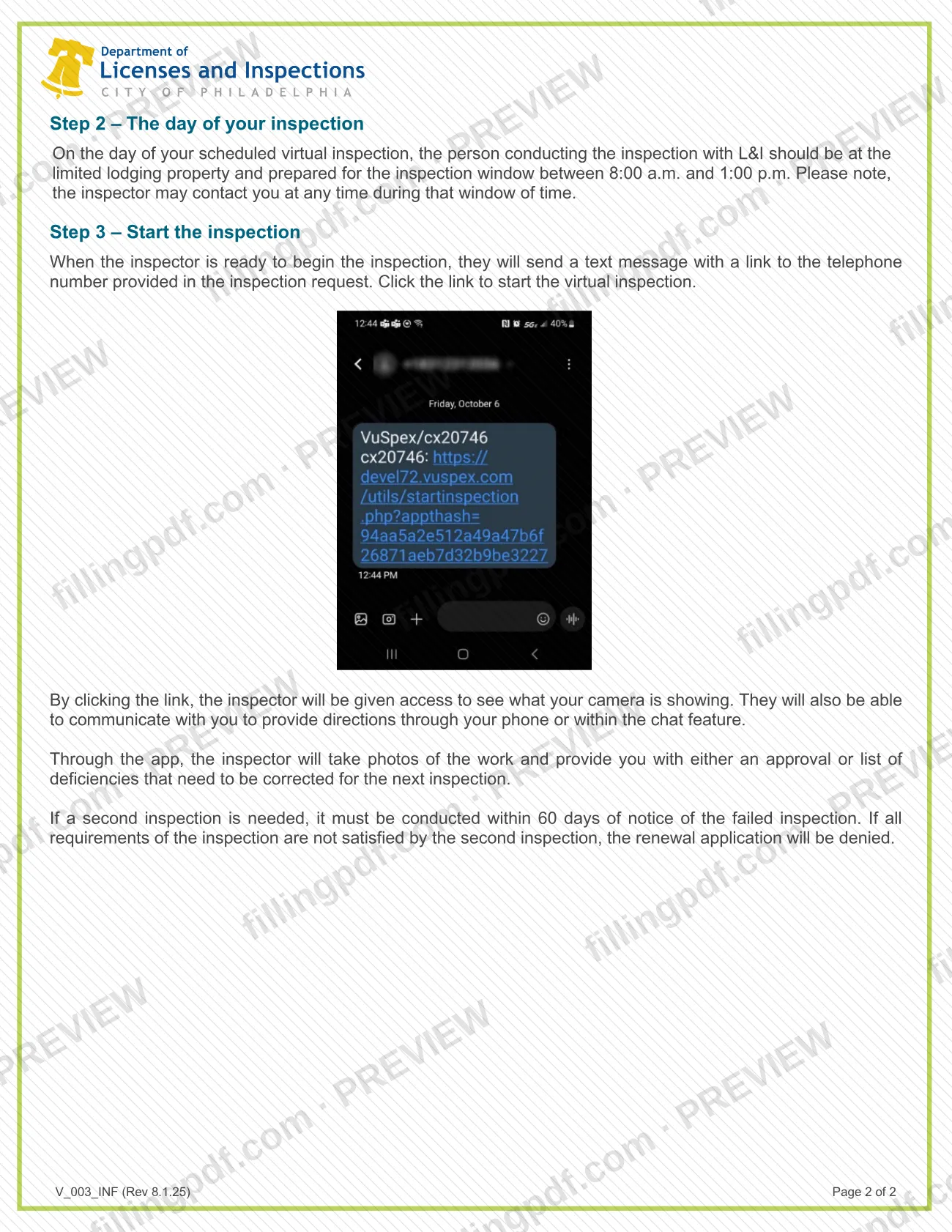
The inspector texts a link to the number given in the request. Clicking it lets the inspector see your camera and communicate by phone or chat.
Follow the inspector's directions
Operate the camera, move through the site and focus on the areas the inspector asks about. The inspector takes photos during the session.
Act on the result
You receive either an approval or a list of deficiencies to correct before the next inspection, which must take place within 60 days of the failed-inspection notice.
Review and download the PDF
Check the information sheet, then download or print the completed PDF from FillingPDF and keep it with your application records.
How to submit V_003_INF
This sheet is not itself filed. It describes how you schedule the inspection, and there are two channels: the online scheduling form for a virtual inspection, and a phone call for an on-site inspection.
- Online form: after you receive the notice of application pre-approval, schedule the virtual inspection through the online form. You give the name and cell phone number of the designated person who will be on site and choose the day that works best for you.
- By phone: applicants who cannot meet the conditions for virtual inspections can schedule an on-site inspection by calling 215-686-4156.
On the day, the inspector sends a text message with a link to the phone number you provided; clicking it starts the virtual inspection. L&I's business license materials page says not to mail business license applications to L&I. FillingPDF lets you fill out and download the PDF; submission follows the agency's channels above.
Common mistakes to avoid
- Failing to schedule the inspection within 60 days of the notice, which cancels the application.
- Naming a designated person who is under 18 or who will not consent to being recorded.
- Using a device that cannot receive text messages or is not connected to data, so the inspector's link never arrives.
- Not being at the property and available for the whole 8:00 a.m. to 1:00 p.m. window, when the inspector may call at any time.
- Leaving areas subject to inspection inaccessible to the designated person.
- Missing smoke alarms or carbon monoxide alarms throughout the dwelling, or proper garbage storage containers for the limited lodging.
- Having accessory signage, or a separate street-visible entrance used solely for the limited lodging.
- Holding the second inspection later than 60 days after the failed-inspection notice, or still not meeting every requirement at it, which leads to denial of the renewal application.
Frequently asked questions
What is the virtual inspection for a limited lodging operator license?
It is a remote property inspection by L&I, required for new and renewed Limited Lodging Operator License applications submitted on or after June 1, 2025. An inspector evaluates the property through a phone or tablet camera held by a designated person on site.
How do I schedule a limited lodging virtual inspection in Philadelphia?
Use the online form after you receive the notice of application pre-approval from L&I. You provide the name and cell phone number of the designated on-site person and choose a day. Allow at least 10 business days for the inspection.
What happens if I don't schedule the inspection within 60 days?
The application will be cancelled. The 60 days run from the notice L&I sends after it accepts and approves your new or renewal application, so schedule as soon as you receive it.
What does L&I check during the virtual inspection?
L&I confirms household living use of the primary unit, that the lodging is a secondary accessory use, no separate street-visible entrance solely for it, no accessory signage, smoke and carbon monoxide alarms throughout, and proper garbage containers.
Who can be the designated person at the inspection?
Someone at least 18 years old who consents to being recorded, can join from a mobile device at the scheduled time, makes all inspected areas accessible and follows the inspector's camera instructions. You give their name and cell phone number when scheduling.
What if I can't do a virtual inspection?
You can schedule an on-site inspection by calling 215-686-4156. The information sheet gives this option for applicants who cannot meet the conditions for virtual inspections.
What if the property fails the inspection?
The inspector gives you a list of deficiencies to correct. A second inspection must happen within 60 days of the failed-inspection notice, and if all requirements are still not met, the renewal application will be denied.
Can I fill out this information sheet on FillingPDF?
You can fill out the PDF online on FillingPDF and download or print it. FillingPDF is an independent service, not affiliated with L&I, and does not schedule inspections or file anything with the city.
Ready to fill out V_003_INF?
Fill out V_003_INF now