
Form 632 is the limited liability company annual report that the Rhode Island Department of State, Business Services Division, uses to keep an LLC's basic record current. An LLC files it each calendar year during the filing period of February 1 – May 1, except in the year it was organized. This page lets you fill out the form online on FillingPDF and download or print the completed PDF; the form and the agency's filing instructions are published by the RI Secretary of State (Business Services), and the report itself is filed through the agency's channels.
Last updated
What is 632?
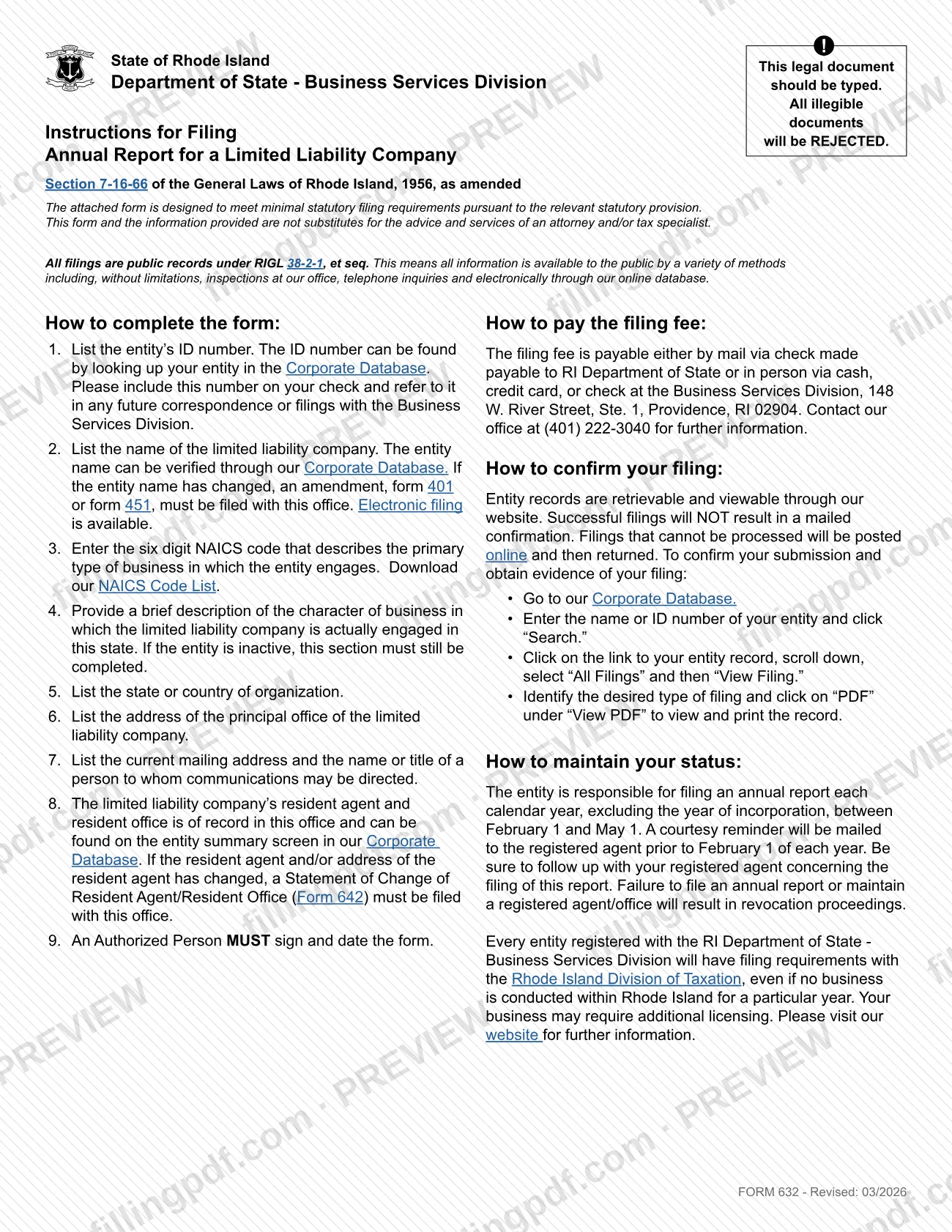
Form 632, Limited Liability Company Annual Report, is the Rhode Island Department of State form on which a limited liability company (LLC) reports its entity details each year, as required by Section 7-16-66 of the General Laws of Rhode Island, 1956, as amended.
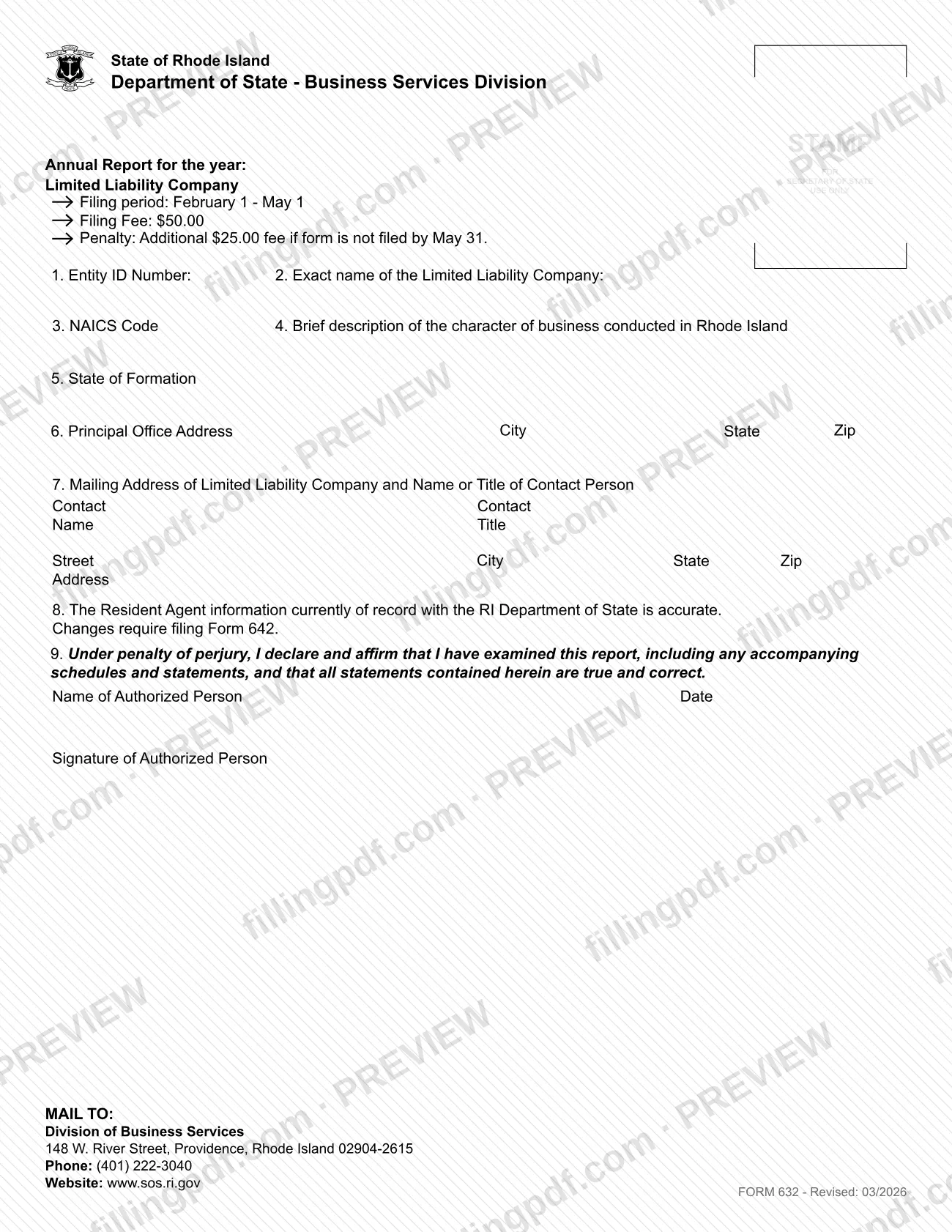
The agency describes an annual report as a short form that captures basic information about a business. It does not contain financial or ownership information. Form 632 asks for the entity ID number, the exact name of the LLC, a six-digit NAICS code, a brief description of the business conducted in Rhode Island, the state of formation, the principal office address, a mailing address with a contact person, confirmation that the resident agent on record is accurate, and the signature of an authorized person.
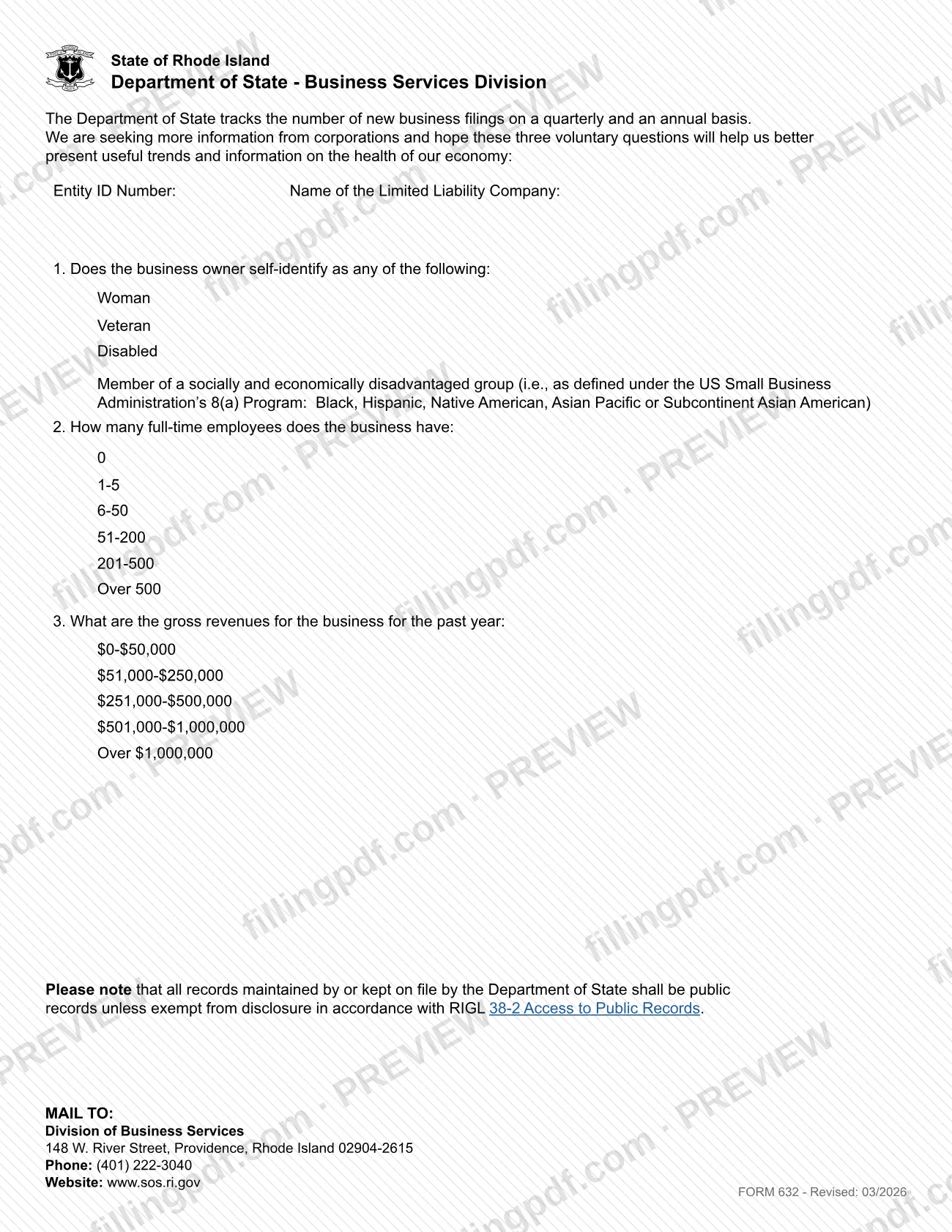
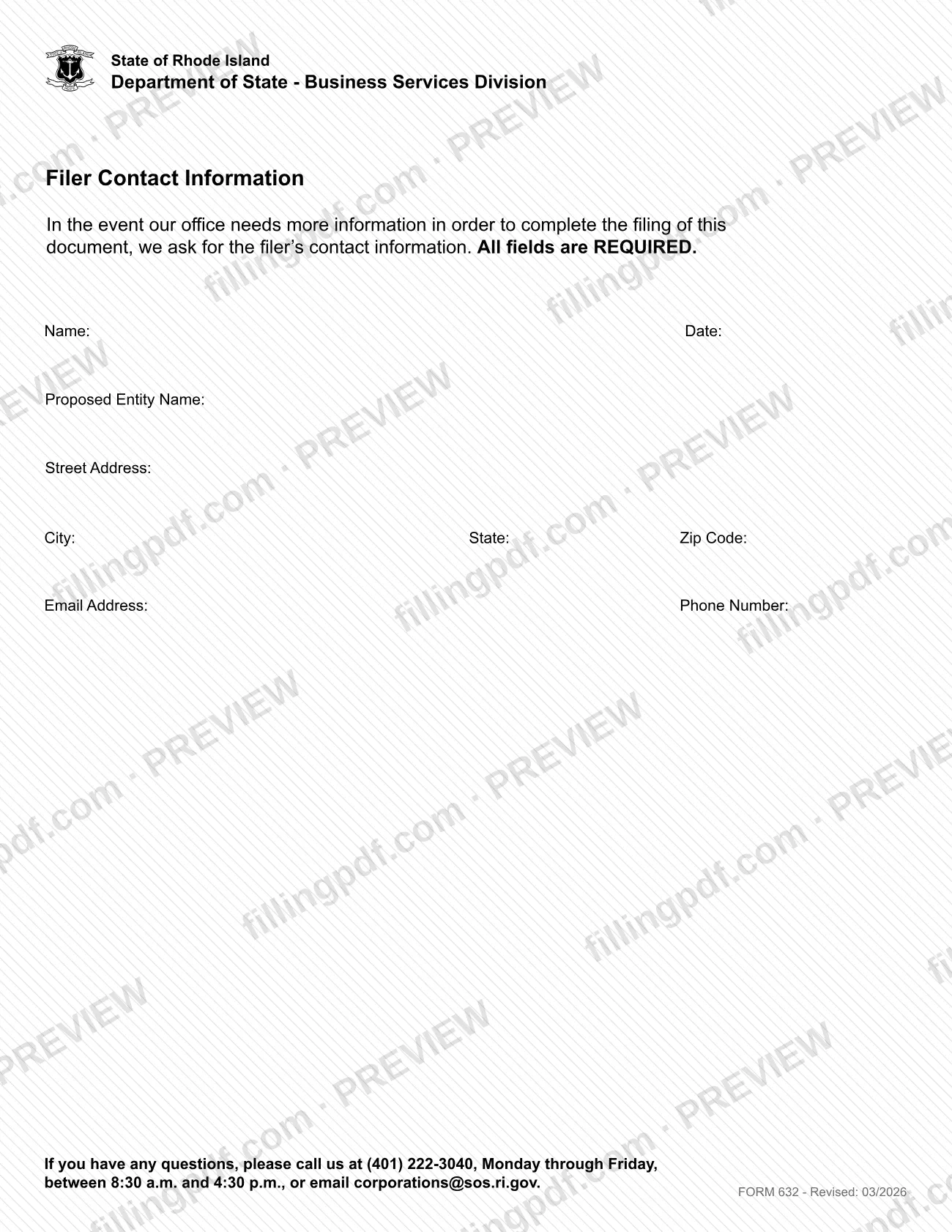
The form is printed with three further pages: a survey with three voluntary questions, and a Filer Contact Information page. The agency says all filings are public records under RIGL 38-2-1, et seq.
Form 632 is the LLC version. The agency lists other forms for other structures: Form 630 for business corporations, Form 634 for limited partnerships and limited liability partnerships, and Form 633 for domestic benefit corporations. It does not replace Form 642, which reports a change of resident agent or resident office, or Form 401 or Form 451, which amend an entity name.
Who needs to file 632?
Every limited liability company registered with the Rhode Island Department of State, Business Services Division, is responsible for filing an annual report each calendar year, excluding the year of incorporation. The agency page says the obligation starts in the calendar year after the business registers.
- Active LLCs: file Form 632 during the filing period.
- Inactive LLCs: the form says the description of business must still be completed if the entity is inactive.
- Revoked entities (not in good standing): the agency says they must take additional steps before filing an annual report; check the entity's status in the Corporate Database first.
Any individual authorized by the entity may file the report, but an Authorized Person must sign and date the form. Do not use Form 632 for a business corporation, a limited partnership, a limited liability partnership or a domestic benefit corporation; the agency lists separate forms for them. Registration with the Department of State also carries filing requirements with the Rhode Island Division of Taxation, even if no business is conducted in Rhode Island in a given year.
When to file 632
File Form 632 between February 1 and May 1 of each calendar year; the year the LLC was incorporated is excluded. The form's filing fee block states an additional penalty if the form is not filed by May 31, and the agency page says the late filing penalty is applied June 1.
A courtesy reminder is mailed to the registered agent before February 1 (the agency page says each January), but the entity remains responsible for filing, so follow up with your registered agent. Failure to file an annual report, or to maintain a registered agent and office, results in revocation proceedings. If the reminder letter is returned undeliverable, revocation proceedings are implemented for failure to maintain a registered office.
Write the current year at the top of the form each time you file, and use only the most recently published annual report form.
Documents you need
- Payment of the filing fee when filing on paper: a check made payable to RI Department of State with the entity ID number written on it if mailing; cash, credit card or check if paying in person.
How to fill out 632
Enter the year of the report
At the top, write the year in "Annual Report for the year," using the current year. Leave the Secretary of State stamp area blank.
Enter entity ID and exact name
Line 1: the entity ID number, found by looking up the entity in the Corporate Database. Line 2: the exact name of the LLC; if the name has changed, file Form 401 or Form 451 first.
Add NAICS code and business description
Line 3: the six-digit NAICS code for the primary type of business. Line 4: a brief description of the character of business conducted in Rhode Island, even if the entity is inactive.
Give the state of formation
Line 5: the state or country where the LLC was organized.
List the principal office address
Line 6: street address, city, state and ZIP of the LLC's true principal place of business. Do not use the registered agent's address; a P.O. Box is acceptable.
Provide mailing address and contact
Line 7: the current mailing address of the LLC and the name and title of the person to whom communications may be directed.
Confirm the resident agent on record
Line 8: confirm that the resident agent information on record is accurate; it appears on the entity summary screen in the Corporate Database. If it has changed, file Form 642.
Sign and date the declaration
Line 9: an Authorized Person prints their name, signs and dates the declaration made under penalty of perjury.
Answer the voluntary survey
On the survey page, enter the entity ID number and LLC name, then answer the three voluntary questions on owner self-identification, full-time employees and gross revenues if you choose to.
Complete Filer Contact Information
Fill in every field: name, date, proposed entity name, street address, city, state, ZIP code, email address and phone number. The form says all are required.
Review and download the completed PDF
Check the year, entity ID, name and signature, then download or print the completed PDF from FillingPDF and file it with the fee as described under How to submit.
How to submit 632
The RI Department of State accepts the annual report online, by mail or in person.
- Online: the agency page offers an online filing option for Form 632 at https://www.sos.ri.gov/divisions/business-services/ri-business/file-your-annual-report. Screenshots of the online forms are not accepted as a paper filing.
- By mail: Division of Business Services, 148 W. River Street, Providence, Rhode Island 02904-2615.
- In person: Business Services Division, 148 W. River Street, Ste. 1, Providence, RI 02904.
A filing fee applies. By mail, pay by check made payable to RI Department of State and include the entity ID number on the check. In person, pay by cash, credit card or check. Ask the Business Services Division, (401) 222-3040, or see the agency page for the current fee amount and any online charges.
Successful filings do not produce a mailed confirmation. Filings that cannot be processed are posted online and then returned. To confirm, search the Corporate Database by entity name or ID number, open the entity record, select All Filings, then View Filing, and click PDF to view and print the record. FillingPDF lets you fill out and download the PDF; submission follows the agency's channels above.
Common mistakes to avoid
- Submitting a handwritten or illegible form; the form states that this legal document should be typed and that illegible documents will be rejected.
- Listing the registered agent's address as the principal office; the agency says to list the entity's true principal place of business (a P.O. Box is acceptable).
- Leaving the year at the top blank or using an old year; the agency says to list the current year each time you file.
- Using an outdated version of the form; filers must use only the most recently published annual report form.
- Leaving the business description blank because the LLC is inactive; the form says this section must still be completed.
- Not signing and dating the form; an Authorized Person MUST sign and date it.
- Reporting a changed resident agent or address on Form 632 instead of filing Form 642, or a changed entity name without Form 401 or Form 451.
- Filing a screenshot of the online form as a paper filing; the agency does not accept it.
- Leaving any field of the Filer Contact Information page empty; the form says all fields are REQUIRED.
Frequently asked questions
What is the limited liability company annual report in Rhode Island?
It is Form 632, the annual report that an LLC registered with the RI Department of State files each calendar year. It is a short form with basic entity information; the agency says it contains no financial or ownership information.
When is the Rhode Island LLC annual report due?
File it between February 1 and May 1 each calendar year, excluding the year the LLC was incorporated. The form states an additional penalty if it is not filed by May 31, and failure to file leads to revocation proceedings.
How much does it cost to file Form 632?
A filing fee applies, and a late penalty applies after the filing period. By mail, pay by check made payable to RI Department of State; in person, by cash, credit card or check. Call (401) 222-3040 or check the agency page for current amounts and any online charges.
Can I file the Rhode Island LLC annual report online?
Yes. The RI Department of State says annual reports can be filed online, by mail or in person at 148 W. River Street, Providence. You can also fill out the PDF on FillingPDF and download it, but FillingPDF does not file it; you then mail or deliver it.
Where do I mail Form 632?
Mail it to Division of Business Services, 148 W. River Street, Providence, Rhode Island 02904-2615. Include a check payable to RI Department of State with your entity ID number on it. For questions, call (401) 222-3040.
How do I confirm my annual report was filed?
The agency does not mail a confirmation for successful filings. Search the Corporate Database by entity name or ID number, open the entity record, select All Filings, then View Filing, and click PDF to view and print the record.
Who can sign the LLC annual report?
An Authorized Person must sign and date line 9, which is a declaration under penalty of perjury. The agency page adds that any individual authorized by the entity may file the report.
What if my resident agent or business name changed?
Do not report it on Form 632. File a Statement of Change of Resident Agent/Resident Office (Form 642) for a changed agent or agent address, and Form 401 or Form 451 for a changed entity name.
Ready to fill out 632?
Fill out 632 now