
Schedule A (Form 706), Real Estate, is the Internal Revenue Service (IRS) schedule on which you list the real estate a decedent owned or had contracted to purchase. It is attached to Form 706, and its total carries to Part V, item 1 of that form. On this page you can fill out the form online on FillingPDF and download or print the completed PDF; the form and its instructions are published by the IRS at www.irs.gov/Form706.
Last updated
What is Schedule A (Form 706)?
Schedule A (Form 706), Real Estate, is the Internal Revenue Service (IRS) schedule attached to Form 706 that lists the real estate a decedent owned or had contracted to purchase and totals its value for Part V, item 1 of Form 706.
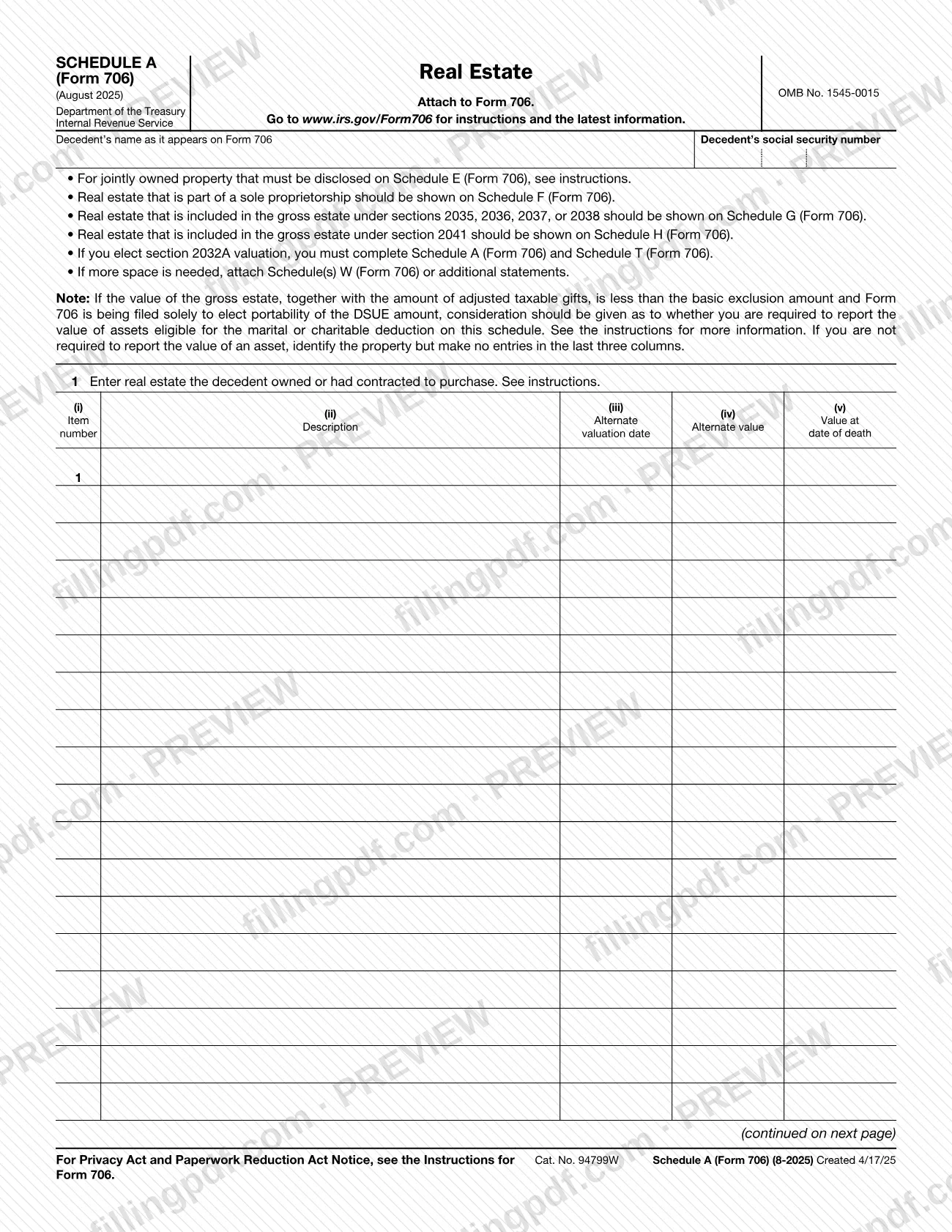
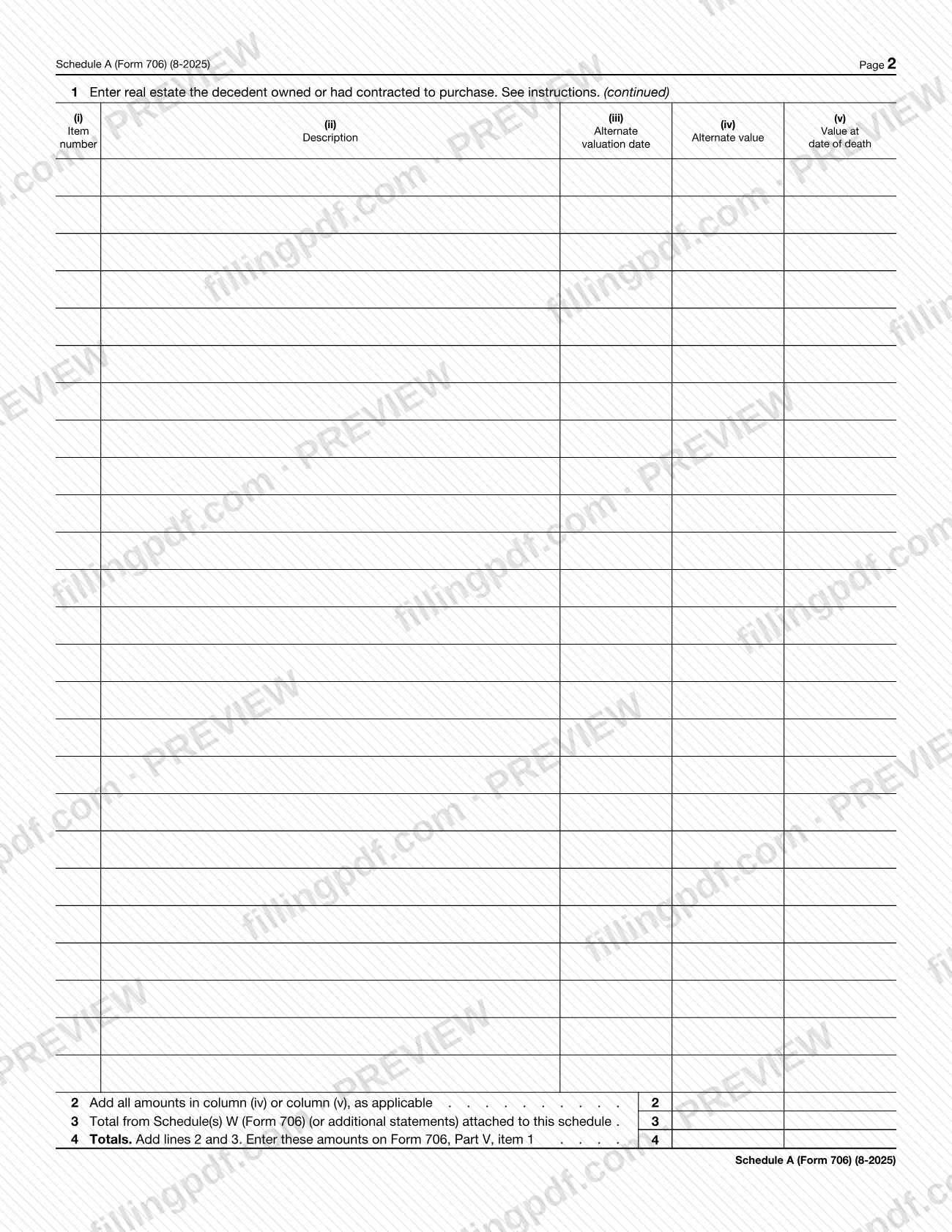
The schedule is issued under OMB No. 1545-0015 and the revision printed on it is August 2025. It opens with the decedent's name as it appears on Form 706 and the decedent's social security number. Line 1 is a table with five columns: (i) Item number, (ii) Description, (iii) Alternate valuation date, (iv) Alternate value and (v) Value at date of death. Line 2 adds all amounts in column (iv) or column (v), as applicable. Line 3 brings in the total from any Schedule(s) W (Form 706) or additional statements attached for extra space. Line 4 adds lines 2 and 3, and you enter that result on Form 706, Part V, item 1.
Schedule A (Form 706) is one of several asset schedules of Form 706, and the form tells you which property belongs elsewhere: jointly owned property that must be disclosed on Schedule E, real estate that is part of a sole proprietorship on Schedule F, real estate included in the gross estate under sections 2035, 2036, 2037 or 2038 on Schedule G, and real estate included under section 2041 on Schedule H. If you elect section 2032A valuation, you complete both this schedule and Schedule T (Form 706).
Who needs to file Schedule A (Form 706)?
Anyone completing Form 706 for a decedent who owned real estate, or had contracted to purchase it, attaches Schedule A (Form 706) to that return. Line 1 asks for exactly that property.
Conditions the form attaches:
- Jointly owned property: if it must be disclosed on Schedule E (Form 706), follow the instructions rather than listing it here by default.
- Sole proprietorship real estate: report it on Schedule F (Form 706), not on this schedule.
- Sections 2035, 2036, 2037 or 2038: real estate included in the gross estate under these sections goes on Schedule G (Form 706).
- Section 2041: real estate included under this section goes on Schedule H (Form 706).
- Section 2032A election: you must complete Schedule A (Form 706) and Schedule T (Form 706).
- Portability-only filers: if the gross estate plus adjusted taxable gifts is less than the basic exclusion amount and Form 706 is filed solely to elect portability of the DSUE amount, consider whether you must report the value of assets eligible for the marital or charitable deduction. If not, identify the property and leave the last three columns blank.
When to file Schedule A (Form 706)
Schedule A (Form 706) is completed whenever you prepare Form 706 for a decedent whose property includes real estate owned or contracted to be purchased. The schedule has no due date of its own: it says to attach it to Form 706 and travels with that return. For any deadline that applies to Form 706, use the IRS instructions at www.irs.gov/Form706, the address printed on the schedule.
If you elect section 2032A valuation, Schedule T (Form 706) must be completed at the same time as this schedule. If one page of line 1 is not enough room, prepare Schedule(s) W (Form 706) or additional statements before you total the schedule, because line 3 carries their total.
Documents you need
- Schedule(s) W (Form 706) or additional statements, only if line 1 needs more space; their total is entered on line 3.
- Schedule T (Form 706), only if you elect section 2032A valuation; the form requires it together with Schedule A (Form 706).
How to fill out Schedule A (Form 706)
Enter the decedent's name and SSN
At the top, enter the decedent's name as it appears on Form 706 and the decedent's social security number.
Confirm the property belongs here
Real estate in a sole proprietorship goes on Schedule F, sections 2035 to 2038 property on Schedule G and section 2041 property on Schedule H. For jointly owned property that must be disclosed on Schedule E, see the instructions.
Check the portability note
If Form 706 is filed solely to elect portability of the DSUE amount and the gross estate plus adjusted taxable gifts is below the basic exclusion amount, decide whether you must report values for assets eligible for the marital or charitable deduction. If not, identify the property and make no entries in the last three columns.
Number and describe each property
On line 1, enter an item number in column (i) and a description of each parcel of real estate the decedent owned or had contracted to purchase in column (ii).
Enter the value at date of death
In column (v), enter the value at the date of death for each item, unless the portability note lets you leave it blank.
Complete the alternate valuation columns
If alternate valuation applies, enter the alternate valuation date in column (iii) and the alternate value in column (iv) for the item.
Continue on page 2 or attach more
Use the continued table on page 2 for more items. If you still need space, attach Schedule(s) W (Form 706) or additional statements.
Total the amounts on line 2
Add all amounts in column (iv) or column (v), as applicable, and enter the sum on line 2.
Enter the Schedule W total
On line 3, enter the total from the Schedule(s) W (Form 706) or additional statements attached to this schedule.
Add lines 2 and 3 on line 4
Add lines 2 and 3 on line 4, then enter that result on Form 706, Part V, item 1.
Pair it with Schedule T if needed
If you elect section 2032A valuation, complete Schedule T (Form 706) as well as this schedule.
Review and download the completed PDF
Check the decedent's details, the item values and the totals on lines 2 to 4, then download or print the completed PDF from FillingPDF and attach it to Form 706.
How to submit Schedule A (Form 706)
Schedule A (Form 706) is not filed on its own: it is submitted as an attachment to Form 706, and the schedule prints no mailing address, portal or appointment rule of its own.
- With Form 706: attach the completed schedule to the return and send the package through the filing channel that applies to Form 706.
- Extra pages: if you needed more space, include the Schedule(s) W (Form 706) or additional statements whose total you entered on line 3.
- Schedule T: include Schedule T (Form 706) if you elect section 2032A valuation.
- Instructions: the schedule directs you to www.irs.gov/Form706 for instructions and the latest information, including where and how Form 706 is filed.
FillingPDF lets you fill out and download the PDF; submission follows the IRS channels that apply to Form 706.
Common mistakes to avoid
- Listing real estate that is part of a sole proprietorship here; the form says to show it on Schedule F (Form 706).
- Reporting real estate included under sections 2035, 2036, 2037 or 2038 on this schedule instead of Schedule G (Form 706), or section 2041 property instead of Schedule H (Form 706).
- Entering jointly owned property that must be disclosed on Schedule E (Form 706) without checking the instructions for it.
- Electing section 2032A valuation and completing Schedule A (Form 706) without also completing Schedule T (Form 706).
- Adding both columns (iv) and (v) on line 2 instead of the amounts in column (iv) or column (v), as applicable.
- Running out of room on line 1 and not attaching Schedule(s) W (Form 706) or additional statements, or leaving out their total on line 3.
- Forgetting to enter the line 4 total on Form 706, Part V, item 1.
- Making entries in the last three columns for an asset you are not required to value when Form 706 is filed solely to elect portability of the DSUE amount; identify the property only.
Frequently asked questions
What is Schedule A (Form 706)?
Schedule A (Form 706), Real Estate, is the IRS schedule you attach to Form 706 to list the real estate a decedent owned or had contracted to purchase. Its line 4 total is entered on Form 706, Part V, item 1.
Is Schedule A (Form 706) filed on its own?
No. The schedule says to attach it to Form 706, so it is submitted with that return. It has no separate address, due date or filing channel printed on it; instructions are at www.irs.gov/Form706.
Where do I report jointly owned property or a sole proprietorship's real estate?
Jointly owned property that must be disclosed on Schedule E is covered by the instructions. Real estate that is part of a sole proprietorship goes on Schedule F (Form 706), not on Schedule A.
Where does real estate under section 2035, 2036, 2037, 2038 or 2041 go?
Real estate included in the gross estate under sections 2035, 2036, 2037 or 2038 is shown on Schedule G (Form 706). Real estate included under section 2041 is shown on Schedule H (Form 706).
What do I do if I need more space on Schedule A (Form 706)?
Attach Schedule(s) W (Form 706) or additional statements. Enter their total on line 3, then add lines 2 and 3 on line 4 and carry that result to Form 706, Part V, item 1.
Do I need to list values if I'm filing Form 706 only to elect portability?
Not necessarily. Consider whether you must report the value of assets eligible for the marital or charitable deduction. If you are not required to report a value, identify the property but make no entries in the last three columns.
Do I need Schedule T with Schedule A (Form 706)?
Only if you elect section 2032A valuation. In that case the form says you must complete both Schedule A (Form 706) and Schedule T (Form 706).
Can I fill out Schedule A (Form 706) online?
Yes. You can fill out the PDF online on FillingPDF and download or print it. FillingPDF is an independent service and does not file anything with the IRS; you submit the schedule with Form 706.
Ready to fill out Schedule A (Form 706)?
Fill out Schedule A (Form 706) now