
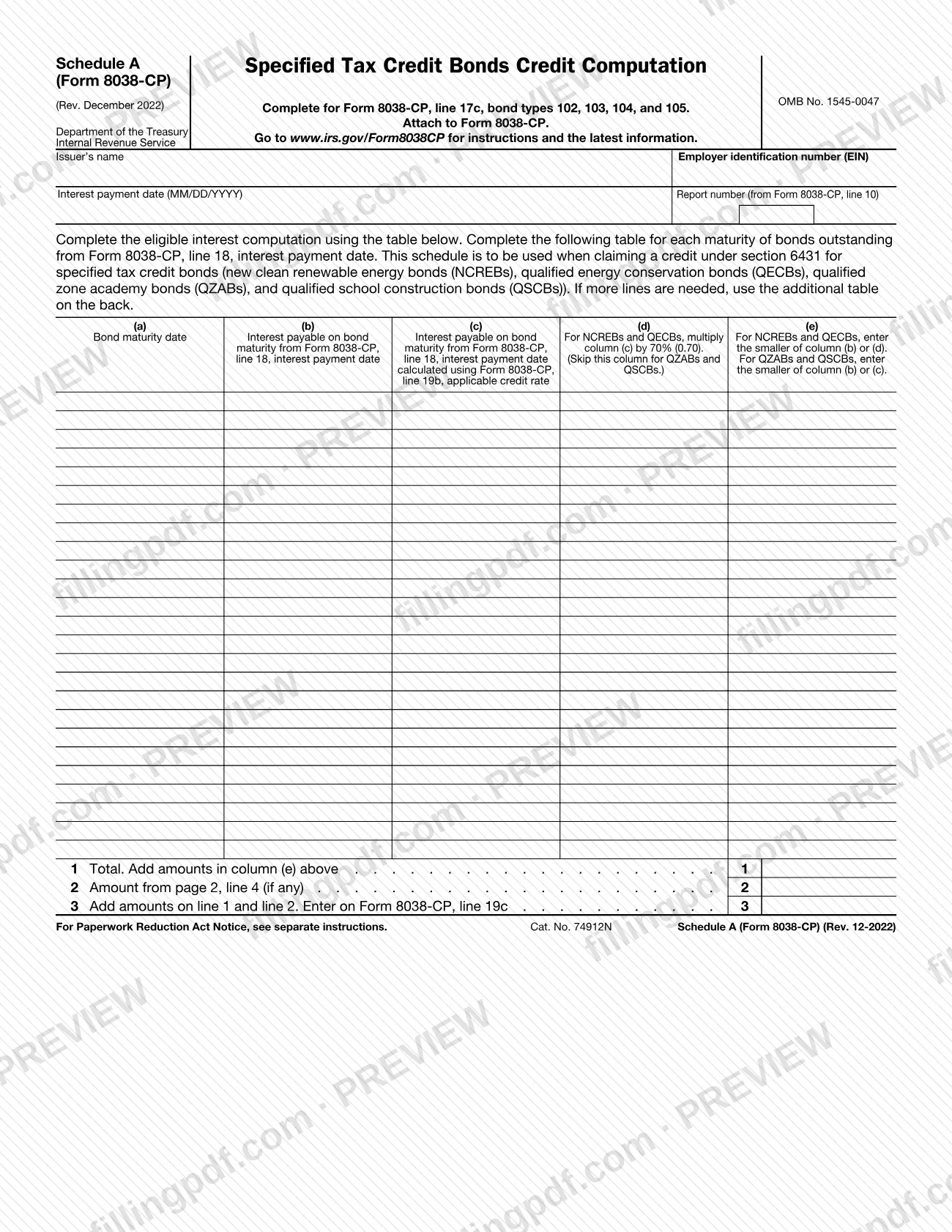
Schedule A (Form 8038-CP), Specified Tax Credit Bonds Credit Computation, is an Internal Revenue Service (IRS) schedule that an issuer attaches to Form 8038-CP when claiming a credit under section 6431 for specified tax credit bonds. It is completed for Form 8038-CP, line 17c, bond types 102, 103, 104, and 105, and its result goes to Form 8038-CP, line 19c. On this page you can fill out the schedule online on FillingPDF and download or print the completed PDF; the form and its instructions are published by the IRS at www.irs.gov/Form8038CP.
Last updated
What is Schedule A (Form 8038-CP)?
Schedule A (Form 8038-CP), Specified Tax Credit Bonds Credit Computation, is the IRS schedule attached to Form 8038-CP that works out the eligible interest, bond maturity by bond maturity, when an issuer claims a credit under section 6431 for specified tax credit bonds.
The form lists the four bond categories it covers: new clean renewable energy bonds (NCREBs), qualified energy conservation bonds (QECBs), qualified zone academy bonds (QZABs) and qualified school construction bonds (QSCBs). It is completed for Form 8038-CP, line 17c, bond types 102, 103, 104, and 105.
The computation works from a table with one row for each maturity of bonds outstanding from Form 8038-CP, line 18, interest payment date. Columns (a) to (e) carry the bond maturity date, the interest payable on the bond maturity, the same interest calculated with the applicable credit rate from Form 8038-CP, line 19b, a 70% (0.70) adjustment that applies only to NCREBs and QECBs, and the smaller amount that is used. Line 1 totals column (e), line 2 picks up the page 2 total if the table continues, and line 3 adds the two and is entered on Form 8038-CP, line 19c.
The schedule is not filed on its own: it says to attach it to Form 8038-CP. It is printed as OMB No. 1545-0047, Cat. No. 74912N, Rev. December 2022, and refers readers to www.irs.gov/Form8038CP for instructions and the latest information.
Who needs to file Schedule A (Form 8038-CP)?
The issuer that is completing Form 8038-CP and claiming a credit under section 6431 for specified tax credit bonds uses this schedule. The form is for these bond types only: NCREBs, QECBs, QZABs and QSCBs, reported on Form 8038-CP, line 17c, as bond types 102, 103, 104, and 105.
What the form asks of the issuer:
- Issuer's name and employer identification number (EIN) at the top.
- The interest payment date, in MM/DD/YYYY format, and the report number from Form 8038-CP, line 10.
- One table row for each maturity of bonds outstanding from Form 8038-CP, line 18, interest payment date.
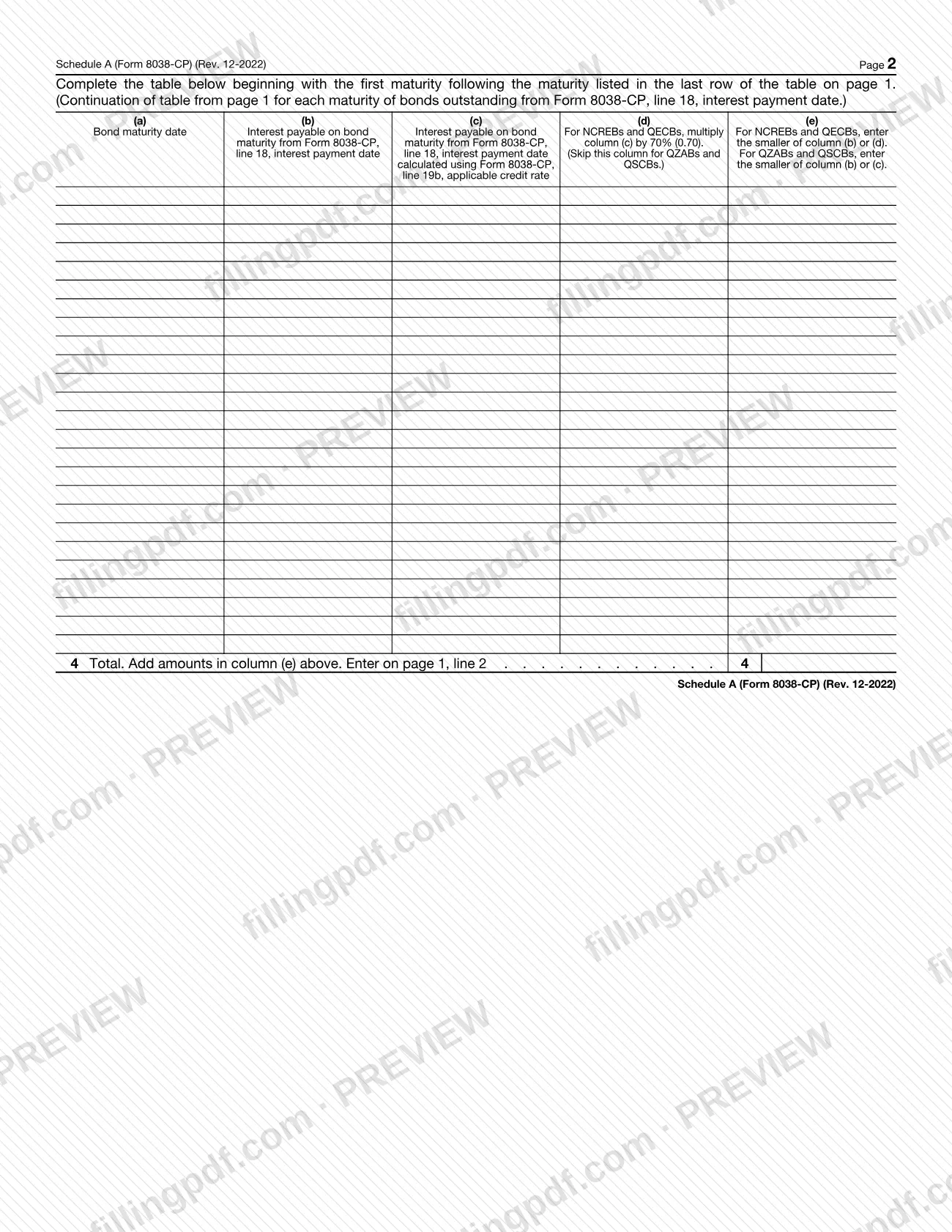
If one page of rows is not enough, the form directs you to the additional table on the back (page 2). Do not use this schedule for a bond type other than the four listed: the form states that it is to be used when claiming a credit under section 6431 for those specified tax credit bonds. The form does not describe who may sign or file on the issuer's behalf, so check the instructions at www.irs.gov/Form8038CP for questions about eligibility or authorized signers of Form 8038-CP.
When to file Schedule A (Form 8038-CP)
Complete Schedule A (Form 8038-CP) whenever you file Form 8038-CP to claim a credit under section 6431 for NCREBs, QECBs, QZABs or QSCBs, because the schedule says to attach it to that form. No separate due date is printed on the schedule, so it travels with Form 8038-CP.
Gather the figures from Form 8038-CP before you start: line 10 supplies the report number, line 18 supplies the interest payment date and the maturities outstanding, and line 19b supplies the applicable credit rate used in column (c). The result then goes back to Form 8038-CP, line 19c. For any deadline that applies to Form 8038-CP itself, check the IRS instructions at www.irs.gov/Form8038CP.
How to fill out Schedule A (Form 8038-CP)
Enter the issuer's name and EIN
At the top, write the issuer's name and its employer identification number (EIN), the same issuer that completes Form 8038-CP.
Enter the date and report number
Write the interest payment date in MM/DD/YYYY format. Copy the report number from Form 8038-CP, line 10.
List each bond maturity in column (a)
Complete one row for each maturity of bonds outstanding from Form 8038-CP, line 18, interest payment date, and enter its bond maturity date in column (a).
Enter interest payable in column (b)
In column (b), enter the interest payable on the bond maturity from Form 8038-CP, line 18, interest payment date.
Calculate interest in column (c)
In column (c), enter the interest payable on that maturity calculated using Form 8038-CP, line 19b, the applicable credit rate.
Apply the 70% rate in column (d)
For NCREBs and QECBs, multiply column (c) by 70% (0.70) and enter it in column (d). Skip this column for QZABs and QSCBs.
Enter the smaller amount in column (e)
For NCREBs and QECBs, enter the smaller of column (b) or (d). For QZABs and QSCBs, enter the smaller of column (b) or (c).
Add column (e) on line 1
On line 1, enter the total of the amounts in column (e) on page 1.
Continue on page 2 if needed
If you need more rows, begin the page 2 table with the first maturity following the last row on page 1, repeat columns (a) to (e), and enter the column (e) total on line 4.
Complete lines 2 and 3
On line 2, enter the amount from page 2, line 4, if any. On line 3, add lines 1 and 2 and enter the result on Form 8038-CP, line 19c.
Review and download the completed PDF
Check the issuer details, report number and every row against Form 8038-CP, then download or print the completed PDF from FillingPDF and attach it to Form 8038-CP.
How to submit Schedule A (Form 8038-CP)
Schedule A (Form 8038-CP) is submitted as an attachment to Form 8038-CP; the schedule prints no separate filing channel, mailing address or portal of its own.
- Attach it to Form 8038-CP. Include the completed schedule, with its second page if you needed the additional table, in the same package as Form 8038-CP.
- Carry the result forward. Enter line 3 on Form 8038-CP, line 19c.
- Use the filing instructions for Form 8038-CP. The schedule directs you to www.irs.gov/Form8038CP for instructions and the latest information, including where and how Form 8038-CP is filed.
FillingPDF lets you fill out and download the PDF; submission follows the IRS channels that apply to Form 8038-CP.
Common mistakes to avoid
- Using Schedule A (Form 8038-CP) for a bond type other than NCREBs, QECBs, QZABs or QSCBs (Form 8038-CP, line 17c, bond types 102, 103, 104, and 105).
- Filing the schedule without attaching it to Form 8038-CP; the form says to attach it.
- Leaving the report number blank instead of copying it from Form 8038-CP, line 10.
- Completing column (d) for QZABs or QSCBs; the form says to skip that column for those bonds.
- Entering the larger amount in column (e): for NCREBs and QECBs use the smaller of column (b) or (d), and for QZABs and QSCBs the smaller of column (b) or (c).
- Starting the page 2 table at the wrong row; it begins with the first maturity following the last row of the table on page 1.
- Forgetting to enter the page 2, line 4 total on page 1, line 2 when the table continues.
- Entering the line 3 result somewhere other than Form 8038-CP, line 19c.
Frequently asked questions
What is Schedule A (Form 8038-CP)?
Schedule A (Form 8038-CP) is the IRS schedule titled Specified Tax Credit Bonds Credit Computation. It is attached to Form 8038-CP and computes, maturity by maturity, the eligible interest when an issuer claims a credit under section 6431 for specified tax credit bonds.
Which bonds is Schedule A (Form 8038-CP) used for?
It is used for new clean renewable energy bonds (NCREBs), qualified energy conservation bonds (QECBs), qualified zone academy bonds (QZABs) and qualified school construction bonds (QSCBs). It is completed for Form 8038-CP, line 17c, bond types 102, 103, 104, and 105.
Where does the line 3 total go?
Add lines 1 and 2, then enter the result on Form 8038-CP, line 19c. Line 1 totals column (e) on page 1, and line 2 brings in the page 2, line 4 total if the table continues on the back.
Do I skip column (d) for every bond type?
No. Column (d), the 70% (0.70) multiplication of column (c), applies only to NCREBs and QECBs. For QZABs and QSCBs you skip it and enter the smaller of column (b) or (c) in column (e).
What if I have more maturities than rows on page 1?
Use the additional table on page 2. Begin it with the first maturity following the maturity in the last row of the page 1 table, total column (e) on line 4, and enter that total on page 1, line 2.
Is Schedule A (Form 8038-CP) filed by itself?
No. The form says to attach it to Form 8038-CP, and it prints no separate address, due date or portal. Filing details for Form 8038-CP are at www.irs.gov/Form8038CP.
Can I fill out Schedule A (Form 8038-CP) online?
Yes. You can fill out the PDF online on FillingPDF and download or print it. FillingPDF is an independent service and does not file the schedule with the IRS; you submit it with Form 8038-CP through the IRS channels.
Where do I find the instructions for this schedule?
The form directs you to www.irs.gov/Form8038CP for instructions and the latest information. The schedule's own table headings also explain each column and refer to Form 8038-CP, lines 10, 18 and 19b.
Ready to fill out Schedule A (Form 8038-CP)?
Fill out Schedule A (Form 8038-CP) now