
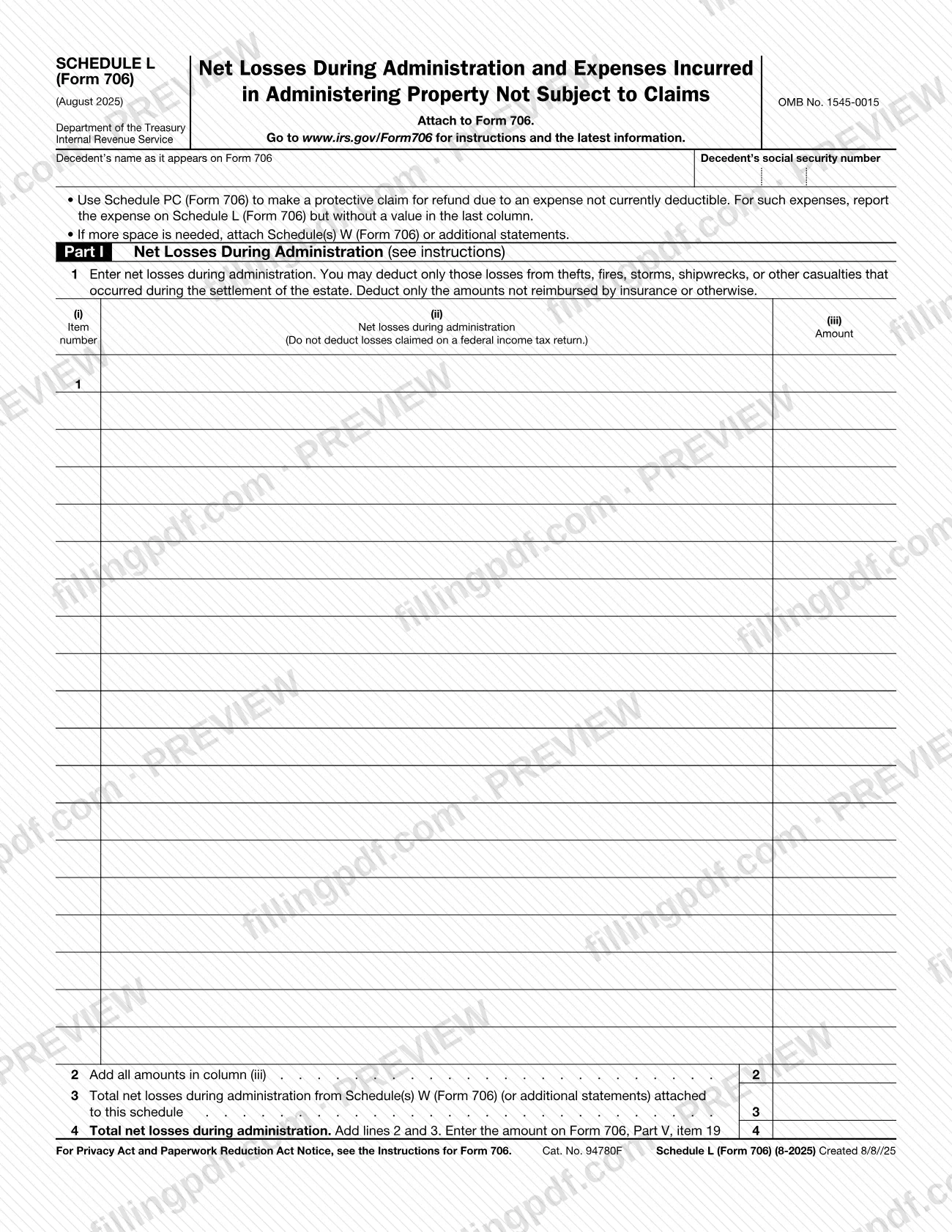
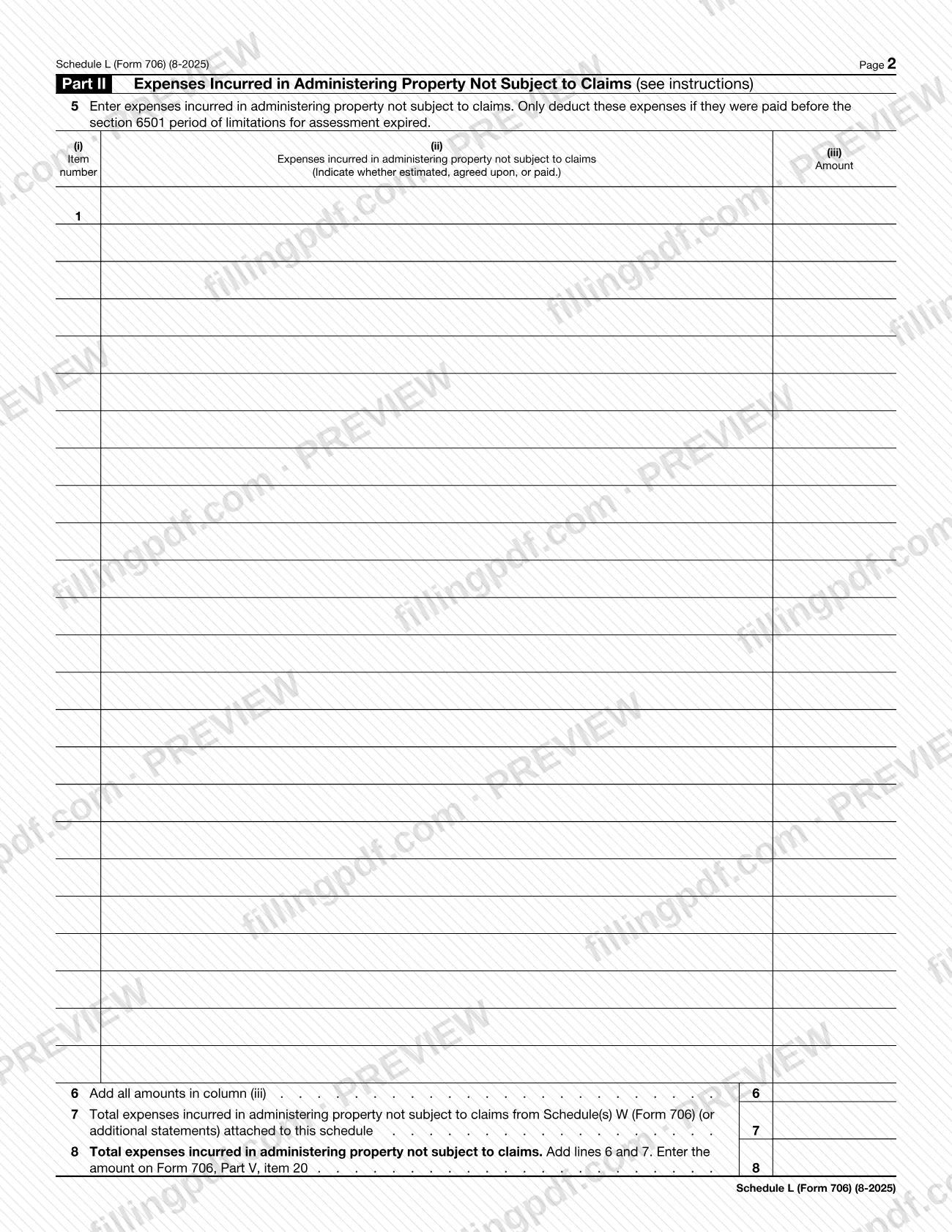
Schedule L (Form 706) is the Internal Revenue Service (IRS) schedule on which net losses during administration and expenses incurred in administering property not subject to claims are itemized and totaled. It is attached to Form 706, and its two totals are carried to Form 706, Part V, items 19 and 20. On this page you can fill out Schedule L (Form 706) online on FillingPDF and download or print the completed PDF; the form and its instructions are published by the IRS at www.irs.gov/Form706.
Last updated
What is Schedule L (Form 706)?
Schedule L (Form 706), Net Losses During Administration and Expenses Incurred In Administering Property Not Subject to Claims, is the IRS schedule attached to Form 706 that itemizes two kinds of deductions and totals each one for transfer to the main form.
Part I covers net losses during administration. The form allows only losses from thefts, fires, storms, shipwrecks or other casualties that occurred during the settlement of the estate. Only amounts not reimbursed by insurance or otherwise are deducted, and losses claimed on a federal income tax return are not deducted here. The total on line 4 goes to Form 706, Part V, item 19.
Part II covers expenses incurred in administering property not subject to claims. These expenses are deducted only if they were paid before the section 6501 period of limitations for assessment expired. For each one you indicate whether it is estimated, agreed upon, or paid. The total on line 8 goes to Form 706, Part V, item 20.
The schedule is printed with OMB No. 1545-0015 and the revision date August 2025. It is not filed on its own. It is one of the schedules of Form 706, and it differs from any other schedule that happens to carry the letter L: this page covers only the Form 706 schedule. When more space is needed, the form tells you to attach Schedule(s) W (Form 706) or additional statements. For an expense that is not currently deductible, the form points to Schedule PC (Form 706), which is used to make a protective claim for refund.
Who needs to file Schedule L (Form 706)?
Schedule L (Form 706) is completed by the person preparing Form 706 when the decedent's estate has net losses during administration or expenses incurred in administering property not subject to claims to report. The form says to attach it to Form 706.
- Part I applies to losses from thefts, fires, storms, shipwrecks or other casualties that occurred during the settlement of the estate, in the amount not reimbursed by insurance or otherwise.
- Part II applies to expenses incurred in administering property not subject to claims, when they were paid before the section 6501 period of limitations for assessment expired.
- An expense that is not currently deductible is reported on this schedule without a value in the last column, and Schedule PC (Form 706) is used for the protective claim for refund.
Do not use Part I for losses already claimed on a federal income tax return. The schedule identifies the decedent by name as it appears on Form 706 and by Social Security number. The form itself says nothing about who may sign or file for the estate; the IRS instructions for Form 706 at www.irs.gov/Form706 cover those questions.
When to file Schedule L (Form 706)
Schedule L (Form 706) is prepared and submitted whenever Form 706 is, because the form says to attach it to Form 706. No separate due date is printed on it, so it travels with the main form.
One timing rule is printed on the schedule itself: expenses incurred in administering property not subject to claims are deducted only if they were paid before the section 6501 period of limitations for assessment expired. Part I losses must be ones that occurred during the settlement of the estate.
For the filing deadline that applies to Form 706, check the IRS instructions at www.irs.gov/Form706.
Documents you need
- Form 706, to which this schedule must be attached; the schedule is not filed on its own.
- Schedule(s) W (Form 706) or additional statements, only if you need more space than the item rows on line 1 or line 5 provide.
- Schedule PC (Form 706), only if you are making a protective claim for refund because of an expense that is not currently deductible.
How to fill out Schedule L (Form 706)
Enter the decedent's name and SSN
At the top, enter the decedent's name as it appears on Form 706 and the decedent's social security number.
List net losses on line 1
In Part I, line 1, give an item number in column (i), a description of the loss in column (ii) and the amount in column (iii). Include only losses from thefts, fires, storms, shipwrecks or other casualties during settlement of the estate, net of insurance or other reimbursement.
Total the column (iii) amounts on line 2
Add all amounts in column (iii) of line 1 and enter the sum on line 2.
Add attached Schedule W losses on line 3
If you attached Schedule(s) W (Form 706) or additional statements for more space, enter their total net losses during administration on line 3.
Figure line 4 and carry it forward
Add lines 2 and 3 on line 4, then enter this amount on Form 706, Part V, item 19.
List administration expenses on line 5
In Part II, line 5, give the item number, a description of each expense and the amount in column (iii). Indicate whether each expense is estimated, agreed upon, or paid, and deduct only expenses paid before the section 6501 period of limitations for assessment expired.
Total the column (iii) amounts on line 6
Add all amounts in column (iii) of line 5 and enter the sum on line 6.
Add attached Schedule W expenses on line 7
Enter on line 7 the total expenses incurred in administering property not subject to claims from any Schedule(s) W (Form 706) or additional statements attached to this schedule.
Figure line 8 and carry it forward
Add lines 6 and 7 on line 8, then enter this amount on Form 706, Part V, item 20.
Handle expenses that are not deductible yet
For an expense that is not currently deductible, report it on Schedule L but leave the last column without a value, and use Schedule PC (Form 706) for the protective claim for refund.
Review and download the completed PDF
Check each total and that no loss claimed on an income tax return is included. Download or print the completed PDF from FillingPDF and attach it to Form 706.
How to submit Schedule L (Form 706)
Schedule L (Form 706) is submitted as an attachment to Form 706. It prints no mailing address, portal or appointment rule of its own.
- With Form 706: attach the completed schedule, and any Schedule(s) W (Form 706) or additional statements you used for more space, to Form 706.
- Totals: carry line 4 to Form 706, Part V, item 19, and line 8 to Form 706, Part V, item 20.
- Instructions and latest information: the form directs you to www.irs.gov/Form706.
Send the package through the filing channel that applies to Form 706. FillingPDF lets you fill out and download the PDF; submission follows the channels above.
Common mistakes to avoid
- Deducting a loss that was also claimed on a federal income tax return; the form says not to deduct those losses on line 1.
- Deducting the full amount of a casualty loss without subtracting what insurance or other sources reimbursed; only unreimbursed amounts are deductible.
- Listing losses that are not thefts, fires, storms, shipwrecks or other casualties, or that did not occur during the settlement of the estate.
- Deducting an administration expense that was paid after the section 6501 period of limitations for assessment expired.
- Leaving out whether each Part II expense is estimated, agreed upon, or paid.
- Entering a value in the last column for an expense that is not currently deductible; the form says to report it without a value there and use Schedule PC.
- Forgetting to add the Schedule(s) W or additional statement totals on line 3 or line 7 when more space was needed.
- Carrying line 4 or line 8 to the wrong place instead of Form 706, Part V, item 19 or item 20.
Frequently asked questions
What is Schedule L (Form 706)?
Schedule L (Form 706) is the IRS schedule, attached to Form 706, that reports net losses during administration (Part I) and expenses incurred in administering property not subject to claims (Part II). The totals on lines 4 and 8 carry to Form 706, Part V, items 19 and 20.
What losses can I deduct on Schedule L (Form 706) Part I?
Only losses from thefts, fires, storms, shipwrecks or other casualties that occurred during the settlement of the estate, and only the amounts not reimbursed by insurance or otherwise. The form says not to deduct losses claimed on a federal income tax return.
When can administration expenses be deducted in Part II?
Only if they were paid before the section 6501 period of limitations for assessment expired. For each expense you also indicate whether it is estimated, agreed upon, or paid, in the description column.
Where do the totals from Schedule L go?
Line 4, total net losses during administration, goes on Form 706, Part V, item 19. Line 8, total expenses incurred in administering property not subject to claims, goes on Form 706, Part V, item 20.
What if I need more space on Schedule L (Form 706)?
Attach Schedule(s) W (Form 706) or additional statements. Enter their loss total on line 3 and their expense total on line 7, so they are added into lines 4 and 8.
What do I do with an expense that is not currently deductible?
Report it on Schedule L (Form 706) without a value in the last column, and use Schedule PC (Form 706) to make a protective claim for refund. The form states this in its note at the top of page 1.
Can I file Schedule L (Form 706) by itself?
No. The form says to attach it to Form 706, so it is submitted with that form. It prints no separate address or due date; the IRS instructions at www.irs.gov/Form706 cover filing details.
Can I fill out Schedule L (Form 706) online on FillingPDF?
Yes. You can fill out the PDF online on FillingPDF and download or print it. FillingPDF is an independent service and does not file anything with the IRS; you submit the schedule with Form 706 through the IRS channels.
Ready to fill out Schedule L (Form 706)?
Fill out Schedule L (Form 706) now